How to Use a Canva Brand Kit with Clay GTM Workflows
About 85% of companies say they have brand guidelines, yet nearly two-thirds admit those rules are not enforced. A Canva Brand Kit fixes the design-side gap for Clay-driven outbound, while a shared delivery workspace keeps every personalized export versioned, searchable, and ready for handoff.


Why outbound creative drifts without a shared Brand Kit
About 85% of companies report having brand guidelines, yet nearly two-thirds say those guidelines are not enforced. That gap is the real problem for Clay-driven GTM teams: enrichment and personalization scale faster than brand control. Once reps, ops, and freelancers all produce one-pagers, social cards, and landing-page screenshots from the same pipeline, colors drift, logo variants multiply, and "final" PNGs end up in Slack threads nobody can audit.
A Canva Brand Kit centralizes logos, colors, and fonts so Clay-driven GTM creative stays consistent when personalizing assets at scale. It is not a CRM feature and not a native Clay product. It is the design system your templates inherit before any enrichment row becomes a visual.
Search demand matches that operational pain. DataForSEO measures about 2,400 monthly US searches for "canva brand kit," with a keyword difficulty of 13, which is an open informational SERP for a practical how-to rather than a pure brand-tool comparison. Most existing guides stop at designer setup. They never connect brand assets to enrichment pipelines or shared delivery workspaces. This article covers that missing path: Brand Kit setup, Clay variable mapping, export storage, and team handoff.
The working model is three layers:
- Brand Kit in Canva as the source of truth for logos, hex colors, fonts, approved imagery, and Brand Templates.
- Clay tables as the source of truth for prospect fields, enrichment, and campaign logic.
- A shared workspace (Drive, S3, or Fast.io) as the source of truth for exported files, version history, and delivery.
If any layer is missing, you get either pretty assets that do not personalize, or personalized assets that look like five different companies.
Related guides
- Top OpenClaw Workflows for AI Brand Voice Consistency MonitoringConsistent branding can increase revenue by up to 33%, but most marketing teams still enforce voice guidelines...
- Top OpenClaw Workflows for AI Image Generation with Brand ConsistencyAbout one in four companies have AI agents fully integrated into their marketing stack. For the rest, brand consistency...
- Adobe Firefly for Clay GTM Creative AutomationAdobe Firefly draws about 135,000 monthly US searches at keyword difficulty 57, yet most product pages never explain...
- How to Use Canva Background Remover in Clay GTM Workflows"Canva background remover" draws about 40,500 monthly US searches at keyword difficulty 17 and a CPC near $7, yet most...
- The Clay Tool: A Comprehensive Guide to No-Code GTM WorkflowsWhile traditional B2B databases yield low match rates, the Clay tool sequences data waterfalls across multiple...
- How to Use Canva Magic Design in Clay Outbound Creative PipelinesUS searchers look up "canva magic design" about 3,600 times per month, and the $7.34 CPC points to commercial...
More on this subject: Clay and GTM Agents (82 guides)
What a Canva Brand Kit actually stores for GTM teams
Canva describes Brand Kit as the place that brings brand fonts, logos, colors, icons, imagery, graphics, and pre-designed Brand Templates into the editor so every design can apply the same system. You can also attach contextual Brand Guidelines next to assets, so non-designers see usage rules without hunting a PDF style guide.
For outbound and ABM, that list maps cleanly to real assets:
- Logos: primary mark, stacked mark, monochrome, and clear-space variants for dark and light backgrounds
- Colors: primary, secondary, and accent hex values used on email headers, PDF covers, and social tiles
- Fonts: heading and body pairs that match website typography
- Approved photos and graphics: product shots, icons, and abstract backgrounds that sales is allowed to use
- Brand Templates: locked layouts for LinkedIn carousels, one-pagers, case-study covers, event invites, and sequence thumbnails
- Guidelines: short do/don't notes ("never recolor the logo," "minimum margin 24px," "use monochrome mark on photos")
Canva also supports multiple Brand Kits in one account. Product pages state you can create and manage up to 100 separate brands, which matters when you run sub-brands, regional campaigns, partner co-marketing, or a temporary product launch look. Pro and Business plans expand Brand Kit capacity beyond Free's limited starter kit (Free documents one Brand Kit with only three colors). For a GTM org with sales enablement plus demand gen, plan on a paid Canva tier so templates, multi-kit management, and brand controls stay available to the whole team.
Brand Kit versus a PDF style guide
A PDF style guide is documentation. A Brand Kit is the runtime system inside the design tool. You still want a written guide for legal naming, photography mood, and partner rules. The Brand Kit is what prevents a revops hire from picking the wrong blue at 11pm before a sequence ships.
Brand Templates are the GTM surface area
The Brand Kit alone does not produce outbound creative. Brand Templates do. Build templates for the formats you actually ship every week:
- Horizontal email banner (600x200 or your ESP default)
- One-pager cover with company_name, offer_line, and CTA block
- LinkedIn post image with short hook and product proof
- Personalized landing-page hero screenshot or mock for sequences that link to custom pages
- Event or webinar invite card with date, speaker, and prospect company token
Keep editable text layers named after Clay columns you will fill later: first_name, company_name, industry, trigger_event, offer_name. Designers lock logo, color, and font layers to Brand Kit assets. Ops owns the variable map. That split is what keeps creative on brand when volume rises.
A practical Brand Kit checklist for outbound
Before you touch Clay, confirm these items live in the Brand Kit and in a shared folder your team can find:
- Logo package exported as transparent PNG and SVG
- Hex list documented in Brand Kit colors and in a one-page reference PDF
- Two type styles only (heading + body) for outbound formats
- At least three Brand Templates for the campaign types you run monthly
- A "retired assets" folder so old logos never re-enter production
- Owner named for Brand Kit updates (usually brand or design ops)
How Clay fits: enrichment first, visual personalization second
Clay is the enrichment and orchestration layer, not your design system. Official Clay docs are clear that HTTP API enrichment lets teams send or retrieve data from any tool or database when Clay does not ship a native integration. That is the supported path for connecting creative systems, asset hosts, and custom endpoints from a table.
Clay also ships ready-made templates and Claybooks for common GTM plays. On the templates library, one explicit play is "Auto-generate personalized landing pages for all prospects," which references job title, company logo, and related fields, then pushes live updates to published pages. That template does not equal a native Canva Brand Kit integration. It does prove Clay already supports visual personalization workflows as a first-class GTM pattern. Your Brand Kit work is how you keep those visuals, and any Canva-side exports you produce beside them, consistent with the company look.
Map Clay columns to Brand Template fields
Treat the Clay table as a contract. Every personalization token in a Brand Template needs a reliable column:
- company_name from Company Name (prefer the short legal name)
- first_name from First Name (only fall back to "there" if copy allows it)
- industry from Industry (normalize free-text enrichment to a short list)
- trigger_event from Trigger / Signal (job change, funding, tech install, hiring spike)
- offer_name from Offer / Sequence (campaign-safe phrases only)
- logo_url from Company Logo URL (validate before design export)
- asset_variant from Segment (enterprise vs mid-market template choice)
Do not invent columns at export time. Build the enrichment waterfall first, then freeze the schema. Clay's HTTP API enrichment can push or pull row data once those columns exist. Clay also lets you store HTTP auth headers at the workspace level so API keys are not pasted into every column in plain text.
A recommended production sequence
- Enrich accounts and people in Clay (firmographics, contacts, signals).
- Normalize display strings for creative (title case, truncated industry, safe offer names).
- Select the Brand Template ID or variant based on segment columns.
- Generate or assemble the personalized visual using your design path (Canva Brand Templates for human or semi-automated production, landing-page tools for page-level personalization, or an HTTP API bridge to an approved creative service).
- Write back the final asset URL or file ID into Clay for sequence tools and reporting.
- Archive the binary export in a shared workspace tied to campaign and row ID.
What not to invent
There is no need to claim a native "Clay Brand Kit" product. The honest architecture is:
- Brand Kit = design truth in Canva
- Clay = data truth for personalization
- HTTP API / templates = connection layer when no native app exists
- Shared storage = file truth for delivery, review, and audit
Teams that skip step four and email raw Canva links from personal accounts lose control the first time a contractor leaves. Teams that skip step six lose the ability to answer "what did we send Acme last Tuesday?"



Keep every Brand Kit export in one GTM workspace
Store Canva exports, Clay campaign folders, and seller-ready shares with version history, Intelligence search, and MCP access for agents. Start a 14-day free trial (credit card required) on Starter, Business, or Enterprise.
Numbered setup: Brand Kit, Clay mapping, Fast.io delivery
This is the end-to-end setup most GTM ops teams can finish in a day once brand assets already exist.
Step 1. Build the Canva Brand Kit
- Open Canva on a Pro or Business seat that your design owner controls.
- Create or open the Brand Kit for the outbound brand (or a campaign-specific kit if the look is temporary).
- Upload logo variants and set primary and secondary colors by hex.
- Add brand fonts for headings and body text.
- Upload approved photos, icons, and graphics.
- Write short guidelines on logo clear space, color pairing, and forbidden edits.
- Convert your core outbound layouts into Brand Templates and lock brand layers.
Canva's own Brand Kit walkthrough covers logos, colors, fonts, brand voice notes, photos, graphics, and contextual guidelines. Follow that checklist before you scale templates to sales.
Step 2. Freeze Clay fields for creative
- Create a production table for the campaign (or a view filtered to ready rows).
- Add only columns the Brand Template needs, plus a
creative_statuscolumn (queued,generated,approved,sent). - Use AI formatting or formulas in Clay to clean names and truncate long strings that break layouts.
- Add conditional runs so rows without a logo URL or company name never hit the design step.
- If you call an external API, use Clay HTTP API enrichment, store auth in an HTTP API (Headers) account, and test one row before bulk runs.
Clay University documents HTTP API enrichment for GET, POST, PUT, and DELETE against any endpoint, plus AI-assisted configuration via Sculptor. Use that path when your creative stack exposes an API. If your process is still designer-assisted, export a CSV of ready rows and batch-fill Brand Templates, then write final asset links back into Clay.
Step 3. Produce assets from Brand Templates
For each ready row:
- Duplicate the correct Brand Template.
- Fill text fields from Clay columns only. Do not freehand copy.
- Insert company logos only after checking contrast against Brand Kit backgrounds.
- Export PNG or PDF at the exact size your channel requires.
- Name files with a stable pattern:
campaign_company_rowid_variant.ext.
Example filename:
q3-abm_acme-corp_r18422_onepager.png
That pattern is boring on purpose. It makes later search and audit work.
Step 4. Store exports where the team can work
Local downloads and personal Drive folders break the moment two people need the same asset. Object storage such as Amazon S3 is fine for raw binaries if engineering already owns buckets and lifecycle rules. Google Drive or Dropbox can work for smaller teams if folder permissions are strict and naming is enforced.
For agentic GTM stacks that mix humans, Clay ops, and automation, a shared intelligent workspace is usually easier. Fast.io workspaces give org-owned storage with per-file version history, granular permissions, branded Send/Receive/Exchange shares, and Intelligence Mode so exports become searchable by meaning, not just filename. Agents and humans can use the same workspace through the UI, API, or Fast.io MCP server (Streamable HTTP at /mcp, legacy SSE at /sse).
A practical Fast.io layout for this workflow:
/gtm-creative/
  /_brand-masters/          # logos, kit PDF, hex sheet
  /templates-reference/     # exported blank Brand Templates
  /campaigns/
    /2026-q3-abm/
      /exports/
      /approved/
      /retired/
  /delivery-shares/         # links sent to sales or agencies
Upload Brand Kit masters once. Keep campaign exports under the campaign folder. Use per-recipient branded shares when agencies or field sellers need download access without workspace membership. If you receive partner logos or creative briefs as PDFs, Metadata Views can extract fields such as brand hex values, logo file names, and approval dates into a sortable grid. That structured layer is separate from Intelligence Mode, which is better for semantic search and citation-backed chat over the same files.
Fast.io organizations run on paid plans with a 14-day free trial that requires a credit card. Starter is $9.99/mo, Business $49.99/mo, and Enterprise $199.99/mo.
Step 5. Write asset locations back into Clay
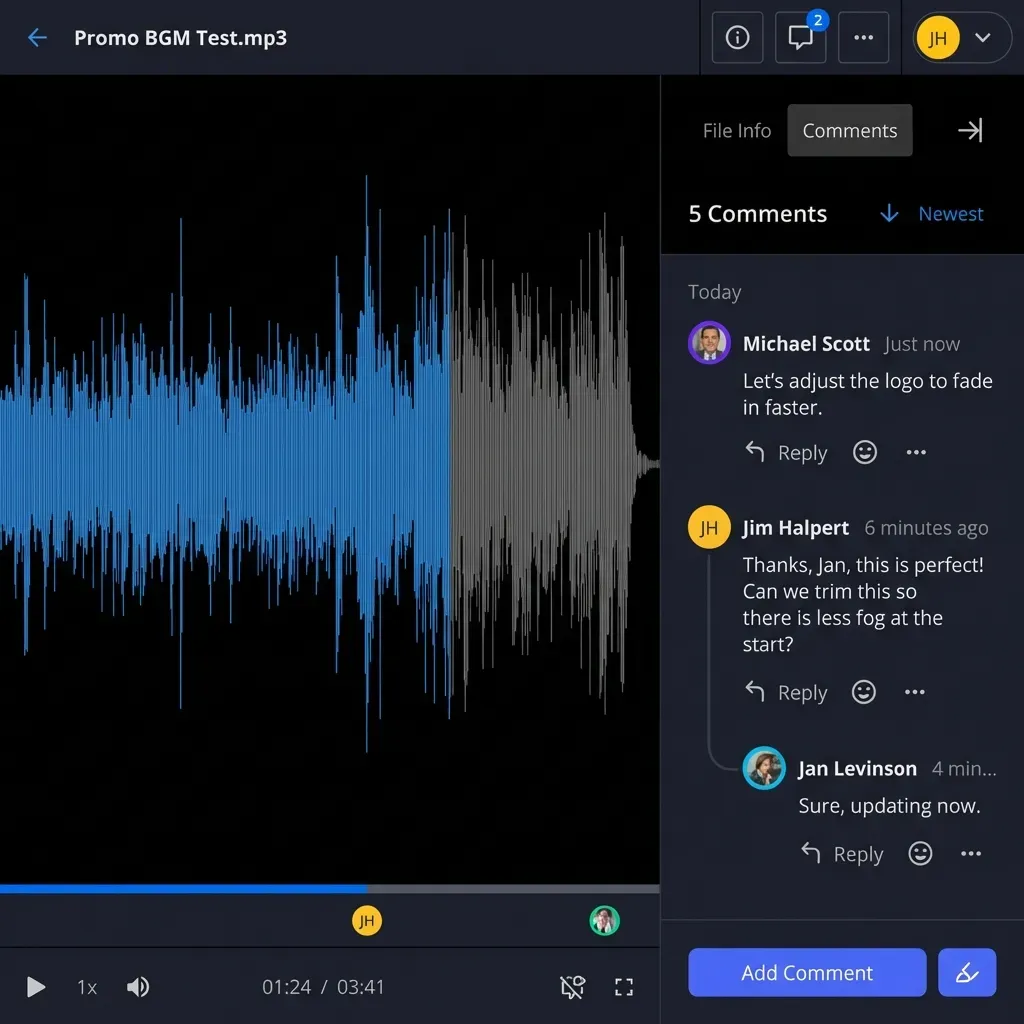
Add columns such as asset_url, workspace_path, export_sha_or_version, and approved_by. Sequence tools and dashboards should read those columns, not guess from email attachments. When an asset is revised, replace the file in place with version history retained, update the Clay row, and leave a short note in Collaborative Notes or a file comment so sales knows the previous PNG is retired.
Operating rules that keep Clay personalization on brand
The setup above fails in production for predictable reasons. Use these operating rules.
One owner per system
- Design owns the Brand Kit and Brand Templates.
- GTM ops owns Clay schemas and enrichment quality.
- Revops or sales enablement owns the delivery workspace permissions.
- Nobody else may upload a "quick logo fix" into production folders.
Segment before you personalize
Personalization that changes brand colors per prospect is usually a brand break, not a win. Personalize text, proof points, logos of the prospect (when appropriate), and offers. Keep your own palette, type, and mark fixed via Brand Kit.
Clay's personalized landing-page template is a good mental model: reference prospect context, keep the surrounding system stable, and push updates from data rather than from ad hoc design edits.
Quality gates before send
Require creative_status = approved before any sequencer or ad tool can use asset_url. Approval can be a human designer spot-check on a sample of rows, plus automated checks for:
- Missing company name
- Logo URL 404
- File size too large for ESP
- Wrong canvas dimensions
- Filename missing campaign or row id
When a human must sign off before a batch is released, reviewers can leave comments anchored to the files in Fast.io. The activity log records who uploaded and who shared what, which is useful when a partner complains about an outdated mark.
Rate limits and bulk reality
Clay's HTTP API enrichment docs stress testing one row, configuring rate limits from the target API docs, and using conditional runs so empty fields do not waste credits. Apply the same discipline to design exports. Bulk-generating 5,000 images on day one is how you discover layout bugs the expensive way. Pilot 25 rows, review, then scale.
Retirement and rebrands
When marketing ships a new logo, update the Brand Kit first, regenerate active Brand Templates, then re-export only in-flight campaigns. Archive old masters under /_brand-masters/retired/ with a date stamp. Leave historical campaign exports alone unless legal asks for a purge. Version history beats silent overwrites.
Where agents help without owning brand
Agents are useful for filing exports, renaming by row ID, summarizing which campaigns lack approved assets, and opening shares for human review. They should not invent brand colors. Point agents at Fast.io MCP tooling and Intelligence Mode so they query the real asset library with citations, then transfer ownership of agent-built folders to a human when the campaign is ready for sales. That is the storage-for-agents pattern: agents assemble, humans approve, the workspace remains the system of record.

A concrete weekly workflow for ABM and outbound
Here is how a mid-market GTM team might run this loop every Monday without reinventing brand rules.
Monday morning (ops)
Pull net-new target accounts into Clay. Enrich firmographics, contacts, and one trigger signal. Normalize creative fields. Set creative_status to queued for rows that pass data checks.
Monday midday (design or enablement)
Open the Brand Kit-backed one-pager and LinkedIn templates. Produce assets for the queued batch, either designer-assisted from Clay exports or through an approved API path. Upload PNG/PDF files into /campaigns/current/exports/ in the shared workspace. Paste asset_url values back into Clay.
Monday afternoon (brand QA sample)
Review a 10% sample against Brand Kit guidelines. Check logo margins, hex contrast, and offer language. Move good files to /approved/. Flip Clay status to approved. Rejected rows get a task with a screenshot and a reason code.
Tuesday (sales and sequences)
Sequencer reads only approved rows. Sellers who need a one-off asset request a share link rather than a private Canva remix. If an agency needs a batch, send a branded Fast.io share with expiry and per-recipient access instead of a zip in email.
Friday (retro)
Ask Intelligence Mode questions such as "which Q3 ABM exports still lack approval notes" or search by metadata if you extract campaign tags with Metadata Views. Retire unused variants. Note Brand Kit gaps for design (missing monochrome logo, weak dark-mode template).
That cadence is boring, which is the point. Brand consistency at scale is an operations problem once the Brand Kit exists. Clay accelerates the data side. The Brand Kit freezes the visual system. The shared workspace prevents the file chaos that usually undoes both.
Sources
References used to verify factual claims in this guide.
-
About 85% of companies report having brand guidelines, yet nearly two-thirds say those guidelines are not enforced.
-
DataForSEO US search volume for 'canva brand kit' is about 2,400 monthly searches with keyword difficulty 13.
-
Canva Brand Kit centralizes brand fonts, logos, colors, icons, imagery, graphics, and Brand Templates, with support for managing up to 100 separate brands.
-
Clay HTTP API lets teams send or retrieve data from any tool or database using an API endpoint when Clay does not offer a native integration.
-
Clay templates include visual personalization workflows such as auto-generating personalized landing pages for prospects using job title, company logo, and related fields.
-
Clay Templates and Claybooks are official starting points for common workflows; templates are ready-to-use tables users can copy and run.
Frequently Asked Questions
What is Canva Brand Kit?
Canva Brand Kit is a Pro/Business feature that stores your logos, brand colors, fonts, approved imagery, graphics, and Brand Templates in one place inside Canva. Teams can add contextual guidelines next to assets and manage multiple Brand Kits (Canva documents support for up to 100 brands) so campaign or sub-brand looks stay separate without losing control.
How do GTM teams use Brand Kit with Clay?
Use Brand Kit and Brand Templates as the visual system of record, and Clay as the enrichment and personalization data layer. Map Clay columns such as company_name, trigger_event, and offer_name into template fields, generate or assemble assets, write final asset URLs back into Clay, and store binaries in a shared workspace. Clay's HTTP API can connect external tools when no native integration exists, and Clay templates already include visual personalization plays such as personalized landing pages.
How do you keep outbound creative on brand at scale?
Lock logos, colors, and fonts in a Canva Brand Kit, ship only Brand Templates for outbound formats, personalize text and prospect context rather than brand colors, require an approved status before sequences can use assets, and store exports with stable filenames and version history in a shared workspace instead of personal drives.
Is there a native Clay integration for Canva Brand Kit?
No native Canva Brand Kit product inside Clay is required for this workflow. Clay's documented path for non-native tools is HTTP API enrichment (and related template/Claybook patterns). Treat Brand Kit as the design source of truth and connect systems through approved APIs, exports, and shared storage rather than inventing a single-vendor feature.
Where should we store personalized GTM exports?
Small teams often start with Google Drive or Dropbox. Engineering-led teams may use S3. Teams that mix humans, agents, and frequent external handoffs usually prefer a workspace with permissions, version history, and share links. Fast.io adds org-owned workspaces, branded shares, Intelligence Mode search, Metadata Views for structured extraction, and MCP access for agents, with plans starting after a 14-day free trial.
What belongs in Brand Kit versus in Clay?
Brand Kit holds design system assets: logos, hex colors, fonts, approved imagery, and Brand Templates. Clay holds prospect and campaign data: names, industries, signals, segment flags, creative status, and final asset URLs. Crossing those responsibilities is how brand drift and dirty personalization both appear.
Related Resources

Keep every Brand Kit export in one GTM workspace
Store Canva exports, Clay campaign folders, and seller-ready shares with version history, Intelligence search, and MCP access for agents. Start a 14-day free trial (credit card required) on Starter, Business, or Enterprise.