
Tom Langridge
Co-founder of Fastio and VividEngine
Tom Langridge is the co-founder of Fastio and VividEngine. He has spent 20 years building technology companies and products used by more than 100 million people. At Fastio, he focuses on shared workspaces where people and AI agents can securely store, search, share, and collaborate on files.
Latest guides by Tom Langridge
Browse all resources
Best AI Model Comparison Tools in 2026
Artificial Analysis now indexes 523 distinct language models, and the price spread between API providers for equivalent tasks can reach 625x. Picking a model without data wastes money and time. This guide covers 11 comparison tools, from crowdsourced leaderboards to open-source evaluation frameworks, that help developers make grounded model decisions.

Best AI Browsers in 2026: 8 Options Compared by Use Case
AI browsers now range from a chat panel inside a familiar browser to agents that open websites and complete tasks for you. This guide compares 8 AI browsers by use case, using each vendor's own website, help center, pricing page and privacy documentation as read on 2026-10-21.
Best MCP Servers for Cloud Infrastructure in 2026
MCP servers for cloud infrastructure let AI agents provision resources, query services, and manage deployments across AWS, GCP, and Azure without switching between consoles. This guide compares the most capable options available today, covering IaC tools like Terraform and Pulumi alongside provider-native servers and Kubernetes management.
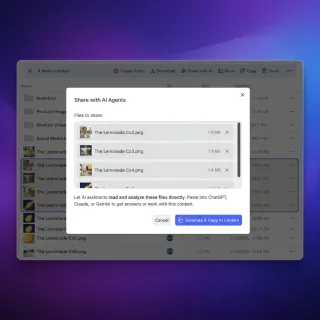
How to Automate Social Media with MCP Servers
Social media MCP servers connect AI agents to X, LinkedIn, and Instagram. Agents used to just write text. Now they read timelines, spot trends, and post directly. Top options for autonomous social media agents.

Best Storage for Hermes Agent Autonomous Workflows: Local vs Cloud Workspaces
Autonomous agent operations require persistent file layers to retain context across task execution cycles. This guide evaluates local directories, generic cloud storage, and intelligent workspaces to identify the best storage for hermes agent autonomous workflows. Discover how to connect persistent document extraction and Model Context Protocol servers to your agent deployments.
ChatGPT File Upload Limits: How to Handle Large Files and Folders
ChatGPT limits documents to 512MB per file, uploads to 80 files every 3 hours, and upload storage to 25 GB per user, creating problems for large datasets.
ChatGPT Plus Context Window: Real Limits, Truncation, and Corpus Workarounds
The ChatGPT Plus context window provides access to models with up to 128,000 tokens of raw capacity, but the web interface manages history within a rolling 32,000-token active memory window before older context is compressed or pruned. Long conversations quickly encounter drift when analyzing large document sets. Connecting an external workspace via the Model Context Protocol resolves this limitation by letting the assistant search indexed files on demand instead of stuffing prompt context.

Claude Desktop File Size Limits: Chat Uploads, Projects, and MCP Buffers
The Claude Desktop file size limit is 500MB per file in direct chat uploads and 30MB in Projects, but local filesystem MCP integrations encounter practical JSON-RPC buffer limits between 4MB and 10MB. Understanding these distinct ceilings prevents Electron application crashes, context window exhaustion, and IPC timeout errors. This guide details documented upload limits, local transport bottlenecks, and how to query gigabyte-scale document archives using external intelligent workspaces.
How to Work Around Claude's File Upload Limits
Claude accepts files of up to 500MB each and up to 20 files per chat, but files added to a Project are capped at 30MB each. This guide breaks down the exact limits for each file type, explains why you can still run into context limits with files under the cap, and covers three practical workarounds: Claude Projects, file splitting, and external storage with MCP.
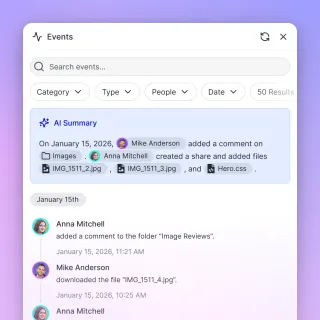
Claude Projects Context Window: Token Limits, Capacity Math, and Large-Corpus Search
Claude Projects enforces a 200,000-token context window that must accommodate all pinned Project Knowledge, custom instructions, and active conversation history combined. When background documents fill the context budget, conversational runway shrinks and forces teams to prune files or rely on lossy summarization. Connecting Claude to an intelligent workspace over remote MCP allows teams to search multi-gigabyte document libraries without consuming static context tokens.
Co-Counsel Document Sharing: Secure Workspaces for Joint Litigation Teams
Co-counsel document sharing requires specialized protocols and neutral workspaces that allow collaborating law firms to exchange case evidence and strategy without exposing internal firm infrastructure. When joint litigation teams rely on fragmented email chains or consumer cloud drives, they risk version conflicts and administrative overhead. This guide explains how legal operations leads can provision neutral workspaces, configure scoped access, and extract structured document metadata.

How to Connect Cursor to Remote MCP Servers for Cloud Storage
Cursor can query remote documents and team storage by connecting to Model Context Protocol endpoints over Streamable HTTP and SSE. Instead of cloning bulky PDFs and specifications into your local Git repository, you can configure Cursor to retrieve indexed passages on demand. This tutorial covers remote MCP configuration in Cursor, credential management, and connecting team storage repositories.