How to Use Canva Magic Design in Clay Outbound Creative Pipelines
US searchers look up "canva magic design" about 3,600 times per month, and the $7.34 CPC points to commercial evaluation rather than casual curiosity. Canva Magic Design turns prompts and assets into on-brand layout options, while Clay supplies the prospect data those prompts should reference. This guide shows how GTM teams map enrichment columns into prompts, generate variants, approve winners, and keep deliverables in durable storage without inventing a native Canva Magic Design integration.


Why Magic Design alone does not finish an outbound creative job
US searchers look up "canva magic design" about 3,600 times per month, and the keyword carries a $7.34 CPC, commercial pricing that usually signals tool evaluation rather than casual browsing [DataForSEO, July 2026]. That demand is real. The gap in most writeups is also real. Guides stop at generating a pretty layout, then skip the GTM plumbing: enrichment mapping, human approval, and a durable place to keep the winners.
Canva Magic Design generates on-brand layout options from prompts or assets, which GTM teams can pair with Clay prospect data to scale personalized campaign creative. Canva describes Magic Design as an AI design generator that crafts professional social posts and other layouts from a text description, with the option to upload media and apply brand style [Canva Magic Design]. It is not a one-click outbound system. Clay is not a design tool. The useful pipeline sits between them: Clay columns become prompt inputs, Magic Design produces variants, reviewers pick winners, and a shared workspace holds final files for sequencers, ads, and sales handoff.
Clay does not ship a native Canva Magic Design integration. What Clay does ship is HTTP API connectivity to any external endpoint and a large library of prebuilt GTM templates, including personalization patterns such as auto-generated landing pages and outbound messaging workflows [Clay HTTP API docs] [Clay Templates]. That is enough structure to run a reliable creative loop without inventing product features that do not exist.
Most outbound teams still store creative in personal Canva folders, Slack threads, or a shared Drive dump. Those options work for a one-off ABM mailer. They break when you run weekly variants across ICP segments, need an audit trail of who approved what, or want agents and humans to query the same asset set later. Local disks and generic object storage can hold files. An intelligent workspace adds version history, semantic search after indexing, permissions, and anchored comments on top of the files themselves.

Related guides
- Top OpenClaw Workflows for AI Print-on-Demand Product Design AutomationThe print-on-demand market hit $12.96 billion in 2025, growing at a 24.81% CAGR, yet most sellers still create designs...
- Top 8 OpenClaw Integrations for Creative AgenciesCreative agencies choose OpenClaw integrations to speed up client handoffs and file deliveries. These tools handle...
- Adobe Firefly for Clay GTM Creative AutomationAdobe Firefly draws about 135,000 monthly US searches at keyword difficulty 57, yet most product pages never explain...
- How to Use Canva Background Remover in Clay GTM Workflows"Canva background remover" draws about 40,500 monthly US searches at keyword difficulty 17 and a CPC near $7, yet most...
- How to Use a Canva Brand Kit with Clay GTM WorkflowsAbout 85% of companies say they have brand guidelines, yet nearly two-thirds admit those rules are not enforced. A...
- How to Use the GIMP Photo Editor in Clay Creative OpsThe phrase "gimp photo editor" draws 33,100 monthly US searches with keyword difficulty 27 and a CPC of $2.81. Most...
More on this subject: Clay and GTM Agents (82 guides)
What Canva Magic Design produces for GTM creative
Magic Design is Canva's prompt-to-layout generator. You describe the design you want, optionally add media, and Canva returns layout options you can open in the editor, refine, and export. Official Canva help lists supported formats such as presentations, posters, cards, flyers, business cards, documents, and social sizes including Instagram posts and stories, Facebook posts and covers, Pinterest pins, YouTube thumbnails and banners, and X posts. Magic Design for Video covers common social video sizes as well [Canva Magic Design].
How teams typically open Magic Design
Canva documents two main entry points:
- In the editor, open the Design tab, enter a specific prompt in the search bar, and preview suggested templates.
- From the homepage search and AI bar, select Canva AI, then Design for me.
Specific prompts outperform vague ones. "LinkedIn post for Series B SaaS CFOs, navy and white, headline about reducing month-end close time, clean sans-serif, leave room for a logo" gives Magic Design more to work with than "make a professional social graphic."
Brand control that matters for outbound
Outbound creative fails when every prospect variant drifts off brand. Canva Pro Brand Kit support lets you apply brand colors and fonts after generation [Canva Magic Design]. For GTM pipelines, treat Brand Kit as a hard gate: generate variants freely, then only promote designs that still pass brand application and manual review.
Magic Design currently works in English. Canva accounts without a Pro, NFP, or Education subscription get limited Magic Design uses; those higher tiers include broader access. Generations can still surface Pro assets that require a license or upgrade [Canva Magic Design]. Budget that into campaign planning before you promise "infinite variants" to sales leadership.
What Magic Design is not
Magic Design is not Clay. It does not enrich contacts, score ICP fit, or write sequenced email copy. It is also not a public "Magic Design API" that Clay can call row-by-row out of the box. If your pipeline needs fully programmatic Canva output, that is a separate architecture using Canva Connect APIs, brand templates, and autofill jobs, often with human or agent-assisted Magic Design for concept exploration and brand-template creation. For most outbound creative programs, the practical model is hybrid: Clay builds the personalization brief, Magic Design (or a designer using Magic Design) produces concepts, reviewers approve, and storage plus sequencing tools do the rest.
Map Clay columns into Magic Design prompt inputs
The content gap competitor guides leave open is data mapping. Personalized creative only works when the prompt carries verified enrichment fields, not sales intuition typed once into Canva.
Start from a Clay table that already holds the fields you trust for messaging. A common outbound creative table includes:
- Company name and domain
- ICP segment or persona label
- Industry and employee band
- Trigger or signal (funding, hiring, tech install, job change)
- Offer angle or proof point assigned to that segment
- Headline constraint (character limit for the channel)
- Visual constraints (logo URL, brand colors, forbidden claims)
- Channel and format (LinkedIn single image, email header, one-pager cover)
Build a prompt column, not a freeform chat habit
Add a formula or AI column that assembles a Magic Design brief from those fields. Keep the structure fixed so reviewers can audit why a design looked the way it did:
Design type: LinkedIn post, 1080x1080
Brand: navy #0B1F3A, white, accent teal, sans-serif
Headline: {{offer_angle}} for {{persona}} at {{company}}
Subhead: Reference {{signal}} without inventing metrics
Visual: Clean B2B product aesthetic, space for logo top-left
Do not use: stock handshake photos, neon gradients, unapproved claims
Export or copy that brief per segment rather than per every row when the creative is segment-level. Per-prospect image personalization is expensive and often unnecessary. Per-segment Magic Design variants, driven by Clay-derived segments, usually deliver most of the lift with far less review load.
Where Clay HTTP API fits
Clay's HTTP API enrichment can send or retrieve data from any API endpoint with GET, POST, PUT, or DELETE, even when Clay has no native integration [Clay HTTP API docs]. Use that for steps adjacent to Magic Design, not for inventing a Magic Design endpoint:
- Push approved creative metadata into a CMS, asset manager, or sequence tool
- Pull brand asset URLs or campaign IDs into the Clay table
- Write campaign package links back onto each account row after storage
Clay also recommends AI-assisted HTTP setup, single-row testing, saved header accounts for credentials, conditional runs, and rate limits before full-table runs [Clay HTTP API docs]. Those habits matter when creative automation starts touching production systems.
Templates as workflow accelerators
Clay ships templates that already encode personalization and research patterns, from personalized landing pages to outbound email drafting and account research [Clay Templates] [Clay Templates blog]. Use a template as the enrichment and messaging backbone, then attach a creative branch: brief generation, Magic Design production, approval status, final asset URL. Replicating a full GTM workflow as a template is Clay's stated value, measured in hours rather than days of rebuild work [Clay Templates blog].



Keep approved outbound creative in one workspace
Store Magic Design exports next to Clay briefs, run human approvals, and let agents and marketers use the same versioned files through Fast.io MCP and Intelligence Mode. Monthly plans start with a trial of up to 14 days (credit card required); annual plans have no trial.
Run the four-step outbound creative pipeline
Featured-snippet version of the workflow:
- Define prompt inputs from Clay columns.
- Generate Magic Design variants in Canva.
- Approve winners with an explicit review gate.
- Store deliverables in durable shared storage and link them back to Clay.
Step 1: Define prompt inputs from Clay columns
Freeze the schema before design starts. If signal is optional, write a fallback line so Magic Design never receives an empty headline slot. If legal forbids certain claims, put banned phrases in the prompt column itself so every brief inherits the rule.
Segment first when possible. Example: one Magic Design pack for "Series B fintech ops leaders with open RevOps roles," not 200 nearly identical company-name swaps.
Step 2: Generate variants
For each segment brief:
- Open Magic Design in Canva with the full brief.
- Generate several layouts.
- Apply Brand Kit.
- Export channel-ready files (PNG or JPG for social and email headers, PDF for sales one-pagers when needed).
- Name files with a deterministic convention such as
2026-07_outbound_fintech-ops_v03_linkedin.png.
Keep rejected variants for a short period if you want design learning, then archive or delete them so the folder of truth stays clean.
Step 3: Approve winners
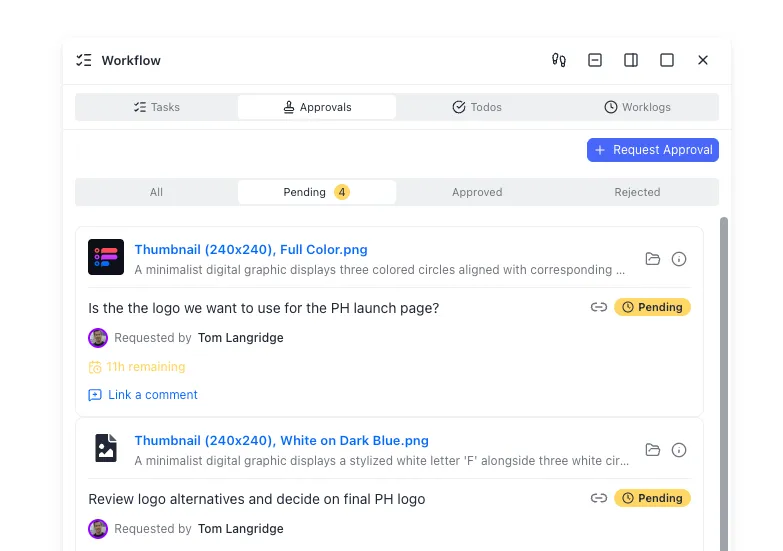
Do not let SDRs pull unreviewed Canva links into sequences. Minimum approval checks:
- Brand kit applied and logo correct
- Claims match the Clay brief and legal rules
- Channel crop still readable at mobile size
- Persona and offer still accurate after enrichment refresh
- File name and campaign ID recorded
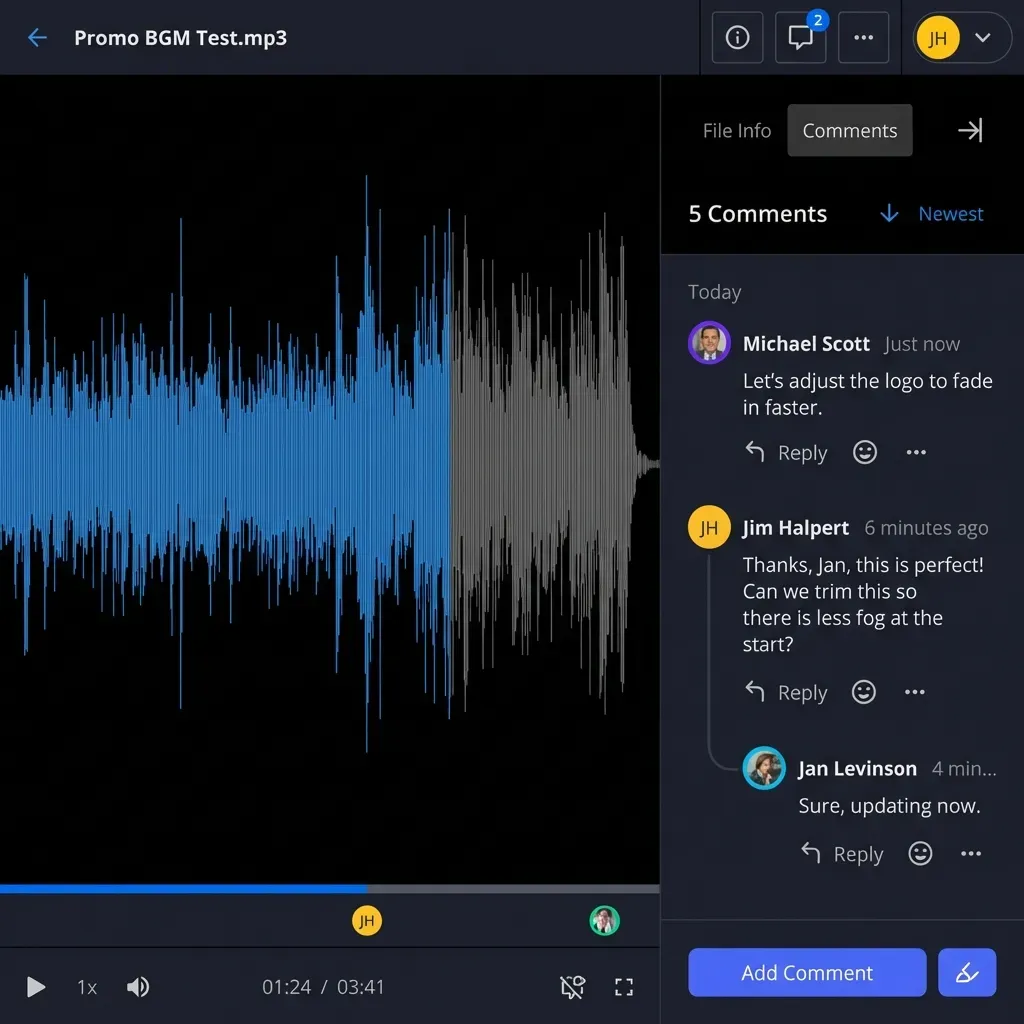
Fast.io workspaces give teams anchored comments, per-file version history, and a detailed activity log of who changed what. Google Drive comments or a spreadsheet checkbox can work for a two-person team. Once multiple GTM engineers, designers, and sales leads touch the same pack, informal chat approvals become the failure mode.
Step 4: Store deliverables and close the loop in Clay
Teams often start with Canva folders, Dropbox, Google Drive, or an S3 bucket. Those are fine intermediate landing zones. For ongoing outbound ops, prefer a shared workspace with:
- Org-owned folders per campaign
- Per-file version history when designers iterate
- Granular permissions so freelancers only see the creative pack they need
- Branded shares for agency or partner review
- Intelligence Mode so later search can find "fintech ops LinkedIn variant" by meaning, not only by filename
Fast.io workspaces cover that pattern for agentic and human GTM teams. Agents can use the Fast.io MCP server over Streamable HTTP at /mcp (legacy SSE at /sse) to upload, organize, and query assets with a consolidated MCP toolset. Humans keep the UI path. Both sides see the same files.
After storage, write the durable URL (or package path) back into Clay via HTTP API or a manual paste for small runs. Sequencers and ads tools should consume the stored URL, not a private Canva edit link that can change underfoot.
Approvals, audit trails, and durable creative storage
The second gap competitor content skips is what happens after generation. Magic Design makes production cheap. Cheap production without review multiplies off-brand and off-claim risk.
A practical review loop
- Designer or GTM engineer drops candidate exports into a campaign folder.
- Reviewer opens the pack, leaves comments anchored to issues, and marks approve or request changes.
- Only approved files move into a
final/folder (or an approved share). - Clay rows that power the campaign receive the approved asset URL and version tag.
- Sequence or ad launch is blocked until the status field equals approved.
Fast.io supports this with workspace folders, anchored comments, per-file version history, and a detailed activity log for who changed what. Enable Intelligence Mode on the workspace so the team can later ask which creatives shipped for a segment and get citation-backed answers from the stored files and notes.
If you already live in Google Drive or Dropbox, you can keep generating there and only promote finals into Fast.io. Cloud import from Drive, Dropbox, OneDrive, or Box reduces local download friction when consolidating.
Metadata that makes creative searchable later
Filenames help. Structured fields help more. When packs include briefs, brand PDFs, or export manifests, Metadata Views can extract fields such as campaign ID, segment, channel, approval status, and asset URL into a queryable grid. That is different from Intelligence Mode: Intelligence indexes for semantic search and chat, while Metadata Views build typed columns over documents.
Agents in the loop without overclaiming
Agents are useful for assembling briefs from Clay exports, renaming files, uploading to a workspace, and notifying humans that a pack needs review. They are a poor sole judge of brand quality. Keep ownership clear: an agent can stage the workspace, then transfer the organization or hand control to a human who owns brand risk. Plans start at Starter $9.99/mo, Business $49.99/mo, and Enterprise $199.99/mo, each with a 14-day free trial that requires a credit card and an organization. Real workspace work requires a paid org subscription after the trial.

Operational pitfalls when scaling Magic Design with Clay
Prompt drift across rows
If every rep rewrites the Magic Design prompt by hand, brand and claim consistency collapses. Keep the prompt assembly in Clay so the only variables are enrichment fields you already trust.
Over-personalization
Company-name-on-image personalization looks clever in demos and often fails at scale: more QA, more legal surface area, more storage clutter. Prefer segment-level creative with copy personalization in the email or LinkedIn message body.
Treating Canva as the system of record
Canva is excellent for creation. It is a weak long-term archive for multi-quarter GTM learning. Export finals, store them with campaign metadata, and link from Clay. If a designer revises an asset, version history in shared storage prevents silent overwrites.
Skipping conditional runs and rate limits on HTTP steps
When Clay HTTP API columns write asset URLs into CRMs or sequencers, follow Clay's own guidance: test one row, set conditionals so empty fields do not fire, configure rate limits from the destination API docs, and store credentials in workspace-level header accounts rather than plain-text headers [Clay HTTP API docs].
No single owner for the creative package
Name a GTM engineer or marketing ops owner for the table schema, and a design or brand owner for approval criteria. Without owners, Magic Design output becomes a pile of files nobody trusts.
Measuring the wrong success metric
Track reply rate, meeting rate, and brand QA failure rate, not only "number of variants generated." Magic Design's job is faster, on-brief options. Clay's job is accurate inputs and orchestration. Storage's job is durable, searchable finals. Score each layer on the outcome it owns.
Sources
References used to verify factual claims in this guide.
-
US monthly search volume for "canva magic design" is about 3,600, with CPC around $7.34 (commercial evaluation intent).
-
Canva Magic Design is an AI design generator that creates custom, on-brand designs from text prompts and optional media, with support for social layouts, presentations, and related formats.
-
Clay HTTP API lets teams send or retrieve data from any tool or database via API endpoints (GET, POST, PUT, DELETE) even without a native Clay integration.
-
Clay provides a public templates library of prebuilt GTM workflows, including personalization patterns such as auto-generated personalized landing pages.
-
Clay Templates are designed so teams can automate, customize, and replicate full GTM workflows in hours rather than rebuilding from scratch.
Frequently Asked Questions
What is Canva Magic Design?
Canva Magic Design is an AI design generator inside Canva. You describe the design you want (or start from uploaded media), and it produces layout options for formats such as social posts, presentations, posters, and more. You then open a preferred option in the Canva editor, apply brand styling, refine details, and export.
Can Magic Design be used for outbound personalization?
Yes, when you feed it structured inputs from tools like Clay. The usual pattern is segment-level personalization: Clay enrichment defines persona, signal, and offer; a prompt column turns those fields into a Magic Design brief; designers or GTM operators generate variants; reviewers approve; sequences use the final stored assets. Fully per-prospect image generation is possible but often too heavy for review and brand control.
How do teams review Magic Design assets before campaigns launch?
Strong teams treat approval as a hard gate. Export candidates into a shared campaign folder, check brand kit application, claims, mobile crop, and naming, then only promote approved files to a final location. Record the approved URL and version back on the Clay row before sequencing. Anchored comments, version history, and an audit log make that process durable when more than two people are involved.
Does Clay integrate natively with Canva Magic Design?
No native Canva Magic Design integration is required for the workflow in this guide, and you should not assume one. Clay supports connecting external systems through its HTTP API and offers templates for personalization and outbound automation. Magic Design generation typically happens in Canva's UI (or in a broader Canva Connect architecture for template autofill), while Clay owns enrichment, brief assembly, and orchestration.
Where should approved outbound creative live after Canva export?
Canva folders, Google Drive, Dropbox, and S3 all work as temporary homes. For ongoing GTM ops, store finals in an org-owned shared workspace with version history, permissions, and search. Fast.io is one option that also indexes files for semantic search when Intelligence Mode is enabled and can expose workspace operations to agents through MCP.
How do Clay templates help a creative pipeline?
Clay templates package repeatable GTM workflows such as research, enrichment, and personalized messaging so teams can copy a proven structure instead of rebuilding columns from scratch. You can extend a personalization template with creative-specific columns for prompt briefs, approval status, and final asset URLs.
Related Resources

Keep approved outbound creative in one workspace
Store Magic Design exports next to Clay briefs, run human approvals, and let agents and marketers use the same versioned files through Fast.io MCP and Intelligence Mode. Monthly plans start with a trial of up to 14 days (credit card required); annual plans have no trial.