How to Choose the Best Teacher File Sharing Platform
The best teacher file sharing platform simplifies classroom management by securely distributing lesson plans, assignments, videos, handouts, quizzes, and projects to students and parents. Most teachers share dozens of files each week with digital tools. This guide covers key features for secure teacher file sharing, compares top platforms like Google Classroom, Teams, Dropbox, and Fastio, and provides step-by-step setup for classroom workflows.

What Is a Teacher File Sharing Platform?
A teacher file sharing platform lets educators upload, organize, and distribute lesson plans, assignments, video lectures, worksheets, quizzes, and student projects to students and parents. These tools offer controls like view-only access for students to avoid accidental edits, notifications for parents on new materials, and role-based permissions for co-teachers and administrators.
The right platform saves real time. Teachers deal with email attachments that bounce on large files and personal accounts that vanish when staff leaves mid-year. A shared, org-owned workspace fixes both problems at once.
Top platforms handle large multimedia files without compression or limits, important for video lessons or science datasets. They provide audit logs to track access and downloads, which helps with FERPA privacy rules. Real-time collaboration allows co-teachers to update materials together.
Fastio has shared workspaces per class, org-owned files that outlast individual teacher accounts, and branded links for parent portals. See Fastio Workspaces, Fastio Collaboration, and Fastio AI for details.

Related guides
- Best Teacher Resource Sharing Platforms ReviewedTeachers share lesson plans, worksheets, and other classroom materials on these platforms. They save time reusing...
- Top K12 File Sharing Platforms for SchoolsTeachers, students, and parents exchange assignments, resources, and feedback on K12 file sharing platforms. Schools...
- How Teachers Share Files Securely and CollaborativelyFile sharing for teachers means distributing lesson plans, assignments, worksheets, videos, and feedback securely with...
- How to Build a School Parent Portal for Secure File SharingGuide to school parent portal file sharing: Schools need a secure way to share report cards, IEPs, permission slips,...
- How to Set Up a Teacher Student File Feedback SystemTeachers face a weekly grind reviewing student work—essays, spreadsheets, art sketches, video projects. Traditional...
- Best School File Management Software for AdminsSchool admins use file management software to organize documents and meet compliance requirements in educational...
More on this subject: Education (15 guides)
Essential Features for Secure Teacher File Sharing
Granular permissions are the thing most consumer tools skip. You want students in view-only mode so they can't accidentally overwrite an assignment, co-teachers with full edit rights, and parents on download-only links. Access controls connect with class Workspace, Microsoft Azure AD, or Okta for single sign-on across school apps. Audit logs track every action (views, downloads, comments, permission changes) for parent-teacher meetings and compliance checks.
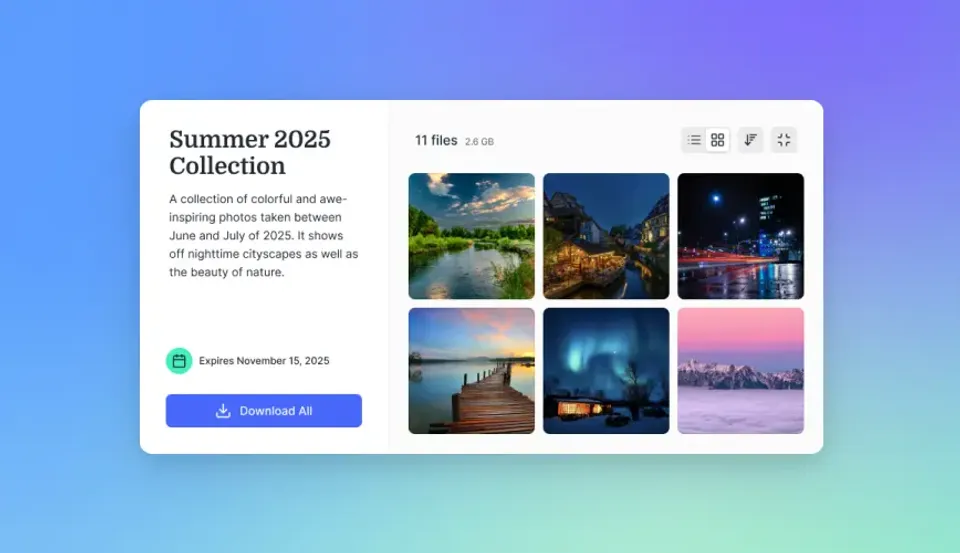
Shared workspaces let you create one per class, grade, or project. Large file support handles video libraries and research datasets. In-browser previews for PDFs, images, videos, audio waveforms, and documents cut data use on student devices. Branded share links create professional portals with school logos for parent updates and grant partners.
Fastio covers all of this: org-owned files stay available if a teacher leaves mid-year, there's no cap on guest accounts for parents and substitutes, and real-time activity feeds show what's been accessed. Encryption at rest and in transit, MFA, and API connections to Canvas or Schoology for assignment syncing and API automation.
Security and Compliance Basics
Encryption protects student work at rest and in transit. Add passwords and expiration dates. Platforms like Fastio provide these.
Integration with Classroom Tools
Link to LMS systems like Canvas or Google Classroom for easy assignment sharing. Fastio's API supports custom school workflows.
Comparison of Top Teacher File Sharing Platforms
Here's a comparison of top platforms for teacher file sharing:
Google Classroom Pros: Free, easy for basics.
Cons: Limited advanced perms, no large file streaming.
Teams Pros: Office integration.
Cons: Complex for non-MS users.
Fastio Pros: Large file support, branded portals, audit trails.
Cons: Usage pay-as-grow.
For video-heavy classes or research data, Fastio stands out with large file support and adaptive streaming.


Ready for Better Classroom File Sharing?
Fastio provides secure sharing with no file limits and school permissions. Start a 14-day Business Trial. Built for teacher file sharing platform workflows.
Step-by-Step Setup for Classroom File Sharing
Here's a setup sequence that works for most schools.
Sign up and create organization: Pick a platform with education-friendly trials. Fastio sets up workspaces instantly.
Build class workspaces: Make one per class or subject (e.g., "Algebra-2026"). Upload syllabi, weekly plans, handouts, and starter resources. Organize into folders like /lessons /homework /resources.
Set granular permissions: Give students view/download access to assignments. Send parents read-only links with expiration. Let co-teachers edit. Restrict to school email domains.
Generate secure shares: Create password-protected or branded links for parent nights. Embed previews so parents view videos without downloads.
Monitor engagement: Check audit logs for who accessed what and when. Track assignment completion rates.
Connect to your LMS: Hook into Google Classroom or Canvas via API for auto-posting. Test with one class before full rollout.
Train and iterate: Share a quick-start guide with teachers. Get feedback after two weeks and adjust permissions.
Regular reviews keep shares current and secure. Scale to the full department once proven.

Troubleshooting Common Classroom File Sharing Issues
Most classroom file sharing problems fall into a short list.
Large files won't upload or stream on student devices. Test bandwidth first. Pick platforms with adaptive streaming like HLS in Fastio. It starts fast and adjusts quality without buffering. Pre-generate proxies for slow connections.
Parents complain about expired links or forgotten passwords. Set customizable expirations and auto-reminders. Branded portals with secure access cut friction. Parents log in once with school credentials.
Version confusion among co-teachers. Use activity feeds and version history. Fastio shows who changed what and when, plus real-time presence to avoid overlaps.
LMS integration breaks during updates. Stick to stable REST APIs. Fastio handles chunked uploads for big files and event polling to notify when assignments are ready.
Quarterly permission audits and teacher training cut issues. Start with one class to work out problems.

Fastio for Educators: Tailored Advantages
Fastio handles the things most school platforms treat as extras. Shared workspaces mean one per class, department, or research project. Large file support means lab videos, student datasets, and research papers go in without compression or workarounds. Granular permissions with Google Workspace or Azure AD keeps logins simple. Audit logs cover every view, download, and comment, which is useful for accountability and for FERPA documentation when it comes up. Branded parent portals show engagement stats, time spent, most-viewed files, without requiring parent accounts. Files are owned by the organization, so when a teacher leaves, nothing disappears. A high school science department moved their lab data sharing to Fastio and found teachers stopped fielding "did you get my file?" emails almost immediately, because students could see their own submission status.
Avoid These Classroom File Sharing Mistakes
Email is the first thing to drop. Large attachments bounce, there's no access control, and the files live on someone's personal account rather than the school's. Consumer tools like personal Dropbox have the same problem: no student or parent permission controls, and no continuity when that teacher leaves.
Personal accounts are the other common mistake. When a teacher leaves mid-year, materials stored in their Google Drive or personal OneDrive can become inaccessible overnight. Use an org-owned platform from the start. Before you roll anything out, test the student-facing experience on an actual student device, phone, old Chromebook, school laptop - not just a teacher's machine.
One school moved from email to Fastio for a single department, cut file-sharing-related back-and-forth by roughly half, then expanded district-wide the following semester.
A practical starting point: one department head creates a single workspace for a semester course, uploads the syllabus and first two weeks of materials, then shares view-only links with students and download-only links with parents. Running that for two weeks before adding co-teachers as editors surfaces permission gaps and naming conventions before they become problems at scale. The key constraint is account provisioning: if your district uses Google Workspace, confirm that student accounts have been added to the relevant organizational unit before sending links, or students will hit an access error. Schools that staged it this way, one course, then a department, then the grade, reported IT support tickets for file access dropping by over half once the permission structure was written down and owned by department leads rather than IT.
Sources
Frequently Asked Questions
What is the top file sharing for teachers?
Google Classroom works for basics. Fastio adds granular permissions and large file support for complex classes.
How to share files with students securely?
Use platforms with view-only links, passwords, and audit logs. Add expirations and domain restrictions for student emails.
Are there free teacher file sharing platforms?
Yes, Google Classroom is free. Fastio offers a 14-day trial (credit card required), then plans from $9.99/mo with seats included.
What file size limits apply to education sharing?
Many have limits. Fastio handles large videos and datasets.
Does Fastio work for large classes?
Yes. Workspaces support guest access and granular permissions that scale across classes.
Related Resources

Ready for Better Classroom File Sharing?
Fastio provides secure sharing with no file limits and school permissions. Start a 14-day Business Trial. Built for teacher file sharing platform workflows.