Top 7 OpenClaw Workflows for AI YouTube Video Production
AI video generation volume grew 840% between January 2024 and January 2026, but most YouTube creators still stitch together disconnected tools for each production stage. OpenClaw's skill-based architecture lets you chain research, scripting, rendering, and analytics into a single agent workflow that runs on your own machine. This guide ranks seven OpenClaw workflows by production stage and explains how to connect them to persistent storage for team review and publishing.

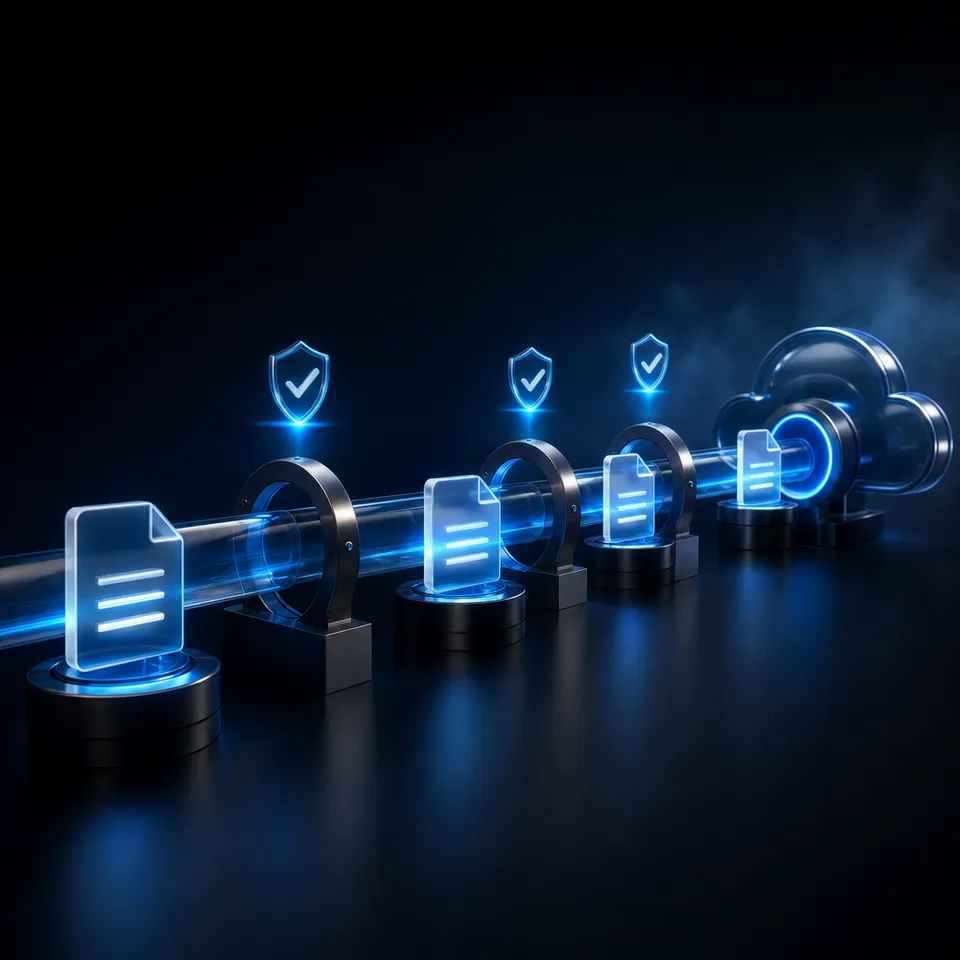
Why OpenClaw for YouTube Production
AI video generation volume grew 840% between January 2024 and January 2026, according to a Vivideo analysis of platform data across major AI video tools. That growth brought a flood of standalone apps, each handling one slice of production: a trend finder here, a script generator there, a thumbnail tool somewhere else. The result is a fragmented workflow where creators bounce between six or seven tools before a single video goes live.
OpenClaw takes a different approach. It is an open-source personal AI assistant that runs locally on macOS, Windows, or Linux and connects to Claude, GPT-4, Gemini, or local models. Instead of separate apps, you install skills from ClawHub and chain them into automated pipelines. One agent session can research a topic, draft a script, generate a thumbnail brief, render video clips, and push the finished assets to a shared workspace for review.
The OpenClaw Playbook guide for YouTubers documents six production workflows that map to the stages below. Denis Ffring's YouTube Content Pipeline project on OpenClaw Times demonstrates a working implementation covering trend analysis through script drafts. Combined with OpenClaw's built-in video_generate tool (added in version 2026.4.5), the ecosystem now covers the full production cycle.
Each workflow below is ranked by where it falls in the production timeline, from pre-production research through post-publish optimization.
Related guides
- How to Automate Video Review Workflows with Manus AIWhile AI-driven automation can slash initial video editing and rough-cut assembly times by up to 80%, creative teams...
- How to Integrate an AI Video Editor in Clay GTM SequencesIntegrating an AI video editor API into Clay Go-To-Market (GTM) sequences automates personalized video creation for...
- Best OpenClaw Workflows for AI Music Video and Lyric Video CreationOpenClaw 2026.4.5 shipped music_generate and video_generate as built-in tools, but most guides cover them in isolation....
- Best OpenClaw Workflows for AI Product Demo Video and Walkthrough CreationOpenClaw's ecosystem includes a dedicated demo-video skill that records browser walkthroughs through CDP screencast, a...
- Top OpenClaw Workflows for AI Video Dubbing and Lip SyncThe AI video translation market hit $2.68 billion in 2024 and is growing at 28.7% annually, yet most dubbing guides...
- Top OpenClaw Workflows for AI Image-to-Video ConversionOpenClaw's video_generate tool supports 13 providers for image-to-video conversion, each with different strengths. Some...
More on this subject: OpenClaw Workflows and Integrations (69 guides)
1. Trend Research and Idea Generation
Every YouTube video starts with an idea worth filming. The OpenClaw Playbook's idea generation workflow automates this step by scanning trending topics from Reddit, niche forums, and platform-specific feeds, then generating a ranked list of video concepts tailored to your channel's niche.
The workflow runs on a weekly cron schedule. You configure it to pull topics from sources relevant to your audience, filter by engagement signals, and output 10 specific video ideas with estimated interest levels. The output lands in your messaging platform of choice (Slack, Discord, Telegram) so you can review ideas during your morning coffee rather than spending an hour in keyword tools.
What this replaces
Manual trend research typically takes 2-4 hours per week: checking competitor channels, browsing Reddit, scanning Google Trends, and cross-referencing with keyword tools. The automated workflow compresses this into a digest you scan in five minutes.
Storage angle
Raw research data, competitor screenshots, and reference links accumulate fast. Storing them locally means they vanish when you switch machines. A persistent cloud workspace like Fast.io lets your agent write research output to a shared folder that your editor, thumbnail designer, or VA can access without file-sharing gymnastics. Fast.io's Intelligence Mode auto-indexes the stored research, so you can ask questions like "what gaming topics performed well last month?" and get cited answers from your own data.

2. Script Outline and Draft Generation
Once you pick an idea, the next bottleneck is the script. The OpenClaw Playbook's script outline workflow generates structured drafts with a hook, problem setup, supporting examples, and a call to action. You feed it a topic and your channel's voice guidelines, and the agent produces a script skeleton that follows YouTube's engagement patterns.
This is not about replacing your voice. The output is an outline with section beats, suggested talking points, and transition markers. You add personality, anecdotes, and on-camera notes during your own editing pass. The value is skipping the blank-page phase where most creators lose an hour staring at a doc.
Chaining with research
The real power shows when you chain this with workflow #1. Your research agent identifies a trending topic on Monday morning. The script agent picks it up, pulls in the research context, and delivers a draft outline to your workspace by Monday afternoon. By Tuesday you are filming, not brainstorming.
For creators managing multiple channels or a team of writers, the drafts need to live somewhere everyone can access. A shared Fast.io workspace keeps scripts versioned and searchable. When your editor revises a draft, the original stays in version history. The agent writes, the human refines, and nothing gets lost in a DM thread.


Store and share your YouTube production pipeline output
Persistent workspace for your OpenClaw agent's scripts, thumbnails, rendered clips, and analytics reports. Indexed for AI search, shareable with your team.
3. Title and Thumbnail Optimization
Titles and thumbnails determine whether anyone clicks. The Playbook's title-and-thumbnail workflow generates multiple title variations with estimated click-through predictions, plus visual concept briefs for your designer.
The agent produces 5-8 title options per video, ranked by predicted CTR based on patterns from high-performing content in your niche. Each title comes with a thumbnail concept: text overlay suggestions, color palette, focal point composition, and emotion cues. This gives your designer (or your Canva session) a clear brief instead of a vague "make it pop."
Why this matters for optimization
YouTube's algorithm weights CTR heavily in the first 48 hours after upload. Running A/B tests on titles is standard practice, but most creators pick titles from gut instinct. Having 5-8 data-informed options means your gut instinct starts from a stronger baseline.
Pairing with storage
Thumbnail assets, brand templates, and reference screenshots pile up across dozens of videos. Keeping them in a shared workspace with your title docs means your designer can pull brand assets without asking. If you use Fast.io's branded shares, you can send a thumbnail review link to a client or sponsor where they approve the visual before you upload.

4. Video Generation with video_generate
OpenClaw 2026.4.5 added video_generate as a built-in tool that registers automatically in every agent session. You describe the video you want in a prompt, choose an aspect ratio and resolution, and the tool handles rendering asynchronously through your configured provider. The bundled providers include xAI, Alibaba Wan, and Runway, with additional providers available through configuration.
The tool supports three modes: text-to-video (describe a scene and get a clip), image-to-video (animate a product photo or storyboard panel), and video-to-video (restyle existing footage). Generation runs asynchronously, so your agent can continue working on scripts or thumbnails while video renders in the background.
Where this fits in a YouTube workflow
For faceless channels, b-roll heavy content, and explainer videos, video_generate handles clip creation that would otherwise require stock footage subscriptions or motion graphics software. A tech review channel might generate product visualization clips. A finance channel might create animated chart sequences. The clips feed into your editing timeline alongside camera footage.
Limitations to know
video_generate creates new clips only. It does not trim, cut, or edit existing footage. There is no subtitle burn-in or multi-segment assembly. For post-production editing, you need a separate ClawHub skill like video-editor-ai or ffmpeg-video-editor. Think of video_generate as your B-roll factory, not your NLE replacement.
File management
Generated video files are large. A 30-second clip at 1080p can run 50-200 MB depending on the provider. Local storage fills up fast when you are generating multiple variations. Moving rendered clips to a cloud workspace keeps your local machine clean and gives collaborators immediate access. Fast.io plans provide persistent storage starting at 250 GB on Starter, with a 14-day Business Trial, and files are indexed once Intelligence Mode is enabled.
5. Upload Checklist and Distribution Automation
The gap between "video is done" and "video is live" contains a surprising number of steps that creators forget under deadline pressure. The Playbook's upload checklist workflow verifies that every required element is ready before you hit publish: thumbnail uploaded, description written, tags added, end screen configured, cards linked, and subtitles attached.
The community engagement workflow handles the other side of distribution. After publishing, the agent monitors top comments and drafts responses in your voice for review. You approve or edit the drafts, then post. This keeps engagement high during the critical first 24 hours without chaining you to the comments section.
The OpenClaw scheduling approach
The Playbook uses cron-based scheduling for recurring tasks. Your upload checklist runs automatically when a new video file appears in a designated folder. The engagement monitor runs on an interval you set, pulling new comments and queuing draft responses. Both workflows post summaries to Slack or Discord so you stay informed without switching contexts.
Distribution across platforms
YouTube is rarely the only platform. Clips need to go to TikTok, Instagram Reels, LinkedIn, and Twitter. The OpenClaw agent can reformat and resize clips for each platform's requirements, then queue them for scheduled posting. Storing platform-specific versions in a shared workspace lets your social media manager grab the right format without re-exporting.

6. Channel Analytics and Performance Optimization
The Playbook's channel analytics digest workflow uses the YouTube Data API v3 to pull weekly performance metrics: views, watch time, subscriber changes, CTR, and retention curves. The agent compiles a digest highlighting top-performing videos, underperforming content, and trend shifts, then delivers it to your preferred channel.
This is not a replacement for YouTube Studio's built-in analytics. It is a layer on top that does the analysis work for you. Instead of spending 30 minutes reading charts, you get a summary that says "your tutorial on X had 2x average retention, consider a follow-up" or "shorts posted on Wednesdays outperform Fridays by 40%."
Closing the feedback loop
The real value emerges when analytics feed back into ideation. Your analytics agent identifies that tutorials outperform vlogs by 3x on your channel. That signal flows into your trend research workflow, biasing future ideas toward tutorial formats. Over weeks, the pipeline self-corrects toward what your audience actually watches.
Storing analytics history
YouTube Studio retains data, but extracting it for custom analysis is tedious. Having your agent write weekly digests to a persistent workspace creates a searchable archive. Six months in, you can ask "what content themes drove the most subscriber growth in Q1?" and get an answer grounded in your own data. Fast.io's Intelligence Mode indexes these reports automatically, so the search works without manual tagging or folder organization.
Connecting OpenClaw Workflows to Persistent Storage
Each workflow above generates artifacts: research docs, script drafts, thumbnail briefs, rendered video clips, analytics reports. On a single creator's machine, these files scatter across folders and messaging threads. On a team, the problem multiplies.
The missing piece in most OpenClaw YouTube setups is a shared storage layer where agents write and humans review. Local storage works for solo experimentation, but breaks down when you add an editor, a thumbnail designer, or a channel manager.
What to look for in a storage layer
- Agent-writable: Your OpenClaw agent needs API or MCP access to upload files programmatically
- Versioned: Script drafts go through multiple revisions. You need version history, not "final_final_v3.docx"
- Searchable: Finding last month's thumbnail brief should not require remembering which folder you used
- Shareable: Send a review link to your editor or sponsor without zipping files and emailing attachments
Google Drive and Dropbox cover basic file storage. S3 handles raw volume. Fast.io is built specifically for agent-to-human workflows: your OpenClaw agent uploads via the MCP server, files are auto-indexed for AI search, and you can create branded share links for client review. Fast.io plans provide scalable storage starting at 250 GB, with a 14-day Business Trial to get started.
Ownership transfer for client work
If you produce YouTube content for clients, the ownership transfer pattern matters. Your agent builds the workspace, populates it with deliverables, and transfers ownership to the client. You keep admin access for future updates. The client gets a branded portal with their content, not a shared Google Drive folder with your other projects mixed in.
Sources
References used to verify factual claims in this guide.
-
AI video generation volume grew 840% between January 2024 and January 2026 Monthly active users across AI video platforms exceeded 124 million as of January 2026
-
OpenClaw YouTube automation cuts production time by 40-50%
-
OpenClaw 2026.4.5 introduced video_generate as a built-in tool
-
OpenClaw Playbook documents six YouTuber production workflows
Frequently Asked Questions
Can OpenClaw help with YouTube content creation?
Yes. OpenClaw's skill ecosystem includes tools for trend research, script generation, title optimization, video rendering (via the built-in video_generate tool), and channel analytics. The OpenClaw Playbook documents six production workflows specifically designed for YouTubers, covering the pipeline from ideation through post-publish engagement.
What are the best AI tools for YouTube channel growth?
For growth specifically, the combination of OpenClaw's trend research workflow (finding topics before competitors), title optimization workflow (maximizing CTR), and analytics digest (identifying what content drives subscribers) covers the three biggest growth levers. Standalone tools like TubeBuddy and vidIQ handle keyword research, but they do not chain into an automated pipeline the way OpenClaw skills do.
How do you automate YouTube video production with AI?
Install OpenClaw on your machine, configure it with your preferred AI model (Claude, GPT-4, Gemini, or a local model), and set up ClawHub skills for each production stage. Use cron scheduling to run recurring workflows like trend research and analytics digests automatically. Chain skills together so the output of one stage feeds the next, moving from research through scripting, generation, and upload without manual handoffs between tools.
What OpenClaw skills work for YouTubers?
The youtube-video-generation skill on LobeHub handles video clip creation. The youtube-studio skill on OpenClawDir connects to YouTube's API for upload and channel management. The video-editor-ai skill on ClawHub handles post-production editing. Beyond dedicated skills, OpenClaw's built-in video_generate tool (added in version 2026.4.5) provides text-to-video, image-to-video, and video-to-video generation natively.
How much time does OpenClaw save YouTube creators?
Creators using automated OpenClaw pipelines report cutting production overhead by 40-50%, primarily by eliminating manual research, script outlining, and upload preparation. The time saved depends on your current workflow. If you spend 4 hours per week on research and optimization tasks, expect to reduce that to roughly 2 hours of review and approval time.
Related Resources

Store and share your YouTube production pipeline output
Persistent workspace for your OpenClaw agent's scripts, thumbnails, rendered clips, and analytics reports. Indexed for AI search, shareable with your team.