Best OpenClaw Workflows for AI Music Video and Lyric Video Creation
OpenClaw 2026.4.5 shipped music_generate and video_generate as built-in tools, but most guides cover them in isolation. The real production value comes from chaining audio generation into video generation with synchronized timing. This guide ranks five workflows for creating music videos and lyric videos inside OpenClaw, from minimal two-tool chains to full social media pipelines.

Why Music Video Creation Needs an Orchestration Layer
OpenClaw hit 346,000 GitHub stars by April 2026, but the adoption surge created a specific blind spot in community documentation: most tutorials cover music generation or video generation as standalone tools, never as a coordinated pipeline. That gap matters because a music video requires synchronized audio and visuals, not two disconnected outputs.
The 2026.4.5 release gave OpenClaw agents two new built-in tools. The music_generate tool creates audio tracks through Google Lyria, MiniMax, and ComfyUI backends. The video_generate tool produces clips through 16 providers including xAI, Runway, Google Veo, and Alibaba Wan. Both tools run asynchronously, returning task IDs that the agent monitors until generation completes.
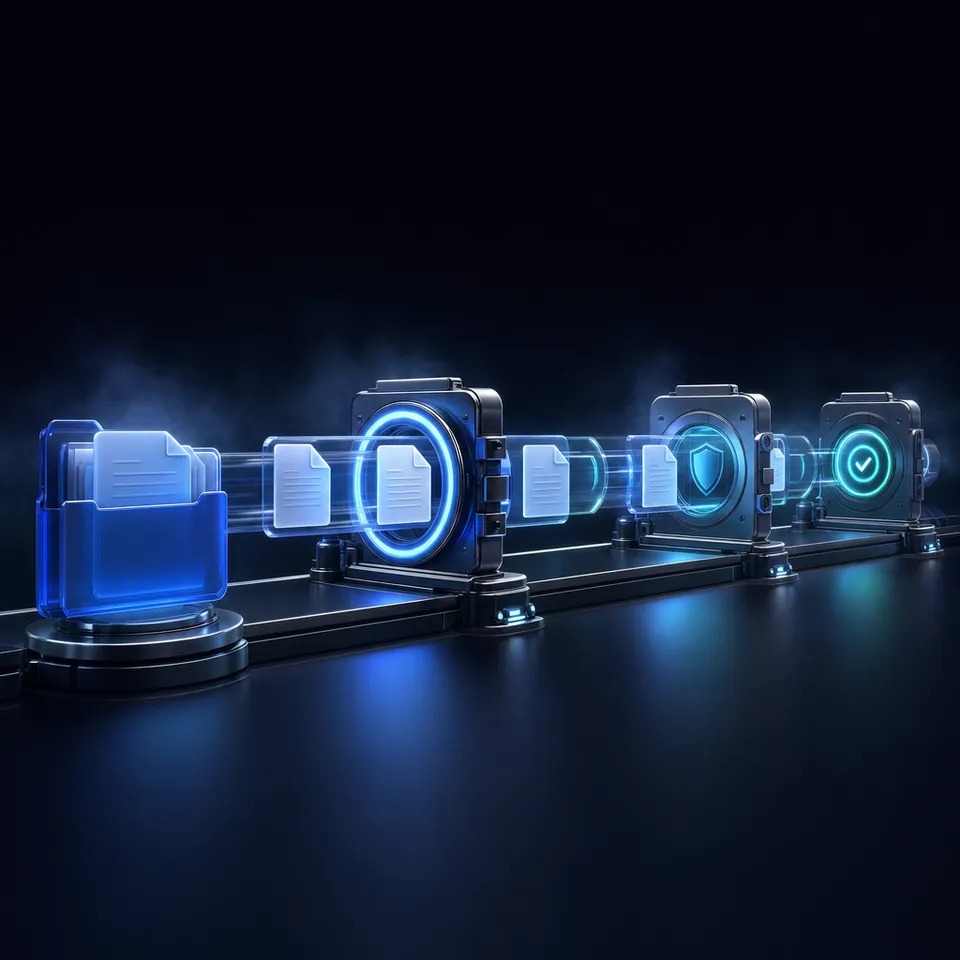
The production challenge is timing. A lyric video needs text overlays synchronized to vocal cadence. A performance-style music video needs visual cuts timed to beat changes. Neither tool handles that coordination alone. You need an orchestration layer that generates audio first, extracts timing data, then feeds that timing into video generation prompts. That is what separates a music video workflow from two separate generation calls.
Each workflow below is evaluated on four criteria: audio-visual synchronization quality, total generation time, cost per finished minute, and how much manual intervention the workflow requires after the initial prompt.
Related guides
- How to Automate Video Review Workflows with Manus AIWhile AI-driven automation can slash initial video editing and rough-cut assembly times by up to 80%, creative teams...
- How to Integrate an AI Video Editor in Clay GTM SequencesIntegrating an AI video editor API into Clay Go-To-Market (GTM) sequences automates personalized video creation for...
- Best OpenClaw Workflows for AI Product Demo Video and Walkthrough CreationOpenClaw's ecosystem includes a dedicated demo-video skill that records browser walkthroughs through CDP screencast, a...
- Top OpenClaw Workflows for AI Video Dubbing and Lip SyncThe AI video translation market hit $2.68 billion in 2024 and is growing at 28.7% annually, yet most dubbing guides...
- Top OpenClaw Workflows for AI Image-to-Video ConversionOpenClaw's video_generate tool supports 13 providers for image-to-video conversion, each with different strengths. Some...
- Top OpenClaw Workflows for AI Text-to-Video GenerationOpenClaw agents can generate video directly from text prompts, but the right workflow depends on what you are building....
More on this subject: OpenClaw Workflows and Integrations (69 guides)
How We Evaluated These Workflows
We tested each approach against the practical requirements of music video production:
- Sync quality: Does the visual output align with the audio? Can the workflow handle beat-matched cuts or lyric-timed overlays?
- Speed: Total time from initial prompt to finished file. Both tool pipelines run generation asynchronously, so we measured wall-clock time including queue waits.
- Cost transparency: Does the workflow expose per-call pricing from its providers, or does cost depend on opaque credit systems?
- Automation level: How many manual steps sit between your prompt and the final output? A fully autonomous workflow scores higher than one requiring mid-pipeline edits.
- Output flexibility: Can the workflow target different aspect ratios (16:9 for YouTube, 9:16 for TikTok/Reels) and export formats?
We prioritized workflows that chain music_generate into video_generate with timing metadata, since that is the gap in existing OpenClaw documentation.

1. Built-in Two-Tool Chain: music_generate into video_generate
The simplest music video workflow uses nothing beyond OpenClaw's built-in tools. You prompt the agent to generate a track with music_generate, wait for the audio task to complete, then pass the finished audio as an audioRef parameter to video_generate.
How it works:
- Call music_generate with a text prompt describing the style, mood, and duration. The tool returns a task ID and runs generation in the background.
- When the audio task succeeds, the agent receives the finished track as a media attachment.
- Call video_generate with a visual prompt and attach the audio file via the audioRef parameter. Providers that support audio references (including Runway and Alibaba Wan) will attempt to sync visuals to the audio signal.
- Monitor the video task until it completes.
Strengths:
- Zero skill installation required. Ships with every OpenClaw 2026.4.5+ instance.
- Supports provider mixing. Generate audio through Google Lyria and route video through Runway or xAI depending on your quality and cost preferences.
- Async task tracking means the agent can handle other work while both generation steps run.
Limitations:
- No lyric overlay capability. The built-in video_generate tool produces visual clips but has no text-timing layer.
- Audio-visual sync depends entirely on the video provider. Some providers treat audioRef as background music rather than a timing signal.
- Manual prompt engineering required for each scene. The agent does not automatically break a song into scenes or beats.
Best for: Quick music video prototypes where rough sync is acceptable. A 5-second xAI clip generates in under 30 seconds, making this the fastest path from prompt to output.


Store and share your music video assets in one workspace
Upload finished videos, audio tracks, and project files to a persistent workspace with an MCP-ready endpoint for your OpenClaw agent.
2. ClawVid TTS-First Pipeline Adapted for Music Videos
ClawVid is a community skill that generates short-form videos through a six-phase pipeline: text-to-speech narration, timing computation, image generation, video clip creation, sound effects, and background music. While designed for narration-driven content, the pipeline's architecture works for lyric videos when you replace the narration phase with lyric-timed audio.
How it works:
- The agent reads ClawVid's SKILL.md and generates a workflow.json file describing scenes, timing, and assets.
- Phase 1 generates audio. For lyric videos, you provide lyrics as the narration text, and the TTS engine produces a vocal track with word-level timestamps.
- Phase 2 computes scene durations from the actual audio length, not from estimated reading speed. This is the key architectural advantage: timing derives from real audio data.
- Phases 3-4 generate images and video clips through fal.ai (Kling 2.6 Pro for video at $0.35 per 5-second clip, Kling Image v3 for stills at $0.028 per image).
- Phase 5-6 add sound effects and background music layered beneath the primary vocal track.
- Remotion renders the final composition with word-level subtitles from Whisper transcription ($0.001 per second of audio).
Strengths:
- Word-level subtitle timing from Whisper transcription gives you lyric overlays synchronized to actual pronunciation, not estimated duration.
- Platform-specific output: 16:9 at 1920x1080 for YouTube, 9:16 at 1080x1920 for TikTok and Instagram Reels.
- Content-hash caching avoids redundant generation when iterating on individual scenes.
- Three quality presets (max_quality, balanced, budget) let you control cost during prototyping.
- 97 passing tests as of the current release.
Limitations:
- TTS vocals sound different from music_generate output. ClawVid's audio phase uses Qwen-3-TTS ($0.09 per 1K characters), which produces spoken-word narration rather than sung vocals.
- Requires fal.ai API access for all generation phases.
- The workflow.json authoring step adds complexity compared to a single-prompt approach.
Best for: Lyric videos where word-timed text overlays matter more than musical vocal quality. The TTS-first architecture guarantees that every subtitle appears at the exact moment the corresponding word is spoken.
3. Genviral Social Distribution Pipeline
Genviral takes a different approach: instead of optimizing generation quality, it optimizes the full content lifecycle from ideation through distribution and analytics. The Genviral OpenClaw skill exposes 42 API commands covering account management, slideshow creation, scheduling, image packs, templates, and performance tracking across TikTok, Instagram Reels, YouTube Shorts, Facebook, Pinterest, and LinkedIn.
How it works:
- The skill scrapes trending hashtags and search data to suggest content topics aligned with current audience interest.
- Scriptwriting generates platform-specific scripts using AI models.
- Audio production creates voiceovers via text-to-speech in multiple languages.
- The editing phase assembles clips, transitions, captions, and graphics automatically.
- Thumbnail generation creates cover images for each platform.
- Distribution schedules uploads at optimal posting times across all six connected platforms.
- Analytics pulls engagement data (views, likes, shares, comments) and feeds it back into the next content cycle.
The first OpenClaw-generated Genviral slideshow posted to TikTok reached 25,000 views, demonstrating that the automated pipeline produces content that performs within normal engagement ranges for short-form platforms.
Strengths:
- Closed-loop optimization. Performance data from previous posts adjusts hook formulas, posting times, and content strategy for the next batch.
- Six-platform distribution from a single workflow. No manual reformatting or re-uploading.
- Built-in analytics eliminate the need for separate tracking tools.
Limitations:
- Optimized for slideshow-style content rather than full motion video. Music video output leans toward image sequences with transitions rather than continuous video clips.
- The skill focuses on social media distribution. It does not produce long-form music videos for platforms like YouTube or Vimeo.
- Requires Genviral API access alongside your OpenClaw installation.
Best for: Creators who need high-volume music-adjacent content across social platforms with performance tracking. If your goal is 20 lyric-card videos per week with engagement data driving the next batch, Genviral's pipeline handles the scale.
4. Hybrid Workflow: music_generate Plus Community Editing Skills
The most flexible approach combines OpenClaw's built-in music_generate tool with community editing skills from ClawHub. This workflow separates audio creation from video post-production, letting you use the best tool for each stage.
How it works:
- Generate a music track with music_generate using Google Lyria (higher quality instrumentals) or MiniMax (lower cost). Both providers support text-prompt descriptions of style, mood, and instrumentation.
- Generate video clips with video_generate using your preferred provider. For lyric videos, generate abstract or atmospheric visuals that complement the music rather than illustrating specific lyrics.
- Use the ffmpeg-video-editor skill to assemble clips, add the music track as audio, and trim to match song structure. This skill accepts natural language editing commands and translates them to FFmpeg operations.
- Use the video-editor-ai skill for subtitles, effects, and social media formatting. This skill handles caption generation, visual effects, and aspect ratio conversion for platform-specific output.
- Store finished files in a persistent workspace for team review before distribution.
Strengths:
- Maximum provider flexibility. Generate audio through Lyria, video through Runway, and edit with FFmpeg, all within one agent conversation.
- Modular workflow means you can swap any component without rebuilding the pipeline. Switch from Lyria to MiniMax for audio, or from Runway to xAI for video, by changing a single parameter.
- The ffmpeg-video-editor skill exposes the full FFmpeg toolkit, including adelay filters for precise audio positioning and complex filter graphs for transitions.
Limitations:
- More manual orchestration. The agent needs detailed prompting to chain skills correctly, and you may need to guide scene-by-scene decisions.
- No automatic lyric-to-timestamp synchronization. You need to provide timing data manually or add a Whisper transcription step.
- Skill compatibility varies. Not all community skills follow the same input/output conventions.
Best for: Producers who want fine-grained control over each production stage. If you already have a specific audio provider preference and want to experiment with different video styles per scene, this modular approach gives you the most flexibility.
When your music video pipeline produces assets across multiple tools and providers, the handoff problem compounds. Audio files from Lyria, video clips from Runway, and subtitle tracks from Whisper all need to land somewhere accessible to every team member and every downstream tool. Local filesystems break down when multiple agents or collaborators touch the same project.
Fast.io provides persistent workspaces where agents write output and humans review it. Upload the finished video to a shared workspace, enable Intelligence Mode for semantic search across your media library, and use branded shares to deliver finals to clients. The MCP server exposes a consolidated MCP toolset, so your OpenClaw agent can upload, organize, and share files without leaving the conversation. Fast.io offers a 14-day Business Trial (card required; see /pricing/).

Which Workflow Should You Choose?
The right workflow depends on what you are actually building.
If you need a quick prototype: Start with the built-in two-tool chain (workflow 1). Generate audio, pass it to video_generate, and evaluate the raw output before investing in a more complex pipeline. Total cost per clip is provider-dependent, but a 5-second xAI video generates in under 30 seconds.
If lyrics need to appear on screen: ClawVid's TTS-first pipeline (workflow 2) is the only option that provides word-level subtitle timing out of the box. The Whisper transcription step ensures text overlays match pronunciation timing, not estimated reading speed.
If you are producing at volume for social platforms: Genviral (workflow 3) handles the full lifecycle from ideation through distribution and analytics. The closed-loop optimization means each batch improves on the last.
If you want maximum control: The hybrid approach (workflow 4) lets you pick the best provider for each stage and swap components as new models launch. This is the most work to configure but gives you the most flexibility as the OpenClaw ecosystem continues to expand.
One pattern works across all four approaches: treat your finished media as project assets, not disposable outputs. Store them in a persistent workspace where agents and humans can both access them. Version your iterations so you can compare takes. Share finals through branded links rather than raw file transfers. The production pipeline is only as useful as the delivery and review process that follows it.
Sources
References used to verify factual claims in this guide.
-
OpenClaw achieved 346,000 GitHub stars by April 2026
-
OpenClaw 2026.4.5 ships music_generate with Google Lyria and MiniMax providers and video_generate with 16 provider backends
-
A 5-second xAI video clip generates in under 30 seconds
-
ClawVid video generation costs $0.35 per 5-second clip via Kling 2.6 Pro
-
Genviral exposes 42 API commands for social media automation and the first OpenClaw-generated slideshow reached 25,000 TikTok views
Frequently Asked Questions
How do I create a music video with OpenClaw?
Use OpenClaw's built-in music_generate tool to create an audio track, then pass the finished audio to video_generate via the audioRef parameter. The agent handles both tools asynchronously, generating audio first and using it as input for video creation. For more control, install a community skill like ClawVid that automates multi-scene production with narration timing and subtitle overlays.
Can OpenClaw generate lyric videos automatically?
Yes, through the ClawVid skill's TTS-first pipeline. ClawVid generates audio with word-level timestamps, computes scene durations from actual audio length, then renders video with subtitles synchronized to each word using Whisper transcription. The built-in video_generate tool alone does not add text overlays, so a community skill or post-production editing step is required for lyric display.
What OpenClaw skills work together for music video production?
The core combination is music_generate (audio creation) and video_generate (visual creation), both built into OpenClaw 2026.4.5. For full production pipelines, add ClawVid for multi-scene orchestration with TTS timing, ffmpeg-video-editor for audio-video assembly and trimming, video-editor-ai for subtitles and effects, and Genviral for social media distribution across six platforms.
What providers does OpenClaw support for music generation?
OpenClaw's music_generate tool ships with five provider backends: Google Lyria (lyria-3-clip-preview), MiniMax (music-2.6), fal (fal-ai/minimax-music/v2.6), OpenRouter (google/lyria-3-pro-preview), and ComfyUI for custom workflows. Each provider requires its own API key. Lyria produces higher-quality instrumentals while MiniMax offers lower cost. The tool supports text prompts, optional lyrics input, instrumental mode, and duration hints.
How much does it cost to generate a music video with OpenClaw?
Costs vary by provider and workflow. For the ClawVid pipeline, approximate per-asset costs are $0.028 per image (Kling Image v3), $0.35 per 5-second video clip (Kling 2.6 Pro), $0.09 per 1,000 characters of TTS narration, $0.001 per second of Whisper transcription, and $0.10 per sound effect or music request (Beatoven). A 60-second lyric video with five scenes typically costs between $2 and $5 total. Built-in tool costs depend on which providers you configure.
Can I use OpenClaw to post music videos directly to social media?
The Genviral skill enables automated posting to TikTok, Instagram Reels, YouTube Shorts, Facebook, Pinterest, and LinkedIn. It handles scheduling, thumbnail generation, and performance analytics across all six platforms from a single workflow. The built-in tools generate media but do not handle distribution, so you need Genviral or a similar automation skill for the publishing step.
Related Resources

Store and share your music video assets in one workspace
Upload finished videos, audio tracks, and project files to a persistent workspace with an MCP-ready endpoint for your OpenClaw agent.