How to Set Up Packaging Design File Approval Workflows
Packaging approval ensures print files meet production specs. Solid workflows avoid costly errors and keep projects on track. This guide covers setting up file approval, from mockup reviews to final dieline sign-off.

What Is Packaging Design File Approval?
Packaging design file approval reviews print-ready files before production. Teams check artwork against dielines, colors for print specs, embedded fonts, and proper bleeds. Stakeholders include brand managers, creative directors, packaging engineers, and print production.
Full workflows cover dielines (cut and fold templates), mockups (3D renders), print PDFs, and proofs (samples). Each stage needs specific checks and sign-offs.
Errors lead to reprints, delays, wasted materials. Reliable approvals prevent these costs.
Helpful links: Fastio Workspaces, Fastio Collaboration, and Fastio AI.

Related guides
- How to Build a Canva Agency Collaboration WorkflowCanva agency collaboration workflow simplifies design reviews for remote teams. Agencies use Canva Teams for real-time...
- How to Share ZBrush Sculpt Files with Clients and TeamsZBrush sculpt files (.ztl) often reach multiple gigabytes, so email and regular cloud storage don't work. Pros need...
- 7 Best Logo Design Client Feedback Tools for 2026A logo design client feedback tool helps designers share drafts and collect specific client input to cut down revision...
- How to Set Up Remote InDesign Collaboration for TeamsInDesign collaboration remote lets design teams review layouts from anywhere without chasing file versions through...
- How to Set Up a Content Marketing Platform for Your TeamA content marketing platform is an integrated workspace where teams create, store, collaborate on, and distribute...
- How to Share Procreate Files with ClientsSharing Procreate files with clients can be tricky. The files are large and use a layered format only available on...
More on this subject: Creative and Marketing Teams (27 guides)
Essential Elements of a Packaging Approval Checklist
Use a detailed checklist to catch issues before print.
File Specifications
Images at 300 DPI min. CMYK color mode. Embed fonts or outline. PDF/X-1a or another PDF/X format.
Dieline Accuracy
Match manufacturer's template. Check cut, fold, score lines, bleeds. Safe zones 0.125in inset.
Artwork Placement
Bleeds 0.125-0.25in. Key elements in safe areas. Align across panels.
Print Specifications
Color profiles for substrate. Pantone spots. Note finishes (foil, emboss).
Digital checklists assign tasks, require sign-offs, create audit trails. Cuts errors, speeds approvals.


Keep Packaging Files and Feedback in One Place
Fastio gives packaging design teams shared workspaces, anchored comments, version history and an audit log, so every round of feedback stays with the file.
Setting Up Digital Approval Workflows
Digital workflows replace email chains and couriers. Annotate files, discuss in place, track live, shorten cycles.
Stage 1: Initial Mockup Review
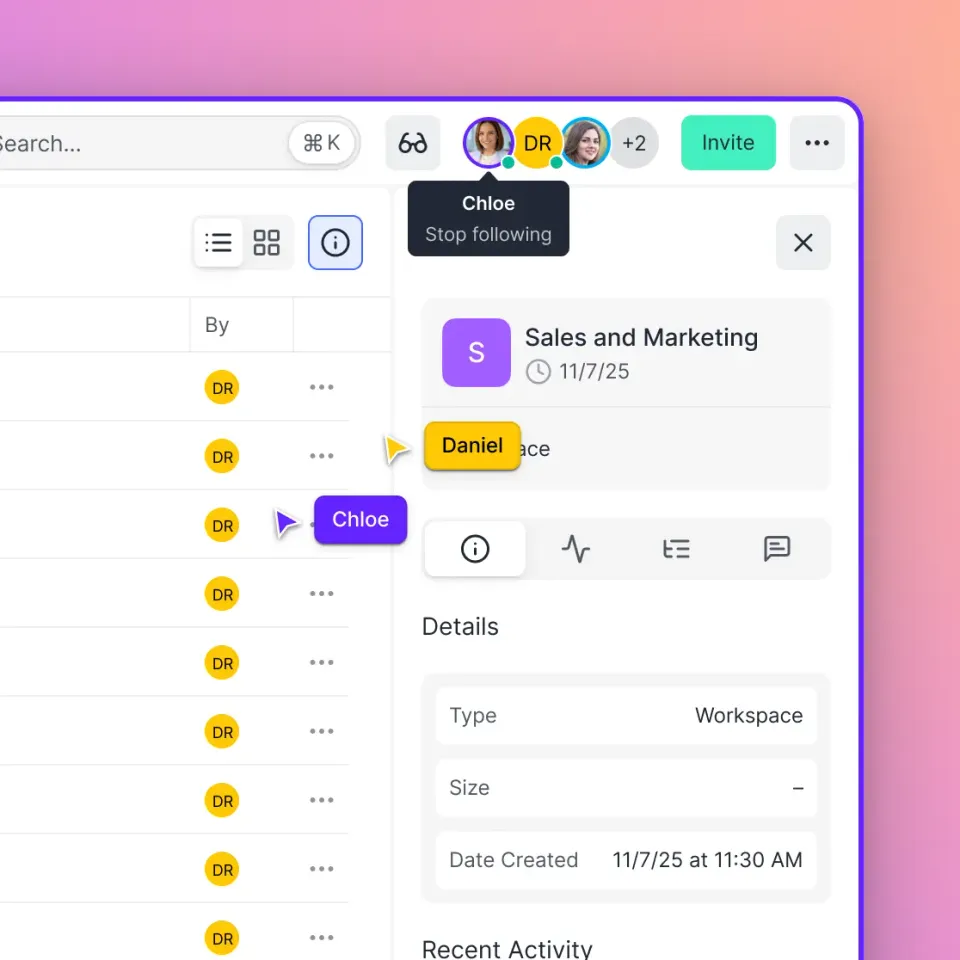
Upload 3D renders/mockups to shared workspace. Invite stakeholders. Pin comments to regions. Thread feedback. Live presence. Fastio previews PSD/AI in browser.
Stage 2: Dieline Approval
Export PDF dieline post-mockup. Engineers review structure. Annotate diffs. Version compare. Fastio logs activity.
Stage 3: Print-Ready File Review
High-res PDFs with bars/marks. Group preflight: res, fonts, traps. Print sim. Vendor input.
Stage 4: Final Sign-Off
Record sign-off with a timestamp. Archive the approved file. Fastio's audit log and version history keep the full sequence.
Stage 5: Production Hand-Off
Secure branded shares to vendors. Track downloads. Benefits: faster iterations, fewer errors, full traceability.
Best Tools for Packaging File Review
Need tools for large files, exact annotations, team coord.
Cloud Storage and Collaboration Platforms
Workspaces per project, live cursors, anchored comments, versions, perms. Fastio: shared workspaces, multiplayer, PSD support, logs.
Proofing and Preflight Tools
Soft-proof substrates. PitStop/FlightCheck autos. 3D dieline sims. Share reports.
Project Management Integrations
Asana/Monday links keep tasks next to files. Fastio exposes an events feed over WebSocket or long-poll that your tools can subscribe to.
Version Control and Audit Systems
Status labels, branches. Full logs. Fastio reconstructs history.
Builds scalable workflows.

Managing Version Control for Dielines and Mockups
Version control stops lost revisions causing print wrongs. Many iters common, track well.
Naming Conventions
[Client][Product][Panel][vXX][YYYYMMDD]_[Status].pdf e.g. Nike_SneakerBox_Front_v05_20260303_ClientApproved.pdf. Panel-specific. No "final.pdf".
Sequential Numbering and Branching
v01 initial, v02 tweak, v10 major. Branches parallel. Visual diffs.
Permission-Based Uploads
PMs upload. Comment/approve only otherwise.
Comprehensive Audit Trails
Log all: upload, view, comment, download. Exports. Fastio guest-inclusive. Ends version confusion, costly mistakes.
Common Packaging Approval Mistakes to Avoid
Skipping Dieline Check Flat art folds bad. Approve dieline first.
Ignoring Substrate Colors Test on material. Match profiles.
No Engineering Review Check structure last.
RGB to Print Convert CMYK early.
No Bleed/Safe Extend 0.125in. Protect text.
Frequently Asked Questions
What is the packaging file approval process?
Reviews files in stages: mockups, dielines, PDFs, proofs. Sign-offs per team at each.
What tools are best for packaging review?
Cloud platforms with versions, annotations, PM integration. Fastio fits with workspaces, collab, tracking.
How do you approve a dieline?
Verify template match, lines, bleeds, safes. Annotate issues. Sign off all before art.
What file formats should packaging designs use?
PDF/X-1a or another PDF/X standard, 300DPI CMYK, embedded fonts.
How can version control prevent packaging errors?
Approved-only finals, controls, trails. History resolves 'which file?'.
Related Resources

Keep Packaging Files and Feedback in One Place
Fastio gives packaging design teams shared workspaces, anchored comments, version history and an audit log, so every round of feedback stays with the file.