How to Set Up a Content Marketing Platform for Your Team
A content marketing platform is an integrated workspace where teams create, store, collaborate on, and distribute marketing content across channels. This guide walks through the practical steps of setting one up, from auditing your current tools to choosing the right platform, organizing your content library, and building repeatable workflows that actually scale.

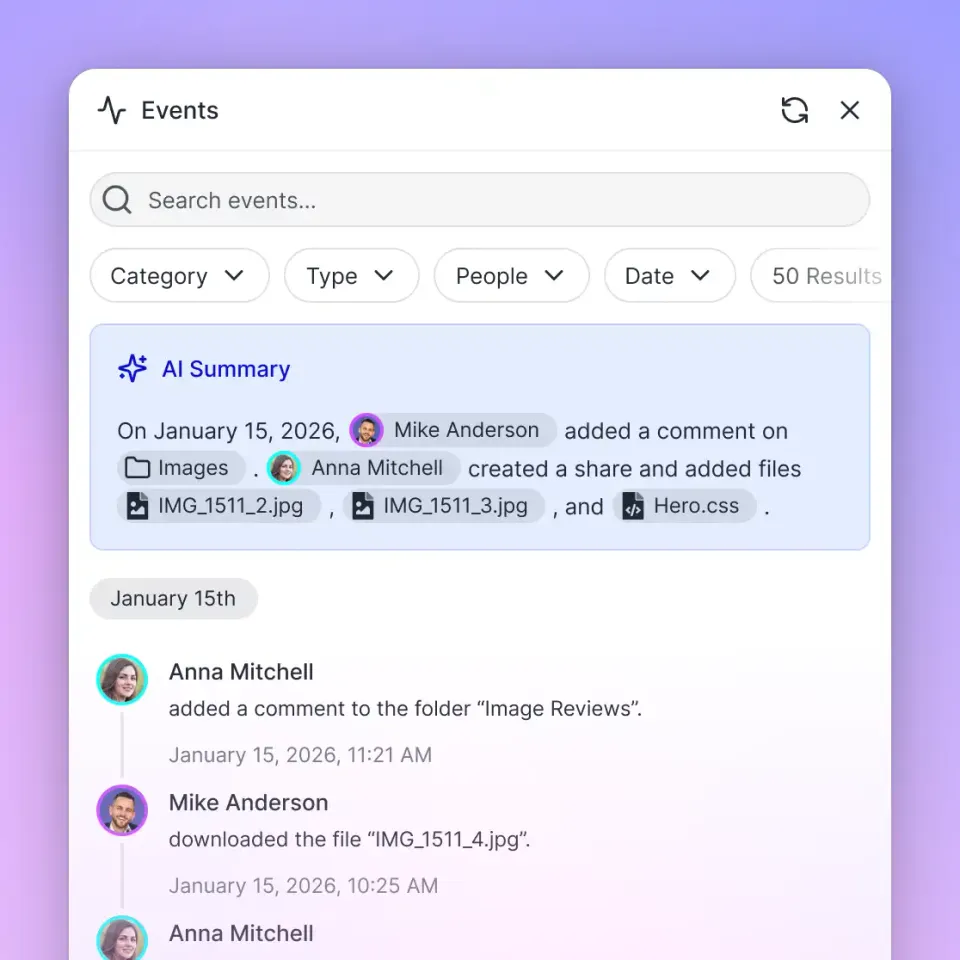
What a Content Marketing Platform Actually Does
Most marketing teams start with a familiar patchwork: Google Docs for drafts, Slack for feedback, Dropbox or Drive for finished assets, a spreadsheet for the editorial calendar, and email for approvals. It works until it doesn't. Once you're producing more than a handful of pieces per month, the cracks show. Files get lost, feedback loops stretch across days, and nobody can find the version that was actually approved.
A content marketing platform replaces that patchwork with a single system that handles the full content lifecycle. At minimum, it covers four areas:
- Storage and organization. One place for drafts, final assets, brand guidelines, templates, and reference materials. Version history so you can trace changes without renaming files.
- Collaboration. Comments, approvals, and task assignments tied to the content itself, not floating in a separate chat thread.
- Distribution. Tools to publish or share content with internal reviewers, clients, freelancers, or publishing channels.
- Search and retrieval. The ability to find what you need quickly, whether that's a specific asset, a past campaign brief, or a statistic buried in a research doc.
The platforms that marketers reach for first, like HubSpot Content Hub, Contently, or CoSchedule, tend to emphasize editorial calendars and publishing workflows. Those features matter. But the foundation underneath them matters more: how your files are stored, how people access them, and how easily your team can find and reuse existing work.
Helpful references: Fastio Workspaces, Fastio Collaboration, and Fastio AI.

Related guides
- How to Build a Content Production Workflow That ScalesMost content workflow guides stay abstract. This one walks through the actual steps to build a repeatable production...
- How to Set Up an AI Marketing Team Intelligence WorkspaceAI marketing team intelligence workspaces combine semantic search and agent collaboration for files. Marketing teams...
- How to Manage the Full Content Lifecycle from Creation to RetirementGuide to content lifecycle management: Most content teams are good at publishing. Where things fall apart is everything...
- How to Manage Marketing Campaigns with the Right Software StackMarketing campaign management software helps teams plan, execute, and measure campaigns by coordinating tasks, assets,...
- How to Choose Marketing Project Management Software for Creative TeamsMarketing teams juggle campaigns, creative assets, and client feedback across dozens of tools. This guide breaks down...
- How to Build a Sales Enablement Platform That Actually Gets UsedMost sales enablement platforms collect dust. Reps ignore them because content is hard to find, the interface adds...
More on this subject: Creative and Marketing Teams (27 guides)
Audit Your Current Stack Before You Buy Anything
Before evaluating platforms, map what you already have. This step saves you from buying a tool that duplicates something your team already uses well, or from migrating content that nobody touches.
Start with three questions:
Where does content live today? List every tool and location. Google Drive folders, shared Dropbox accounts, local hard drives, email attachments, CMS drafts, Figma files, video folders. Be thorough. Most teams underestimate how scattered their content is.
What breaks most often? Talk to the people doing the work. Common answers: "I can't find the latest version." "Approvals take forever because nobody knows whose turn it is." "We keep recreating assets that already exist somewhere." "Freelancers don't have access to the right files." Each of these points to a different platform requirement.
What's your production volume? A team publishing two blog posts a month has different needs than one producing 20 pieces across blog, social, video, and email. Higher volume demands stronger automation, better search, and clearer approval workflows.
Write down the answers. They become your evaluation criteria. A team drowning in version conflicts needs strong file management. A team struggling with approvals needs workflow automation. A team that can never find past assets needs better search and organization.


Build Your Team's Content Hub
Set up a shared workspace where your marketing team stores, searches, and delivers content from one place. Built for content marketing workflows.
Choosing the Right Platform Type
Content marketing platforms fall into a few broad categories. The right choice depends on which pain points you identified in your audit.
Editorial-first platforms
Tools like CoSchedule and Contently center on the editorial calendar: planning content, assigning writers, tracking deadlines, and publishing. They're strong if your primary challenge is coordination across a content team.
CoSchedule integrates tightly with WordPress and social channels. Contently adds a freelance talent network and content strategy tools. Both assume your content is primarily written text published on your own channels.
Marketing suite add-ons
HubSpot, Semrush, and similar all-in-one marketing platforms include content tools as part of a broader suite. HubSpot's Content Hub covers blogging, landing pages, email, and SEO in one dashboard tied to its CRM.
The advantage is consolidation. If you already use HubSpot for CRM and email, adding content tools means fewer integrations. The downside is cost, since full marketing suites can run upwards of $800 per month for professional tiers, and less flexibility for teams that don't need the full stack.
Workspace-centric platforms
This is the newer category. Instead of starting with an editorial calendar, workspace platforms start with file storage, collaboration, and access control, then layer on intelligence features like search and AI.
Fastio fits here. It provides shared workspaces where your team stores content assets, collaborates with comments, and shares files through branded Send, Receive, and Exchange workflows. Intelligence Mode auto-indexes everything for semantic search and AI-powered chat, so you can ask questions across your content library instead of digging through folders.
The workspace approach works well for teams that produce diverse content types (not just blog posts) and need strong asset management alongside their production workflow.
When to use what
- Small team, mostly blog content: An editorial-first tool like CoSchedule covers your needs without complexity.
- Marketing team already on HubSpot/Semrush: Use the content tools built into your existing suite.
- Diverse content types, multiple collaborators, client delivery: A workspace platform gives you the storage foundation that editorial tools often lack.

Setting Up Your Content Workspace Step by Step
Once you've picked a platform, the setup process follows a predictable pattern. Here's the practical walkthrough.
Step 1: Define your folder structure
Resist the urge to recreate your old file system. Instead, organize around how your team actually finds and uses content. Two structures work well:
- By campaign or project. Each campaign gets a folder with subfolders for briefs, drafts, approved assets, and distribution materials. Good for teams that work in focused bursts.
- By content type and stage. Top-level folders for blog, social, video, email, with subfolders for in-progress, review, and published. Good for teams with steady, ongoing production.
On Fastio, you'd create separate workspaces for each major content stream or client, then use folders within workspaces for stages. Workspaces have their own permissions, so your social media freelancer sees only the social workspace, not the full content library.
Step 2: Set permissions and roles
Decide who can do what before you invite anyone. Most platforms support at least three levels: admin (full control), editor (create and modify), and viewer (read only). Fastio adds granular permissions at the org, workspace, folder, and file level, so you can lock down sensitive brand assets without restricting day-to-day content folders.
Think about external collaborators too. Freelance writers, agencies, and clients all need access to specific content without seeing everything. Branded shares let you create client-facing portals with your logo, controlled downloads, and guest upload capabilities for collecting deliverables.
Step 3: Migrate existing content
Don't migrate everything. Start with active projects and frequently referenced assets. Archive the rest. If you're moving from Google Drive or Dropbox, most platforms support bulk import.
During migration, tag and organize as you go. It's the best chance you'll get to clean up naming conventions and remove duplicates.
Step 4: Build your first workflow
Start with one repeatable process, like your blog production workflow:
- Brief created in shared workspace
- Writer drafts in the designated folder
- Editor reviews and comments directly on the file
- Designer adds visuals to the same project folder
- Final review and approval
- Published version archived with the campaign materials
Map each step to a platform feature. Comments for feedback. File versioning for revisions. Version history for tracking sign-offs. Share links for distribution.
Step 5: Enable search and intelligence
This is where modern platforms differentiate themselves. Enabling Intelligence Mode on Fastio workspaces auto-indexes every file you upload for semantic search. Instead of remembering which folder holds a specific stat or brand guideline, you search by meaning. You can even chat with your content library, asking questions like "What did we say about pricing in the Q1 campaign?" and getting answers with citations to the source files.
For teams producing high volumes of content, this alone can cut the time spent searching for assets .

Scaling Content Production Without Losing Quality
Setting up the platform is the first step. Keeping it useful as volume grows is the harder part.
Standardize your naming and tagging
Pick a naming convention and enforce it. Something like [campaign]-[content-type]-[version] works: spring-launch-blog-v2, spring-launch-social-instagram-final. Without this, your organized workspace degrades into the same mess you left behind.
Tags add another search dimension. Tag by campaign, funnel stage, audience segment, or content format. The more consistently you tag, the more useful search becomes.
Create templates for repeatable content
Every blog post brief, social media batch, or email campaign has a predictable structure. Store templates in a shared "Templates" folder. New team members can start producing faster, and output stays consistent.
Good templates include: blog post brief template, social media content batch template, email campaign outline, video production brief, and brand guideline one-pager.
Use version control instead of file copies
"Final_v2_REAL_final.docx" is a symptom of missing version control. Platforms with built-in versioning (including Fastio) let you upload revisions to the same file. The history is preserved. You can compare versions, roll back, and always know which one is current.
Set up review and approval gates
Content quality drops when approval steps are informal. Build explicit gates into your workflow: draft review, editorial review, legal/compliance check (if applicable), and final sign-off. Assign each gate to a specific person. When each gate is recorded in comments on the file instead of an email chain, it doesn't get skipped under deadline pressure.
Track what you produce
Content marketing generates an average of $7.65 in returns for every dollar spent, according to Ranktracker's 2025 analysis. But that average hides a wide spread: research from Genesys Growth found that roughly 80% of content loses money while the top 20% drives outsized returns. The difference usually comes down to strategy and measurement.
Use your platform's analytics, or connect it to your measurement tools, to track which content performs and which doesn't. Then produce more of what works.
What to Look for in a Content Marketing Platform
After working through the setup process, you'll have a clear sense of which features actually matter for your team. Here's a checklist for evaluation, ranked by how often teams cite these as deciding factors.
Non-negotiable features:
- Centralized file storage with version history
- Role-based permissions (at minimum: admin, editor, viewer)
- Search that actually works across file types
- Collaboration tools tied to files, not separate from them
- External sharing with access controls
High-value features:
- AI-powered search and content retrieval (semantic search, chat with files)
- Branded client-facing portals for content delivery
- Workflow automation for approvals and routing
- Audit trails showing who changed what and when
- Guest upload capabilities for collecting content from freelancers or clients
Nice-to-have features:
- Editorial calendar with drag-and-drop scheduling
- Built-in publishing to CMS or social channels
- Content performance analytics
- Template libraries
Fastio covers the non-negotiable tier out of the box, plus AI search, branded portals, audit trails and guest uploads from the high-value tier. Shared workspaces provide the storage foundation. Granular permissions run from org level down to individual files. Intelligence Mode handles semantic search and AI-powered retrieval. Branded shares cover external delivery with Send, Receive, and Exchange workflows. And audit trails track every action for accountability.
The editorial calendar and publishing features live in tools like CoSchedule or HubSpot. That's fine. A strong workspace platform pairs well with a lightweight scheduling tool, and the combination often costs less than an enterprise content marketing suite.
For teams that want to test the workspace approach, Fastio offers a 14-day Business Trial requiring a credit card, with plans starting at Starter ($9.99/mo). See /pricing/ for details.
Sources
References used to verify factual claims in this guide.
-
Content marketing generates an average of $7.65 in returns for every dollar spent
-
Roughly 80% of content loses money while the top 20% drives outsized returns
Frequently Asked Questions
What is a content marketing platform?
A content marketing platform is an integrated workspace where teams create, store, collaborate on, and distribute marketing content across channels. It replaces the patchwork of separate tools (Google Docs, Dropbox, email, spreadsheets) with a single system that handles file management, collaboration, approvals, and content delivery.
What is the best platform for content marketing?
It depends on your team's primary pain point. For editorial calendar and publishing, CoSchedule and Contently are strong options. For teams already using a marketing suite, HubSpot Content Hub adds content tools to your existing CRM. For teams that need strong file management, collaboration, and AI-powered search as the foundation, Fastio provides shared workspaces with built-in intelligence and branded content delivery.
How do you manage a content marketing strategy?
Start by centralizing your content assets in one platform where your team can find, edit, and share everything. Build repeatable workflows for each content type (blog, social, video, email) with clear ownership and approval gates at each stage. Track performance to identify which content drives results, then double down on those formats and topics.
What tools do content marketers use?
Content marketers typically use a combination of tools: a workspace or DAM for file storage and organization (like Fastio, Google Drive, or Dropbox), an editorial calendar for planning (CoSchedule, Notion), SEO tools for keyword research (Semrush, Ahrefs), design tools (Canva, Figma), and distribution tools for social and email (Buffer, HubSpot). The trend is toward platforms that consolidate several of these functions.
How much does a content marketing platform cost?
Costs range widely. Full marketing suites like HubSpot Professional are priced on tiered monthly subscriptions; see the vendor's pricing page. Dedicated content platforms like Contently price by custom quote for enterprise teams. Workspace platforms like Fastio offer paid plans starting at $9.99/mo (Starter plan with 250 GB and 100,000 credits/mo). Many teams combine a workspace platform with a lightweight scheduling tool to keep costs down.
Related Resources

Build Your Team's Content Hub
Set up a shared workspace where your marketing team stores, searches, and delivers content from one place. Built for content marketing workflows.