How to Build a Raspberry Pi Cluster with OpenClaw Agent Orchestration
Raspberry Pi cluster computing distributes workloads across multiple Pi boards, turning roughly $430 of hardware into a parallel processing platform that draws less power than a desk lamp. This guide covers the full build for a 4-node Pi 5 cluster, then shows how OpenClaw adds intelligent task routing that assigns work based on node capabilities rather than simple round-robin scheduling.

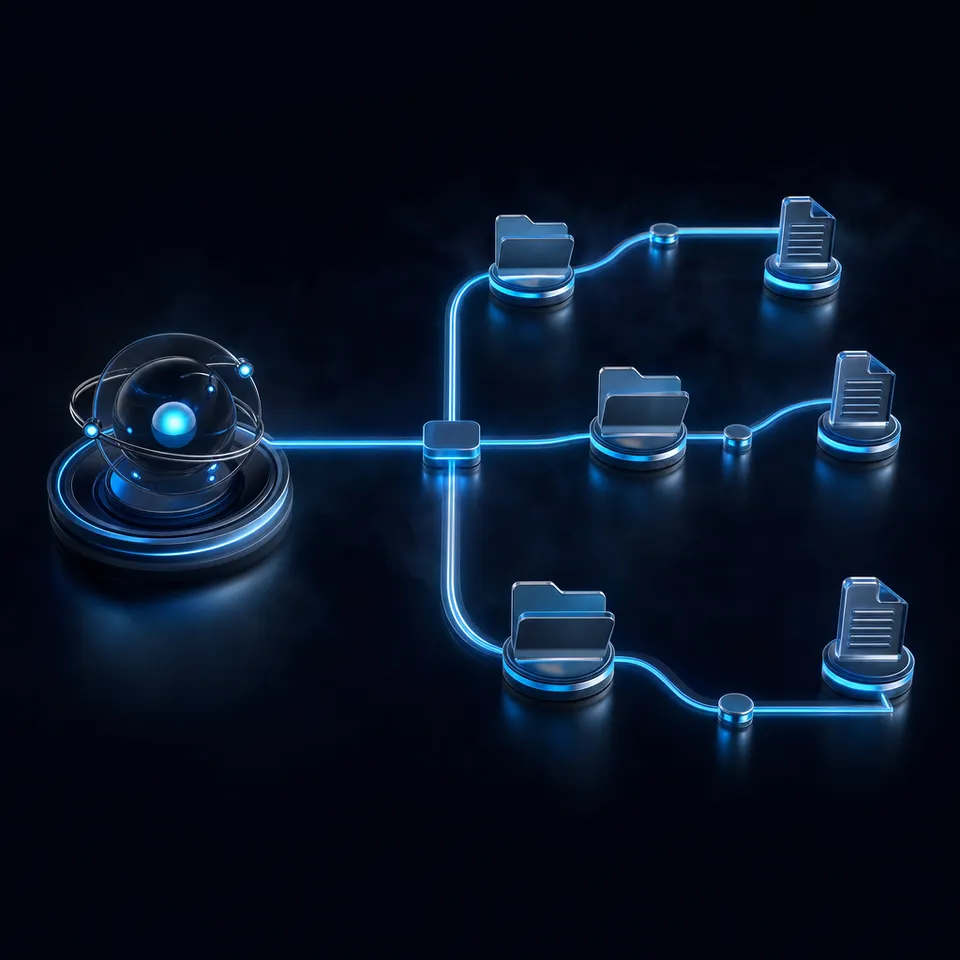
Why an AI Agent Makes a Better Cluster Scheduler
A 4-node Pi 5 swarm running OpenClaw completed 28 mixed tasks in 33 minutes, a 3.3x throughput improvement over a single board running the same workload sequentially in 110 minutes, according to benchmarks published by OpenClaw News. That result changes the calculus for anyone building a Pi cluster: the orchestration layer matters as much as the hardware.
Raspberry Pi cluster computing uses multiple interconnected Pi boards to distribute computational workloads across nodes, achieving parallel processing power at a fraction of traditional server costs. Most tutorials teach one of two approaches. Beowulf clusters use MPI to split a single computation across nodes. Kubernetes distributions like k3s schedule containers based on resource requests. Both require you to define the workload distribution by hand.
OpenClaw introduces a third option: an AI agent that acts as the cluster's job scheduler. Instead of manually assigning tasks to nodes, the agent evaluates each task, checks which nodes are available and what capabilities they have, then routes accordingly. A research task goes to the node running a reasoning model. A code review goes to the node with a code-specialized model. Triage tasks go to the node running a small, fast model.
The Pi 5's quad-core ARM Cortex-A76 processor at 2.4 GHz with up to 8 GB RAM is well suited for this role. The Pi doesn't run large language models itself. It runs the orchestration gateway, which manages tool calls, file I/O, and inter-node coordination while delegating the actual AI reasoning to cloud APIs. OpenClaw's gateway process uses roughly 200 to 400 MB of RAM, leaving plenty of headroom on an 8 GB board.
Here are the five steps to build a Pi cluster with OpenClaw orchestration:
- Assemble the hardware: four Pi 5 boards, Ethernet switch, power supplies, and a cluster case
- Flash Raspberry Pi OS Lite (64-bit) and configure static IPs on each node
- Set up passwordless SSH between nodes for coordinator-to-worker communication
- Install OpenClaw on all nodes, designating one as coordinator and three as workers
- Register worker capabilities and start routing tasks through the coordinator
Related guides
- How to Build a Claude Cowork Multi-Agent Orchestration LoopMulti-agent orchestration in Claude Cowork involves coordinating several Claude agents to work concurrently on shared...
- How to Build a Hermes Agent AI Code CheckerThe proportion of copy-pasted code in repositories rose from 8% in 2020 to 12% in 2024, representing a 48% relative...
- How to Build a Raspberry Pi Rack Cluster for OpenClaw Agent SwarmsA 4-node Raspberry Pi 5 cluster draws under 28W and costs roughly $2 per month in electricity, yet it can run a...
- How to Build Edge AI Agents with OpenClaw on Raspberry PiEdge AI with OpenClaw on Raspberry Pi processes sensor data locally through an AI agent that makes decisions and takes...
- How to Build a Raspberry Pi UPS Shutdown Agent with OpenClawA Raspberry Pi without a UPS is one unplugged cable away from a corrupted SD card. This guide walks through building a...
- OpenClaw on Raspberry Pi vs Orange Pi: Which SBC Runs Your AI Agent Better?Raspberry Pi has official OpenClaw support and a massive ecosystem. Orange Pi offers more RAM and an onboard NPU for...
More on this subject: OpenClaw on Raspberry Pi (192 guides)
What Hardware You Need for a 4-Node Pi 5 Cluster
Four nodes is the practical starting point. Two nodes split work in half, which barely justifies the networking overhead. Four nodes give you a dedicated coordinator plus three specialized workers, and the total cost stays comparable to a single mid-range GPU.
Core components:
- 4x Raspberry Pi 5 (8 GB): $320
- Stackable cluster case with cooling fans: $30
- 4x official 27W USB-C power supplies: $48
- 5-port unmanaged Gigabit Ethernet switch: $20
- 4x Cat6 Ethernet cables (0.5m): $12
Base total: approximately $430
The 8 GB variant is worth the $20 premium per board over the 4 GB model. OpenClaw's gateway uses 200 to 400 MB of RAM, and you need headroom for concurrent tool execution, file operations, and local model inference if you experiment with it later.
Storage upgrades (recommended):
SD cards create a bottleneck for OpenClaw's frequent small reads and writes to its SQLite database. The official Raspberry Pi M.2 HAT with an entry-level NVMe drive eliminates this problem. Budget $30 to $40 per node for the HAT and drive. This is the single biggest quality-of-life improvement you can make to the cluster.
Power budget:
A Pi 5 draws approximately 3W at idle and peaks at 8.8W under sustained full load. Four nodes under heavy compute pull about 35W combined. That is less than a single desktop CPU at idle. Monthly electricity for the whole cluster runs $2 to $4 depending on your local rate, which makes always-on operation trivial to justify.
What to skip:
- WiFi for inter-node traffic. Ethernet provides consistent sub-millisecond latency between nodes. WiFi adds jitter and packet loss under load.
- HDMI cables and displays. After initial setup, you manage everything over SSH.
- The 2 GB Pi 5 variant. OpenClaw alone uses up to 400 MB, leaving almost no headroom for actual workloads.
Use the official 27W USB-C power supplies rather than third-party alternatives. Cheaper chargers frequently trigger under-voltage warnings when an NVMe drive and active cooler draw power simultaneously, which causes throttling and random reboots mid-task.

How to Configure the OS and Network for Cluster Communication
Flash each Pi with Raspberry Pi OS Lite (64-bit) using the Raspberry Pi Imager. The Lite version skips the desktop environment and frees about 600 MB of RAM for OpenClaw. You need the 64-bit version; 32-bit is not supported.
Before flashing, configure these settings in the Imager's Advanced Options on each card:
- Hostname: claw-node-1 through claw-node-4
- Enable SSH with password authentication
- Set the same username and password across all nodes
- Skip WiFi configuration (use Ethernet)
After booting each Pi, assign static IP addresses. Edit the network configuration so each node gets a fixed address in a contiguous range, such as 192.168.1.101 through 192.168.1.104. This lets nodes find each other reliably without depending on DHCP leases.
Passwordless SSH Between Nodes
Generate an SSH key pair on node 1 (your designated coordinator) and copy the public key to all other nodes. OpenClaw's coordinator dispatches tasks over SSH, and password prompts would block the automation. Test the connection from the coordinator to each worker to confirm key-based authentication works before proceeding.
System Updates and Dependencies
Update all packages on every node before installing anything else. The Pi 5 has received kernel updates since launch that improve PCIe stability, thermal management, and ARM64 Docker performance. Install build essentials, git, and curl as prerequisites for the OpenClaw installation.
Network Architecture
Connect all four Pis to the Ethernet switch. Connect the switch uplink to your router for internet access, which the cluster needs for cloud API calls. Inter-node traffic stays on the local switch with sub-millisecond latency.
For remote access from outside your home network, set up a WireGuard or Tailscale tunnel on the coordinator node rather than exposing SSH directly to the internet. This becomes especially important given that SecurityScorecard identified over 135,000 OpenClaw instances exposed to the public internet in early 2026, many of them vulnerable to known remote code execution flaws.


Give your Pi cluster a persistent workspace
MCP-native workspace storage for your cluster. Upload results from any node, search by meaning with Intelligence Mode once enabled, and hand off finished work to teammates.
Installing OpenClaw as the Cluster Coordinator
OpenClaw runs on Node.js 22.x or later. Install Node.js on all four nodes, then install the OpenClaw CLI. The ARM64 build runs natively on the Pi 5 without compatibility layers.
The cluster follows a coordinator-worker architecture where one node manages task routing and the remaining three execute tasks.
Coordinator Setup
The coordinator node runs OpenClaw's management layer. It tracks which workers are available, what capabilities each has registered, and where to route incoming tasks. It also maintains a shared memory store that syncs across the cluster at regular intervals, giving every node access to conversation history, research findings, and intermediate results.
Designating the last node as coordinator rather than the first is a practical choice. You flash and test nodes 1 through 3 as workers first, then set up the coordinator last when the workers are already running and verified.
Worker Roles
Each worker registers its capabilities when it joins the cluster. The real power of this architecture comes from running different models on different nodes:
- Node 1 runs a reasoning-focused model (such as Gemma 9B) for research and writing tasks
- Node 2 runs a code-specialized model (such as DeepSeek Coder) for debugging and code review
- Node 3 runs a small, fast model (such as Phi-4 Mini) for classification and triage
These models run locally through Ollama at modest speeds of 3 to 8 tokens per second for 3B-class models. For anything beyond experimentation, cloud API inference through Anthropic, OpenAI, or Google delivers production-grade throughput while the Pi handles orchestration and tool execution. Agents that need persistent file storage between sessions can connect each node to a shared workspace so outputs survive reboots and SD card failures.
Task Routing Logic
The coordinator uses capability matching as its primary strategy. When a task arrives, it identifies the task type and finds the worker best suited for it. If no capability match exists, it falls back to round-robin distribution across available workers. Each worker handles up to two concurrent tasks, and the coordinator tracks load across the cluster to avoid overloading any single node.
Health Monitoring and Failover
Workers send heartbeat signals to the coordinator at regular intervals. If a worker goes silent, the coordinator redistributes its pending tasks to healthy nodes. This automatic failover means a single node failure, whether from a power glitch or an overheating SD card, does not stall the entire pipeline.
New nodes can join the running cluster without restarting anything. Boot a fifth Pi, install OpenClaw, register it as a worker, and the coordinator includes it in task routing immediately. Removing a node triggers graceful shutdown, which reassigns pending work before the node disconnects.

Throughput Benchmarks and Security Hardening
The OpenClaw News benchmarks used a realistic mixed workload of 28 tasks: 20 email triage items, 5 draft replies, and 3 research tasks. Here is how the 4-node swarm compared to a single Pi 5:
- Email triage (20 items): 10 minutes vs. 40 minutes on a single node, a 4x improvement
- Draft replies (5 items): 8 minutes vs. 25 minutes, a 3.1x improvement
- Research tasks (3 items): 15 minutes vs. 45 minutes, a 3x improvement
- Combined total: 33 minutes vs. 110 minutes, a 3.3x overall throughput gain
The cluster processed approximately 143,000 tokens daily at a rate of 8.2 tasks per minute. These numbers used cloud API inference, not local models. Local inference on the Pi would be slower.
Scaling beyond four nodes shows diminishing returns for most workloads because the coordinator becomes the bottleneck for task routing and memory synchronization. Eight nodes is a reasonable upper limit before you need to consider multiple coordinators or a different architecture entirely.
Locking Down the Cluster
Security cannot be an afterthought. Bitdefender reported that roughly 17% of community-submitted skills on ClawHub contained malicious code, including credential-stealing malware. A cluster of four always-on agents with cloud API access and shell execution capabilities is a high-value target.
Essential hardening steps:
- Bind OpenClaw to your local network interface, never to 0.0.0.0
- Enable a firewall on every node and restrict traffic to inter-cluster ports only
- Rotate API gateway tokens on a regular schedule
- Audit every ClawHub skill before installing it on any cluster node
- Run OpenClaw inside Docker containers to limit blast radius if a skill is compromised
- Disable remote access to the OpenClaw dashboard from outside your local network
These steps add about 15 minutes to the initial setup. Given the threat landscape, skipping them is not a reasonable trade-off.
Persisting Cluster Output in a Shared Workspace
A running cluster generates research notes, code artifacts, reports, and logs across four separate nodes. Local NFS mounts handle inter-node file sharing, but they do not solve the problem of getting results to humans outside the cluster or preserving outputs beyond the cluster's lifetime.
S3 buckets work but add billing complexity and require IAM configuration. Google Drive and Dropbox lack agent-friendly APIs that support automated uploads from headless nodes.
Fast.io provides workspaces where agents and humans access the same files through different interfaces. Agents connect through the Fast.io MCP server or REST API. Humans use the browser. Fastio offers a 14-day Business Trial, card required; see pricing for plan options.
Each cluster node can upload its output to a shared workspace. Enable Intelligence Mode on that workspace and every uploaded file gets automatically indexed for semantic search. You can ask questions about your cluster's output in natural language and get answers with citations pointing back to the source documents. No separate vector database or embedding pipeline required.
The ownership transfer feature fits a common cluster workflow: an agent builds a research workspace, populates it with findings, then transfers ownership to a human reviewer. The agent keeps admin access for future updates while the human takes over as the workspace owner.
For structured extraction, Metadata Views turn a folder of cluster-generated documents into a queryable spreadsheet. Describe the fields you want (task completion time, model used, token count, output quality score) and the system builds a typed schema, then extracts those fields from every matching file automatically.
A realtime activity feed and WebSocket events feed allow external systems to detect when new files land in a workspace, so your team or automation scripts know the moment a batch of tasks completes, without anyone polling a dashboard manually.

Sources
References used to verify factual claims in this guide.
-
4-node Pi 5 swarm completed 28 mixed tasks 3.3x faster than a single board (33 min vs 110 min)
-
OpenClaw gateway uses roughly 200 to 400 MB of RAM on Raspberry Pi
-
Pi 5 draws approximately 3W idle and 8.8W under full load
-
Over 135,000 OpenClaw instances exposed to the public internet 17% of community-submitted skills on ClawHub flagged as malicious
-
Raspberry Pi shipped 7.6 million boards in FY 2025, revenue up 25% to $323.2 million
Frequently Asked Questions
How many Raspberry Pis do you need for a cluster?
Two is the minimum, but four nodes is the practical starting point for meaningful parallel processing. Two nodes can only split work in half, which barely justifies the networking overhead. With four, you get a dedicated coordinator plus three specialized workers running different models or handling different task types. The hardware costs approximately $430 for the base cluster without NVMe storage upgrades.
Can you do parallel computing on Raspberry Pi?
Yes. The Pi 5's quad-core ARM Cortex-A76 handles parallel threads within a single board, and networking multiple Pis together distributes workloads across boards. Traditional approaches use MPI for scientific number-crunching or k3s for container orchestration. OpenClaw adds a third option where an AI agent routes tasks to nodes based on capability matching, automatically assigning research to reasoning-optimized nodes and code tasks to code-focused nodes.
What is the best way to build a Raspberry Pi cluster?
Start with four Pi 5 boards (8 GB), a Gigabit Ethernet switch, and a stackable cluster case. Flash each board with Raspberry Pi OS Lite (64-bit), assign static IPs, and configure passwordless SSH between nodes. Then choose an orchestration layer based on your workload. MPI handles scientific computing, k3s manages container scheduling, and OpenClaw provides AI-agent-driven task distribution where the scheduler understands what each task requires.
How much does a Raspberry Pi cluster cost?
A 4-node Pi 5 cluster costs approximately $430 for base hardware, which includes boards, case, power supplies, switch, and cables. Adding NVMe storage via M.2 HATs brings the total to $550 to $600. Monthly operating costs run $2 to $4 in electricity plus $5 to $20 in cloud API credits if using OpenClaw with API-backed models. That makes it one of the most affordable parallel computing platforms available.
Does OpenClaw run LLMs locally on Raspberry Pi?
OpenClaw's gateway process runs on the Pi using 200 to 400 MB of RAM and handles orchestration, tool calls, and inter-node coordination. For AI reasoning, you can run small models locally through Ollama at 3 to 8 tokens per second for 3B-class models, but cloud API inference through Anthropic, OpenAI, or Google is strongly recommended for practical throughput. The Pi's strength is as an always-on orchestration node, not as inference hardware.
What is the power consumption of a Raspberry Pi 5 cluster?
A single Pi 5 draws approximately 3W at idle and 8.8W under sustained full load. A 4-node cluster under heavy computation pulls about 35W combined, less than most desktop CPUs at idle. Monthly electricity cost for the entire cluster ranges from $2 to $4, making always-on 24/7 operation economically trivial compared to cloud VM hosting costs.
Related Resources

Give your Pi cluster a persistent workspace
MCP-native workspace storage for your cluster. Upload results from any node, search by meaning with Intelligence Mode once enabled, and hand off finished work to teammates.