How to Build a Raspberry Pi UPS Shutdown Agent with OpenClaw
A Raspberry Pi without a UPS is one unplugged cable away from a corrupted SD card. This guide walks through building a shutdown agent that watches battery state, triggers a clean halt before power cuts, and ships event logs to cloud storage so you have a record after the lights come back on.


Why a Shutdown Agent Matters for Raspberry Pi
A UPS shutdown agent monitors battery state and triggers a safe shutdown when mains power is lost, syncing logs to the cloud before power cuts. That single sentence hides three real failure modes a Pi owner eventually meets.
The first is SD card corruption. It is the top failure mode after an unclean power loss on a Raspberry Pi, because the card's wear-leveling and filesystem journals do not survive the rail collapsing mid-write. A Pi that reboots into a read-only root or a kernel panic loop is almost always a Pi that lost power during a write.
The second is silent data loss. The Pi might come back up, but the last hour of sensor readings, camera frames, or log lines never reached disk. You do not notice until someone asks for the record.
The third is the part most tutorials skip entirely. When the Pi goes down unexpectedly, the evidence of why goes down with it. The systemd journal on an unmounted filesystem is not reachable. The dmesg buffer is gone. If you care about the history of outages, that history has to leave the device before the device leaves you.
A shutdown agent is the small piece of software that handles all three. It reads from the UPS, decides when to shut down, flushes state, and pushes a record somewhere that is not the Pi.
Helpful references: Fastio Workspaces, Fastio Collaboration, and Fastio AI.
Related guides
- How to Build a Hermes Agent AI Code CheckerThe proportion of copy-pasted code in repositories rose from 8% in 2020 to 12% in 2024, representing a 48% relative...
- How to Build AI Agents with the Claude Agent SDKThe Claude Agent SDK is Anthropic's toolkit for building AI agents that can read files, run commands, search the web,...
- How to Build Edge AI Agents with OpenClaw on Raspberry PiEdge AI with OpenClaw on Raspberry Pi processes sensor data locally through an AI agent that makes decisions and takes...
- How to Build a Raspberry Pi Cluster with OpenClaw Agent OrchestrationRaspberry Pi cluster computing distributes workloads across multiple Pi boards, turning roughly $430 of hardware into a...
- How to Build a Raspberry Pi Rack Cluster for OpenClaw Agent SwarmsA 4-node Raspberry Pi 5 cluster draws under 28W and costs roughly $2 per month in electricity, yet it can run a...
- OpenClaw on Raspberry Pi vs Orange Pi: Which SBC Runs Your AI Agent Better?Raspberry Pi has official OpenClaw support and a massive ecosystem. Orange Pi offers more RAM and an onboard NPU for...
More on this subject: OpenClaw on Raspberry Pi (192 guides)
Choosing a UPS HAT for the Pi
UPS HATs typically provide 5 to 15 minutes of runtime on a single 18650 or 21700 cell, which is plenty for a graceful shutdown but not enough to ride out a real outage. Pick one that exposes battery state over I2C so your agent can read voltage, current, and charge percentage programmatically. Options that only signal "power lost" over a GPIO pin are workable but give you less to log.
A few practical considerations when choosing hardware:
- Raspberry Pi 5 compatibility: The Pi 5 changed its power delivery and PMIC behavior. Confirm the HAT vendor explicitly lists Pi 5 support before buying, since boards built for the Pi 4 often underfeed the new model.
- I2C fuel gauge: Look for a HAT with a documented register map, typically over an INA219, MAX17040, or similar chip. That is what lets your agent see the curve, not just the edge.
- Pass-through GPIO: If your project uses other HATs, pick a UPS that stacks or provides a pass-through header.
- Safe shutdown pin: A dedicated GPIO that signals "power is about to cut" is useful as a hardware fallback when your agent is unresponsive.
Cell chemistry matters for runtime. A single 18650 at 3200 mAh gives you roughly five to eight minutes under a typical Pi 4 workload. Two cells in parallel roughly doubles it. If you need more, you are past the point where a HAT is the right answer and into external 12 V UPS territory.

Designing the Shutdown Agent
The agent has three jobs: read, decide, and record. Keep them in that order, and keep each piece small enough that you can reason about what it does when the room is dark and the battery icon is blinking.
Read. On a loop, poll the UPS over I2C. Record voltage, current direction (charging or discharging), and battery percentage. A one-second interval is fine for most HATs and cheap enough that the Pi does not notice.
Decide. Apply two thresholds. The first is "mains lost," which you detect when current direction flips to discharge and stays there for a few consecutive samples. Debouncing matters because a flicker on the mains rail will otherwise trigger a shutdown you did not want. The second is "battery critical," which is the percentage or voltage at which you actually initiate sudo shutdown -h now. Set it higher than you think: by the time the kernel flushes buffers, unmounts, and halts, you want comfortable margin above the cutoff where the HAT itself yanks power.
Record. Before shutdown runs, write a compact JSON event with the timestamp, trigger reason, voltage curve for the last N samples, and any process state you care about. Then push it somewhere off the Pi. This is the step most tutorials skip.
A minimal Python sketch of the decision loop looks like this:
while True:
    sample = ups.read()
    history.append(sample)
    if mains_lost(history) and sample.percent < CRITICAL:
        log_event(history, reason="battery_critical")
        sync_to_cloud()
        subprocess.run(["sudo", "shutdown", "-h", "now"])
        break
    time.sleep(1)
Run the agent under systemd with Restart=always and a WantedBy=multi-user.target so it comes up before anything important and dies last on shutdown. Set StandardOutput=journal so the in-memory logs are captured even if the filesystem write never lands.


Keep Pi outage logs somewhere safer than the Pi
Push UPS events and agent state to a Fastio workspace before shutdown. Cloud storage ensures your outage history survives the outage. Built for openclaw raspberry ups battery backup shutdown agent workflows.
Syncing Events Before the Power Cuts
This is the part worth spending real time on. Once the agent has decided to shut down, you have seconds, not minutes, to move the event record somewhere durable. The naive approach is to write a file and hope rsync picks it up on the next boot. It usually does not, because the file you wrote during shutdown is exactly the kind of write the journal was in the middle of when the filesystem went read-only.
A more reliable pattern has three layers.
Local buffer. Write events to a dedicated directory on a partition separate from the main root if you can, or at least keep the files tiny and fsync them immediately. Each event is a standalone JSON document, named with an ISO timestamp so ordering is obvious.
Background sync. A second process watches that directory and pushes new files to cloud storage as they appear, not on a schedule. When the agent drops an event, the sync starts within a second.
Shutdown flush. Right before shutdown -h now, the agent triggers a final sync call and waits up to a few seconds for it to complete. If it fails, the file stays on disk and gets picked up on next boot.
For the cloud layer, the options are familiar. A raw S3 bucket works. A Google Cloud Storage bucket works. rsync over SSH to a home server works. The tradeoff is how much plumbing you want to maintain.
Fastio is another option that fits this shape well, because the workspace itself indexes what you upload. When the agent pushes a battery_event_2026-04-14T14-22-11.json file, the workspace picks it up, and you can later ask questions in plain language across every event your fleet has ever recorded. That matters more than it sounds, because the interesting question after an outage is usually not "what happened" but "has this happened before and did it look the same."
Fast.io offers a 14-day Business Trial, card required (see pricing), which provides ample capacity for thousands of power events from a small fleet.
A few implementation notes from practice:
- Keep event files small. A few kilobytes each, not megabytes. You want the upload to finish inside your shutdown window.
- Include a rolling buffer of the last few minutes of samples in each event, not just the trigger condition. You will want the curve when you are debugging a flaky UPS cell.
- Tag each event with the hostname and a device ID. If you have more than one Pi on UPSes, you will want to filter.
- Do not try to sync the full system journal. It is big, it is not useful at the granularity you need, and it will not finish uploading before power cuts.
Where OpenClaw Fits
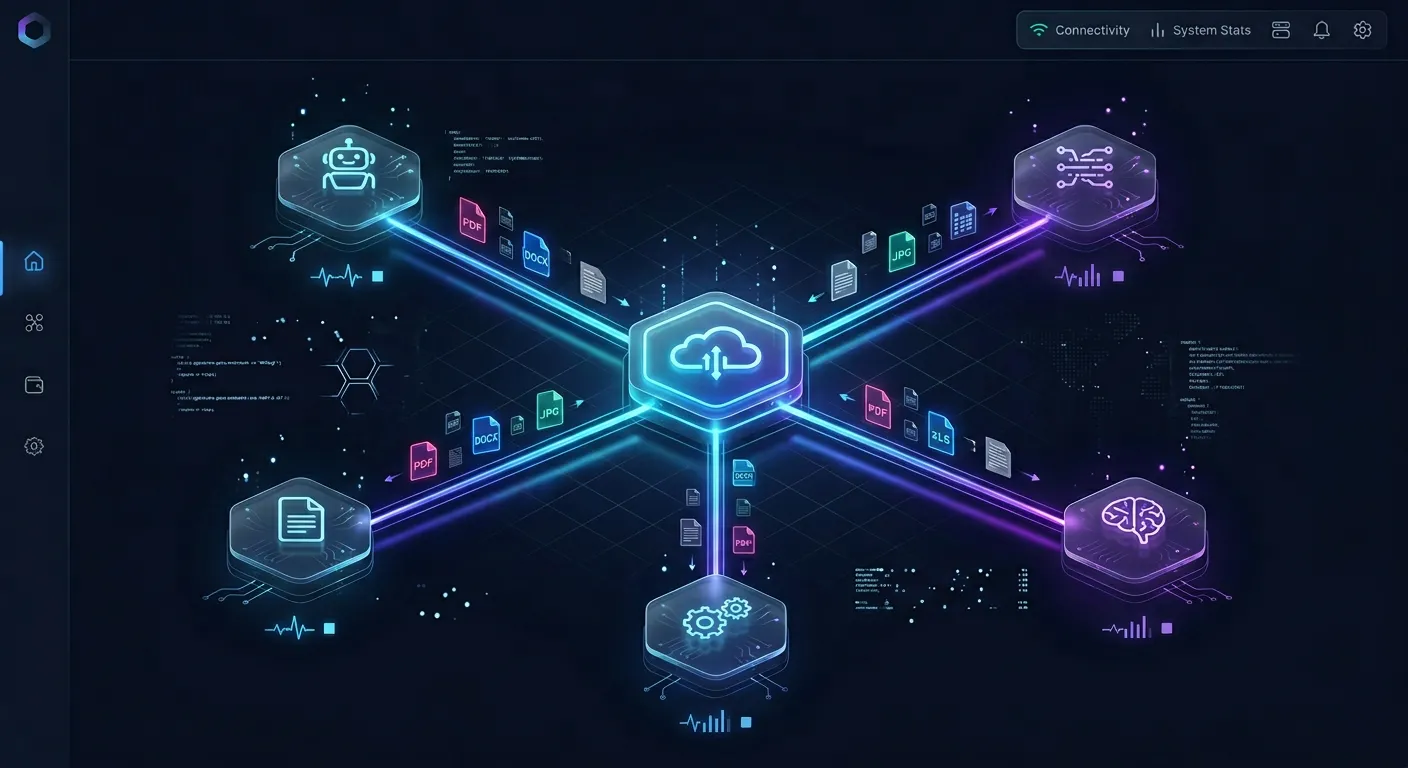
OpenClaw is an open agent framework that has been running on Raspberry Pi hardware in community tutorials, with coverage such as the March 2026 Electronics For U walkthrough of turning a Pi into an OpenClaw-driven agent. That tutorial and similar projects describe the Pi as a small always-on host for an agent that can browse, read files, and run tasks on a schedule.
The natural extension, and the reason this guide exists, is that an OpenClaw-style agent running on a Pi has the same exposure to unclean power loss as any other long-running process. If the Pi dies mid-task, the agent's in-flight state dies with it. The shutdown agent described above protects the host; the cloud sync protects the agent's record of what it was doing.
At the capability level, the pairing looks like this. The shutdown agent handles hardware. A separate process, which might be an OpenClaw skill or a plain cron-style script, handles application state: open tasks, current context, any in-progress artifact the agent had not yet flushed. That state gets written to the same local buffer, picked up by the same background sync, and lands in the same cloud workspace. After a clean reboot, the agent can read its last state from the workspace and resume where it left off.
A word of caution. Only wire OpenClaw into this flow against an official integration path you can verify today. If the version of OpenClaw you are running does not document a Fastio or cloud-storage binding directly, treat the cloud layer as a plain HTTP upload target and keep the coupling loose. The agent does not need to know what OpenClaw is; it only needs to know how to push a JSON file to a URL.
Testing and Troubleshooting
The only honest way to test a shutdown agent is to pull the wall plug. Do it once with a throwaway SD card image, then do it again after any meaningful change to the agent or the HAT configuration. The failure modes only show up under real conditions.
A short checklist of what typically goes wrong on first try:
- Agent does not detect mains loss. Usually the I2C read is wrong or the debouncing is too aggressive. Log every sample for the first run and inspect the curve around the moment you pulled the plug.
- Shutdown fires too late. The battery cutoff threshold is lower than the actual HAT hardware cutoff. Raise the threshold by a couple of percent and retest.
- Cloud sync never completes. The shutdown call runs before the upload finishes. Add an explicit wait with a timeout, and accept that some events land on next boot instead.
- Event files pile up after a reboot. The background sync is not starting early enough in the boot sequence. Add
After=network-online.targetto the sync unit. - Agent exits silently. You are running it without
Restart=always, and the first Python exception kills it. Set the restart policy and keep going.
Once the test case of pulling the plug works end to end, do it with the Pi under load. A Pi running an agent with browser automation, an LLM call in flight, and a file write in progress draws more current than an idle Pi, which means less headroom on the battery. The numbers you measured at idle are not the numbers you will get in production.
Sources
References used to verify factual claims in this guide.
-
Electronics For U published an OpenClaw on Raspberry Pi walkthrough in March 2026.
Frequently Asked Questions
How do I safely shut down a Raspberry Pi on power loss?
Use a UPS HAT that reports battery state over I2C, run a small agent that polls the HAT and calls `sudo shutdown -h now` once battery percentage falls below a safe threshold, and flush any important state to cloud storage before the shutdown command runs. Set the threshold well above the HAT's hardware cutoff so the kernel has time to unmount cleanly.
Which UPS HATs work with Raspberry Pi 5?
Check the vendor's documentation directly. The Pi 5 changed its power delivery compared to the Pi 4, so HATs built for earlier boards may underfeed it. Look for a HAT that explicitly lists Pi 5 support, exposes battery state over I2C, and provides a dedicated shutdown signal pin as a hardware fallback.
Why does an unclean shutdown corrupt the SD card?
SD cards use wear leveling and keep metadata about in-flight writes. If the rail collapses mid-write, that metadata can be left inconsistent, which shows up on next boot as a filesystem that cannot mount cleanly or a kernel that drops straight to read-only. It is not the hardware failing, it is the filesystem never getting the chance to finish its work.
How long does a typical UPS HAT last on battery?
Most single-cell UPS HATs provide roughly 5 to 15 minutes of runtime under a typical Pi workload, which is enough for a clean shutdown but not enough to ride out a real outage. Dual-cell configurations roughly double that. For longer runtime, an external 12 V UPS is more appropriate than a HAT.
Can I use Fastio as the cloud target for event logs?
Yes. Fastio exposes an upload API and remote MCP server that fit this pattern. Push each event as a small JSON file and the workspace indexes it once Intelligence is enabled, which means you can later query across events in plain language. Fast.io offers a 14-day Business Trial, card required (see /pricing/).
Does the shutdown agent need to run as root?
It needs enough privilege to read the I2C bus and to invoke `shutdown`. The cleanest pattern is to run the agent as a dedicated user in the `i2c` group, with a narrow sudoers rule allowing only `/sbin/shutdown -h now` without a password. Running the whole agent as root is simpler but widens the blast radius if the agent is ever compromised.
Related Resources

Keep Pi outage logs somewhere safer than the Pi
Push UPS events and agent state to a Fastio workspace before shutdown. Cloud storage ensures your outage history survives the outage. Built for openclaw raspberry ups battery backup shutdown agent workflows.