8 Best OpenClaw Skills for Therapy and Counseling Practice Tools
Therapists spend roughly 35% of their working hours on documentation, translating to 12 to 14 hours per week for a 30-client caseload. OpenClaw skills can automate the most repetitive slices of that burden: drafting session notes, generating intake forms, syncing calendars, and organizing client files. This guide covers eight OpenClaw skills that handle the back-office work so practitioners can spend more time with clients.

Why Therapists Need Practice Automation
Therapists report the highest rates of mental fatigue of any medical specialty surveyed, according to Tebra's 2025 Physician Burnout Survey, and 23% cite documentation as the single biggest driver. Eleos Health research puts the number at 35% of total working hours spent on paperwork: progress notes, treatment plan reviews, intake forms, prior authorizations, care coordination letters, and client worksheets. For a therapist seeing 30 clients per week, that is 12 to 14 hours of administrative work that happens outside the therapy room.
Most AI tools in the mental health space focus on chatbots or direct patient interaction. The gap is in back-office automation: the notes, forms, and scheduling logistics that therapists actually need handled. OpenClaw skills address this gap by packaging specific capabilities (document generation, calendar sync, structured data extraction) into modular tools that an AI agent can call on demand.
OpenClaw skills are markdown instruction files that teach agents how and when to use tools. Each skill is a self-contained module hosted on ClawHub, the community marketplace. You install a skill, connect it to your preferred LLM, and the agent gains that capability. For therapy practice, the relevant skills span clinical documentation, scheduling, client communication, and file management.
The skills below are organized by practice task. Each entry covers what the skill does, where it fits in a clinical workflow, and what to watch out.

Related guides
- CrewAI Tools: Extending Agents with Custom SkillsCrewAI tools let autonomous agents do more than generate text. They can search the web, read files, run code, and call...
- Awesome Claude Code: Best Skills, Tools, and Community ResourcesThe awesome-claude-code ecosystem on GitHub has grown past 200,000 combined stars across 11 curated lists, but most...
- Best OpenClaw Skills for Web ResearchWeb research skills let OpenClaw agents find and read information on the live web. Without them, your AI is stuck with...
- Top OpenClaw Skills for Real Estate AgentsOpenClaw skills help real estate agents automate routine tasks and focus on closing deals. From instant lead...
- Best OpenClaw Skills for AI Presentation CreationOpenClaw presentation skills let you generate, edit, and export slide decks through natural language commands in any...
- 7 Best OpenClaw Skills for AI Bookkeeping and Receipt ProcessingManual invoice processing still costs $15 to $16 per document for businesses running paper-based workflows, according...
More on this subject: OpenClaw Skills (109 guides)
1. Therapy Mode: Session Notes and Case Formulation
The therapy-mode skill is built specifically for mental health practitioners. It provides a structured framework for post-session documentation, helping therapists draft case formulations and session summaries that follow common therapeutic approaches.
Rather than starting from a blank page after each session, a therapist inputs key observations and the skill drafts structured notes covering clinical themes, intervention outcomes, and session continuity. The output is a starting point for review, not a finished clinical document. Therapists who currently spend 15 to 20 minutes per progress note can use the draft as a scaffold and cut that time to a few minutes of editing.
Best for: Solo practitioners or small group practices that want AI-assisted session note drafting without maintaining a full EHR platform.
Limitations: This skill supports documentation workflows, not direct patient interaction. It does not replace clinical judgment, and all output should be reviewed before filing. Practitioners need to ensure their hosting environment and data handling meet applicable regulatory requirements.
2. Clinical Reports: SOAP Notes and Discharge Summaries
The clinical-reports skill, part of the OpenClaw Medical Skills library, generates structured clinical documentation. Therapists can use it for progress notes in the SOAP format (Subjective, Objective, Assessment, Plan) that many insurance panels require for reimbursement.
The skill drafts the structured portions of clinical reports from available session context, reducing the time spent formatting notes to meet payer requirements. Discharge summaries and care coordination documents follow the same structured approach. For practices that bill insurance, this is often the highest-value automation target after session notes themselves.
Best for: Therapists who bill insurance and need notes in standardized clinical formats. Particularly useful for practices that handle both therapy and medication management.
Limitations: Assessment and Plan sections require clinician input, as they reflect professional judgment that should not be fully automated. The skill is part of a larger medical skills collection, so installation may include capabilities beyond what a therapy practice needs.


Store and organize therapy practice files in one secure workspace
Connect your OpenClaw agent via the MCP server and keep client files indexed and accessible.
3. PDF Skill: Intake Forms and Client Worksheets
The pdf skill handles the paper-heavy side of practice management. It covers the full lifecycle of clinical documents: generating intake packets from templates, filling out existing forms, combining documents into unified client files, and reading text from scanned paperwork.
For a therapy practice, the most common use case is intake processing. Instead of manually filling consent forms, release-of-information documents, and questionnaires for each new client, the agent populates them from structured data the client already provided. The skill can also merge multiple documents into a single file for client records, which simplifies handoffs to insurance companies or referral sources.
Best for: Practices that still rely on PDF-based intake forms and want to reduce manual data entry. Also useful for therapists transitioning from paper to digital workflows who need a bridge between existing forms and new automation.
Limitations: The skill handles document manipulation, not clinical content generation. Forms with non-standard layouts may need some manual adjustment. Therapists should review auto-filled forms before sending them to clients or payers.
For practices that need to store and organize generated documents, Fast.io workspaces provide persistent cloud storage with granular permissions. Upload intake packets to a workspace, set folder-level access controls, and let agents or staff retrieve files without sharing credentials. Fast.io offers a 14-day Business Trial (card required; see pricing) with paid plans starting at $9.99/month.
4. Calendar and Scheduling Skills
Scheduling is one of the largest time sinks outside of documentation. OpenClaw offers several calendar skills depending on your platform: google-calendar and gcal-pro for Google Calendar users, apple-calendar for macOS practices, caldav-calendar for platform-agnostic setups, and temporal-cortex for multi-calendar environments.
What they do:
- Check availability across provider and client calendars
- Create, update, and cancel appointments with automatic invitations
- Generate daily briefings before sessions
- Handle recurring appointment scheduling
- Manage timezone-aware booking for telehealth practices
The calendar-scheduling skill specifically supports cross-platform booking across Google, Outlook, and CalDAV, which matters for practices where therapists use different calendar systems. The temporal-cortex-scheduling skill adds multi-calendar availability merging with atomic booking, useful for group practices coordinating across multiple providers.
Best for: Practices that handle their own scheduling rather than using a dedicated EHR scheduler. Particularly valuable for telehealth practices with clients across time zones.
Limitations: Calendar skills require OAuth or API credentials for each calendar service. They handle scheduling mechanics but not waitlist management or insurance verification. Group practices with complex scheduling rules (room assignments, supervision requirements) may need additional configuration.
5. Gmail and Email Skills: Client Communication
Client communication between sessions (appointment reminders, homework assignments, resource sharing) takes time that adds up. OpenClaw email skills let agents handle routine correspondence while keeping sensitive communications under therapist review.
The email-sender skill provides basic SMTP sending through Gmail with app passwords. For more control, the gmail-advanced skill adds inbox monitoring, message classification, attachment processing, and threaded reply management. Agents can read incoming messages, draft context-aware responses, and queue them for therapist approval before sending.
What they do:
- Send appointment reminders and follow-up messages
- Process incoming client communications and flag urgent messages
- Attach and process documents (intake forms, worksheets, insurance paperwork)
- Draft responses that maintain proper email threading
For practices that want dedicated email addresses for automated communications without mixing them into personal inboxes, AgentMail provides programmatic inbox management built for AI agents. This separates automated scheduling confirmations and resource emails from the therapist's clinical correspondence.
Best for: Solo practitioners managing their own communications. Group practices may want to pair email skills with a practice management system for centralized tracking.
Limitations: Email skills require either app passwords (less secure) or OAuth tokens (more setup). Automated sending should be used carefully in therapeutic contexts. Confirmation prompts before sending are recommended to prevent unintended disclosures.

6. Fast.io: Secure File Storage and Document Intelligence
Every skill listed above generates, processes, or transmits documents. Those files need to live somewhere secure, organized, and accessible to both agents and human staff. Fast.io serves as the persistent storage layer for therapy practice automation.
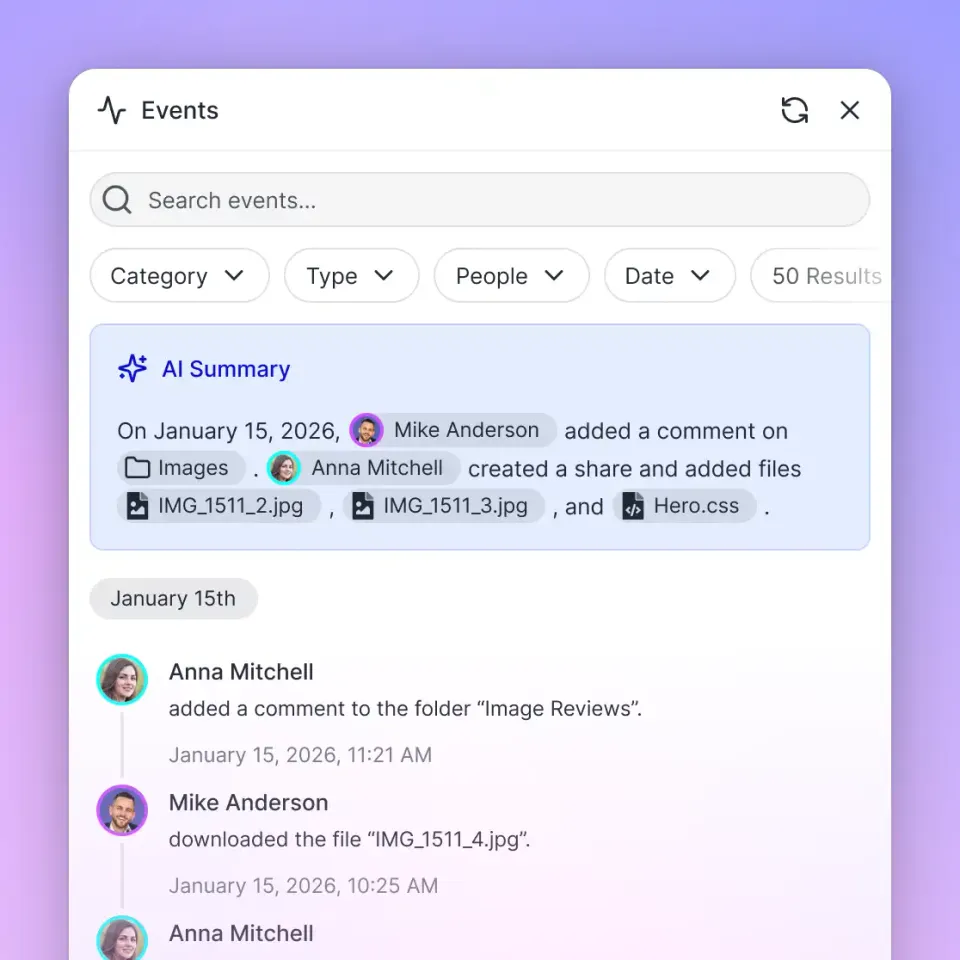
Unlike generic cloud storage (Dropbox, Google Drive, OneDrive), Fast.io is built for agentic workflows. Files uploaded to a workspace are automatically indexed once Intelligence is enabled for the workspace, making them searchable by meaning rather than just filename. A therapist can ask "find all intake forms from clients referred by Dr. Chen" and get results based on document content, not folder structure.
Key Features:
- Granular permissions at the workspace and folder level ensure that sensitive client records are accessible only to authorized team members.
- Automatic indexing powers semantic search across intake forms, session summaries, and clinical assessments once Intelligence is enabled.
- Audit trails log every file upload, download, and permission change for accountability.
- MCP server access at mcp.fast.io gives agents a consolidated MCP toolset for workspace, storage, and AI operations.
- Metadata Views turn unstructured documents into queryable data. Describe the fields you want extracted (client name, diagnosis, session date, treatment goals) in natural language, and AI builds a typed schema that populates a sortable, filterable spreadsheet across your document set.
- Ownership transfer lets an agent build and organize a workspace, then hand ownership to a human clinician through a claim link.
Pricing: 14-day Business Trial (card required), with paid plans starting at $9.99/month (Starter includes 3 seats, 250 GB, 100,000 credits/mo; see pricing).
What it does not do: Fast.io provides encryption and granular access controls but does not hold HIPAA, SOC 2, or other compliance certifications. Practices handling protected health information should evaluate their compliance requirements independently.

7. Mental Health Analyzer and Crisis Detection
Two specialized skills from the OpenClaw Medical Skills library address clinical monitoring tasks that complement documentation workflows.
The mental-health-analyzer skill provides mood tracking and symptom pattern analysis. It can process session notes over time to surface trends in reported symptoms, PHQ/GAD scoring patterns, and behavioral indicators. For therapists who track outcome measures across sessions, this automates the pattern recognition that would otherwise require manual chart review.
The crisis-detection-intervention-ai skill detects crisis signals in text and implements escalation protocols. It includes suicide ideation detection, automated escalation procedures, and crisis resource integration. A companion skill, crisis-response-protocol, handles safety planning and resource routing.
Best for: Practices that want automated flagging of risk indicators across their caseload. Useful as a second set of eyes, not a replacement for clinical assessment.
Limitations: These skills analyze text, not clinical presentations. They cannot detect nonverbal cues, assess affect, or replace the therapeutic relationship. False positives are possible and expected. Any crisis detection output should trigger human review, not autonomous action. Therapists remain responsible for clinical decisions regardless of what the tool flags.
How to Chain OpenClaw Skills into a Complete Practice Workflow
Individual skills are useful, but the real value comes from chaining them into practice workflows. Here is how a typical session cycle might look with OpenClaw automation:
Before the session: The calendar skill checks tomorrow's schedule and generates a daily briefing. The email skill sends appointment confirmations. Once Intelligence is enabled for the workspace, Fast.io surfaces relevant notes from previous sessions.
During the session: The therapist focuses on the client. No documentation happens in-session.
After the session: The therapist dictates or types key observations. The therapy-mode skill drafts a case formulation and session summary. The clinical-reports skill formats it as a SOAP note. The PDF skill generates any assigned worksheets. Files are saved to the client's Fast.io workspace with appropriate permissions.
Weekly: The mental-health-analyzer reviews the week's notes across the caseload and flags trends. The email skill sends session summaries or homework reminders as approved by the therapist.
This workflow keeps the therapist in control of clinical decisions while offloading the formatting, filing, and scheduling work. The Fast.io MCP server ties the storage layer together, so any OpenClaw agent can read and write to the same workspaces through a single endpoint.
For therapists evaluating this stack, start with one skill. Session note drafting (therapy-mode or clinical-reports) typically delivers the most immediate time savings, since progress notes account for roughly 8 of the 12 to 14 weekly documentation hours. Add scheduling and email automation once the documentation workflow is stable.
Sources
References used to verify factual claims in this guide.
-
Therapists spend roughly 35% of their working hours on documentation, translating to 12 to 14 hours per week for a 30-client caseload 77% of therapists report mental fatigue, the highest rate of any medical specialty surveyed, and 23% cite documentation as the top burnout driver AI-assisted note drafting can reduce per-note time from 15-20 minutes to 3-5 minutes
-
97.7% positive quality ratings from full-time MHPs and 98.4% from contractual MHPs using AI-generated clinical notes
-
OpenClaw Medical Skills library contains 869 curated skills spanning biomedical research, clinical workflows, and regulatory frameworks
Frequently Asked Questions
What AI tools help therapists with documentation?
OpenClaw skills like therapy-mode and clinical-reports draft session notes, case formulations, and SOAP-formatted progress notes from session context. The therapy-mode skill provides structured post-session documentation frameworks, while clinical-reports handles insurance-ready SOAP formatting. These tools draft the notes; therapists review and finalize before filing.
Can AI automate therapy session notes?
AI can draft therapy session notes, but full automation is not appropriate for clinical documentation. OpenClaw skills generate structured drafts from session data (key observations, interventions used, client responses), which the therapist reviews, edits, and approves. Eleos Health research shows documentation consumes about 35% of a therapist's working hours, and AI-drafted notes can reduce per-note time from 15 to 20 minutes down to 3 to 5 minutes.
How do counselors use AI in their practice?
Counselors use AI primarily for administrative tasks rather than direct client interaction. Common applications include drafting progress notes after sessions, generating intake forms and client worksheets, automating appointment scheduling and reminders, tracking symptom patterns across a caseload, and managing client communications. OpenClaw skills handle each of these tasks as modular tools that connect to the counselor's existing calendar, email, and file storage systems.
Are OpenClaw therapy skills HIPAA compliant?
OpenClaw skills themselves are tools that process data according to instructions. HIPAA compliance depends on the entire technology stack, including where data is stored, how it is transmitted, and who has access. Therapists using OpenClaw skills should evaluate their hosting environment, LLM provider data handling policies, and storage solutions for compliance with protected health information requirements. Fast.io provides security features like granular permissions and audit trails, and therapists should confirm the whole stack, including the LLM provider and hosting environment, meets their own obligations for protected health information.
How much time can therapists save with AI documentation tools?
Time savings vary by workflow and tool. Eleos Health research estimates therapists spend 12 to 14 hours per week on documentation for a 30-client caseload. AI-assisted note drafting can reduce per-note time from 15 to 20 minutes to 3 to 5 minutes, potentially saving around 10 hours per week on progress notes alone. A 2026 JMIR study of 1,528 mental health providers using AI-generated notes found 98% positive quality ratings and increased completed sessions without additional working hours.
Related Resources

Store and organize therapy practice files in one secure workspace
Connect your OpenClaw agent via the MCP server and keep client files indexed and accessible.