Top OpenClaw Skills for Real Estate Agents
OpenClaw skills help real estate agents automate routine tasks and focus on closing deals. From instant lead qualification to contract analysis, these AI tools save hours every week. Here are the skills you need to build a better workflow.

Why Real Estate Agents Are Switching to OpenClaw
Real estate relies on personal connections. Paperwork often gets in the way. Agents spend too much time scheduling viewings, entering data into CRMs, and answering basic questions. This leaves little time for what actually generates revenue: building relationships and closing deals.
OpenClaw changes this. It provides a self-hosted, secure AI workforce that handles these tasks automatically. Unlike standard chatbots or simple automation scripts, OpenClaw agents have "skills." These are tools that allow them to browse the web, send emails, manage files, and interact with your existing software stack.
This means you can build a team of specialized agents. One dedicated to lead nurturing, one for market research, and another for transaction coordination. By offloading these repetitive tasks, you save hours. Salesforce reports that reps spend only 28% of their week actually selling. The rest is lost to admin tasks that automation can handle. This allows them to focus on high-value client interactions.
The shift is not just about efficiency. In a market where speed wins, having an agent that works around the clock gives you an edge that manual workflows cannot match.
Helpful references: Fastio Workspaces, Fastio Collaboration, and Fastio AI.
Related guides
- How to Use Claude Code Skills in ClineAccording to GitHub's Octoverse 2024 report, the number of developers building with generative AI on the platform...
- How to Install and Manage Cline Agent SkillsAI coding agents boost code volume by 180%, but shipped code rises by only 30%, showing a critical gap in development...
- Best OpenClaw Skills for Web ResearchWeb research skills let OpenClaw agents find and read information on the live web. Without them, your AI is stuck with...
- Best OpenClaw Skills for AI Presentation CreationOpenClaw presentation skills let you generate, edit, and export slide decks through natural language commands in any...
- 7 Best OpenClaw Skills for AI Bookkeeping and Receipt ProcessingManual invoice processing still costs $15 to $16 per document for businesses running paper-based workflows, according...
- Best OpenClaw Skills for AI Email Copywriting in 2026OpenClaw's skill ecosystem now includes thousands of email-focused plugins that handle everything from cold outreach...
More on this subject: OpenClaw Skills (109 guides)
1. Brave Search, Real-Time Market Intelligence
Speed is the most important factor in conversion. Before responding to a new lead or advising a client on a neighborhood, you need fresh market data. The Brave Search skill lets OpenClaw agents conduct headless web searches and extract full page content without opening a browser.
How It Works
- Monitoring: The agent runs scheduled searches for expired listings, price drops, new permit filings, and local news in your target farm areas.
- Extraction: Using the
--contentflag, it pulls full article text to evaluate relevance and tone. - Briefing: It compiles results into a morning summary saved to your Fastio workspace, ready to read over coffee.
- Targeting: You send three data-informed emails to relevant prospects before 9 AM.
The Impact
Imagine waking up to a "Morning Briefing" in your Fastio folder. It lists three new potential listing leads, two price drops perfect for your investor client, and a news article about a new school district change. That is how automation helps.
ClawHub Page: clawhub.ai/steipete/brave-search
2. Fastio, The Intelligent Workspace for Transaction Coordination
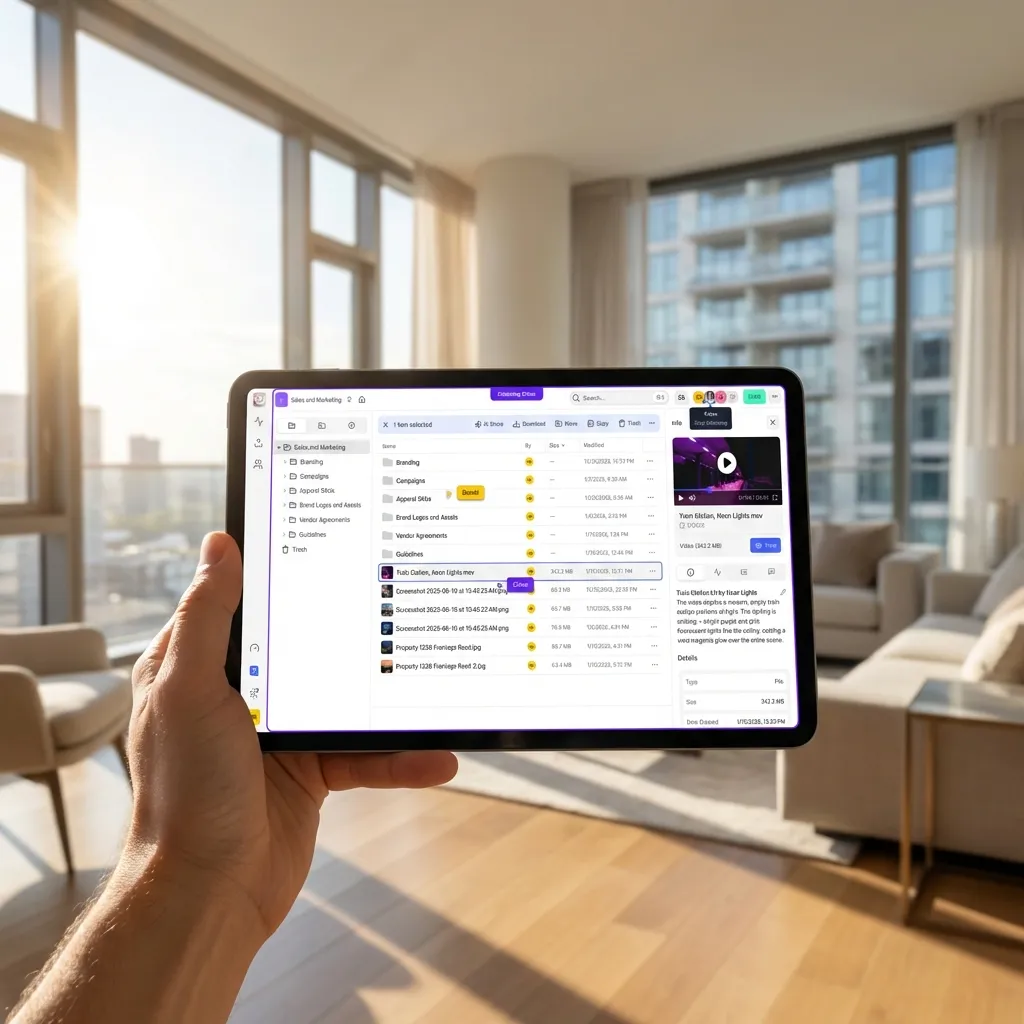
Reviewing purchase agreements, disclosures, and HOA documents is necessary but time-consuming and prone to human error. Fastio's Intelligence Mode gives your OpenClaw agents a persistent, indexed workspace where every uploaded file is immediately searchable by meaning.
The Workflow
- Upload: Drop a large HOA document or Purchase Agreement into your "Contracts" folder in Fastio.
- Analysis: The OpenClaw agent detects the new file and uses RAG to find key clauses, deadlines, and contingencies.
- Report: It creates a summary highlighting earnest money deadlines, inspection periods, financing contingencies, unusual clauses, and missing signatures.
- Review: You check the summary and know exactly where to look in the original document.
This gives you a "second set of eyes" on every deal.
Key Strengths:
- A consolidated MCP toolset for natural language file operations, upload, share, search, and organize.
- Intelligence Mode auto-indexes every file so agents can answer questions with citations.
- Ownership transfer hands completed workspaces to clients cleanly.
- 14-day Business Trial (requires credit card) with full workspace and MCP access.
Key Limitations:
- Requires a Fastio account for shared agent storage.
- Heavy document ingestion counts against monthly credits.
Connection: Remote MCP server at https://mcp.fast.io/mcp/tools using a scoped API key.



Run OpenClaw Skills for Real Estate on Fastio
Give your OpenClaw agents a secure, intelligent home with Fastio workspaces and remote MCP access. Built for real estate workflows.
3. AgentMail, Lead Nurturing and Client Communication
Clients communicate everywhere: email, Slack, and multiple platforms. Managing fragmented communications leads to dropped balls and frustrated clients. AgentMail gives OpenClaw agents a full API-first email platform designed specifically for agentic workflows.
Unified Client Experience
- Dedicated Inboxes: The agent maintains separate inboxes per campaign or client relationship, keeping communications clean and auditable.
- Instant Response: Real-time webhook notifications mean the agent knows the moment a lead replies and can trigger a follow-up workflow immediately.
- Smart Routing: AgentMail's semantic labeling differentiates "urgent" messages (e.g., "I want to make an offer") from "routine" ones (e.g., "What time is the open house?") so the right alerts reach you.
- Attachment Handling: Passes file attachments directly to the agent for analysis or storage in Fastio.
Pro Tip: Configure your agent to ask qualifying questions like "Are you working with an agent?" or "What is your timeline?" to filter leads before they reach your phone.
ClawHub Page: clawhub.ai/adboio/agentmail
4. Agent Browser, Listing Syndication and Form Automation
Real estate involves endless forms: MLS inputs, city permit applications, vendor requests, and marketing orders. The Agent Browser skill lets OpenClaw take full control of a web browser to perform these repetitive actions just like a human would.
Listing Syndication Example
Listing a property normally means uploading photos and details to the MLS, then repeating the process across a marketing portal, social scheduler, and your own website.
With Agent Browser, you fill out a single "Master Property Sheet" in your Fastio workspace. The agent then:
- Navigates to the MLS and inputs the data.
- Uploads high-res photos from your Fastio folder using file download capabilities.
- Logs into your marketing platform and creates the listing post.
- Submits a "Just Listed" postcard order to your print vendor.
This eliminates data entry errors and ensures consistent marketing across all channels.
Key Strengths:
- Rust-based headless browser with Node.js fallback for reliable performance.
- Full interaction suite: click, type, fill, scroll, screenshot, PDF generation.
- Session management for authenticated portals.
Key Limitations:
- Workflows can break if a target website updates its interface.
- Slower than direct API connections for high-volume tasks.
ClawHub Page: clawhub.ai/TheSethRose/agent-browser
5. Gog, CRM Sync and Google Workspace Automation
A CRM is only as good as the data inside it, and most agents hate data entry. The Gog skill gives OpenClaw a full CLI interface into Google Workspace, Gmail, Calendar, Sheets, Drive, and Docs, so agents keep your database accurate automatically.
Automated Data Entry
- Call Logging: After a call, dictate a quick note to your agent. It updates the client's Google Sheet with new search criteria and sets a Calendar follow-up task automatically.
- Status Updates: When a contract is signed, the agent moves the transaction stage in your Sheets tracker and triggers the "Closing Checklist" workflow.
- Broadcast Updates: Need to tell multiple buyers about a price drop? The agent pulls the buyer list from Sheets and sends personalized Gmail messages to each one.
Key Limitations:
- Requires OAuth access, use a dedicated Google account with minimal permissions.
- Complex write operations occasionally need human review before execution.
ClawHub Page: clawhub.ai/steipete/gog
6. Filesystem, Local Document Organization and Batch Processing
Agents generate a lot of files, market reports, contract summaries, lead logs. The Filesystem skill provides advanced local file operations including smart listing, powerful search, batch processing, and directory analysis, keeping your local machine organized alongside your cloud Fastio workspace.
How Real Estate Agents Use It
- Run pattern-based searches to find all contracts for a specific zip code or date range.
- Batch-copy completed transaction files to an archive folder with dry-run preview before execution.
- Generate ASCII tree visualizations of your document structure for client-facing reporting.
Key Strengths:
- Filter by type, pattern, size, and date with recursive traversal.
- Batch operations with dry-run preview and progress tracking.
- Full-text content search with context display.
Key Limitations:
- Node.js runtime required.
- Works on local files; pair with Fastio for cloud sync.
ClawHub Page: clawhub.ai/gtrusler/clawdbot-filesystem
Setting Up Your First OpenClaw Agent
Getting started with autonomous agents is easier than you think. You do not need to be a developer to build your first workflow.
Step 1: Install OpenClaw
OpenClaw runs locally on your machine or on a private server. Follow the installation guide to get the core system running.
Step 2: Connect to Fastio via MCP
Configure OpenClaw to connect to https://mcp.fast.io/mcp/tools using your scoped API key.This gives your agent persistent storage and intelligent file access. Connect OpenClaw to https://mcp.fast.io/mcp/tools using an API key.
Step 3: Define Your First Skill
Start simple. Configure the market intelligence workflow by installing Brave Search and connecting it to a Fastio workspace for output storage.
Step 4: Test and Iterate
Send a test query to yourself. Watch how the agent responds. Tweak the prompts to match your brand voice. Once you trust it, turn it on for live workflows.
How Fastio Powers Your OpenClaw Agents
Agents need a place to work. They generate files (reports, contracts, images) and need access to your existing data (listings, client records). Fastio provides the intelligent workspace where this happens.
- Centralized Storage: All agent outputs, market reports, contract summaries, lead logs, are saved to Fastio workspaces. This keeps your local machine clean and ensures data is backed up.
- Intelligence Mode: Fastio automatically indexes every file your agents create. You can then use the built-in AI chat to ask complex questions like, "Show me all contracts expiring this week" or "Summarize the market report from Tuesday."
- Easy Handoff: Your agent saves a draft contract to a shared folder. You get a notification, open it in Fastio, add your comments, and the agent sees the updates instantly.
By combining OpenClaw's action capabilities with Fastio's intelligent storage, you build a complete operating system for your real estate business.

Sources
References used to verify factual claims in this guide.
-
Sales reps spend only 28% of their week actually selling
-
Responding to leads within 5 minutes makes agents 100 times more likely to connect
-
Automated responses within one minute can boost conversion rates by up to 391%
Frequently Asked Questions
Do I need coding skills to use OpenClaw?
No, many OpenClaw skills are plug-and-play. You can install them via the ClawHub marketplace and configure them using natural language or simple configuration files. For complex custom workflows, some technical knowledge helps, but the community is active.
Is OpenClaw secure for client data?
Yes, this is one of its biggest advantages. OpenClaw is self-hosted, meaning it runs on your own infrastructure or device. Your client data doesn't pass through third-party servers unless you explicitly configure a skill to do so (like sending an email).
Can OpenClaw replace a transaction coordinator?
It can automate many tasks a coordinator does, like filing documents, tracking deadlines, and sending reminders. However, complex negotiations, emotional support for clients, and relationship management still require a human touch.
How does OpenClaw connect to Fastio?
You connect OpenClaw to Fastio's remote MCP server at https://mcp.fast.io/mcp/tools using a scoped API key. This allows your agents to read, write, and organize files directly in your Fastio workspaces using natural language commands, creating a shared brain for your business.
Does this work with my existing CRM?
Likely yes. OpenClaw has skills for Google Workspace via Gog, and can interact with any web-based CRM using Agent Browser's browser automation capabilities.
Related Resources

Run OpenClaw Skills for Real Estate on Fastio
Give your OpenClaw agents a secure, intelligent home with Fastio workspaces and remote MCP access. Built for real estate workflows.