Top 7 OpenClaw Workflows for AI Video Summarization and Clip Extraction
ClawHub now hosts over 170 skills in its Image and Video Generation category alone, yet most creators still manually scrub through hours of footage for highlights. These seven OpenClaw workflows chain specialized ClawHub skills to condense long-form video into timestamped summaries, scored clips, and platform-ready shorts without touching a timeline editor.

Why Video Summarization Workflows Matter Now
The parent keyword "ai video summarizer" draws 6,600 monthly searches, up from under 2,000 eighteen months ago. That growth tracks the real problem: video output has exploded while human attention budgets have not. Podcast episodes run 90 minutes. Webinar recordings pile up unwatched. Marketing teams need clips yesterday.
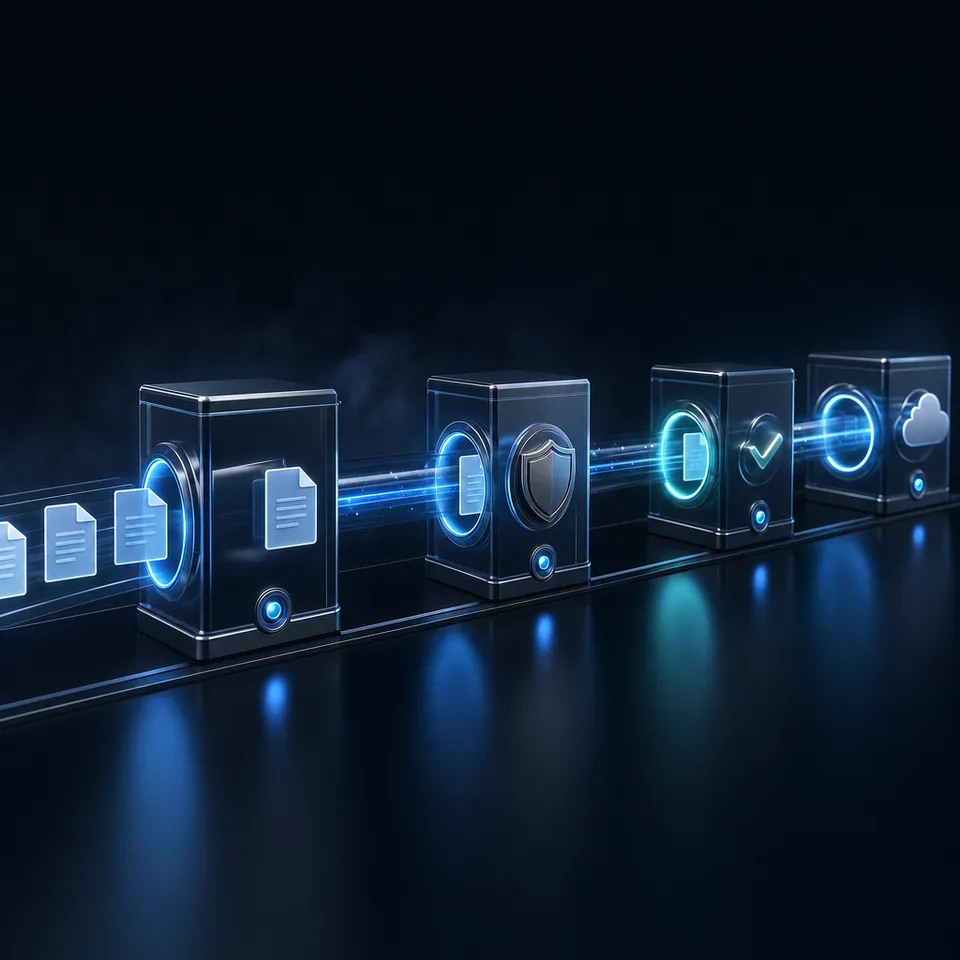
Standalone tools like Descript and NoteGPT handle one-off summarization well enough. But they operate in isolation. You upload a file, get a summary, then manually move that output into your next step. OpenClaw changes the equation by letting you chain skills together: fetch a transcript, generate a summary, score moments for viral potential, extract clips, and push the results to a shared workspace, all triggered by a single prompt.
Here is a quick reference for the seven workflows covered below:
- YouTube Transcript Summarization - YouTube Summarizer skill
- Multi-Platform Video Summarization - BibiGPT skill
- AI Clip Extraction with Viral Scoring - WayinVideo AI Clipping
- Automated Short-Form Content Pipeline - OpusClip Agent Opus
- Batch Channel Monitoring - YouTube Summarizer with scheduling
- Timestamped Chapter Generation - BibiGPT structured output
- Faceless Video Pipeline - Composio + Remotion (ClawVid)
Related guides
- How to Automate Video Review Workflows with Manus AIWhile AI-driven automation can slash initial video editing and rough-cut assembly times by up to 80%, creative teams...
- How to Set Up Clay Scraper and Data Extraction WorkflowsGo-to-market teams can automate lead generation by building web scraping pipelines directly within Clay. This guide...
- Best OpenClaw Workflows for AI Music Video and Lyric Video CreationOpenClaw 2026.4.5 shipped music_generate and video_generate as built-in tools, but most guides cover them in isolation....
- Best OpenClaw Workflows for AI Product Demo Video and Walkthrough CreationOpenClaw's ecosystem includes a dedicated demo-video skill that records browser walkthroughs through CDP screencast, a...
- Top OpenClaw Workflows for AI Video Dubbing and Lip SyncThe AI video translation market hit $2.68 billion in 2024 and is growing at 28.7% annually, yet most dubbing guides...
- Top OpenClaw Workflows for AI Image-to-Video ConversionOpenClaw's video_generate tool supports 13 providers for image-to-video conversion, each with different strengths. Some...
More on this subject: OpenClaw Workflows and Integrations (69 guides)
Summarization Workflows: YouTube, Multi-Platform, and Chapters
The first category of workflows focuses on understanding video content without watching it. Three ClawHub skills handle different summarization needs depending on your source platforms and desired output format.
A practical starting point: take a 90-minute webinar recording, run it through YouTube Summarizer, and compare the structured output against your own manual notes. Most teams find the AI summary captures 85-95% of the key points in under 30 seconds of processing time. The constraint worth knowing upfront is that all three skills rely on available transcripts or captions. Videos with burned-in text only (no caption track, no speech) will return empty results, so check your source material before building a pipeline around it.

1. YouTube Transcript Summarization
The YouTube Summarizer skill is among the top 10 most-installed skills on ClawHub, according to Composio's 2026 rankings. It fetches transcripts using a dual-method approach that bypasses YouTube's rate limiting, then generates structured summaries with key insights highlighted.
What it does:
- Detects video IDs from watch URLs, youtu.be short links, Shorts URLs, or raw 11-character IDs
- Fetches transcripts with a 92% content processing success rate
- Produces markdown-formatted summaries with timestamps and key takeaways
- Delivers output to messaging platforms or file storage
Best for: Researchers, content marketers, and podcast listeners who need to extract talking points from YouTube content without watching full videos.
The dual-method approach uses a primary transcript fetch path with an automatic fallback, which makes it reliable for batch processing across multiple videos. When a transcript is unavailable (unlisted captions, auto-generated only), the skill reports the gap rather than hallucinating content. A content team monitoring competitor channels can run YouTube Summarizer against each new upload, pipe the summaries into a shared workspace, and review a week's worth of competitor output in 15 minutes rather than 8 hours of watching.
2. Multi-Platform Video Summarization with BibiGPT
YouTube Summarizer covers one platform. BibiGPT covers 30+. This OpenClaw skill connects to BibiGPT's AI video intelligence platform and supports Bilibili, Xiaohongshu, Douyin, YouTube, Apple Podcasts (via RSS), Xiaoyuzhou podcast URLs, and local MP3/MP4/M4A files.
What it does:
- Generates timestamped structured summaries across 30+ video and audio platforms
- Supports collection-level summarization (summarize an entire playlist or channel batch)
- Produces flashcards and highlight notes from video content
- Handles multilingual subtitle translation
Best for: Teams working across international platforms, language learners consuming foreign-language video, and researchers tracking content across multiple video ecosystems.
The key differentiator from the native OpenClaw summarize skill (which is general-purpose webpage summarization) is platform-specific API support. BibiGPT handles Bilibili's authentication flow, Xiaohongshu's content structure, and Douyin's short video format natively, where a generic summarizer would fail.
3. Timestamped Chapter Generation
BibiGPT's structured output mode produces more than flat summaries. It generates timestamped chapter markers that map the structure of long-form content, useful for navigation, show notes, and content repurposing decisions.
What it does:
- Produces time-coded chapter breakdowns from video content
- Identifies topic transitions and key segment boundaries automatically
- Generates chapter titles suitable for YouTube descriptions or podcast show notes
- Works across all 30+ platforms BibiGPT supports
Best for: Podcast producers creating show notes, educators building course navigation, and editors deciding which segments to extract before opening their timeline.
This workflow pairs well with clip extraction. Generate chapters first to understand video structure, then feed specific timestamp ranges into WayinVideo or OpusClip. The chapter output serves as a decision layer that makes downstream extraction more targeted.


Give your video workflow outputs a persistent home
Workspaces with HLS video streaming, semantic search across summaries once Intelligence is enabled, and MCP access so OpenClaw writes directly to shared workspaces.
Clip Extraction and Content Creation Workflows
Once you understand what is in a video, the next step is pulling usable segments out of it. These three workflows handle different levels of complexity, from extracting scored clips to generating entirely new video content.
Consider a concrete scenario: your marketing team records a 45-minute product demo each week. Rather than manually scrubbing the timeline for quotable moments, WayinVideo's scoring engine identifies the three highest-engagement segments automatically. You review the scored clips, approve the ones that work, and push them to your social channels. The whole process takes 10 minutes instead of two hours. One limitation to plan for: clip extraction quality depends heavily on source video resolution and audio clarity. Noisy recordings or screen shares with no speaker audio produce lower-confidence scores, so clean your input before running extraction at scale.

4. AI Clip Extraction with Viral Scoring
WayinVideo's OpenClaw integration moves beyond summarization into active clip extraction. The workflow calls WayinVideo's API, which processes video footage and scores every possible clip segment by viral potential based on energy, emotion, and key talking points.
What it does:
- Scores video segments for engagement potential automatically
- Extracts top-scoring clips and crops them to 9:16 vertical format
- Applies AI reframing to keep the main subject centered throughout
- Layers animated captions in 100+ languages
- Supports natural language search ("find the moment where they discuss pricing")
Best for: Social media managers repurposing long-form content into platform-specific shorts, and podcast producers who need highlight reels from interview footage.
You can chain WayinVideo features together: start with a summary to understand the video's structure, use the "Find Moments" capability to locate specific segments by description, then clip those segments. The entire sequence runs from a single prompt without manual intervention between steps.
5. Automated Short-Form Content with OpusClip
OpusClip's Agent Opus integration with OpenClaw creates what their team calls a "24/7 content machine." The workflow handles the full pipeline from source identification through final distribution.
What it does:
- Scans defined sources (RSS feeds, YouTube channels, Reddit threads, trending hashtags) for topics worth covering
- Passes content briefs to Agent Opus for production: script, asset sourcing, avatar creation, voiceover, and editing
- Extracts high-retention moments from longer recordings automatically
- Reframes for vertical formats and adds animated captions
- Generates multiple clips from a single source, each optimized for different platforms
Best for: Creator teams scaling content output without scaling headcount. Creators running this setup report producing 5-10x more content without increasing working hours.
The distinction from WayinVideo's approach: OpusClip handles end-to-end production (including AI-generated visuals and voiceover), while WayinVideo focuses on extracting and reformatting segments from existing footage. Choose based on whether you need to repurpose existing video or generate new content from topics.
6. Faceless Video Pipeline with Composio and Remotion
The ClawVid workflow, documented on the Composio blog, chains OpenClaw with Composio's integration layer and Remotion's programmatic video renderer to produce complete videos from text prompts without any on-camera presence.
What it does:
- Generates scripts from topic briefs or summarized source material
- Sources relevant assets (stock footage, images, graphics) automatically
- Renders final video programmatically through Remotion
- Handles aspect ratio, pacing, and caption overlay
Best for: Marketing teams producing educational or explainer content at scale, and creators building "faceless" channels focused on information delivery rather than personality.
This is the most complex workflow on the list because it involves three distinct tools coordinating through OpenClaw. The tradeoff: more setup time upfront, but once configured, it produces complete videos from a single text prompt. The summarization workflows earlier in this list often serve as input, feeding condensed research into the script generation step.
7. Batch Channel Monitoring and Automation
The final workflow extends YouTube Summarizer into an ongoing monitoring operation rather than one-off processing. OpenClaw's scheduling capabilities let you define channels to watch, then automatically summarize each new upload as it appears.
What it does:
- Monitors specified YouTube channels for new uploads
- Fetches transcripts for each new video automatically
- Generates structured summaries and stores them in a designated location
- Supports batch processing for multiple channels simultaneously
Best for: Competitive intelligence teams, trend researchers, and content strategists who need to track what specific creators or brands publish without manual checking.
The YouTube Summarizer's dual-method transcript fetching makes this viable at scale. The 92% success rate means roughly 1 in 12 videos may need manual attention (typically those with disabled captions or audio-only content), but the remaining 11 are processed without intervention.
Where to store the output matters here. A local folder works for individual use, but teams need something accessible. Fastio workspaces give you a shared location where summaries accumulate over time, searchable through Intelligence Mode once indexing is enabled. S3 buckets or Google Drive work too, though without the semantic search layer. The Fastio MCP server lets OpenClaw write summaries directly to shared workspaces as they are generated, so your team sees results without any manual file shuffling.
How to Choose the Right Workflow for Your Video Pipeline
The seven workflows above serve different points in the video content lifecycle. Here is how to match your situation to the right approach:
If you need to understand what is in a video quickly: Start with workflow 1 (YouTube Summarizer) for YouTube-only content, or workflow 2 (BibiGPT) if your sources span multiple platforms.
If you need to extract specific moments: Workflow 4 (WayinVideo) gives you scored clips with viral potential ratings. Workflow 3 (chapter generation) helps you identify which segments to target before extraction.
If you need to produce new short-form content: Workflow 5 (OpusClip) handles repurposing existing footage. Workflow 6 (ClawVid) generates entirely new videos from text.
If you need ongoing monitoring: Workflow 7 (batch channel monitoring) runs continuously rather than on-demand.
Most production teams combine two or three of these. A common pattern: batch monitoring identifies relevant new content, chapter generation maps the structure, then clip extraction pulls the usable segments.
The outputs from all seven workflows are files: summaries, transcripts, clips, rendered videos. Those files need to live somewhere accessible to your team. Local storage works for solo use. For collaboration, a workspace platform like Fastio provides persistent storage with semantic search (once Intelligence Mode is enabled, uploaded summaries and transcripts become queryable by meaning). Teams can evaluate workspaces with a 14-day Business Trial (card required; see /pricing/) and HLS video streaming.
Sources
References used to verify factual claims in this guide.
-
YouTube Summarizer is among the top 10 most-installed ClawHub skills YouTube transcripts have a 92% content processing efficiency rate
-
BibiGPT supports Bilibili, YouTube, Xiaohongshu, Douyin, and 30+ platforms
-
ClawHub hosts 13,729 community-built skills
-
170+ Image and Video Generation skills on ClawHub
-
Creators running OpusClip + OpenClaw report producing 5-10x more content
Frequently Asked Questions
How do I summarize YouTube videos with OpenClaw?
Install the YouTube Summarizer skill from ClawHub. It accepts YouTube watch URLs, short links, or raw video IDs, fetches the transcript using a dual-method approach that handles rate limiting, and returns a structured markdown summary with timestamps and key insights. For videos without available transcripts, consider the BibiGPT skill which supports additional extraction methods.
What OpenClaw skills work for video clip extraction?
WayinVideo's AI Clipping skill scores video segments by viral potential and extracts top clips with automatic vertical reframing and captions. OpusClip's Agent Opus handles full production pipelines including script generation and asset sourcing. Both are available through ClawHub and can be triggered from a single OpenClaw prompt.
Can OpenClaw automatically create video highlights?
Yes. The WayinVideo integration analyzes video content and identifies high-engagement moments based on energy, emotion, and talking points. It scores every possible clip, selects the top segments, and formats them for different platforms automatically. You can also use natural language to describe the moment you want and the AI locates it in the footage.
How many video-related skills are available on ClawHub?
The Image and Video Generation category on ClawHub contains over 170 skills as of early 2026. These range from summarization and transcription tools to full video generation and editing capabilities. The broader ClawHub registry hosts 13,729 community-built skills across all categories.
What is the difference between OpenClaw's native summarize skill and YouTube Summarizer?
The native OpenClaw summarize skill is a general-purpose tool that summarizes webpage content using an LLM. It does not handle platform-specific video APIs, authentication flows, or transcript extraction. The YouTube Summarizer skill specifically fetches video transcripts through dedicated methods that bypass rate limiting, achieving a 92% processing success rate for YouTube content.
Related Resources

Give your video workflow outputs a persistent home
Workspaces with HLS video streaming, semantic search across summaries once Intelligence is enabled, and MCP access so OpenClaw writes directly to shared workspaces.