How to Share Large Deposition Video Files with Co-Counsel
Sharing large deposition video files with co-counsel requires moving multi-gigabyte recordings and synced transcripts across firm boundaries without hitting document management system limits. Traditional legal DMS platforms enforce strict file upload caps that reject full-day high-definition recordings. Using dedicated workspaces and scoped share links allows litigation teams to stream, download, and review large legal video files while maintaining clear records of file changes.

The File Size Barrier in Legal Video Deposition Handoffs
A full-day video deposition recorded in high definition produces vast quantities of digital media, but standard legal document management systems and law firm email servers enforce upload ceilings that reject these recordings at intake. When litigation teams attempt to deliver multi-gigabyte testimony to outside co-counsel, file transfers stall, browser sessions crash, and administrative staff resort to unmonitored consumer links or physical storage media. Sharing large deposition video files with co-counsel is the secure distribution of high-capacity digital video recordings and synced transcripts between joint litigation teams while preserving file integrity and audit trails. Achieving this requires specialized workspace distribution rather than conventional office document workflows.
Civil litigation practices frequently depend on multi-firm collaboration. Joint defense groups, co-counsel arrangements in complex tort actions, and trial teams split across different geographical jurisdictions must review witness demeanor, cross-examine expert witnesses, and evaluate trial exhibits together. Yet file exchange between independent law firms introduces immediate friction. Unlike internal colleagues who access the same central server, co-counsel operate on separate corporate networks, maintain distinct legal practice management software, and follow separate security configurations. Sending massive volumes of deposition media across these organizational borders quickly exposes the architectural limits of legacy legal technology.
Why High-Definition Deposition Packages Exceed Standard File Ceilings
Modern legal videography has moved entirely to high-definition video standards. Court reporters and certified legal videographers capture proceedings using high-definition camera feeds recorded at sustained bitrates. A standard seven-hour deposition session generates tens of gigabytes of video data per camera angle. When a case involves complex medical malpractice, patent infringement, or corporate officer examinations, court reporting services often deploy two synchronized cameras to capture both the deponent and the exhibit table simultaneously. Dual-camera recordings double the overall storage volume, pushing a single day of testimony far beyond standard document limits.
The video recording is only one component of a complete deposition package. Court reporting agencies deliver synchronized bundles that bind the raw video file to the certified court reporter transcript. These packages include synchronizing format files such as LEF, PTF, CMS, or MDB databases, alongside digital copies of marked exhibits, audio backups, and rough ASCII drafts. If an attorney attempts to isolate just the video to reduce file size, the synchronization metadata breaks, rendering the transcript-to-video link useless in trial preparation applications. Litigation teams must transfer the entire multi-gigabyte bundle intact.
The Operational Cost of Physical Media and Consumer Workarounds
Faced with upload failures, litigation paralegals and legal operations managers frequently fall back on manual, physical workarounds. For decades, the standard contingency method involved copying deposition video onto encrypted USB flash drives or external solid-state drives and sending them via overnight courier to co-counsel offices. While physical media bypasses network bandwidth caps, it introduces unacceptable operational friction. Shipping physical drives costs hundreds of dollars per matter in courier fees, introduces multi-day delivery delays before co-counsel can begin summary judgment preparation, and risks permanent loss or theft if a package is mishandled in transit.
When physical couriers are deemed too slow, litigation staff often turn to ad hoc consumer cloud links. Attorneys paste deposition video into personal consumer file-sharing accounts or free transfer utilities to beat tight discovery deadlines. This practice creates severe operational and administrative vulnerabilities. Consumer transfer links frequently truncate uploads that exceed arbitrary file caps, expire without warning after seven days, and provide zero administrative visibility into file modifications. Most critically, consumer transfer utilities lack the structured matter organization, access controls, and detailed activity logging demanded by litigation governance policies.
Related guides
- Co-Counsel Document Sharing: Secure Workspaces for Joint Litigation TeamsCo-counsel document sharing requires specialized protocols and neutral workspaces that allow collaborating law firms to...
- Deposition Management Software: Organizing Transcripts, Video, and Exhibits for Trial TeamsDeposition management software organizes deposition transcripts, synchronized video recordings, and evidentiary...
- Legal File Transfer: Secure Methods for Large Case Files and EvidenceLitigation teams frequently encounter obstacles with legal file transfer when transmitting massive evidentiary files...
- DISCO eDiscovery Pricing: Ingestion Costs, Hosting Fees, and Review EconomicsDISCO eDiscovery pricing combines monthly gigabyte hosting fees, processed data measurements, and all-inclusive AI...
- eDiscovery Data Processing: Architecture, Workflows, and Load File StagingeDiscovery data processing transforms unorganized electronic files into structured, searchable evidence for litigation...
- How to Share Files with Opposing Counsel Safely and SecurelyExchanging litigation files with opposing counsel requires secure, authenticated channels. Traditional email and...
More on this subject: Legal Teams (247 guides)
Why Legal Document Management Systems Reject Large Video Evidence
Law firm document management systems are the central repository for pleadings, discovery motions, correspondence, and client agreements. However, these systems were historically architected around text documents, scanned black-and-white TIFF images, and portable document formats. Their internal storage pipelines, indexing engines, and web gateways were never engineered to process continuous high-definition video streams or individual files measuring tens of gigabytes.
When law firms attempt to store or transfer high-definition video evidence through traditional repositories, the underlying software architecture struggles. Web browsers time out while pushing continuous data packets through standard HTTP gateways, local caching engines fill client hard drives, and synchronization services freeze. Rather than modernizing their storage engines for multimedia litigation payloads, traditional legal repositories rely on restrictive file ceilings that force legal administrators to look outside the core practice management stack.
Upload Ceilings in Enterprise Legal Repositories
Traditional document management platforms enforce strict individual file size limits to prevent system instability, database bloat, and web server timeouts. For example, Box restricts maximum individual file upload sizes to 2 GB for Starter accounts and 5 GB for Business accounts. Unless an enterprise client negotiates customized high-tier capacity, everyday business accounts cannot accept a full-day video file. Similarly, Clio Manage limits individual file uploads to a 5 GB threshold.
When litigation staff attempt to drag a full-day deposition video file into a matter folder on these platforms, the application immediately rejects the file or stalls in an indefinite upload queue. Because document management systems rely on synchronous upload protocols or restricted web sockets, transferring a multi-gigabyte recording directly through a firm's standard browser interface consistently leads to gateway timeouts and corrupted file fragments.
The Governance and Defensibility Gaps in Unmonitored File Transfers
When internal document management systems fail to ingest deposition videos, the resulting fragmentation threatens the integrity of case files. Litigation teams that distribute files across unmonitored services lose track of which firm holds the authoritative master recording. If co-counsel edits a deposition clip or adds transcript annotations in an isolated external folder, those changes fail to sync back to the originating firm's matter index.
Legal matters demand strict administrative accountability. When exchanging discovery materials, court exhibits, and deposition recordings, litigation teams must be able to demonstrate an unbroken administrative record of who introduced, modified, moved, or deleted specific files. Consumer file dropboxes and ephemeral transfer tools offer no detailed activity logs of organizational changes. If an exhibit video is accidentally overwritten or deleted prior to a major evidentiary hearing, generic consumer utilities cannot reconstruct the sequence of administrative actions that led to the loss.
Five Steps for Sharing Large Deposition Video Files with Co-Counsel
Transferring high-capacity deposition videos to external litigation partners requires a dedicated, structured workflow. By pairing matter-specific collaborative workspaces with high-capacity chunked uploads and scoped sharing controls, litigation support teams can securely deliver full-day deposition packages to co-counsel without splitting files or relying on physical couriers.
Follow these five steps to transfer large deposition video files to co-counsel:
Assemble the Deposition Package Locally Collect the master high-definition video recording, the certified court reporter transcript, synchronization metadata files (such as CMS or LEF format), and all marked deposition exhibits into a single master directory on your local machine. Verify that file names follow consistent legal naming conventions, such as including the case caption, deponent surname, date of deposition, and media volume number.
Establish a Dedicated Matter Workspace Create an isolated workspace dedicated strictly to the specific litigation matter. Rather than commingling evidence inside a general firm folder, an isolated matter workspace establishes a secure perimeter for the case. Assign organization roles to internal team members, giving paralegals, litigation support staff, and lead trial attorneys appropriate editing or administrative rights.
Upload Deposition Media via Chunked Transfers Upload the deposition video package into the matter workspace using an engine that supports chunked transfers. Chunked upload mechanics break massive video files into resilient data segments during transit. If an office network experiences momentary packet loss during a massive video transfer, the upload resumes automatically from the last confirmed chunk rather than restarting from zero.
Configure a Scoped Share with Access Controls Generate a branded share link targeted specifically to co-counsel using secure client portals. Configure the share settings according to the joint litigation arrangement. Set an explicit expiration date matching the discovery deadline or trial schedule. If co-counsel only requires the files for immediate visual review and strategy evaluation, configure the share to disable file downloads. If outside counsel requires the files for trial presentation software, enable full-resolution download capabilities.
Monitor Case Changes Through the Detailed Activity Log Once the share is active, review the workspace's detailed activity log to monitor administrative actions. The detailed activity log tracks every structural change across the organization and workspace, including new file uploads, naming edits, file movements, deletions, permission modifications, and the creation of new shares. This provides the tech-responsible partner and legal operations manager with a clear, verifiable record of all file updates throughout the litigation lifecycle.
Structuring Case Directories for Joint Defense Teams
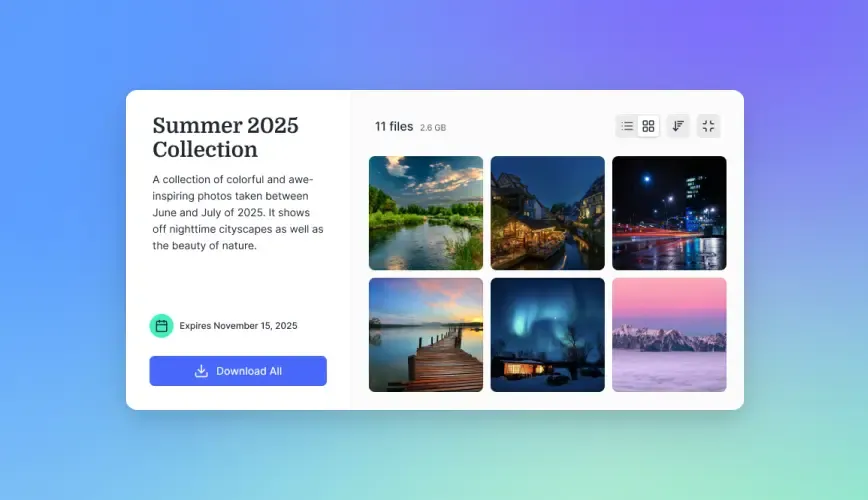
A standardized directory structure inside the matter workspace prevents confusion between legal teams. Structure the workspace into intuitive subdirectories: Pleadings, Transcripts and Video, Marked Exhibits, and Work Product. Under the Transcripts and Video directory, create separate subfolders for each deponent using a standardized naming format. Inside each witness folder, keep the MP4 video, synchronization files, and transcript text together. This directory discipline allows co-counsel's trial preparation software to parse synchronized timestamps without path errors. For structured document processing and exhibit extraction, teams can also deploy Metadata Views to automatically extract dates, deponents, and exhibit numbers into a filterable matter spreadsheet.
Scoping Share Expiration and Access Parameters
Co-counsel relationships often evolve as litigation progresses. In complex multi-party matters, joint defense agreements may change, parties may settle out of court, or specific co-counsel may withdraw from active representation. Scoping share links with fixed expiration dates prevents open-ended, perpetual access to sensitive discovery video. If a joint defense member resolves their claims, administrators can instantly revoke the specific share link without altering access for remaining trial partners or modifying internal matter storage.


Share Multi-Gigabyte Deposition Videos with Co-Counsel
Create dedicated matter workspaces, upload full-day high-definition recordings, and deliver branded shares with detailed activity tracking. Monthly plans start with a 14-day free trial, credit card required.
When to Stream Versus Download Deposition Video Files
Attorneys, paralegals, and legal technology specialists interact with deposition video in different ways depending on their role in the trial lifecycle. Understanding the distinction between on-demand video streaming and raw file downloading is critical for managing firm network bandwidth and optimizing attorney review time.
Early in discovery, trial attorneys primarily need to review witness credibility, evaluate demeanor, and identify key soundbites for summary judgment motions. Forcing attorneys to download massive video archives to thin client laptops wastes hours and exhausts drive storage. Conversely, trial presentation technicians preparing courtroom exhibits require complete, uncompressed master media. Selecting the right distribution method ensures each collaborator receives the exact format needed for their work.
Browser-Based HLS Streaming for Deposition Preparation
When an attorney prepares to draft a motion for summary judgment, examine a hostile witness, or assess deponent credibility, they rarely need to edit the underlying video file. Downloading a full-day video file to a personal laptop takes hours, exhausts local solid-state drive storage, and demands specialized local playback software.
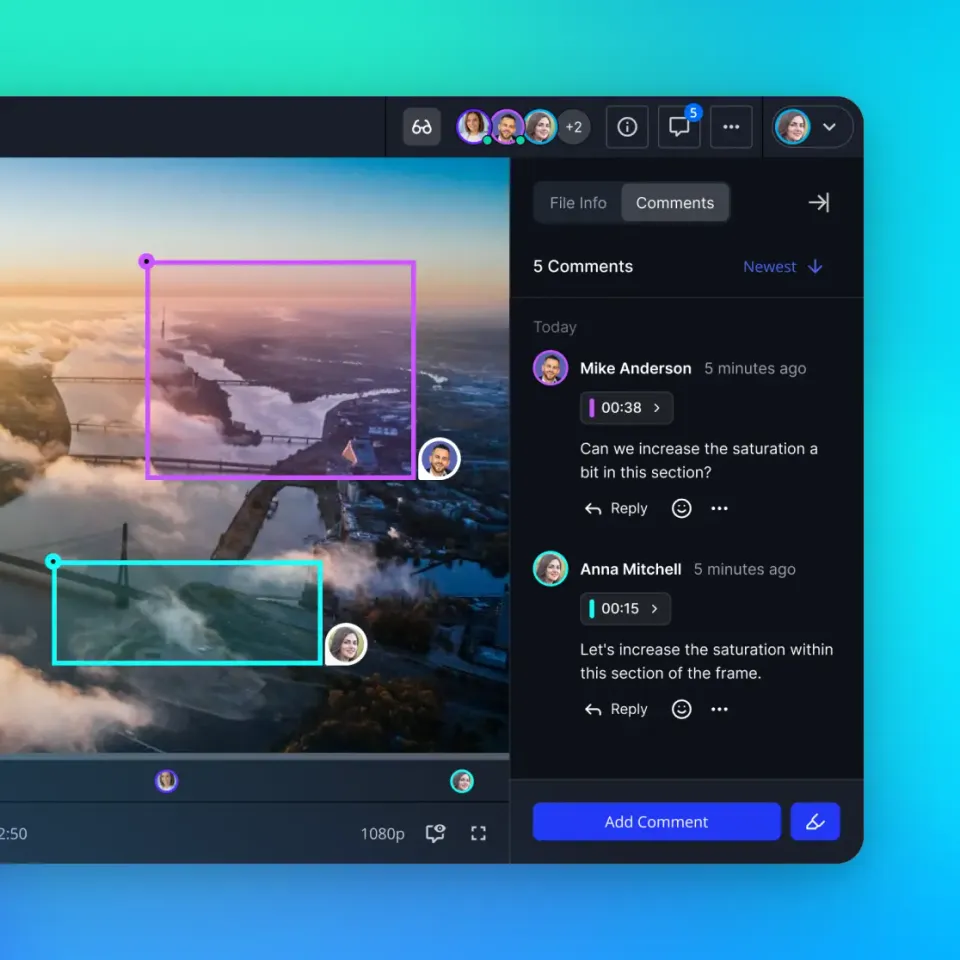
Cloud workspaces equipped with HLS video streaming solve this bottleneck. HTTP Live Streaming breaks the master video file into short, adaptive media segments delivered dynamically to standard web browsers. When an attorney opens a shared deposition link, the video begins playing instantly inside Chrome, Safari, or Edge without requiring a multi-hour download. Fast-forwarding to specific timestamps occurs with minimal buffering because the browser only fetches the specific video chunks requested. Workspaces featuring Intelligence Mode auto-index text and documents for semantic search, allowing legal teams to query indexed case materials and retrieve citation-backed answers alongside their media review.
Distributing Master Video Files for Trial Presentation Software
While streaming is optimal for early witness evaluation and motion drafting, courtroom presentation demands access to uncompressed, raw master video files. Trial presentation software suites, including OnCue, TrialDirector, and Sanction, require local access to high-bitrate MP4 files and synchronized text databases to create video clips for courtroom projection, impeachment exhibits, and jury presentations.
When trial technicians and paralegals need to export clips for trial, the workspace share must support dependable bulk downloading. High-capacity chunked download pipelines allow massive master files to transfer smoothly onto the trial laptop without connection drops. Once downloaded, the trial presentation specialist can load the synchronized files into their courtroom presentation software, confident that the video timestamps match the certified court reporter transcript down to the millisecond.
Governance and Access Controls for Joint Defense Teams
Collaborating across separate law firms requires strict boundary management. When multiple firms represent aligned parties under a joint defense agreement, legal operations managers must enforce tight data governance without introducing administrative overhead. Workspaces provide a clean model for multi-firm governance by establishing distinct security perimeters around individual legal matters.
Managing cross-firm collaboration through ad hoc shared folders on traditional servers creates significant security and compliance exposure. IT administrators cannot risk granting external lawyers broad credentials that might touch neighboring case files or firm accounting records. A modern governance approach isolates outside counsel strictly to the relevant matter while preserving firm-wide administrative visibility.
Scoping Permissions by Workspace and Share Rather Than Folder Hacks
A common point of operational failure in traditional cloud drives is the reliance on folder-level or file-level permission rules. In legacy systems, administrators frequently attempt to share a single subfolder within an existing matter tree. Over time, nested permission overrides create severe security risks: a junior staff member might inadvertently move a confidential work product memo into a shared folder, or an inheritance mistake might expose other firm clients to external co-counsel.
Fast.io eliminates this vulnerability by enforcing role-based permissions strictly at the organization, workspace, and share levels. Permissions are never applied at the individual folder or file level. Instead, litigation teams create a dedicated workspace for a joint defense matter or issue a branded share link for specific deposition folders. Every member added to a workspace receives clear role-based access across that specific workspace, while all other firm workspaces remain entirely isolated. External co-counsel who open a branded share do not consume an organization seat and can access shared deposition evidence via link without creating an internal account.
Maintaining Defensible Records of Case Modifications
Maintaining an accurate, defensible record of file modifications is a fundamental requirement of litigation practice. When joint trial teams collaborate on complex cases spanning multiple years, paralegals and IT administrators must be able to audit how files entered the workspace, when video files were renamed, and which team members updated shared materials.
Fast.io provides a detailed activity log that records every operational change within an organization and its workspaces. The activity log captures uploads, file edits, file movements, deletions, membership changes, permission adjustments, and share creations, documenting precisely which user or agent performed each action and when it occurred. The detailed activity log does not track read-only actions such as views, previews, opens, or downloads. This distinction is critical for legal governance: the log functions as a reliable administrative audit of case modifications rather than an access tracker. Combined with per-file version history that preserves every prior iteration of a modified document, litigation teams maintain complete oversight over their evidence repository without risking accidental data loss.
To protect sensitive legal materials, Fast.io incorporates encryption in transit and at rest, alongside role-based access controls across organizations, workspaces, and shares. While data preservation strategies and retention schedules should always be evaluated in consultation with your firm's own legal counsel or internal records management policy, using dedicated legal workspaces keeps large deposition video transfers structured, monitored, and administratively defensible.
Sources
References used to verify factual claims in this guide.
-
Box restricts maximum individual file upload sizes to 2 GB for Starter accounts and 5 GB for Business accounts.
-
Clio Manage limits individual file uploads to a 5 GB threshold.
Frequently Asked Questions
How do you send large deposition video files to co-counsel?
Upload the video files, synchronized transcripts, and exhibit bundles into a dedicated cloud workspace that supports high-capacity chunked uploads. Create a scoped share link with an expiration date and role-based access controls, or invite co-counsel directly to the matter workspace. This enables outside counsel to stream high-definition video directly in their web browser or download complete master files without triggering email attachment caps or document management system limits.
Why won't my legal DMS accept full-day deposition videos?
Most law firm document management systems enforce strict individual file size ceilings. Platforms such as Box restrict standard business uploads to a 5 GB ceiling, and Clio Manage limits individual file uploads to a 5 GB threshold. A full-day video deposition recorded in high definition produces vast data payloads that exceed these upload caps and cause web gateway timeouts.
How do litigation teams securely transfer legal video evidence?
A defensible approach is using dedicated cloud workspaces with encryption in transit and at rest, scoped permissions, and a detailed activity log of all file changes. Avoid unmonitored consumer file-sharing links and physical USB thumb drives sent through postal couriers, which lack organizational oversight and risk physical loss. Branded shares with customizable expiration dates allow joint litigation teams to review evidence without exposing other firm matters.
Can co-counsel review deposition video without downloading the entire file?
Yes. Cloud workspaces equipped with HTTP Live Streaming (HLS) transcode video files into adaptive streams that play directly inside standard web browsers. Attorneys can inspect witness testimony, review non-verbal demeanor, and jump to specific timestamps instantly without waiting for multi-gigabyte downloads or consuming storage on their local hard drives.
How do workspace permissions differ from folder-level permissions when sharing files with outside counsel?
Rather than managing nested, error-prone folder-level permission hierarchies inside a central document repository, modern workspaces apply permissions strictly at the organization, workspace, and share levels. Creating a dedicated workspace or a branded share for a specific matter allows litigation teams to give co-counsel access strictly to that case's video files and exhibits while isolating all other firm matters.
Related Resources

Share Multi-Gigabyte Deposition Videos with Co-Counsel
Create dedicated matter workspaces, upload full-day high-definition recordings, and deliver branded shares with detailed activity tracking. Monthly plans start with a 14-day free trial, credit card required.