Co-Counsel Document Sharing: Secure Workspaces for Joint Litigation Teams
Co-counsel document sharing requires specialized protocols and neutral workspaces that allow collaborating law firms to exchange case evidence and strategy without exposing internal firm infrastructure. When joint litigation teams rely on fragmented email chains or consumer cloud drives, they risk version conflicts and administrative overhead. This guide explains how legal operations leads can provision neutral workspaces, configure scoped access, and extract structured document metadata.

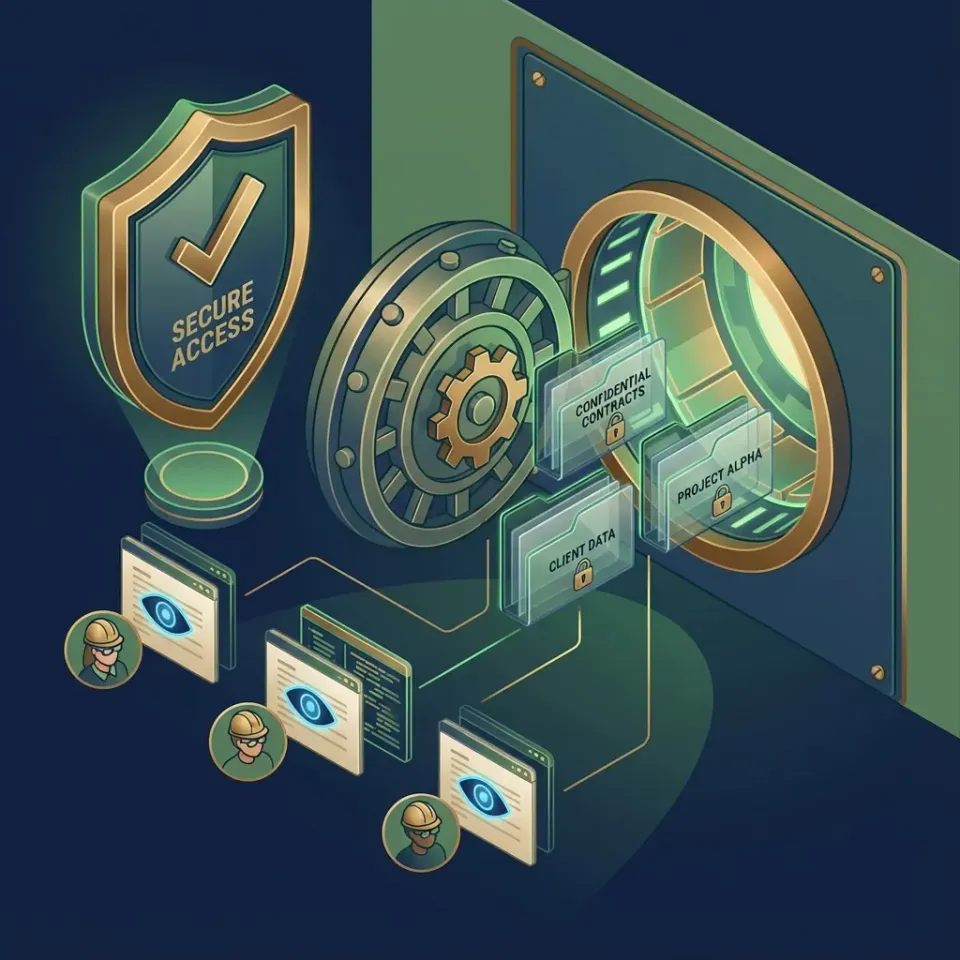
The Multi-Firm Collaboration Dilemma: Why Internal DMS Systems Fail Joint Litigation
Two competing law firms collaborating on a high-stakes litigation matter face an immediate infrastructure paradox: they must share deposition videos, expert witness reports, and strategy memoranda, yet neither firm can grant outside counsel direct access to internal document management systems without compromising client segregation and firm confidentiality. In complex commercial disputes, multi-district litigation, and joint defense groups, separate firms frequently pool resources to represent co-defendants or coordinate plaintiff actions. Standard legal technology stacks are built to wall off data, not share it across organizational boundaries.
Co-counsel document sharing refers to the protocols, permissions, and cloud workspace technologies used by collaborating law firms to exchange case materials, evidence, and joint work product without exposing either firm internal document infrastructure. When trial teams lack a dedicated mechanism for this exchange, collaboration defaults to ad hoc methods. Paralegals email draft briefs back and forth, associates circulate file download links from consumer accounts, and partners lose track of which firm holds the operative version of a critical exhibit.
Enterprise legal document management software like NetDocuments or iManage protects a single firm's entire client roster behind strict ethical walls. Granting guest accounts to attorneys from an outside firm introduces serious administrative complexity. Firm IT administrators must manually provision credentials, restrict matter visibility, and constantly audit access rights to prevent outside lawyers from viewing confidential files from unrelated clients. Outside counsel also resist working inside a co-counsel firm's proprietary environment, where all access logs and system controls remain under unilateral control.
Single-vendor practice management portals like Clio for Co-Counsel attempt to address this need by creating external guest access within a single firm's practice management database. While functional for routine referrals between solo practitioners, this approach falters in complex joint litigation. Neither firm wants to conduct high-stakes trial preparation inside a competitor's practice management software. Native practice management portals also enforce strict storage caps and file size ceilings that collapse when handling large discovery productions. Standard law firm document management software excels at internal firm governance, but co counsel file sharing demands a collaborative architecture that spans organizational boundaries without compromising either firm's operational security.
Resolving this friction requires moving outside the traditional document management system into a dedicated, neutral matter workspace where collaborating litigation teams interact on equal footing.

Related guides
- Law Firm Document Sharing: Secure External Delivery for Counsel and ClientsLaw firm document sharing requires controlled, encrypted pathways to distribute privileged files, discovery materials,...
- Litigation Management Software: Architecture and Workflows for Modern Legal TeamsLitigation management software centralizes matter intelligence, evidentiary documents, deposition transcripts, and...
- Nextpoint eDiscovery Review: Features, Pricing, and Litigation WorkflowsNextpoint is a cloud-based eDiscovery and litigation support platform that combines evidence processing, document...
- How to Build a Secure SharePoint Client PortalSetting up a secure client portal for SharePoint often introduces heavy login friction for legal clients through...
- Setting Up an Actionstep Client Portal for File DeliverySetting up an Actionstep client portal is a standard method for sharing legal case files, but native storage caps and...
- NetDocuments File Size Limits, Upload Caps, and Large File StorageThe NetDocuments file size limit restricts standard web uploads to 2 GB while supporting files up to 50 GB through...
More on this subject: Legal Teams (211 guides)
Security Boundaries and Document Governance in Joint Defense
In the context of multi-firm litigation, joint defense collaboration requires clear operational protocols to handle case intake, document collection, exhibit indexing, and joint work-product review. Successful legal operations teams establish disciplined, repeatable file structures and access rules that protect work product from disclosure.
Collaborating firms rely on the common-interest doctrine to exchange confidential case materials without waiving the attorney-client privilege or work-product protection. This legal protection requires that communications and documents remain confidential and advance a shared legal strategy. If co-counsel exchange files over unencrypted email or store sensitive defense strategy in consumer cloud folders with permissive sharing links, opposing parties can challenge whether the documents maintained the necessary expectation of privacy. Check with your firm's own counsel or records policy to determine the specific privilege and retention requirements for each matter.
Joint defense document sharing requires neutral ground where neither firm holds unilateral administrative control. Rather than forcing one firm to invite outside attorneys into their primary enterprise productivity tenant or Google Workspace, legal operations leads provision a dedicated litigation co-counsel workspace in Fast.io shared workspaces. This workspace functions as an isolated digital war room dedicated solely to the specific litigation.
Handling large litigation files represents another major operational obstacle. Modern commercial litigation routinely involves hundreds of gigabytes of evidentiary data, including high-definition deposition recordings, electronic discovery exports, forensic disk images, and scanned medical record sets. Consumer file transfer tools often fail mid-upload or refuse files larger than a few gigabytes. Fast.io accommodates these demands with chunked uploads, allowing litigation teams to upload massive video depositions, forensic disk images, and comprehensive discovery exports without connection timeouts or data truncation. When reviewing video depositions, integrated HLS video streaming allows counsel to review recorded testimony directly in the browser without waiting for multi-gigabyte media files to download to local workstations.
Four-Step Setup for Co-Counsel Document Sharing in Joint Litigation
Setting up an effective co-counsel workspace requires clear boundaries between internal firm work product and shared defense materials. Legal operations managers can implement a dependable four-step deployment for any joint litigation matter:
1. Provision a Neutral Matter Workspace
Create a dedicated workspace for the matter within Fast.io. The workspace serves as the single source of truth for both firms, completely separated from internal firm networks. Both lead counsel and local counsel can join the workspace with assigned organizational roles. Because Fastio runs on cloud infrastructure partners, including Google Cloud Platform and Cloudflare, that are certified to industry-leading security standards, files remain encrypted in transit and at rest throughout the litigation lifecycle.
2. Define Scoped Access Through Dedicated Shares
In Fast.io, permissions are configured per organization, workspace, and share. There are no folder-level or file-level permissions; each person accesses the workspace according to their assigned role. When sharing files with co-counsel, outside experts, consulting witnesses, or secondary co-counsel who do not require access to the entire case record, litigation administrators create a dedicated share for that specific folder. For example, the team can create a share pointing exclusively to the /expert-disclosures/ folder, so external reviewers see only the files designated for their review.
3. Implement Expiring Links and Download Controls
When exchanging sensitive trial strategy memoranda, joint defense agreement drafts, or proprietary evidentiary documents, legal teams must control how files are consumed. Fast.io allows administrators to create branded shares with specific expiration dates. For higher-security reviews, administrators can disable file downloads directly on the share. This allows co-counsel or expert witnesses to inspect high-resolution documents, spreadsheets, and deposition video in their browser while preventing unmanaged local copies from landing on external laptops or unencrypted portable drives.
4. Maintain Joint Defense Accountability with a Detailed Activity Log
Accountability across multiple firms requires clear change records. Fast.io maintains a detailed activity log of what changed in an organization and who changed it, tracking file uploads, edits, moves, deletions, membership updates, and share creation. It does not record read-only events such as views or downloads, keeping the log focused on actual document modifications. Combined with automatic per-file version history, trial teams can verify the timeline of any revision, identify who uploaded a modified trial exhibit, and restore earlier versions if an accidental edit occurs.



Coordinate joint litigation teams in a neutral matter workspace
Provision dedicated workspaces for co-counsel, share case exhibits with download controls, and extract structured document metadata using Metadata Views. Monthly plans start with a 14-day free trial.
Discovery Ingestion and Document Data Extraction with Metadata Views
During active discovery, litigation teams receive vast volumes of production data from opposing counsel, third-party subpoenas, and client repositories. Paralegals and litigation support staff often spend dozens of hours reviewing PDFs to extract Bates ranges, document dates, authors, recipients, and subject tags into litigation databases. Modern paralegal software and ediscovery software tools must help legal teams process these productions rapidly without excessive manual entry.
To eliminate this manual data entry bottleneck, legal teams use Metadata Views to convert unstructured discovery files into structured, queryable databases. Rather than building rigid templates or setting up brittle OCR rules, operations managers describe the fields they want extracted in natural language. Fast.io designs a typed schema supporting Text, Integer, Decimal, Boolean, URL, JSON, and Date & Time fields, automatically matches files in the workspace, and populates a filterable spreadsheet.
In a joint defense action, paralegals can configure a Metadata View to extract fields such as:
- Document Date and Execution Date
- Bates Begin and Bates End numbers
- Primary Authors, Custodians, and Disclosed Counterparties
- Governing Law and Jurisdiction clauses
- Financial exposure amounts, settlement values, or invoice totals
Metadata Views process PDFs, TIFF images, Word documents, spreadsheets, presentations, and scanned handwritten notes. If trial counsel identifies a new legal theory requiring additional data points, staff can add new extraction columns without reprocessing the entire document library. This structured extraction operates independently from Intelligence Mode, which indexes workspace files for full-text search, semantic search, and natural language question answering with document citations.
To keep case notes organized beside evidence, teams use Notes kept beside the files. Notes allow attorneys and paralegals to draft deposition outlines, track witness impressions, and record exhibit references in the same workspace. Notes use version-checked saves rather than real-time co-editing, returning a conflict if another user has updated the note rather than overwriting it, and maintaining a clear revision history across collaborating team members. When multiple associates collaborate on extensive trial briefs, advisory file locks acquired and released through MCP tooling provide temporary editing leases on individual files to coordinate active writers.

Evaluating File Sharing Options for Co-Counsel Collaboration
Selecting the right file sharing technology for multi-firm litigation requires balancing security, administration, file capacity, and cross-firm neutrality. Legal operations leads generally evaluate four primary approaches:
Practice Management Co-Counsel Portals
Tools like Clio for Co-Counsel allow firms to share specific folders, messages, and calendar dates with external lawyers. While convenient for solo practices that refer cases to each other, these portals tie collaboration directly to one firm's internal practice management database. They do not provide neutral administrative footing, lack structured document data extraction, and impose strict storage and file size limits that fail when handling large deposition video files or multi-gigabyte forensic collections.
Enterprise Legal Document Management Systems
Platforms like NetDocuments and iManage excel at internal document governance, ethical walls, and records management within a single firm. However, configuring them for external multi-firm collaboration is cumbersome. Adding external counsel as guest users requires additional software licenses, creates IT administrative overhead, and raises concerns about inadvertent access to unrelated client directories.
Consumer Cloud Storage Drives
Consumer services like Google Drive, Dropbox, Box, and Microsoft OneDrive are familiar to attorneys but introduce significant compliance and versioning risks in joint litigation. Sharing permissions frequently drift over long-running cases, links can be forwarded without oversight, and users frequently encounter permission errors when toggling between personal and corporate accounts. These platforms also lack automated document data extraction tailored to legal discovery files.
Neutral Intelligent Cloud Workspaces
Fast.io combines org-owned workspaces, scoped shares, and automated extraction to deliver a purpose-built collaboration layer for joint litigation teams. When co-counsel teams already store working files across different platforms, Fast.io Cloud Sync connects Google Drive, Dropbox, Box, and OneDrive folders to a workspace. Sync operates one-way or two-way, on a schedule or on demand (never continuous or live), allowing each firm to sync designated matter folders from their existing cloud storage while collaborating on a unified, neutral master workspace.
For formal agreements, Fast.io includes built-in e-signature on every plan. Litigation teams can send joint defense agreements, protective order stipulations, or joint settlement agreements for signature directly from the workspace. Signers can execute documents in sequence or parallel, with optional one-time passcodes per signer. Upon completion, Fast.io generates a tamper-evident audit certificate and automatically files the executed copy back into the workspace.
When a lawsuit concludes through settlement or final judgment, administrators can archive the entire matter workspace. The workspace can be preserved with its detailed activity log intact, providing a complete historical record for the firm's compliance archives while clearing active working directories for incoming cases.
Frequently Asked Questions
What is co-counsel document sharing?
Co-counsel document sharing refers to the protocols, permissions, and cloud workspace technologies used by collaborating law firms to exchange case materials, evidence, and joint work product without exposing either firm internal document infrastructure. It provides neutral, matter-specific ground for joint defense or co-plaintiff teams.
How do lawyers securely share documents with co-counsel?
Lawyers securely share documents by provisioning neutral, matter-specific cloud workspaces rather than relying on unencrypted email attachments. Scoped share links with expiration dates and download controls allow collaborating counsel to review case exhibits and deposition transcripts without entering the host firm's internal document management system.
What is the best way to collaborate with outside counsel on litigation files?
The best way to collaborate with outside counsel is through a matter-centric workspace that maintains independent administrative boundaries. This allows both legal teams to collaborate on briefs, review discovery sets, and track revisions using per-file version history without exposing either firm's broader document management system or client directories.
How do you maintain attorney-client privilege when sharing files with co-counsel?
Teams maintain privilege by executing a formal Joint Defense Agreement or Common Interest Agreement before exchanging materials and restricting access to authorized counsel. While technology platforms cannot guarantee legal privilege, configuring scoped access, disabling downloads, and auditing file changes help demonstrate that materials were maintained under strict confidentiality expectations. Check with your firm's own counsel or records policy for specific privilege requirements.
Why do traditional legal document management systems struggle with co-counsel collaboration?
Traditional legal document management systems like NetDocuments and iManage are designed to isolate a single firm's entire client portfolio behind internal security walls. Granting external guest access introduces administrative complexity, licensing costs, and the risk of exposing unrelated matters, making neutral external workspaces a safer choice.
How should joint litigation teams handle large deposition videos and discovery exports?
Teams should use cloud workspaces that support chunked file uploads and large file transfers. Standard email attachments and legacy practice management portals often cap file sizes at a few megabytes or gigabytes. Using a platform that accommodates high-definition video files and large-scale discovery exports without file truncation means recordings and document productions upload without failing.
Does Fast.io sync with Google Drive for co-counsel matters?
Yes. Cloud Sync connects Google Drive, Dropbox, Box, and OneDrive folders to a Fast.io workspace, one-way or two-way, on a schedule or on demand. This allows collaborating firms to connect existing cloud folders to a neutral matter workspace without manually downloading and re-uploading discovery files.
Related Resources

Coordinate joint litigation teams in a neutral matter workspace
Provision dedicated workspaces for co-counsel, share case exhibits with download controls, and extract structured document metadata using Metadata Views. Monthly plans start with a 14-day free trial.