Deposition Video Storage: Archiving, Streaming & Managing High-Volume Legal Media
Deposition video storage is the centralized cloud infrastructure used by law firms and litigation practices to ingest, organize, stream, and preserve full-length video deposition recordings and synchronized transcript packages alongside case matter files. When traditional legal document systems reject multi-gigabyte files, litigation teams face severe bottlenecks. Here is how legal operations teams design high-capacity media repositories and stream testimony in the browser.

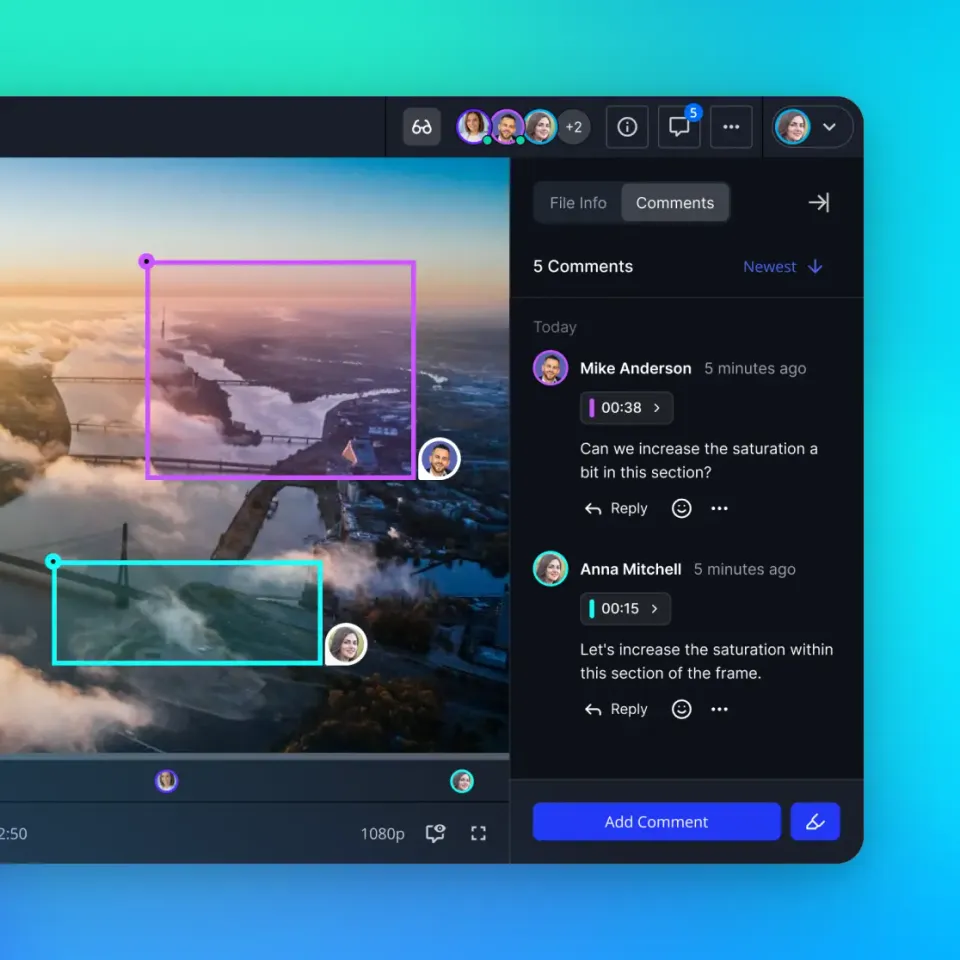
The Technical Reality of Deposition Video Packages
When a full-day video deposition concludes, the litigation team receives dozens of gigabytes of raw 1080p media assets, multichannel audio tracks, and synchronized transcript bundles. Litigation operations teams run into an immediate structural bottleneck when these files arrive from the court reporting agency: traditional firm document management systems were engineered for text briefs and scanned PDF pleadings, not high-bitrate video streams.
Deposition video storage is the centralized cloud infrastructure used by law firms and litigation practices to ingest, organize, stream, and preserve full-length video deposition recordings and synchronized transcript packages alongside their corresponding case matter files. Unlike general administrative correspondence, video depositions represent sworn testimonial evidence. Preserving the relationship between the spoken record, the stenographic transcript, and the marked documentary exhibits requires deliberate technical architecture.
A complete deposition deliverable consists of three technical layers:
High-Definition Video Media: Professional legal videographers capture witness testimony in
1080presolution encoded at bitrates between8 Mbpsand12 MbpsusingH.264orH.265compression. This high visual fidelity preserves facial micro-expressions, witness hesitation, and physical gestures that text transcripts flatten into neutral words. In complex commercial or patent disputes, videographers often record dual camera feeds: one dedicated to the witness and a second capturing real-time exhibit interactions. A single seven-hour session yields multiple video segments totaling dozens of gigabytes.Synchronized Transcript Bundles: Court reporters deliver timecoded packages using specialized formats such as Court Media Sync (.CMS), Sanction (.SBF), XML, or ASCII text. These files embed precise millisecond-level timestamps that synchronize every spoken word with the corresponding video frame. If a video file is moved, renamed, or transcoded without its associated synchronization data, attorneys lose the ability to jump instantly from a transcript line to the recorded video clip.
Evidentiary Exhibits: Marked documentary records introduced during the examination must remain anchored to the testimony. When an examining attorney marks fifty technical schematics, emails, or financial spreadsheets, litigation paralegals must link each exhibit to the exact timestamp where the witness authenticated the record.
Standard law firm file distribution channels break down under the weight of these multi-part media packages:
Email Gateways: Corporate mail servers enforce strict transmission thresholds, rejecting incoming or outgoing attachments that exceed modest megabyte thresholds. Attempting to transmit even a short five-minute video clip via email triggers bounce notifications and non-delivery receipts.
Physical Drives and Courier Deliveries: Mailing encrypted USB flash drives or external hard drives introduces transit delays, risk of physical loss, and chain-of-custody complications. When three co-counsel firms in different jurisdictions require concurrent access to prepare cross-examination outlines, physical media creates severe operational friction.
Consumer Cloud Drives: Consumer-grade storage tools impose strict single-file upload ceilings. For example, Box sets maximum upload limits of 2 GB on its Starter tier and 5 GB on its Business tier, blocking complete full-day deposition recordings without manual file splitting.
Enterprise Intranets: While platforms like Microsoft SharePoint Online provide an individual file upload ceiling of 250 GB across document libraries and OneDrive folders, configuring external guest access across independent law firms introduces severe administrative complexity. Strict tenant boundaries, conditional access policies, and a lack of dedicated in-browser video streaming make standard enterprise libraries cumbersome for trial teams.
Related guides
- iManage File Size Limits: Workarounds for Large Legal FilesAn iManage file size limit refers to the maximum allowed file transfer threshold enforced by iManage Work desktop...
- Google Vault for eDiscovery: Legal Holds, Retention, and Matter ExportsGoogle Vault is an information governance and eDiscovery tool for Google Workspace that allows administrators and legal...
- DISCO eDiscovery Pricing: Ingestion Costs, Hosting Fees, and Review EconomicsDISCO eDiscovery pricing combines monthly gigabyte hosting fees, processed data measurements, and all-inclusive AI...
- Modern eDiscovery Tools: Technical Evaluation and Workflow GuideEvaluating modern eDiscovery tools requires understanding how software categories map across the Electronic Discovery...
- Top eDiscovery Vendors: Software Platforms and Managed Review ServicesSelecting an eDiscovery vendor requires balancing software capabilities against litigation scale and ongoing hosting...
- Microsoft 365 eDiscovery: Purview Workflows, Holds, and Export GuideMicrosoft 365 eDiscovery (part of Microsoft Purview) is a cloud compliance toolset that allows organizations to...
More on this subject: Legal Teams (270 guides)
Why Traditional Legal Document Management Systems Reject High-Volume Media
Enterprise law firms invest substantial capital into specialized legal Document Management Systems (DMS) such as iManage Work, NetDocuments, and OpenText. These platforms are the system of record for pleadings, discovery requests, and transactional correspondence. However, their underlying infrastructure reflects decades of optimization for text documents, not forty-gigabyte media packages.
When litigation paralegals attempt to upload raw deposition footage through a standard legal DMS web interface, web application gateways and reverse proxies routinely terminate the connection. Web application firewalls and load balancers enforce strict HTTP POST request size limits and connection timeout windows. An upload session that requires forty-five minutes over a standard commercial broadband connection frequently triggers a 504 Gateway Timeout or a 413 Payload Too Large error, forcing staff to restart the transfer repeatedly.
Beyond gateway timeouts, ingesting large media files directly into a firm DMS introduces backend database strain:
SQL Index and Blob Storage Bloat: Legal document management systems profile documents within relational SQL databases. Storing massive binary large objects (BLOBs) inside or adjacent to transactional databases degrades database index performance, slowing down search queries and profile lookups for every user across the firm.
Desktop Synchronization Failures: Desktop sync utilities attempt to cache matter files in local user profile directories. When a matter folder contains high-capacity video recordings, the desktop client attempts to download the media to the attorney's local drive, exhausting laptop solid-state disk space and freezing background sync queues.
Punitive Storage Surcharges: Traditional legal DMS providers price their platforms on high-cost per-user seat licenses with modest base storage allocations. Storing hundreds of hours of high-definition video deposition files quickly pushes firms into punitive overage tiers, where monthly storage surcharges rapidly escalate.
Deposition Storage Architecture Comparison
A Four-Step Framework for Deposition Video Storage
To prevent storage fragmentation, reduce infrastructure overhead, and maintain an organized evidentiary record, litigation operations managers should implement a structured four-step framework for all incoming deposition media.
1. Maintain Matter-Centric Subfolder Conventions
Organize files around individual case matters rather than general office repositories or broad client folders. Inside each dedicated matter workspace, enforce a uniform directory hierarchy:
Matter Workspace / 04_Depositions / 2026-10-15_WitnessName / Video_MasterMatter Workspace / 04_Depositions / 2026-10-15_WitnessName / Transcripts_CertifiedMatter Workspace / 04_Depositions / 2026-10-15_WitnessName / Marked_ExhibitsMatter Workspace / 04_Depositions / 2026-10-15_WitnessName / Video_Clips
In modern legal cloud platforms, permissions are set per organization, workspace, and share. Every workspace member accesses the workspace according to their assigned role, preventing junior staff or external consultants from seeing restricted matters while keeping all matter records unified.
2. Colocate Synchronized Transcripts with Master Video Files
Always store synchronized transcript files (.CMS, .XML, .PTX, ASCII) in the same directory as the master MP4 video files. Colocation allows legal video players, transcript review tools, and trial presentation applications to parse timecodes without searching across separate network volumes.
Attorneys and litigation paralegals can record witness assessments, impeachment cross-references, and exhibit timestamps using Collaborative Notes stored directly beside the files in the workspace. Notes use version-checked saves to prevent conflicting edits, allowing trial teams to build a shared repository of trial prep observations alongside the source media.
3. Implement In-Browser Adaptive Streaming Without Full-File Downloads
Trial attorneys and paralegals frequently need to review a specific ten-minute cross-examination exchange while traveling, in a hotel room, or sitting in court. Waiting forty-five minutes to download a thirty-gigabyte recording over hotel Wi-Fi disrupts trial preparation.
Workspaces equipped with HTTP Live Streaming (HLS) convert high-definition recordings into adaptive bitrate streams. Attorneys can scrub instantly to specific timestamps in their browser without downloading the full-length file to their laptop. When delivering video to co-counsel, consulting experts, or clients, litigation teams can deploy branded shares with download restrictions enabled, permitting streaming review while preventing uncontrolled local file duplication.
4. Set Automated Matter Archiving Policies Upon Case Resolution
Litigation matters operate on distinct lifecycles: active discovery, motion practice, trial, and post-trial appeals. Once final judgments or settlement agreements conclude a case, legal operations must transition multi-terabyte deposition video repositories into long-term archival status.
Rather than deleting historical video evidence, teams apply structured archiving rules. Files remain organized in their original matter structure, protected by encryption at rest and preserved for potential appellate review or subsequent related litigation, while active operational workspaces remain uncluttered.


Upgrade Your Law Firm's Deposition Video Storage
Equip your litigation practice with high-capacity matter workspaces, in-browser HLS video streaming, and detailed activity logs. Monthly plans start with a 14-day free trial requiring a credit card, followed by plans starting at $9.99/mo for Starter with 250 GB of storage and 25 GB file uploads.
Security Controls, File Integrity, and Audit Trails for Legal Evidence
Deposition recordings constitute sensitive legal work product and evidentiary material. Managing high-volume video in the cloud requires strict technical safeguards to maintain evidentiary defensibility and confidentiality.
Ingestion via Chunked Upload Sessions
Transferring massive high-definition legal media packages requires specialized ingestion pipelines. Modern workspaces employ high-capacity chunked upload sessions that partition massive media files into small, manageable binary payloads during transit. If an unstable network connection drops temporarily during a three-hour transfer, the session resumes from the last confirmed chunk rather than restarting the upload from the beginning. Fast.io workspaces support upload ceilings of 25 GB on Starter, 50 GB on Business, and 100 GB on Enterprise, accommodating full-day high-definition video depositions natively.
Advisory File Locks for Concurrent Review
During intense trial preparation, multiple associates, paralegals, and trial consultants access the same deposition repository concurrently. When a video technician edits designation clips or updates a synchronized transcript package, conflicting writes can corrupt files.
Advisory file locks coordinate multi-user workflows across workspace and share storage. A team member acquires an advisory lease on a file before modifying it, renewing the lease via automated heartbeats and releasing it upon completion. Other members can see who holds the lock, avoiding accidental overwrite conflicts during deadline-driven preparation.
Version History and Evidentiary Preservation
Court reporters routinely issue revised transcript drafts, certified final versions, and errata sheets containing witness corrections. Per-file version history preserves every uploaded iteration. Prior versions can be inspected or restored at any point, providing a clear record of changes from rough draft to certified final transcript while keeping the primary file path clean for trial teams.
Detailed Activity Logging
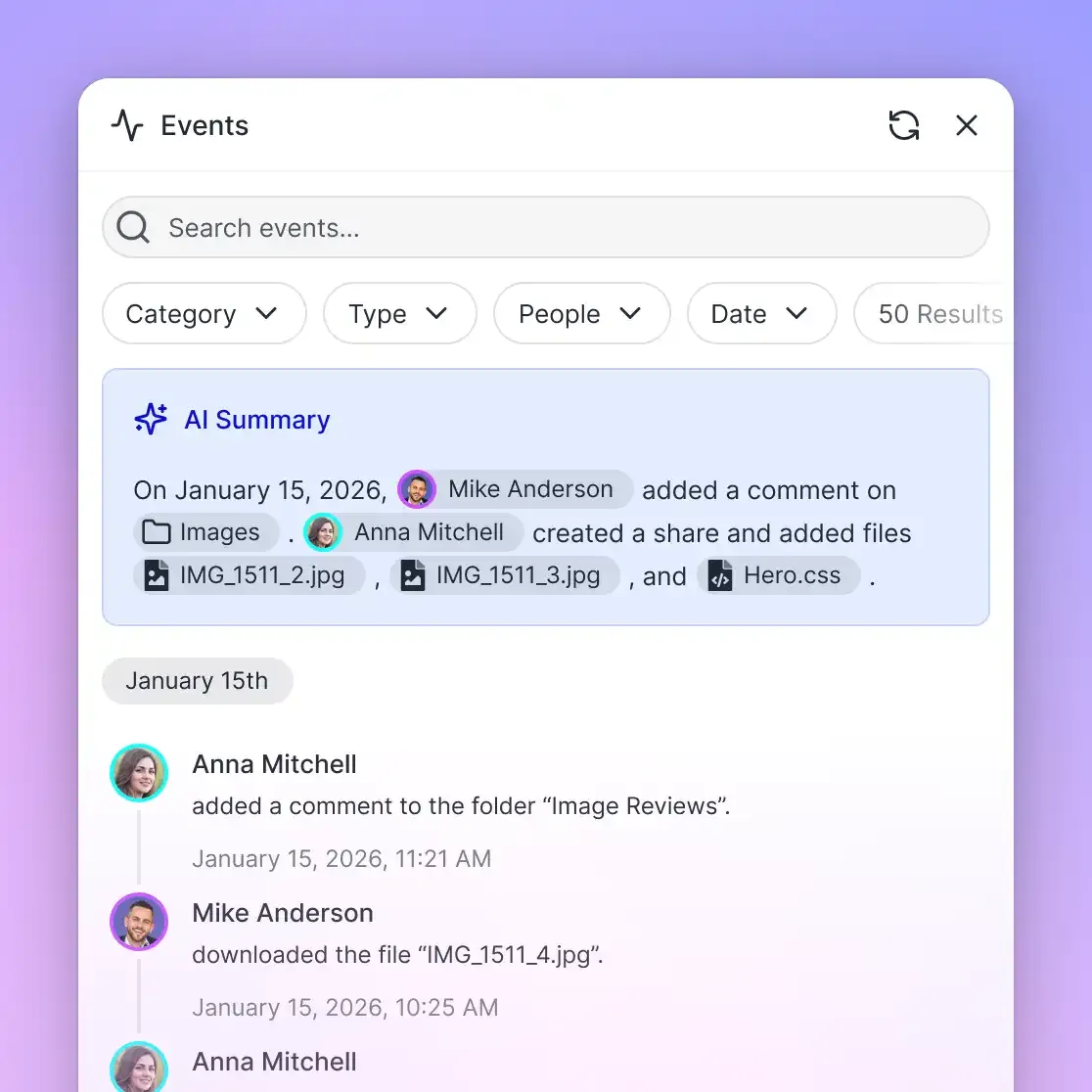
Maintaining operational visibility requires a detailed activity log of all storage changes and system activity across an organization. The activity log tracks uploads, edits, moves, and deletions, alongside membership updates, permission adjustments, and share creation for both human users and connected software agents. Operations managers can verify exactly who added or modified files within a matter repository. The activity log focuses strictly on change events; it does not record read-only events such as file views or downloads.
Integrating AI Agents and Structured Metadata Extraction
Modern litigation operations increasingly deploy artificial intelligence to digest voluminous transcripts, identify factual inconsistencies across deponents, and extract admission quotes for summary judgment motions. Connecting these AI workflows directly to deposition video repositories accelerates trial preparation while keeping sensitive files strictly contained.
Model Context Protocol (MCP) Integration
External AI agents and litigation processing pipelines connect to matter workspaces through the Fast.io Model Context Protocol (MCP) server over Streamable HTTP. This remote protocol eliminates the need to download files locally before feeding them to language models:
- Interactive Assistants: Legal teams using Claude Desktop and general personal-agent runtimes connect by adding a custom connector pointing to
https://mcp.fast.io/mcp/toolswith browser OAuth sign-in. - Automated Scripts and Pipelines: Automated Python ingestion scripts, discovery processors, and coding agents connect directly to
https://mcp.fast.io/mcp/codeusing scoped Bearer API keys passed in the request header.
Because permissions are configured at the workspace level, connecting an AI agent to an individual matter repository ensures the model only accesses records approved for that engagement, preventing confidential material from leaking across unrelated client matters.
Structured Extraction with Metadata Views
Managing dozens of depositions across complex multi-party litigation requires structured cataloging. Rather than maintaining manual spreadsheets to track witness details, legal teams deploy Metadata Views to convert deposition documents into an interactive, queryable database.
Users describe the fields they need extracted in natural language, such as:
- Deponent Full Name (Text)
- Examination Date (Date & Time)
- Examining Counsel and Law Firm (Text)
- Total Deposition Duration (Decimal)
- Marked Exhibit Numbers (JSON)
- Key Factual Admissions (Text)
- Settlement Valuation Mentioned (Boolean)
The AI analyzes the workspace files, establishes a typed schema, and extracts the requested data into a filterable grid without requiring custom OCR templates or manual data entry. Attorneys can sort depositions by deponent, filter for specific issue tags, and click through directly to the underlying transcript passage.
Hybrid Search Across Legal Media
Litigation teams require immediate retrieval across thousands of pages of testimony. Hybrid Search combines exact keyword matching with semantic search across all indexed transcripts, pleadings, and attorney notes. A paralegal can search for an exact Bates number or contract clause using full-text search, or query colloquial concepts using semantic search to locate relevant passages even when the deponent used non-technical phrasing.
Evaluating Deposition Video Infrastructure Options
Selecting the appropriate infrastructure for deposition video storage requires balancing capacity, security, streaming performance, and total cost of ownership. Law firm IT directors generally evaluate four distinct technical approaches:
1. On-Premises Network Attached Storage (NAS)
Many mid-sized firms maintain local NAS appliances or Storage Area Networks (SAN) inside their primary office data centers.
- Strengths: High local data transfer speeds across the firm's physical office network and complete internal control over physical hardware.
- Weaknesses: Substantial capital expenditure on hardware, recurring maintenance contracts, and severe bandwidth constraints when remote attorneys or co-counsel stream video over corporate VPN connections. Sharing files with outside trial teams requires setting up external SFTP portals or mailing physical media.
2. Traditional Legal Document Management Systems
Extending an existing iManage or NetDocuments deployment to hold video depositions.
- Strengths: Single repository for all matter documents, familiar profiling workflows for staff, and centralized ethical wall governance.
- Weaknesses: Low browser upload ceilings, frequent web proxy timeouts on multi-gigabyte uploads, lack of native HLS video streaming, and punitive storage surcharges that make long-term video archiving economically impractical.
3. Commodity Cloud Storage Services
Using general-purpose business cloud platforms like Google Drive, Dropbox, or Box.
- Strengths: Inexpensive baseline storage tiers and familiar desktop sync interfaces for administrative staff.
- Weaknesses: Restrictive single-file upload caps on standard business plans, generic video players that do not support synchronized legal transcripts, complex external guest account requirements, and poor matter isolation across multi-firm defense groups.
4. Dedicated Intelligent Legal Workspaces
Deploying specialized cloud workspaces such as Fast.io that combine high-capacity media ingestion, native in-browser streaming, and granular share governance.
- Strengths: High upload ceilings (25 GB on Starter, 50 GB on Business, and 100 GB on Enterprise), native HLS adaptive video streaming, matter-centric workspace isolation, branded shares with download controls, detailed activity logs, and native MCP agent connectivity.
- Weaknesses: Requires legal operations to establish matter workspace structures and ingest initial court reporter packages.
Practical Recommendations for Legal Operations
For most litigation practices, a hybrid infrastructure model delivers the highest operational efficiency. Firms maintain their core pleadings, contracts, and administrative correspondence inside their traditional legal DMS while routing high-capacity media, deposition video recordings, and external co-counsel shares through dedicated legal workspaces. This dual-system approach eliminates DMS database bloat and storage overages while equipping trial attorneys with instant, in-browser video streaming wherever they prepare for trial.
Sources
References used to verify factual claims in this guide.
-
Box sets maximum upload limits of 2 GB on its Starter tier and 5 GB on its Business tier.
-
Microsoft SharePoint Online sets an individual file upload ceiling of 250 GB across document libraries and OneDrive folders.
Frequently Asked Questions
Where should law firms store deposition video recordings?
Law firms should store deposition video recordings in dedicated, high-capacity cloud workspaces organized by legal matter. Because full-day 1080p video recordings easily reach dozens of gigabytes, repositories must support large chunked uploads, in-browser HLS streaming, and granular access permissions per workspace and share. Storing video in dedicated workspaces prevents database bloat in traditional legal document management systems while providing instant playback for trial teams.
Why do traditional legal DMS systems reject large video deposition files?
Traditional legal document management systems reject large deposition videos due to web application gateway timeouts and browser upload ceilings, optimized for text filings. Legacy DMS platforms were architected around text documents and PDFs. Uploading multi-gigabyte video files causes HTTP connection timeouts, bloats SQL relational databases, and overwhelms desktop sync clients that attempt to cache massive files on local laptop drives.
How do litigation teams stream and review deposition videos without downloading large files?
Litigation teams stream deposition video using cloud platforms equipped with HTTP Live Streaming (HLS). Rather than downloading a multi-gigabyte video file to a local hard drive, HLS transcodes the media into adaptive bitrate segments that play instantly inside any modern web browser. Attorneys can scrub directly to specific testimony timestamps without waiting for multi-hour file downloads.
How long should a law firm retain deposition video files after a matter closes?
Deposition video retention depends on firm records policies, jurisdictional court rules, and the finality of litigation. Generally, firms preserve deposition recordings through the exhaustion of all appellate deadlines and the expiration of relevant statutes of limitations. Legal operations teams should transition closed matter media into encrypted, structured cloud archives rather than deleting files permanently.
Can litigation teams share deposition videos with co-counsel without exposing the entire firm network?
Yes. Litigation teams can deploy branded shares configured as Send, Receive, or Exchange links with custom expiration dates and recipient-specific access. Permissions are set per organization, workspace, and share, allowing external co-counsel and experts to review testimony without accessing unrelated client matters.
Does Fast.io sync with existing cloud storage providers?
Yes. Fast.io Cloud Sync connects Google Drive, Dropbox, Box, and OneDrive folders to a workspace, one-way or two-way, on a recurring schedule or on demand. Litigation practices can also bring existing case archives into a workspace using one-time cloud import.
Related Resources

Upgrade Your Law Firm's Deposition Video Storage
Equip your litigation practice with high-capacity matter workspaces, in-browser HLS video streaming, and detailed activity logs. Monthly plans start with a 14-day free trial requiring a credit card, followed by plans starting at $9.99/mo for Starter with 250 GB of storage and 25 GB file uploads.