Deposition Video File Sharing: Secure Delivery of Large Video Files
Deposition video file sharing is the process of securely transmitting multi-gigabyte video recordings and synchronized transcript files from court videographers to litigation teams and expert witnesses without file-size limits or compression artifacts. Because consumer file tools lack native legal video streaming and timecode sync preservation, litigation teams rely on dedicated matter workspaces, chunked uploads, and branded shares to distribute large legal testimony securely.

The Technical Anatomy of Deposition Video Packages
When a litigation team receives forty gigabytes of multi-segment deposition video and synchronized transcript files from a court videographer, standard law firm file delivery tools fail immediately. The breakdown is not the video codec; it is an architectural clash between traditional document management systems engineered for text briefs and the reality of high-bitrate legal media that litigation teams and expert witnesses must review without delay.
Deposition video file sharing is the process of securely transmitting multi-gigabyte video recordings and synchronized transcript files from court videographers to litigation teams and expert witnesses without file-size limits or compression artifacts. Unlike routine administrative correspondence or scanned PDF exhibits, video depositions represent sworn testimonial evidence. Preserving the exact visual, auditory, and chronological relationship between spoken words, stenographic timestamps, and admitted exhibits requires deliberate infrastructure.
A complete deposition media deliverable consists of three interdependent technical layers:
- High-Definition Video Recordings: Professional legal videographers record witness examinations in
1080phigh definition at bitrates between8 Mbpsand12 MbpsusingH.264orH.265compression codecs. This bitrate level preserves facial expressions, nonverbal hesitations, pupil movement, and physical demeanor that a flat transcript cannot capture. In complex intellectual property or medical malpractice disputes, videographers frequently capture synchronized picture-in-picture feeds or dual video streams showing the deponent alongside real-time document markups. A standard full-day deposition lasting seven hours yields multiple video segments that typically range from15 GBto40 GBin raw file size. - Synchronized Transcript and Timecode Bundles: Court reporters produce companion synchronization files that map every spoken word in the stenographic transcript to precise millisecond timecodes in the video track. Common proprietary and open formats include Court Media Sync (.CMS), Sanction (.SBF), LiveNote Evidence Format (LEF), XML, and ASCII timecoded text. If a video file is re-encoded, altered, or separated from its companion timecode file during transfer, litigation software cannot synchronize the scrolling text with playback. Trial attorneys lose the ability to jump instantly from an inconsistent transcript line to the exact video frame for cross-examination or impeachment.
- Admitted Documentary Exhibits: Marked records introduced during examination must remain bound to the testimonial record. When examining counsel marks dozens of technical drawings, emails, or medical charts, litigation paralegals must maintain direct links between the exhibit identifiers and the timestamps where the witness authenticated each document.
Standard law firm distribution channels break down when handling these complex, multi-part packages:
- Email Attachment Ceilings: Corporate email servers and internet service providers enforce low file-size thresholds. Standard email systems cap attachments at
20 MBto25 MB, making cloud workspace delivery mandatory for legal video. Attempting to attach even a short fifteen-minute deposition clip results in immediate delivery failures or bounce notifications. - Physical Media Shipments: Mailing encrypted USB flash drives or external solid-state drives introduces transit delays, physical loss hazards, and custody tracking gaps. When co-counsel, consulting physicians, and accident reconstruction specialists in different states need immediate access to prepare trial briefs, physical couriers introduce operational friction.
- Consumer Cloud Services: Consumer-grade file transfer services frequently strip metadata, enforce short link lifespans, or lack the workspace boundaries required for confidential litigation files. Consumer tools also transcode video files into compressed formats during upload, introducing compression artifacts that degrade courtroom presentation quality and decouple companion timecode files.
Related guides
- Litigation Management Software: Architecture and Workflows for Modern Legal TeamsLitigation management software centralizes matter intelligence, evidentiary documents, deposition transcripts, and...
- Secure Workflows for Legal Transcription File Sharing and Audio IngestionSetting up secure workflows for legal transcription file sharing requires matter-centric workspaces, encrypted intake...
- Co-Counsel Document Sharing: Secure Workspaces for Joint Litigation TeamsCo-counsel document sharing requires specialized protocols and neutral workspaces that allow collaborating law firms to...
- NetDocuments File Size Limits, Upload Caps, and Large File StorageThe NetDocuments file size limit restricts standard web uploads to 2 GB while supporting files up to 50 GB through...
- Paralegal Case File Management: Structuring Active Litigation FilesParalegal case file management establishes uniform folder hierarchies, standardized naming conventions, and disciplined...
- Paralegal File Management Workflow: Organizing Matter Files from Intake to CloseA structured paralegal file management workflow prevents chaotic versioning, missing trial exhibits, and discovery...
More on this subject: Legal Teams (270 guides)
Why Consumer File Transfer and Legacy Systems Struggle with Legal Video
Litigation practices frequently attempt to solve deposition delivery bottlenecks with general consumer utilities like Google Drive, Dropbox, or WeTransfer. While these services work for basic document exchange, they introduce structural risks when applied to high-stakes legal video assets.
Consumer file-sharing platforms treat video files as static blobs. When an attorney sends a deposition recording through a consumer transfer link, the recipient faces an all-or-nothing dilemma: download the entire thirty-gigabyte package to a local hard drive or attempt playback through an unoptimized browser player. Consumer players lack support for legal timecode formats (.CMS, .SBF, LEF) and do not support millisecond scrubbing. An expert witness reviewing testimony on a tablet or laptop with limited storage must wait hours for a complete download before seeing a single question.
Consumer transfer tools also introduce governance hazards:
- Upload Ceilings and Bandwidth Throttling: Commercial cloud platforms enforce single-file caps that block full-day deposition recordings. Litigation paralegals are forced to split recordings into arbitrary segments, increasing the risk of missing files and disorganized records.
- Lack of Matter-Centric Isolation: Consumer cloud drives organize files around individual user accounts rather than structured legal matters. When files reside in an individual paralegal's personal folder, managing access when staff members change becomes an administrative burden. Permissions become fragmented, leading to accidental oversharing or lost evidentiary access.
- Ephemerality and Dead Links: Free transfer services routinely delete hosted files after seven or fourteen days. When co-counsel or trial graphics consultants revisit a link three weeks later to prepare trial demonstratives, the files are gone, requiring court videographers to re-upload massive packages.
Legacy legal Document Management Systems (DMS) such as iManage Work and NetDocuments present the opposite challenge. While engineered for matter management and document profiling, these platforms were architected around text briefs and scanned PDFs. When legal staff attempt to upload thirty-gigabyte video files through a legal DMS web browser interface, reverse proxies and web application firewalls routinely drop the connection. HTTP POST requests extending over several hours trigger 504 Gateway Timeout or 413 Payload Too Large errors. Ingesting massive binary large objects directly into a firm DMS database can also degrade relational database indexing performance, slowing down search speeds across the entire firm.
Deposition Delivery Method Comparison


Deliver Large Deposition Videos and Synced Transcripts Securely
Equip your litigation team with dedicated matter workspaces, high-capacity chunked uploads, and in-browser video streaming. Monthly plans start with a 14-day free trial (credit card required) to organize and deliver multi-gigabyte testimony packages.
A Four-Step Workflow for Secure Deposition Video File Sharing
Legal operations teams need a repeatable, auditable procedure for receiving deposition packages from videographers and delivering them to litigation teams. Implementing a structured four-step workflow protects evidentiary integrity, eliminates file-size failures, and coordinates multi-party collaboration through dedicated legal workspaces.
1. Verify Raw Media and Synchronized File Integrity
Before ingesting media into active litigation workspaces, verify the package delivered by the court videographer. A complete delivery includes raw master video files (typically in MP4 or MOV containers), certified court reporter transcripts (PDF and ASCII), and synchronization files (.CMS, .SBF, or XML).
Confirm that the videographer provided file hashes (such as SHA-256 checksums) alongside the delivery manifest. Calculating and comparing checksums before and after transfer confirms that no data corruption or packet loss occurred during transit. Keep original file naming conventions intact; altering file names can break relative path references embedded within proprietary synchronization software.
2. Ingest into an Isolated Matter Workspace via Chunked Uploads
Create a dedicated workspace for the specific legal matter rather than dumping files into a generic firm directory. Organizing by matter creates a clear boundary around all case materials, including pleadings, exhibits, and video assets.
Upload the deposition package directly into the matter workspace. High-capacity chunked uploads automatically divide massive video files into manageable segments during transfer. If an office network fluctuates or an internet connection drops momentarily during a thirty-gigabyte upload, the chunked upload mechanism resumes from the last confirmed segment rather than restarting the entire transfer from zero. Fast.io workspaces provide high-capacity file upload ceilings across all plan tiers (25 GB on Starter, 50 GB on Business, and 100 GB on Enterprise), accommodating multi-hour deposition sessions without file splitting.
Within the matter workspace, establish a standardized folder structure:
01_Raw_Video/: Store unmodified camera original files delivered by the videographer.02_Synchronized_Files/: Colocate sync files (.CMS, .SBF, LEF, XML) alongside the final certified transcript.03_Marked_Exhibits/: Organize marked documents numerically or alphabetically matching the deposition record.04_Review_Copies/: Maintain transcoded or cut clips created for motion practice and trial preparation.
3. Configure Granular Share Permissions with Password Protection
Managing sensitive legal testimony requires precise access boundaries. Rather than granting outside counsel, testifying experts, and consulting witnesses access to the entire matter workspace, generate scoped shares targeting specific folders or files.
Member roles inside the workspace govern workspace access, while branded shares control external distribution. When preparing a share for an expert witness, apply password protection and set an explicit expiration date aligned with disclosure deadlines or trial schedules. For sensitive depositions subject to protective orders, configure the share to disable file downloads. This restriction permits authorized experts to stream and inspect the deposition video within their web browser while preventing local copies from circulating on unmanaged personal drives.
4. Generate Trackable Delivery Links with In-Browser Streaming
Distribute the final package using branded share links rather than unencrypted email attachments or third-party transfer utilities. Branded delivery reassures recipients that the media originates from an authorized legal custodian.
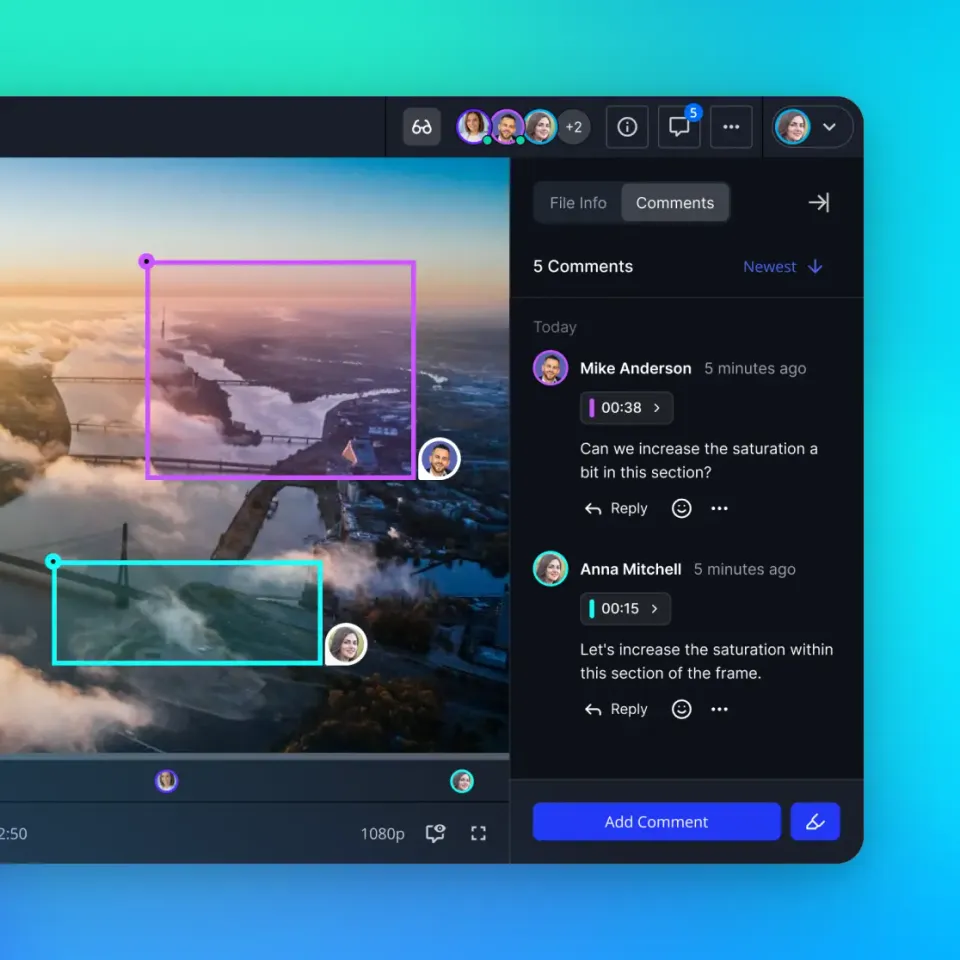
Because full-day legal recordings exceed 15 GB to 40 GB, requiring expert witnesses or consulting physicians to download thirty gigabytes before viewing testimony creates severe delays. Modern workspaces use HTTP Live Streaming (HLS) protocols to deliver video directly in the recipient's browser. Expert witnesses can scrub to specific timestamps, verify witness demeanor, and review critical admissions without waiting for multi-hour downloads. Every administrative modification, permission adjustment, and new upload is captured in the detailed activity log, providing litigation support managers with a clear internal record of workspace changes.
How to Maintain Timecode Synchronization Across Transcripts and Exhibits
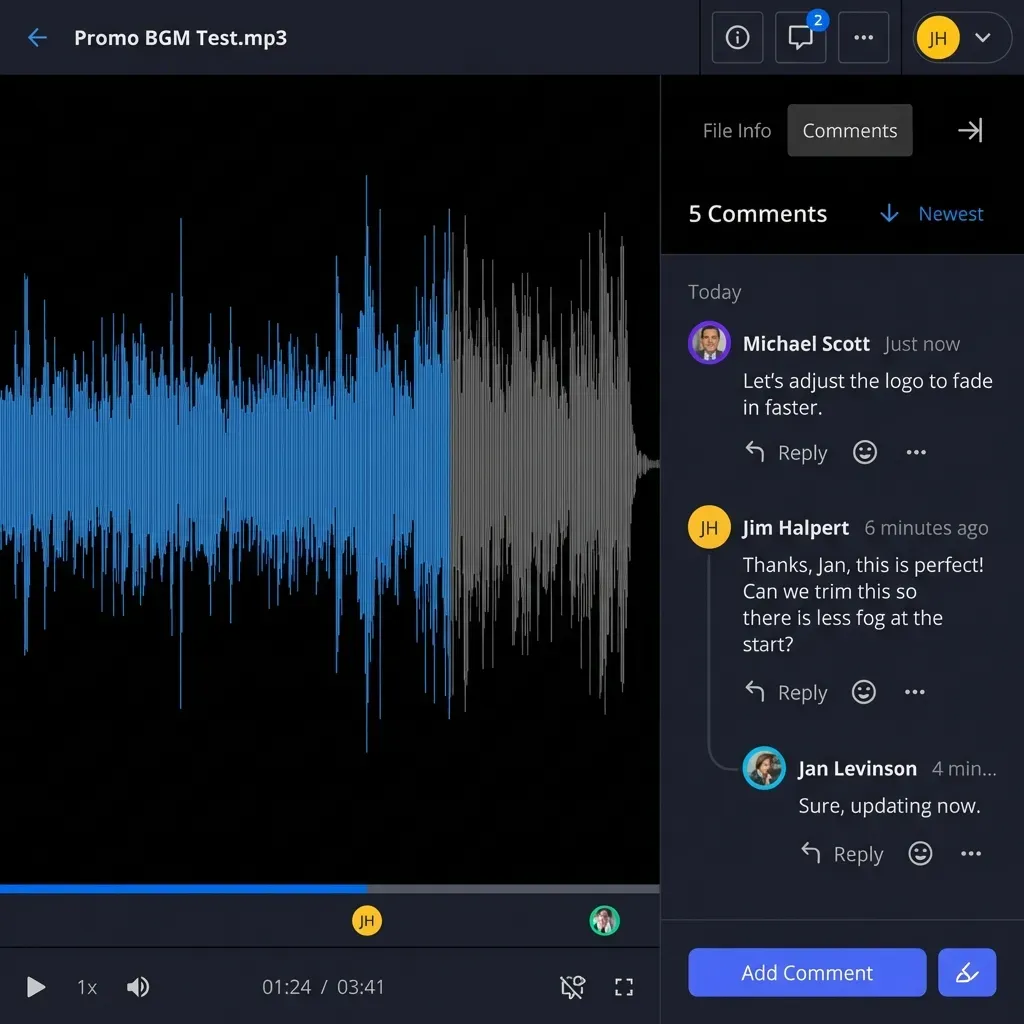
Preserving the precise alignment between spoken testimony and the written record is essential for impeachment and cross-examination. In trial presentation software, trial attorneys rely on instant indexing to jump from a deposition transcript citation directly to the corresponding video frame. If a video file is compressed or transcoded improperly during transfer, the temporal alignment breaks.
Court videographers record master timecodes into the video metadata track, synchronizing with the court reporter's stenograph clock down to individual frames. Companion synchronization formats such as Sanction (.SBF), Court Media Sync (.CMS), and XML contain index tables that reference exact video runtimes.
Three common technical mistakes break timecode synchronization during transfer:
- Automated Cloud Transcoding: Consumer file platforms often compress uploaded video files to save server bandwidth. Re-encoding
1080pvideo into lower-bitrate formats alters the frame rate and video duration by milliseconds. Over a seven-hour deposition, these micro-shifts accumulate, causing transcript text to drift out of sync with the speaker's lips. - File Renaming and Relative Path Alterations: Synchronization sidecar files reference raw video files by their original file name. If a litigation paralegal renames a video file from
2026-11-05_DOE_VOL1.MP4toJohn_Doe_Depo_Part1.mp4, the .CMS or .SBF index file will fail to locate the underlying media. - Separating Exhibits from the Examination Track: When exhibits are detached from the deposition bundle, litigation teams must manually re-match documents to testimony. Using Metadata Views allows litigation support specialists to extract structured exhibit numbers, witness identification, and introduction timestamps directly from marked PDFs without manual data entry.
To prevent synchronization failures, maintain raw video files in their native containers and colocate all sync sidecars in the same workspace directory. When sharing deposition packages with outside co-counsel, deliver the raw video files alongside the sync files in a single unified share.
Streaming and In-Browser Playback for Expert Witnesses and Remote Trial Teams
Distributing deposition video to external partners frequently creates logistical friction. Testifying medical experts, economic consultants, and out-of-state co-counsel must review witness testimony quickly, but they often lack the bandwidth, disk storage, or software licenses needed to download and manage thirty-gigabyte files locally.
Adaptive HTTP Live Streaming (HLS) resolves this barrier by converting master video files into small media segments delivered dynamically based on the viewer's network connection.
Implementing in-browser video streaming provides distinct operational benefits for litigation practices:
- Immediate Review Without Storage Overhead: An expert witness reviewing testimony on a laptop or tablet can open a secure link and begin watching the deposition immediately. The expert does not need to free up forty gigabytes of local drive space or install proprietary video codecs.
- Accurate Demeanor and Credibility Assessment: Video deposition review is not simply about checking spoken words; counsel and experts evaluate body language, pauses, eye contact, and vocal inflection. High-definition browser playback preserves visual clarity so trial teams can evaluate witness credibility.
- Controlled Evidentiary Access: Protective orders often restrict how legal files are stored and viewed by third parties. Fast.io shares allow administrators to disable file downloads while keeping browser streaming active. This prevents unmanaged local copies from residing on external consultant workstations while still allowing full testimonial review.
- Unified Matter Coordination: For multi-party litigation or joint defense groups, teams can configure secure data rooms or dedicated matter workspaces. When contracts or settlement agreements arise during litigation, teams can execute agreements using built-in e-signature with a tamper-evident audit certificate filed directly back into the workspace.
Frequently Asked Questions
How do you send large deposition video files?
Send large deposition video files by uploading raw video recordings and companion synchronization files into a dedicated matter workspace using high-capacity chunked uploads. Once uploaded, create a password-protected branded share link with an expiration date. This approach bypasses corporate email file caps, preserves timecode relationships, and allows recipients to stream high-definition video testimony directly in their web browser without waiting for multi-gigabyte downloads.
What is the best way to share video depositions with expert witnesses?
The most efficient way to share video depositions with expert witnesses is through a secure, browser-accessible share link that supports adaptive HTTP Live Streaming. Expert witnesses frequently review testimony on mobile devices or laptops with limited storage. In-browser streaming allows experts to evaluate witness demeanor, review critical testimony, and inspect examination timestamps immediately without downloading thirty-gigabyte video files to their local drive.
Why do Google Drive and Dropbox struggle with large deposition videos?
Standard cloud storage drives treat deposition recordings as generic files rather than synchronized evidentiary packages. When video packages reach thirty to forty gigabytes, consumer platforms frequently encounter upload timeouts, enforce download bandwidth throttling, and lack native support for companion timecode files such as .CMS, .SBF, and LEF formats. Additionally, consumer preview players compress video, introducing artifacts that obscure facial expressions and witness demeanor.
How do you preserve timecode synchronization when transferring legal video?
Timecode synchronization is preserved by keeping raw video files and companion sync sidecar files in the same folder without modifying file names or re-encoding media. Formats such as Court Media Sync (.CMS) and Sanction (.SBF) rely on exact relative file paths and uncompressed frame timing. Re-encoding or compressing the video file alters frame cadence and shifts audio tracks, breaking the link between the stenographic transcript and video playback.
Can litigation teams preview deposition videos without downloading the entire file?
Litigation teams can preview high-definition deposition recordings directly inside a web browser when using workspaces equipped with HTTP Live Streaming (HLS). The streaming system segments video on the fly, enabling instant playback, audio scrubbing, and timestamp review without requiring counsel or experts to download the full thirty-gigabyte file to their local machine.
Related Resources

Deliver Large Deposition Videos and Synced Transcripts Securely
Equip your litigation team with dedicated matter workspaces, high-capacity chunked uploads, and in-browser video streaming. Monthly plans start with a 14-day free trial (credit card required) to organize and deliver multi-gigabyte testimony packages.