OpenClaw on Raspberry Pi vs Arduino: Choosing Hardware for AI Agent Projects
Raspberry Pi runs a full operating system and handles cloud-connected AI agents like OpenClaw. Arduino excels at real-time sensor control and hardware I/O. This guide compares both boards for AI agent projects and shows how to combine them for the best results.

What OpenClaw Actually Needs From Hardware
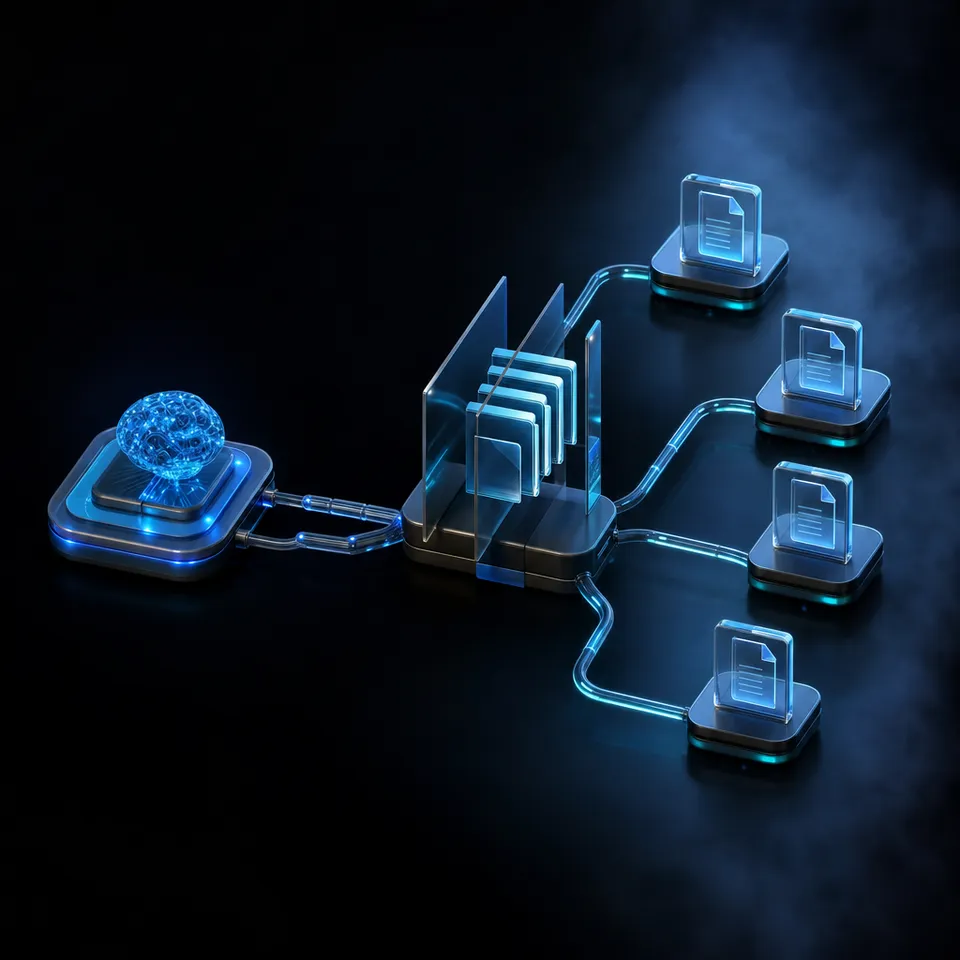
OpenClaw is an open-source AI agent that goes beyond conversation. It can execute tasks, manage files, call APIs, run commands, and orchestrate workflows on your behalf. But here is the part most comparison guides miss: the language model inference does not happen on the hardware running OpenClaw.
OpenClaw works as a cloud gateway. When it needs to reason, plan, or generate text, it sends API calls to providers like Anthropic, OpenAI, or Google. The local hardware handles orchestration, state management, tool execution, and network connectivity. That is a fundamentally different workload than running a local LLM, and it changes which hardware actually matters.
The official OpenClaw documentation lists minimum requirements of 1GB RAM, a single CPU core, 500MB of free disk space, and a 64-bit operating system. The recommended setup is a Raspberry Pi 4 or 5 with at least 2GB of RAM running 64-bit Raspberry Pi OS.
These are modest requirements, and they tell you something important about how to think about the Raspberry Pi vs Arduino question. You are not choosing between two AI inference platforms. You are choosing between a device that can run an operating system and one that cannot.
Arduino boards are microcontrollers. They run bare-metal code in a loop, polling sensors and toggling pins at microsecond precision. They do not run Linux, they cannot install Node.js, and they have no way to host the runtime OpenClaw requires. An Arduino Uno R4 has 32KB of SRAM. OpenClaw's minimum footprint needs roughly a thousand times that amount.
That does not make Arduino useless for AI agent projects. It means the two boards fill completely different roles. Understanding what OpenClaw needs from its host hardware is the key to figuring out which board belongs where in your project.
That's also a reminder that the board and the agent are two separate choices. This piece assumes OpenClaw is running the show, but if you're still weighing which framework to put on the Pi, our rundown of OpenClaw alternatives covers six others built for similar autonomous work.
Related guides
- Hermes Agent vs OpenAI Agents SDK: Choosing the Right Agent FrameworkHermes Agent and OpenAI Agents SDK represent two fundamentally different philosophies for building AI agents. Hermes is...
- Claude vs Perplexity: Choosing the Right AI Tool for Your WorkflowClaude and Perplexity solve different problems despite both being labeled "AI assistants." Claude is a reasoning engine...
- OpenClaw on Raspberry Pi vs Mini PC: Picking the Right Edge Hardware for AI AgentsOpenClaw turns a Raspberry Pi or mini PC into an always-on AI agent gateway, but the two hardware classes make very...
- Raspberry Pi vs ESP32: Choosing the Right Board for OpenClaw AI AgentsLPDDR4 memory costs have risen sevenfold in the past year, pushing Raspberry Pi 5 prices up over 70%. That price shift...
- OpenClaw on Raspberry Pi vs Orange Pi: Which SBC Runs Your AI Agent Better?Raspberry Pi has official OpenClaw support and a massive ecosystem. Orange Pi offers more RAM and an onboard NPU for...
- Raspberry Pi Models Compared: Which Board for Your OpenClaw AI AgentThe Raspberry Pi lineup now spans more than a dozen boards across a 30x price range, and memory-driven price hikes in...
More on this subject: OpenClaw on Raspberry Pi (192 guides)
Raspberry Pi vs Arduino: Hardware Specs for AI Agent Projects
Here is a direct comparison between the Raspberry Pi 5 and Arduino Uno R4 across the specs that matter for AI agent workloads.
Processor
- Raspberry Pi 5: 2.4GHz quad-core Arm Cortex-A76 (64-bit)
- Arduino Uno R4: 48MHz single-core Arm Cortex-M4 (32-bit)
The Pi 5 has roughly 50x the clock speed per core and four cores to the Arduino's one. For agent orchestration, this means the Pi handles concurrent API calls, processes tool outputs, and manages state without breaking a sweat. The Arduino's 48MHz clock is fast enough for sensor polling and motor control, but it cannot run the runtime environments that AI agent frameworks require.
Memory
- Raspberry Pi 5: 1GB to 16GB LPDDR4X (depending on model)
- Arduino Uno R4: 32KB SRAM, 256KB flash storage
This is the most dramatic difference. A Pi 5 with 4GB of RAM has over 125,000 times the working memory of an Arduino Uno R4. AI agent frameworks need memory for their runtime (Node.js or Python), for managing conversation context, for caching tool results, and for handling concurrent tasks. 32KB is enough to store a few sensor readings. It is not enough to hold a single API response from a language model.
Operating system
- Raspberry Pi 5: Full Linux (Raspberry Pi OS, Ubuntu, DietPi)
- Arduino Uno R4: No OS. Runs a single compiled program in a loop.
This is the fundamental dividing line. OpenClaw requires Node.js 24+, which requires a POSIX operating system, which requires hardware capable of running one. The Pi runs a full Linux stack with package management, networking, file systems, and process scheduling. Arduino runs your sketch and nothing else.
Network and cloud API access
- Raspberry Pi 5: Full TCP/IP stack, WiFi, Ethernet, SSH, VPN support
- Arduino Uno R4 WiFi: WiFi via ESP32-S3 coprocessor, basic HTTP client
The Pi connects to cloud AI providers using standard HTTPS libraries. It supports Tailscale for persistent remote access, SSH for management, and can handle multiple simultaneous connections. The Arduino R4 WiFi variant can make basic HTTP requests through its ESP32-S3 coprocessor, but the limited RAM makes it impractical for the large JSON payloads that LLM API calls produce.
Real-time I/O
- Raspberry Pi 5: GPIO available, but Linux scheduling introduces jitter
- Arduino Uno R4: Deterministic loop timing, sub-millisecond sensor polling
Arduino wins here convincingly. When you need to read a temperature sensor every 100 microseconds, trigger a relay at a precise moment, or generate a PWM signal for motor control, bare-metal execution gives you timing guarantees that Linux cannot match. The Pi's GPIO is accessible, but the OS scheduler can introduce millisecond-level jitter that matters for time-sensitive hardware control.
Power consumption
- Raspberry Pi 5: 3-5W idle, 8-12W under load
- Arduino Uno R4: Under 0.5W typical
For battery-powered or solar-powered deployments, Arduino's power profile is an order of magnitude better. A Pi 5 running OpenClaw around the clock costs roughly $5-8 per year in electricity at typical US rates. That is negligible for a home setup, but matters for remote installations without reliable power.
Price
- Raspberry Pi 5: Starting at $45 for the 1GB model, with a typical 4GB setup (board, power supply, storage, case) running $80-120
- Arduino Uno R4 Minima: $20
- Arduino Uno R4 WiFi: Approximately $28
The Arduino costs less upfront. A Pi deployment needs additional accessories: a USB-C power supply, an SD card or NVMe HAT, and a case with cooling. Memory shortages in 2026 have pushed Pi 5 street prices above their original MSRP, widening the cost gap further.

Running OpenClaw on Raspberry Pi
The Raspberry Pi 5 is the recommended hardware for running OpenClaw at home or in a small office. The official documentation rates it as "Best" among supported boards, with the Pi 4 (4GB) described as the "sweet spot" for budget-conscious setups.
Installation follows a straightforward process: flash 64-bit Raspberry Pi OS Lite to your storage media, connect via SSH, install Node.js 24 from the NodeSource repository, allocate swap space (2GB recommended for boards with limited RAM), and run the OpenClaw installer. The onboarding wizard walks you through API key configuration for your preferred AI provider.
Once running, OpenClaw on the Pi operates as a persistent, always-on agent. It can create and manage files, execute shell commands, interact with APIs, run scheduled tasks, and manage workflows without manual intervention. The Raspberry Pi blog showcased a project where a user built an entire photo booth system, including web pages, Wi-Fi hotspot configuration, and admin access, entirely through conversational prompts with OpenClaw.
The cloud gateway architecture means your Pi's CPU and RAM are not the bottleneck. The language model runs on the provider's infrastructure. Your Pi handles state persistence, tool execution, and network relay. Even a Pi 4 with 2GB handles this comfortably.
There are practical considerations worth noting. The official docs require 64-bit OS only, as 32-bit is explicitly unsupported. SD card storage works but degrades under the constant small writes that agent state management produces. An NVMe SSD via the M.2 HAT improves both reliability and performance. And while Tailscale works well for remote access, you will need to set it up separately.
For security, running OpenClaw on a dedicated Pi isolates the agent from your primary computer. If the agent executes commands or manages files, those operations happen on the Pi rather than on your workstation. This isolation is one of the primary reasons the Raspberry Pi foundation endorsed the OpenClaw-on-Pi approach.
The Pi also serves as a natural bridge between cloud AI and local hardware. With 40-pin GPIO, camera interfaces, and a broad ecosystem of HATs and sensors, a Pi running OpenClaw can both reason about the physical world through cloud APIs and interact with it through local peripherals.
What Arduino Brings to AI Agent Projects
Arduino cannot run OpenClaw or any similar AI agent framework directly. But writing it off for AI projects would be a mistake.
Arduino excels at the parts of a system that need predictable, real-time hardware interaction. In an AI agent project, that often means the sensing and actuation layer. Consider a greenhouse monitoring system: the AI agent on a Raspberry Pi decides when to water plants, adjust ventilation, or alert the owner. But the actual soil moisture readings, valve control, and fan switching happen through an Arduino connected to sensors and relays.
The Arduino Uno R4 brings meaningful improvements over its predecessors for this role. The 48MHz Cortex-M4 processor with 32KB SRAM handles more complex sensor fusion and communication protocols than the old 16MHz ATmega328P with 2KB SRAM. The R4 also adds a CAN bus interface, which matters for industrial and automotive applications where AI agents need to interact with existing control networks.
Arduino also offers something the Pi cannot: deterministic timing. When you need a sensor reading every 100 microseconds, or a motor control signal with zero jitter, the bare-metal execution environment delivers timing guarantees that a multitasking OS fundamentally cannot provide. This is not a limitation of the Pi. It is a difference in design purpose.
For power-constrained deployments, Arduino's sub-0.5W power draw makes it viable for battery and solar installations. A sensor node monitoring soil moisture or air quality can run for months on a battery pack. A Pi running OpenClaw cannot.
The Arduino R4 WiFi variant adds network connectivity through its ESP32-S3 coprocessor. While the limited RAM makes direct LLM API calls impractical, the board can communicate sensor readings and receive commands over HTTP, MQTT, or WebSockets. This makes it an effective remote sensor node for a Pi-based agent system.
There are also edge cases where Arduino handles AI-adjacent tasks independently. TensorFlow Lite for Microcontrollers can run small inference models for keyword detection, gesture recognition, or anomaly detection directly on capable Arduino boards. These are not general-purpose AI agents, but they are useful building blocks in a larger agent architecture.


Store and share your edge agent's output in one workspace
Upload files from your Pi, search them with AI, and hand off results to clients or teammates. generous storage, MCP-ready endpoint for your agent's reads and writes.
Building a Hybrid System: Pi as Brain, Arduino as Body
The strongest architecture for many AI agent projects combines both boards. The Raspberry Pi runs OpenClaw and handles reasoning, planning, and cloud communication. Arduino handles real-time hardware interaction. They communicate over a serial connection, I2C bus, or MQTT over WiFi.
This pattern is well established in robotics and IoT. The Pi serves as the gateway and orchestration layer. Arduino nodes serve as sensor controllers and actuators. Serial over USB is the simplest communication option: the Pi sends JSON commands, the Arduino parses them and responds with sensor data. I2C works well for connecting multiple Arduino nodes to a single Pi, with each Arduino assigned a unique address on the bus.
Here is a concrete example. An AI-powered workshop monitoring system might include:
- One Raspberry Pi 5 running OpenClaw, connected to the internet via Ethernet
- One Arduino monitoring temperature, humidity, and air quality sensors
- One Arduino controlling ventilation fans and an air filtration system
- One Arduino managing a door access system with an RFID reader
The Pi's OpenClaw agent receives sensor data from all three Arduinos over I2C, sends that data to a cloud LLM for analysis and decision-making, and issues commands back to the Arduinos based on the response. If air quality drops below a threshold, the agent activates the filtration system. If temperature rises, it adjusts ventilation. All of this happens without human intervention.
The cost of this hybrid setup is reasonable. Three Arduino Uno R4 boards at $20 each ($60 total), one Pi 5 with accessories ($80-120), and a handful of sensors and relays. The ongoing cost is primarily the cloud API usage for the LLM calls, which depends on how frequently the agent needs to reason about its inputs.
MQTT over WiFi offers more flexibility for distributed setups. Each Arduino R4 WiFi board publishes sensor readings to an MQTT broker running on the Pi. OpenClaw subscribes to those topics and acts on the data. This eliminates the need for physical wiring between boards and lets sensor nodes sit anywhere within WiFi range.
The design principle is clear separation of responsibilities. The Pi handles everything that needs an operating system: network management, API calls, state persistence, scheduling, and decision-making. Arduino handles everything that needs deterministic timing: sensor polling, motor control, relay switching, and signal generation. Neither board is trying to do the other's job.
Storing and Sharing Your Agent's Output
An OpenClaw agent on a Raspberry Pi generates files, logs, reports, and data over time. On the Pi itself, that output lives on a local SD card or SSD with limited space and no built-in way to share it with collaborators.
Local storage works for personal tinkering, but production agent deployments need something more durable. An agent monitoring a greenhouse might generate daily reports, weekly trend analyses, and alert logs. An agent managing a workshop could produce access records, environmental compliance data, and maintenance schedules. That output needs to outlive the Pi's SD card and be accessible to people who do not have SSH access.
Cloud storage platforms like Google Drive, Dropbox, or S3 can hold the files, but they were not built for agent workflows. They lack the concept of an agent producing work and transferring ownership to a human recipient.
Fastio provides workspaces designed for this pattern. An OpenClaw agent can upload files, organize them into workspaces, and share results through branded send links. When Intelligence Mode is enabled on a workspace, uploaded files are indexed once Intelligence is enabled for the workspace for semantic search and AI-powered chat with citations. A client receiving a weekly air quality report can ask questions about the data without opening the underlying files.
The Fastio MCP server exposes workspace, storage, and AI operations as tooling that agent frameworks can call. An OpenClaw agent on a Pi can upload sensor logs, create shares for specific recipients, and transfer workspace ownership when a project is complete. Monthly plans start with a trial of up to 14 days that includes usage-based credits, with storage and bandwidth metered separately.
For hybrid Pi and Arduino systems, this creates a clean data flow: Arduino collects readings, the Pi's OpenClaw agent processes and uploads them, and Fastio handles the distribution and searchability layer. The human receiving the output does not need to know whether the data came from a Pi, an Arduino, or both. They see organized, searchable files in their workspace.

Sources
References used to verify factual claims in this guide.
-
Raspberry Pi 5 features a 2.4GHz quad-core Arm Cortex-A76 CPU with up to 16GB LPDDR4X RAM
-
OpenClaw minimum requirements: 1GB RAM, single core, 500MB disk, 64-bit OS. Pi 4/5 with 2GB+ recommended.
-
Arduino Uno R4 Minima has a 48MHz Arm Cortex-M4 processor, 32KB SRAM, 256KB flash, priced at $20
-
Raspberry Pi 5 idle power consumption approximately 3-5W, up to 8.8W under full load
-
OpenClaw on Raspberry Pi functions as a cloud gateway, not a local inference engine
Frequently Asked Questions
Can Arduino run AI agents?
Arduino cannot run general-purpose AI agent frameworks like OpenClaw. These frameworks require an operating system, a runtime environment like Node.js or Python, and enough RAM to handle API responses and state management. The Arduino Uno R4 has 32KB of SRAM, roughly a thousand times less than what agent frameworks need. Arduino can run small TensorFlow Lite for Microcontrollers models for tasks like keyword detection or gesture recognition, but it cannot host the orchestration, planning, and cloud communication layers that define an AI agent.
Is Raspberry Pi better than Arduino for automation?
It depends on the type of automation. Raspberry Pi is better for AI-driven automation that requires cloud connectivity, decision-making, and complex orchestration. Arduino is better for real-time hardware automation that requires deterministic timing, such as motor control, sensor polling, or relay switching. For many practical automation projects, using both together gives the best results: the Pi handles the intelligence and the Arduino handles the hardware control.
Can you use Arduino and Raspberry Pi together for AI?
Yes, and this is one of the most effective architectures for AI-powered hardware projects. The Raspberry Pi runs the AI agent (such as OpenClaw) and handles cloud API calls, while Arduino boards manage sensors and actuators. They communicate over serial USB, I2C, or MQTT over WiFi. The Pi sends commands based on AI reasoning, and the Arduino executes those commands with precise timing.
What is the best board for running AI agents at the edge?
For cloud-connected AI agents like OpenClaw, the Raspberry Pi 5 is the most practical choice. It runs a full Linux operating system, supports Node.js 24+, and has enough RAM and CPU power for agent orchestration. The Pi acts as a cloud gateway, sending inference requests to providers and executing tasks locally. For setups that need more RAM or Docker compatibility, an Intel N100 mini PC offers more headroom at a slightly higher price.
Does OpenClaw work on Raspberry Pi 4?
Yes. The official OpenClaw documentation lists the Raspberry Pi 4 with 4GB of RAM as the sweet spot for budget-conscious setups. The Pi 5 is rated Best for performance, but the Pi 4 handles the gateway workload well since the expensive inference happens in the cloud. You need 64-bit Raspberry Pi OS and Node.js 24+. The Pi Zero 2 W is not recommended due to its 512MB RAM limitation.
How much power does a Raspberry Pi use running OpenClaw?
A Raspberry Pi 5 running OpenClaw draws 3-5W at idle and 8-12W under active agent workloads. At typical US electricity rates, that costs roughly $5-8 per year for 24/7 operation. The power draw is comparable to a nightlight and far less than a desktop computer or cloud VM. An Arduino Uno R4 draws under 0.5W by comparison, but it cannot run OpenClaw.
Related Resources

Store and share your edge agent's output in one workspace
Upload files from your Pi, search them with AI, and hand off results to clients or teammates. generous storage, MCP-ready endpoint for your agent's reads and writes.