OpenClaw on Raspberry Pi vs Mini PC: Picking the Right Edge Hardware for AI Agents
OpenClaw turns a Raspberry Pi or mini PC into an always-on AI agent gateway, but the two hardware classes make very different tradeoffs. This guide compares the Pi 5 and Intel N100 mini PCs on cost, power draw, Docker compatibility, and long-term reliability for edge agent workloads, and explains where each one actually makes sense.

What OpenClaw Needs From Edge Hardware
OpenClaw is an open-source AI agent framework that runs locally on your hardware and orchestrates tasks on your behalf. It handles file management, messaging, scheduling, tool execution, and memory. The language model inference, the computationally expensive part, happens in the cloud through API calls to providers like Anthropic, OpenAI, or Google.
That architecture has a specific hardware implication: the machine running OpenClaw does not need a GPU or high-end CPU. It needs to be reliable, always-on, and capable of running Node.js with a small memory footprint. The official OpenClaw docs list a minimum of 1GB RAM and a single CPU core, with 2GB+ RAM and a 64-bit OS recommended for comfortable production use.
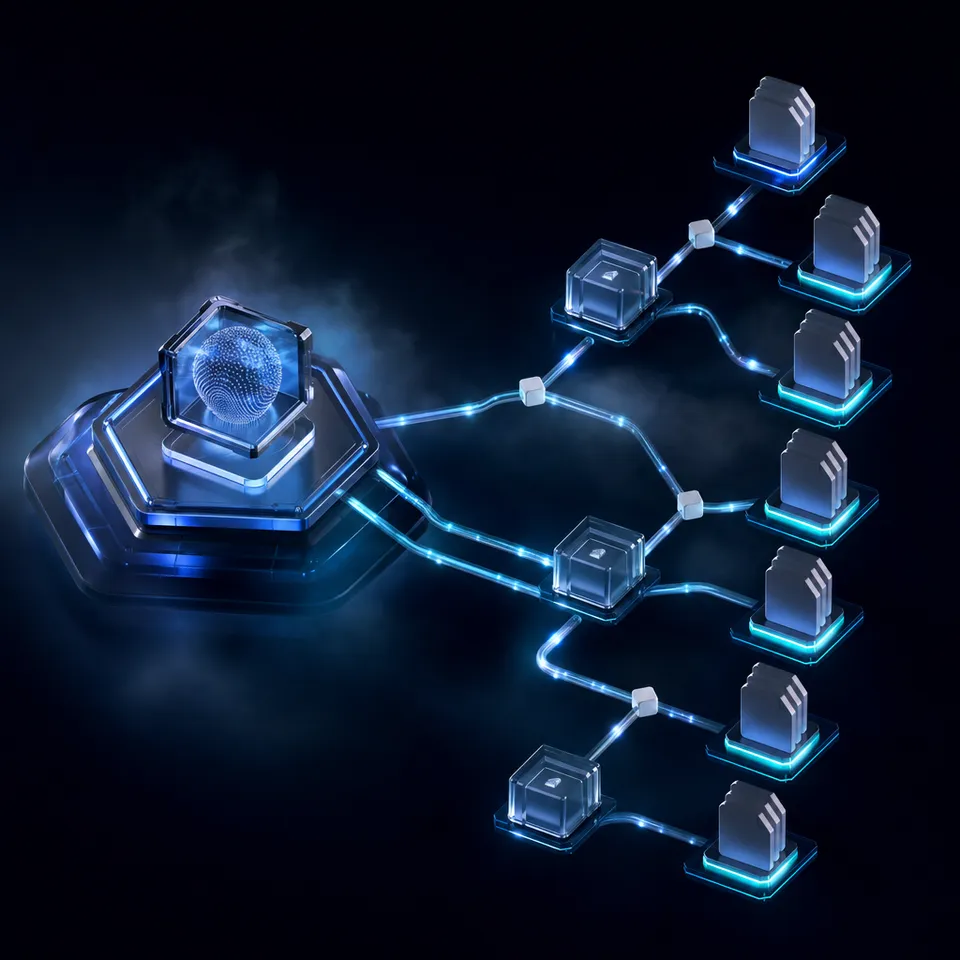
This makes OpenClaw a gateway workload. The Pi or mini PC is the relay between your local network and cloud LLM APIs. CPU bursts happen when the agent processes tool outputs, manages state, or handles concurrent tasks, but sustained high compute is rare.
That distinction matters because most Raspberry Pi vs mini PC comparisons focus on local AI inference, video encoding, or desktop replacement workloads. Those benchmarks are irrelevant here. For OpenClaw, what matters is power efficiency for 24/7 uptime, storage reliability for persistent agent state, Docker support for containerized deployments, and enough RAM headroom so the agent process never gets killed by the OOM reaper.
Both the Raspberry Pi 5 and Intel N100 mini PCs clear the minimum bar. The question is which tradeoffs you are willing to accept.
That's specific to OpenClaw's architecture, though. Other agent frameworks distribute compute differently, so if you haven't settled on OpenClaw yet, this comparison of its alternatives is worth reading before you size the hardware.
Related guides
- Hermes Agent vs OpenAI Agents SDK: Choosing the Right Agent FrameworkHermes Agent and OpenAI Agents SDK represent two fundamentally different philosophies for building AI agents. Hermes is...
- Claude vs Perplexity: Choosing the Right AI Tool for Your WorkflowClaude and Perplexity solve different problems despite both being labeled "AI assistants." Claude is a reasoning engine...
- Raspberry Pi vs ESP32: Choosing the Right Board for OpenClaw AI AgentsLPDDR4 memory costs have risen sevenfold in the past year, pushing Raspberry Pi 5 prices up over 70%. That price shift...
- OpenClaw on Raspberry Pi vs Arduino: Choosing Hardware for AI Agent ProjectsRaspberry Pi runs a full operating system and handles cloud-connected AI agents like OpenClaw. Arduino excels at...
- How to Build Edge AI Agents with OpenClaw on Raspberry PiEdge AI with OpenClaw on Raspberry Pi processes sensor data locally through an AI agent that makes decisions and takes...
- OpenClaw on Raspberry Pi vs Orange Pi: Which SBC Runs Your AI Agent Better?Raspberry Pi has official OpenClaw support and a massive ecosystem. Orange Pi offers more RAM and an onboard NPU for...
More on this subject: OpenClaw on Raspberry Pi (192 guides)
Side-by-Side Comparison
Here is a direct comparison between a Raspberry Pi 5 (8GB) and a typical Intel N100 mini PC (16GB RAM, NVMe SSD) for running OpenClaw as an always-on edge agent.
Cost
- Pi 5 (8GB) with active cooler and NVMe HAT: $80-120 all-in
- Intel N100 mini PC (16GB RAM, 512GB SSD): $150-250 depending on brand
The Pi wins on upfront cost, but the gap is smaller than it looks once you add the NVMe HAT, active cooler, power supply, and a decent SD card or SSD. A barebones N100 mini PC from Beelink, MinisForum, or Trigkey ships ready to run with storage and RAM included.
Power consumption
- Pi 5 idle: 3-5W. Under agent workload: 5-12W. Peak: 15W.
- N100 mini PC idle: 6-9W. Under agent workload: 9-15W. Peak: 25-27W.
At $0.15/kWh, a Pi 5 running an OpenClaw agent costs roughly $5-8 per year in electricity. An N100 mini PC costs $10-15 per year. Both are negligible compared to the cloud API spend that drives an OpenClaw agent's actual operating cost.
RAM
- Pi 5 maxes out at 8GB, soldered and not upgradeable
- N100 mini PCs ship with 8-16GB and use SO-DIMM slots, upgradeable to 16GB (some boards support 32GB)
For a single OpenClaw agent using cloud APIs, 4GB is enough and 8GB is comfortable. If you want to run OpenClaw alongside other services (Home Assistant, Tailscale, monitoring tools), the N100's higher RAM ceiling and upgradeability matter.
Storage
- Pi 5 uses microSD by default. NVMe requires a separate HAT (Pimoroni, Pineberry, or the official Raspberry Pi M.2 HAT)
- N100 mini PCs include an M.2 NVMe slot on the motherboard, sometimes two
This is a bigger deal than it sounds. OpenClaw performs frequent small reads and writes for state persistence, logs, and skill caches. SD cards wear out under that pattern. Multiple users in the OpenClaw community have reported SD card failures within 3-6 months of 24/7 agent use. An NVMe SSD handles that access pattern without degradation for years.
Docker support
- Pi 5 runs Docker on Raspberry Pi OS (64-bit), but all images must be ARM64 builds
- N100 runs standard x86 Docker images on any Linux distro without emulation
If your deployment is pure OpenClaw, both work fine because OpenClaw provides ARM64 support. But if you want to run additional containers alongside the agent (databases, reverse proxies, monitoring stacks), x86 has a larger ecosystem of pre-built images. ARM64 coverage is growing, but you will occasionally hit a container that only publishes amd64 builds.
GPIO and hardware access
- Pi 5 has 40-pin GPIO, camera/display interfaces, and a broad hardware ecosystem
- N100 mini PCs have USB, HDMI, and Ethernet. No GPIO without additional hardware
If your OpenClaw agent needs to interact with physical sensors, relays, or cameras, the Pi has a clear advantage. For pure software agents that manage files, send messages, and call APIs, GPIO is irrelevant.

When the Raspberry Pi 5 Is the Right Choice
The Pi 5 makes sense for a specific profile of OpenClaw deployment, and that profile is more common than the mini PC crowd likes to admit.
Single-agent, cloud-API workloads. If you are running one OpenClaw instance that calls Claude or GPT-4 for inference, the Pi 5 has more than enough compute. The agent spends most of its time idle, waiting for API responses or scheduled triggers. A 2.4GHz quad-core ARM processor handles that without breaking a sweat.
Physical automation. When the agent needs to interact with the physical world (reading sensors, controlling relays, driving a camera), the Pi's GPIO pins and HAT ecosystem are unmatched. An N100 mini PC would need USB adapters or external microcontrollers to do the same thing.
Power-constrained environments. A Pi 5 running OpenClaw draws 5-8W under typical agent load. That is low enough to run from a small UPS for hours during a power outage, or from a solar setup in an off-grid deployment. An N100 at 10-15W is not bad, but it is 2-3x the power draw for the same gateway workload.
Learning and experimentation. The Raspberry Pi community is enormous. Documentation, tutorials, and forums for running services on a Pi are abundant. The OpenClaw project itself publishes a dedicated Raspberry Pi installation guide with tested instructions for Pi 4 and Pi 5.
Budget deployments. When $80 is the budget and the use case is a single cloud-API agent, the Pi 5 delivers. Adding an NVMe HAT brings reliability to an acceptable level, and the active cooler prevents thermal throttling during sustained bursts.
The Pi's real limitation is not performance for OpenClaw. It is reliability at scale. Running multiple containerized services alongside the agent, dealing with SD card failures, and working around ARM compatibility gaps all add friction that does not exist on x86 hardware.
When a Mini PC Makes More Sense
An Intel N100 mini PC addresses the gaps that trip up Pi-based deployments as they grow beyond a single agent.
Multi-service stacks. If you want OpenClaw running alongside Home Assistant, Grafana, a Tailscale exit node, and a reverse proxy, the N100's 16GB RAM and native NVMe storage handle that without swap pressure. On a Pi 5 with 8GB, that same stack runs tight and you start making tradeoffs about what to containerize and what to skip.
Docker-heavy workflows. The x86 ecosystem has decades of pre-built container images. Running Caddy, PostgreSQL, Redis, or Prometheus alongside OpenClaw on an N100 means pulling the official image and running it. On ARM64, you either find a community-maintained multi-arch build or compile from source. The gap is closing, but it still costs time.
Multi-agent deployments. If you are running multiple OpenClaw agents (for example, one for home automation, one for file management, one for messaging), the N100's extra RAM and faster CPU help prevent contention. OpenClaw's official docs recommend 2GB per agent instance as a comfortable baseline. Four agents at 2GB each fills a Pi 5's entire 8GB, leaving nothing for the OS or other services.
Storage-intensive agents. An agent that downloads, processes, and syncs files needs fast, reliable storage. NVMe comes standard on every N100 mini PC. On a Pi 5, it costs an extra $20-30 for the HAT and a separate drive, and the single PCIe 2.0 lane limits throughput compared to the N100's PCIe 3.0.
Headless server deployments. N100 mini PCs are designed to run headless with standard Linux distros. Install Debian 12, enable SSH, and forget about it. The Pi works headless too, but peripheral power management, firmware updates through the imager, and the SD card question add small maintenance costs that compound over time.
The tradeoff is cost and power. You are paying $150-250 instead of $80-120, and drawing 10-15W instead of 5-8W. For a single cloud-API agent, that extra spend buys you nothing. For a multi-service home server with an agent attached, it buys you a lot.



Persist your edge agent's output in a shared workspace
A shared workspace on a 14-day trial, with files indexed once Intelligence is enabled and MCP access for agents. Sync outputs to a place humans can reach.
Storage and Uptime for Always-On Agents
An AI agent that runs 24/7 needs two things from its storage: durability under constant small writes, and enough speed that the agent never stalls waiting for disk I/O.
SD cards are the weakest link on Pi deployments. MicroSD cards use flash memory with limited write endurance. OpenClaw writes state files, logs, and skill caches continuously. Community reports put SD card failure rates for always-on agent workloads at 3-6 months for consumer-grade cards. Industrial-grade cards like the SanDisk Max Endurance last longer, but they cost nearly as much as a small NVMe SSD.
The fix is to boot the Pi 5 from an NVMe SSD using the M.2 HAT. This adds $25-40 to the build cost but changes the reliability profile entirely. NVMe drives handle the random small-write pattern of an agent workload without meaningful wear for years.
N100 mini PCs include NVMe by default. This is one of their quieter advantages: you do not need to think about storage reliability because the hardware ships with the right storage class for the workload.
Agent state persistence matters beyond the local machine. Whether you run on a Pi or a mini PC, the agent's files, logs, and outputs need to survive hardware failure. This is where external workspace storage becomes important.
Fastio provides a workspace layer that agents can read from and write to through its MCP server or API. Files uploaded to a Fastio workspace are versioned and accessible to both agents and humans. Once Intelligence is enabled for the workspace, they are also indexed for search. If the Pi's SD card dies or the mini PC needs a rebuild, the agent's outputs are already in a persistent, cloud-backed workspace.
The 14-day Business Trial requires a credit card and runs with Business-plan capabilities for those 14 days. See the pricing page for current plan details.
Local and cloud storage are not alternatives. Use both: NVMe locally for the agent's working state, and a Fastio workspace for the outputs that need to outlast the hardware.
Practical Decision Framework
Rather than defaulting to specs, match the hardware to what you are actually building.
Choose a Raspberry Pi 5 if:
- You are running a single OpenClaw agent with cloud API models
- The agent interacts with physical sensors, cameras, or GPIO hardware
- Power budget is a hard constraint (solar, battery, UPS coverage)
- Budget is under $120 all-in
- You value the Pi community's documentation and support ecosystem
Choose an Intel N100 mini PC if:
- You want to run multiple agents or additional services alongside OpenClaw
- Docker with x86 images is part of your workflow
- You need 16GB+ RAM for concurrent workloads
- You prefer standard Linux server administration without Pi-specific quirks
- Long-term storage reliability matters and you do not want to add an NVMe HAT
Consider a Mac Mini M4 if:
- Budget allows $499+ and you want the option to run local models later
- You need to run 7B-13B parameter models locally alongside cloud API agents
- Power efficiency at high performance is the priority
For most people starting with OpenClaw, the Pi 5 with an NVMe HAT is the right first step. It costs $100-120, draws under 10W, and runs a cloud-API agent without compromise. If you outgrow it, the N100 mini PC is a natural upgrade that keeps the same deployment pattern (headless Linux, Docker, SSH) while removing the Pi's RAM and storage constraints.
Whichever hardware you choose, keep the agent's output files in a workspace that survives the device. Fastio workspaces give both agents and humans access to the same files. Once Intelligence is enabled for the workspace, those files are indexed so you can search and query the agent's outputs through the UI or through the MCP server. The 14-day Business Trial requires a credit card and runs with Business-plan capabilities for those 14 days; see the pricing page for current plan details.
Sources
References used to verify factual claims in this guide.
-
OpenClaw minimum requirements are 1GB RAM, 1 CPU core, 500MB free disk, 64-bit OS
-
Pi 5 idle power consumption of 3-5W, with 5-12W under typical workloads
-
Intel N100 mini PCs draw 6-9W idle and 9-15W under mixed workloads
-
Phi-3 mini achieves approximately 6 tokens per second on Raspberry Pi 5 N100 mini PCs recommended at 450 EUR with 32GB RAM and 1TB NVMe for edge AI agents
Frequently Asked Questions
Is a mini PC better than a Raspberry Pi for running AI agents?
It depends on the workload. For a single OpenClaw agent using cloud APIs for inference, the Raspberry Pi 5 has plenty of compute and costs less to buy and operate. A mini PC with an Intel N100 is better when you need more RAM (16GB+), want to run multiple agents or Docker containers without ARM compatibility issues, or prefer standard x86 Linux server administration. The Pi is the better gateway; the mini PC is the better server.
Can a Raspberry Pi replace a mini PC for OpenClaw?
For a single cloud-API agent, yes. OpenClaw's minimum requirements are 1GB RAM and one CPU core, well within the Pi 5's capability. The Pi falls short when you need to run additional services alongside the agent, work with x86-only Docker images, or scale beyond 8GB of RAM. Adding an NVMe HAT to the Pi closes the storage reliability gap, but the RAM ceiling is fixed.
What is the best hardware for running OpenClaw agents?
For most users starting out, a Raspberry Pi 5 (8GB) with an NVMe HAT and active cooler is the best value at $100-120. For users running multiple agents or additional services, an Intel N100 mini PC with 16GB RAM provides better headroom at $150-250. For users who want local model inference alongside cloud API agents, the Mac Mini M4 starting at $499 offers the best performance per watt. Match the hardware to the workload rather than buying the most capable option.
Is Raspberry Pi powerful enough for AI?
The Raspberry Pi 5 cannot run large language models locally with useful speed. Even small models produce only about 6 tokens per second on a Pi 5, which is too slow for interactive use. But OpenClaw does not require local inference. It sends prompts to cloud APIs and processes the responses locally. For that gateway pattern, the Pi 5's quad-core ARM processor and 8GB RAM are more than sufficient.
How much does it cost to run OpenClaw on a Raspberry Pi 24/7?
The Pi 5 draws 5-8W during typical OpenClaw agent workloads. At $0.15/kWh, that is roughly $5-8 per year in electricity. The hardware cost for a Pi 5 with active cooler and NVMe HAT is $100-120. Your primary ongoing cost will be the cloud API usage for LLM inference, not the hardware or power.
Does OpenClaw run in Docker on Raspberry Pi?
Yes. Docker runs on Raspberry Pi OS (64-bit) and OpenClaw provides ARM64 container support. The main consideration is that all container images in your stack must have ARM64 builds. OpenClaw itself and most common infrastructure tools (Nginx, Redis, PostgreSQL) publish multi-arch images. Some niche or older tools only publish x86 images, which will not run on the Pi without emulation.
Related Resources

Persist your edge agent's output in a shared workspace
A shared workspace on a 14-day trial, with files indexed once Intelligence is enabled and MCP access for agents. Sync outputs to a place humans can reach.