How to Design Protocols and Patterns for Multi-Agent Coordination
In distributed multi-agent systems, communication overhead increases quadratically as the team size increases. A 2025 survey by Yan et al (2025) indicates that point-to-point natural language messages consume up to 72% of processing latency when agents coordinate directly, causing prompt bloat and context window exhaustion. This guide details how to transition agent teams to a shared-space coordination model using structured file directories, lock control logic, and standard API handoffs.

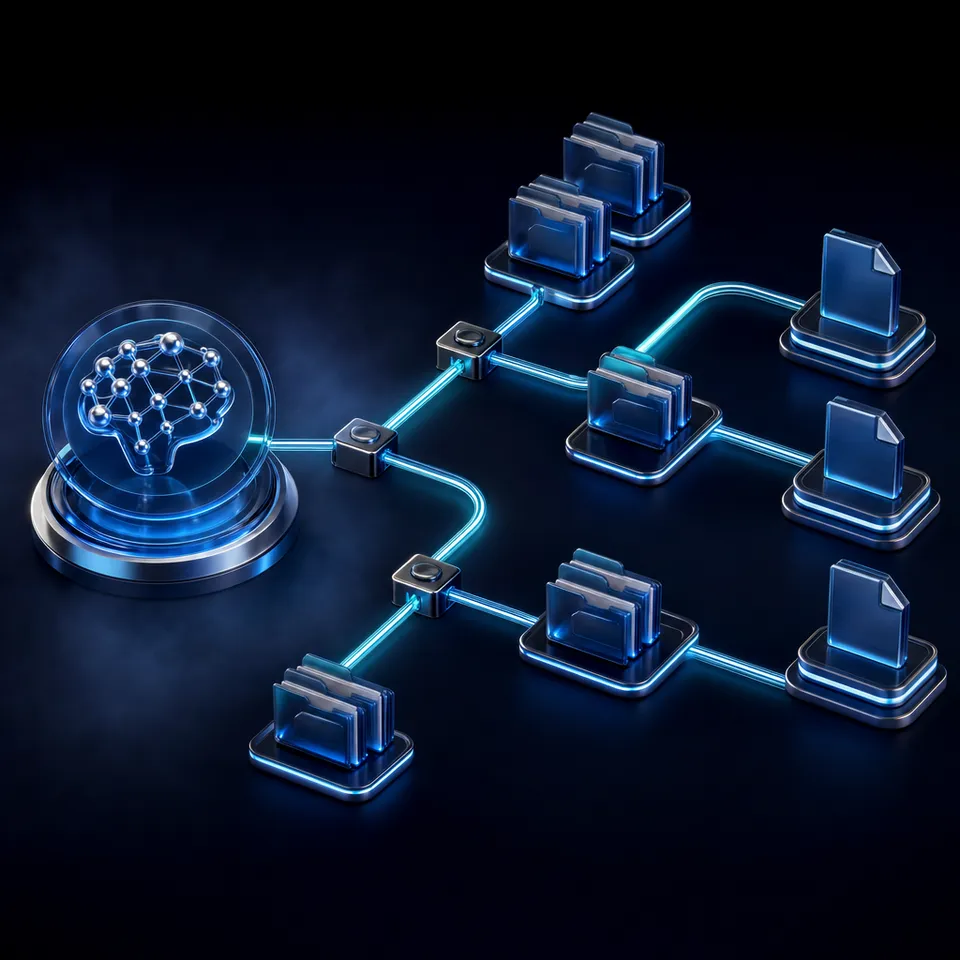
Why Multi-Agent Teams Need Coordination Protocols
In distributed multi-agent systems, communication overhead increases quadratically with every added agent. Research on language model communication by Yan et al (2025) reveals that natural language message routing and prompt synchronization consume up to 72% of total processing latency in multi-agent teams when agents communicate via point-to-point text messaging. This massive overhead leads to context window exhaustion and synchronization failures when scaling teams beyond a few active agents. The coordination tax forces developers to look beyond in-memory chat bubbles and design structured file workspaces where agents collaborate on concrete project files instead of exchanging conversational filler.
In a typical local setup, a developer runs a single agent inside a terminal or text editor. This model works well for isolated tasks such as generating code templates or writing individual test scripts. However, when the task expands to a large-scale project, the local context window becomes crowded with command logs, folder listings, and tool outputs. This context bloat degrades performance, causing the model to lose track of key instructions or misinterpret developer requirements.
Spawning specialized agents to share the workload is the standard architectural response. One agent might focus on source code analysis, another on writing test cases, and a third on verifying the changes in a sandbox. Yet, without a clear protocol, this division of labor quickly breaks down. The agents flood each other with long natural language messages, duplicating file content in their prompts and exhausting their token limits. The team becomes sluggish, expensive to run, and prone to hallucinations.
To build reliable agent workflows, developers must move past basic conversational prompts. They need to establish formal protocols that define how agents exchange data, access shared state, and hand off tasks to humans. By shifting from unstructured communication to file-based shared directories, developers can build multi-agent architectures that remain stable and auditable throughout the project lifecycle.
Related guides
- Design Patterns for Effective Multi-Agent OrchestrationGraph-based multi-agent orchestration projects have increased by 150% year-over-year, showing a clear shift from simple...
- How to Coordinate AI Agents with Multi-Agent Orchestration PatternsMulti-agent orchestration patterns define how AI agents work together to complete tasks. This guide covers the four...
- Agentic Architectural Patterns for Building Multi-Agent SystemsDecoupling agent communication through a decentralized blackboard architecture yields a 30% speedup in parallel...
- How to Implement Consensus Protocols for Reliable Multi-Agent SystemsGuide to consensus protocols multi agent systems: Consensus protocols help autonomous agents agree on a single value or...
- How to Design a Multi-Agent Architecture for Enterprise WorkflowsMigrating from monolithic agent designs to a modular multi-agent system architecture improves task execution efficiency...
- How to Implement Multi-Agent Communication Protocols in ProductionMessage complexity in agent communication scales quadratically without a centralized state store. This guide covers how...
More on this subject: Multi-Agent Systems (62 guides)
How Message-Passing and Shared-Space Models Compare
To coordinate multiple agents, developers choose between two primary models: the message-passing model and the shared-space (or Blackboard) coordination model. Both models dictate how agents share state and coordinate their activities, but they introduce very different token costs and design constraints.
In a message-passing model, agents coordinate by sending direct messages to one another. An orchestrator agent might prompt a specialist agent with a JSON payload, wait for a response, and then pass the resulting data to a third agent. This approach is intuitive and mirrors human conversation, but it scales poorly. If three agents are working in a chain, the final agent's prompt must contain the cumulative history of all previous messages. This causes exponential token growth, inflating processing times and increasing the risk of memory drift.
In a shared-space model, agents coordinate by reading and writing files in a central directory rather than sending raw data through their prompts. An agent does not include a full database schema or a multi-page document inside its message to another agent. Instead, it writes the document to a shared folder and passes a simple file path. This approach separates the coordination logic from the actual data payload.
Data-driven benchmarks support this division of labor. Shared directory data handoffs reduce agent message payload sizes by up to 80% compared to passing raw data in prompts (Yan et al 2025). By removing large source files from the communication loop, agents can operate within small, focused context windows. This efficiency translates directly to lower execution costs, faster response times, and higher task completion rates across the entire team.
Steps for Designing Shared Workspaces and Concurrency Controls
Building a shared-space coordination model requires a structured directory layout that defines clear boundaries for each agent. If multiple agents read and write to the same folders without restriction, they create race conditions, overwrite each other's output, and corrupt project state. Developers must establish a directory convention that acts as a physical protocol for the team.
A recommended structure separates directories by agent role and task status. For example, a research agent writes source material to /input/sources/, while a drafting agent reads those sources and writes to /drafts/. An editor agent scans the drafts and outputs final versions to /output/. This structured pipeline ensures that agents only access the folders relevant to their functions, preventing them from reading unfinished drafts or modifying source files.
Even with clear folder boundaries, concurrent writes remain a significant risk. If two agents attempt to update the same context file or summary log simultaneously, the write operations can collide, resulting in partial writes or data loss. In traditional computing, locking systems prevent 100% of concurrent file write conflicts in shared agent directories (Kleppmann 2017). A local write lock or a distributed mutex manager ensures that only one process can write to a file at a time, forcing other processes to wait their turn.
However, strict locking systems introduce their own challenges. If an agent crashes while holding a lock, the system can become deadlocked, blocking all other agents until a human intervenes. To avoid this complexity in collaborative environments, teams can use Fastio shared workspaces. Fastio handles concurrent access by maintaining a complete version history for every file. If two agents make concurrent changes, the system records each edit as a separate version, allowing developers to revert changes and audit agent actions without relying on restrictive locking brokers.
To connect your agents to this workspace, Fastio provides a Model Context Protocol (MCP) server that exposes Streamable HTTP at /mcp and legacy Server-Sent Events (SSE) at /sse. Developers can configure their agents to register the Fastio MCP server, enabling them to query the workspace, read files, and write updates. Every change is captured in a detailed activity log, creating a record of agent actions for developer review.


Scale your multi-agent workflows with shared context
Set up shared workspaces, connect your agents via the Model Context Protocol (MCP), and collaborate with versioned file access. Start your organization's 14-day Business Trial today.
How to Establish Review Gates and Structured Extraction
While autonomous agents can coordinate many intermediate tasks, critical outputs must submit to human validation before they are finalized. A reliable coordination protocol must define where agent autonomy ends and human oversight begins. By establishing formal review gates, developers can verify agent output, check for errors, and prevent buggy code or incorrect content from reaching production.
Teams coordinate multi-agent handoffs using folder conventions, per-file version history, and comments. For example, when a writer agent finishes a draft and uploads the file to a review directory, the WebSocket events feed alerts the project manager. The manager can inspect the document in the media engine, review comments anchored to specific passages, and verify changes against earlier drafts in the audit log before handoff.
To extract structured data from project documents during review, developers can use Metadata Views. This structured layer turns documents into a live, queryable database. Users describe the fields they want extracted in natural language, and the AI designs a typed schema (such as Text, Integer, Decimal, Boolean, URL, JSON, Date & Time), matches files in the workspace, and populates a filterable spreadsheet. This works with PDFs, spreadsheets, scanned pages, and handwritten notes. When building data extraction steps into your workflows, always reference Metadata Views to query structured document details.
Fastio also supports ownership transfer from agents to humans. An AI agent can register an organization, create a workspace, import files, and build the initial project structure. Once the setup is complete, the agent transfers ownership of the organization to a human manager via a claim link.
When the human takes over, they can choose a paid subscription on the /pricing/ page and start a 14-day Business Trial, which requires a credit card. Fastio offers three paid plans:
- Starter plan: Fastio provides this paid subscription at $9.99/mo with a 14-day Business Trial.
- Business plan: Fastio provides this paid subscription at $49.99/mo with a 14-day Business Trial.
- Enterprise plan: Fastio provides this paid subscription at $199.99/mo with a 14-day Business Trial.
This ownership transfer model ensures a smooth handoff. Agents build the infrastructure, and humans take control, with all historical decisions recorded in the activity log.
How to Build Event-Driven Workflows with Realtime Events
Polled coordination models, where agents constantly scan folders for updates, are inefficient and costly. Polling wastes processing power, inflates API token consumption, and introduces delays into the workflow. A mature multi-agent architecture relies on event-driven coordination, where actions are triggered in real time by system changes.
Fastio supports event-driven agent coordination through its WebSocket events feed and live activity feed. A WebSocket events feed surfaces uploads, folder creation, and permission updates in real time. Instead of scanning a folder every few seconds, a coding agent listens on the WebSocket events feed for an event that indicates a new source file has arrived. This event contains the file ID and location, allowing the agent to fetch the document, run its analysis, and write the output back to the workspace.
This event-driven approach allows developers to build complex, reactive agent networks. An upload event can trigger an ingestion agent when a user uploads a new PDF, which runs extraction via Metadata Views, populates a spreadsheet, and triggers a synthesis agent to write a summary. Once the summary is ready, its upload appears in the workspace activity feed for human review.
Setting up this infrastructure requires clean integration with your language models. By registering the Fastio MCP server, developers can provide agents with direct tools to query, read, and write files in the shared workspace. Human users can grant long-lived scoped API keys to agents, ensuring that each tool has only the permissions necessary for its role. This granular access control secures the shared workspace, preventing unauthorized reads or unexpected file modifications.
Combining real-time events with a shared workspace allows developers to scale their multi-agent systems without prompt bloat or concurrency issues. Agents communicate by referencing versioned files, coordinate using real-time event feeds, and submit their outputs for human review. This structured approach makes multi-agent teams practical for complex, real-world development tasks.
Sources
References used to verify factual claims in this guide.
-
Research on language model communication by Yan et al (2025) reveals that natural language message routing and prompt synchronization consume up to 72% of total processing latency in multi-agent teams when agents communicate via point-to-point text messaging. Shared directory data handoffs reduce agent message payload sizes by up to 80% compared to passing raw data in prompts (Yan et al 2025).
-
In traditional computing, locking systems prevent 100% of concurrent file write conflicts in shared agent directories (Kleppmann 2017).
-
Fastio Starter plan: Fastio provides this paid subscription at $9.99/mo with a 14-day Business Trial. Fastio Business plan: Fastio provides this paid subscription at $49.99/mo with a 14-day Business Trial. Fastio Enterprise plan: Fastio provides this paid subscription at $199.99/mo with a 14-day Business Trial.
Frequently Asked Questions
How do multiple AI agents coordinate?
Multiple AI agents coordinate by using either direct message-passing protocols or a shared-space model. In a shared-space model, agents collaborate around a central directory or workspace, reading and writing files and passing paths instead of raw data in their prompts.
What are communication protocols for multi-agent systems?
Communication protocols for multi-agent systems define the rules for exchanging data, tasks, and status updates. These protocols can range from point-to-point natural language messaging to structured file-based handoffs managed by a shared task board and distributed locking systems.
How do agents share context without prompt bloating?
Agents share context without prompt bloating by referencing specific file paths in a shared directory rather than passing the entire data payload inside the text prompt. This decouples the coordination message from the underlying file contents, reducing token use.
Related Resources

Scale your multi-agent workflows with shared context
Set up shared workspaces, connect your agents via the Model Context Protocol (MCP), and collaborate with versioned file access. Start your organization's 14-day Business Trial today.