Agentic Architectural Patterns for Building Multi-Agent Systems
Decoupling agent communication through a decentralized blackboard architecture yields a 30% speedup in parallel processing tasks. This guide details the essential agentic architectural patterns for building multi-agent systems, coordinating execution state in shared workspaces, and transitioning ownership to humans.

What Are the Core Agentic Architectural Patterns for Building Multi-Agent Systems?
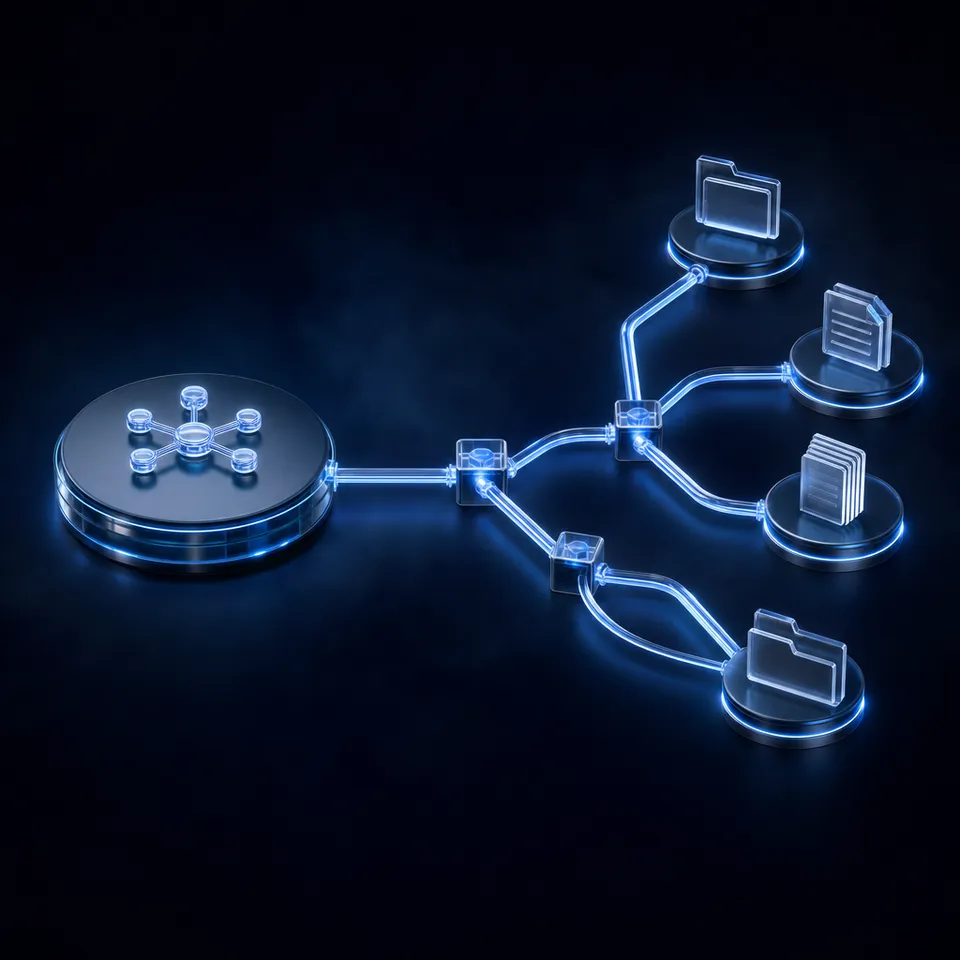
Decoupling agent communication through a decentralized blackboard architecture yields a 30% speedup in parallel processing tasks compared to traditional sequential agent chains [Han and Zhang 2025]. This performance improvement highlights the critical transition from basic single-agent scripts to complex multi-agent network topologies, showing that coordination latency, rather than raw model inference speed, is the primary bottleneck in production AI systems. Developers building multi-agent systems must design how autonomous entities communicate, share resources, resolve conflicts, and maintain state across operations in an intelligent workspace.
Three primary topologies define communication paths within a multi-agent system. Each pattern carries specific advantages and challenges.
Hierarchical Topology
In a hierarchical architecture, a central router or supervisor agent delegates tasks to specialized sub-agents. Communication is strictly top-down. The parent agent handles task planning, delegation, aggregation, and final review. This structure limits communication overhead by preventing sub-agents from interacting directly. However, the supervisor becomes a central bottleneck. The overall system performance relies heavily on the reasoning capacity and context window limits of this single coordinator.
Peer-to-Peer Topology
In a peer-to-peer architecture, agents communicate directly with one another without a central coordinator. They pass messages, negotiate tasks, and coordinate dynamically. While this pattern offers high flexibility for dynamic problem solving, it suffers from quadratic communication complexity as the agent count increases. It also introduces context drift, where information degrades as it passes through long, sequential chains, similar to a digital game of telephone.
Blackboard Topology
In a blackboard architecture, agents do not communicate directly. Instead, they read from and write to a shared memory space called the blackboard. A control loop determines which agent acts next based on the blackboard state. This pattern decouples agents completely. Agents only need to understand the blackboard schema, not the inner workings or presence of other agents. This allows developers to scale specialized agents independently.
Related guides
- How to Establish Closed-Loop Communication in Multi-Agent SystemsIn multi-agent systems, unverified agent coordination introduces a major failure risk. While typical peer-to-peer...
- Design Patterns for Effective Multi-Agent OrchestrationGraph-based multi-agent orchestration projects have increased by 150% year-over-year, showing a clear shift from simple...
- How to Design a Multi-Agent Architecture for Enterprise WorkflowsMigrating from monolithic agent designs to a modular multi-agent system architecture improves task execution efficiency...
- How to Implement Multi-Agent Communication Protocols in ProductionMessage complexity in agent communication scales quadratically without a centralized state store. This guide covers how...
- Selecting an Enterprise AI Agent Orchestration PlatformEnterprise buyers require systems to coordinate multiple autonomous agent teams safely. This guide provides an...
- How to Choose the Best AI Agent Orchestration FrameworkAn AI agent orchestration framework manages execution, communication, and state tracking for multi-agent workflows....
More on this subject: Multi-Agent Systems (62 guides)
How to Route Data and Manage State in Multi-Agent Networks
When building a multi-agent system, developers often default to passing entire JSON payloads or conversation histories through point-to-point queues (like RabbitMQ or Redis) or REST API requests. As the network grows to five or more agents, this approach degrades. The agent context window becomes clogged with historical metadata, and tracing errors becomes difficult.
A unified workspace layer reduces latency in multi-agent environments by eliminating external database queries [Salemi et al. 2025]. Rather than query separate systems for file metadata, file history, and file contents, agents read and write directly to a shared workspace. The message payload between agents is simplified to a reference or URI to a file or document, rather than the raw data itself.
Contrast this approach with traditional database-driven backends. In a typical database setup, a file is stored in an object store like Amazon S3, its metadata is written to a relational database like PostgreSQL, and its text is chunked into a vector database like Qdrant. For an agent to process a single document, it must perform multiple network hops across these services. A unified workspace consolidates these layers into a single programmatic substrate.
When selecting this coordination layer, developers generally choose between local storage, object storage, and unified workspace platforms:
- Local Storage: Writing to a local disk is fast and simple for prototype development. However, it limits execution to a single machine, preventing horizontal scaling and making human-in-the-loop inspection difficult.
- Object Storage (Amazon S3): Cloud object stores scale horizontally and persist data across agent restarts. However, they lack real-time event notifications at the file level without complex event bridge wiring, and they do not support granular access controls or version history natively.
- Unified Workspace Platforms: Consolidate object storage, file versioning, access control, and metadata extraction into a single API. This allows multiple agents and humans to share the same workspace, maintaining a clear audit trail of every operation.
Designing Payload-in-Storage Messages
Instead of passing large files or raw text blobs through messaging brokers, production systems use the Payload-in-Storage pattern. In this design, the message payload passed between agents is a small JSON descriptor containing the file's unique ID and workspace path. The receiving agent then uses the workspace API to read the file. This approach keeps message sizes small, reduces memory pressure on message brokers, and prevents the serialization overhead of large payloads.
Why Versioned Workspaces Serve as the Coordination Substrate
To prevent conflict and coordinate tasks without sequential bottlenecks, developers must establish clear read and write boundaries. Traditional developer tools often restrict file access to manage concurrency. However, in agentic environments, blocking file access can pause execution indefinitely, causing agent timeouts. The recommended alternative is a versioned workspace with structured folder directories and explicit agent roles.
Consider a multi-agent system designed for document research and content generation. A standard folder layout organizes the flow of files:
/workspace-root
  /incoming/         # Raw source documents (PDFs, transcripts, CSVs)
  /extracted/        # Structured JSON extractions
  /drafts/           # Writer agent draft files
  /reviews/          # Reviewer agent feedback logs
  /published/        # Final approved articles
In this pipeline, a research agent pulls source files into the /incoming/ directory. A parsing agent subscribed to the workspace events feed (over WebSocket or long-poll) sees the new files arrive. It extracts data and writes a JSON summary to /extracted/. A writer agent consumes the JSON and writes drafts to /drafts/. Finally, a reviewer agent evaluates the draft, writing its audit report to /reviews/.
This setup prevents agents from overwriting each other's work by isolating each agent's write operations to a specific folder. However, multiple agents may still need to update shared files, like a central task list or a shared context store.
To handle these shared files safely, Fast.io workspaces use per-file version history to manage concurrency. This allows agents to write to the same file names concurrently. Every write operation creates a new version, preserving prior states and allowing developers to restore previous versions if an agent fails or produces corrupted output.
An activity log tracks reads, writes, and permission changes. If an agent generates poor output, developers can inspect the audit log to trace exactly which model wrote it, which file version it read, and what feedback was given.
This shared substrate allows developer frameworks like CrewAI, LangGraph, AutoGen, and OpenClaw, as well as developer tools like Claude Code, Codex, Cursor, and Gemini, to coordinate. These systems participate through the Fast.io workspaces API or MCP server, reading shared plans, writing drafts, and reading feedback logs in a shared, structured workspace.
Handling Concurrent Writes with Version History
When multiple agents work in parallel within a shared workspace, they often generate files with the same naming convention. By using per-file version history, Fast.io workspaces allow multiple agents to write to the same file path. Each write operation creates a new version in the file's history. An agent can read a specific prior version or compare diffs across versions to track how a document has evolved. If an editing agent produces a corrupted draft, the validation agent can programmatically restore the last known good version without stopping the pipeline.
Collaborative Notes for Real-Time Human-Agent Checkpoints
In addition to standard file storage, multi-agent systems benefit from Collaborative Notes. These are real-time, co-edited text spaces that both human team members and AI agents can write to simultaneously. While files are useful for static outputs, Collaborative Notes serve as active scratchpads. For example, a research agent can write live progress updates, bullet points, and source links to a note while a human supervisor adds editorial constraints or review comments in real time.


Persist multi-agent files across sessions
Build a shared workspace with a Model Context Protocol server for your agents, versioning and structured document extraction built in. Monthly plans start with a 14-day trial.
How to Transform Unstructured Agent Outputs into Queryable Metadata
Multi-agent systems often process large volumes of unstructured files, such as PDFs, scanned images, and text documents. While retrieval-augmented generation (RAG) is useful for answering semantic queries across these files, it does not support structured database operations. For instance, an agent cannot reliably perform a query to find all contract drafts with a completion date in the next thirty days using vector search alone.
To bridge this gap, developers can use structured document extraction. Fast.io provides Metadata Views, which turn unstructured documents in a workspace into a structured database.
Unlike traditional optical character recognition (OCR) tools that require rigid layout templates, Metadata Views allow developers to define the schema using natural language. Users describe the fields they want to extract, and the system automatically creates a typed schema that supports Text, Integer, Decimal, Boolean, URL, JSON, and Date & Time formats. The system then parses matching files in the workspace and populates a spreadsheet view.
This structured extraction layer operates differently from Intelligence Mode, which is optimized for semantic search and summarization. Metadata Views provide the structured data layer that agents can query and sort programmatically.
This pattern is highly effective for several industry use cases:
- Legal Workflows: Extracting contract dates, counterparties, and jurisdiction clauses from legal documents to track renewal deadlines.
- Insurance Operations: Extracting policy numbers, coverage limits, and effective dates from scanned insurance policies.
- Finance Pipelines: Extracting invoice line items, tax details, and totals from PDF invoices to automate reconciliation.
- Media Management: Auto-tagging images and videos with descriptions, color palettes, and file metadata.
Agents can create views, trigger extraction, and query results using Model Context Protocol (MCP) tools. For example, a finance agent can retrieve all invoice totals from a Metadata View, identify values that exceed a threshold, and route those files to a supervisor for approval. Developers can add new columns to the schema at any time without needing to reprocess the existing files, making the extraction process highly adaptable.
Querying Structured Schemas via Model Context Protocol
Metadata Views transform unstructured workspace files into structured databases, but their real value lies in programmatic querying. Once the system populates the schema, agents use the Fast.io MCP toolset to query the extracted records. Using the Fast.io MCP toolset, an agent can query Metadata Views to filter files where invoice total exceeds five thousand dollars and payment status is pending. This eliminates the need for the agent to read and parse every individual invoice PDF, reducing token consumption and processing time.
Steps for Transitioning Admin Control: Agent-to-Human Ownership Handoff
Deploying a multi-agent system requires a transition plan for when the agents complete their initial tasks. In production environments, an agent may be tasked with setting up the entire workspace, generating initial documents, and establishing folder structures for a client. Once this work is finished, the agent must transfer control to the human owner.
Fast.io supports this workflow through ownership transfer. An agent can create an organization, build the necessary workspaces, and configure folders and permissions. Once the setup is complete, the agent invites the human client to join the organization and transfers ownership of the organization to them. The agent can retain admin access to continue maintaining the system, running background tasks, and updating schemas, while the human client takes billing responsibility.
This handoff aligns with the platform's pricing structure. Organizations run on paid subscriptions. Monthly plans start with a 14-day trial (credit card required); annual plans have no trial. Subscriptions are divided into three plans, as shown on the pricing page:
- Starter ($9.99/mo): Best for individual developers or single-agent projects requiring persistent cloud storage (3 seats, 250 GB, 100,000 credits/mo).
- Business ($49.99/mo): Designed for growing teams, providing collaborative workspaces, 10 seats, 5 TB storage, and 600,000 credits/mo.
- Enterprise ($199.99/mo): Suited for larger deployments, offering 30 seats included (extra seats $1/mo each, up to 200), 25 TB storage, and 3,000,000 credits/mo.
During the 14-day trial, teams can connect their agents directly to the workspace. Fast.io exposes action-based tools through its Model Context Protocol server. Agents can connect using Streamable HTTP at /mcp or legacy Server-Sent Events (SSE) at /sse. This allows developer systems to mount the workspace, read files, write outputs, and query Metadata Views.
By establishing the workspace as the coordination layer, developers can build multi-agent networks that are easy to debug, scale, and hand off to human teams.
Human Review with Anchored Comments and Activity Feeds
Before transferring ownership to a human team, developers can configure workspaces and permissions to govern agent outputs. When an agent writes draft deliverables to a workspace, human reviewers can inspect files in-browser and leave anchored comments on image regions, timestamps, PDF pages, or text selections. Team members can also collaborate in real time using Collaborative Notes with live cursors and presence. A detailed activity log records actions by humans and agents, while the realtime activity feed and WebSocket stream provide complete visibility into changes across the workspace.
Sources
References used to verify factual claims in this guide.
-
Decentralized blackboard architectures see a 30% speedup in parallel processing tasks.
-
A unified workspace layer reduces latency in multi-agent environments by eliminating external database queries.
-
Fast.io Starter subscription costs $9.99/mo for cloud storage. Fast.io Business subscription costs $49.99/mo for collaborative workspaces. Fast.io Enterprise subscription costs $199.99/mo for larger deployments. During the 14-day trial, teams can connect their agents directly to the workspace. Monthly plans start with a 14-day trial that requires a credit card; annual plans have no trial.
Frequently Asked Questions
What are agentic architectural patterns?
Agentic architectural patterns are structural system designs that define how autonomous AI agents communicate, share resources, resolve conflicts, and maintain global state.
How do you build a multi-agent system?
Building a multi-agent system involves choosing a communication topology (such as hierarchical, peer-to-peer, or blackboard), setting up a routing layer for agent interactions, establishing a shared versioned workspace to store state files, and implementing a protocol for human-in-the-loop review and handoff.
What is the blackboard pattern in AI systems?
The blackboard pattern in AI systems is a coordination architecture where agents do not communicate directly with each other. Instead, they interact with a shared workspace called a blackboard. A control loop monitors the blackboard's state and dynamically assigns tasks to sub-agents that are best suited to handle them, allowing for parallel and decoupled execution.
Related Resources

Persist multi-agent files across sessions
Build a shared workspace with a Model Context Protocol server for your agents, versioning and structured document extraction built in. Monthly plans start with a 14-day trial.