How to Design a Multi-Agent Architecture for Enterprise Workflows
Migrating from monolithic agent designs to a modular multi-agent system architecture improves task execution efficiency by up to 40% [IBM 2026]. This architectural transition addresses core challenges like context window saturation and cascading failures. By partitioning responsibilities across specialized agents and coordinating state through a shared data layer, enterprises can scale autonomous workflows reliably.

Why Enterprise Workflows Need a Multi-Agent Architecture
Deploying a multi-agent system architecture improves task execution efficiency by up to 40% compared to monolithic agents [IBM 2026]. The architectural shift toward specialized agent networks is driving a new approach to enterprise automation. In early implementations, developers relied on a single generalist model to handle complex, multi-step tasks. While this monolithic approach works for basic scripts and simple chat assistants, it fails when applied to enterprise workflows. As the scope of a task increases, a monolithic agent must manage a growing volume of context, leading to context window saturation, tool-selection degradation, and cascading reasoning errors. If a single agent is tasked with writing code, analyzing logs, running tests, and compiling reports, a failure in one step often crashes the entire run, requiring a full restart.
A multi-agent architecture defines how autonomous agents collaborate, share data, and partition tasks within a unified computing environment. Instead of forcing one model to learn every tool and process, this pattern divides a complex workflow into smaller, specialized tasks. Each task is assigned to a dedicated agent with a narrow scope, a specific set of tools, and a clean context window. For example, a software engineering pipeline might use a research agent to analyze documentation, a writer agent to generate code, and a validation agent to run test suites. By focusing on a single task, each specialized agent operates with higher accuracy, lower latency, and reduced token usage compared to a monolithic generalist.
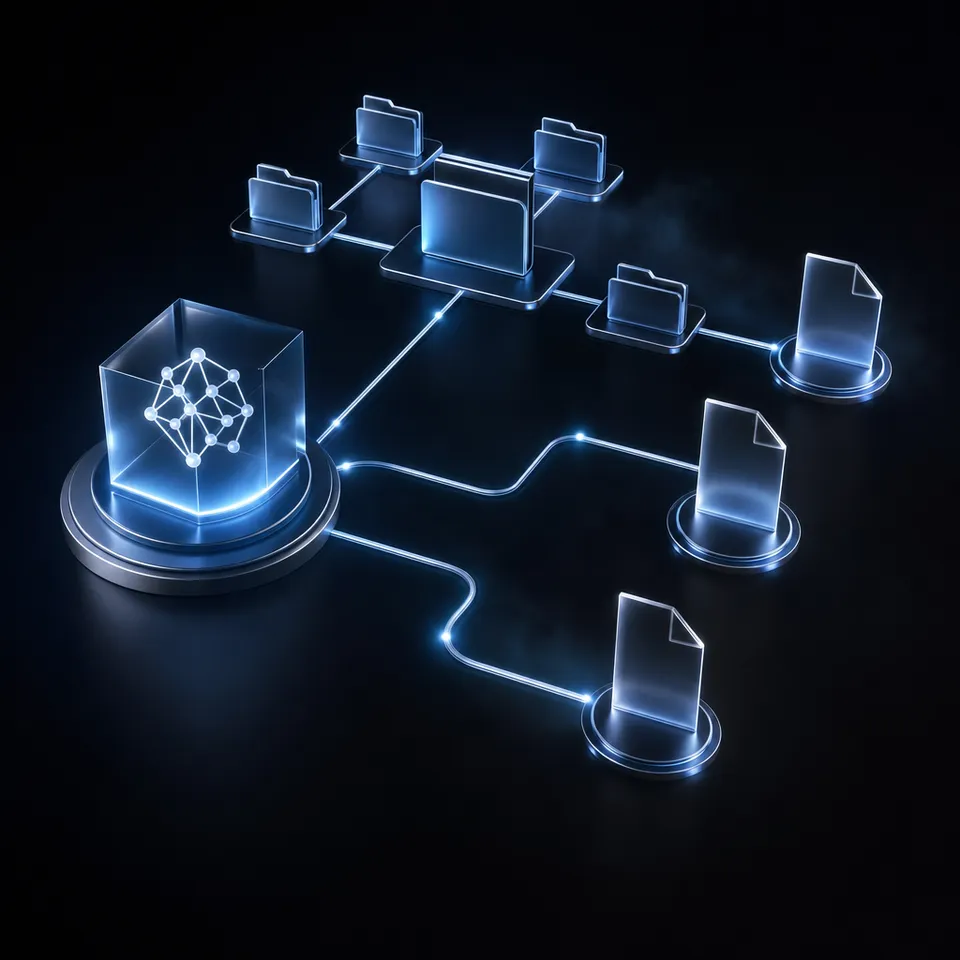
To coordinate these specialized agents, developers must build a structured environment where agents can pass data, track state, and trigger downstream tasks. Without an orchestration layer, independent agents operate in silos, leading to race conditions and duplicate executions. Implementing a multi-agent system architecture requires designing a system that manages task execution paths, persistent file storage, and human-in-the-loop checkpoints. When built correctly, a collaborative agent swarm operates like an enterprise software system, combining modularity, reliability, and auditability. This modular setup allows developers to update individual agents or tools without modifying the rest of the workflow, making the system easier to debug and scale over time.
Related guides
- Design Patterns for Effective Multi-Agent OrchestrationGraph-based multi-agent orchestration projects have increased by 150% year-over-year, showing a clear shift from simple...
- Agentic Architectural Patterns for Building Multi-Agent SystemsDecoupling agent communication through a decentralized blackboard architecture yields a 30% speedup in parallel...
- Selecting an Enterprise AI Agent Orchestration PlatformEnterprise buyers require systems to coordinate multiple autonomous agent teams safely. This guide provides an...
- How to Establish Closed-Loop Communication in Multi-Agent SystemsIn multi-agent systems, unverified agent coordination introduces a major failure risk. While typical peer-to-peer...
- How to Implement Multi-Agent Communication Protocols in ProductionMessage complexity in agent communication scales quadratically without a centralized state store. This guide covers how...
- How to Choose the Best AI Agent Orchestration FrameworkAn AI agent orchestration framework manages execution, communication, and state tracking for multi-agent workflows....
More on this subject: Multi-Agent Systems (62 guides)
What Are the Core Layers of an Enterprise Agent Architecture?
Designing an enterprise agent architecture requires separating the system into distinct, modular layers. This structure prevents tight coupling between agents and their tooling, making it easier to swap models, update prompts, and scale workflows. A production-ready multi-agent system consists of four primary layers.
A list outlines the four primary layers of an enterprise agent architecture:
Orchestration Layer: The orchestration layer manages the execution path and coordinates how agents interact. It acts as the central control plane, receiving high-level tasks, decomposing them into subtasks, routing work to specialized agents, and combining the outputs. Developers use orchestration frameworks like LangGraph or CrewAI to define these execution paths, choosing between supervisor patterns and peer-to-peer network patterns. The orchestration layer tracks the overall workflow progress and handles routing decisions based on agent outputs.
Execution Layer: The execution layer consists of the actual agent runtimes and the tools they call. This layer includes developer tools like Claude Code, Codex, Cursor, Gemini, and OpenClaw, which run inside isolated sandboxes to execute commands, write code, or query databases. Each agent in the execution layer is configured with specific instructions, model parameters, and API keys. The execution layer focuses entirely on task execution, relying on other layers for state and communication.
Storage Layer: The storage layer provides persistent memory, file access, and state tracking across sessions. It serves as the shared data environment where agents write outputs, read inputs, and retrieve historical context. Because agents operate asynchronously, the storage layer must handle concurrent access, resolve write conflicts, and maintain version history.
Communication Layer: The communication layer defines the protocols and data formats that agents use to exchange information. This layer handles the serialization of messages, structured JSON payloads, and file events. Standardizing this layer ensures that agents built on different frameworks or models can share information without data loss.
Designing these layers with clear boundaries ensures that errors do not propagate across the entire system. For instance, if an agent in the execution layer encounters an API timeout, the orchestration layer can catch the exception, record the state in the storage layer, and route a retry task without crashing the workflow. This isolation is essential for maintaining system stability in high-throughput enterprise environments.
How to Share Memory and Persistent Storage Across Agents
Managing state across multiple agents is the primary bottleneck in enterprise workflows. In fact, 56% of enterprise agent deployments use a shared data layer for state coordination to maintain consistency across agents [IBM 2026]. When agents operate without a persistent shared storage layer, they lose access to historical outputs and files when their local container or session terminates. This lack of persistence prevents agents from collaborating on long-running tasks that span hours or days. If a research agent gathers data in one session, a writing agent in a separate session cannot access that research without a persistent storage layer.
Developers attempting to build persistent storage for agent swarms face significant limitations with traditional options. Local file systems are ephemeral and isolated to the agent's host sandbox, making them inaccessible to other agents. Raw object storage, such as Amazon S3, offers persistence but lacks built-in semantic search, live indexing, and document collaboration tools. Standard cloud storage platforms like Google Drive or Dropbox are designed for human office files. Their APIs are slow, lack real-time event feeds, and do not track version history in a format suitable for developer tools.
To coordinate effectively, agents need an active shared workspace rather than a passive file bucket. Fastio solves this challenge by serving as the shared coordination layer where humans and agents collaborate. Instead of manual database configurations or complex caching layers, Fastio provides shared workspaces with auto-indexing, file version history, and real-time events. When an agent writes to a file, Fastio records a complete, per-file version history, allowing teams to restore prior versions and audit agent actions.
To interact with files programmatically, agents connect to the workspace using the Fastio Model Context Protocol (MCP) server. Fastio exposes action-based MCP tools through Streamable HTTP at /mcp and Server-Sent Events (SSE) at /sse. Third-party developer tools can connect to this endpoint to read, write, and search files. When you enable Intelligence Mode on a workspace, Fastio automatically indexes files on arrival for hybrid search, combining exact full-text matching with semantic retrieval. Agents can query the workspace to find files based on meaning or metadata values (such as contract renewal dates), rather than relying on exact filenames.



Coordinate Multi-Agent Pipelines in Shared Workspaces
Provide persistent cloud storage, per-file version history, and built-in semantic search for your agent swarms. Start your organization's 14-day free trial today.
Steps for Implementing Human-in-the-Loop Oversight
Deploying autonomous agent swarms in production introduces operational risks, as agents can drift from their goals, propagate errors, or overwrite critical files. To mitigate these risks, enterprise agent architectures must incorporate human-in-the-loop oversight. Reviewing outputs before they go live ensures that they meet quality standards before proceeding to high-stakes steps like code deployment or financial transactions.
Fastio supports this oversight pattern through a shared pending-review/ folder convention combined with per-file version history. Agents write completed work into this designated folder instead of publishing it directly, the WebSocket events feed or realtime activity feed alerts the assigned reviewer that a new draft is waiting. The reviewer opens the file, uses version history to see exactly what the agent changed against the prior draft, and either accepts the work, edits it directly, or restores an earlier version if it isn't usable. The system records every write, edit, and restore in the activity log, providing a record of who changed each file and when.
During reviews, humans and agents often need to extract structured data from files to verify compliance. Fastio supports this with Metadata Views, which turn unstructured documents into a live, queryable database. Users describe the fields they want extracted in natural language, and Fastio designs a typed schema. The schema supports seven field types: Text, Integer, Decimal, Boolean, URL, JSON, and Date & Time. The AI matches files in the workspace and populates a filterable spreadsheet, extracting data from PDFs, scanned images, and handwritten notes.
Metadata Views serve as the structured extraction layer, which is distinct from the unstructured search capabilities of Intelligence Mode. When writing documents, developers can reference Metadata Views to automate data-driven validation. For example, in marketing and legal workflows, agents can query views via the MCP server to check contract values or metadata tags before a human moves a draft out of pending-review/.
Once the multi-agent setup is complete, agent accounts can transfer the entire organization to human teams using a claim link. The human manager can then choose a paid subscription on the /pricing/ page and start a 14-day Business Trial, which requires a credit card. Fastio offers three paid plans based on usage-based credits:
- The Starter plan provides 250 GB of storage and 100,000 credits for $9.99/mo ($99/year).
- The Business plan provides 5 TB of storage and 600,000 credits for $49.99/mo ($499/year).
- The Enterprise plan provides 25 TB of storage and 3,000,000 credits for $199.99/mo ($1,999/year).
Best Practices for Conflict Avoidance in Multi-Agent Workspaces
When multiple agents write to the same workspace, avoiding file conflicts and write collisions is critical. Developers should implement conflict avoidance patterns that define clear folder and filename boundaries. Assigning distinct subdirectories to each agent prevents them from overwriting each other's work.
A list explains directory structures for coordinating multi-agent workflows:
Inbound Folders: Define an inbound folder where external tools deposit raw files. For example, a
receipts/directory collects inbound expense invoices.Agent-Specific Processing Folders: Create dedicated directories for each specialist agent's scratchpad and outputs. A research agent writes to
research/, while a writing agent reads fromresearch/and writes todrafts/.Structured Review Folders: Establish a shared folder for human review, such as
pending-review/. Agents write completed drafts here and stop editing them, treating the folder as a handoff point so the reviewer's version history stays clean.
For collaborative tasks that require concurrent editing, agents and humans can use Collaborative Notes. In Collaborative Notes, humans and agents edit the same note in real time with visible cursors, allowing teams to update prompt templates and project guidelines without file conflicts.
To handle reactive automation, developers can connect to the WebSocket events feed or poll the realtime activity feed when files are created or modified. The WebSocket events feed streams file additions and modifications as they happen. For example, when the writing agent saves a new draft in the drafts/ folder, the WebSocket events feed notifies the editing agent to start its review. This event-driven coordination ensures that agents execute tasks in the correct sequence.
Also, collaborative note sharing allows teams to keep track of project requirements in real time. Fastio Notes supports multiplayer cursors, allowing both human managers and writing agents to update project documentation simultaneously. By storing instructions in notes, agents can pull the latest constraints from the same document that the human is editing, reducing context drift.
Security and access control are maintained using scoped API keys and OAuth logins via PKCE, ensuring that agents only access their designated workspaces. Every file operation, membership change, and AI activity is logged in the activity log. If an agent writes a bug, the audit log shows exactly which model performed the action, allowing the team to restore the correct version and maintain project safety.
Sources
References used to verify factual claims in this guide.
-
Deploying a multi-agent system architecture improves task execution efficiency by up to 40% compared to monolithic agents. In fact, 56% of enterprise agent deployments use a shared data layer for state coordination to maintain consistency across agents.
-
The Starter plan provides 250 GB of storage and 100,000 credits for $9.99/mo ($99/year). The Business plan provides 5 TB of storage and 600,000 credits for $49.99/mo ($499/year). The Enterprise plan provides 25 TB of storage and 3,000,000 credits for $199.99/mo ($1,999/year). The human manager can then choose a paid subscription on the [/pricing/](/pricing/) page and start a 14-day Business Trial, which requires a credit card.
Frequently Asked Questions
What is a multi-agent system architecture?
A multi-agent system architecture is a framework where multiple specialized AI agents operate collaboratively, sharing data and partitioning tasks within a unified computing environment. By dividing work among agents with focused roles and narrow context windows, this architecture improves execution efficiency and reduces cascading errors compared to monolithic models.
How do multi-agent architectures share memory?
Multi-agent architectures share memory by using a persistent, shared storage layer that supports concurrent access, version history, and hybrid search. Rather than using local storage or raw object storage, agents query a shared workspace via the Model Context Protocol (MCP), retrieving context based on full-text or semantic search.
What are the benefits of multi-agent architecture?
The benefits of a multi-agent architecture include increased task execution efficiency, modular system design, and comprehensive error handling. It prevents context window bloat and allows developers to implement human-in-the-loop review through version history and shared folders, structured metadata extraction, and shared context storage.
Related Resources

Coordinate Multi-Agent Pipelines in Shared Workspaces
Provide persistent cloud storage, per-file version history, and built-in semantic search for your agent swarms. Start your organization's 14-day free trial today.