MCP Server Examples: Practical Implementations for AI Agents
The Model Context Protocol ecosystem has grown past 1,000 public servers, but finding the right implementation for your use case still takes work. This guide walks through ten practical MCP server examples grouped by category, explains how each one works under the hood, and shows how to wire them into your AI agent stack.

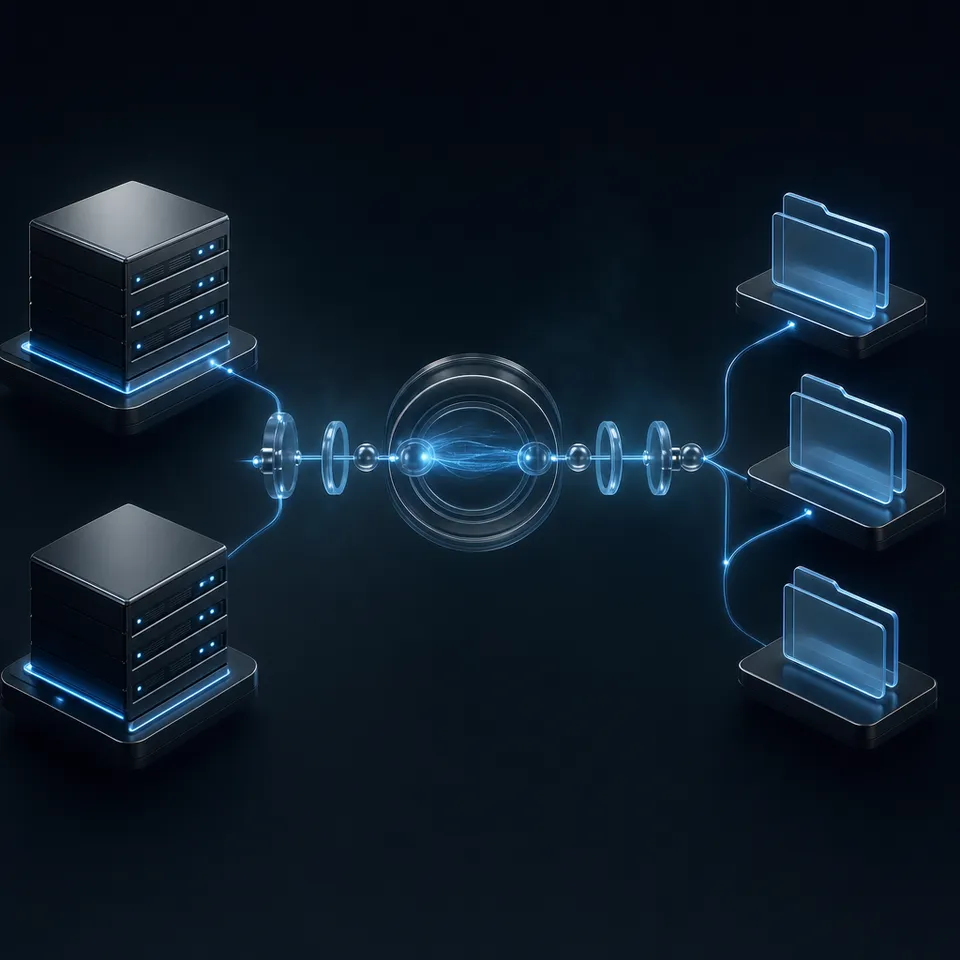
What an MCP Server Actually Does
An MCP server is a lightweight service that exposes tools, resources, and prompts to AI agents via the Model Context Protocol standard. Think of it as a structured API that AI models already know how to use. Instead of writing custom integration code for every external service, you run an MCP server that translates between the service and any MCP-compatible client.
The protocol defines three core primitives:
- Tools are executable functions. A GitHub MCP server might expose tools like
create_issue,search_code, orlist_pull_requests. The AI agent calls these tools directly during a conversation. - Resources are read-only data the server makes available. A database MCP server could expose table schemas as resources so the agent understands the data structure before writing queries.
- Prompts are reusable templates that shape how the agent interacts with a service. A code review server might include a prompt template that structures feedback into categories.
Every MCP server implements some combination of these primitives. A simple server might expose two tools and nothing else. A sophisticated one might offer dozens of tools, dynamic resources that update in real time, and specialized prompts for different workflows.
The protocol itself runs over two transport layers: stdio for local servers (the agent spawns the server as a subprocess) and Streamable HTTP for remote servers (the agent connects over the network). Older implementations may still use the legacy SSE transport, though Streamable HTTP has replaced it in the current spec.
Related guides
- Best MCP Clients for 2026: Connect Your AI to Any ToolMCP clients are AI interfaces like Claude Desktop, Cursor, or specialized IDEs that implement the Model Context...
- Neovim MCP Setup: Integrating Model Context Protocol in NeovimNeovim MCP integrates the Model Context Protocol into Neovim using client plugins like mcphub.nvim, letting in-editor...
- Roo Code MCP Setup: Connecting Coding Agents to Cloud WorkspacesRoo Code MCP connects the Roo Code autonomous coding extension in VS Code to local tools and remote Model Context...
- How to Build MCP Servers with Python: Best PracticesThe Model Context Protocol (MCP) gives AI agents a standard way to connect to external data and tools. This guide walks...
- How to Connect AI Agents to Google Docs with MCPAn MCP server for Google Docs exposes document read, write, and search capabilities to AI agents through the Model...
- MCP Server Marketplace: Where to Find and Install MCP ServersAn MCP server marketplace is a directory or registry where developers can discover, compare, and install Model Context...
More on this subject: MCP and Model Context Protocol (238 guides)
10 MCP Server Examples by Category
The MCP ecosystem spans databases, developer tools, file storage, communication, and automation. Here are ten servers that represent the range of what's possible, grouped by what they actually do.
Developer Tools
1. GitHub MCP Server
The official GitHub MCP server gives agents full repository access: creating and managing issues, reviewing pull requests, searching code across repos, creating branches, managing releases, and reading CI/CD status. It ships as a first-party integration in VS Code Copilot with zero configuration required.
Best for: Development workflows where agents need to triage issues, draft PRs, or search codebases.
2. Filesystem MCP Server
One of the seven official reference implementations maintained by Anthropic. It provides secure file operations (read, write, move, search) with configurable access controls. You specify which directories the server can access, and it enforces those boundaries.
Best for: Local development agents that need sandboxed file access without giving them free rein over the entire filesystem.
3. Git MCP Server
Another official reference server. It exposes tools to read commit history, search diffs, list branches, and inspect repository state. Unlike the GitHub server, this one operates on local Git repositories directly, with no API calls or authentication needed.
Best for: Code analysis and review workflows that operate on local repos.
Databases
4. PostgreSQL MCP Server
Provides read-only database access with schema inspection. The server exposes tools like query (with parameterized queries to prevent injection), get_schema, and list_tables. Some implementations add write support, but the reference version keeps it read-only for safety.
Best for: Data analysis agents that need to explore and query relational databases without risk of accidental mutations.
5. Notion MCP Server
The official Notion MCP server connects agents to Notion's API. Agents can read pages, query databases, create entries, update properties, and search across workspaces. Version 2.0 introduced data sources as the primary abstraction, making database operations more natural.
Best for: Knowledge management workflows where agents need to read from or write to a team's Notion workspace.
Communication and Collaboration
6. Slack MCP Server
Exposes channel management and messaging capabilities. Agents can list channels, read message history, post messages, and search conversations. The server handles OAuth authentication and respects workspace permissions.
Best for: Agents that monitor channels for questions, post automated updates, or triage support requests.
7. Memory MCP Server
An official reference server that implements persistent memory using a knowledge graph. Agents can store entities, create relationships between them, and query the graph later. It acts as long-term memory across sessions.
Best for: Agents that need to remember context between conversations, like user preferences or project state.
Web and Automation
8. Fetch MCP Server
Official reference implementation for web content retrieval. It fetches URLs, converts HTML to markdown, and returns clean text optimized for LLM consumption. Simple but essential for agents that need to read web pages.
Best for: Research agents, content analysis, or any workflow that involves reading web content.
9. Playwright MCP Server
Microsoft's browser automation server has become the standard for web automation via MCP. It provides full browser control, screenshots, accessibility tree extraction, and form interaction. Agents can navigate pages, fill out forms, click buttons, and verify visual state.
Best for: Testing workflows, web scraping, and agents that need to interact with web applications that lack APIs.
File Storage and Workspace
10. Fastio MCP Server
A remote MCP server that gives agents persistent cloud storage with built-in intelligence. Unlike filesystem servers that operate locally, the Fastio MCP server provides workspace management, file versioning, granular permissions, branded file sharing, and built-in RAG through Intelligence Mode. Agents connect via Streamable HTTP at https://mcp.fast.io/mcp/tools, or at https://mcp.fast.io/mcp/code for coding agents.
The server exposes a consolidated MCP toolset covering storage operations, workspace management, AI search, and sharing workflows. When Intelligence Mode is active, uploaded files are automatically indexed for semantic search and chat with citations.
Best for: Multi-agent systems that need persistent storage, file handoff between agents and humans, or built-in document intelligence without managing a separate vector database. Fastio offers a 14-day Business Trial to get started with shared workspaces and AI indexing.

How MCP Servers Connect to AI Clients
An MCP server is only useful if an AI client can reach it. The configuration varies by client, and getting the details wrong means your server loads silently without errors but never surfaces its tools.
Claude Desktop and Cursor
Both use a JSON config file with mcpServers as the root key. Claude Desktop reads from ~/Library/Application Support/Claude/claude_desktop_config.json on macOS. Cursor reads from its own settings.
{
  "mcpServers": {
    "filesystem": {
      "command": "npx",
      "args": ["-y", "@modelcontextprotocol/server-filesystem", "/Users/me/projects"]
    }
  }
}
For remote servers like Fastio, Cursor uses the url field instead of command, with Fastio's address for coding agents. Claude Desktop adds remote servers as custom connectors instead: open Customize, then Connectors, and paste https://mcp.fast.io/mcp/tools.
{
  "mcpServers": {
    "fastio": {
      "url": "https://mcp.fast.io/mcp/code"
    }
  }
}
Claude Desktop does not load remote servers from its config file. Add them as custom connectors instead (Customize > Connectors, + Add, Add custom connector) with a URL such as https://mcp.fast.io/mcp/tools.
VS Code with GitHub Copilot
VS Code uses a different format. The config file is .vscode/mcp.json in your workspace, and the root key is servers (not mcpServers). MCP tools only appear in Copilot's Agent mode, so you need to switch from Ask or Edit mode first.
{
  "servers": {
    "filesystem": {
      "command": "npx",
      "args": ["-y", "@modelcontextprotocol/server-filesystem", "${workspaceFolder}"]
    }
  }
}
VS Code added some features that other clients lack: built-in sandboxing, OAuth authentication for remote servers, Settings Sync across devices, and input variables with ${input:variableId} syntax for parameterized configs.
Claude Code (CLI)
Claude Code reads MCP servers from a .mcp.json file at the project root (project scope) and from ~/.claude.json (local and user scope). Add servers with the claude mcp add command or edit .mcp.json directly. It supports both stdio and Streamable HTTP transports.


Give your agents persistent storage and built-in search
Fastio's MCP server connects to any AI client over Streamable HTTP. Persistent storage, document intelligence, and file sharing included.
Building Your Own MCP Server
The official SDKs cover ten languages: TypeScript, Python, Java, Kotlin, C#, Go, PHP, Ruby, Rust, and Swift. TypeScript and Python are the most mature, with the largest number of examples and community support.
TypeScript Example
The TypeScript SDK provides a class-based API. Here's a minimal server that exposes one tool:
import { McpServer } from "@modelcontextprotocol/sdk/server/mcp.js";
import { StdioServerTransport } from "@modelcontextprotocol/sdk/server/stdio.js";
import { z } from "zod";

const server = new McpServer({
  name: "weather",
  version: "1.0.0",
});

server.tool(
  "get_forecast",
  { city: z.string().describe("City name") },
  async ({ city }) => ({
    content: [{ type: "text", text: `Forecast for ${city}: sunny, 72°F` }],
  })
);

const transport = new StdioServerTransport();
await server.connect(transport);
Install @modelcontextprotocol/sdk and zod, compile with TypeScript targeting ES2022, and run the output. The server communicates over stdio by default.
Python Example
Python's FastMCP decorator approach requires less boilerplate:
from mcp.server.fastmcp import FastMCP

mcp = FastMCP("weather")

@mcp.tool()
def get_forecast(city: str) -> str:
    """Get weather forecast for a city."""
    return f"Forecast for {city}: sunny, 72°F"

if __name__ == "__main__":
    mcp.run()
Install the mcp package (requires Python 3.10+) and run the file. FastMCP handles schema generation from type hints automatically.
Key Implementation Details
A few things that trip up first-time server builders:
- Never use
console.log()in stdio servers. It writes to stdout and corrupts the JSON-RPC message stream. Useconsole.error()or a logging library that writes to stderr. - Validate all inputs with schemas. Use Zod in TypeScript or type hints in Python. The SDK validates automatically, but
.describe()on every field gives the AI model context about what each parameter means. - Start with tools, add resources later. Most agents interact primarily through tools. Resources and prompts are useful but secondary for most implementations.
- Test with the MCP Inspector. The official inspector tool lets you connect to your server locally and call tools manually before wiring it into an AI client.

Architecture Patterns for Production
Reference implementations work for demos, but production deployments need more thought. Here are patterns that hold up under real usage.
Local vs. Remote Servers
Local servers (stdio transport) run as subprocesses of the AI client. They start fast, need no network configuration, and die when the client exits. Use them for development tools, filesystem access, and anything that touches local state.
Remote servers (Streamable HTTP transport) run independently and serve multiple clients. They need authentication, error handling, and monitoring. Use them for shared services like databases, cloud storage, or team collaboration tools. Fastio's MCP server is an example of this pattern: it runs as a hosted service at mcp.fast.io and handles auth, rate limiting, and multi-tenant isolation.
Composing Multiple Servers
Most real agent setups connect to several MCP servers simultaneously. A development agent might use GitHub for code, PostgreSQL for data, Slack for communication, and Fastio for file storage. Each server runs independently, and the AI client discovers their tools through the standard protocol.
The practical limit is around 10 to 15 concurrent servers before tool discovery becomes noisy. When the agent sees 200 tools, it struggles to pick the right one. If you're hitting this limit, consider consolidating related tools into fewer servers or using tool descriptions to clarify when each one applies.
Security Boundaries
Every MCP server is a trust boundary. A filesystem server with write access can modify any file in its scope. A database server with mutation support can drop tables. Design permissions carefully:
- Scope filesystem servers to specific directories
- Default database servers to read-only access
- Use OAuth or API keys for remote servers
- Log every tool call for audit trails
- Review tool descriptions, as they influence which tools the agent selects
The MCP specification's authorization framework defines OAuth 2.1 as the standard for remote server auth, and VS Code's implementation includes built-in sandboxing that restricts what servers can do.
Choosing the Right MCP Server for Your Use Case
With over 1,000 servers in public registries, the selection problem is real. Here's a decision framework based on what you're actually building.
If your agent needs to interact with a specific SaaS product (GitHub, Slack, Notion, Jira, Salesforce), check whether the vendor ships an official MCP server first. Official servers track API changes and handle authentication properly. The GitHub, Notion, and Slack servers are all vendor-maintained.
If your agent needs database access, the PostgreSQL reference server covers the most common case. For other databases, search the awesome-mcp-servers repository. MySQL, SQLite, MongoDB, and Redis all have community implementations.
If your agent needs persistent file storage that survives across sessions, you have a few options. Local filesystem servers work for single-machine setups. S3-compatible servers work if you're already in AWS. For agents that need to share files with humans, collaborate across teams, or use built-in document search, a workspace-oriented server like Fastio handles storage, permissions, intelligence, and handoff in one integration. The workspace model means agents and humans work in the same space rather than passing files through separate systems.
If your agent needs browser automation, the Playwright MCP server is the standard choice. It's maintained by Microsoft and provides the most complete browser control surface.
If you need a custom integration that doesn't exist yet, building your own server takes about 30 minutes for a basic implementation. The TypeScript and Python SDKs handle protocol details. Focus your effort on the tool logic, not the transport layer.
If you're running multiple agents that need to coordinate, look for servers that support concurrency controls. Fastio provides advisory file locks via the storage tool (lock-acquire, lock-status, lock-release) alongside per-file version history and a detailed activity log so agents can coordinate writes without collisions.
Sources
References used to verify factual claims in this guide.
-
MCP has surpassed 97 million monthly SDK downloads and earned over 81,000 GitHub stars
-
Official MCP GitHub repository has 85.5k stars and 10.7k forks
-
Over 1,000 public MCP servers listed across registries
-
VS Code MCP support went GA in VS Code 1.102 (July 2025)
Frequently Asked Questions
What is an MCP server example?
An MCP server is a service that exposes tools, resources, and prompts to AI agents through the Model Context Protocol. The GitHub MCP server is a common example. It lets AI agents create issues, review pull requests, and search code across repositories. Other examples include the PostgreSQL server for database queries, the Filesystem server for sandboxed file access, and the Fastio server for cloud workspace management with built-in document intelligence.
How do I build an MCP server?
Install the MCP SDK for your language (TypeScript and Python are the most popular), define your tools with input schemas, and connect to a transport. A basic server with two or three tools takes about 30 minutes to build. The TypeScript SDK uses Zod for schema validation, while Python's FastMCP uses type hints and decorators. Test with the MCP Inspector before connecting to an AI client.
What MCP servers are available?
Over 1,000 public MCP servers are listed across registries as of 2026. Popular categories include developer tools (GitHub, Git, Filesystem), databases (PostgreSQL, SQLite, MongoDB), communication (Slack, Discord), automation (Playwright, Puppeteer), and cloud storage (Fastio, S3). Official SDKs exist for ten languages including TypeScript, Python, Java, Go, Rust, and C#.
Can I use MCP servers with ChatGPT?
OpenAI added MCP support to its platform in 2025. ChatGPT and the OpenAI API support MCP server connections, joining Claude, VS Code Copilot, Cursor, and Devin Desktop (formerly Windsurf) as MCP-compatible clients. Check OpenAI's current documentation for the latest configuration details, as the implementation is newer than Anthropic's.
What is the difference between MCP tools and resources?
Tools are executable functions that perform actions, like creating a file, running a query, or sending a message. Resources are read-only data that provide context, like database schemas, configuration files, or documentation. An agent calls tools to do work and reads resources to understand the environment. Most servers expose tools as their primary interface, with resources as supplementary context.
How many MCP servers can I run at once?
There is no hard protocol limit, but practical performance starts degrading around 10 to 15 concurrent servers. When an agent discovers hundreds of tools across many servers, it becomes harder for the model to select the right tool for each task. If you need more than 15, consider consolidating related functionality into fewer servers or improving tool descriptions to help the agent distinguish between them.
Related Resources

Give your agents persistent storage and built-in search
Fastio's MCP server connects to any AI client over Streamable HTTP. Persistent storage, document intelligence, and file sharing included.