How to Deploy a Kubernetes MCP Server for AI Platform DevOps
Running AI agents with full admin access to Kubernetes clusters introduces significant security risks. By deploying a Model Context Protocol (MCP) server, DevOps teams can create a secure, read-only diagnostic bridge. This guide provides a step-by-step walkthrough of configuring read-only Role-Based Access Control (RBAC), setting up ServiceAccount tokens, and integrating AI clients like Claude Desktop or remote workspaces. These steps ensure secure, auditable DevOps automation.

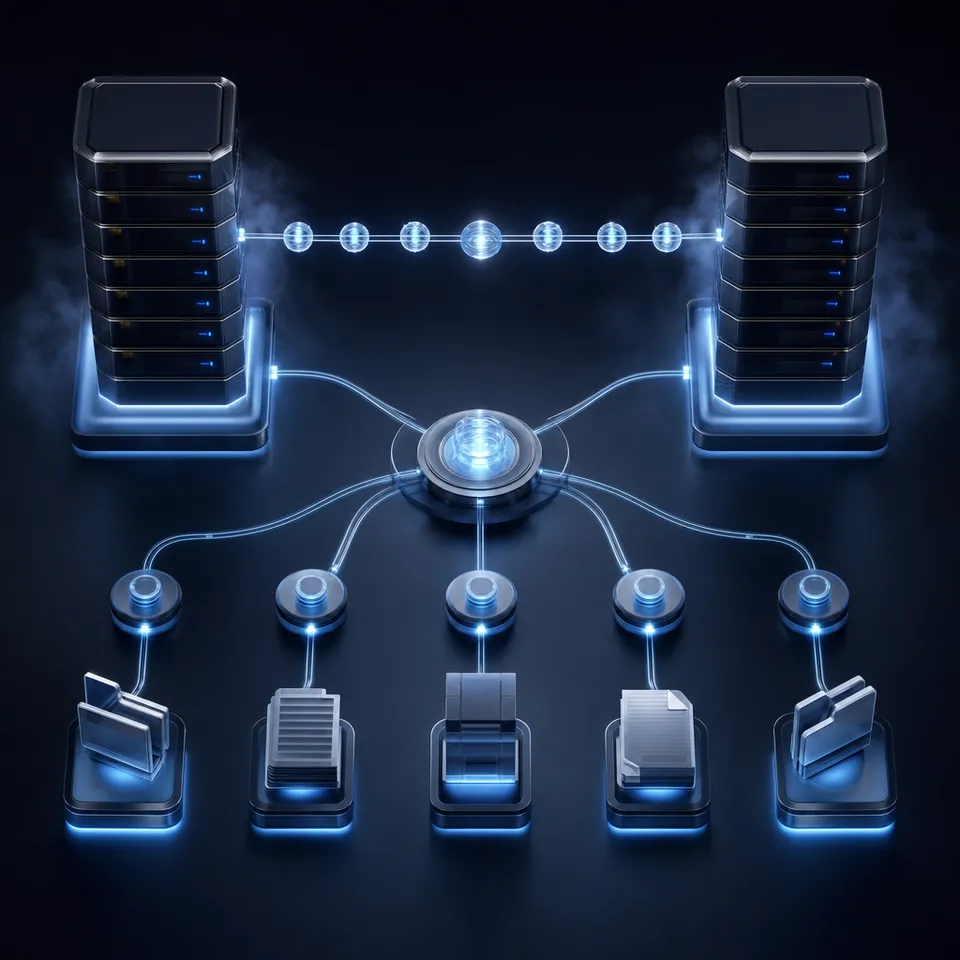
Why AI Agent Kubernetes Control Needs Strict Boundaries
When an AI agent is given cluster-admin credentials to debug a Kubernetes namespace, a single hallucinated delete flag can wipe out an entire production control plane before a human operator can intervene. The challenge of agentic DevOps is not teaching models to write kubectl commands, it is constructing a secure API bridge that restricts their access to read-only diagnostic resources while preserving real-time troubleshooting capabilities.
In a typical DevOps setting, engineers spend hours logging into clusters, running port-forwards, and querying resources to diagnose issues. Introducing AI agents like Claude Code, Codex, or Cursor to these environments can accelerate debugging, but doing so without boundaries is dangerous. A traditional shell-execution tool gives the model access to the entire terminal. If the model runs a script with an incorrect namespace parameter or a destructive command, the system state is corrupted. Local agent instances also store context in memory, meaning that when the session crashes, all troubleshooting history is lost, leaving human teammates with no visibility into what the agent did.
To solve this coordination and safety problem, DevOps teams are moving toward remote, shared workspaces where agents and humans collaborate on the same file systems. In a persistent Fast.io workspace, the agent writes diagnostic reports, deployment logs, and configuration drafts to specific folders. This neutral ground ensures that the agent's work is persisted, auditable, and accessible to other team members. However, the agent must still query the Kubernetes cluster itself to get the raw logs and resource states. This is where the Model Context Protocol (MCP) and a dedicated Kubernetes MCP server are required.
The same least-privilege thinking applies to any other server the agent reaches. For Fastio, that means a narrowly scoped API key, which the Fastio MCP integration guide walks through.
Related guides
- How to Set Up the GitLab MCP Server for AI Devops AgentsSetting up a GitLab MCP server connects your AI coding assistants directly to your repositories, issues, and pipelines....
- How to Deploy and Host an MCP ServerMoving an MCP server from localhost to a production environment gives remote access to AI agents across your...
- How to Deploy an MCP Server to ProductionDeploying an MCP server to production means running the Model Context Protocol in a reliable place where AI clients can...
- How to Implement Collaborative MCP Server Management for DevOps TeamsCollaborative MCP management brings DevOps principles to AI agent infrastructure. As teams move from local scripts to...
- How to Deploy Your Agent on Kubernetes with Fastio MCPFastio hosts and operates its MCP server, so Kubernetes runs your agent rather than the Fastio server. This guide shows...
- How to Scale MCP Servers for Production WorkloadsMoving an MCP server from a laptop to production requires more than just a public URL. You have to handle many agents...
More on this subject: MCP and Model Context Protocol (238 guides)
What Is a Kubernetes MCP Server?
The Model Context Protocol (MCP) is an open standard designed by Anthropic to establish secure, structured communication between AI models and external data sources. A Kubernetes MCP server acts as an API bridge, translating these protocol requests into secure Kubernetes API queries. Instead of granting an agent raw shell access to execute arbitrary kubectl commands, the MCP server exposes a consolidated MCP toolset. The agent can only execute the specific tools defined by the server, such as listing pods, reading logs, and describing deployments.
The npm package mcp-server-kubernetes is a widely used implementation that allows developers to run an MCP gateway for Kubernetes clusters. In May 2026, version 3.7.0 was released to address critical security vulnerabilities found in earlier versions. Specifically, CVE-2026-47250 was identified in the kubectl_generic tool, where user-supplied flags were passed to the kubectl binary without proper validation, enabling potential privilege escalation. In version 3.7.0, this tool was replaced with strict API-bound tools that do not accept arbitrary command-line flags. In addition, version 3.6.0 fixed CVE-2026-46519, which involved a bug where security environment variables like ALLOW_ONLY_READONLY_TOOLS, ALLOW_ONLY_NON_DESTRUCTIVE_TOOLS, and ALLOWED_TOOLS were not properly enforced during tool execution.
By deploying the latest version of the Kubernetes MCP server, DevOps teams ensure that the AI model cannot bypass tool constraints. The server exposes a set of deterministic API tools:
list_pods: Queries the Kubernetes API to return a list of pods in a given namespace.get_pod_logs: Retrieves container log streams for troubleshooting.describe_pod: Fetches detailed status and event logs for a pod.list_deployments: Returns deployment configurations and replica counts.
Because the server interacts directly with the Kubernetes API server using standard client libraries rather than executing raw bash commands, it prevents command-injection attacks. This structural constraint isolates the agent's execution scope to query-only operations, neutralizing the risk of accidental resource deletion.


Secure your Kubernetes agent workflows
Deploy your MCP server, connect it to Fast.io workspaces, and manage your DevOps files securely in a collaborative environment. Start your organization's 14-day free trial today.
Steps to Deploy a Secure Read-Only ServiceAccount
Deploying the MCP server securely requires configuring a dedicated Kubernetes ServiceAccount with restricted Role-Based Access Control (RBAC) permissions. You must avoid using cluster-admin credentials, as doing so defeats the safety boundaries of the MCP gateway. Restricting the agent's ServiceAccount to the get, list, and watch verbs ensures that even if the AI agent is compromised or hallucinates a write command, the Kubernetes API server itself rejects the request. The security boundary lives in RBAC, not in the model's behavior.
To implement this, apply the following YAML manifest to your cluster. It creates a dedicated ServiceAccount named mcp-agent-sa and binds it to a read-only ClusterRole that permits get, list, and watch operations on core resources:
apiVersion: v1
kind: ServiceAccount
metadata:
  name: mcp-agent-sa
  namespace: default
---
apiVersion: rbac.authorization.k8s.io/v1
kind: ClusterRole
metadata:
  name: mcp-agent-read-only
rules:
- apiGroups: [""]
  resources: ["pods", "pods/log", "services", "configmaps", "namespaces"]
  verbs: ["get", "list", "watch"]
- apiGroups: ["apps"]
  resources: ["deployments", "statefulsets", "daemonsets"]
  verbs: ["get", "list", "watch"]
---
apiVersion: rbac.authorization.k8s.io/v1
kind: ClusterRoleBinding
metadata:
  name: mcp-agent-read-only-binding
subjects:
- kind: ServiceAccount
  name: mcp-agent-sa
  namespace: default
roleRef:
  kind: ClusterRole
  name: mcp-agent-read-only
  apiGroup: rbac.authorization.k8s.io
Save this file as mcp-rbac.yaml and apply it to your cluster using the command kubectl apply -f mcp-rbac.yaml. This configuration creates a strict security perimeter. For more details on configuring roles, refer to the official Kubernetes RBAC documentation. The ServiceAccount token generated by Kubernetes will be used by the MCP server to authenticate with the API server, ensuring that all API calls initiated by the agent are constrained to read-only diagnostics.
Connecting Local AI Clients and Remote Workspaces
Once the RBAC configuration is applied, you can connect the MCP server to your local AI clients or remote workspaces. The Kubernetes MCP server reads the cluster context using a standard kubeconfig file. If you are running the server locally, it automatically detects your active context at ~/.kube/config.
To configure Claude Desktop to use the server, open your configuration file located at ~/Library/Application Support/Claude/claude_desktop_config.json on macOS and add the kubernetes server configuration under the mcpServers block:
{
  "mcpServers": {
    "kubernetes": {
      "command": "npx",
      "args": ["-y", "mcp-server-kubernetes"]
    }
  }
}
If you need to connect a remote agent or a workspace to a remote cluster, you must generate a long-lived token for the ServiceAccount. In Kubernetes 1.24 and later, tokens are not created automatically. You must apply a Secret manifest to bind a token to the ServiceAccount:
apiVersion: v1
kind: Secret
metadata:
  name: mcp-agent-token
  namespace: default
  annotations:
    kubernetes.io/service-account.name: mcp-agent-sa
type: kubernetes.io/service-account-token
After applying this manifest, retrieve the generated token using the command kubectl get secret mcp-agent-token -n default -o jsonpath='{.data.token}' | base64 --decode. You can then construct a scoped kubeconfig file using this token and place it in the environment where the MCP server runs, setting the KUBECONFIG environment variable to its path.
This setup enables efficient diagnostic workflows. Instead of manually running kubectl logs and kubectl describe commands across multiple terminals, the engineer can ask the agent: "Check the default namespace for any failing pods and summarize their recent log errors." The agent calls the MCP tools, analyzes the logs, and presents the root cause in a structured format. For hosting coding agents with persistent memory, check out Fast.io storage for agents.
Maintaining Chain of Custody and Audit Trails
While the MCP server handles active cluster queries, a persistent cloud workspace is required to manage the artifacts generated during troubleshooting. When an agent identifies a pod crash, it should write the log bundle, the post-mortem analysis, and the draft deployment manifests to a shared workspace folder. This step preserves the context that would otherwise be lost when the agent process terminates.
In a Fast.io workspace, developers and agents operate on the same files. Every upload, modification, and version restoration is recorded in the activity log. This record shows who changed what, so humans can verify every file edit the agent made. If the agent drafts a deployment update to fix a crash, it saves the file as deployment-patch.yaml in the workspace. A human engineer can review the patch, run a dry-run test, and apply it to the cluster, maintaining a safe human-in-the-loop workflow.
To start building these shared agent workspaces, a team member creates an organization, configures the workspace, and connects their coding agents. To transition the workspace to production, the creator can transfer organization ownership to a human manager via a claim link. Every organization runs on a paid subscription. Monthly plans start with a trial of up to 14 days, which requires a credit card, and annual plans have none. Teams can choose from three paid plans: Starter plan at 9.99 USD monthly, Business plan at 49.99 USD monthly, or Enterprise plan at 199.99 USD monthly. These plans provide the persistent storage, hybrid search, and audit trails necessary to coordinate DevOps teams and AI agents safely.
Sources
References used to verify factual claims in this guide.
-
CVE-2026-47250, a flag injection vulnerability in the kubectl_generic tool of mcp-server-kubernetes, is fixed in version 3.7.0.
-
Role-based access control regulates cluster access based on the roles of individual users.
Frequently Asked Questions
What is a Kubernetes MCP server?
A Kubernetes MCP server is an API bridge that translates Model Context Protocol requests into secure Kubernetes API calls, allowing AI agents to interact with cluster resources.
How do I restrict an AI agent's access in my cluster?
You can restrict an AI agent by binding its ServiceAccount to a read-only ClusterRole or Role. This ensures that the agent cannot modify or delete deployments, secrets, or namespaces.
How do I run the mcp-server-kubernetes tool?
You can run the server locally using npx by adding it to your Claude Desktop configuration file. The server automatically uses your local kubeconfig file to authenticate.
Can I use a Kubernetes MCP server alongside Fast.io?
Yes. An agent can register multiple MCP servers at once. It queries the Kubernetes MCP server for cluster diagnostics and connects to the Fast.io MCP server at https://mcp.fast.io/mcp/tools to store log bundles, post-mortems, and draft manifests in a shared, audited workspace.
Related Resources

Secure your Kubernetes agent workflows
Deploy your MCP server, connect it to Fast.io workspaces, and manage your DevOps files securely in a collaborative environment. Start your organization's 14-day free trial today.