Client Portal Software: What It Is and 8 Best Platforms in 2026
Sharing folders straight from a company cloud drive often exposes internal drafts or forces IT teams to rebuild years of permissions. Client portal software gives each client a dedicated, branded web space for file sharing, feedback, and document delivery while keeping internal workspaces separate. This guide explains what a client portal is and compares eight client portal platforms across file handling, project management, and scoped AI access.

What Is a Client Portal and How Does Client Portal Software Work?
Connecting external clients directly to internal folders in SharePoint, Google Drive, Box, or Dropbox creates an immediate scoping problem: working drafts sit beside final deliverables, and sharing from the live drive leaves the client one inherited permission away from internal drafts. Restructuring years of nested folders just to share files with an outside team is not practical.
What is a client portal? A client portal is a dedicated, branded web space where an organization exchanges files, collects feedback, and coordinates work with people outside the company. Client portal software creates a clean boundary between internal workspaces and external stakeholders. Instead of hunting through email attachments, chat threads, and scattered drive links, clients open one organized destination to reach their files.
For agencies, consultancies, law practices, private equity and finance firms, architecture studios, and executive search teams, client portals keep external relationships isolated from internal work. A typical firm or agency juggles many active clients, each with its own stakeholders and file requirements. Effective client portals separate every engagement and provide:
- File sharing and document delivery: Upload project deliverables and let clients preview or download them without email size caps, or collect inbound files through guest upload links.
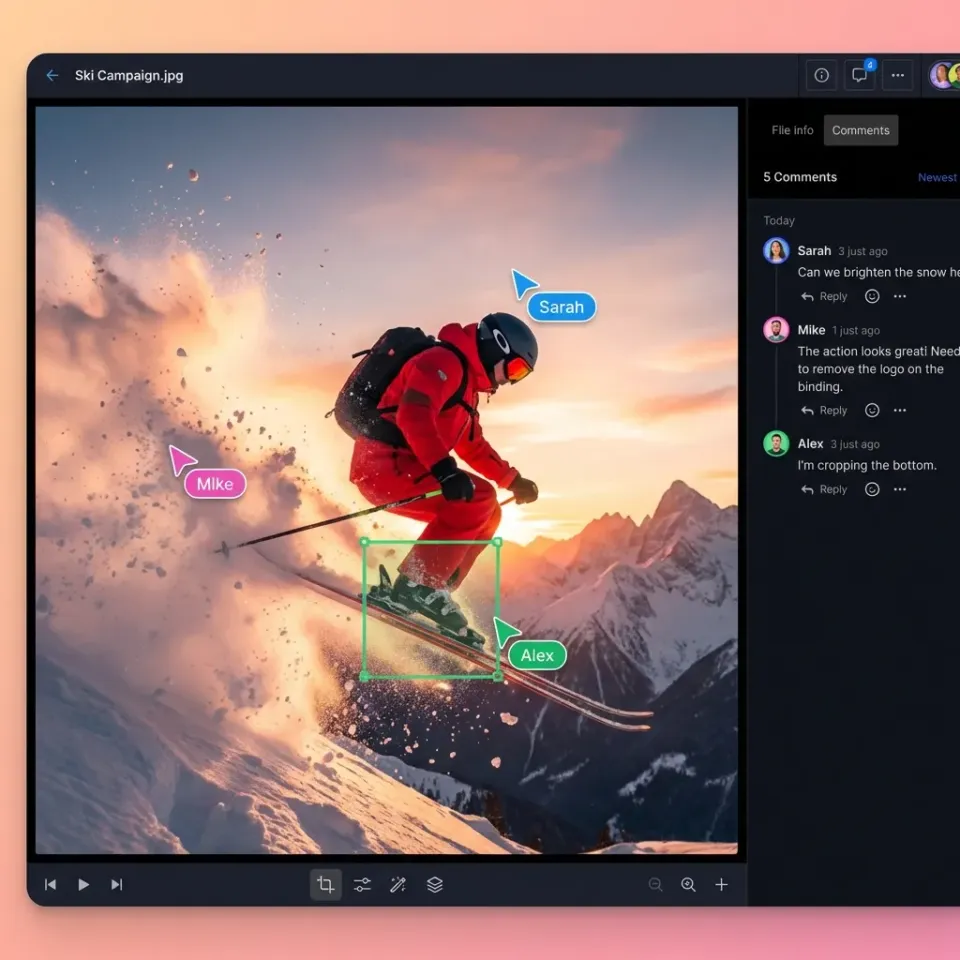
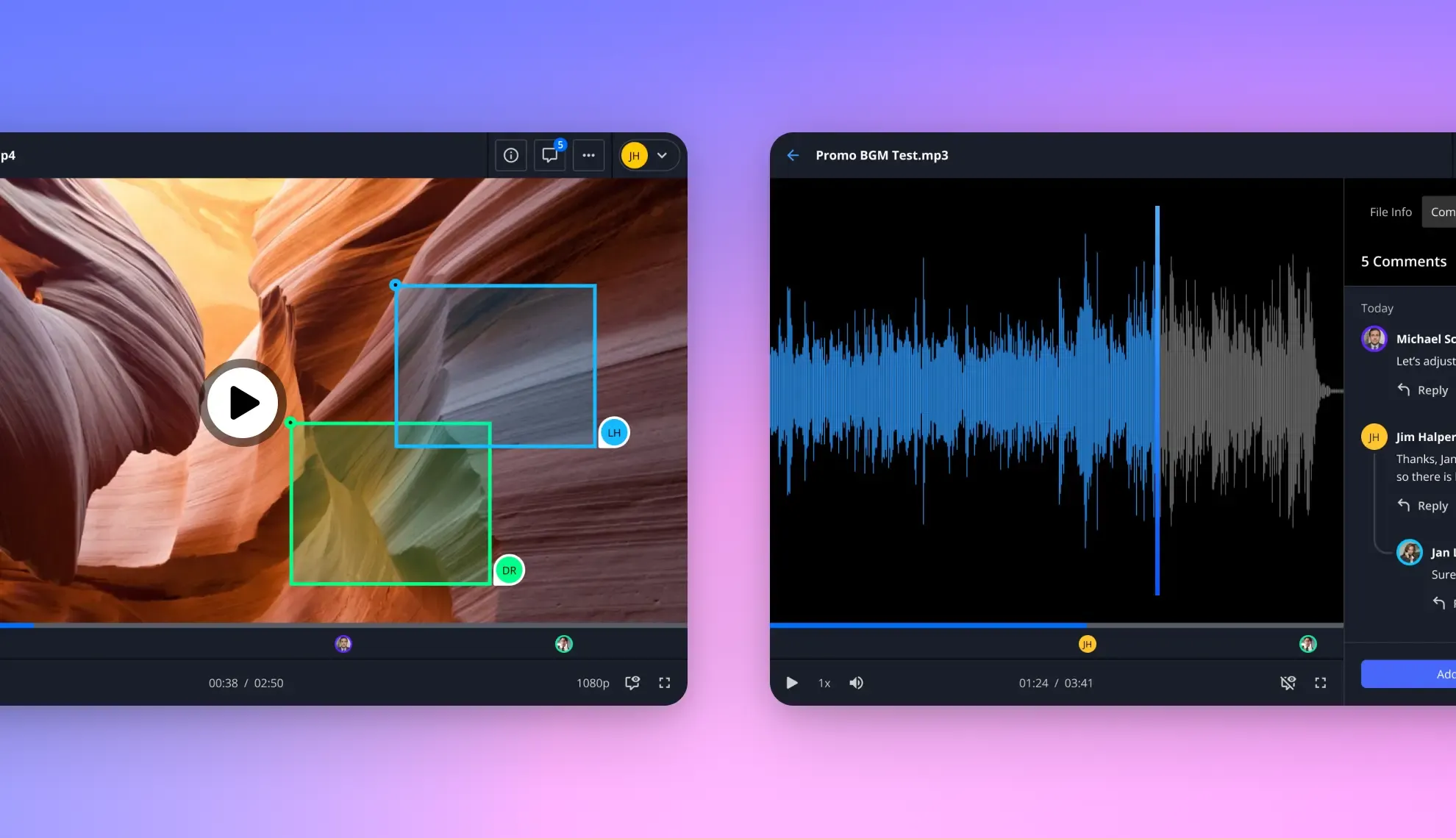
- Anchored feedback and version control: Gather comments pinned to specific PDF pages, image regions, or video timestamps, keep markdown notes alongside project files, and maintain per-file version history so earlier versions can be restored.
- Scoped access controls: Set role-based permissions at the organization, workspace, and share level, protect links with passwords and expiration dates, and disable downloads when recipients only need to review files in the browser.
- Custom branding: Present your own logo, colors, background, and vanity URL so clients interact with your brand rather than a generic storage directory.
- Detailed activity logging and e-signature: Review a detailed activity log of uploads, edits, moves, deletions, permission changes, and share creation, and send agreements for e-signature with sequential or parallel signers, optional passcodes, and a tamper-evident audit certificate that records IP address and browser.
Whether you need a lightweight client communication portal for routine updates or a workspace connected to existing cloud drives and AI assistants, portal software keeps external file exchange organized in one place.
Helpful references: Fastio Workspaces, Fastio Content Portals, Fastio Collaboration, and Fastio AI.
Related guides
- Best Client Portal Apps for Teams and AgenciesA client portal app is a mobile or web application that gives clients a dedicated space to access files, track project...
- Best Free Client Portal Tools in 2026Most free client portal lists skip the fine print. This guide compares seven free client portal tools with their actual...
- How to Build a Salesforce Client Portal (And What It Actually Costs)Salesforce Experience Cloud lets you build branded customer portals for case management, knowledge bases, and partner...
- How to Build a Client Portal in ClickUp (And Where It Breaks Down)ClickUp does not ship with a dedicated client portal, but you can assemble one using guest permissions, shared views,...
- Best Client Collaboration Software for Agencies and TeamsClient collaboration software helps agencies manage review cycles, collect structured feedback, and run approval...
- How to Build a Client Portal in WordPressA WordPress client portal is a password-protected area on your WordPress site where clients access shared files,...
More on this subject: Team Collaboration (126 guides)
What to Look for in Client Portal Software
Not every portal works for every agency. Before comparing options, know what matters for your workflow.
Branding Capabilities
Your portal is an extension of your agency. Look for platforms that offer:
- Custom logo and color schemes
- Removal of vendor branding
- Branded email notifications
A fully white-labeled portal reinforces your brand with every client interaction. Clients should feel like they're logging into your system, not a third-party tool.
File Handling
Creative agencies move large files. Video editors send 50GB project exports. Photographers deliver hundreds of high-resolution images. Your portal needs to handle this without compression or size limits. Check for:
- Maximum file size limits (some platforms cap at 2-5GB)
- Video playback quality (streaming vs. download-only)
- Preview support for professional formats (PSD, AI, RAW, etc.)
- Bulk download options for clients
Client Experience
The whole point is making clients' lives easier. If the portal is confusing, they'll just email you asking where things are.
- No account required for basic access (optional guest links)
- Clear navigation and folder structure
- Mobile-friendly interface
- Email notifications for new files
8 Best Client Portal Platforms for Agencies
Here's how the top client portal options compare for agency workflows.
1. Fastio
Fastio is built for teams that share large creative files. Unlike project management tools that bolt on file sharing, Fastio starts with cloud-native storage and adds collaboration features on top.
Best for: Creative agencies, video production companies, and teams sharing large media files
Key features:
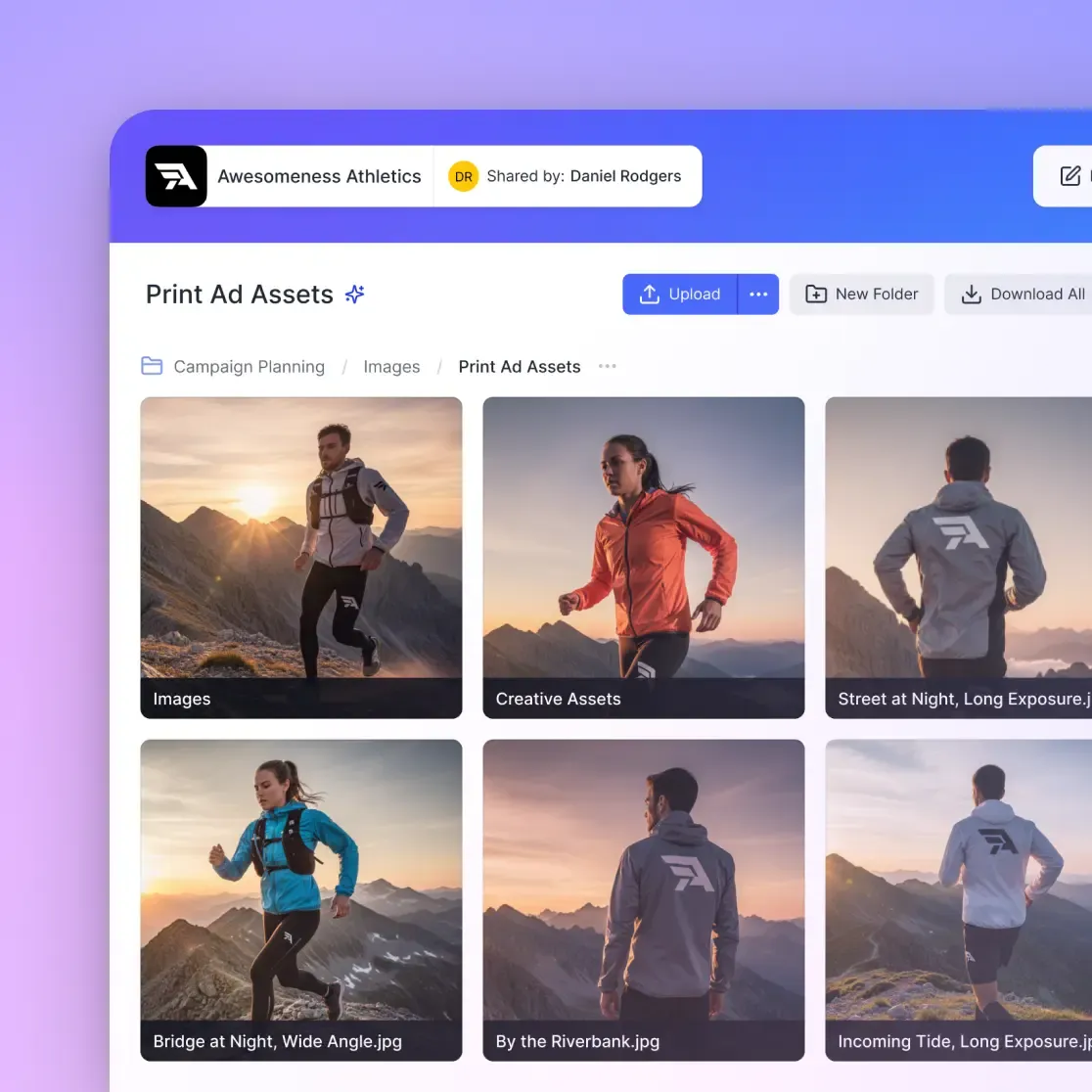
- Branded client portals with custom logo, colors, and domain
- Unlimited guest access (clients don't count against seat limits)
- HLS video streaming with instant playback, no buffering
- Frame-accurate video comments for precise feedback
- External shared folders that keep clients isolated from internal workspaces
- Large file uploads
Pricing: Plans from $9.99/mo (Starter, 3 seats) to $199.99/mo (Enterprise, 30 seats), with a 14-day trial. External guests are always free.
Why agencies choose it: Fastio solves the "wait for it to upload/download" problem. Clients can stream video directly in the browser without downloading 50GB files first. The branded portal makes your agency look professional, and unlimited guest access means you're not paying per-client.
2. Bonsai
Bonsai combines client portals with contracts, invoicing, and project management. It's a business operations platform that happens to include file sharing.
Best for: Freelancers and small agencies who want everything in one tool
Key features:
- Client portal with file sharing and messaging
- Contracts, proposals, and invoicing
- Time tracking and project management
- Integrated payment processing
Trade-offs: File handling is basic compared to dedicated platforms. Not ideal for large creative files or video review workflows.
3. SPP.co
SPP focuses on productized service agencies that sell packages rather than custom projects. The portal integrates tightly with service ordering and billing.
Best for: Agencies selling subscription or packaged services
Key features:
- Client ordering portal for service packages
- Automated onboarding workflows
- White-label options
- Billing and subscription management
Trade-offs: Optimized for service delivery, not creative file collaboration. Better for consultants than video production teams.
4. Kitchen.co
Kitchen organizes conversations, tasks, and files into client-specific spaces. It's lighter than full project management tools but more structured than basic file sharing.
Best for: Agencies that need simple client communication hubs
Key features:
- White-label client workspaces
- Task management and to-do lists
- File sharing with version history
- Integrated messaging
Trade-offs: Limited file size handling. No native video streaming or creative review tools.
5. ManyRequests
ManyRequests is built for subscription-based creative agencies, like design-on-demand services. Clients submit requests through the portal and track delivery.
Best for: Unlimited design subscription agencies
Key features:
- Request submission forms
- Client dashboard with request status
- Brand guidelines storage
- Kanban-style workflow management
Trade-offs: Designed around a specific business model. Less flexible for traditional project-based agencies.
6. SuiteDash
SuiteDash is a full business suite: CRM, project management, billing, and client portals all in one. Heavy on features, steeper learning curve.
Best for: Agencies wanting an all-in-one system
Key features:
- Fully white-labeled client portal
- CRM with pipeline management
- Project management and task boards
- Invoicing and payment processing
Trade-offs: Complex setup. File handling is adequate but not specialized for large media.
7. Moxo
Moxo focuses on workflow automation for complex, multi-party processes. It's built for agencies with multi-step approval chains involving several external stakeholders.
Best for: Agencies with complex approval workflows
Key features:
- Multi-party workflow orchestration
- Secure document exchange
- E-signatures and approvals
- Audit trails for compliance
Trade-offs: More enterprise-focused. Overkill for simple file delivery needs.
8. FuseBase
FuseBase splits client work into two connected halves: internal workspaces where your team runs projects, and branded external portals where clients only see what you publish to them. The separation is the core of the design rather than a permission setting added later.
Best for: Agencies that want client communication and internal delivery in one system without the two bleeding together
Key features:
- Separate internal workspaces and client-facing external portals under one organization
- White-labeled portals with custom branding, your own subdomain, and SMTP
- Granular client permissions set per portal
- Built-in video recording and transcription for meeting notes
- AI agents that answer questions from your content and automate routine agency work
- Forms, e-signatures, and live chat inside the portal
Trade-offs: Built around documents, notes, and client communication rather than large media. Not a substitute for a file-first portal if you deliver multi-gigabyte video or design assets.


Start with client portal software on Fastio
Fastio gives you cloud storage built for client portal software. Get streaming previews, AI-powered search, and guest sharing. Start a 14-day trial.
Comparing Portal Types: File-First, Project-First, and AI-Scoped Workspaces
When evaluating the best client portal software, buyers generally choose between two foundations: file-first workspaces built around document, media, and AI scoping, and project-first tools built around task boards, messaging, and billing.
File-First Portals
Platforms like Fastio start with shared workspaces and branded shares (Send, Receive, and Exchange) and add collaboration and document intelligence on top. They fit teams delivering creative media, legal or financial document sets, engineering drawings, or large project archives:
- In-browser previews and streaming: Clients preview PDFs, spreadsheets, presentations, PSD and AI design files, RAW camera photos, CAD drawings, audio waveforms, and adaptive HLS video streams in the browser without downloading original files first.
- Permissions set per organization, workspace, and share: Rather than relying on fragile folder-level or file-level permissions inside one shared drive, teams create one workspace per client or matter, or publish specific folders and files through a branded share where external guests access content by link without needing an account or consuming a seat.
- Version history, file locks, and metadata views: Every file keeps version history, advisory per-file locks coordinate concurrent writers (acquired, heartbeated, and released, with override available to anyone holding write permission), and Metadata Views extract structured fields such as contract dates, counterparties, or invoice totals from selected documents into a sortable grid.
- Ownership transfer and e-signature: An agent that builds an organization can hand it to a human with a claim link, and teams can send files for e-signature with the signed copy filed back into the workspace.
Project-First Portals
Platforms like Bonsai, Kitchen, and SuiteDash start with project tracking and client operations, then add file sharing. They work well when client communication and billing belong in the same tool:
- Messaging and file sharing: Keep client threads, status updates, and routine document handoffs in one place.
- Service ordering and billing: Combine intake forms, proposals, recurring subscriptions, and invoice payments in the same interface.
- Structured request queues: Suit productized service firms and consultancies whose deliverables are mostly documents, spreadsheets, or status reports rather than heavy media or large data rooms.
Connecting Existing Drives and AI Assistants
For IT leads and operations managers choosing a client portal, migrating files out of SharePoint, Google Drive, Box, or Dropbox is rarely an option, yet connecting Claude or ChatGPT straight to those drives exposes everything a user's broad permissions allow. A workspace-based client portal platform solves both problems. In Fastio, Cloud Sync brings selected folders from Google Drive, Dropbox, Box, and OneDrive (including SharePoint document libraries through OneDrive for Business) into a workspace on a schedule or on demand, one-way or two-way. One-way sync leaves the source drive unchanged. Teams can turn on workspace intelligence so built-in portal AI answers questions with citations to specific files and pages, or connect Claude, ChatGPT, and coding agents through a consolidated MCP toolset (https://mcp.fast.io/mcp/tools, https://mcp.fast.io/mcp/operations, or https://mcp.fast.io/mcp/code) scoped only to the workspaces they choose.

Setting Up Your Client Portal
A portal is only useful if clients actually use it. Here's how to set up for adoption.
Structure for Multiple Clients
Create a clear hierarchy that scales. Most agencies work best with:
/client-name/
  /active-projects/
    /q1-campaign/
    /website-redesign/
  /brand-assets/
  /completed/
Each client gets their own space. They never see other clients' files. Internal team members can access all client spaces, but external stakeholders only see what you share.
Permission Levels That Make Sense
Map permissions to real roles:
- View-only: For stakeholders who need to review but not download original files
- Download: For clients who need to grab final deliverables
- Upload: For clients sending you assets, feedback documents, or approvals
- Comment: For review and approval workflows
Don't over-complicate it. Most client relationships need two levels: reviewers (view + comment) and receivers (view + download).
Onboarding Clients to the Portal
Send a short welcome email with:
- Portal link and login instructions
- Quick overview of where to find files
- How to leave feedback (if applicable)
- Who to contact with questions
Keep it to three sentences. Clients don't want documentation. They want to find their files.
Common Client Portal Mistakes
Avoid these pitfalls that make portals more trouble than they're worth.
Over-Organizing
Deep folder nesting makes files hard to find. If clients need to click through five levels to reach their deliverables, they'll email you instead. Keep structures flat. Two to three levels maximum.
Ignoring Mobile
Clients check portals from their phones. They're in meetings, traveling, or reviewing quickly between calls. If your portal requires a desktop browser, you'll miss half your feedback.
No Notification Strategy
Clients won't check the portal daily. They need automated emails when:
- New files are uploaded
- Someone replies to their comment
- A deadline is approaching
Configure notifications during setup, not after clients complain they missed something.
Mixing Internal and External
Keep client-facing spaces separate from internal workspaces. The moment a client sees your internal notes or draft versions, trust erodes. Use external shared folders that only expose what clients should see. Platforms that treat internal and external as two distinct workspace types, such as Fastio's external shared folders or FuseBase's internal and external workspace split, make that boundary structural instead of something you have to remember to enforce.
Forgetting the Archive
Completed projects pile up. Without a clear archival system, active work gets buried under old deliverables. Move finished projects to an archive folder monthly. Some platforms let you set automatic archival rules.
Sources
References used to verify factual claims in this guide.
-
Video editors frequently export and send 50GB project files
-
Among the top client portal platforms are the 8 best options for agency workflows
-
Usage-based client portal pricing starts at standard rates for 25-user teams with large storage allowances
-
Clients can stream large 50GB video files directly in the browser without downloading
Frequently Asked Questions
What is a client portal, and how does client portal software work?
A client portal is a dedicated, branded web space where a business shares files, collects feedback, and exchanges documents with external clients. Client portal software works by isolating client-facing shares and portals from internal workspaces, applying role-based permissions, passwords, link expiration dates, and encryption in transit and at rest so clients can preview, upload, comment on, or sign files in the browser without reaching internal company drives.
How do I create a client portal?
Choose a platform that matches your needs (file-focused for creative work, project-focused for service delivery), then set up a workspace structure for each client. Configure branding with your logo and colors, set appropriate permissions, and invite clients with a short onboarding email explaining where to find their files.
What is the best client portal for agencies?
The best portal depends on your workflow. Fastio works well for creative agencies sharing large media files with features like video streaming and unlimited guest access. Bonsai suits freelancers who want contracts and invoicing in the same tool. SuiteDash fits agencies wanting an all-in-one business system.
How much does client portal software cost?
Pricing depends on whether a vendor bills per user, per client portal, or by organization tier. Many project-first platforms charge per internal seat and add fees for white-labeling or extra storage. Fastio includes internal member seats and storage with each organization subscription, meters AI work by credits, and lets external clients open branded shares and portals by link without consuming a seat. Monthly Fastio plans start with a 14-day trial (credit card required), while annual plans start paid; see fast.io/pricing for current plan details.
Do clients need accounts to use a portal?
It depends on the platform. Some require client accounts for access, while others support guest links with optional password protection. Fastio allows unlimited guest access where clients can view and download without creating accounts, which reduces friction for one-time deliveries.
Related Resources

Start with client portal software on Fastio
Fastio gives you cloud storage built for client portal software. Get streaming previews, AI-powered search, and guest sharing. Start a 14-day trial.