Clay Templates: How to Launch Ready-Made GTM Workflows
US searchers look up "clay templates" about 320 times per month, enough demand to justify a real operating playbook rather than another template gallery dump. Clay Templates are prebuilt GTM table workflows you can copy, feed with your data, and run without rebuilding enrichment columns from scratch. This guide covers how they differ from Claybooks, how to launch one end to end, when to save outputs outside Clay, and how teams review generated docs and creative files in a durable workspace.


Why Clay templates matter more than another blank table
US searchers look up "clay templates" about 320 times per month, according to DataForSEO US keyword metrics captured for this topic on 2026-07-17. That is not a vanity keyword. It is the query GTM engineers and rev ops leads use when they already know Clay can enrich and personalize, and they want a proven table structure instead of another blank canvas.
Clay Templates are prebuilt GTM table workflows you can copy, feed with your data, and run immediately without rebuilding enrichment columns from scratch. Clay University defines them as ready-to-use starting points for common workflows: copy a template, input your data, and run the table. Clay's public template library catalogs production plays ranging from pre-call research and personalized landing pages to screenshot automation and account research summaries.
That definition matters because most third-party posts only list templates. They rarely explain when the output should leave Clay, who reviews generated docs or creative files, or where the durable package lives after enrichment finishes. The template is the starting point. The handoff is the product.
Clay is the enrichment and orchestration layer. Google Drive, Notion, a local CSV folder, Amazon S3, or a CRM can hold intermediate artifacts. An org-owned workspace such as Fast.io is useful when multiple people and agents need the same versioned files, semantic search after indexing, and an audit trail of who changed what. Fast.io is not a built-in Clay feature. It sits beside Clay as storage, review, and agent access for the files templates produce.
What a template actually ships with
A useful mental model: a Clay template is a packaged table design, not a finished campaign. Expect column patterns for sources, enrichments, formulas or AI transforms, and often export or destination steps. Clay's own product writing frames templates as a way to automate, customize, and replicate full GTM workflows in hours rather than rebuilding prospecting stacks from data scraping through AI messaging.
You still own:
- Input quality (domains, emails, CRM lists)
- Credit spend (which enrichments run on which rows)
- Message and brand standards
- Where final assets and research packs land
Templates remove the blank-page tax. They do not remove judgment.

Related guides
- OpenClaw Automation Recipes: Ready-to-Use Workflow TemplatesUsers who configure two or more OpenClaw workflows in their first week retain at 78%, nearly double the 41% rate for...
- Best OpenClaw Alternatives for AI Agent Workflows in 2026OpenClaw's 353k GitHub stars make it the most popular AI agent framework, but security issues in ClawHub and a growing...
- The Clay Tool: A Comprehensive Guide to No-Code GTM WorkflowsWhile traditional B2B databases yield low match rates, the Clay tool sequences data waterfalls across multiple...
- How to Use Canva Background Remover in Clay GTM Workflows"Canva background remover" draws about 40,500 monthly US searches at keyword difficulty 17 and a CPC near $7, yet most...
- How to Use a Canva Brand Kit with Clay GTM WorkflowsAbout 85% of companies say they have brand guidelines, yet nearly two-thirds admit those rules are not enforced. A...
- How to Use DALL-E 3 Image Generation in Clay GTM WorkflowsThe query "dall-e 3 ai image generator" draws about 60,500 monthly US searches at a keyword difficulty of 53 and...
More on this subject: Clay and GTM Agents (82 guides)
Templates versus Claybooks in the Clay library
Clay University separates two related learning surfaces that people often conflate: Templates and Claybooks.
Templates
Templates are runnable starting points. You copy them into your workspace, map inputs, and execute the table. The official path is simple: explore templates at clay.com/templates, copy one, feed data, run.
The public clay.com/templates catalog is a production menu, not a toy gallery. Examples that show the breadth of GTM plays include:
- Automate pre-call research for AEs from name and email
- Auto-generate personalized landing pages for all prospects
- Automate screenshots of unlimited website pages
- Automate account research summaries to Google Docs
- Automate pre-meeting notes in Notion
- Draft an outbound email with 5 unique personas
- Build account lists and scores from technographic and firmographic data
- Enrich inbound leads and write personalized emails
Those plays span sales research, creative personalization, support QA, and CRM hygiene. The library is the clay template library people mean when they search clay.com templates.
Claybooks
Claybooks are interactive, step-by-step use-case guides. Clay University describes them as showcases of what is possible, each tied to a specific workflow such as automating QA for support tickets, so you can recreate the approach with guidance rather than only a prebuilt table. Explore them at clay.com/claybooks.
Use this split in practice:
- Open a Claybook when you need to understand the play, constraints, and sequence of decisions.
- Open a Template when you are ready to run columns on real rows today.
Many operators use both: Claybook for orientation, template for execution, then their own custom columns for ICP quirks.
What neither surface is
Neither Templates nor Claybooks are a CRM, a design tool, or a long-term document system of record. Templates can push summaries into Google Docs or Notion when the play includes those steps, but the durable review package for decks, PDFs, screenshots, and approved copy still needs a home the whole team can find next week. That is the gap this guide fills after the launch steps.
Launch a Clay template in five practical steps
Featured-snippet version of the job: find a template, copy the workbook, map inputs, run enrichments, export and hand off assets. Here is how that sequence works without inventing UI labels Clay does not document.
1. Find the right template
Start at the official Clay templates page and match the play to the outcome you need, not the coolest title. Decision filters that save credits:
- Trigger: pre-call, inbound form, job change, product launch list, ABM account set
- Output: research brief, email draft, landing page personalization, screenshot pack, CRM update
- Destination: stay in Clay, write to Google Docs/Notion, push to CRM or sequencer, export CSV
- Row volume: pilot 10 to 25 rows before full-table runs
If two templates look similar, prefer the one whose output matches the artifact your team already reviews (call brief vs outbound email vs landing page). Rewriting review habits is more expensive than swapping a column later.
2. Copy the workbook into your Clay workspace
Clay University's guidance is explicit: copy the template, then work from your copy. Treat the copy as a draft system. Rename it with campaign, quarter, and owner so the table does not become "Copy of pre-call research (3)" three months later.
Before you paste production data:
- Confirm required API keys and integrations for the enrichments the template expects
- Note which columns burn credits on every row
- Hide or freeze columns you will not use on the first run so the grid stays readable
3. Map inputs carefully
Templates assume clean inputs. Map your source fields to the template's expected columns instead of inventing parallel fields with similar names. Common input sets:
- Company domain or website URL
- Person name and work email
- CRM account ID or opportunity ID
- Segment or persona label
- Meeting time or call date for pre-call plays
For list imports, dedupe on domain or email first. Running waterfall enrichments on duplicate rows is how pilot budgets die.
If the template expects Google Docs, Notion, HubSpot, or another destination, authenticate those connections before the full run. Test destination writes on a single row so permission errors show up early.
4. Run enrichments in controlled stages
Do not enable every column on 5,000 rows at once. A safer pattern:
- Run identity and firmographic enrichments on the pilot set.
- Spot-check coverage and obvious hallucinations or empty results.
- Run AI research or message generation only on rows that pass fit filters.
- Write to destinations only after a human or agent QA column flags the row as ready.
Conditional runs keep credit spend proportional to qualified demand. Template authors often include more enrichment than you need for the first campaign. Turn off optional columns until you measure lift.
5. Export and hand off assets
Structured results may stay in Clay, sync to CRM, land in Google Docs or Notion, or leave as CSV. Document packages rarely stop there. Pre-call briefs, screenshot sets, personalized page drafts, and outbound creative need a place where sales, marketing, and ops can review the same files.
Practical handoff checklist:
- Export or link the row-level results the AE or SDR needs
- Attach or store the generated documents and screenshots with a consistent naming scheme
- Record the final package URL back on the Clay row when possible
- Mark who approved the package and for which meeting or campaign wave
Clay does the enrichment job. The handoff decides whether the template becomes pipeline motion or a clever table nobody opens.


Keep Clay template packages in one reviewable workspace
Store research briefs, screenshots, and approved creative next to the enrichment context that produced them. Use Fast.io workspaces, version history, and MCP access so humans and agents review the same files. Monthly plans start with a trial of up to 14 days (credit card required); annual plans have no trial.
How to customize a Clay template without breaking the play
Customization is where templates either compound or collapse. Clay presents templates as customizable and free to start from, but the durable practice is surgical change: keep the spine of the workflow, adapt the inputs and scoring to your ICP.
Customize in this order
- Inputs and filters first. Swap sample domains for your list. Add an ICP filter column (employee band, industry, tech install, geography) before expensive research columns.
- Provider waterfalls second. Reorder or replace data providers only when coverage on your segment is weak. Keep single-row tests on when changing waterfalls.
- AI prompts third. Edit research and email prompts with your voice, disallowed claims, and product facts. Leave structure (sections, length limits) intact so reviewers can scan output consistently.
- Destinations last. Change Google Docs to Notion, or CRM field maps, only after the table produces trustworthy text and scores.
Safe customization patterns
Add a qa_status column with values like draft, needs_edit, approved
- Add
segmentandoffer_anglecolumns so personalization stays auditable - Keep raw enrichment JSON hidden in a separate view and surface flat fields for export
- Version your prompt text in a notes cell or external doc so you can roll back bad edits
Risky customization patterns
- Renaming core identity columns without updating every dependent formula
- Running full-table AI copy generation before fit filters exist
- Deleting intermediate columns that later destination steps still reference
- Mixing two campaigns in one table without a campaign_id column
When to fork instead of edit
If two teams need the same base play with different scoring, fork the template into two tables rather than overloading one with competing conditionals. Shared logic can live in Clay Functions or ops-owned building blocks when your workspace uses those patterns. The principle is the same: one table, one primary play, clear ownership.
Templates accelerate setup. Your customization discipline decides whether the table stays maintainable after the first campaign week.

When template outputs should leave Clay, and how teams review them
This is the content gap most third-party posts skip. They stop at "copy the template." Production teams care about the artifacts templates produce: research docs, screenshots, landing page drafts, email packs, and creative files that other tools and people must review.
When to keep work inside Clay
Stay in Clay when the output is primarily tabular and the next system can pull fields directly:
- Verified emails and firmographics written to HubSpot or Salesforce
- Scores and segments used only inside sequencing tools
- Lightweight personalization snippets that never become standalone files
When to save outputs outside Clay
Move files out of Clay when humans need to read, edit, approve, or re-use packages:
- Pre-call research summaries for AEs
- Account briefs shared with solutions engineers
- Screenshot sets for competitive or personalization plays
- Personalized landing page copy or creative concepts
- Help article drafts or support QA notes that become knowledge base content
Clay templates already show that pattern. The library includes plays that send account research to Google Docs, pre-meeting notes to Notion, screenshots of site pages, and auto-generated personalized landing pages. Those destinations prove the product intent: templates generate working materials, not only rows.
Review workflow that scales past one operator
A workable review loop looks like this:
- Template produces draft assets or links.
- Assets land in a shared location (Drive, Dropbox, S3, or an intelligent workspace).
- A reviewer checks claims, brand, and ICP fit against the Clay row fields.
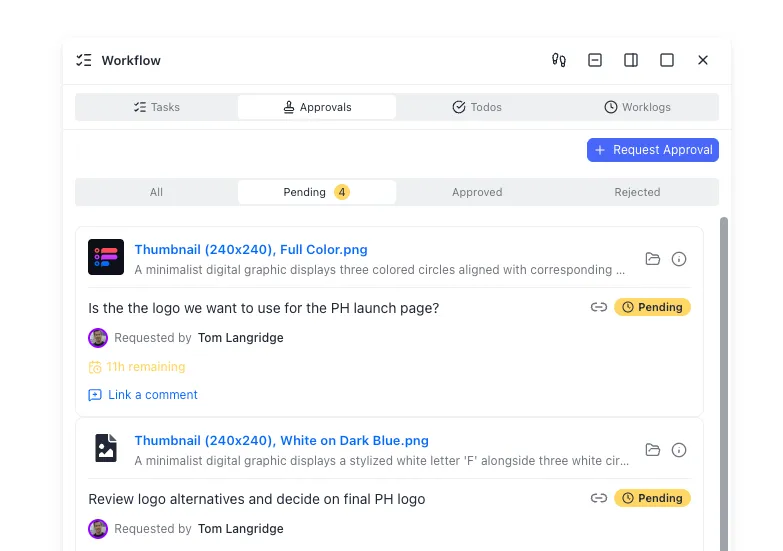
- Approval status is written back to Clay or recorded beside the file.
- Only approved packages are linked into CRM notes, sequences, or meeting agendas.
For storage, local folders and personal Drive dumps work for a single AE. They fail when marketing, sales, and an agent all need the same approved brief. Amazon S3 or generic object storage can hold binaries without collaboration. Fast.io workspaces add org-owned structure, per-file version history, granular permissions, branded shares for external handoff, and Intelligence Mode so indexed files are searchable by meaning with citation-backed chat. Agents can use Fast.io's consolidated MCP tools over Streamable HTTP at /mcp (legacy SSE at /sse) while humans use the UI on the same files. See the MCP skill docs for current tool-surface detail.
Reviewing generated docs and creative files specifically
Treat generated documents like code that ships to customers:
- Claims check: every company-specific fact should map to a Clay enrichment field or source URL
- Brand check: tone, product names, and disallowed phrases
- Audience check: persona and seniority match the meeting or campaign
- Completeness check: missing screenshot, broken landing page link, empty section
- Version check: reviewers open the current file, not last week's export
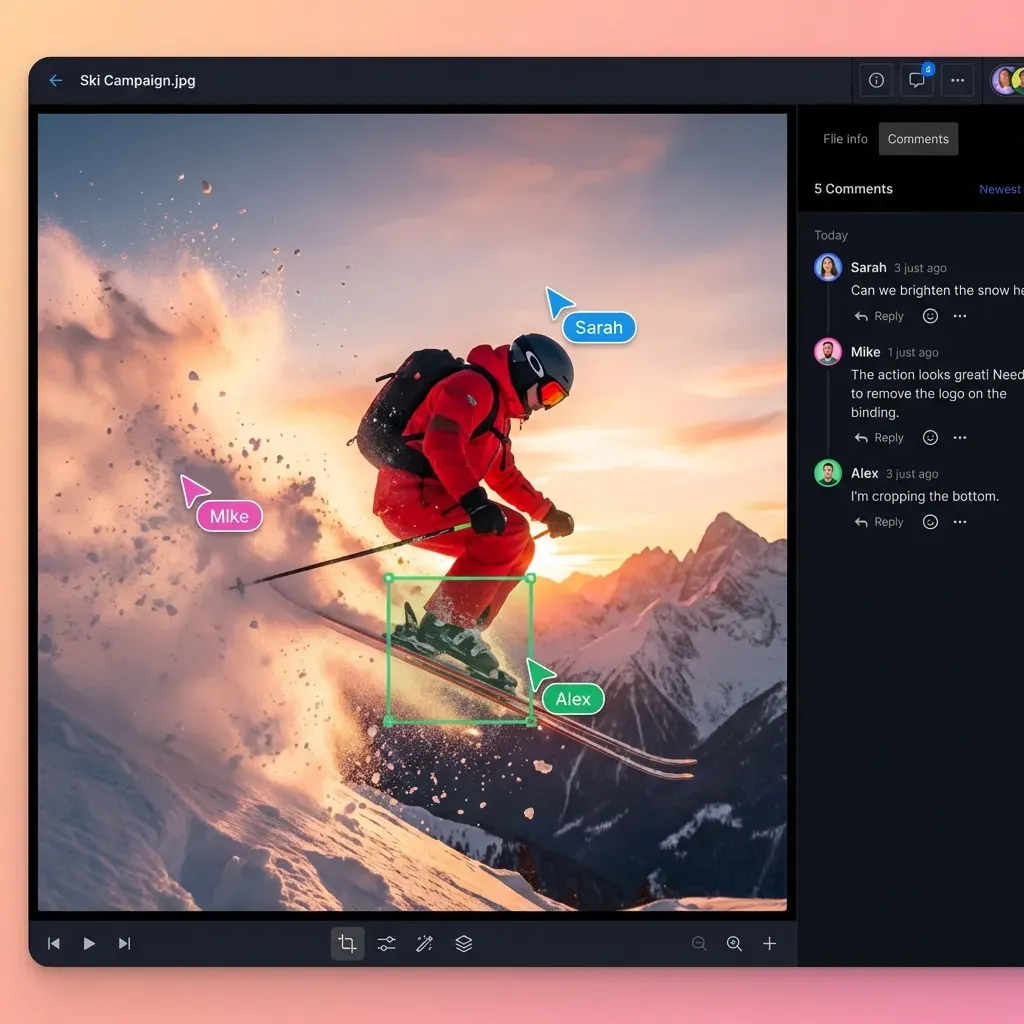
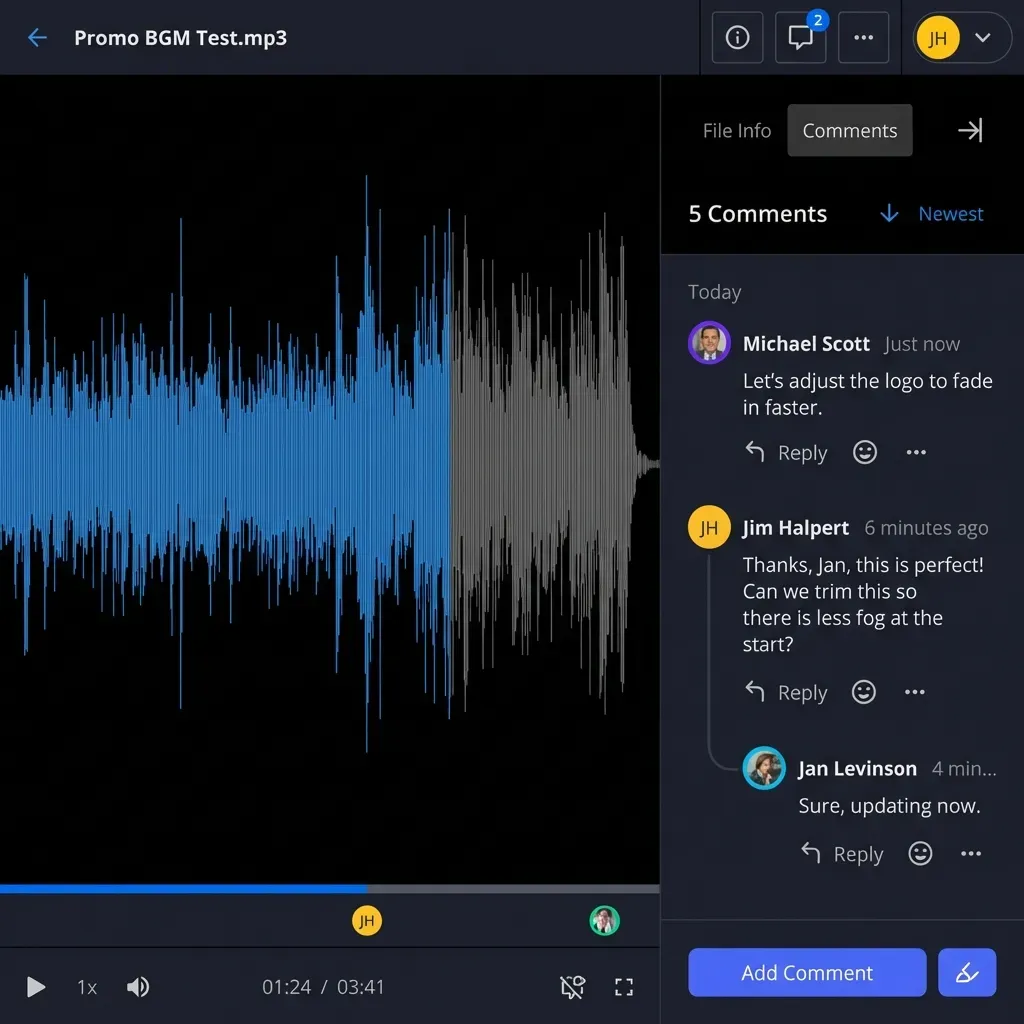
For creative or landing page assets, route candidates through a formal approval step. In Fast.io, comments can sit on the document itself, anchored to a page or region, so feedback is not trapped in chat threads. A detailed activity log records who changed what.
Agent-assisted packages without inventing Clay integrations
Fast.io is not a native Clay integration. The recommended pattern is file-based:
- Clay (or a connected Doc destination) produces the draft package.
- Files are uploaded or imported into a Fast.io workspace (including cloud import from Drive, Dropbox, OneDrive, or Box when you already landed there).
- Intelligence Mode indexes the package for semantic search.
- Optional Metadata Views extract structured fields from PDFs or decks into a queryable grid when you need sortable attributes across many briefs.
- An agent with MCP access can summarize, flag missing sections, or leave comments for humans.
- Ownership transfer lets an agent scaffold the workspace, then hand the org to a human operator who runs the 14-day free trial and billing.
Plans start at Starter $9.99/mo, Business $49.99/mo, and Enterprise $199.99/mo. Creating an account is free; real workspace work requires an organization on a paid subscription with a credit-card trial.
Naming and folder conventions that prevent chaos
Use boring, strict names:
2026-Q3 / outbound / acme-corp /
  clay-row-export.csv
  pre-call-brief-v3.pdf
  screenshots/
  approval-notes.md
Put campaign ID and account domain in the path. When someone asks "where is the Acme package for Thursday's call?", the answer should be a path, not a scavenger hunt.
A practical operating model for template-driven GTM teams
Templates only compound when the team treats them as products with owners, SLAs, and retirement rules.
Ownership
Template owner (GTM eng or rev ops): schema, credits, integrations, fork policy
- Play owner (sales or marketing lead): messaging, ICP filters, success metrics
- Review owner: who can mark research or creative packages approved
- Storage owner: where final packages live and how long they are retained
Without those roles, every rep forks a private table and the library becomes folklore.
Cadence
- Weekly: review failed enrichments, credit burn, and QA rejection reasons
- Per campaign: freeze prompt and scoring changes after pilot approval
- Quarterly: retire templates nobody ran, promote winners into the internal library
Metrics that match the job
Track outcomes the template can influence:
- Time from list ready to first approved package
- Credit cost per approved meeting brief or outbound-ready account
- QA rejection rate on generated docs
- Percentage of approved packages found in the shared workspace (not personal drives)
Do not score templates on "columns built." Score them on usable handoffs.
Where Fast.io fits in the stack (honest framing)
Clay remains the enrichment and GTM workflow engine. Sequencers and CRMs remain execution systems. Fast.io is one option for the coordination layer around files: shared workspaces, version history, sharing, Intelligence Mode, and MCP access for agents. Competitors such as Google Drive or Dropbox can store files; Fast.io's differentiator for agentic GTM teams is that humans and agents share the same intelligent workspace rather than treating storage as a dumb dump after Clay finishes.
If you only need a single CSV for a one-off campaign, a Drive folder is enough. If you run recurring template plays with multi-person review and agent assistance, invest in a durable workspace early. The template library gets you speed. The handoff system keeps the speed from becoming mess.
Quick start checklist
- Pick one official template that matches a real play this week (pre-call research is a strong first choice).
- Copy it, map 15 pilot rows, run enrichments in stages.
- Customize filters and prompts only after pilot quality looks acceptable.
- Decide the external home for generated docs and screenshots before full-table runs.
- Write approval status and final package links back onto the Clay rows.
- Review credit burn and QA failures, then scale rows.
That loop is the real meaning of "launch ready-made GTM workflows" with Clay templates. Copying the table is step one. Shipping an approved package is the finish line.
Sources
References used to verify factual claims in this guide.
-
US monthly search volume for "clay templates" is about 320 (DataForSEO US metrics snapshot for this topic).
-
Clay University defines Templates as ready-to-use workflow starting points you can copy, input data into, and run, and defines Claybooks as interactive step-by-step use-case guides.
-
clay.com/templates catalogs production GTM plays including pre-call research, personalized landing pages, screenshot automation, and account research summaries to Google Docs.
-
Clay Templates are positioned to automate, customize, and replicate full GTM workflows in hours rather than rebuilding from scratch.
Frequently Asked Questions
What are Clay templates?
Clay Templates are prebuilt GTM table workflows you can copy into your Clay workspace, feed with your own data, and run without rebuilding enrichment columns from scratch. Clay University describes them as ready-to-use starting points for common workflows, and clay.com/templates lists production plays such as pre-call research, personalized landing pages, and screenshot automation.
How do Claybooks differ from templates?
Claybooks are interactive, step-by-step use-case guides that show how a workflow works so you can recreate it with guidance. Templates are runnable table starting points you copy and execute. Use a Claybook to learn the play; use a template when you are ready to run columns on live rows.
How do I customize a Clay template?
Customize in a safe order. First map inputs and ICP filters, then adjust provider waterfalls if coverage is weak, then edit AI prompts for voice and claims, and only then change destinations such as Docs, Notion, or CRM field maps. Prefer forking into a new table when two teams need conflicting scoring rather than overloading one table with competing logic.
When should I save Clay template outputs outside Clay?
Keep results in Clay when the next system only needs fields (CRM writes, sequencer columns, scores). Save outputs outside Clay when humans must review standalone packages such as pre-call briefs, screenshot sets, landing page drafts, or creative files. Store those packages in a shared location with versioning and clear approval status, then link the final package back to the Clay row when you can.
How should teams review generated docs or creative files from templates?
Use a fixed QA checklist covering claims, brand, audience fit, completeness, and version. Route candidates through a named reviewer, record approved versus needs-edit status, and only promote approved packages into meetings or campaigns. Shared workspaces with comments, version history, and audit logs work better than personal folders once more than one person depends on the package.
Are Clay templates free to use?
Clay markets templates as free to start from and fully customizable in the sense that you can copy them and adapt the workflow. Running enrichments still consumes Clay credits or actions according to your Clay plan and which columns you execute. Budget pilot runs before scaling full tables.
Does Fast.io integrate natively with Clay templates?
Fast.io is not a built-in Clay feature and you should not assume a native template integration. The practical pattern is file-based handoff. Clay produces enriched rows and generated assets, then those files live in a Fast.io workspace for versioning, search, permissions, human review, and agent access through MCP.
Related Resources

Keep Clay template packages in one reviewable workspace
Store research briefs, screenshots, and approved creative next to the enrichment context that produced them. Use Fast.io workspaces, version history, and MCP access so humans and agents review the same files. Monthly plans start with a trial of up to 14 days (credit card required); annual plans have no trial.