10 Best AI Automation Platforms for Business in 2026
AI automation platforms combine artificial intelligence with workflow automation, letting companies automate repetitive tasks, process documents, and orchestrate workflows without code. Businesses using AI automation report 30-40% productivity gains. This guide compares 10 leading platforms by use case with honest assessments of strengths and limitations.

What Makes an AI Automation Platform Different from RPA?
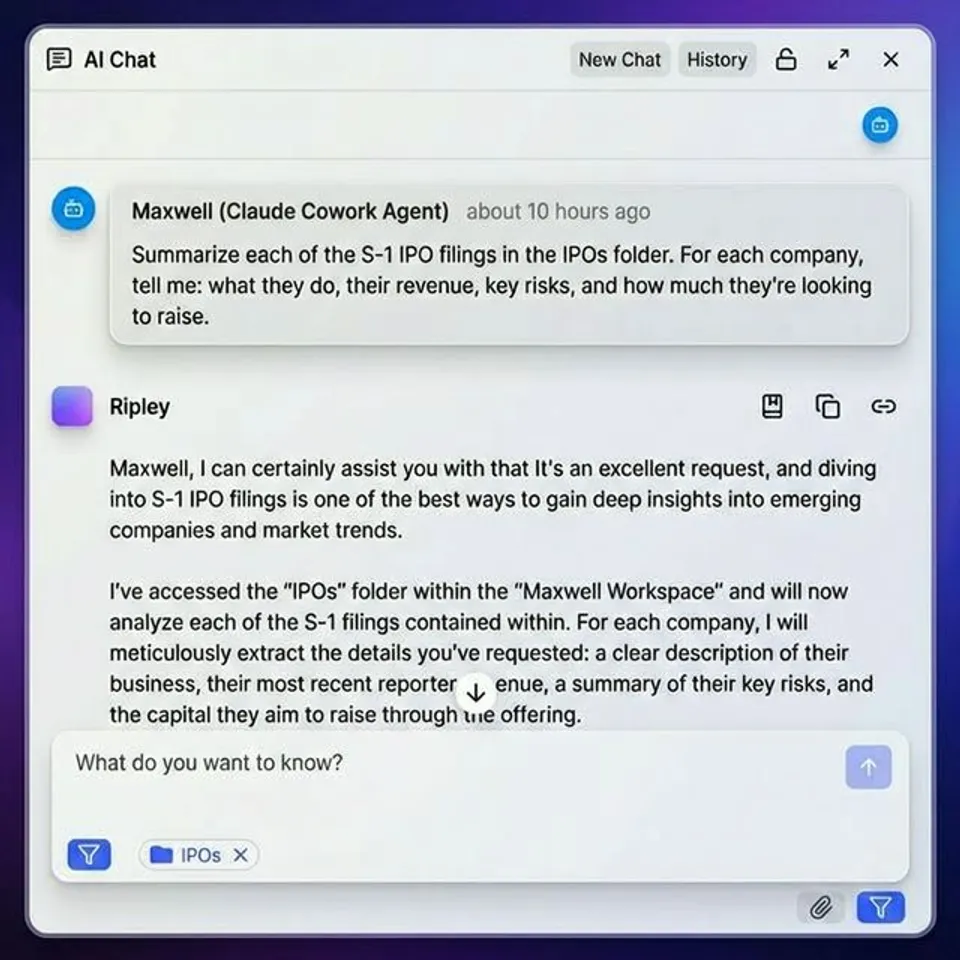
Traditional robotic process automation (RPA) follows rigid, rule-based scripts. If a button moves or a form field changes, the bot breaks. AI automation platforms are different because they understand context. They can read unstructured documents, make decisions based on content, and adapt to variations without reprogramming. The practical difference matters. An RPA bot can copy data from one spreadsheet to another. An AI automation platform can read an email attachment, extract the relevant data points, categorize the request, route it to the right team member, and draft a response. That's the gap these platforms fill. What separates AI automation from traditional RPA comes down to a few things:
- Natural language processing: The platform reads and understands text, emails, documents, and chat messages rather than just clicking through interfaces
- Decision-making: AI evaluates inputs and chooses actions based on patterns, not just predefined rules
- Unstructured data handling: AI processes PDFs, images, emails, and other content that doesn't fit neatly into database fields
Related guides
- 13 Best AI Tools for Business in 2026, Ranked by FunctionSixty-five percent of organizations now use generative AI in at least one business function, according to McKinsey's...
- 7 Best Streaming Data Platforms for AI Pipelines in 2026Streaming platforms let AI systems handle data feeds in real time, from sensor telemetry to user events. Market...
- Best AI Agents in 2026: 10 Platforms That Actually Ship WorkGartner predicts 33% of enterprise software will include agentic AI by 2028, up from under 1% in 2024. That pace leaves...
- 8 Best AI Agent Cost Optimization Tools in 2026AI agent costs add up fast once you move past prototyping. Tool calls, retries, multi-step reasoning, and storage...
- Global Work AI Review 2026: What Job Seekers Should Know Before PayingAI auto-apply tools promise to compress a four-month job search into six weeks, but not all platforms deliver equally....
- Top Prompt Management Tools for Developers in 2026Guide to prompt management tools developers: Managing prompts in production requires more than a spreadsheet. Explore...
More on this subject: AI Tool Directories and Comparisons (231 guides)
How We Evaluated These Platforms
We assessed each platform against five criteria that matter for real-world business adoption:
- AI capabilities: Does the platform use AI for decision-making, or is it just a workflow builder with an "AI" label? We looked for natural language understanding, document processing, and intelligent routing
- Ease of setup: How fast can a non-technical user build their first automation? We tracked time-to-first-workflow for each platform
- Integration depth: Number of app connectors matters less than quality. We checked whether integrations support two-way data sync, triggers, and actions
- Pricing transparency: Per-seat costs, usage limits, and hidden fees. Many platforms advertise low starting prices but charge extra for AI features
- File and document handling: Most listicles ignore this. How well does the platform handle file-heavy workflows, document processing, and content generation at scale? One gap we noticed across competitors: most "best AI automation" lists cover generic tools like Zapier and Make without distinguishing platforms that are AI-native from those that bolted AI onto existing workflow builders. This list separates the two.
Quick Comparison Table
Here's a summary of all 10 platforms organized by category. Pricing reflects published rates as of early 2026. No-Code Platforms
- Zapier - AI workflow automation with 7,000+ integrations - Free tier, $20/mo (Pro) - Best for connecting SaaS apps with basic AI
- Make - Visual automation builder with AI modules - Free tier, $9/mo (Core) - Best for complex multi-step workflows on a budget
- Lindy - AI agent builder for business tasks - Free tier, $50/mo (Pro) - Best for AI-native task delegation
Developer-Focused Platforms
- n8n - Open-source workflow automation with AI nodes - Free (self-hosted), $20/mo (Cloud) - Best for developers who want full control
- Gumloop - AI workflow builder with LLM integration - Free tier, $97/mo (Pro) - Best for LLM-powered document processing
- Fastio - Cloud storage built for AI agents with a consolidated MCP toolset - Starter from $9.99/mo (14-day Business Trial) - Best for AI agent file storage with built-in RAG
Enterprise Platforms
- UiPath - Enterprise AI + RPA platform - Custom pricing (starts ~$420/mo) - Best for large-scale enterprise automation
- Microsoft Power Automate - AI automation inside the Microsoft ecosystem - Per-user plans (see vendor pricing) - Best for organizations already using Microsoft 365
- Workato - Enterprise iPaaS with AI orchestration - Custom pricing - Best for complex enterprise integrations
- Blue Prism - Enterprise intelligent automation - Custom pricing - Best for regulated industries with strict governance needs
No-Code AI Automation Platforms
Zapier
Zapier connects over 7,000 apps and lets you build automations, called Zaps, using a simple trigger-action model. In 2026, Zapier added AI-powered features including natural language workflow creation, AI-driven data formatting, and Zapier Agents that can take multi-step actions across your connected apps.
Strengths:
- Largest app integration library of any automation platform
- Natural language prompt to build workflows ("When I get a new lead in HubSpot, add them to my Google Sheet and send a Slack notification")
- Zapier Agents can handle multi-step tasks autonomously across your tech stack
Limitations:
- AI features are add-ons to a workflow builder, not core architecture
- Per-task pricing can get expensive at scale (Trial limits to 100 tasks/month)
- Complex workflows with conditional logic can feel cramped in the interface
Best for: Small to mid-size teams that need to connect existing SaaS apps with light AI features.
Pricing: Free (100 tasks/mo), Professional $20/mo (750 tasks), Team $69/mo.
Make (formerly Integromat)
Make is a visual automation builder where you design workflows as flowcharts. Each node represents an app or action, and you can branch, loop, and add conditional logic visually. Make added AI modules in 2025 that connect to OpenAI, Anthropic, and other LLM providers directly inside workflows.
Strengths:
- Visual flowchart interface makes complex workflows easy to understand and debug
- More affordable than Zapier for high-volume automations
- Good data transformation tools for reformatting and processing information between steps
Limitations:
- Steeper learning curve than Zapier for beginners
- AI modules require you to configure LLM connections yourself (no built-in AI)
- Smaller integration library (about 1,500 apps vs. Zapier's 7,000+)
Best for: Teams building complex, multi-branch automations who want visual workflow design at a lower price than Zapier.
Pricing: Free (1,000 ops/mo), Core $9/mo (10,000 ops), Pro $16/mo.
Lindy
Lindy is an AI-native automation platform built around AI agents. Instead of traditional trigger-action workflows, you create "Lindies," AI agents that handle specific business tasks like managing emails, qualifying leads, updating CRMs, and scheduling meetings.
Strengths:
- AI-native design: agents understand context and make decisions, not just follow rules
- Handles multi-step tasks that would require several Zaps in Zapier
- Good at email processing, lead qualification, and CRM updates
Limitations:
- Smaller integration library than Zapier or Make
- Agent behavior can be unpredictable for edge cases
- Pro tier jumps to $50/mo, which is steep for small teams
Best for: Teams that want to delegate entire task categories to AI agents rather than building step-by-step workflows.
Pricing: Free tier available, Pro $50/mo, Business $100/mo.


Automate Your Workflows with Fastio
Fastio gives teams shared workspaces, MCP tools, and searchable file context to run business workflows with reliable agent and human handoffs.
Developer-Focused AI Automation Platforms
n8n
n8n is an open-source workflow automation tool you can self-host or run in the cloud. It gives developers full control over their automations with a node-based visual editor, custom JavaScript/Python nodes, and built-in AI nodes that connect to LLM providers.
Strengths:
- Self-hosting option means full data control and no vendor lock-in
- Custom code nodes let you extend any workflow with JavaScript or Python
- Active open-source community building shared workflow templates
Limitations:
- Self-hosting requires DevOps knowledge to maintain
- UI is less polished than commercial alternatives
- Cloud pricing can scale up quickly with execution volume
Best for: Developers and technical teams who want open-source flexibility with AI built in.
Pricing: Free (self-hosted), Starter $20/mo (Cloud), Pro $50/mo.
Gumloop
Gumloop is a visual AI workflow builder focused on LLM-powered automations. It stands out for document processing: you can build workflows that ingest PDFs, extract structured data, and route the results to other systems, all with drag-and-drop nodes.
Strengths:
- Purpose-built for LLM-powered workflows, not retrofitted
- Solid document processing and data extraction
- Visual builder makes AI pipelines accessible to non-developers
Limitations:
- Smaller integration library than general-purpose tools
- Pro tier at $97/mo is expensive compared to alternatives
- Newer platform with a smaller community and fewer templates
Best for: Teams that need AI-powered document processing and data extraction workflows.
Pricing: Free tier, Pro $97/mo, Enterprise custom.
Fastio
Fastio is cloud storage designed for AI agents and human-agent collaboration. Unlike general automation platforms, it treats file management as a first-class concern with a consolidated MCP toolset, built-in RAG once Intelligence is enabled, and ownership transfer for agent-built workspaces.
Strengths:
- Consolidated MCP toolset via Streamable HTTP and SSE for file operations
- Built-in RAG: Intelligence Mode indexes files once enabled, no separate vector DB needed
- Business Trial: 14-day trial with full workspace capabilities before choosing a plan
- Ownership transfer: Agents build workspaces, transfer to humans, keep admin access
- File locks: Advisory per-file leases let agents coordinate writes, while version history preserves every revision
- URL Import: Pull files from Google Drive, OneDrive, Box, Dropbox without local I/O
Limitations:
- Focused on storage and file operations, not general workflow automation
- Not a replacement for task automation platforms like Zapier
- Best when paired with agent frameworks (LangChain, CrewAI, etc.)
Best for: Developers building AI agents that need persistent file storage, document processing, or human-agent collaboration.
Pricing: Starter from $9.99/mo (250 GB storage, 3 seats), Business from $49.99/mo (5 TB, 10 seats); 14-day Business Trial requires a credit card. See fast.io/pricing. Fastio solves a problem most automation platforms ignore: where do your AI agents store documents, outputs, and datasets? With a consolidated MCP toolset accessible via any LLM, agents can manage files using natural language without custom integrations. A 14-day Business Trial gives teams a full testing environment before scaling up.

Enterprise AI Automation Platforms
UiPath
UiPath started as an RPA company and has expanded into a full AI automation platform. It offers process mining (discovering what to automate), AI-powered document understanding, and a marketplace of pre-built automation templates. In 2026, UiPath added self-healing workflows that adapt automatically when application interfaces change.
Strengths:
- Most complete enterprise automation suite: process mining, RPA, AI, and testing in one platform
- Self-healing bots adapt to UI changes without manual intervention
- Reliable document understanding for invoice processing, contract analysis, and form extraction
Limitations:
- Expensive: enterprise licensing scales up with robot count
- Complex to deploy and maintain, typically requires a dedicated automation team
- Overkill for small businesses or simple workflow needs
Best for: Large enterprises that need end-to-end automation from process discovery through deployment and monitoring.
Pricing: Custom, starting around $420/mo per automation robot.
Microsoft Power Automate
Power Automate is Microsoft's automation platform, tightly integrated with the Microsoft 365 ecosystem. It includes AI Builder for document processing, GPT-powered actions for text generation, and Copilot for building flows from natural language descriptions.
Strengths:
- Native integration with SharePoint, Teams, Outlook, Dynamics 365, and the entire Microsoft stack
- AI Builder handles invoice processing, form extraction, and sentiment analysis out of the box
- Copilot can generate flows from plain English descriptions
Limitations:
- Locked into the Microsoft ecosystem. Connecting to non-Microsoft tools is possible but clunky
- Per-user licensing adds up for large teams on monthly plans
- The interface can feel overwhelming with options scattered across multiple portals
Best for: Organizations already invested in Microsoft 365 that want AI automation without leaving their existing ecosystem.
Pricing: Tiered monthly plans available for standard and premium with AI Builder (see vendor pricing).
Workato
Workato is an enterprise integration platform (iPaaS) that combines app integration with AI-powered automation. It's built for large organizations that need to connect hundreds of applications with governance features like role-based access control, audit logs, and approval workflows.
Strengths:
- Deep two-way integrations with enterprise applications (SAP, Oracle, Workday, ServiceNow)
- Tight governance: audit trails, role-based access, compliance features
- AI Copilot generates recipes from natural language descriptions
Limitations:
- Custom pricing means you can't easily estimate costs upfront
- Designed for enterprise teams with dedicated integration developers
- Steep learning curve compared to simpler tools
Best for: Large organizations with complex integration needs across enterprise applications.
Pricing: Custom (typically mid-five figures annually).
Blue Prism
Blue Prism focuses on intelligent automation for regulated industries like financial services, healthcare administration, and government. It emphasizes governance, audit trails, and compliance-ready automation with centralized management and monitoring.
Strengths:
- Built for regulated industries with strict governance requirements
- Centralized management console for monitoring all automations
- Detailed audit trail and change management features
Limitations:
- Less user-friendly than modern alternatives. Requires technical skills to build automations
- Slower innovation cycle compared to newer AI-native platforms
- On-premise deployment option adds infrastructure complexity
Best for: Regulated enterprises (finance, insurance, government) that need automation with built-in compliance and governance controls.
Pricing: Custom enterprise pricing.
Which Platform Should You Choose?
The right platform depends on three things: your team's technical skill level, the types of tasks you're automating, and whether you need file handling as part of your workflows.
If you're non-technical and want to start fast: Zapier is the safest bet. The integration library is the largest, and you can build your first automation in minutes. Make is a strong alternative if you need more complex logic at a lower price.
If you want AI agents, not just workflows: Lindy is the best choice. It thinks in terms of AI agents that handle task categories, not step-by-step automations. The tradeoff is fewer integrations and less predictability.
If you're a developer building AI systems: n8n gives you full control with self-hosting. Pair it with Fastio for AI agent file storage when your automations need persistent file management, document processing, or human handoff.
If you're an enterprise with complex needs: UiPath is the most complete platform for large-scale automation. Power Automate makes sense if you're already a Microsoft shop. Workato wins for complex application integration.
If you process lots of documents and files: This is where most platforms fall short. General automation tools handle text and data well, but struggle with file-heavy workflows. Gumloop handles document extraction, and Fastio provides the storage and collaboration layer that AI agents need for file-centric work. One pattern we see across successful implementations: businesses rarely use just one platform. A common setup is Zapier or Make for app-to-app workflows, a specialized tool for document processing, and a file platform like Fastio for secure file sharing and agent collaboration.
Sources
References used to verify factual claims in this guide.
-
Businesses using AI automation report 30-40% productivity gains across operations
-
This guide compares 10 leading platforms organized by use case with honest assessments Summary of all 10 platforms organized by category with pricing from early 2026 Enterprise tools typically start in the hundreds per month for pricing
-
Zapier connects over 7,000 apps and lets you build automations using a trigger-action model Zapier starts free with 100 tasks per month with paid plans from $20/mo Trial limits to 100 tasks per month on Zapier Zapier pricing: Free (100 tasks/mo), Professional $20/mo (750 tasks), Team $69/mo
-
In 2026 Zapier added AI-powered features including natural language workflow creation and Zapier Agents
-
Make added AI modules in 2025 that connect to OpenAI Anthropic and other LLM providers inside workflows Smaller integration library about 1,500 apps compared to Zapier 7,000 integrations
-
Make pricing Free 1,000 ops per month Core $9/mo with 10,000 ops Pro $16/mo Make starts free with paid plans from $9/mo for workflow automation
-
Lindy pricing Free tier available Pro $50/mo Business $100/mo Lindy offers a free tier with Pro plan at $50/mo for AI agents
-
n8n pricing Free self-hosted Starter $20/mo Cloud Pro $50/mo
-
Gumloop pricing Free tier Pro $97/mo Enterprise custom pricing
-
Fastio treats file management as first-class concern with a consolidated MCP toolset built-in RAG and ownership transfer With a consolidated MCP toolset accessible via any LLM agents can manage files using natural language
-
Fastio offers a 14-day Business Trial and plans starting at $9.99/mo with usage-based credits Fastio offers a 14-day Business Trial with usage-based credits Fastio Starter plan includes 250GB storage and 100,000 monthly credits
-
In 2026 UiPath added self-healing workflows that adapt automatically when application interfaces change
-
Power Automate is Microsoft automation platform tightly integrated with Microsoft 365 ecosystem Best for organizations already invested in Microsoft 365 that want AI automation
-
UiPath licensing starts around $420/mo per automation robot
-
mid-five figures annually for enterprise automation pricing
-
Microsoft Power Automate offers per-user monthly base plans
Frequently Asked Questions
What is the best AI automation tool for business?
It depends on your use case. Zapier is best for connecting SaaS applications with basic AI. Lindy is best for AI-native task delegation. n8n is best for developers who want open-source control. UiPath is best for enterprise-scale automation. For file-heavy workflows involving AI agents, Fastio provides the storage and collaboration layer that other automation tools lack.
How can AI automate business processes?
AI automates business processes by reading unstructured data (emails, documents, images), making classification decisions, routing tasks to the right people or systems, and generating responses. Common automated processes include invoice processing, lead qualification, customer support triage, document extraction, and report generation. Unlike rule-based automation, AI handles variations and edge cases without manual programming.
What is the difference between AI automation and RPA?
RPA (Robotic Process Automation) follows rigid, scripted rules to interact with software interfaces. It clicks buttons, copies data, and fills forms exactly as programmed. AI automation understands context and content. It reads documents, interprets meaning, makes decisions, and adapts to variations. RPA breaks when a screen layout changes. AI automation handles the change because it understands what it's looking at, not just where to click.
Which AI automation platform is easiest to use?
Zapier is the easiest to use for most people. It offers a simple trigger-action model, natural language workflow creation, and the largest library of pre-built app integrations. Make is a close second with its visual flowchart builder. For AI-native automation without building workflows at all, Lindy lets you describe what you want done and assigns it to an AI agent.
How much do AI automation platforms cost?
AI automation platforms range from free to enterprise custom pricing. Zapier starts free (100 tasks/mo) with paid plans from $20/mo. Make starts free with paid plans from $9/mo. n8n is free to self-host. Lindy offers a free tier with Pro at $50/mo. Fastio offers a 14-day Business Trial with paid plans from $9.99/mo. Enterprise tools like UiPath, Workato, and Blue Prism use custom pricing that typically starts in the hundreds per month.
Related Resources

Automate Your Workflows with Fastio
Fastio gives teams shared workspaces, MCP tools, and searchable file context to run business workflows with reliable agent and human handoffs.