Best WeVideo Alternatives for Video Editing and Collaboration
A WeVideo alternative is a cloud-based video editing or collaboration platform that offers different features, pricing, or export options than WeVideo. While WeVideo works well for educators and beginners with its browser-based editor, professionals often need better export quality, more collaboration features, or different pricing models. This guide compares seven alternatives based on editing capabilities, team collaboration, and value for different use cases.

Why Look for a WeVideo Alternative?
WeVideo has built a user base of over 30 million people, primarily in education and consumer markets. But several limitations push professionals and growing teams to explore alternatives:
Export quality caps: WeVideo's Trial limits exports to 480p. Even the Business plan caps at 4K, and rendering speeds can be slow. Professional editors working on broadcast or cinema projects often need higher bitrates, ProRes output, or faster turnaround.
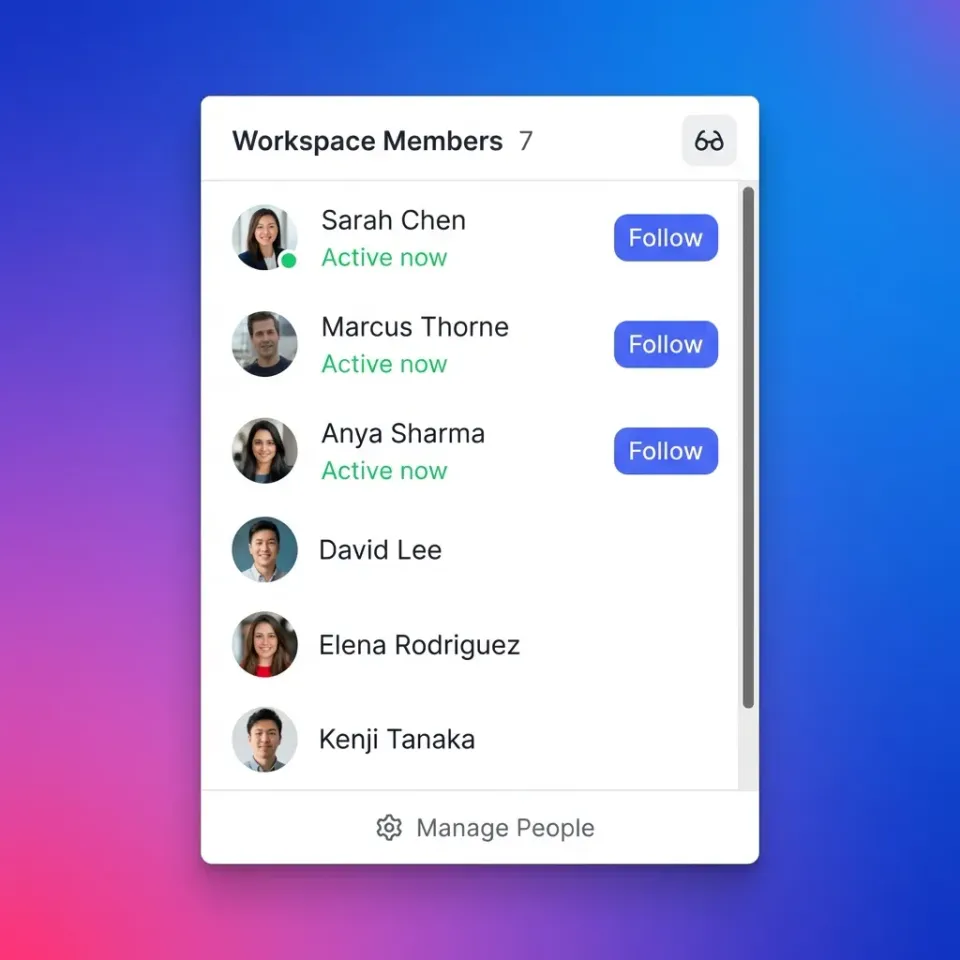
Collaboration gaps: WeVideo offers basic sharing, but lacks the real-time collaboration features that distributed teams need. You can share a project, but you can't see who's viewing it, leave frame-accurate feedback, or collect client feedback in one place.
Per-seat pricing adds up: At $9.99/month per user (Education plan) or higher for business tiers, costs grow with your team. A 20-person video department pays $200+ monthly before hitting storage or feature limits.
Slow performance: Users frequently report sluggish timeline scrubbing and long export times, especially on larger projects. Browser-based editing has inherent limitations compared to native applications. The right alternative depends on whether you need better editing power, stronger collaboration, or more flexible pricing.
Helpful references: Fastio Workspaces, Fastio Collaboration, and Fastio AI.
Related guides
- Wiredrive Alternatives: Best Options for Video Production TeamsA Wiredrive alternative is a media sharing platform that provides video review, client presentation, and asset...
- 7 Best Vimeo Alternatives for Professional Video Hosting (2026)Creative teams are looking for Vimeo alternatives as pricing models shift and upload limits restrict high-volume...
- 7 Best Vidyard Alternatives for Business Video in 2026Vidyard is a video hosting platform focused on sales enablement and personalized video outreach. Teams looking for...
- How to Organize Video Files for Faster Editing and Easier CollaborationVideo file organization is a systematic approach to naming, foldering, and tagging video assets so they can be quickly...
- Best Loom Alternatives for Video Messaging and File SharingLoom changed how teams communicate with async video, but it has limitations around video quality, file storage, and...
- Best Canto Alternatives for Teams That Need Simpler DAMA Canto alternative is digital asset management software that organizes, stores, and shares brand assets without...
More on this subject: Team Collaboration (125 guides)
What to Consider When Switching
Not every WeVideo alternative solves the same problems. Before switching, identify what matters most:
If you need better editing:
- What export formats and resolutions do you require?
- Do you need advanced color grading, audio mixing, or effects?
- Is browser-based editing essential, or can you use desktop software?
If you need better collaboration:
- How many people review each video?
- Do clients need to leave feedback without creating accounts?
- Do you need time-coded comments on specific frames?
If you need better pricing:
- How many team members will use the platform?
- How much storage do you need for raw footage and exports?
- Is per-seat or usage-based pricing more predictable for your budget? The alternatives below span desktop editors, browser-based tools, and collaboration platforms. Some replace WeVideo's editing, others add the collaboration layer WeVideo lacks.

Top 7 WeVideo Alternatives
1. DaVinci Resolve
Best for: Professionals who need Hollywood-grade editing for free
DaVinci Resolve is the most capable free video editor available. It's what film colorists use on major productions. The free version includes features that WeVideo charges for: 4K editing, advanced color correction, audio mixing with Fairlight, and visual effects with Fusion. Key strengths:
- Full 4K editing and export at no cost
- Professional color grading tools (the same used on Hollywood films)
- Multi-user collaboration in the Studio version ($295 one-time)
- No watermarks, no export limits
The tradeoff: DaVinci Resolve runs on your computer, not in a browser. It has a steeper learning curve than WeVideo. But for anyone serious about video quality, it's hard to justify WeVideo's subscription when Resolve is free.
2. Clipchamp
Best for: Microsoft users who want browser editing included with their subscription
Microsoft acquired Clipchamp and bundled it into Microsoft 365. If your organization already pays for Office, you have access to a browser-based editor without additional cost. Key strengths:
- Included with Microsoft 365 subscriptions
- Familiar browser-based workflow similar to WeVideo
- Stock media library included
- Easy integration with OneDrive
The tradeoff: Export quality varies by plan, and 4K export requires premium tiers. Less flexible than standalone tools, but the price (free with M365) is compelling.
3. Kapwing
Best for: Marketing teams creating social content quickly
Kapwing focuses on speed. It's designed for creating social videos, memes, and short-form content rather than long-form production. The interface prioritizes quick turnaround over advanced editing. Key strengths:
- AI-powered features (auto-captions, background removal)
- Templates designed for social platforms
- Team workspaces with commenting
- No software installation required
Pro plans are priced per user; see the vendor's pricing page. Best suited for marketing teams, not documentary editors.
4. Canva Video
Best for: Non-video people who need to make videos
Canva added video editing to its design platform. It's not powerful, but it's accessible. If your team already uses Canva for graphics, adding video keeps everything in one place. Key strengths:
- Drag-and-drop simplicity
- Huge template library
- Brand kit integration for consistent visuals
- Already included if you have Canva Pro
The tradeoff: Limited timeline control, basic transitions, no advanced editing. Works for social clips and presentations, not for professional productions.
5. Fastio
Best for: Teams that need video collaboration and sharing, not just editing
Fastio takes a different approach. Instead of replacing WeVideo's editor, it solves the collaboration problems WeVideo doesn't address: sharing large video files, collecting client feedback with frame-accurate comments, and delivering final exports through branded portals. Key strengths:
- HLS streaming for instant video playback (no buffering, no downloads)
- Frame-accurate comments pinned to specific timecode
- Branded client portals for professional delivery
- Plans with 3, 10 or 30 seats included
- Real-time presence (see who's viewing your videos)
A 25-person team fits the Enterprise plan at $199.99/mo, which includes 30 seats. Fastio doesn't edit video, but it handles everything after editing: review, feedback, and delivery. The tradeoff: You still need an editor. Fastio pairs well with DaVinci Resolve, Premiere, or any NLE.


Collaborate on Files with Your Team
Fastio handles video review and delivery where WeVideo stops. Frame-accurate feedback, instant streaming, and branded client portals.
More WeVideo Alternatives
6. iMovie
Best for: Mac and iOS users who want free, simple editing
Apple's free editor comes pre-installed on every Mac. It handles basic editing tasks without the learning curve of professional software. Key strengths:
- Completely free on Apple devices
- Clean, intuitive interface
- Good enough for simple projects
- Smooth handoff to Final Cut Pro if you outgrow it
The limitation: Mac/iOS only, and it lacks advanced features. But for simple cuts and exports, it works.
7. Shotcut
Best for: Budget-conscious users who want desktop editing without subscriptions
Shotcut is an open-source, cross-platform editor. It runs on Windows, Mac, and Linux. No account required, no subscription, no watermarks. Key strengths:
- Completely free and open-source
- Runs on any platform
- Supports a wide range of formats
- Regular updates from active community
The interface is less polished than commercial tools. Documentation is sparse. But it's capable and genuinely free.
Comparison: WeVideo vs Top Alternatives
Here's how the top options compare:
Editing-focused users should consider DaVinci Resolve (if you can handle the learning curve) or Clipchamp (if you're already in Microsoft 365).
Collaboration-focused teams should consider Fastio, which handles the review and delivery workflow that editing tools don't cover.
When WeVideo Still Makes Sense
WeVideo isn't wrong for everyone. It works well for:
- K-12 classrooms where simplicity matters more than features
- Individual creators making occasional videos who don't need advanced tools
- Quick social clips where speed matters more than quality
- Chromebook users who need browser-based editing without installing software
The 30 million user base exists because WeVideo solves a specific problem: browser-based editing that anyone can use. If that's what you need, WeVideo delivers. The users who benefit most from alternatives are:
- Professional teams who need 4K+ output and advanced editing
- Distributed teams who need real-time collaboration and client feedback
- Growing organizations where per-seat pricing becomes expensive
- Studios with large video archives that exceed WeVideo storage
Sources
References used to verify factual claims in this guide.
-
WeVideo has built a user base of over 30 million people primarily in education and consumer markets
-
Per-seat pricing adds up at $9.99/month per user Education plan or higher for business tiers WeVideo Business costs $36.99 per user per month for annual billing 20-person video department pays $200+ monthly before storage feature limits on per-seat pricing Business plan caps at 4K rendering speeds slow 25-person team runs $250+/month on per-seat platforms WeVideo Education plan $9.99 per user monthly
-
DaVinci Resolve free version includes 4K editing advanced color correction audio mixing Fairlight visual effects Fusion
-
Top 7 WeVideo Alternatives 1 DaVinci Resolve More WeVideo Alternatives 6 iMovie
-
Clipchamp export quality varies by plan and 4K export requires premium tiers
-
Microsoft acquired Clipchamp and bundled it into Microsoft 365
Frequently Asked Questions
What is better than WeVideo for professional editing?
DaVinci Resolve offers Hollywood-grade editing for free, including 4K export, professional color grading, and visual effects. For browser-based alternatives, Clipchamp (included with Microsoft 365) or Kapwing provide more features than WeVideo's free tier. Professional editors typically use desktop software like Resolve, Premiere Pro, or Final Cut Pro rather than browser tools.
Is WeVideo good for professional video editing?
WeVideo is designed for education and beginners, not professional production. It lacks advanced color grading, audio mixing, and effects tools that professionals need. Export quality is limited compared to desktop editors, and rendering can be slow. Professionals typically use DaVinci Resolve, Premiere Pro, or Final Cut Pro.
What is the best free alternative to WeVideo?
DaVinci Resolve is the best free WeVideo alternative for serious editing. It offers full 4K editing and export, professional color grading, audio mixing, and visual effects at no cost. For Mac users, iMovie comes pre-installed and handles basic editing. Shotcut is an open-source option for Windows, Mac, and Linux.
Why is WeVideo so slow?
WeVideo runs in a browser, which has inherent performance limitations compared to native desktop software. Your internet connection, browser resources, and project complexity all affect speed. Long projects with many clips or effects will render slowly. Desktop editors like DaVinci Resolve use your computer's GPU directly, providing faster performance.
How much does WeVideo cost for a team?
WeVideo Business costs $36.99 per user per month for annual billing, making a 10-person team significantly more expensive as headcount grows. The Education plan is $9.99 per user monthly. Fastio plans include seats instead, from the Starter plan at $9.99/mo (3 seats) to Enterprise at $199.99/mo (30 seats).
Related Resources

Collaborate on Files with Your Team
Fastio handles video review and delivery where WeVideo stops. Frame-accurate feedback, instant streaming, and branded client portals.