How to Configure Filesystem MCP in Smolagents for Document Storage
Connecting Hugging Face smolagents to document storage requires balancing programmatic tool execution with context limits. While local stdio filesystem servers work for single-folder scripts, enterprise storage requires remote search and managed permissions. This guide explains how to configure ToolCollection.from_mcp in smolagents, navigate cloud sync stubs, and connect CodeAgents to indexed cloud workspaces.


Why Filesystem Access Challenges Autonomous Agent Execution Loops
Passing raw directory trees and unparsed binary documents into an autonomous agent sandbox quickly exhausts model context windows and causes execution loops to stall. When Hugging Face smolagents executes a CodeAgent, the agent formulates actions by writing and executing raw Python code. Giving that agent local filesystem access via Model Context Protocol tools lets it inspect files programmatically, but reading raw PDFs, presentation decks, or spreadsheets directly into memory generates hundreds of thousands of tokens of unformatted text or binary characters. The agent burns through its context allowance parsing file structures rather than answering the user prompt.
Smolagents filesystem MCP connects Hugging Face smolagents to directory structures via Model Context Protocol tools, allowing CodeAgents to read, inspect, and write workspace documents directly from Python code execution loops. As autonomous agents take on analytical and document-heavy assignments, configuring the boundary between Python code execution and underlying file storage becomes a core engineering decision. Engineering teams must determine whether agents read local disk mounts directly or query remote indexed endpoints that extract relevant passages before context windows saturate.
CodeAgent Execution vs. JSON Tool Calling
In traditional tool-calling architectures, large language models interact with external tools by generating structured JSON objects. A model running in a standard tool loop evaluates user instructions, produces a JSON payload specifying a function name and arguments, and waits for the hosting orchestrator to parse the JSON, invoke the function, and feed the serialized result back into the prompt. When an agent needs to examine multiple files, this traditional JSON mechanism requires a separate round-trip back to the model for every single directory listing, file opening, and text slice.
Hugging Face smolagents alters this dynamic by establishing CodeAgent as its primary execution model. Instead of relying on JSON tool calls, a CodeAgent writes executable Python code blocks directly. Within its generated code, the agent can instantiate variables, run iterative loops, evaluate conditionals, and chain function calls inside a unified Python interpreter sandbox. For filesystem tasks, this approach provides substantial programmatic flexibility. Rather than making dozens of sequential tool calls to discover files, a CodeAgent can write a four-line script that iterates through a directory, applies regular expressions against file names, and parses structured lines.
However, this programming capability amplifies the consequences of unconstrained file reading. If a CodeAgent writes with open(filepath, 'rb') as f: content = f.read(), the execution sandbox ingests the raw binary stream. If the script prints that stream to standard output, the entire payload enters the model's message history on the next turn. Even a single uncompressed PDF or an extensive Excel workbook can instantly flood the context window, causing subsequent reasoning turns to fail or suffer from severe attention degradation.
The Enterprise Document Reality: Beyond Scratch Directories
Most introductory tutorials demonstrate filesystem MCP by pointing an agent at a local scratch folder containing two or three UTF-8 text files. In commercial development, however, team knowledge does not live in clean local directories. Real-world documents reside in cloud storage repositories such as Google Drive, Dropbox, Box, OneDrive, and SharePoint. These document libraries contain hundreds of megabytes of mixed formats: scanned contracts, slide decks, multi-tab financial models, architectural schematics, and nested folders.
Connecting an autonomous agent to enterprise document repositories introduces operational constraints that local file scripts ignore:
- Virtual filesystem drivers in desktop sync clients leave file stubs on disk, which stall programmatic readers when files have not been hydrated.
- Proprietary binary file formats require text extraction and chunking before text can be consumed by language models.
- Multi-user and multi-agent concurrency demands locking mechanisms and revision tracking to prevent race conditions.
- Security and access boundaries must isolate sensitive organizational files without requiring complex local file permission management.
Addressing these demands requires understanding how smolagents interfaces with local Model Context Protocol servers and where remote cloud workspaces provide a more durable architecture. Teams planning persistent agent architectures can explore Fastio storage for agents to see how intelligent workspaces handle programmatic agent access.
Related guides
- Smolagents MCP Guide: ToolCollection from MCP for Cloud StorageHugging Face smolagents can query enterprise cloud storage without overloading model context by integrating the Model...
- How to Connect AI Agents to Azure Blob Storage via MCPAn Azure Blob Storage MCP server exposes cloud containers and object storage to AI agents using standard Model Context...
- Cloud Storage MCP: Connecting AI Agents to Drive, Dropbox, and OneDriveAI agents require access to files stored across Google Drive, Dropbox, Box, and OneDrive, but local filesystem...
- How to Connect Gemini to Storage via MCP ServerConnecting Google Gemini to persistent storage through a Model Context Protocol server replaces clumsy context-window...
- MCP Server Cloud Storage Token Refresh: Handling OAuth Expiry for AI AgentsAutonomous AI agents connected to cloud storage via Model Context Protocol servers often fail after sixty minutes due...
- How to Connect Google Gemini to Box via MCPA Gemini Box MCP integration exposes Box enterprise folder hierarchies and file contents to Google Gemini agents...
More on this subject: MCP and Model Context Protocol (274 guides)
How to Configure Local Filesystem MCP in Smolagents
Hugging Face smolagents connects to Model Context Protocol (MCP) servers through its ToolCollection module. By invoking ToolCollection.from_mcp(), developers can dynamically connect smolagents to any compliant MCP server, extract its tool definitions, and expose them as native Python functions inside the agent runtime.
To begin configuring filesystem tools in smolagents, install the library along with the official MCP Python package:
pip install smolagents mcp
The official local filesystem server distributed by Anthropic, @modelcontextprotocol/server-filesystem, runs as a Node.js process over standard input and standard output (stdio). It accepts one or more directory paths as positional arguments to define the exact folders the server is allowed to access. On the command line, starting the server manually takes the following form:
npx -y @modelcontextprotocol/server-filesystem /Users/username/projects/data
Inside a Python script, smolagents uses the mcp.StdioServerParameters class to define how the child process is spawned, managed, and connected to the agent. This architecture allows developers to set up local sandboxed directory access for prototyping or single-node analysis.
Initializing ToolCollection with StdioServerParameters
To connect a CodeAgent to a local directory tree, define a StdioServerParameters instance specifying the executable command, the package arguments, and the target directory path. Pass this configuration object to ToolCollection.from_mcp() using a context manager, and initialize the agent with the loaded tools:
import os
from mcp import StdioServerParameters
from smolagents import CodeAgent, InferenceClientModel, ToolCollection

target_directory = "/Users/username/projects/documents"
server_params = StdioServerParameters(
    command="npx",
    args=["-y", "@modelcontextprotocol/server-filesystem", target_directory],
    env=os.environ.copy(),
)
model = InferenceClientModel("Qwen/Qwen2.5-Coder-32B-Instruct")

with ToolCollection.from_mcp(server_params, trust_remote_code=True) as tools:
    agent = CodeAgent(
        tools=[*tools.tools],
        model=model,
        add_base_tools=True,
    )
    task_prompt = (
        "List the files in the directory, identify any project logs, "
        "and extract recent error entries."
    )
    result = agent.run(task_prompt)
    print(result)
In this implementation, trust_remote_code=True explicitly acknowledges that the agent is allowed to load and execute external tool definitions. Once the context manager enters, ToolCollection.from_mcp() queries the filesystem server over stdio, retrieves tools such as read_file, write_file, list_directory, move_file, and get_file_info, and maps their schemas into smolagents tool objects.
Sandboxed Python Tool Invocations and Security Scoping
When the CodeAgent decides to invoke a tool, it writes a Python block that calls the tool function directly. For example, to read a project specification, the agent writes:
content = read_file(path="/Users/username/projects/documents/spec.md")
print(content[:500])
The server inspects the requested path against the positional paths passed to @modelcontextprotocol/server-filesystem at launch. If the agent attempts path traversal by requesting ../../etc/shadow or an unlisted parent directory, the server returns an access denied error.
While path traversal restrictions protect files outside the declared root, the local stdio approach provides no protection against destructive operations inside the allowed folder. If the agent generates code that overwrites an existing configuration file or deletes a working directory, the local filesystem executes the operation immediately. There is no version rollback, no access delegation, and no isolation between concurrent tasks.
Why Local Stdio Fails for Synchronized Cloud Storage
Developers frequently attempt to solve enterprise storage access by pointing @modelcontextprotocol/server-filesystem at local folders synchronized with cloud storage providers such as Google Drive, Dropbox, Box, or OneDrive. While this approach appears straightforward on developer workstations, it introduces severe operational failure modes in automated agent workflows.
Local stdio processes expect immediate filesystem responsiveness and standard file structures without network latency or driver locks. When pointed at cloud sync directories, local child processes run into operating system virtualization boundaries, binary format hurdles, and multi-agent coordination gaps. These obstacles cause agent processes to hang indefinitely or deplete token budgets on unparsed bytes, making local stdio unsuitable for production document pipelines.
Virtual File Stubs and Execution Freezes
Modern desktop cloud storage clients rely on virtual filesystem drivers, such as the macOS File Provider framework or the Windows Cloud Filter API. These clients use selective sync features (known as Google Drive for Desktop streaming, Dropbox Smart Sync, Box Drive, or OneDrive Files On-Demand) to display files in local directory listings without storing their actual contents on the local drive.
Online-only files in cloud storage do not consume local drive space until opened. Files that reside exclusively in the cloud appear in the filesystem as virtual placeholders, or file stubs, with zero local byte allocation. When a human opens a file stub in a desktop application, the operating system pauses the read request while the sync client downloads the file over the network. In an interactive desktop session, this delay is visible as a brief download indicator.
In an automated smolagents execution loop, however, this pause causes severe execution issues. When the @modelcontextprotocol/server-filesystem process attempts to open an unhydrated file stub, the standard POSIX read call blocks. If the sync client is slow, paused, or awaiting user authentication, the child process hangs indefinitely. The CodeAgent execution runner hits an I/O timeout, terminating the task without returning an answer.
Context Window Saturation from Unparsed Binary Files
Loading raw binary files into smolagents CodeAgent execution sandboxes rapidly degrades LLM context windows. Standard filesystem MCP tools provide raw byte or plain text reading. When an agent opens an Adobe PDF, a Microsoft Excel spreadsheet (.xlsx), or a PowerPoint deck (.pptx) using read_file, the tool returns the raw file representation.
Passing unparsed binary or markup data into a language model causes immediate problems:
- Token consumption spikes dramatically. A multi-page PDF converted to raw text dumps or base64 strings can consume tens of thousands of tokens in a single tool response.
- Model reasoning degrades. Language models struggle to extract meaningful semantic patterns from fragmented, unparsed layout tags, table delimiters, and binary headers.
- Cost and latency escalate. Burning hundreds of thousands of tokens on raw file ingestion inflates API costs and increases latency on every subsequent execution step.
Without an intelligent pre-processing and indexing layer that extracts and indexes document passages, local filesystem tools force the agent to act as both a file parser and a reasoning engine, degrading its effectiveness.
Concurrency Collisions and Lack of Audit Logging
Local filesystems lack concurrency management for multi-agent systems. When multiple smolagents scripts operate on the same local directory, or when an agent works alongside a human colleague, concurrent writes overwrite data in place. If two agents attempt to update the same status report simultaneously, the last write wins, silently obliterating previous contributions.
Furthermore, local operating systems do not provide an audit trail of agent actions. When a file is altered or deleted by a CodeAgent script, there is no centralized activity log recording which model made the change, what prompt triggered the execution, or what previous content was replaced. In production environments where data integrity is paramount, relying on unversioned local directory writes creates unacceptable risk.
How to Connect Smolagents to Remote Cloud Workspaces
The production architecture for smolagents document storage separates agent execution from local disk mechanics. Instead of running local sync daemons and fragile stdio servers, teams connect smolagents to remote, cloud-hosted workspaces using the Model Context Protocol over Streamable HTTP.
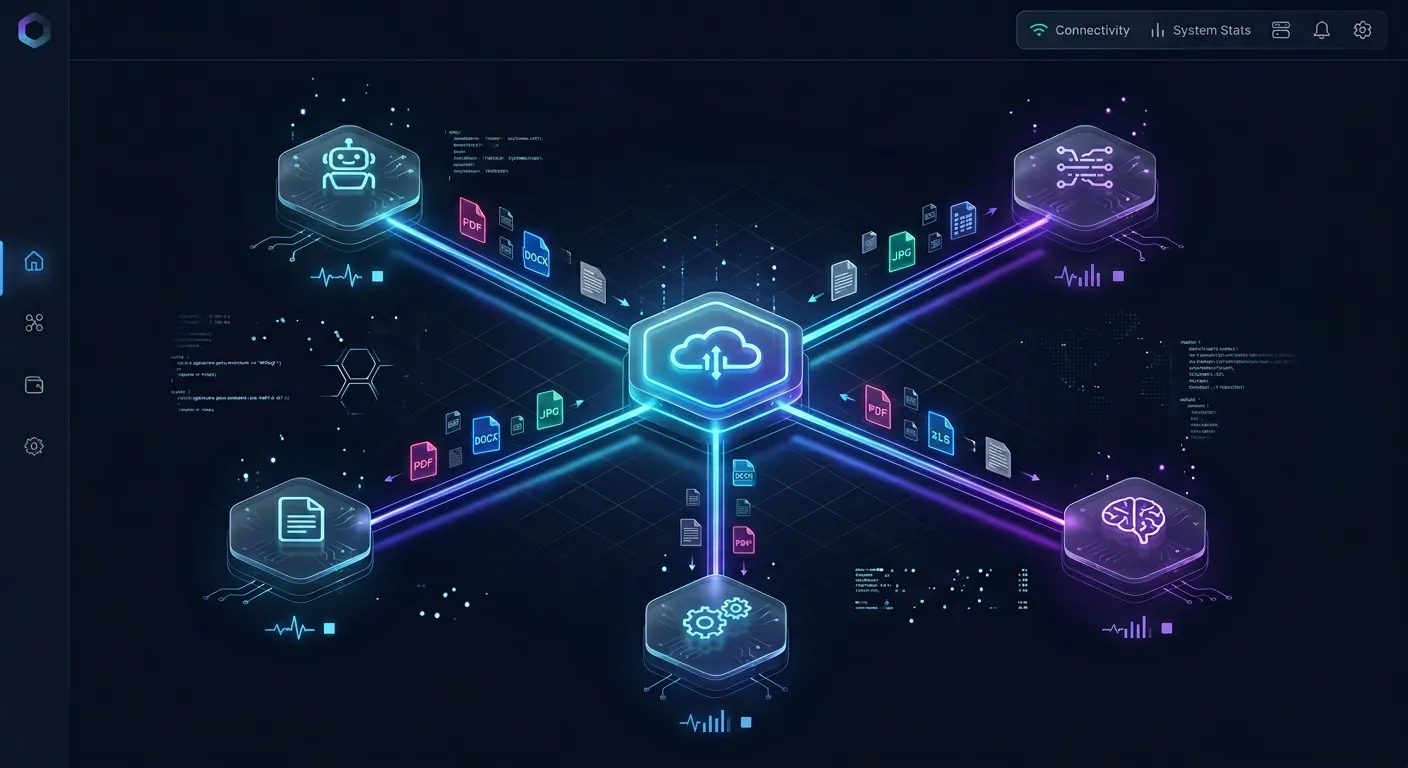
Fastio provides an intelligent workspace platform designed for agentic teams and human collaboration. Developers can explore Fastio workspaces to see how teams structure persistent storage for autonomous workflows. By bridging cloud repositories into indexed workspaces, teams give agents search and management tools without downloading large files into local sandboxes. This setup decouples compute from storage, allowing agents running in ephemeral cloud containers to interact with persistent corporate knowledgebases.
Synchronizing Enterprise Storage without Local Sync Drivers
Teams already maintain operational files in enterprise storage repositories. Rather than forcing developers to migrate folders or run desktop sync utilities, Fastio provides Cloud Sync. Cloud Sync connects Google Drive, Dropbox, Box and OneDrive folders to a workspace, one-way or two-way, on a schedule or on demand (SharePoint libraries connect through the OneDrive connector). Folders can also be brought in as a one-time import through Cloud Import or URL Import without local I/O.
Once files sync into a Fastio workspace, Intelligence Mode automatically indexes their contents. Intelligence Mode performs hybrid search across the workspace, combining full-text keyword indexing, semantic search, and metadata values. Because files are pre-indexed on the server, the agent never needs to parse raw PDF binaries or load multi-megabyte spreadsheets into memory.
Configuring Remote MCP Tools with Bearer Authentication
Fastio hosts a remote Model Context Protocol server over Streamable HTTP at https://mcp.fast.io/mcp/tools. This endpoint provides a consolidated toolset for agent frameworks, bots, and general MCP clients. Setup instructions for human operators are documented at Fastio MCP documentation.
When connecting headless agent scripts such as smolagents, the agent provides an API key as a Bearer token in the HTTP connection headers. In ToolCollection.from_mcp(), pass a configuration dictionary specifying the remote URL, the streamable-http transport, and the Authorization header:
import os
from smolagents import CodeAgent, InferenceClientModel, ToolCollection

server_parameters = {
    "url": "https://mcp.fast.io/mcp/tools",
    "transport": "streamable-http",
    "headers": {
        "Authorization": f"Bearer {os.environ.get('FASTIO_API_KEY')}",
    },
}
model = InferenceClientModel("Qwen/Qwen2.5-Coder-32B-Instruct")

with ToolCollection.from_mcp(server_parameters, trust_remote_code=True) as tools:
    agent = CodeAgent(
        tools=[*tools.tools],
        model=model,
        add_base_tools=True,
    )
    prompt = (
        "Search the legal workspace for our standard data retention clauses, "
        "extract the required archival timeline for user logs, and write a summary "
        "note to retention_policy_summary.md in the workspace."
    )
    summary = agent.run(prompt)
    print(summary)
This configuration connects smolagents directly to the remote workspace over HTTP POST streams without spawning local child processes or installing desktop sync drivers.
Hybrid Document Search vs. Whole-File Pulls
Remote MCP document search endpoints return relevant passages without requiring agent sandboxes to download full PDFs or spreadsheets.
On the https://mcp.fast.io/mcp/tools endpoint, operations are organized into read tools and write tools (_manage):
- Read operations run on the
storagetool using actions such assearch,list,details, andlock-status. - Write operations run on the
storage_managetool using actions such asmove,delete,lock-acquire, andlock-release. - Writes sent to
storageare refused; they must be directed tostorage_manage.
When smolagents executes a document lookup, it calls the storage tool with the search action. Fastio executes hybrid search across the workspace's indexed contents and returns relevant text passages with document citations. The CodeAgent receives only the concise passages needed to answer the prompt, preserving its token budget for reasoning and synthesis.
Storage connector benchmarks are published at Fastio benchmarks. By retrieving extracted passages rather than unparsed document binaries, smolagents avoids context exhaustion while maintaining high retrieval precision.


Connect Smolagents to Versioned Cloud Storage
Set up persistent cloud workspaces for Hugging Face smolagents with built-in hybrid search, version history, and remote MCP connectivity. Monthly plans start with a 14-day free trial requiring a credit card.
Structured Extraction, Advisory Locks, and Human Handoff
Operating smolagents in team environments requires capabilities that extend beyond plain text retrieval. Enterprise document storage must support structured data processing, multi-agent concurrency controls, and clear governance for human review.
As autonomous systems participate in business workflows, they must interact with human colleagues through predictable handoff channels. Unifying structured document extraction, advisory file leases, and collaborative notes in a shared workspace ensures that agents and humans work from a consistent state without stepping on each other's changes. This combination provides the foundational persistence layer needed when deploying multi-agent systems across production enterprise projects, replacing disconnected local scripts with coordinated team workspaces.
Structured Extraction with Metadata Views
While Intelligence Mode handles semantic search and natural language queries, document workflows often demand structured data extraction. Fastio provides Metadata Views, documented at document data extraction.
Metadata Views turn unstructured documents into a live, queryable database. Users describe the fields they want extracted in plain English, and the platform designs a typed schema supporting Text, Integer, Decimal, Boolean, URL, JSON, and Date & Time fields. The system automatically processes matching files in the workspace (including PDFs, spreadsheets, presentations, and scanned pages) and populates a filterable, sortable spreadsheet.
Agents can interact with Metadata Views programmatically over MCP:
- Create Views defining specific fields, such as contract effective dates, counterparties, and payment amounts.
- Trigger extraction across newly synchronized documents without writing custom OCR code or regular expressions.
- Query structured results directly via MCP actions to perform quantitative analysis.
Differentiating between these layers is key: Intelligence Mode provides unstructured text search and summarization, while Metadata Views provide the typed schema extraction layer.
Preventing Race Conditions with Advisory File Locks
When multiple smolagents run concurrently or interact with shared workspaces, concurrent edits must be coordinated. Fastio provides advisory per-file leases in workspace and share storage.
Advisory locks work through specific MCP tool actions:
- Acquiring a lock: The agent invokes
storage_managewith thelock-acquireaction on a specific file path. - Checking status: Other agents or human collaborators call
storagewith thelock-statusaction to inspect who holds the lease. - Releasing a lock: The agent completes its write and calls
storage_managewithlock-release.
Advisory locks do not block writes; concurrent writes both land safely, and Fastio's per-file version history preserves every revision. A lock expires automatically unless it is heartbeated by the holding agent. This architecture prevents an agent from permanently locking out human teammates while giving cooperating agents an explicit signaling mechanism to avoid write conflicts.
Collaborative Notes, Events Feed, and Ownership Transfer
Fastio bridges agent execution into human workflows through several built-in mechanisms:
- Collaborative Notes: People and agents can create and edit Notes kept beside the files for summaries, project guidelines, and status handoffs. Notes use version-checked saves rather than real-time co-editing, keeping updates auditable.
- Events feed: Agents can subscribe to workspace activity over WebSocket or long-poll connections (
GET /current/activity/poll/{entity_id}) to react in near real time when files change. - Detailed activity log: The platform maintains a detailed activity log recording file modifications (uploads, edits, moves, deletions) and membership changes for people and agents alike. The log tracks write operations rather than file views or downloads, establishing a clear record of modifications.
- Ownership transfer: An autonomous agent can initialize an organization, construct workspaces and folder trees, configure shares, and transfer ownership to a human colleague with a claim link.
- Branded shares: Workspaces can distribute deliverables via branded Send, Receive, or Exchange shares with per-recipient access controls. Shares can disable file downloads to keep reviews inside the browser.
Production Guidelines for Smolagents Document Storage
Deploying smolagents with MCP document storage in production environments requires careful engineering around query scopes, sandbox security, and workspace isolation.
When moving an agent from local development to production pipelines, teams must establish operational guardrails that protect context windows and prevent unintended data modifications. By implementing parameter limits, defensive error handling, and logical boundary separation across shared workspaces, organizations ensure predictable agent execution across thousands of tasks. Following established operational patterns keeps agents reliable, cost-effective, and safe when interacting with mission-critical business records and enterprise document collections across distributed development teams and automated background workers handling sensitive company data assets and confidential project archives.
Scoping Search Queries to Prevent Token Spikes
When querying indexed workspaces, avoid generic or unbounded search prompts that return excessive numbers of document snippets. Use parameter filtering in the storage tool:
- Specify
folders_scopeorfiles_scopearguments to restrict search queries to specific project folders or file types. - Instruct the CodeAgent prompt to inspect returned passage metadata and relevance scores before deciding whether to request full document content.
- Implement pagination when retrieving file listings across large workspaces to keep intermediate variables within memory thresholds.
Execution Timeouts and Failure Recovery in Sandboxes
Because smolagents CodeAgents execute generated Python scripts dynamically, defensive error handling is necessary. If a remote network call drops or an endpoint encounters temporary rate limits, unhandled exceptions can terminate the agent process.
Developers should configure execution timeouts on the smolagents runner and instruct the model to wrap remote tool calls in Python try...except blocks. If an initial search action returns an empty result set, the agent can fall back to alternative keyword queries rather than halting execution.
Structuring Multi-Workspace Access Boundaries
Fastio establishes permissions per organization, workspace, and share through member roles. Every workspace member reaches the entire workspace according to their assigned role. To restrict access to a specific collection of documents, teams place those files into a dedicated workspace or share.
When configuring smolagents access boundaries:
- Create dedicated workspaces for specific agent tasks (such as a legal research workspace or an engineering data workspace) rather than placing all organizational files in a single flat directory.
- Issue scoped API tokens that restrict the agent to its designated workspace.
- Use branded shares to provide external collaborators or clients with access to specific folders or documents without admitting them to internal workspaces.
Fastio operates on paid subscriptions. Monthly plans start with a 14-day free trial that requires a credit card and ends early if trial credits run out; annual plans start paid with no trial. Tier options include Starter, Business, and Enterprise plans, providing allocated seats, storage quotas, and monthly credits. Review the Fastio pricing page to select the plan and workspace capacity that fits your team's autonomous agent architecture.
Sources
References used to verify factual claims in this guide.
-
Online-only files in cloud storage do not consume local drive space until opened.
Frequently Asked Questions
How do I add filesystem tools to smolagents using MCP?
To add filesystem tools to Hugging Face smolagents, install the library with MCP support using pip install smolagents mcp. You can then connect your agent using ToolCollection.from_mcp(). For local directories, pass an mcp.StdioServerParameters object running @modelcontextprotocol/server-filesystem via npx. For remote cloud workspaces, pass a configuration dictionary specifying the Streamable HTTP URL, transport, and an Authorization Bearer header. Pass the loaded tools to a CodeAgent or ToolCallingAgent.
Can Hugging Face smolagents search documents across Google Drive or Dropbox?
Directly mounting Google Drive or Dropbox folders into local stdio filesystem MCP servers causes agent hangs when the process encounters unhydrated virtual file stubs. A reliable approach connects the cloud storage to a Fastio workspace using Cloud Sync, which synchronizes folders from Google Drive, Dropbox, Box, and OneDrive on a schedule or on demand. Smolagents then connects to the workspace via remote MCP over Streamable HTTP, querying indexed documents through hybrid semantic search rather than downloading raw files.
What is the difference between local stdio filesystem MCP and remote MCP in smolagents?
Local stdio filesystem MCP executes a child process on the local machine and communicates over standard input and output streams. It requires local directory access and cannot easily run inside containerized production environments. Remote MCP connects over Streamable HTTP to a cloud endpoint. It supports centralized authentication via Bearer tokens, enables access from cloud-hosted containers, and allows agents to search pre-indexed document repositories without downloading large files to the local runtime.
How do CodeAgents handle file reads compared to traditional JSON tool-calling agents?
Traditional JSON tool-calling agents emit structured JSON objects for each individual tool call, requiring a full LLM turn and round-trip API latency for every directory listing or file read. In contrast, smolagents CodeAgents write executable Python code blocks containing loops, variable assignments, and conditionals. A CodeAgent can inspect multiple files, filter search results, and transform data within a single sandboxed execution step, reducing LLM round-trips.
How do advisory file locks prevent conflicting edits when multiple smolagents run concurrently?
Fastio provides advisory per-file leases in workspace and share storage. An agent acquires a lease using the lock-acquire action on the storage_manage MCP tool and releases it with lock-release. Other members and agents can inspect lock-status on the storage tool to see who holds the lease. The lease expires automatically unless heartbeated. Advisory locks do not block writes, so concurrent saves both succeed and per-file version history preserves every revision.
Does Fastio sync with Google Drive for smolagents workflows?
Yes. Fastio Cloud Sync connects Google Drive, Dropbox, Box, and OneDrive folders to a workspace, one-way or two-way, on a schedule or on demand. Documents in the synced folders are automatically indexed by Intelligence Mode, allowing smolagents CodeAgents to perform semantic and keyword search across Google Drive files through the remote MCP server.
Related Resources

Connect Smolagents to Versioned Cloud Storage
Set up persistent cloud workspaces for Hugging Face smolagents with built-in hybrid search, version history, and remote MCP connectivity. Monthly plans start with a 14-day free trial requiring a credit card.