How to Connect Gemini to Storage via MCP Server
Connecting Google Gemini to persistent storage through a Model Context Protocol server replaces clumsy context-window file dumping with targeted semantic retrieval. Instead of streaming entire folders into prompt tokens, Gemini queries a remote MCP endpoint that indexes workspace files and syncs with existing cloud drives. This setup reduces query latency, controls inference costs, and keeps agents grounded in accurate document context.

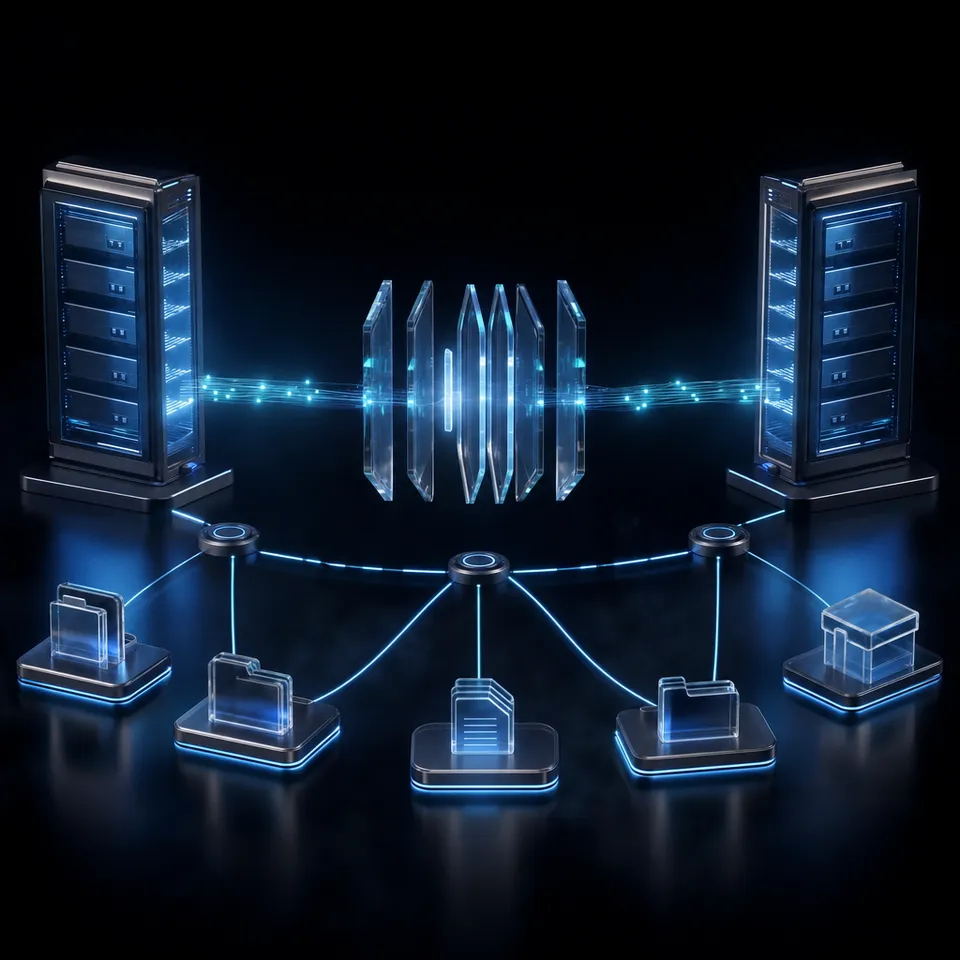
Why Multi-Million Token Prompts Fail for Storage Retrieval
Passing multi-gigabyte document collections directly into an LLM prompt degrades retrieval accuracy and multiplies per-query inference costs, even on models with multi-million token windows. Feeding an entire storage bucket into a prompt forces the model to pay attention across millions of irrelevant tokens on every turn. As input token counts rise, per-query latency climbs and needle-in-a-haystack precision drops. Models lose track of subtle details across thousands of pages of contracts, engineering specifications, or customer records when those files are dumped directly into the conversation history.
Developers working with Google Gemini often encounter this ceiling when building autonomous coding agents, research assistants, or document pipelines. While Gemini models process large contexts effectively, stuffing raw file systems into context memory is an expensive and brittle architecture. Every follow-up query re-sends the entire corpus, burning API credits and slowing response times.
A Gemini MCP server is a Model Context Protocol endpoint that exposes structured tools and indexed file storage to Google Gemini models, allowing agents to search and inspect documents on demand rather than stuffing entire file folders into the context window. Instead of treating storage as prompt text, the Model Context Protocol (MCP) gives Gemini a standardized tool interface. The model decides when to search an index, inspect file metadata, or read a specific document excerpt.
Google actively supports Model Context Protocol integrations across its developer tooling. For example, Google provides a public Model Context Protocol documentation server to supply coding assistants with up-to-date API references. In agent environments, connecting Gemini to an external storage server shifts document retrieval from brute-force token ingestion to targeted search queries.
Most teams already maintain their operational documents in established cloud repositories such as Google Drive, Dropbox, OneDrive, Box, or SharePoint. Attempting to point Gemini directly at these raw storage silos creates friction. Native APIs require complex OAuth refresh flows, impose aggressive rate limits, and lack semantic indexing out of the box. Setting up an intelligent workspace bridges this divide, giving Gemini a fast MCP connection while keeping primary business files in existing cloud drives.
Related guides
- How to Connect Google Gemini to Box via MCPA Gemini Box MCP integration exposes Box enterprise folder hierarchies and file contents to Google Gemini agents...
- How to Connect Gemini to Dropbox via MCPConnecting Gemini to Dropbox via MCP allows Google Gemini models and agents to interact with Dropbox storage through...
- How to Connect Google Gemini to Microsoft OneDrive via MCPGemini OneDrive MCP is a configuration that bridges Google Gemini AI models with Microsoft OneDrive storage via the...
- How to Connect AI Agents to Azure Blob Storage via MCPAn Azure Blob Storage MCP server exposes cloud containers and object storage to AI agents using standard Model Context...
- How to Connect Gemini to SharePoint via MCPConnecting Gemini to SharePoint via MCP bridges Google AI ecosystem to Microsoft enterprise storage through standard...
- Cloud Storage MCP: Connecting AI Agents to Drive, Dropbox, and OneDriveAI agents require access to files stored across Google Drive, Dropbox, Box, and OneDrive, but local filesystem...
More on this subject: MCP and Model Context Protocol (249 guides)
How Intelligent Workspaces Connect Existing Cloud Drives to Gemini
Connecting Gemini to enterprise storage requires an architecture that separates long-term file retention from active agent reasoning. Companies cannot easily rip and replace Google Drive, Dropbox, or OneDrive. Those platforms hold corporate permissions, shared team folders, and years of business records. The practical approach leaves primary files where they live and connects an intelligent workspace layer in the middle.
Fastio acts as this coordination layer. Files from external cloud drives sync into a dedicated Fastio workspace. Once inside the workspace, Fastio indexes documents for hybrid retrieval, combining full-text search with semantic understanding. When a Gemini agent needs information, it does not scan an entire cloud drive over slow REST endpoints. Instead, Gemini issues a query to the Fastio remote MCP server (https://mcp.fast.io/mcp/code), receiving targeted text snippets with citations.
To connect Gemini to your files, implement this four-step workflow:
- Keep files in existing cloud storage (Google Drive, Dropbox, OneDrive).
- Sync folders into a Fastio workspace.
- Configure the Gemini agent with the Fastio remote MCP endpoint (
https://mcp.fast.io/mcp/code). - Query files semantically via MCP search tools.
Native Cloud Storage Connectors vs. Managed Agent Storage
Direct connectors between LLMs and commodity cloud storage frequently struggle in automated agent workflows. Querying a native cloud storage API forces the model to traverse folder trees, parse proprietary file formats, and manage pagination over hundreds of items. When multiple agents run concurrent tasks, raw cloud storage APIs quickly hit per-user rate limits and latency spikes.
Cloud Sync handles these synchronization requirements reliably. For Google Drive, Dropbox, Box, and OneDrive, folders sync one-way or two-way on a schedule or on demand. Synchronization runs strictly on a schedule or on demand, never as continuous, live, or real-time file mirroring. Teams accessing SharePoint document libraries connect through the OneDrive connector.
Because file retrieval is handled upstream by Fastio, agents avoid downloading multi-gigabyte files to local disk. The connector comparison is published at published connector benchmarks and that page is the only place its numbers live. In that published evaluation, Fastio was measured the fastest and the lowest cost of the providers tested. By serving semantic search results from an indexed workspace, Fastio minimizes token consumption and latency for agent queries.
Intelligence Mode and Structured Metadata Extraction
Once files enter a Fastio workspace, workspace Intelligence Mode automatically processes documents for semantic retrieval. Filenames, file contents, spreadsheets, and scanned documents become queryable through natural language. When Gemini calls the MCP server, the response includes exact document passages accompanied by file citations.
Beyond standard document search, teams frequently need structured information from unstructured records. Fastio provides Metadata Views to turn documents into live, queryable databases. Users describe required fields in plain English, and the system populates a typed schema across workspace files. Metadata Views support seven distinct field types: Text, Integer, Decimal, Boolean, URL, JSON, and Date & Time.
Unlike traditional OCR tools that rely on fragile templates, Metadata Views adapt across invoices, contracts, real estate leases, and technical manuals. For example, legal teams extract counterparty names, effective dates, and renewal terms from hundreds of agreements, while finance teams pull line items and totals. Agents query these extracted columns directly through MCP, filtering files by precise metadata attributes before performing qualitative analysis.
Setting Up the Gemini MCP Server in Five Practical Steps
Setting up a Gemini agent to interact with Fastio storage involves configuring the remote MCP server endpoint, provisioning access credentials, and testing tool execution. Unlike local stdio servers that launch a child process on your development machine, the Fastio MCP server runs as a hosted remote service.
1. Provision Authentication Credentials
Fastio requires authentication for storage operations. Human team members generate an API key from the Fastio console, or an agent creates an agent account through the MCP auth tool (action="signup"). For agent-to-human workflows, an agent can build a workspace and later transfer organization ownership to a human administrator.
When using an API key, requests must include a Bearer token. Store your API key in an environment variable on your local system:
export FASTIO_API_KEY="your-fastio-api-key"
2. Configure Gemini CLI
The Gemini CLI discovers tools by reading settings.json. Depending on whether you want global or project-specific access, edit ~/.gemini/settings.json or .gemini/settings.json in your repository root. Add the Fastio remote endpoint under the mcpServers block:
{
  "mcpServers": {
    "fastio": {
      "httpUrl": "https://mcp.fast.io/mcp/code"
    }
  }
}
In Gemini CLI, use httpUrl set to https://mcp.fast.io/mcp/code rather than url, as url selects the SSE transport. The connection runs over Streamable HTTP and authenticates with OAuth in the browser, so the configuration carries no API key or Authorization header. Sign in from the client's /mcp command with /mcp auth fastio to review permissions and select accessible workspaces. Do not configure local command or args parameters for Fastio, as the service is strictly remote. Setup steps are documented at https://mcp.fast.io/docs.
3. Verify Tool Discovery and Connection Status
After saving the configuration, launch or restart Gemini CLI. Verify connected servers by checking the active tool registry:
gemini /mcp list
The output will confirm that Fastio is registered. Fastio provides a consolidated MCP toolset rather than hundreds of fragmented endpoints. The consolidated storage tool handles file search, directory listings, metadata inspection, and version operations using an action parameter. Detailed specifications for each action are documented in https://mcp.fast.io/skill.md and the storage for agents guide.
4. Querying Workspace Storage from Python
If you are developing custom agent pipelines with Python and the standard mcp library, you can establish an HTTP client connection to the Fastio MCP server. The following snippet illustrates how an application initializes the session and calls the consolidated storage tool:
import os
import asyncio
from mcp import ClientSession
from mcp.client.streamable_http import streamable_http_client

API_KEY = os.environ.get("FASTIO_API_KEY", "your-fastio-api-key")
SERVER_URL = "https://mcp.fast.io/mcp/tools"

async def query_indexed_files(query_text: str, workspace_id: str):
    headers = {"Authorization": f"Bearer {API_KEY}"}
    async with streamable_http_client(SERVER_URL, headers=headers) as (read, write):
        async with ClientSession(read, write) as session:
            await session.initialize()

            result = await session.call_tool(
                "storage",
                arguments={
                    "action": "search",
                    "profile_type": "workspace",
                    "profile_id": workspace_id,
                    "search": query_text
                }
            )
            return result.content

if __name__ == "__main__":
    test_workspace = "your-workspace-id"
    results = asyncio.run(query_indexed_files("vendor payment terms", test_workspace))
    print(results)
In this implementation, Gemini invokes the storage tool with action="search". Fastio handles vector matching and text indexing server-side, returning only the relevant document fragments back to Gemini.


Connect Gemini to Persistent Workspace Storage
Give your Gemini agents a remote MCP endpoint to search, sync, and coordinate files across cloud drives with versioning and audit trails. Start your 14-day trial today.
Multi-Agent Coordination and Concurrency in Shared Workspaces
In modern agent architectures, multiple AI models and human collaborators often operate inside the same repository or document collection simultaneously. One Gemini agent might parse incoming PDF invoices, while another summarizes contract updates, and a human team lead reviews outgoing client deliverables. Without structured concurrency controls, parallel agents risk overwriting files, clobbering edits, or duplicating extraction work.
Fastio provides foundational mechanisms to support reliable human-agent teamwork across shared dedicated agent storage workspaces.
Advisory File Locks
To coordinate concurrent operations, the Fastio MCP server includes advisory file locking. Before modifying an important file, an agent acquires a lock through the storage tool using action="lock-acquire". Other agents and human members can check the file lease using action="lock-status", which displays the identity of the lock holder, including the agent name. Once work is complete, the agent releases the lease using action="lock-release".
File locks are advisory leases rather than exclusive filesystem barriers. If an unlocked write occurs, Fastio does not discard the file. Both writes land safely, and per-file version history preserves every revision. Locks expire automatically unless renewed by an active heartbeat, preventing orphaned locks if an agent process terminates unexpectedly.
Immutable Version History and In-Place Overwrites
A frequent pitfall in AI file handling is deleting an existing file before uploading an updated draft. Deleting a node breaks references, severs attached comments, and loses historical context.
Fastio avoids this data-loss trap through in-place versioning. When Gemini uploads an updated file with the same filename into the same parent folder, Fastio overwrites the node in place while keeping the stable node_id. The previous state is preserved in full version history. Teammates can inspect earlier drafts, compare changes, or restore a prior version using storage action="version-restore".
Real-Time Collaborative Notes
When agents and humans need to collaborate dynamically on project documentation, draft proposals, or analysis summaries, Fastio Collaborative Notes provide real-time co-editing. Both people and AI agents function as first-class co-editors with live multiplayer cursors. Gemini agents create and update markdown notes directly through the MCP workspace toolset. Because notes are indexed automatically for AI grounding, any team member or subagent can query updated project notes immediately.
Append-Only Audit Trail
Operational security requires clear accountability for autonomous actions. Fastio maintains a detailed activity log that records every file creation, version update, permission modification, and download event. Team leaders can trace exactly which agent generated a document, what data sources were retrieved, and when changes were approved, creating a dependable chain of custody.
Production Operations: Binary Uploads, Activity Polling, and Pricing
Moving Gemini integrations from local prototypes to production requires attention to data transfer mechanics, polling hygiene, and infrastructure economics.
Efficient Binary Handling via the Blob Sidecar
Model Context Protocol messages travel over JSON-RPC channels, which are poorly suited for streaming multi-megabyte binary files. Encoding large PDFs or datasets into base64 strings balloons token payloads and strains client memory.
Fastio solves this with the POST /blob sidecar endpoint. For large binary payloads, the agent posts raw bytes directly to the POST /blob HTTP route using the session identifier, receiving a short-lived blob_id. The agent then calls upload action="stream-upload" with the blob_id to finalize storage in the workspace. This sidecar mechanism bypasses JSON-RPC serialization overhead entirely.
For very large files, chunked upload sessions split transfers into manageable segments without risking timeout failures.
Event Polling Without Tight Loops
Agents monitoring workspace activity for new client uploads or colleague comments should avoid rapid polling loops. Aggressive polling wastes API calls and risks rate throttling.
Instead of repeatedly querying file listing endpoints, agents subscribe to workspace activity using event action="activity-poll". This long-polling endpoint holds connections open until updates arrive or the request interval elapses, returning promptly when relevant events occur. Applications can also monitor changes via WebSocket feeds for responsive user interfaces.
Subscription Plans and Usage Economics
Fastio aligns costs with actual agent usage through a credit-metered model. Monthly plans start with a 14-day trial, which requires a credit card. Review available pricing options across standard subscription tiers:
Credits meter AI processing tasks such as semantic indexing and document extraction. Storage and seats are bundled directly with each plan, and bandwidth is billed by use. Beyond plan inclusions, usage expands with standard overage rates:
Security and Infrastructure Standards
Agent storage contains critical intellectual property and customer documents. Fastio runs on cloud infrastructure partners, including Google Cloud Platform and Cloudflare, that are certified to industry-leading security standards. Storage volumes feature encryption in transit and at rest, supported by granular permissions configurable at the organization, workspace, folder, and file level. By pairing Gemini with a governed MCP storage substrate, engineering teams gain reliable document intelligence without compromising operational control.
Sources
References used to verify factual claims in this guide.
-
Google provides a public Model Context Protocol documentation server to supply coding assistants with up-to-date API references.
Frequently Asked Questions
Does Google Gemini support MCP servers?
Google Gemini models support the Model Context Protocol through developer tools like the Gemini CLI, the Google Gen AI SDK, and agentic coding environments. Google also maintains a public documentation MCP server (`https://gemini-api-docs-mcp.dev`) that provides coding assistants with real-time documentation updates and API schemas.
How do I connect Gemini to my files using MCP?
You connect Gemini to your files by declaring a remote MCP endpoint in your client settings. For the Gemini CLI, set `httpUrl` to `https://mcp.fast.io/mcp/code` in the `mcpServers` section of `settings.json`, then sign in using `/mcp auth fastio`. Once configured, Gemini calls the `search` tool to search indexed folders and retrieve document excerpts.
What is the difference between local stdio MCP and remote MCP for Gemini?
A local stdio MCP server executes as a child process on your local computer using standard input and output streams. While useful for local desktop utilities, stdio cannot easily connect distributed agent swarms or access shared cloud repositories. A remote MCP server runs over Streamable HTTP or Server-Sent Events (SSE), enabling cloud-hosted Gemini agents to reach shared, version-controlled storage without hosting local server processes.
How does Fastio connect Gemini to Google Drive and Dropbox?
Fastio bridges external cloud storage to Gemini by syncing designated folders into a shared workspace. Cloud Sync keeps Google Drive, Dropbox, Box, and OneDrive folders synchronized one-way or two-way on a schedule or on demand. Once files land in Fastio, Intelligence Mode automatically indexes their contents, allowing Gemini to run semantic queries through MCP rather than traversing raw cloud storage APIs.
Related Resources

Connect Gemini to Persistent Workspace Storage
Give your Gemini agents a remote MCP endpoint to search, sync, and coordinate files across cloud drives with versioning and audit trails. Start your 14-day trial today.