How to Connect Python to SharePoint: Native Graph API vs Intelligent Workspaces
Connecting Python to SharePoint via the Microsoft Graph API requires handling MSAL authentication, tenant permissions, and DriveItem pagination, whereas syncing SharePoint into an intelligent workspace provides instant semantic search via MCP. This guide contrasts direct Graph REST API integration with workspace-level synchronization for developer and agent workflows.


Why Connecting Python to SharePoint Creates Architecture Friction
Connecting a Python script or AI agent directly to SharePoint document libraries creates an architectural dilemma between authentication friction and query throttling. Querying SharePoint Online through the Microsoft Graph API requires multi-step OAuth2 app registrations with tenant admin consent, rigid DriveItem pagination loops, and active handling of HTTP 429 rate limits when automated workers pull file data. Teams that store their corporate files in SharePoint must choose between writing low-level REST client boilerplate or syncing libraries into an indexed workspace layer.
A SharePoint API connection in Python allows developers and autonomous agents to programmatically discover, inspect, download, and update files stored across Microsoft 365 sites. For engineering teams building automated data pipelines, compliance monitors, or agentic retrieval-augmented generation (RAG) systems, SharePoint is the authoritative repository for corporate knowledge, contracts, product specifications, and financial reports. Connecting Python to that knowledge base, however, exposes structural differences between document management systems and programmatic data stores.
Developers evaluating Python tooling encounter two primary library ecosystems:
- Microsoft Graph REST API: Microsoft's unified endpoint (
https://graph.microsoft.com/v1.0/) for accessing Microsoft 365 services. It manages SharePoint through the/sitesand/drivesresources, using OAuth 2.0 bearer tokens obtained through the Microsoft Authentication Library (MSAL). It represents the official, actively maintained development path for all Microsoft cloud storage. - The
office365-rest-python-clientLibrary: A third-party community package available on PyPI that wraps SharePoint Client-Side Object Model (CSOM) and legacy REST endpoints (/_api/web/). While widely used in legacy automation, reliance on older SharePoint endpoints introduces maintenance debt as Microsoft continues standardizing cloud infrastructure on Microsoft Graph.
Beyond choosing a client library, developers must select an underlying integration architecture:
- Direct API Integration: Python scripts call Microsoft Graph endpoints directly. The script handles authentication, token refreshes, recursive folder traversal, file downloads, and error handling. The script must process raw file binaries locally.
- Intelligent Workspace Synchronization: SharePoint document libraries synchronize into a unified cloud workspace. The workspace handles document parsing and semantic indexing, while Python scripts or AI agents interact with the files through the Model Context Protocol (MCP). Teams planning agent storage can evaluate Fastio storage for agents to see how intelligent workspaces support autonomous tools.
Understanding how to authenticate and query Microsoft Graph directly provides the baseline for evaluating both options.
Related guides
- SharePoint Delta Sync: Graph API Delta Queries & AI Agent IndexingSharePoint delta sync uses Microsoft Graph delta queries to track incremental file additions, edits, and deletions...
- How to Create Folders with SharePoint API: REST, Graph, and Agent WorkspacesCreating folders across SharePoint environments requires choosing between legacy REST endpoints and modern Microsoft...
- SharePoint API Download File: REST, Graph API & Agent Storage PatternsDownloading a file via SharePoint API involves requesting the binary stream from a driveItem content endpoint using...
- How to Upload Files to SharePoint via API: Graph vs REST MethodsUploading files to SharePoint via API involves choosing between modern Microsoft Graph endpoints and legacy SharePoint...
- How to Connect AnythingLLM to SharePoint Document LibrariesDeploying an AnythingLLM SharePoint connector enables local and team AI workspaces to query Microsoft 365 document...
- ChatGPT SharePoint Connector: Enterprise Setup vs. Fast.io MCP WorkspacesConnecting ChatGPT to SharePoint document libraries gives conversational models access to enterprise knowledge. While...
More on this subject: Agent File and Document Workflows (394 guides)
How to Connect to the SharePoint API in Python with Microsoft Graph
Direct interaction with the SharePoint API requires registering an enterprise application in Microsoft Entra ID (formerly Azure Active Directory). Because backend Python automation typically runs without an interactive user sign-in, the application uses the OAuth 2.0 Client Credentials grant flow to authenticate as a service principal.
1. Registering the Microsoft Entra ID Application
To configure programmatic access:
- Sign in to the Microsoft Entra admin center with tenant administrative permissions.
- Navigate to Identity > Applications > App registrations and select New registration.
- Enter an application name, such as
SharePoint-Python-Connector. - Under Supported account types, select Accounts in this organizational directory only (single tenant).
- Leave the Redirect URI empty for background daemon applications and click Register.
- Note the Application (client) ID and Directory (tenant) ID from the application overview page.
- Navigate to Certificates & secrets, select New client secret, provide a description and expiration, and record the secret value immediately.
- Navigate to API permissions, choose Add a permission, select Microsoft Graph, and choose Application permissions.
- Add
Sites.Read.AllorFiles.Read.Alldepending on your required scope, and click Grant admin consent for your organization.
Admin consent is mandatory for application permissions. Without it, token requests succeed, but subsequent calls to SharePoint resources return HTTP 403 Forbidden.
2. Acquiring Tokens and Querying Files in Python
Once credentials are configured, Python scripts can request a bearer token using standard HTTP libraries. The following implementation uses the requests library to fetch a token and query a target SharePoint document library:
pip install requests
import requests

TENANT_ID = "your-tenant-id-here"
CLIENT_ID = "your-client-id-here"
CLIENT_SECRET = "your-client-secret-here"
SHAREPOINT_HOSTNAME = "yourcompany.sharepoint.com"
SITE_PATH = "/sites/Engineering"

def get_graph_access_token(tenant_id: str, client_id: str, client_secret: str) -> str:
    """Acquire an OAuth 2.0 bearer token using client credentials."""
    token_url = f"https://login.microsoftonline.com/{tenant_id}/oauth2/v2.0/token"
    payload = {
        "client_id": client_id,
        "client_secret": client_secret,
        "scope": "https://graph.microsoft.com/.default",
        "grant_type": "client_credentials",
    }
    response = requests.post(token_url, data=payload, timeout=30)
    response.raise_for_status()
    return response.json()["access_token"]

def get_sharepoint_site_id(token: str, hostname: str, site_path: str) -> str:
    """Resolve the composite site ID for a SharePoint site."""
    headers = {"Authorization": f"Bearer {token}"}
    url = f"https://graph.microsoft.com/v1.0/sites/{hostname}:{site_path}"
    response = requests.get(url, headers=headers, timeout=30)
    response.raise_for_status()
    return response.json()["id"]

def list_drive_items(token: str, site_id: str) -> list[dict]:
    """Retrieve root drive items from the default document library."""
    headers = {"Authorization": f"Bearer {token}"}
    url = f"https://graph.microsoft.com/v1.0/sites/{site_id}/drive/root/children"
    items = []
    while url:
        response = requests.get(url, headers=headers, timeout=30)
        response.raise_for_status()
        data = response.json()
        items.extend(data.get("value", []))
        ### Follow Microsoft Graph pagination tokens
        url = data.get("@odata.nextLink")
    return items

token = get_graph_access_token(TENANT_ID, CLIENT_ID, CLIENT_SECRET)
site_id = get_sharepoint_site_id(token, SHAREPOINT_HOSTNAME, SITE_PATH)
files = list_drive_items(token, site_id)
print(f"Retrieved {len(files)} items from root directory.")
3. Handling DriveItem Hierarchy and Pagination
In Microsoft Graph, every document library operates as a drive, and every file or folder is a driveItem. Traversing deep nested folder structures requires recursive requests across child collections.
When a folder contains more items than the API default page size, Microsoft Graph truncates the payload and appends an @odata.nextLink URL. Scripts must continuously evaluate and follow this token until no subsequent link exists. Failure to follow @odata.nextLink leaves folder listings incomplete, causing automated agents to miss documents located deep inside corporate subdirectories.
Why Direct Graph API Calls Hit Throttling and Batch Limits
While connecting Python directly to Microsoft Graph works for predictable cron jobs, the architecture creates severe operational friction when applied to autonomous agents and interactive search tools. Automated systems execute rapid, unpredictable query patterns that challenge traditional API gateway constraints.
Throttling Mechanics and HTTP 429 Responses
Microsoft Graph protects multi-tenant infrastructure by enforcing dynamic request rate limits. When a script makes high-frequency calls to inspect folder hierarchies or download documents, Microsoft Graph returns an HTTP status code 429 (Too Many Requests).
Throttling behavior introduces several structural challenges:
- Tenant-Wide Consumption: Throttling thresholds apply across the entire Microsoft 365 tenant. If an enterprise backup tool or Power Automate flow is synchronizing files concurrently, your Python agent can be throttled even when its own request volume is moderate.
- Header Parsing Requirements: When receiving an HTTP 429 response, the client must parse the
Retry-Afterheader and pause execution for the specified duration. Failing to respectRetry-Afterextends the throttling window and can lead to temporary IP-level blocks. - Unpredictable Latency: A retrieval task that typically takes a brief moment can stall for dozens of seconds if the script hits a backoff window, causing timeouts in upstream agentic frameworks.
JSON Batching Constraints
To mitigate network round-trip latency, Microsoft Graph supports combining multiple individual operations into a single HTTP POST request against the https://graph.microsoft.com/v1.0/$batch endpoint. However, batching carries strict structural limitations:
Microsoft Graph limits JSON batching to a maximum of 20 requests per batch object. If a Python script needs to inspect metadata or permissions for 100 documents, it must manually chunk the operations into 5 discrete batch payloads, assemble the JSON structures, post each batch sequentially, and unpack individual status codes from the composite response. When individual sub-requests within a batch fail with HTTP 429, the script must extract the failed sub-requests and schedule them for retry independently.
The Token and Bandwidth Dilemma
Direct API retrieval requires your Python environment to download entire binary files to inspect their contents. An agent attempting to answer a question about an indemnification clause in a commercial contract must download the complete multi-page PDF or Word document, extract the text using local libraries, chunk the text, generate vector embeddings, and locate the relevant sentence.
When multiplied across dozens of documents, this model wastes network bandwidth and introduces context window explosion. AI agents spend valuable token capacity processing extraneous legal boilerplate rather than addressing the user's specific inquiry.


Connect SharePoint Files to Your Agent Workspaces
Sync SharePoint document libraries to an intelligent workspace with semantic search and remote MCP tools for Python agents. Monthly plans start with a 14-day free trial.
How to Sync SharePoint Libraries into an Intelligent Workspace
An alternative architectural model separates authoritative file storage from agentic retrieval. Instead of forcing Python scripts to act as full document processors that traverse SharePoint hierarchies, teams can synchronize document libraries into an intelligent workspace layer.
+-------------------------------------------------------+
|                Microsoft SharePoint                   |
|              (Authoritative File Store)               |
+---------------------------+---------------------------+
                            |
                            | Cloud Sync (Scheduled or On-Demand)
                            v
+-------------------------------------------------------+
|                   Fast.io Workspace                   |
|  - Automatic Semantic & Hybrid Search Indexing        |
|  - Metadata Views (Structured Schema Extraction)      |
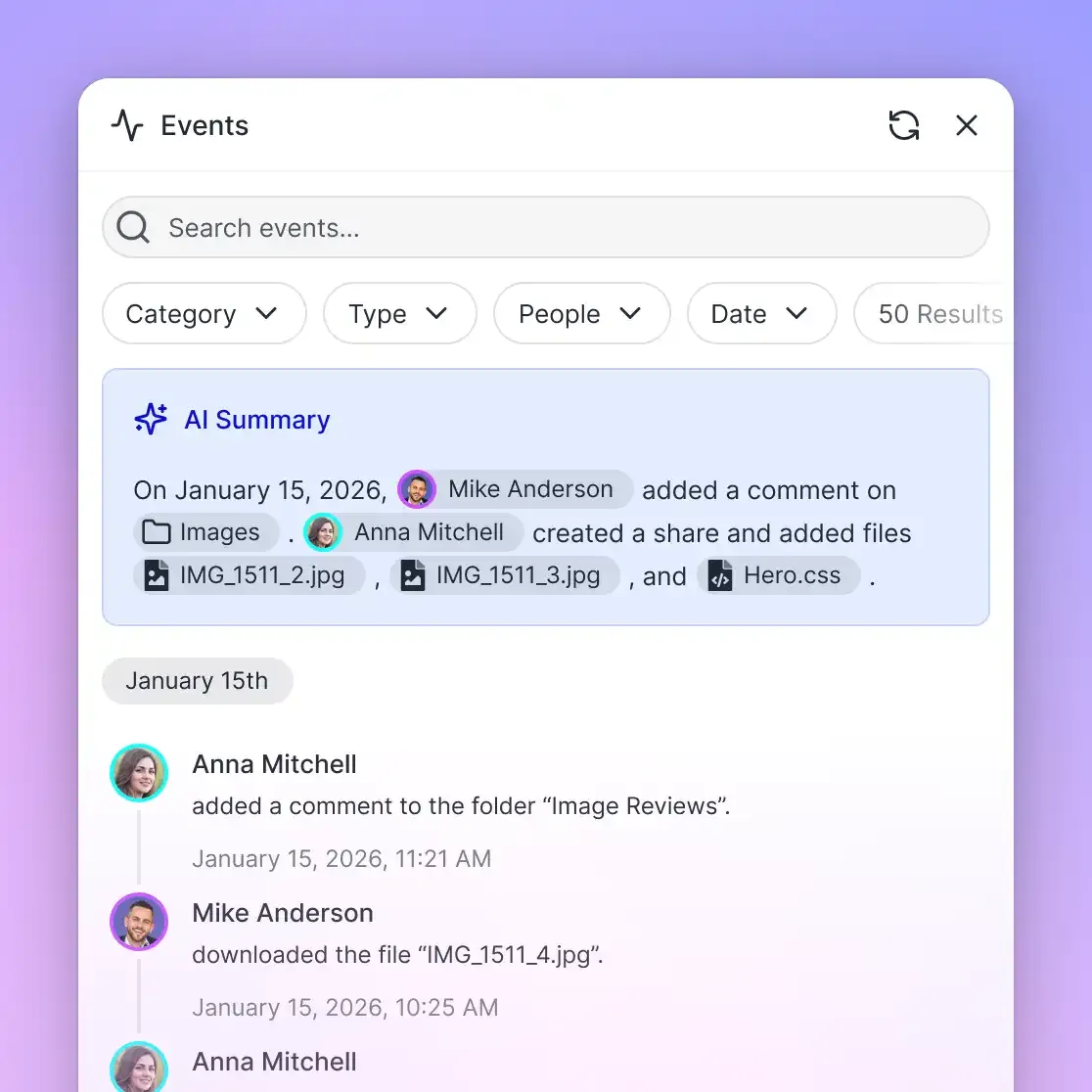
|  - Per-File Version History & Detailed Activity Log   |
+---------------------------+---------------------------+
                            |
                            | Remote MCP (Streamable HTTP)
                            v
+-------------------------------------------------------+
|               Python AI Agent / Script                |
|  - Semantic Querying via MCP Tool Calls               |
|  - Exact Passage Retrieval with File Citations        |
|  - Zero Local Binary File Ingestion                   |
+-------------------------------------------------------+
In this architecture, your team keeps their existing storage exactly where it already lives. Using Fast.io Cloud Sync, designated SharePoint libraries sync into a dedicated workspace through the OneDrive connector. Cloud Sync runs one-way or two-way, on a recurring schedule or on demand. It is never continuous, live, or real-time. (Google Drive, Dropbox, Box, and OneDrive folders sync the same way, on a schedule or on demand).
Instant Search Without Local Vector Databases
When SharePoint documents sync into a Fast.io workspace, Intelligence Mode auto-indexes every file. The system generates a hybrid search index combining full-text keyword matching, semantic embeddings, and metadata value filtering.
Instead of writing Python code to extract PDF text, run embedding models, and manage external vector databases, the workspace manages the retrieval pipeline automatically. Python scripts query the index directly, receiving concise passages with precise document citations.
Structured Extraction with Metadata Views
Beyond raw text search, enterprise workflows require extracting structured operational data from documents. Fast.io provides Metadata Views to turn unstructured file libraries into queryable databases.
Users describe the fields they want extracted in natural language, and AI populates a typed schema supporting Text, Integer, Decimal, Boolean, URL, JSON, and Date & Time formats. Metadata Views process PDFs, Word documents, spreadsheets, and scanned forms without manual OCR rules or rigid templates. Python agents can trigger extractions and query extracted metadata records directly over the API or MCP.
Verified Retrieval Performance
When evaluating connector architectures for agent workflows, performance and cost across external storage matter. In third-party evaluations published in the Fastio benchmark comparison, Fastio was measured the fastest and the lowest cost of the providers tested. (Note that the benchmark evaluated native connectors in Claude Cowork, whereas SharePoint was not measured in that test). By offloading document parsing and vector search to the workspace layer, agent runtimes avoid drawing down tenant API quotas while cutting query latency.
Steps to Query Synced SharePoint Files in Python via Remote MCP
Connecting Python applications to an intelligent workspace uses the Model Context Protocol (MCP), an open standard for interfacing AI models with external tools and data sources. Rather than requiring local file system daemons, Fast.io exposes a remote MCP server over Streamable HTTP at https://mcp.fast.io/mcp/tools for Claude apps, general MCP clients and scripts like the one below, and at https://mcp.fast.io/mcp/code for coding agents such as Claude Code and Cursor.
Querying Synced SharePoint Files over MCP in Python
Because Fast.io operates as a remote MCP endpoint, Python agents can connect using standard HTTP clients like httpx without needing custom storage drivers.
pip install httpx
import httpx

FASTIO_API_KEY = "your-fastio-api-key"
WORKSPACE_ID = "ws_your_workspace_id"
MCP_ENDPOINT = "https://mcp.fast.io/mcp/tools"

def query_workspace_mcp(api_key: str, workspace_id: str, query: str) -> dict:
    """Execute a semantic search query against indexed SharePoint files via MCP."""
    headers = {
        "Authorization": f"Bearer {api_key}",
        "Content-Type": "application/json",
    }
    ### JSON-RPC 2.0 payload calling the search action of the storage tool
    payload = {
        "jsonrpc": "2.0",
        "id": "query-sharepoint-01",
        "method": "tools/call",
        "params": {
            "name": "storage",
            "arguments": {
                "action": "search",
                "workspace_id": workspace_id,
                "query": query,
                "mode": "hybrid",
            },
        },
    }
    with httpx.Client(timeout=30.0) as client:
        response = client.post(MCP_ENDPOINT, headers=headers, json=payload)
        response.raise_for_status()
        return response.json()

### Query indexed engineering documentation originally stored in SharePoint
results = query_workspace_mcp(
    api_key=FASTIO_API_KEY,
    workspace_id=WORKSPACE_ID,
    query="What are the disaster recovery failover procedures for database clusters?",
)

print("Retrieved Semantic Context:")
for match in results.get("result", {}).get("content", []):
    print(match.get("text"))
Architectural Comparison: Direct Graph API vs Intelligent Workspaces
Choosing between direct Microsoft Graph API scripts and an intelligent workspace layer depends on your application's operational goals:
Strategic Recommendation
Use the direct Microsoft Graph API when your Python scripts perform administrative file operations, such as creating document libraries, altering Entra ID group access permissions, managing term stores, or executing bulk administrative migrations.
Use intelligent workspace synchronization via MCP when building AI agents, automated research tools, or developer search interfaces. By keeping SharePoint as your team's authoritative file repository while syncing working folders into a Fast.io workspace, you eliminate HTTP 429 throttling issues, bypass complex DriveItem pagination loops, and provide autonomous agents with instant semantic search across enterprise documents.
Sources
References used to verify factual claims in this guide.
-
Microsoft Graph limits JSON batching to a maximum of 20 requests per batch object.
Frequently Asked Questions
How do I connect to SharePoint API using Python?
You can connect to SharePoint using Python by querying the Microsoft Graph REST API directly or by syncing SharePoint libraries into an intelligent workspace. For direct API calls, register an application in Microsoft Entra ID, grant application permissions like Sites.Read.All with admin consent, and use a Python HTTP library like requests to fetch OAuth2 bearer tokens. For AI agent retrieval, sync SharePoint folders into a Fast.io workspace and query indexed files semantically using remote MCP tools.
How to authenticate SharePoint in Python with MSAL?
To authenticate SharePoint in Python with MSAL, register an application in Microsoft Entra ID, configure a client secret, and grant the required application permissions with tenant admin consent. In your Python script, instantiate a ConfidentialClientApplication using your client ID, client secret, and tenant authority URL. Request a token scoped to https://graph.microsoft.com/.default, which returns an access token you can attach as a Bearer token in the Authorization header of your Graph API requests.
Can AI agents search SharePoint files through Python without downloading entire folders?
Direct Microsoft Graph API calls require Python scripts to download raw files locally to parse and search their contents. By syncing SharePoint document libraries into a Fast.io intelligent workspace, files are indexed automatically upon arrival for hybrid and semantic search. AI agents can then query specific concepts over remote MCP, retrieving concise passages with document citations without downloading large binary files.
What causes HTTP 429 Too Many Requests errors when using the SharePoint API in Python?
Microsoft Graph enforces dynamic throttling limits across tenants to maintain multi-tenant health. When Python automation or autonomous agents execute rapid requests to inspect file metadata, traverse directory hierarchies, or download files, the API responds with HTTP 429. Scripts must parse the Retry-After header and implement exponential backoff to recover.
Is the PyPI office365-rest-python-client library still recommended for new projects?
The office365-rest-python-client package on PyPI is a community-maintained wrapper around legacy SharePoint CSOM and REST endpoints. While functional for older automation tasks, Microsoft recommends the unified Microsoft Graph REST API for modern cloud development to ensure long-term support and alignment with enterprise authentication standards.
Related Resources

Connect SharePoint Files to Your Agent Workspaces
Sync SharePoint document libraries to an intelligent workspace with semantic search and remote MCP tools for Python agents. Monthly plans start with a 14-day free trial.