How to Build a Laboratory DAQ Agent with OpenClaw on Raspberry Pi
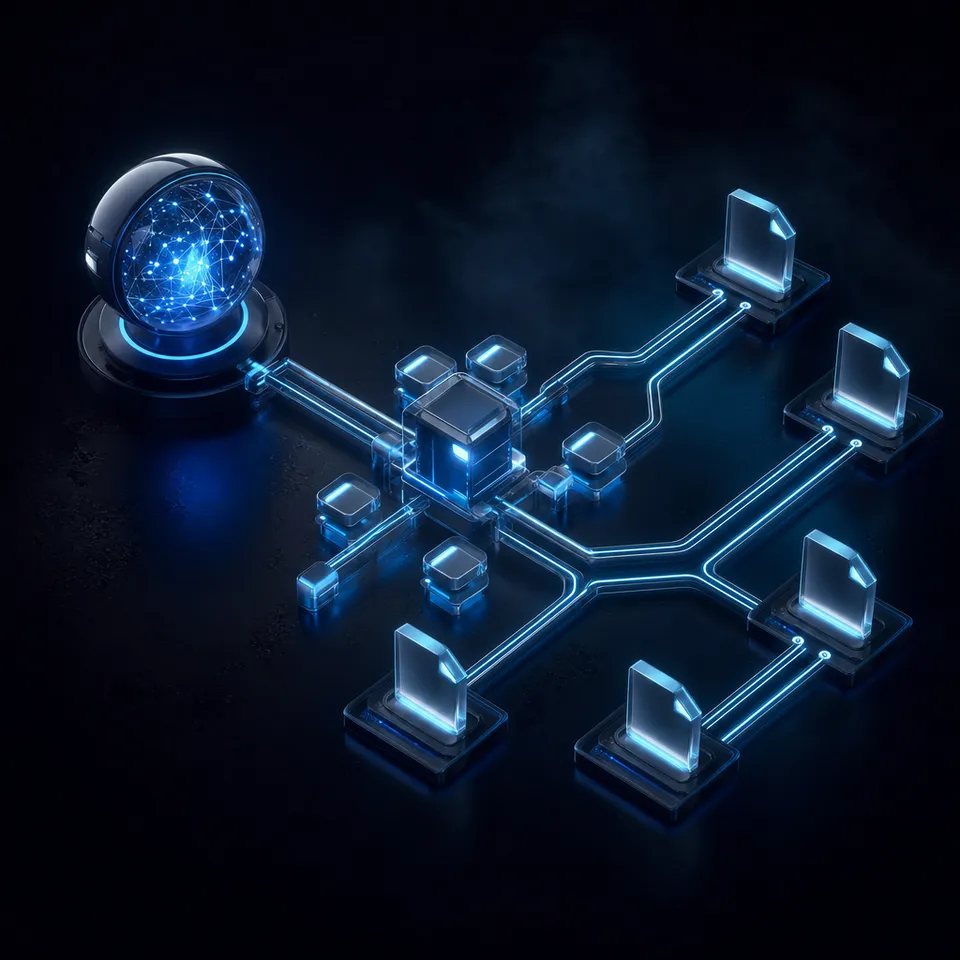
A peer-reviewed Raspberry Pi DAQ system achieves 0.4 ppm precision for $80 to $120 in parts, yet every existing tutorial stops at hardware wiring. This guide adds the missing layer: an OpenClaw agent that schedules acquisition runs, monitors sensor streams for threshold violations, generates measurement reports, and archives calibrated datasets to cloud storage.

Why Pi DAQ Tutorials Stop Too Soon
A peer-reviewed study published in HardwareX found that a Raspberry Pi DAQ system built around the ADS1262 32-bit ADC achieves 0.4 ppm precision at 20 samples per second, with thermocouple accuracy better than plus or minus 0.01 degrees Celsius. Total materials cost: $80 to $120. The system, called piadcs, outperformed a commercial MCC 134 thermocouple HAT in direct comparison tests.
That result matters because it proves a Pi can match or beat dedicated lab instruments on resolution. But the paper, like every Pi DAQ tutorial online, ends at the acquisition layer. You get wiring diagrams, Python scripts, and maybe a matplotlib plot. Nobody covers what happens next: scheduling overnight measurement runs, catching a thermocouple drift at 3 AM, compiling a calibration report for your lab notebook, or getting weeks of data off the Pi and into a place where your team can access it.
Traditional laboratory DAQ software solves these problems, but at traditional laboratory prices. A five-engineer LabVIEW license runs $10,000 to $12,000 per year before add-on toolkits. National Instruments CompactRIO hardware starts in the thousands. For teaching labs, field research stations, and small R&D teams, that budget does not exist.
OpenClaw is an open-source AI agent framework that runs directly on a Raspberry Pi 5 or Pi 4 with at least 2GB of RAM. It executes shell commands, schedules cron jobs, monitors file changes, and sends results to cloud-hosted LLMs for analysis. Pairing it with a DAQ HAT gives you an automated measurement system that costs under $200 in total hardware and $0 in software licensing.
This guide covers the hardware options, how to wire a DAQ pipeline from sensor to cloud, where OpenClaw fits in the workflow, and the practical limits you should understand before deploying in a real lab.
Related guides
- How to Build a Secure Hermes Agent Data RoomAs of 2026, approximately 48% of production AI agents run without adequate security or governance measures, leading to...
- How to Build a B2B Data Enrichment Waterfall in ClayConfiguring sequential waterfall logic for clay data enrichment allows go-to-market teams to query multiple third-party...
- How to Build an Oscilloscope Signal Measurement Agent with OpenClaw on Raspberry PiA Raspberry Pi with an analog-to-digital converter can capture electrical signals for a fraction of what a bench...
- How to Build a Wireless Sensor Decoder Agent with RTL-433 and OpenClaw on Raspberry Pirtl_433 decodes signals from over 320 wireless device protocols using a cheap USB radio dongle. Pairing it with an...
- How to Build a Pool Water Quality Monitor with OpenClaw on Raspberry PiCommercial pool monitors display readings on a screen. They tell you the pH is 7.1 but not what to do about it. This...
- How to Build an Earthquake Detection Agent with OpenClaw on Raspberry PiA geophone on a Raspberry Pi produces continuous seismic data, but most of what it records is foot traffic, trucks, and...
More on this subject: OpenClaw on Raspberry Pi (192 guides)
DAQ Hardware Options for Raspberry Pi
The Raspberry Pi has no built-in analog inputs. Every DAQ project starts with an external analog-to-digital converter. Five categories of hardware cover most laboratory use cases, from high-resolution DC measurement to vibration analysis.
Research-Grade: piadcs (ADS1262/ADS1263)
The piadcs system uses a Texas Instruments ADS1262 or ADS1263 ADC connected to a Pi 4 via SPI. It delivers 32-bit resolution with peak-to-peak noise of 2 microvolts at 20 samples per second. The programmable gain amplifier supports gains from 1 to 32, covering input ranges from millivolts to several volts without external amplification. Maximum effective sample rate is 14,400 samples per second, limited by the current software implementation rather than the ADC hardware.
The project is open source on GitHub and documented in a peer-reviewed PMC publication. Build cost is $80 to $120 depending on which Pi 4 model you use. For DC measurements, thermocouple work, strain gauge reading, and any application where resolution matters more than speed, piadcs is the strongest option available on the Pi platform.
Commercial HATs: MCC DAQ Family
Measurement Computing (now part of Digilent) sells five DAQ HATs purpose-built for the Raspberry Pi:
- MCC 118: 8 channels, 12-bit resolution, 100 kS/s aggregate, plus or minus 10V range
- MCC 128: 8 single-ended or 4 differential channels, 16-bit resolution, 100 kS/s
- MCC 134: 4 thermocouple channels, 24-bit resolution, cold junction compensation
- MCC 152: 2 analog outputs plus 8 digital I/O, 12-bit DAC
- MCC 172: 2 IEPE channels, 24-bit resolution, 51.2 kS/s per channel (vibration/acoustics)
Up to eight HATs stack on a single Pi, scaling to 64 analog channels at 320 kS/s combined throughput. All five models ship with Python and C/C++ libraries. For labs that need turnkey hardware with calibration certificates, MCC HATs are the standard choice on the Pi platform.
Education: PhyPiDAQ
PhyPiDAQ is an open-source framework from Karlsruhe Institute of Technology designed for physics education. It supports the ADS1115, MCP3008, and PicoScope USB oscilloscopes as input devices, provides real-time displays (oscilloscope, bar chart, XY plot), and records data to disk. The entire system runs from a power bank, making it portable for field work. PhyPiDAQ is best suited for teaching labs and introductory physics experiments where the graphical interface and ease of setup outweigh the need for maximum resolution.
Budget: ADS1115 and MCP3008 Breakout Boards
For quick prototyping, standalone breakout boards offer the cheapest entry. The ADS1115 gives 16-bit resolution at up to 860 samples per second over I2C for $3 to $15. The MCP3008 provides 10-bit resolution at up to 200 kS/s over SPI for $2 to $8. Both have extensive Adafruit CircuitPython library support. These boards are appropriate for proof-of-concept work and non-critical monitoring, but lack the input protection, calibration, and noise shielding of the piadcs or MCC solutions.

Building the Acquisition Pipeline
A laboratory DAQ pipeline has four layers: sensor interface, data capture, analysis, and storage. On a traditional bench instrument, all four are bundled into one piece of hardware running proprietary software. On a Pi, you build each layer from open-source components and connect them with standard file formats.
Sensor interface
Wire your ADC to the Pi's GPIO header following the manufacturer's pinout. For the ADS1115 over I2C: VDD to 3.3V, GND to GND, SDA to GPIO2, SCL to GPIO3. For SPI devices like the MCP3008 or ADS1262: connect MOSI, MISO, SCLK, and CS to the corresponding SPI pins. Enable the I2C or SPI interface through raspi-config before your first read.
Ground loop isolation matters in a lab environment. Keep ADC wiring short, route analog and digital traces separately, and use shielded cable for any sensor lead longer than 30 centimeters. The piadcs documentation includes specific layout recommendations that reduce noise by an order of magnitude compared to breadboard prototyping.
Data capture script
Write a Python script that reads from your ADC in a continuous loop. Each sample should include a UTC timestamp, channel identifier, raw ADC count, and converted engineering unit (volts, degrees, strain). Store samples in two formats simultaneously: a rolling JSON summary file (latest statistics, min/max, mean, standard deviation) and an append-only CSV log of every raw sample.
The JSON file becomes the interface between hardware and the OpenClaw agent. The CSV log preserves the complete dataset for post-experiment analysis. Use Python's csv module with explicit flushing rather than pandas for the capture loop. Pandas adds overhead that can cause sample drops at higher acquisition rates.
Calibration
Raw ADC counts need conversion to physical units through a calibration function. For thermocouples, the piadcs system uses National Institute of Standards and Technology (NIST) polynomial coefficients with cold junction compensation from the ADC's onboard temperature sensor. For voltage measurements, a two-point calibration against a known reference (a precision voltage source or even a fresh battery measured with a calibrated multimeter) corrects gain and offset errors.
Store calibration coefficients in a separate YAML or JSON file that your capture script loads at startup. This keeps calibration data versioned and auditable, which matters if your measurements feed into published research.


Archive your measurement datasets where your whole team can reach them
Upload calibrated datasets from your Pi, extract structured metadata from reports, and share results with collaborators.
Where OpenClaw Fits in the Measurement Workflow
OpenClaw runs as a persistent daemon on the Raspberry Pi, executing tasks on schedules you define. It does not touch hardware directly. Instead, it invokes your Python capture scripts, reads their output files, sends data to cloud-hosted LLMs for analysis, and acts on the results. This separation keeps the real-time acquisition loop deterministic while letting the AI layer handle the parts that benefit from reasoning.
Scheduled acquisition runs
OpenClaw's built-in cron scheduler persists job definitions in SQLite and wakes the agent at specified times. A laboratory measurement schedule might look like this: run a 60-second high-frequency capture every hour, run a 24-hour slow-log capture overnight, and run a weekly calibration check against a reference standard.
Each schedule entry invokes a shell command that starts your capture script with the appropriate parameters (duration, sample rate, output path). OpenClaw tracks execution history, retries on transient failures, and records exit codes, so you have a log of which acquisitions succeeded and which need re-running.
Threshold monitoring and anomaly detection
Between scheduled runs, the agent monitors the rolling JSON summary file from your continuous capture script. You describe expected behavior in natural language when configuring the agent: "Channel 1 should read between 22.0 and 24.0 degrees Celsius. Alert me if the reading drifts outside this range for more than 5 minutes or if the standard deviation exceeds 0.5 degrees over any 10-minute window."
When the agent detects a threshold violation, it reads the full buffer data and sends it to the LLM with your measurement context. The LLM analyzes the pattern and returns a structured assessment: whether the anomaly looks like sensor drift, an environmental change, a wiring fault, or expected behavior (like a door opening in a temperature-controlled room). The agent then routes the alert to your preferred channel (Telegram, Discord, or webhook).
Automated report generation
After each acquisition run completes, the agent can compile a measurement report: summary statistics, trend plots described in text, anomaly flags, calibration status, and comparison against previous runs. For labs that need documented measurement records, this replaces the manual process of opening a Jupyter notebook, loading the CSV, and writing up results by hand.
What the agent cannot do
OpenClaw on a Pi uses cloud-hosted LLMs (Claude, GPT) for reasoning. The Pi itself does not run inference. This means the agent needs an internet connection for analysis tasks, and there is latency between detecting a threshold violation and receiving the LLM's assessment. For safety-critical applications where millisecond response matters (pressure relief, emergency shutoff), use dedicated hardware interlocks. The OpenClaw agent is a monitoring and reporting layer, not a real-time control system.
Archiving Calibrated Datasets to Cloud Storage
A Raspberry Pi with a 32GB SD card fills up fast when logging at kilohertz sample rates. A single channel at 1 kS/s with timestamps and float values generates roughly 50 MB per hour in CSV format. Multi-channel overnight runs routinely produce gigabytes. Keeping all that data on the Pi's SD card is a bad idea for three reasons: SD cards have limited write endurance, the Pi has no redundancy, and nobody else on the team can access the files.
Local storage first
Write acquisition data to a USB SSD rather than the SD card. A 256 GB USB 3.0 SSD costs $20 to $30, handles sustained writes without wear concerns, and gives you weeks of buffer for high-rate logging. The SD card should hold only the OS, OpenClaw, and your scripts. Configure your capture scripts to write to a mounted USB path.
Cloud sync options
For getting data off the Pi and into shared storage, you have several paths:
- rsync to a lab server over SSH (most common in university settings)
- rclone to S3, Google Drive, or Dropbox (works well for smaller datasets)
- Fastio workspace upload via the MCP server or REST API
Fastio provides persistent workspace storage with paid plans and a 14-day Business Trial. For a lab generating measurement data that needs to be shared with collaborators, the workspace model fits well: upload datasets to a shared workspace, files are indexed and searchable once Intelligence is enabled for the workspace, and use Metadata Views to extract structured fields (date, sensor type, calibration status, peak values) from measurement reports without manual tagging.
The OpenClaw agent can schedule nightly uploads to Fastio's workspace storage as a cron job. Each upload goes into a dated folder structure. Team members access results through the web interface or API without needing SSH access to the Pi. If the Pi's SD card fails or the USB drive fills up, your data is already replicated to cloud storage.
Data integrity
Compute a SHA-256 hash of each dataset file before upload and store the hash alongside the file. This lets anyone verify that the archived copy matches what the Pi recorded. For published research, this chain of custody (calibrated sensor, timestamped capture, hashed upload, cloud-stored archive with audit trail) provides the documentation that reviewers and journals increasingly expect.

Practical Limits and When to Use Something Else
A Pi-based DAQ system with OpenClaw covers a wide range of laboratory measurement tasks, but it has real constraints that you should evaluate before committing to a deployment.
Sample rate ceiling
The fastest Pi DAQ option is the MCC 118 at 100 kS/s aggregate across all channels. For a single channel, you can reach 100 kS/s. For eight channels, each gets 12.5 kS/s. Stacking eight boards pushes to 320 kS/s total. This handles audio-frequency analysis, vibration monitoring, power quality measurement, and most environmental sensing. It does not handle RF work, fast digital logic capture, or applications requiring megahertz sample rates. For those, you need a dedicated oscilloscope or a PCI/PXI DAQ card in a workstation.
Timing precision
The Raspberry Pi runs Linux, which is not a real-time operating system. Worst-case scheduling jitter can reach several milliseconds under load. For the MCC HATs, the ADC handles sample timing in hardware, so individual sample timestamps are precise. But if your application requires synchronized acquisition across multiple instruments or deterministic control loops at sub-millisecond intervals, the Pi OS is a bottleneck. PREEMPT_RT kernel patches help, but do not eliminate the issue entirely.
Environmental limits
Commercial DAQ systems are rated for industrial temperature ranges (typically minus 40 to plus 85 degrees Celsius). The Raspberry Pi is rated for 0 to 50 degrees Celsius. MCC HATs are rated for 0 to 55 degrees Celsius. For outdoor deployments, cold rooms, or process environments, you need a temperature-rated enclosure and potentially a heater circuit.
When a traditional DAQ system is the better choice
If you need more than 64 channels, sample rates above 500 kS/s, hardware-timed digital output synchronized with analog input, or regulatory compliance with specific measurement standards (IEC 61000 for EMC testing, ISO 17025 for calibration labs), invest in a National Instruments, Keysight, or similar commercial system. The Pi excels at the long tail of measurement tasks that do not justify a $5,000-plus hardware investment: monitoring a growth chamber overnight, logging battery discharge curves, tracking temperature across a thermal test, or streaming sensor data from a field station where no bench instruments exist.
Network dependency
The OpenClaw agent relies on cloud LLMs for its analysis and reasoning capabilities. If your Pi is on an air-gapped network (common in some industrial and government labs), the agent cannot reach its LLM backend. In that case, you can still use the Pi as a standalone DAQ system with Python scripts and local processing. The OpenClaw layer is an enhancement for connected environments, not a hard dependency for basic data acquisition.
Sources
References used to verify factual claims in this guide.
-
piadcs achieves 0.4 ppm precision at 20 samples per second with thermocouple accuracy better than plus or minus 0.01 degrees Celsius, costing $80 to $120
-
MCC 118 provides 100 kS/s at 12-bit resolution, stackable to 64 channels at 320 kS/s
-
A five-engineer LabVIEW license costs roughly $10,000 to $12,000 per year
-
OpenClaw on Raspberry Pi requires minimum 1GB RAM and 500MB disk, with 2GB+ RAM recommended
-
PhyPiDAQ supports ADS1115, MCP3008, and PicoScope inputs for physics education data acquisition
Frequently Asked Questions
Can Raspberry Pi be used for data acquisition?
Yes. The Raspberry Pi supports external analog-to-digital converters that plug directly into its GPIO header. Commercial options like the MCC 118 provide 100 kS/s at 12-bit resolution. Research-grade builds using the ADS1262 ADC achieve 32-bit resolution with 0.4 ppm precision at 20 samples per second. A peer-reviewed study in HardwareX validated the piadcs system for laboratory use at a cost of $80 to $120.
What resolution can Pi DAQ achieve?
The highest resolution available on a Pi is 32-bit using the piadcs system with an ADS1262 ADC, achieving peak-to-peak noise of 2 microvolts and 0.4 ppm precision. Commercial MCC HATs offer 24-bit resolution for thermocouple and IEPE measurements, and 16-bit resolution for general voltage measurement at higher sample rates.
How much does a Raspberry Pi DAQ system cost?
A basic system with an ADS1115 breakout board costs $40 to $60 total (Pi plus ADC). The peer-reviewed piadcs system costs $80 to $120. Commercial MCC DAQ HATs add $100 to $250 depending on the model. Compare that to traditional laboratory DAQ: a five-engineer LabVIEW license alone costs $10,000 to $12,000 per year, before you buy any hardware.
What sensors work with Raspberry Pi DAQ?
Any sensor that outputs an analog voltage or uses I2C, SPI, or UART communication works with the Pi through the appropriate ADC or digital interface. Common laboratory sensors include thermocouples (via MCC 134 or piadcs with cold junction compensation), strain gauges, photodiodes, accelerometers (via MCC 172 IEPE input), pH probes with analog output, load cells, and pressure transducers. Digital sensors like the BME280 (temperature, humidity, barometric pressure) connect directly over I2C without an external ADC.
How does OpenClaw help with laboratory measurements?
OpenClaw runs as a persistent agent on the Pi, scheduling acquisition runs via built-in cron jobs, monitoring live sensor data for threshold violations, sending anomaly alerts through Telegram or Discord, generating measurement reports after each run, and automating uploads of calibrated datasets to cloud storage. It delegates hardware access to your Python scripts and uses cloud-hosted LLMs for data analysis and natural-language reporting.
Can I run this system without internet access?
The data acquisition layer (ADC hardware, Python capture scripts, local CSV logging) works entirely offline. OpenClaw's scheduling and shell-command execution also work locally. The LLM-powered analysis features (anomaly interpretation, report generation, natural-language alerts) require internet access to reach cloud model APIs. For air-gapped labs, you can run acquisition and basic threshold monitoring locally, then transfer data manually for AI-assisted analysis on a connected machine.
Related Resources

Archive your measurement datasets where your whole team can reach them
Upload calibrated datasets from your Pi, extract structured metadata from reports, and share results with collaborators.