How to Set Up an MCP Server for YouTube Transcript Extraction
An MCP server for YouTube lets AI agents search videos, pull transcripts, and analyze channel data through the Model Context Protocol. This guide compares the top YouTube MCP servers, walks through setup for Claude Desktop and Claude Code, and shows how to persist extracted transcripts in a shared workspace for team access.

What a YouTube MCP Server Does
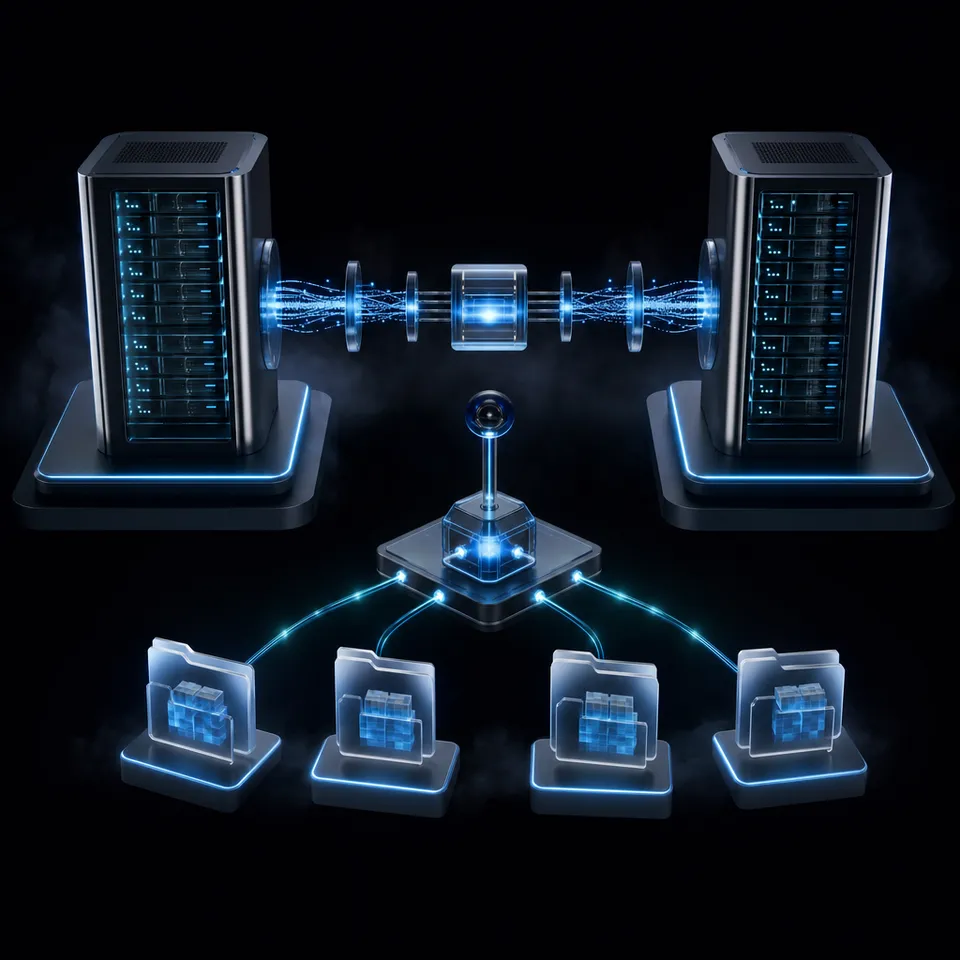
An MCP server for YouTube gives AI agents structured access to video content through the Model Context Protocol. Instead of copying and pasting video URLs into a chat window and hoping the model can parse a webpage, the MCP server hands the agent clean data: transcripts, video metadata, channel statistics, and playlist contents.
YouTube hosts over 800 million videos, with more than 500 hours of new content uploaded every minute. That volume makes it one of the richest sources of information available, but most of it is locked inside video files. Transcripts are the key that unlocks it. Once an agent has a transcript, it can summarize a conference talk, extract action items from a meeting recording, compare product reviews across channels, or build a research corpus from educational content.
Transcript extraction is the most common YouTube MCP use case. The YouTube Data API v3 provides metadata (titles, descriptions, view counts, channel info), but transcripts require either the YouTube captions endpoint or a tool like yt-dlp that can pull auto-generated subtitles. Most YouTube MCP servers handle this complexity for you, exposing a single get_transcript tool that accepts a URL and returns formatted text.
The practical workflow looks like this: you give your agent a YouTube URL, it calls the MCP server's transcript tool, receives the full text, and then processes it however you need. No browser automation, no manual copy-paste, no API boilerplate.
Beyond transcripts, some YouTube MCP servers expose broader capabilities: video search, channel discovery, playlist management, and creator analytics. The right choice depends on whether you need just transcripts or the full YouTube Data API surface.

Related guides
- How to Set Up an MCP Server Proxy for Production AI AgentsMCP servers work fine over localhost during development, but production deployments need TLS termination,...
- How to Set Up an MCP Server for GitHub ActionsMost GitHub MCP guides stop at repo management. This guide covers the Actions-specific surface: connecting an MCP...
- How to Set Up an MCP Server for LinkedInAn MCP server for LinkedIn lets AI agents read profiles, search jobs, send messages, and publish posts through the...
- How to Set Up the GitLab MCP Server for AI Devops AgentsSetting up a GitLab MCP server connects your AI coding assistants directly to your repositories, issues, and pipelines....
- How to Set Up MCP Server AuthenticationMCP server authentication is the process of verifying the identity of AI agents and applications connecting to a Model...
- How to Set Up an MCP Server for CalendlyCalendly's official MCP server lets AI agents check availability, book meetings, and manage scheduling links through...
More on this subject: MCP and Model Context Protocol (244 guides)
YouTube MCP Servers Worth Considering
Over 40 YouTube MCP servers exist in community directories. Most are forks or thin wrappers. Four stand out as actively maintained options with distinct approaches.
anaisbetts/mcp-youtube
The most-starred YouTube MCP server on GitHub with around 490 stars. It uses yt-dlp under the hood to download subtitles, which means it works with auto-generated captions even when the creator hasn't uploaded manual transcripts. Written in JavaScript and TypeScript, released at v0.6.0 as of March 2025.
Best for: Simple transcript extraction without needing a YouTube API key.
Install:
npx @anthropic-ai/mcp-installer @anaisbetts/mcp-youtube
Requires: yt-dlp installed locally (via Homebrew on macOS or WinGet on Windows).
Limitation: Transcript-only. No video search, channel data, or playlist access.
kimtaeyoon83/mcp-server-youtube-transcript
A Python-based server focused on transcript quality. It supports language-specific retrieval with automatic fallback (request Korean, get English if Korean isn't available), optional timestamps, and built-in ad/sponsorship segment filtering. Released at v0.5.7 as of January 2026.
Best for: Multi-language transcript work or filtering sponsored segments.
Claude Desktop config:
{
  "mcpServers": {
    "youtube-transcript": {
      "command": "npx",
      "args": ["-y", "@kimtaeyoon83/mcp-server-youtube-transcript"]
    }
  }
}
ZubeidHendricks/youtube-mcp-server
The most feature-complete option, exposing 10 MCP tools that cover the full YouTube Data API surface: video search, transcript extraction, channel details, creator discovery, and playlist management. Requires a YouTube API key.
Best for: Workflows that need more than transcripts, like competitive channel analysis, playlist auditing, or video search across topics.
Tools available:
videos_searchVideos,videos_getVideotranscripts_getTranscriptchannels_getChannel,channels_getChannels,channels_searchChannels,channels_findCreators,channels_listVideosplaylists_getPlaylist,playlists_getPlaylistItems
Requires: At least one YouTube API key. Supports up to three keys with automatic rotation when quota is exhausted.
ergut/youtube-transcript-mcp
A remote MCP server hosted on Cloudflare Workers. Zero local setup required. Because it runs in the cloud, it works with Claude on mobile, desktop, and web without installing anything on your machine. Includes smart caching via Cloudflare KV for faster repeated requests.
Best for: Quick access from any device, especially mobile, or when you can't install local dependencies.
Claude Desktop config:
{
  "mcpServers": {
    "youtube-transcript": {
      "command": "npx",
      "args": ["mcp-remote", "https://youtube-transcript-mcp.ergut.workers.dev/sse"]
    }
  }
}
Setting Up YouTube MCP with Claude
The setup process takes five to ten minutes. The steps differ slightly between Claude Desktop and Claude Code.
Claude Desktop setup
Choose a YouTube MCP server from the comparison above. For transcript-only work without an API key, start with anaisbetts/mcp-youtube or the remote ergut server. For full YouTube API access, use ZubeidHendricks/youtube-mcp-server.
Open your Claude Desktop configuration file. On macOS, it's at
~/Library/Application Support/Claude/claude_desktop_config.json. On Windows, check%APPDATA%\Claude\claude_desktop_config.json.Add the server configuration to the
mcpServersobject. For the ZubeidHendricks server with API key support:
{
  "mcpServers": {
    "youtube": {
      "command": "npx",
      "args": ["-y", "zubeid-youtube-mcp-server"],
      "env": {
        "YOUTUBE_API_KEY": "your_api_key_here"
      }
    }
  }
}
Restart Claude Desktop. The server should appear in the MCP tools panel.
Test by asking Claude to summarize a YouTube video. Paste a video URL and ask for a transcript summary.
Claude Code setup
For Claude Code, add the server with the claude mcp add command:
claude mcp add youtube -- npx -y zubeid-youtube-mcp-server
Or for the transcript-only server:
claude mcp add youtube-transcript -- npx -y @kimtaeyoon83/mcp-server-youtube-transcript
Getting a YouTube API key
If you chose a server that requires the YouTube Data API, you need a free API key from Google Cloud Console:
- Go to console.cloud.google.com and create a new project
- Navigate to APIs & Services, then click Enable APIs and Services
- Search for "YouTube Data API v3" and enable it
- Go to Credentials, click Create Credentials, and select API Key
- Copy the key and add it to your MCP server configuration
The free tier provides 10,000 quota units per day. A search request costs 100 units. A video detail lookup costs 1 unit. For most agent workflows, the free tier is more than sufficient. Transcript extraction through yt-dlp (used by anaisbetts/mcp-youtube) doesn't consume API quota at all since it pulls captions directly.



Turn extracted YouTube transcripts into a searchable knowledge base
Fastio gives your agents persistent storage with built-in semantic search. Extract transcripts through YouTube MCP, upload to a shared workspace, and query across hundreds of videos with natural language.
Persisting Transcripts for Multi-Agent Workflows
Most YouTube MCP guides stop at "agent extracts transcript." But transcripts are raw material, not finished output. A research agent might pull transcripts from 20 conference talks, a summarization agent condenses them into briefings, and a writing agent uses those briefings to draft a report. Each agent needs access to the previous agent's output.
Without persistent storage, extracted transcripts live only in the current chat session. Close the window and they're gone. Copy them to a local text file and they're accessible to you but not to other agents or teammates.
Several approaches handle persistence:
Local files work for solo developers running everything on one machine. Save transcripts as JSON or plain text in a project directory. Simple, but doesn't scale to teams or multi-agent setups.
S3 or Google Cloud Storage provides durable cloud storage. Agents can write transcripts to a bucket and other agents can read them. Requires infrastructure setup, IAM configuration, and doesn't include search or collaboration features out of the box.
Vector databases like Pinecone or Weaviate let you store transcript chunks as embeddings for semantic search. Powerful for retrieval-augmented generation, but adds significant infrastructure complexity.
Fastio provides a middle ground: persistent workspaces that both agents and humans can access. An agent extracts a transcript through the YouTube MCP server and uploads it to a Fastio workspace through Fastio's own MCP server. Intelligence Mode auto-indexes the transcript for semantic search, so another agent (or a human teammate) can query it with natural language and get answers with citations.
The workflow chains two MCP servers in one agent session. The YouTube MCP server handles extraction. Fastio's MCP server (available via Streamable HTTP at https://mcp.fast.io/mcp/tools, or https://mcp.fast.io/mcp/code in Claude Code) handles storage, indexing, and sharing. Because both speak MCP, the agent doesn't need custom integration code.
Agent reads YouTube URL
  → YouTube MCP: get_transcript
  → Fastio MCP: upload to workspace
  → Intelligence Mode indexes transcript
  → Other agents or humans query the workspace
This pattern turns ephemeral transcript data into a searchable knowledge base. A research team could build a workspace of 500 indexed conference talk transcripts and query across all of them: "What did speakers say about fine-tuning costs at NeurIPS 2025?" The answer comes back with citations pointing to specific videos.
Fastio offers a 14-day Business Trial with included monthly credits to test workspaces and AI indexing.

Practical Use Cases Beyond Summarization
Transcript summarization is the obvious starting point, but YouTube MCP servers enable workflows that go well beyond "summarize this video."
Competitive research. Use the ZubeidHendricks server to search for videos about a competitor's product, pull transcripts from their demo videos and customer testimonials, and have an agent analyze feature claims, pricing mentions, and customer pain points. Store the analysis in a shared workspace so your product team can reference it during planning.
Content repurposing. Extract transcripts from your own YouTube content, then have an agent transform them into blog posts, social media threads, email newsletters, or documentation. The transcript provides the raw material. The agent handles format adaptation. Each output goes to a workspace where your content team reviews and publishes.
Research corpus building. Pull transcripts from a curated list of educational videos, technical talks, or podcast episodes. Index them in a searchable workspace. When a developer asks "how do other teams handle database migrations at scale?" the search returns relevant transcript segments with timestamps and video links.
Meeting and webinar processing. Many teams record meetings and upload them to YouTube (unlisted). An MCP server can extract the transcript, an agent can identify action items and decisions, and the structured output goes to a workspace where the team tracks follow-ups.
Multi-language content analysis. Servers like kimtaeyoon83/mcp-server-youtube-transcript support language-specific transcript retrieval. An agent can pull the same video's transcript in multiple languages, compare translations, or analyze how a message is adapted for different markets.
Each of these workflows benefits from persistent storage. The agent's output becomes more valuable when it's accessible to the rest of the team, indexed for search, and available across sessions. That's the gap most YouTube MCP setups leave unfilled, and where a shared workspace like Fastio or a structured cloud storage setup adds the most value.
Troubleshooting Common Issues
YouTube MCP servers are straightforward to set up, but a few issues come up regularly.
"No transcript available" errors. Not every YouTube video has captions. Live streams, new uploads, and some music videos lack transcripts entirely. Auto-generated captions take time to process after upload. If a specific video fails, check whether captions are available by opening the video on YouTube and looking for the CC button. Servers using yt-dlp (like anaisbetts/mcp-youtube) can access auto-generated captions that the YouTube API sometimes doesn't expose.
API quota exhaustion. The YouTube Data API v3 provides 10,000 free quota units per day. Search operations cost 100 units each, so 100 searches exhaust your daily quota. If you're doing bulk research, batch your queries and cache results. The ZubeidHendricks server supports up to three API keys with automatic rotation, which triples your effective quota.
yt-dlp not found. Servers that depend on yt-dlp require it to be installed separately. On macOS, run brew install yt-dlp. On Windows, use winget install yt-dlp. Verify the installation with yt-dlp --version before starting the MCP server.
Server not appearing in Claude. After editing the configuration file, restart Claude Desktop completely (quit and reopen, not just close the window). Check that the JSON is valid with no trailing commas or missing brackets. Claude Code users should verify the server is registered with claude mcp list.
Slow transcript retrieval. Large videos with long transcripts take more time to process. The ergut remote server includes Cloudflare KV caching, so repeated requests for the same video return faster. For local servers, consider implementing your own caching layer if you're processing the same videos repeatedly.
Age-restricted or private videos. MCP servers generally cannot access age-restricted content or private/unlisted videos unless the underlying tool (yt-dlp) is configured with authentication cookies. For unlisted videos, you'll need the full URL including the video ID. Private videos require OAuth authentication, which most MCP servers don't support.
Sources
References used to verify factual claims in this guide.
-
YouTube has over 2.7 billion monthly active users
-
Over 500 hours of video uploaded to YouTube every minute
-
YouTube hosts over 800 million videos
-
YouTube Data API v3 provides 10,000 free quota units per day
-
anaisbetts/mcp-youtube has around 490 GitHub stars
Frequently Asked Questions
How do I connect Claude to YouTube?
Add a YouTube MCP server to your Claude Desktop configuration file or use the claude mcp add command in Claude Code. The simplest option is the remote ergut/youtube-transcript-mcp server, which requires no local installation. For full YouTube API access including video search and channel data, use ZubeidHendricks/youtube-mcp-server with a free YouTube API key from Google Cloud Console.
Can AI agents access YouTube transcripts?
Yes. AI agents can access YouTube transcripts through MCP servers designed for transcript extraction. These servers pull captions (both manually uploaded and auto-generated) from YouTube videos and return them as structured text. Servers like anaisbetts/mcp-youtube use yt-dlp to access auto-generated captions, while others use the YouTube Data API's captions endpoint.
What MCP tools work with the YouTube API?
The ZubeidHendricks/youtube-mcp-server exposes 10 tools covering the YouTube Data API surface, including video search, transcript extraction, channel details, creator discovery, and playlist management. For transcript-only needs, kimtaeyoon83/mcp-server-youtube-transcript and anaisbetts/mcp-youtube are lighter options that focus specifically on caption extraction.
Do I need a YouTube API key for MCP?
It depends on the server. Servers that use yt-dlp for transcript extraction (like anaisbetts/mcp-youtube) don't require an API key. Servers that access the YouTube Data API for search, channel data, or playlist management (like ZubeidHendricks/youtube-mcp-server) require a free API key from Google Cloud Console. The free tier provides 10,000 quota units per day.
Can I use YouTube MCP on mobile?
Yes. The ergut/youtube-transcript-mcp server runs remotely on Cloudflare Workers, so it works with Claude on any device including mobile. Local MCP servers require a desktop or laptop with Node.js installed.
How do I store YouTube transcripts for later use?
Extract transcripts through a YouTube MCP server, then upload them to a persistent workspace. Options include local files, cloud storage like S3, or a workspace platform like Fastio that auto-indexes transcripts for semantic search. Fastio's MCP server lets agents upload transcripts in the same session they extract them, making the data available to other agents and human teammates.
Related Resources

Turn extracted YouTube transcripts into a searchable knowledge base
Fastio gives your agents persistent storage with built-in semantic search. Extract transcripts through YouTube MCP, upload to a shared workspace, and query across hundreds of videos with natural language.