How to Archive Live Event Videos
Live event video archiving stores raw footage from conferences, webinars, concerts, and sports for on-demand access and repurposing. Events produce terabytes of high-resolution video that teams need to organize, search, and share. Fastio provides scalable storage with integrated semantic search for quick clip retrieval, filling a gap in most solutions.

What Is Live Event Video Archiving?
Live event video archiving captures and stores footage from live streams or recordings for long-term access. It goes beyond basic upload to include organization, metadata tagging, and indexing for easy retrieval.
Teams use it to save multi-camera streams, audience reactions, and speaker sessions. The process starts right after the event ends. Producers upload raw files to cloud storage designed for large media files.
Good archiving makes footage ready for editing, clipping, or streaming on demand. Without it, valuable content sits unused on hard drives.

Related guides
- Building AI-Native Video Storage InfrastructureGuide to native video storage infrastructure: Traditional storage treats video as a playback stream. AI agents treat it...
- How to Edit and Modify Video Metadata TagsVideo metadata tags control how files are titled, organized, and discovered across players and platforms. This guide...
- MediaInfo Tutorial: How to Extract Video and Audio MetadataMediaInfo is a free, open-source tool that reads technical and tag metadata from video, audio, and container files....
- Managing Video Datasets for Multimodal AI TrainingMultimodal AI models need video data aligned with text, audio, and sensor inputs, but managing those datasets is far...
- How to Manage VR Video Assets EffectivelyVR video asset management refers to the processes and tools used to organize, store, and share immersive 360-degree...
- Best Wistia Alternatives for Professional Video HostingWistia is a strong video marketing platform, but its per-video pricing model and feature limitations push many...
More on this subject: Video and Media Production (36 guides)
Why Do You Need to Archive Live Event Videos?
Most event footage gets repurposed after the live show. Organizers cut highlights for social media, compile full sessions for on-demand libraries, or extract clips for marketing.
Archiving protects against data loss from device failures. It also meets compliance needs for industries like education or corporate training, where records must last years.
Centralized storage improves team access. Remote editors pull files without chasing links or drives. That speeds up post-production.
Repurposing Opportunities
Cut short clips for YouTube or TikTok. Full webinars become lead magnets. Multi-angle events create immersive replays.
Common Challenges in Event Footage Storage
Large files overwhelm standard cloud drives. A single HD stream can hit hundreds of gigabytes per hour. Multiple cameras multiply that.
Searching unindexed archives wastes time. Teams scroll timelines or rename files manually. No integrated clip search exists in most platforms.
Sharing raw footage risks quality loss or security issues. Basic links lack permissions or previews.

Live Event Video Archiving Best Practices
Follow these steps for reliable archiving:
Capture in high quality. Use professional codecs like ProRes or H.265. Record multiple angles and audio tracks.
Upload immediately. Transfer to cloud storage during or right after the event to avoid local drive risks.
Add metadata. Tag files with event name, date, speakers, and timestamps. This aids search later.
Choose scalable storage. Pick platforms with large file support and media streaming.
Enable search and indexing. Use semantic search to find clips by description, not just filenames.
Set permissions. Control access for teams and clients with granular roles.
Plan backups. Keep originals safe while generating web proxies for sharing.
These practices ensure footage stays useful.
Comparing Live Event Video Archiving Solutions
Fastio stands out for integrated search and agentic workflows. Vimeo limits uploads. YouTube publicizes content. S3 needs custom setup.



Ready for Reliable Video Archiving?
Fastio offers scalable storage, instant streaming, and clip search.
Archiving Live Events with Fastio
Fastio handles terabytes of video with cloud-native storage. Upload raw footage to dedicated workspaces. HLS streaming plays files instantly without buffering.
Semantic search finds clips by asking "show highlight from keynote at 2:15." Intelligence mode indexes videos automatically.
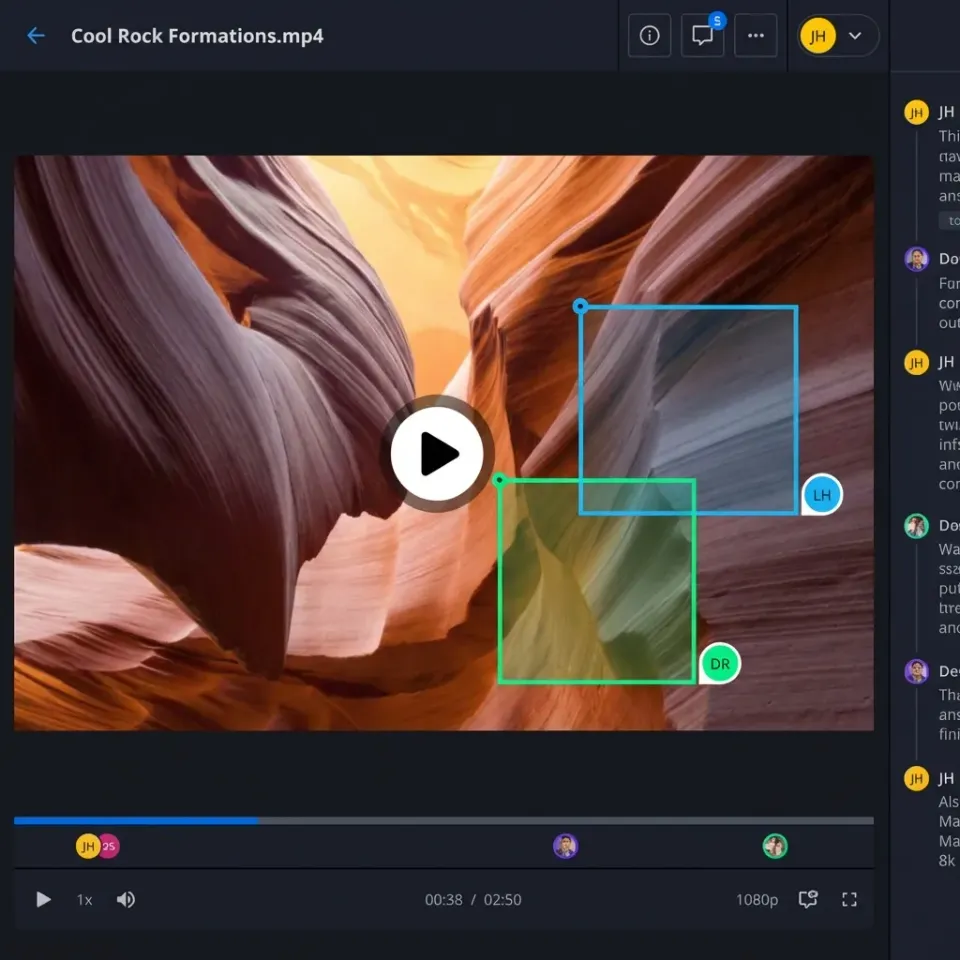
Share branded portals with clients. Frame-accurate comments let editors note issues precisely.
For webinars, organize sessions in folders. Guests access without accounts.
Start by creating a workspace for the event. Drag files in. They transcodes for previews while originals stay intact.
Frequently Asked Questions
What is the best way to archive live event videos?
Upload to cloud storage with media streaming and search. Tag metadata and enable indexing. Fastio offers semantic search for clips.
What are good live stream storage solutions?
Look for large file support, HLS playback, and collaboration. Fastio, Vimeo, and AWS work. Fastio adds AI search.
How much storage do live events need?
HD events fill gigabytes per hour. Multi-camera setups reach terabytes. Choose plans sized for that volume.
Can you search clips in archived videos?
Platforms with semantic search yes. Fastio indexes footage for natural language queries.
How to share archived event footage securely?
Use password links, expiration, and view-only modes. Fastio portals add branding and analytics.
Related Resources

Ready for Reliable Video Archiving?
Fastio offers scalable storage, instant streaming, and clip search.