Law Firm Video Production: Managing Raw Footage, Marketing Assets, and Client Reviews
Law firm video production requires managing multi-gigabyte raw footage, collaborative editing passes, and client review workflows. Traditional legal document tools and email attachments fail when handling high-resolution video files. This guide details how legal operations teams organize intake, stream draft cuts securely, and maintain compliance across marketing media.


Why Large Media Files Strain Traditional Law Firm File Systems
A single afternoon of shooting multi-camera attorney profiles or practice area explainers generates hundreds of gigabytes of raw footage that immediately overwhelms traditional law firm file infrastructure. While legacy practice management platforms and document stores handle pleadings and briefs without friction, multi-gigabyte media assets choke email attachments, trigger sync timeouts in generic sync clients, and leave external videographers and marketing managers passing physical hard drives or wrestling unmanaged consumer cloud links.
Law firm video production encompasses the planning, shooting, editing, and large-file asset management required to produce high-impact attorney profile videos, client testimonial reels, and practice area explainers. High-quality video has become a primary driver of legal client acquisition. Prospective clients facing unfamiliar legal crises seek reassurance, competence, and clarity. A well-produced video allows prospective clients to evaluate an attorney's courtroom presence, communication style, and empathy before booking an initial consultation.
Yet behind every polished two-minute marketing clip lies a severe data management problem. High-definition camera systems capture immense data streams. A standard two-camera interview captured in high-bitrate codecs routinely generates massive folder structures containing raw clips, uncompressed multi-track audio recordings, B-roll reels, lighting reference stills, and project scratch files.
When firms attempt to store or transfer these assets using software designed for legal documents, several predictable failure modes occur:
- Attachment Threshold Rejection: Corporate email gateways routinely reject messages exceeding twenty to twenty-five megabytes. Attempting to email video drafts or rough cuts to partners results in immediate delivery failure notices.
- Document Management System (DMS) Incompatibility: Systems like NetDocuments or iManage index text, metadata, and document versions for word processing files and PDF discovery bundles. Storing raw video files inside a standard DMS degrades system responsiveness, inflates cloud storage costs, and triggers strict file-type restrictions.
- Sync Client Drive Exhaustion: Desktop sync clients like OneDrive or Google Drive mirror designated cloud directories to local drives. When a videographer uploads dozens of gigabytes of raw camera cards into a shared folder, the sync client attempts to download that media onto every connected laptop, filling solid-state drives and causing local machine freezes.
- Shadow IT and Broken Chain of Custody: Faced with blocked emails and slow sync clients, marketing personnel and freelance editors turn to ad-hoc consumer transfer links. These links expire unpredictably, offer zero administrative oversight, and scatter marketing collateral across unmanaged personal inboxes.
To prevent lost footage and blown marketing deadlines, law firms need dedicated legal workspaces designed to accommodate high-capacity media ingestion, browser-based review, and structured client delivery.
Related guides
- ShareFile for Legal: Secure Document Exchange and Law Firm PortalsShareFile for Legal provides law firms with encrypted file sharing, branded client portals, and audit trails to replace...
- Best Case Management Software for Lawyers: Evaluation and RankingsLegal case management software organizes matter records, docket dates, billable time, and client communications into a...
- Law Firm Data Security: Operational Guide to Protecting Matter Files and Client DataLaw firm data security requires strict technical controls, matter-level workspace isolation, and encrypted document...
- Law Firm Workspace: Centralizing Matter Files, Client Portals, and Team CollaborationManaging active legal matters requires a unified digital environment where attorneys, paralegals, and clients...
- Aderant Legal Software: Enterprise Law Firm Practice and Financial ManagementAderant legal software serves as the operational and financial backbone for enterprise law firms, powering timekeeping,...
- Client Portals for Criminal Defense: Managing Discovery and Client AccessA criminal defense client portal provides an encrypted channel for attorneys to share voluminous multimedia discovery...
More on this subject: Legal Teams (270 guides)
What Types of Video Deliver Measurable Value for Law Firms
Law firms do not need viral entertainment. Legal marketing videos succeed when they answer specific client questions, build institutional trust, and demonstrate specialized domain authority. Producing legal video requires selecting the right format for the firm's strategic goals and understanding the technical footprint of each asset.
Attorney Profile and Bio Videos
Attorney profile videos humanize the firm's practitioners. Rather than reciting a resume, effective profile videos highlight an attorney's approach to client advocacy, background in the jurisdiction, and philosophy on dispute resolution.
- Production Complexity: Multi-camera setups (primary interview camera plus tight reaction angle), three-point studio lighting, and broadcast-quality lavalier microphones.
- B-Roll Requirements: Cinematic cutaways of attorneys conferring in conference rooms, walking courthouses, reviewing briefs, and interacting with colleagues.
- Asset Payload: Multiple camera takes, separate audio tracks, color-grading LUT files, and music bed licenses.
Practice Area Explainers and FAQ Videos
Explainer videos target high-intent search queries from individuals and corporate leaders confronting urgent legal dilemmas. Topics like understanding commercial lease disputes, handling patent office actions, or addressing personal injury claims position the firm as an authoritative resource.
- Production Complexity: Single-camera seated or standing delivery, often utilizing teleprompters for message accuracy and ethics compliance.
- Visual Enhancements: On-screen motion graphics, lower-third titles, statutory citations, and diagram overlays.
- Asset Payload: Motion graphics project files, branded title templates, font packages, and localized subtitle tracks.
Client Testimonials and Case Study Spotlights
Testimonials provide credible social proof from individuals or business owners who resolved complex legal proceedings with the firm's guidance. Because state bar advertising rules strictly regulate client endorsements, testimonials must feature clear disclaimers stating that past results do not guarantee future outcomes.
- Production Complexity: On-location shoots at client offices or neutral studio environments, capturing authentic interview dialogue.
- Compliance Safeguards: Fully executed media releases, conflict-check reviews, and redaction of privileged corporate information.
- Asset Payload: Extended interview masters, transcript files, release documentation, and multi-resolution social cutdowns.
Firm Brand Films and Recruiting Overviews
Brand films articulate a firm's history, community involvement, pro bono contributions, and cultural values. These assets target lateral partner candidates, law school recruits, and corporate general counsel evaluating institutional depth.
Five-Step Asset Management Checklist for Legal Video Production
Managing legal video requires a standardized operational pipeline. Without strict protocols, raw media disappears onto rogue hard drives, unapproved drafts circulate to partners, and signed releases get separated from master exports. Legal operations and marketing teams should implement this five-step checklist across every video production initiative.
1. Pre-Production Planning and Intake Documentation
Before rolling cameras, establish the matter-specific workspace structure and secure required consents. Every participant appearing on camera must sign a standardized media release form granting the firm perpetual rights to use their likeness and testimony.
- Execute participant releases using e-signature directly within the workspace. The platform files the signed release and its tamper-evident audit certificate alongside production planning files.
- Establish creative briefs, interview question guides, and compliance checklists within Collaborative Notes so production crews, outside counsel, and marketing leads share synchronized expectations.
- Configure brand asset folders containing vector firm logos, approved typography guidelines, color palettes, and standard regulatory disclaimers.
2. On-Site Media Ingestion and Checksum Offloading
The highest point of vulnerability in video production occurs during card offloading. Never drag and drop files from camera media using standard operating system file explorers without validation.
- Deploy dedicated offloading software that verify file transfers using industry-standard checksum verification (such as MD5 or SHA-256 hashes). This confirms that every recorded byte on the camera card arrived intact in storage.
- Structure raw directory trees systematically by shoot date, camera body, and subject matter:
  /Marketing-Workspaces/2026-Video-Campaign/
    /01_Raw_Footage/
      /2026-11-06_Partner_Profiles/
        /Camera_A_SonyFX6/
        /Camera_B_SonyFX3/
        /Audio_Boom_Lav/
    /02_Project_Files/
    /03_Exports_Internal_Review/
    /04_Exports_Final_Delivery/
    /05_Documentation_Releases/
- Upload raw camera packages to the cloud workspace using chunked upload mechanisms that automatically resume if local network connections falter.
3. Collaborative Editing and Proxy Review
Professional video editors work inside non-linear editing suites like Adobe Premiere Pro, DaVinci Resolve, or Final Cut Pro. Editing multi-camera raw files over cloud connections directly causes severe playback latency.
- Generate lightweight editing proxies (such as 1080p ProRes Proxy or compact H.264 files) for timeline editing while keeping full-resolution raw masters safe in cloud storage.
- Store master project files and XML sequence exchange bundles in shared workspaces where multiple editors can access project files under per-file version history.
- Lock active sequence files using advisory file locks to coordinate editors during editing sprints.
4. Partner and Client Review via Scoped Portals
Reviewing draft video cuts with law firm managing partners and featured clients is notoriously friction-prone. Partners lack the time to download multi-gigabyte video files or install specialized media players.
- Publish draft cuts into dedicated, branded review shares using custom branded portals. Portals display the firm's logo and color palette, presenting a polished image.
- Provide instant, browser-based previewing via HTTP Live Streaming (HLS). Rather than forcing a partner to download a five-gigabyte file, the workspace streams adaptive bitrates directly inside their desktop or mobile browser.
- Disable file downloads on review links to prevent premature or unapproved rough cuts from leaking to public social channels before marketing and compliance sign-off.
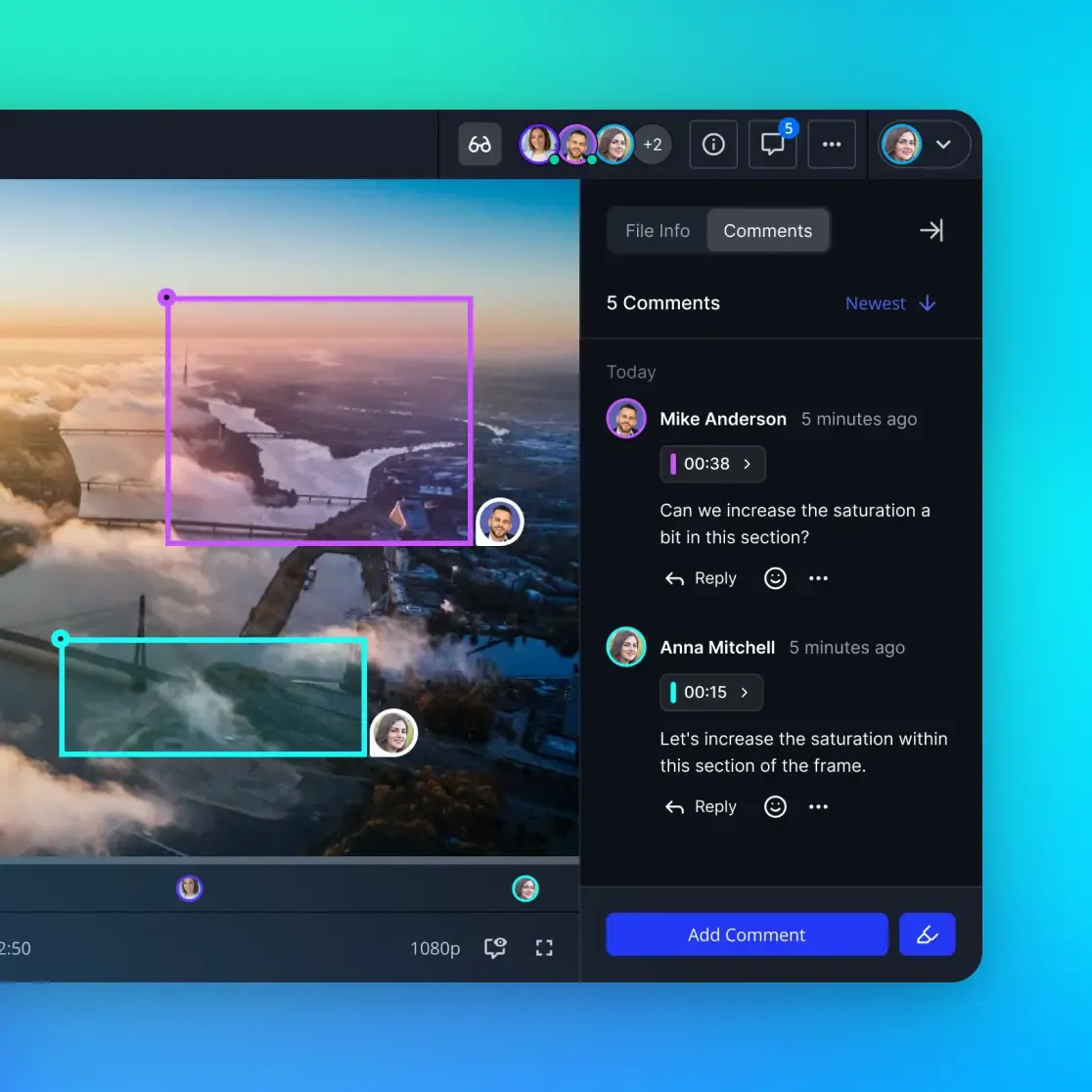
- Consolidate timecoded feedback and partner revision requests in Collaborative Notes beside the video file, eliminating scattered email threads.
5. Master Asset Archival and Metadata Cataloging
Once the final cut is approved, the production lifecycle transitions to long-term digital asset preservation. Legal marketing assets represent substantial financial investments that retain value for future firm promotions, lateral recruiting, and social cutdowns.
- Archive the high-resolution master file, web-compressed distribution files, final audio mix, and complete project archive bundle.
- Structure media metadata using Metadata Views. Define structured fields for attorney name, practice group, production date, featured clients, license expiration dates, and regulatory disclaimer status.
- Store final distribution assets in persistent folders, ready for syndication across firm websites, social platforms, and digital press kits.


Modernize your law firm's video and media asset management
Equip your practice with dedicated media workspaces, chunked high-resolution video uploads, in-browser HLS streaming, and branded client portals. Monthly plans start with a 14-day free trial that requires a credit card, including Starter at $29/mo, Business at $99/mo, and Enterprise at $299/mo.
Comparing Cloud Storage Limits and Media Streaming Options
Law firms evaluating infrastructure for media workflows must understand the operational differences between standard office document storage, general enterprise cloud drives, and media-optimized workspaces. Video files push storage engines to their physical limits across upload ceilings, bandwidth throttling, and playback performance.
According to Box support documentation, Box sets maximum upload limits of 2 GB on its Starter tier and 5 GB on its Business tier. These file caps quickly become blocking obstacles for legal video production. A single raw video interview or master archive package easily surpasses five gigabytes. Attempting to upload production packages to entry or standard business accounts results in immediate upload failure.
According to Microsoft Learn documentation, Microsoft SharePoint Online sets a 250 GB upload ceiling for individual items. While SharePoint accommodates larger raw file sizes, its underlying architecture is optimized for office document collaboration, enterprise search, and internal intranet pages.
While SharePoint provides native adaptive bitrate streaming for internal tenant playback, sharing files with outside clients and contractors often requires navigating tenant guest permissions, and SharePoint lacks dedicated, branded client review portals with disabled downloads.
The Power of Adaptive HLS Streaming for Client Reviews
The primary friction point in legal video review is playback latency. Progressive download players force the browser to buffer large chunks of the file before playback begins. If an attorney is reviewing a video draft on an iPad or mobile phone while traveling, progressive download stalls repeatedly.
HTTP Live Streaming (HLS) breaks video files into small, sequential HTTP segments encoded across multiple quality tiers. When an attorney or client opens a review link, the player automatically detects their local bandwidth and screen resolution, delivering the optimal stream instantly without buffering. Fastio automatically generates HLS streams for uploaded video assets, allowing partners, clients, and marketing staff to review high-definition video within a browser window without waiting for massive local file downloads.
How to Budget and Allocate Resources for Legal Video Production
Budgeting for law firm video production requires balancing production value against marketing return on investment. Legal services are high-trust purchases; poor audio quality, harsh fluorescent lighting, or shaky footage immediately damages a firm's professional reputation.
Firms generally pursue one of three production models:
1. In-House Studio Setup (Solo and Boutique Firms)
Small firms and solo practitioners frequently build dedicated in-house recording corners to produce frequent educational content, weekly legal updates, and social media FAQs.
- Capital Expenditure: Studio lighting kit, high-definition mirrorless camera, teleprompter system, acoustic wall treatment, and dual-channel wireless lavalier microphones.
- Ongoing Overhead: Internal staff time for basic editing, cloud workspace storage subscriptions, and royalty-free music licensing.
- Best Fit: High-volume content strategies where frequency and educational helpfulness matter more than cinematic grandeur.
2. Regional Commercial Production Crews (Mid-Sized Practices)
Mid-sized firms looking to refresh attorney bios, highlight core practice groups, and produce professional client case studies typically hire commercial production crews on a project or day-rate basis.
- Production Structure: Professional two-person or three-person crew on site for a single or multi-day shoot, providing cinema cameras, professional sound recording, hair and makeup, and professional color grading.
- Typical Output: Three to six polished attorney profile videos, an overarching firm overview film, and a library of modular B-roll footage.
- Best Fit: Firms seeking high broadcast polish without maintaining dedicated internal video production staff.
3. Specialized Legal Marketing Agencies (Large and Enterprise Firms)
Large regional or national law firms partner with specialized legal marketing agencies that manage the entire creative arc: concept development, scriptwriting, compliance vetting, cinematic filming, motion graphics, media buying, and search distribution.
- Production Structure: Multi-city location filming, drone aerial footage, custom musical scoring, and actor-assisted narrative reenactments.
- Typical Output: Comprehensive broadcast commercials, dynamic digital advertising suites, practice-wide video libraries, and multi-platform cutdowns.
- Best Fit: Highly competitive practice areas such as personal injury, mass torts, or commercial litigation where brand dominance drives caseloads.
Maintaining Privilege and Ethical Compliance Across Media Assets
Legal video production operates under strict professional ethics rules that do not apply to standard corporate marketing. Attorneys must comply with American Bar Association (ABA) Model Rules of Professional Conduct, particularly Rule 1.6 (Confidentiality of Information) and Rule 7.1/7.2 (Communications Concerning a Lawyer's Services and Advertising).
Failing to maintain operational discipline during video production can inadvertently compromise client confidences or violate state bar advertising standards.
Preventing Inadvertent Privilege Leaks During Filming
When external videographers enter a law firm office, they actively seek visually interesting B-roll backgrounds. Without strict supervision, camera lenses capture confidential client information:
- Background Whiteboard Scans: Erase all conference room whiteboards containing case strategies, deal structures, settlement ranges, or litigation timelines before the crew arrives.
- Computer Screen Redaction: Power down all computer monitors in the background or display generic firm graphics. Modern high-resolution camera sensors can easily resolve text on screens thirty feet away.
- Client File Visibility: Clear all physical case folders, client binders, and pleading drafts from desks and conference tables in camera sightlines. Use generic legal books or blank leather folders as set dressing.
Managing Role-Based Access and Activity Records
Freelance video editors, motion graphics artists, and audio engineers do not need access to the firm's broader corporate files. Storing video assets within general document repositories creates severe ethical risk.
- Workspace Isolation: Keep media assets inside segregated, project-specific workspaces. Role-based permissions established at the organization, workspace, and share levels ensure outside creative contractors only see the marketing assets assigned to them.
- Detailed Activity Logs: Maintain comprehensive records of workspace activity. Fastio provides a detailed activity log documenting every file change, upload, deletion, rename, and share creation across the organization. This provides practice managers with clear visibility into who modified assets and when.
- Executed Media Consents: Never publish client testimonial videos without a countersigned release detailing the scope of distribution. Store the executed release alongside the video master in the workspace for perpetual recordkeeping.
Sources
References used to verify factual claims in this guide.
-
Box sets maximum upload limits of 2 GB on its Starter tier and 5 GB on its Business tier.
-
Microsoft SharePoint Online sets a 250 GB upload ceiling for individual items.
Frequently Asked Questions
How much does video production cost for a law firm?
Legal video production costs range from modest equipment investments for in-house studio setups to several thousand dollars per day for regional commercial videographers, and larger budgets for comprehensive legal marketing agency campaigns. Costs depend on crew size, scripting requirements, multi-location shoots, motion graphics, and post-production editing rounds.
What types of videos should law firms create?
Law firms achieve the highest return by producing attorney bio profiles, practice area explainer FAQs, and client testimonial spotlights. These formats address high-intent client questions, establish personal credibility, and humanize the practice while remaining compliant with state bar advertising regulations.
How do law firms share large video files with videographers and clients?
Law firms share large video files using dedicated cloud media workspaces rather than email attachments or consumer transfer links. Workspaces support chunked uploads for massive raw footage files, provide branded client review portals with disabled downloads, and stream draft cuts via browser-based HLS streaming without requiring recipients to download files.
How should a law firm store raw video footage long term?
Raw footage should be organized in structured workspace directory trees by shoot date, camera body, and attorney topic. Files must be verified using checksums during card offload, cataloged with structured document metadata, and archived alongside master project files and executed client releases for future marketing reuse.
How can a law firm prevent confidential client data from appearing in marketing videos?
Firms prevent confidentiality breaches by clearing all case folders, pleadings, and client names from filming areas, powering off background computer monitors, and wiping conference room dry-erase boards. Furthermore, outside video editors should be restricted to isolated media workspaces with role-based permissions rather than granted access to the firm's broader document management system.
Related Resources

Modernize your law firm's video and media asset management
Equip your practice with dedicated media workspaces, chunked high-resolution video uploads, in-browser HLS streaming, and branded client portals. Monthly plans start with a 14-day free trial that requires a credit card, including Starter at $29/mo, Business at $99/mo, and Enterprise at $299/mo.