Client Portals for Criminal Defense: Managing Discovery and Client Access
A criminal defense client portal provides an encrypted channel for attorneys to share voluminous multimedia discovery with clients and collect evidence from families. Generic portals often fail when handling multi-gigabyte bodycam footage and forensic phone dumps. Modern matter workspaces solve this bottleneck through browser-based streaming, expiring share links, and upload portals configured for mobile devices.

Why Traditional File Sharing Fails for Criminal Defense Discovery
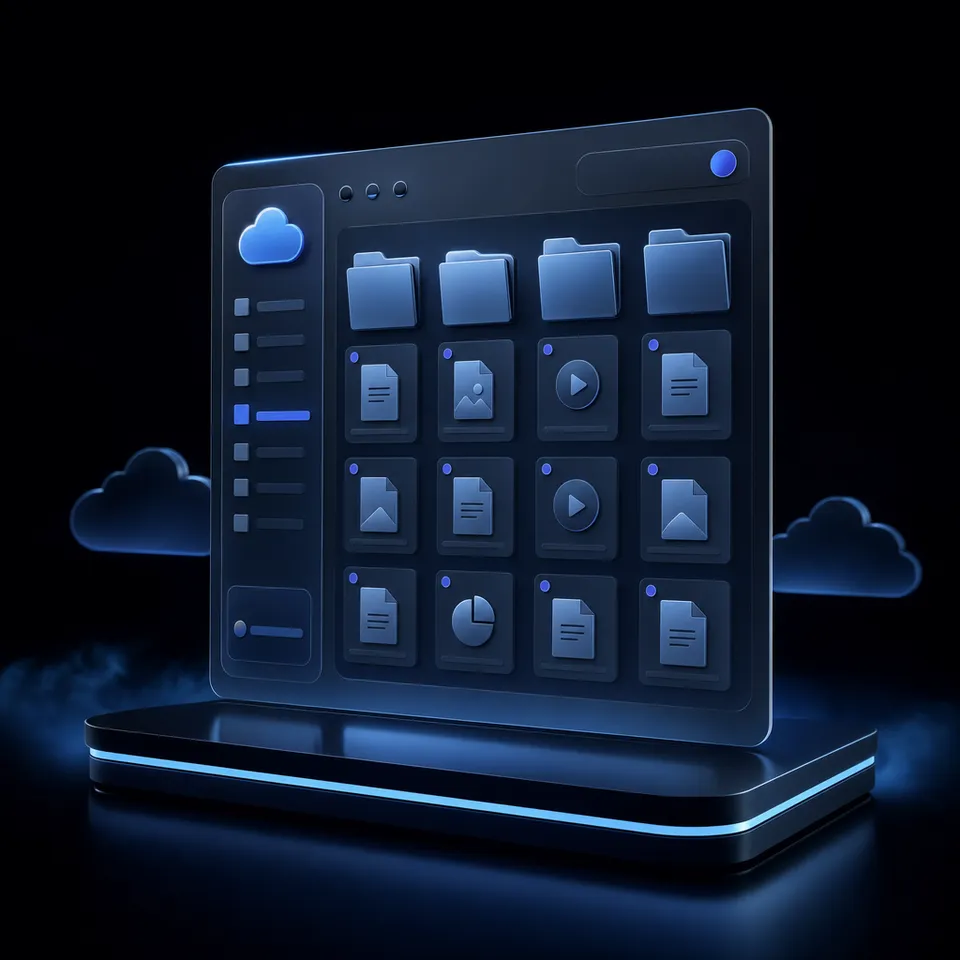
In criminal defense practice, sharing digital discovery with clients breaks at the intersection of file size and client mobility. When prosecutors produce hundreds of gigabytes of high-definition police body-worn camera video, patrol dashcam recordings, and mobile phone forensic dumps, standard legal practice management portals fail: they reject files exceeding standard limits, time out during uploads, or force clients to install desktop client software that defendants browsing on smartphones cannot run. The result is defense teams resorting to mailing unencrypted USB flash drives, burning DVDs, or risking privileged material on consumer cloud links.
A criminal defense client portal provides an encrypted, privileged channel for attorneys to share voluminous multimedia discovery with clients and collect exculpatory evidence from families. In modern criminal defense, digital discovery is no longer a collection of scanned arrest warrants and typed witness statements. A routine felony matter often involves multiple officers wearing 1080p body-worn cameras, cruiser dashcam video capturing the approach, 911 audio dispatches, private commercial security footage, and forensic phone extractions from tools like Cellebrite or GrayKey. These productions contain tens of thousands of text messages, call records, and geolocation coordinates.
Traditional file delivery methods fail when applied to this evidentiary volume:
Email Attachment Limits: Microsoft Outlook limits attachments on internet email accounts to 20 megabytes, while Google sets a 25 megabyte threshold on personal Gmail accounts before forcing files into cloud links. Standard mail servers reject large video files immediately, making email unusable for substantive discovery sharing.
Physical Media Hazards: Burning DVDs or mailing USB thumb drives introduces shipping delays, postal loss risks, and hardware incompatibilities. In addition, clients held in county jails or pretrial detention centers are routinely prohibited by facility contraband policies from receiving physical digital storage devices, cutting them off from direct evidence inspection.
Consumer Cloud Exposure: Resorting to consumer file sharing services introduces immediate operational problems. Consumer links often require client accounts, mix personal files with privileged defense materials, lack matter-level segregation, and allow unmonitored link forwarding.
A dedicated discovery sharing portal defense lawyers can deploy gives clients immediate, structured access to their files. It replaces fragmented communication channels with a secure repository that preserves confidentiality, protects defense work product, and allows clients to participate actively in case preparation.
Related guides
- Docketwise Client Portal: Setup, Document Intake, and Matter CollaborationThe Docketwise client portal provides immigration practices with a centralized interface for distributing...
- Legal Client Portal Software: Secure Document Exchange and Client WorkspacesLegal client portal software provides secure, branded web environments where clients review case documents, upload...
- Law Firm Data Security: Operational Guide to Protecting Matter Files and Client DataLaw firm data security requires strict technical controls, matter-level workspace isolation, and encrypted document...
- Apps for Law Firms: Essential Legal Productivity ToolsLaw firm technology often breaks down when attorneys rely on unmanaged personal apps for mobile document capture and...
- Case File Management Software: Structuring Digital Matter FilesCase file management software provides structured, matter-centric digital repositories for legal pleadings, discovery...
- ContractWorks Review: Secure Contract Repositories and Milestone TrackingContractWorks provides a dedicated contract repository focused on legal agreement storage, automated milestone alerts,...
More on this subject: Legal Teams (247 guides)
Technical Requirements for Criminal Defense Client Portals
A client portal for criminal defense attorneys must solve the distinct operational constraints of criminal litigation. General corporate document portals assume clients sit at desktop computers with high-speed fiber internet and enterprise software licenses. Criminal defense clients, in contrast, frequently rely on prepaid smartphones, public Wi-Fi connections, or shared family devices.
To deliver discovery reliably under these conditions, a criminal attorney client communication portal requires four core technical capabilities:
1. High-Capacity Chunked Uploads for Evidentiary Archives
Criminal discovery productions arrive in large batch exports, disk images, and multi-gigabyte video packages. Conventional browser upload forms maintain a single continuous HTTP connection; if the network connection drops during a massive file transfer, the entire upload fails and restarts from zero.
Chunked upload architecture divides large files into discrete byte blocks during transmission, verifying each segment upon arrival. If the network experiences latency or drops momentarily, the transfer automatically resumes from the last successful chunk. Fastio supports maximum upload file sizes that scale with matter requirements across Starter, Business, and Enterprise plans, detailed in the comparison below. This capacity allows defense teams to upload complete multi-gigabyte police camera archives, surveillance collections, and forensic cell phone extractions without compressing or splitting files into arbitrary archives.
2. Browser-Based HLS Video Streaming
Most criminal defendants review case materials and police recordings primarily through mobile devices. Forcing a client to download an entire high-definition body-worn camera video file onto a smartphone with limited local storage causes immediate failure. Devices run out of space, mobile data allowances are exhausted, and proprietary police video codecs fail to play on mobile operating systems.
Modern criminal defense client portals use HTTP Live Streaming (HLS). When video evidence is uploaded, HLS allows the media player to deliver adaptive bitrate video directly inside standard mobile web browsers such as Safari, Chrome, and Firefox. Clients tap a link, open the portal on their phone, and instantly play the footage without downloading the file to their device. The player dynamically adjusts resolution based on the client's network connection, enabling smooth scrubbing across hours of patrol car video and witness interviews.
3. Granular Download Restrictions and Link Expiration
Certain evidentiary materials require strict inspection controls. When discovery includes sensitive victim information, undercover officer identities, or confidential witness statements subject to protective orders, defense counsel may need to provide client review while preventing unauthorized downloads or public distribution.
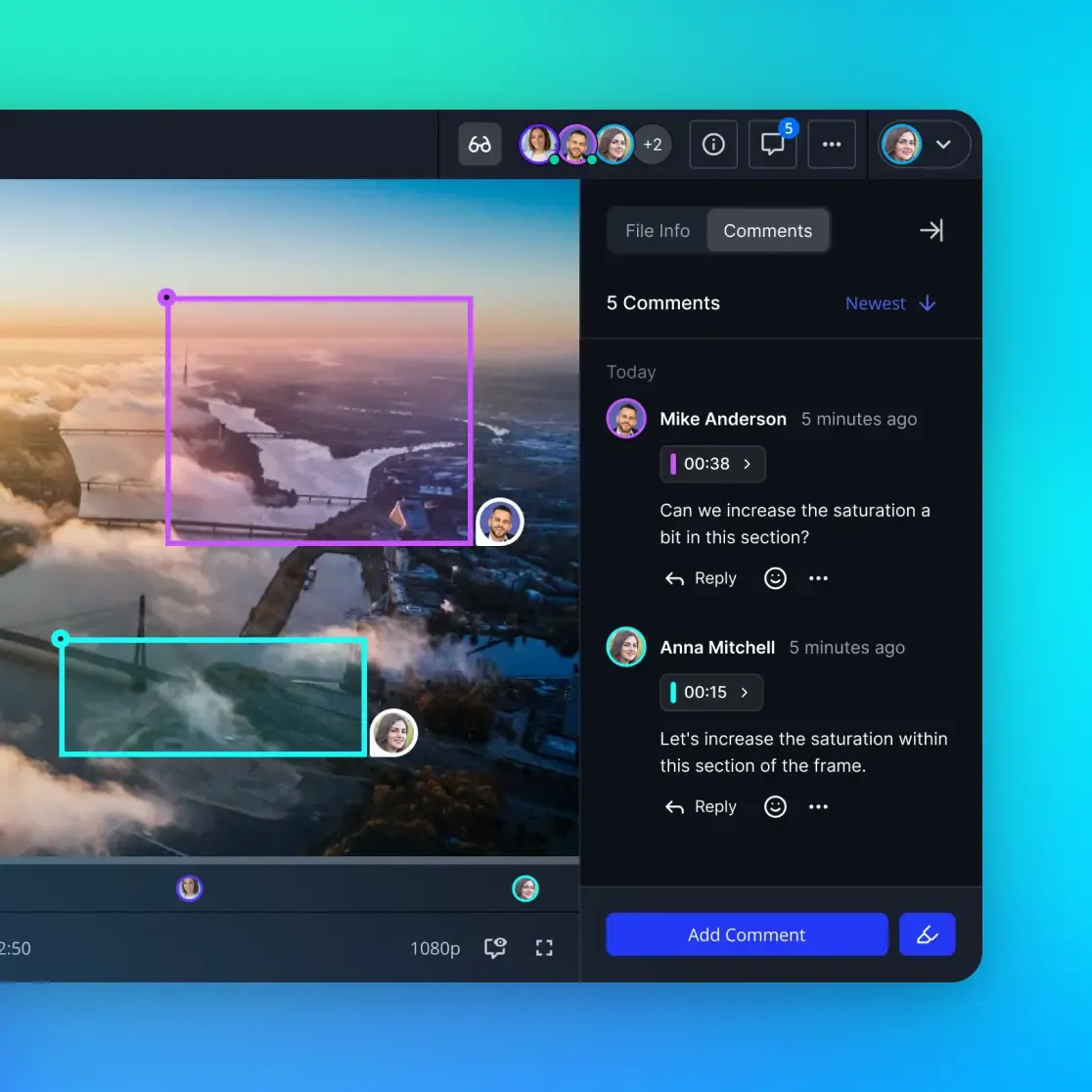
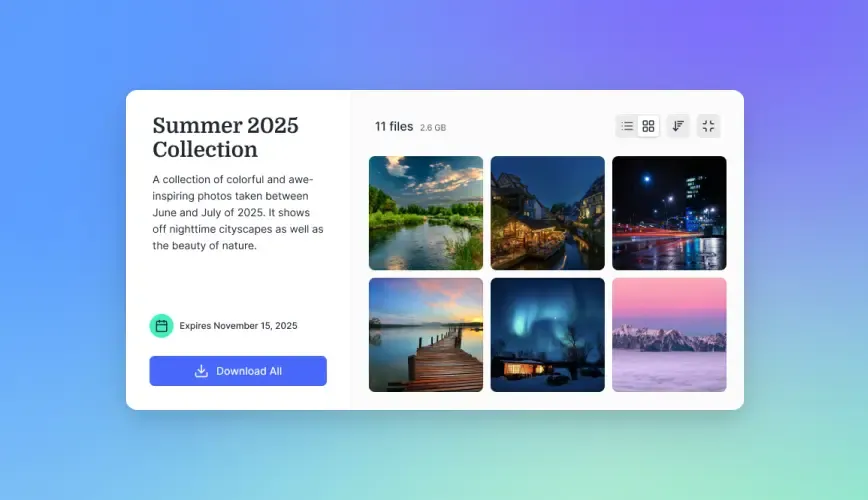
Fastio shares allow administrators to disable file downloads entirely. When downloads are turned off, the client can view documents, read reports, and stream bodycam video within their browser, but cannot download the raw file to local storage. Furthermore, shares can be configured with automatic expiration schedules, such as 14 days or 30 days. Once the expiration window passes, the share link closes automatically, preventing perpetual external access.
4. Dedicated Receive Portals for Exculpatory Evidence Collection
Effective defense representation requires bi-directional evidence exchange. Clients, family members, alibi witnesses, and private investigators continuously collect materials that support the defense theory: retail receipts proving an alibi, smartphone photographs of physical injuries, social media chat exports, and character reference letters.
Fastio Receive shares provide dedicated, branded intake portals. The firm sends a secure upload link to the client or family member, who can drag and drop files or upload smartphone camera roll photos directly into a specific matter intake folder. Uploaders do not need an account, cannot see any other files in the workspace, and bypass unencrypted email attachments entirely.
Protecting Privileged Work Product and Managing Client Access
Maintaining the boundary between discoverable evidence and privileged attorney work product is essential in criminal defense. If an associate attorney accidentally includes an internal investigator memorandum or an impeachment strategy outline in a client review folder, the confidentiality of the defense strategy can be compromised.
Workspace Boundaries and Scoped Shares
In Fastio, permissions are managed through member roles assigned at the organization, workspace, and share levels. Every workspace member accesses workspace contents according to their designated role.
To protect privileged strategy, the defense firm isolates internal case development from client-facing delivery:
Internal Matter Workspace: The attorney, associate, paralegal, and forensic investigator work inside the private matter workspace. This workspace holds legal research, mental impressions, witness interview memos, draft motions to suppress, and raw discovery.
Client Review Shares: When discovery materials or draft pleadings are ready for client inspection, the defense team generates a branded share containing only the designated client review folder. The client receives a scoped link that exposes only those specific documents. They have no access to internal attorney work product, adjacent case folders, or other firm matters.
Detailed Activity Logging for Case Governance
Managing multiple defense matters requires internal visibility into how case files are handled. Fastio maintains a detailed activity log that records storage changes across the organization, including file uploads, edits, moves, renames, and deletions, alongside membership and permission updates and share creations.
If a file is renamed, moved to an archive directory, or uploaded by an investigator, the activity log provides a clear record of what changed and which staff member made the modification. This internal record helps practice managers and senior partners maintain administrative oversight across active litigation teams. The activity log tracks changes and organizational actions; it does not record read-only events such as views or downloads, and Fastio does not offer portal access analytics. To manage file distribution, defense teams use expiring share links and download-disabled sharing settings.
Compliance with Protective Orders and Ethical Standards
Trial courts routinely issue discovery protective orders under criminal procedural rules, restricting the dissemination of sensitive grand jury materials, minor victim records, or confidential investigative reports. Disobeying a protective order can result in judicial sanctions, contempt proceedings, or evidentiary preclusion.
Defense teams can align their client portal setup with protective orders by disabling file downloads and applying access passwords or link expiration dates. Clients can inspect the evidence as required by constitutional standards, while the firm satisfies the court mandate against distributing physical copies.
Fastio runs on cloud infrastructure partners, including Google Cloud Platform and Cloudflare, that are certified to industry security standards. All files are encrypted in transit and at rest. While cloud infrastructure provides technical safeguards, preserving attorney-client privilege and complying with confidentiality rules remains the professional responsibility of the defense team. Law firms should always review client communication workflows with their firm's legal counsel and local bar ethics guidelines.


Deliver Criminal Discovery Without Storage Bottlenecks
Set up branded matter workspaces to stream bodycam footage, share discovery securely, and collect evidence from clients. Monthly plans start with a 14-day free trial.
How to Structure Matter Workspaces and Evidence Intake
Standardizing the directory structure of criminal defense workspaces creates operational efficiency across the firm. When legal assistants, paralegals, and contract attorneys follow an identical organization scheme, locating critical discovery items before a motion hearing or trial call takes seconds rather than hours.
Standardized Criminal Matter Folder Hierarchy
A practical folder organization for a felony matter workspace separates prosecution disclosures, defense work product, and client interactions:
Matter_Smith_John_2026-CR-0142/
├── 01_Prosecution_Discovery/
│   ├── Police_Reports_and_CAD_Logs/
│   ├── Bodycam_and_Dashcam_Video/
│   ├── Forensic_and_Lab_Reports/
│   └── Grand_Jury_Transcripts/
├── 02_Defense_Work_Product/
│   ├── Investigator_Memos_and_Interviews/
│   ├── Legal_Research_and_Case_Law/
│   ├── Motion_Drafts_and_Pleadings/
│   └── Witness_Impeachment_Dossiers/
├── 03_Client_Review_Portal/
│   ├── Charge_Documents_and_Indictment/
│   ├── Redacted_Discovery_Exhibits/
│   ├── Court_Notices_and_Calendar_Orders/
│   └── Video_Review_Stream/
└── 04_Client_Intake_Submissions/
    ├── Alibi_Documentation_and_Receipts/
    ├── Client_Photographs_and_Media/
    └── Character_Letters_and_Employment_Records/
In this structure, the 03_Client_Review_Portal/ directory is connected to a durable, branded share link provided to the client for ongoing case updates. The 04_Client_Intake_Submissions/ directory is tied to an inbound Receive share, giving the client and family a dedicated upload destination.
Automated Document Extraction with Metadata Views
Criminal discovery files frequently arrive as disorganized, multi-hundred-page scanned PDFs with illegible or inconsistent Bates numbering. Paralegals typically spend days reading through police incident sheets, transcribing arrest times, breathalyzer results, officer badge numbers, and property seizure logs into manual tracking spreadsheets.
Metadata Views automate this structured data extraction. Users describe the fields they want extracted in natural language, and the system designs a typed schema across text, dates, numbers, and boolean values. Metadata Views extracts structured information across scanned arrest forms, officer narratives, search warrants, and laboratory toxicology reports without requiring OCR templates or manual data entry.
The extracted information populates a sortable, filterable spreadsheet directly beside the files in the workspace. A defense team can instantly filter for all reports filed by a specific arresting officer, sort discovery exhibits by incident timestamp, or verify whether chain of custody forms match lab intake dates.
Managing Retainers and Records Releases with E-Signature
Opening a criminal defense matter requires signed fee agreements, engagement letters, and authorizations to release medical, psychiatric, or school records. Chasing clients for ink signatures while they are on bail or detained creates administrative delay.
Fastio provides built-in e-signature capabilities across every subscription plan. Attorneys can send representation agreements and records release authorization forms for signature directly from the matter workspace. The system supports routing documents to signers in sequence or in parallel, with optional one-time passcodes per signer. Every completed envelope generates a tamper-evident audit certificate, and the executed legal copy is filed automatically back into the client workspace folder.
Compare Dedicated Client Portals to Practice Management Tools
Selecting the right platform for criminal defense discovery delivery requires understanding how dedicated workspace solutions compare with legal practice management systems and consumer cloud storage.
Legal Practice Management Portals
Practice management platforms excel at time tracking, legal billing, trust accounting, calendar management, and conflict checking. Practice management subscriptions typically bill on a per-user, per-month schedule across tiered plans.
However, practice management platforms were engineered for general administrative tasks and small PDF document exchanges, not high-volume multimedia discovery. Their client portals enforce rigid per-file upload caps, rejecting large video productions and forensic archives. When a criminal defense practice receives a multi-gigabyte body-worn camera production or an uncompressed forensic mobile image, practice management portals stall. They lack adaptive HLS video streaming, meaning clients on smartphones cannot preview hours of dashcam footage without downloading massive files that crash mobile browsers.
Consumer Cloud Storage
Firms that outgrow practice management upload caps often turn to consumer cloud storage like Dropbox, Google Drive, or Box. While these tools handle larger file sizes, they introduce significant friction for criminal clients:
Account Requirements: Consumer platforms often require the defendant or family member to create or sign into an account before viewing or downloading files, creating login hurdles for non-technical users.
Inadequate Video Previewing: Standard cloud video players frequently fail on specialized law enforcement video codecs or high-bitrate multi-hour camera recordings, forcing clients to download files locally.
Disorganized Archiving: Files are often shared as ad-hoc links rather than permanent, matter-centric portals, making it difficult for clients to track active case developments over time.
For firms with extensive historical archives in existing cloud providers, Cloud Sync connects Google Drive, Dropbox, Box, and OneDrive folders to a Fastio workspace, one-way or two-way, on a schedule or on demand. This allows firms to maintain long-term document repositories while using Fastio workspaces for high-capacity client delivery and video streaming.
Dedicated Intelligent Workspaces
Dedicated workspaces bridge the gap by combining high-capacity storage, browser-based media streaming, and structured case management:
Fastio provides predictable pricing tailored for growing law practices. Monthly plans start with a 14-day free trial, which requires a credit card. External clients, family members, and witnesses who access shares do not consume user seats and do not need to create an account.
Sources
References used to verify factual claims in this guide.
-
Microsoft Outlook limits attachments on internet email accounts to 20 megabytes.
-
Personal Gmail accounts enforce an attachment size limit of 25 megabytes.
Frequently Asked Questions
How do criminal defense attorneys share bodycam video with clients?
Criminal defense attorneys share bodycam video by uploading high-definition footage to a secure workspace that supports HTTP Live Streaming (HLS). Clients open a branded share link in their mobile or desktop browser to stream the video immediately without downloading multi-gigabyte files to local device storage.
What makes a client portal secure for criminal defense?
A secure criminal defense portal provides encryption in transit and at rest, role-based workspace permissions, and a detailed activity log of file changes. It allows defense teams to configure expiring share links and disable file downloads for sensitive discovery subject to court protective orders.
Can clients review discovery on a phone?
Clients can review discovery on any smartphone or tablet when using a browser-based client portal. Adaptive HLS video streaming and responsive document viewers allow defendants to inspect police reports, transcripts, and video recordings without installing specialized software or consuming mobile storage.
How do defense attorneys receive evidence from clients and families?
Defense attorneys receive evidence through dedicated Receive shares. Senders open a secure branded web link on a computer or mobile device to upload photographs, receipts, alibi documentation, and screenshots directly into an intake folder in the matter workspace without needing an account.
How should law firms organize discovery files for client access?
Law firms should separate internal defense work product from client-accessible files within the matter workspace. By placing curated discovery, hearing notices, and police reports into a dedicated review folder, attorneys can generate a scoped share that grants client access to discovery while isolating legal research and trial strategy.
Does a client portal replace legal practice management software?
A client portal complements practice management software rather than replacing it. While practice management tools handle time billing, trust accounting, and court calendaring, a dedicated workspace handles high-capacity discovery storage, multi-gigabyte chunked uploads, and browser-based video streaming that practice management portals cannot accommodate.
Related Resources

Deliver Criminal Discovery Without Storage Bottlenecks
Set up branded matter workspaces to stream bodycam footage, share discovery securely, and collect evidence from clients. Monthly plans start with a 14-day free trial.