Law Firm Server Replacement: Hardware Refresh vs. Cloud Migration
Law firm server replacement is the strategic decision to either refresh aging on-premise server hardware or decommission local servers in favor of cloud workspaces. When on-premise legal servers reach end of life, practices face mounting hardware failure risks, expensive maintenance contracts, and rigid remote access limitations. Migrating to organized cloud workspaces eliminates local maintenance while establishing matter-centric access controls, version history, and secure client delivery.


The Law Firm Server Lifecycle: Why On-Premise Hardware Reaches End of Life
According to multi-year drive reliability research from Backblaze, hard drive failure rates remain below 2% for the first three and a half years before increasing rapidly through year six. For a law firm operating an on-premise server installed five or six years ago, that inflection point represents an urgent operational hazard: unexpected hardware failure during active trial preparation or commercial closings.
Law firm server replacement is the strategic decision to either refresh aging on-premise server hardware or decommission local servers in favor of cloud workspaces. Most physical servers enter legal offices with a standard three-year manufacturer warranty, occasionally extended to five years through costly service riders. Once hardware passes the five-year mark, component degradation shifts from an abstract IT risk into an active liability. Mechanical hard drives accumulate millions of spindle rotations, cooling fan bearings dry out, and power supply capacitors degrade from years of continuous thermal cycles. In many law firms, physical servers sit inside unventilated copy rooms, supply closets, or beneath reception desks, where elevated ambient temperatures accelerate internal hardware fatigue.
Hardware wear is only half of the replacement catalyst. Operating system lifecycle policies create an equally rigid deadline for legal practices. Following the October 10, 2023 end of support date, Windows Server 2012 and 2012 R2 no longer receive regular security updates, non-security updates, bug fixes, or technical support. Operating an unsupported server system creates immediate vulnerabilities to automated network exploits, malware, and ransomware strains that target known unpatched vulnerabilities. When an operating system loses vendor support, law firms face severe insurance and ethical hazards. Cyber liability insurance carriers routinely audit policyholders, denying claims or cancelling coverage when unpatched, end-of-life operating systems host confidential records.
Physical Component Wear and the False Comfort of Local Redundancy
Law firm partners often assume that a local Redundant Array of Independent Disks (RAID) protects their practice against data loss. While RAID arrays tolerate the failure of a single mechanical disk or solid-state drive, aging hardware introduces correlated failure risks. When one five-year-old drive fails in a RAID 5 or RAID 6 array, inserting a replacement drive triggers an intensive rebuild process that places extreme read and write stress across the remaining, equally aged drives. Under heavy rebuild loads, a second drive failure frequently occurs, causing total volume corruption and catastrophic data loss.
Physical wear also affects motherboard voltage regulator modules and RAID controller batteries. Write-caching RAID controllers rely on onboard lithium-ion or nickel-metal hydride batteries to preserve unwritten data during sudden power interruptions. These batteries typically possess a functional lifespan of three to four years. Once the battery fails, the controller automatically disables write caching to protect data integrity, causing local file-access speeds to plummet. Document searches freeze, practice management databases crawl, and routine document saves experience severe latency. Upgrading individual components in a six-year-old chassis is a losing battle: replacement parts become scarce, expensive, and difficult to procure from original equipment manufacturers.
Operating System Obsolescence and Professional Risk
A legal server is not merely a shared storage bucket; it functions as the central custody repository for privileged communications, sensitive financial disclosures, medical records, and corporate trade secrets. State bar ethics opinions consistently impose a duty of technological competence on attorneys, obligating firms to take reasonable precautions against unauthorized disclosure of client information. Running client files on an unpatched Windows Server platform that has surpassed its security support window directly conflicts with that standard of care.
Beyond ethics rules, cyber insurance questionnaires have grown rigorous. Underwriters demand proof that all servers connected to the firm local area network run vendor-supported operating systems with active patch management pipelines. Retaining legacy servers past end of life jeopardizes policy renewals and can void coverage during a security incident. When an aging on-premise server reaches its manufacturer and software end-of-life milestones, maintaining the status quo ceases to be an option. The firm must choose between two divergent operational paths: committing capital to an on-premise hardware refresh or decommissioning the local server environment in favor of cloud workspaces.
Related guides
- Law Firm IT Consulting: Cloud File Migration and Infrastructure StrategyLaw firm IT consulting modernizes legal technology infrastructure, file systems, and security architecture without...
- Law Firm Workspace: Centralizing Matter Files, Client Portals, and Team CollaborationManaging active legal matters requires a unified digital environment where attorneys, paralegals, and clients...
- Legal Tech Solutions: The Modern Law Firm Technology GuideLegal tech solutions encompass software applications and digital platforms engineered to coordinate legal operations,...
- Best Case Management Software for Lawyers: Evaluation and RankingsLegal case management software organizes matter records, docket dates, billable time, and client communications into a...
- Case File Management Software: Structuring Digital Matter FilesCase file management software provides structured, matter-centric digital repositories for legal pleadings, discovery...
- How to Set Up a Centralized Document Management System for Legal TeamsA centralized document management system replaces fragmented desktop folders and scattered email attachments with an...
More on this subject: Legal Teams (247 guides)
What an On-Premise Server Refresh Actually Costs
When an IT consultant or Managed Service Provider (MSP) delivers an estimate for replacing a physical office server, the line-item quote often understates the complete financial commitment. A law firm cannot simply purchase a retail computer tower and plug it into an office outlet. A production server environment requires enterprise-grade hardware, specialized software licensing, environmental controls, backup appliances, and extensive engineering labor.
A comprehensive hardware refresh budget encompasses five interconnected layers:
Enterprise Server Hardware: Rack-mounted or pedestal chassis with dual redundant power supplies, Error-Correcting Code (ECC) memory, hardware RAID controllers, and hot-swappable enterprise SSD storage arrays.
Operating System and Access Licensing: Windows Server licenses, Client Access Licenses (CALs) for every attorney, paralegal, and administrative staff member, plus Remote Desktop Services (RDS) CALs for remote connectivity.
Network Infrastructure and Power Protection: Enterprise firewall appliances, managed gigabit switches, dedicated uninterruptible power supply (UPS) units with automated shutdown signaling, and climate control equipment to prevent overheating.
Backup and Disaster Recovery (BDR) Appliances: Local Network Attached Storage (NAS) units for automated hourly image snapshots, plus encrypted offsite replication software.
Professional Implementation Labor: MSP fees to stage hardware, install operating systems, configure Active Directory domain controllers, migrate unorganized case files, reconfigure practice management databases, update workstation drive mappings, and troubleshoot permission anomalies across the staff.
Capital Outlay and Ongoing Operating Costs
The initial invoice for a physical server refresh represents merely the baseline capital expenditure. Over a standard five-year hardware operational cycle, the total cost of ownership compounds through recurring operational expenses. Physical servers run continuously, consuming hundreds of kilowatt-hours of electricity each month while generating heat that burdens office air conditioning units. Backup storage requires ongoing subscription fees for offsite replication bandwidth, and UPS batteries demand replacement every two to three years.
Out-of-warranty hardware support fees represent another recurring expense. As the server ages into years four and five, hardware vendors charge escalating premiums for extended technical support contracts and replacement part availability. When an emergency hardware failure occurs outside standard business hours, emergency IT dispatch rates multiply total labor costs. For a small or mid-sized practice with ten to thirty legal professionals, the cumulative expense of hardware depreciation, maintenance retainers, power, licensing, and backup management makes on-premise servers an inefficient allocation of capital.
The Managed Service Provider Incentive Gap
A structural conflict of interest often shapes the advice law firms receive from external IT consultants. Traditional Managed Service Providers design their business models around maintaining complex physical infrastructure. An on-premise server deployment generates substantial billable opportunities: hardware markup, multi-day onboarding projects, quarterly patch cycles, server health monitoring retainers, and emergency onsite service visits.
When an MSP recommends refreshing on-premise hardware rather than transitioning to modern cloud workspaces, the recommendation often aligns with the provider recurring revenue model rather than the firm operational interests. Cloud workspaces eliminate server maintenance, operating system patching, RAID monitoring, and domain controller troubleshooting entirely. By removing the physical server from the office closet, a law firm removes the primary justification for expensive monthly IT infrastructure retainers.
How On-Premise Servers Compare with Cloud Workspaces
Choosing between an on-premise hardware refresh and a cloud workspace migration is an architectural decision. It dictates how attorneys access case records, how staff exchange documents with clients, and how the practice maintains operational continuity during unforeseen disruptions. Comparing both approaches across core functional dimensions highlights the practical realities of daily firm management.
The comparison illustrates why modern practices increasingly favor modern legal workspaces. The operational friction inherent to on-premise servers is particularly acute in two areas: remote access and large-file handling.
The Remote Access Bottleneck: VPNs and Remote Desktop
In an on-premise architecture, remote access is an afterthought patched onto local office networking. Attorneys working from home, courtrooms, or client sites must connect through Virtual Private Networks (VPNs) or Remote Desktop Protocol (RDP) sessions. VPN connections introduce latency, frequently drop connections during document transfers, and expose the entire firm network to malware if a remote laptop is compromised. Remote Desktop sessions create display lag, printer driver incompatibilities, and audio-video stutter during deposition reviews.
Furthermore, remote performance is strictly constrained by the office commercial internet upload speed. When multiple attorneys attempt to open multi-megabyte litigation briefs or forensic exhibits over a standard office internet connection, bandwidth saturates and file access stalls. Cloud workspaces eliminate this bottleneck entirely. Files reside on distributed, high-speed cloud infrastructure, allowing team members to open, review, and organize documents directly through secure web interfaces without routing traffic through an office closet.
Managing Modern Legal Discovery and High-Definition Media
Legal practice has undergone an explosion in digital file volume. Modern matters routinely involve high-definition video depositions, audio recordings from body cameras or 911 calls, surveillance footage, and massive electronic discovery production volumes containing hundreds of thousands of Bates-stamped PDFs. On-premise servers struggle to absorb these multi-gigabyte files. Storage partitions fill rapidly, forcing IT administrators to expand disk arrays or establish awkward secondary volumes.
Distributing large discovery productions to co-counsel, opposing counsel, or expert witnesses from an on-premise server is equally problematic. Email gateways reject attachments exceeding twenty-five megabytes, forcing staff to burn optical discs, copy files to unencrypted USB drives, or resort to consumer file transfer utilities that break record custody. Cloud workspaces handle massive files natively, supporting high-capacity uploads and streaming large deposition videos without exhausting local office storage.


Replace Aging Firm Servers with Secure Legal Workspaces
Decommission physical server hardware and organize case files, client delivery portals, and discovery sets in matter-centric cloud workspaces. Monthly plans start with a 14-day free trial, which requires a credit card. Plans are Starter at $9.99/mo, Business at $49.99/mo, and Enterprise at $199.99/mo on [Fast.io pricing](/pricing/).
How a Serverless Law Firm Architecture Works
Operating as a serverless law firm does not mean abandoning structure, discipline, or governance. Instead, it means replacing physical server hardware, local active directory domains, and mapped network drives with purpose-built digital workspaces designed around matter workflows. In a serverless practice, the cloud workspace is the primary organizing principle for case collaboration, security, and client delivery.
Rather than managing fragmented physical boxes, local storage partitions, and vulnerable office endpoints, a firm orchestrates all digital operations within unified workspaces. Each case repository functions as a secure digital vault where active pleadings, discovery productions, client records, and trial exhibits live together. This architectural shift frees attorneys and staff from geographic and physical constraints, creating an environment where internal matter collaboration and external client interactions take place on a single secure platform without local IT bottlenecks.
Structuring Legal Workspaces for Matter Isolation
In an on-premise environment, law firms typically store all client records on a single shared drive (such as an S: or Z: drive), using complex folder hierarchies and local access controls to restrict visibility. Over time, these local permission structures degrade. Staff inadvertently move folders, inherit unintended permissions, or create unauthorized file shares that breach ethical walls.
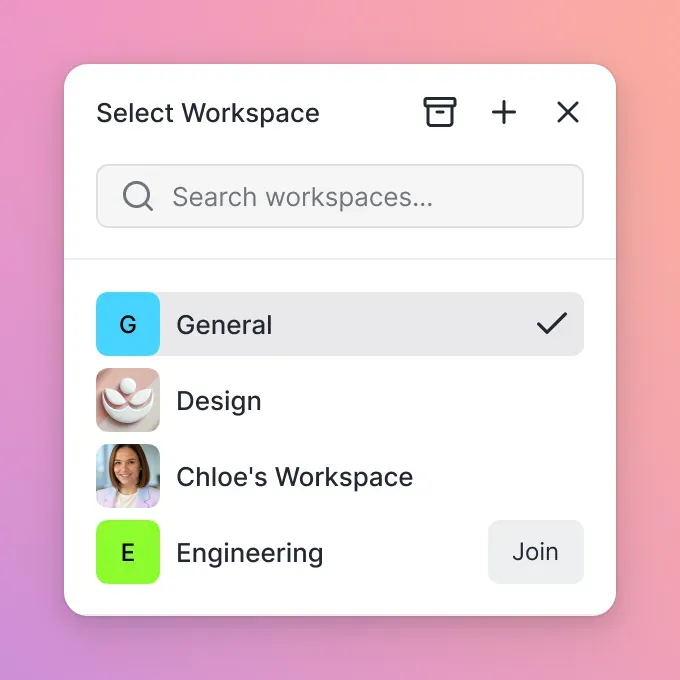
A modern cloud workspace platform replaces this fragile model with matter-centric isolation. The practice creates an organization-owned workspace for each active litigation matter, corporate client, or transactional closing. Within Fast.io, role-based permissions are set per organization, workspace, and share. Rather than attempting to manage fragile permissions on individual folders or files, the entire matter workspace is governed by explicit member roles. Attorneys, paralegals, and administrative staff receive role access appropriate to their responsibilities on that specific matter. When an ethical screen is required for a lateral hire or conflicting party, the firm simply omits that member from the matter workspace, keeping the files isolated.
Every document within a matter workspace retains complete, per-file version history. When multiple attorneys collaborate on pleadings, contracts, or appellate briefs, prior versions are preserved automatically. Staff can compare revisions, audit modifications, and restore earlier text without risk of accidental overwrites or duplicate filenames. In parallel, a detailed activity log records changes across the organization, tracking file uploads, edits, moves, deletions, and permission changes by people and automated agents alike. This creates a transparent record of file management without logging read-only views or downloads.
To accelerate document review and contract management, Fast.io provides Metadata Views. Rather than requiring manual data entry or rigid OCR templates, Metadata Views turn case documents into structured, queryable data. Natural language prompts define schemas for contract dates, counterparties, governing law, and settlement terms across PDFs, Word documents, and scanned pages. Attorneys and paralegals can sort, filter, and extract critical matter data directly within the workspace, transforming static document archives into actionable intelligence.
Scoped Client Delivery and Direct Collaboration
A serverless law firm replaces unencrypted email attachments and legacy FTP servers with branded shares that maintain strict access boundaries. Fast.io enables firms to generate Send, Receive, and Exchange shares directly from matter workspaces. When onboarding a new client or collecting discovery documents, staff generate a branded Receive share. Clients click a secure browser link to upload tax records, medical disclosures, and evidentiary photographs directly into the designated matter workspace, eliminating the friction of email attachment limits and security risks through dedicated client portals.
When distributing work product, settlement binders, or discovery sets to outside parties, staff use expiring Send shares. These links can enforce access controls, set specific expiration dates, or disable file downloads when distributing confidential exhibits for review only. Furthermore, legal agreements, engagement letters, and settlement releases can be executed directly from the workspace using integrated e-signature capabilities. Envelopes can be routed to signers in sequence or parallel, with optional one-time passcodes and a tamper-evident audit certificate filed directly back into the matter workspace upon execution.
How to Migrate from an On-Premise Server to Cloud Workspaces
Migrating a law firm off an aging on-premise server requires a disciplined, structured methodology. Case deadlines cannot be suspended, court filings cannot be missed, and client confidentiality must be maintained at every stage of the transition. By executing a phased five-step migration plan, practice managers and legal IT leads can transition data cleanly without operational disruption.
A successful cloud migration plan aligns technical execution directly with legal practice calendars. Litigation teams facing impending trial dates or corporate departments managing active deal closings require predictable cutover timelines that eliminate data freezes. By staging file transfers, validating folder structures ahead of cutover, and establishing clear role boundaries, legal administrators ensure that every attorney and paralegal arrives at their new workspace with immediate, uninterrupted access to their case records.
A Staged Five-Step Server Decommissioning Checklist
A structured server replacement project follows five distinct phases:
Complete Matter and Data Inventory: Audit all file repositories on the existing server. Categorize data into active matters, closed matter archives, administrative records, and redundant files. Identify active database dependencies, such as local billing or legal practice management software, to determine migration requirements.
Standardize Workspace Topology and Roles: Design a standardized workspace structure for the practice. Establish uniform folder templates for active litigation (such as Pleadings, Discovery, Transcripts, Correspondence, Exhibits, and Work Product) and assign clear organization and workspace roles to attorneys and staff.
Migrate Closed Archives and Historical Records First: Before touching active cases, migrate closed matter archives to cloud workspaces. Use Cloud Sync to connect existing cloud storage (Google Drive, Dropbox, Box, or OneDrive) to the workspace on a schedule or on demand, or import files directly through cloud import. Migrating historical records serves as a low-risk validation of data integrity, naming conventions, and team workflows.
Execute Active Matter Cutover: Schedule active matter migration during a planned weekend window to prevent concurrent file editing conflicts. Transfer active case folders, verify file counts and checksums, and update team workstation bookmarks. Transition attorneys and paralegals to browser and workspace access, removing mapped local drive letters.
Secure Hardware Decommissioning and Disposal: Once data migration is verified and validated, power down the physical server. Before disposing of the hardware, hard drives must undergo cryptographic erasure or physical destruction adhering to professional standards for confidential data destruction. Obtain a certificate of destruction from a certified electronic waste recycling facility.
Connecting AI Agents to the Matter Workspace
Centralizing legal records within cloud workspaces creates a foundation for modern legal workflows and artificial intelligence tooling. In traditional server environments, legal documents remain locked behind local network firewalls and archaic file paths, inaccessible to modern productivity tools. In an intelligent cloud workspace, documents are centralized, indexed, and accessible to authorized AI assistants.
Fast.io enables firms to connect coding agents and AI tools through a consolidated Model Context Protocol (MCP) server. Agents connect over Streamable HTTP to read and process matter documents within strictly defined workspace permissions. When research agents review discovery sets, draft chronologies, or extract contract terms, they operate exclusively within the designated matter workspace, unable to reach unrelated firm records. This architecture enables law firms to adopt modern legal technology safely, combining the flexibility of serverless cloud workspaces with rigorous data governance.
Sources
References used to verify factual claims in this guide.
-
Disk drive failure rates remain below 2% for the first three and a half years before increasing rapidly through year six.
-
Following the October 10, 2023 end of support date, Windows Server 2012 and 2012 R2 no longer receive regular security updates, non-security updates, bug fixes, or technical support.
Frequently Asked Questions
How much does it cost to replace a law firm server?
Replacing an on-premise law firm server involves significant capital expenditure across hardware, software licenses, network infrastructure, and professional labor. The total investment includes enterprise server hardware, Windows Server licensing, Client Access Licenses (CALs) for every user, Remote Desktop CALs for remote work, battery backup units, and thousands in Managed Service Provider (MSP) staging and migration fees. In contrast, migrating to cloud workspaces eliminates capital expenditure entirely, replacing hardware procurement with predictable operational subscriptions.
How long do law firm servers last?
On-premise law firm servers typically last between three and five years. Most enterprise hardware vendors offer initial three-year warranties, with extended coverage terminating at year five. Beyond five years, mechanical hard drives, cooling fans, and power supplies experience steep failure rates, while operating systems reach end of life, increasing vulnerability to security breaches.
Can a law firm operate without a physical server?
Yes, modern law firms can operate entirely without a physical office server by adopting a serverless infrastructure model. By pairing web-based legal practice management software with matter-centric cloud workspaces for document management, firms eliminate on-premise domain controllers, local file shares, and office storage closets while enabling secure remote work for all attorneys and staff.
What happens when an on-premise legal server reaches end of life?
When an on-premise legal server reaches end of life, hardware manufacturer warranties lapse, spare replacement parts become difficult to source, and operating systems cease receiving critical security updates. Continuing to operate an end-of-life server exposes the practice to ransomware exploits, catastrophic data loss, cyber insurance policy cancellation, and potential breaches of professional confidentiality duties.
How does a serverless law firm handle remote access for attorneys?
A serverless law firm provides remote access through browser and mobile interfaces connected directly to cloud workspaces. This eliminates the latency, connection drops, and security vulnerabilities associated with office Virtual Private Networks (VPNs) and Remote Desktop Protocol (RDP) sessions, enabling attorneys to review case files from court, home, or client locations with ease.
How do cloud workspaces handle large legal files like depositions and discovery?
Cloud workspaces handle large legal files natively by using distributed high-capacity cloud infrastructure. Litigation teams can upload and organize multi-gigabyte video depositions, audio evidence, and massive electronic discovery production sets without filling local server disk partitions or saturating office internet connections.
Related Resources

Replace Aging Firm Servers with Secure Legal Workspaces
Decommission physical server hardware and organize case files, client delivery portals, and discovery sets in matter-centric cloud workspaces. Monthly plans start with a 14-day free trial, which requires a credit card. Plans are Starter at $9.99/mo, Business at $49.99/mo, and Enterprise at $199.99/mo on [Fast.io pricing](/pricing/).