The Complete Law Firm File Migration Checklist for IT & Legal Ops
A successful law firm file migration requires systematic auditing, matter taxonomy design, pilot testing, and strict cutover protocols to protect case history and billable hours. This 5-stage checklist guides legal IT and operations teams through moving legacy file shares to modern cloud workspaces while preserving document metadata.

Why Law Firm File Migrations Break Down: The Operational Reality
A legal document migration breaks down not when files fail to copy, but when attorneys open their case folders on Monday morning and cannot tell which draft is the operative pleading, who authored an intake memo, or where 30 GB of deposition video landed.
In legal practice, files are not isolated units of data. Every pleading, brief, medical exhibit, and settlement agreement carries operational context: matter numbers, court filing deadlines, author attributions, and strict confidentiality boundaries. When legal administrators treat a cloud migration as a standard byte-copy exercise, those relationships dissolve. Mapped network drives disappear, desktop shortcuts point to empty volumes, and attorneys spend valuable billable hours searching for misplaced records or recreating lost work.
A law firm file migration checklist is a systematic plan that guides legal administrators through auditing, structuring, transferring, and verifying matter files from legacy storage to a modern cloud workspace.
The Operational Vulnerabilities of Legacy File Shares
Most mid-sized and boutique law practices still depend on infrastructure designed decades ago:
- On-Premises Windows File Shares: Mapped network drives (such as an S: or Z: drive) that lack version control, content search capabilities, and native remote access.
- Outdated Legal Document Management Systems: Legacy on-premises document management systems anchored to local SQL databases and physical office servers.
- Fragmented Personal Workstations: Active case drafts, scanned discovery production sets, and email attachments scattered across individual attorney desktop folders.
When firms decide to modernize, IT teams often focus entirely on data transfer throughput, measuring success solely by total gigabytes transferred. That metric is deceptive. As noted in ProPlaintiff's legal data migration analysis, storage totals don't prove that case files are usable because a migration can preserve the same number of gigabytes while breaking filenames, links, attachments, or searchability.
A successful legal document migration checklist requires balancing technical data integrity with practice continuity. This guide establishes a structured 5-stage framework for legal IT leads and legal operations managers:
- Pre-Migration File Audit: Identifying dark data, clearing redundant files, and isolating active matters.
- Taxonomy & Structure Mapping: Designing consistent matter directory hierarchies and resolving file path limitations.
- Pilot Testing & Scoped Permissions: Validating real-world matter migrations and configuring workspace access boundaries.
- Cutover Freeze & Delta Synchronization: Executing the final transition during off-hours to protect billable attorney time.
- Post-Migration Reconciliation & Onboarding: Verifying file integrity, monitoring operational logs, and guiding staff adoption.
Related guides
- Matter Management System: Structuring Workspaces, Budgets, and Legal DocumentsA matter management system serves as the operational engine for corporate legal teams and firms, unifying intake,...
- Law Firm Paperless Transition Checklist: A Practical Implementation GuideA law firm paperless transition checklist is an operational roadmap that details how legal practices digitize physical...
- Legal Operations Management: Building Scalable Law Firm WorkflowsLegal operations management aligns people, technology infrastructure, matter intake, and document governance to improve...
- Legal Tech Solutions: The Modern Law Firm Technology GuideLegal tech solutions encompass software applications and digital platforms engineered to coordinate legal operations,...
- Best Software for Law Firms: Legal Tech Buyer's GuideSelecting the best software for law firms requires balancing daily practice management with secure document handling...
- Boutique Law Firm Software: Crafting a Specialized Tech StackBoutique law firms require specialized legal tech tools tailored for niche practices like intellectual property or...
More on this subject: Legal Teams (247 guides)
How to Audit Legacy Repositories and Standardize Matter Taxonomy
Moving disordered data to the cloud only creates a faster mess. Before transferring a single file, legal administrators must audit existing repositories, identify unmanaged records, and map a standardized matter taxonomy.
Step 1: Conducting the Pre-Migration Inventory and ROT Cleanup
The initial audit must catalog all active, inactive, and archived files across the entire firm infrastructure. In legal environments, significant volumes of work product accumulate outside official practice directories:
- Scanner Drop Folders: Network multifunction copiers often deposit unindexed, raw PDF scans with generic names into forgotten shared folders.
- Local Workstation Drives: Attorneys frequently save working drafts, trial exhibits, and closing binders to local C: drive folders or desktop screens to avoid slow virtual private network connections.
- Legacy Archive Media: CD-ROMs, DVDs, and external USB hard drives containing historical discovery productions, scene photos, and client records.
- Personal Cloud Repositories: Consumer Dropbox or personal Google Drive accounts created by individual staff members to bypass legacy email file size restrictions.
Once file repositories are inventoried, administrators must systematically identify and prune redundant, obsolete, and trivial (ROT) records. Law firm network shares frequently store multiple identical copies of massive discovery productions, outdated software installers, temporary scratch files, and duplicate email thread attachments. Purging this clutter before data transfer reduces cloud storage overhead and prevents search engines from indexing superseded documents.
Matter files must also be divided into active cases and closed archives. Inactive cases that have passed retention windows should be archived into dedicated, read-only storage repositories rather than migrated directly into active operational workspaces. Check with your firm's own counsel or records policy regarding document retention schedules before archiving or purging historical files.
Additionally, administrators must identify high-capacity litigation media that require specialized handling:
- Multi-gigabyte video depositions and trial testimony recordings.
- High-definition security camera footage and accident reconstruction models.
- Medical diagnostic imaging files and voluminous medical record sets.
- Forensic disk images and native email production containers.
Identifying these large assets early allows IT teams to establish dedicated storage workspaces capable of handling large file uploads without choking standard practice management workflows.
Step 2: Standardizing Matter Folder Taxonomy and File Naming
A common reason legal file shares devolve into disarray is the absence of a standardized folder structure. When each partner organizes matters according to personal preference, paralegals waste hours hunting for critical filings.
Establish a firm-wide matter directory template that applies across every practice group:
ClientName_ClientID/
  └── MatterName_MatterID/
        ├── 01 Pleadings & Motions/
        ├── 02 Discovery & Depositions/
        ├── 03 Exhibits & Evidence/
        ├── 04 Correspondence & Memos/
        ├── 05 Work Product & Strategy/
        └── 06 Settlement & Financials/
Standardize document naming conventions so that files remain identifiable even if separated from their parent directories. Enforce a clean, date-first naming structure:
YYYY-MM-DD_DocumentType_MatterDescription_v01.ext
For example:
2026-10-30_Pleading_Motion-for-Summary-Judgment_v02.docx2026-10-30_Deposition_Transcript-Jane-Doe_v01.pdf2026-10-30_Agreement_Settlement-Release-Executed_vFinal.pdf
Standardizing directory depth also prevents path length errors. Legacy Windows operating systems enforce a MAX_PATH limit of 260 characters. Deeply nested folder structures often fail during migration, truncating filenames or causing file copy utilities to skip deeply buried documents. Flattening directory hierarchies during the mapping phase resolves these structural errors before data leaves the local server.
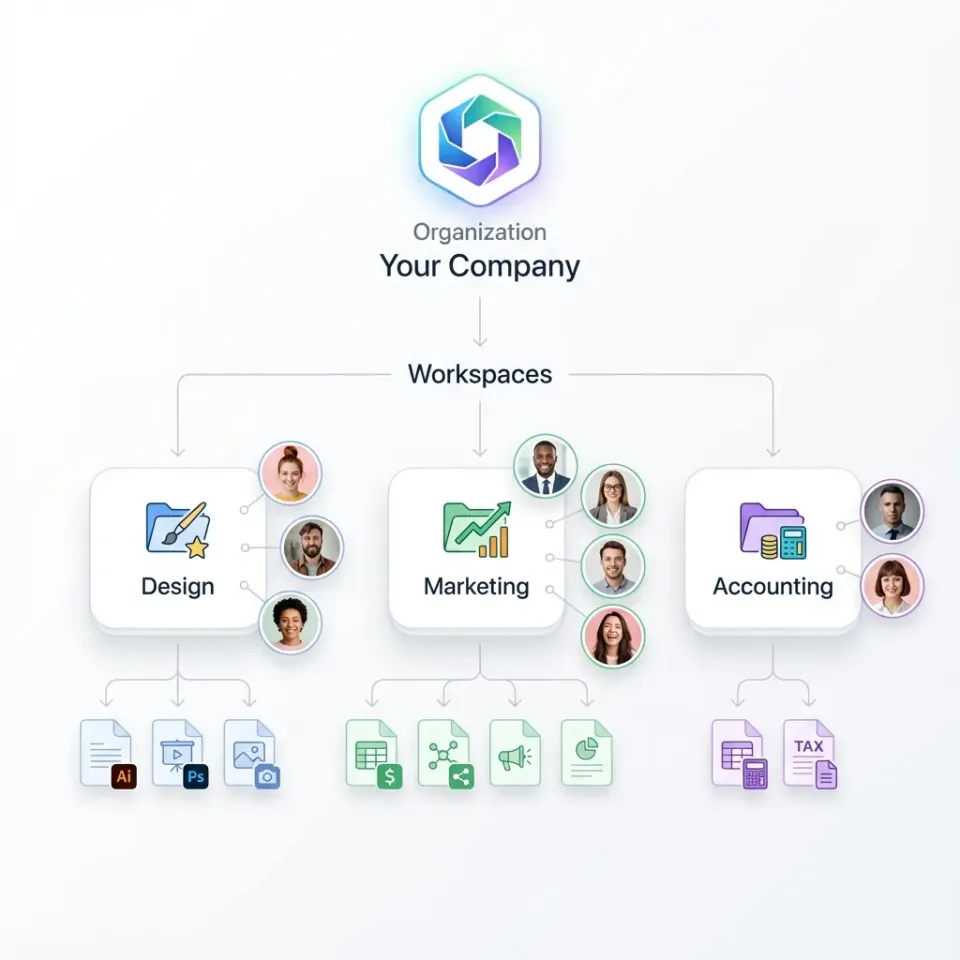
Finally, design storage boundaries around matters and clients. Rather than dumping all firm records into a single monolithic folder, modern legal IT teams provision dedicated workspaces for each client or major matter. Workspace boundaries isolate confidential case files, simplify matter archiving upon case closure, and maintain clean access management.
Steps for Pilot Testing and Executing the Production Cutover
With the file audit complete and directory taxonomies established, IT teams move to execution. This phase tests the migration mechanics through a pilot cohort, verifies access boundaries, and carries out the final production cutover.
Step 3: Executing a Multi-Matter Pilot Migration
Never attempt an all-at-once cutover for an entire legal practice without running a controlled pilot migration first. A pilot migration uncovers unexpected file conversion issues, permission anomalies, and bandwidth bottlenecks while the stakes remain low.
Select a representative sample of active and closed matters across different practice groups:
- Complex Litigation Matter: High volume of pleadings, motions, and deposition transcripts with intricate revision histories.
- Transactional Corporate Matter: Fast-moving contract drafts, redlines, and closing checklists involving external counterparties.
- Personal Injury or Insurance Defense Matter: Dense collection of medical records, medical bills, liens, and correspondence.
- Media-Heavy Trial Matter: High-capacity surveillance video, audio recordings, and high-resolution photo exhibits.
During the pilot migration, run technical integrity checks to verify that every document transfers accurately:
- Checksum Verification: Compare cryptographic hashes between source files and cloud copies to confirm that no bytes were corrupted during transit.
- Searchability Verification: Verify that scanned discovery files, court orders, and PDF briefs retain optical character recognition layers so staff can search full document text.
- Metadata Integrity: Confirm that creation timestamps, last modified dates, and author properties remain intact across transferred files.
- Media Playback Testing: Verify that high-capacity deposition videos play back smoothly in the cloud interface without requiring full desktop downloads.
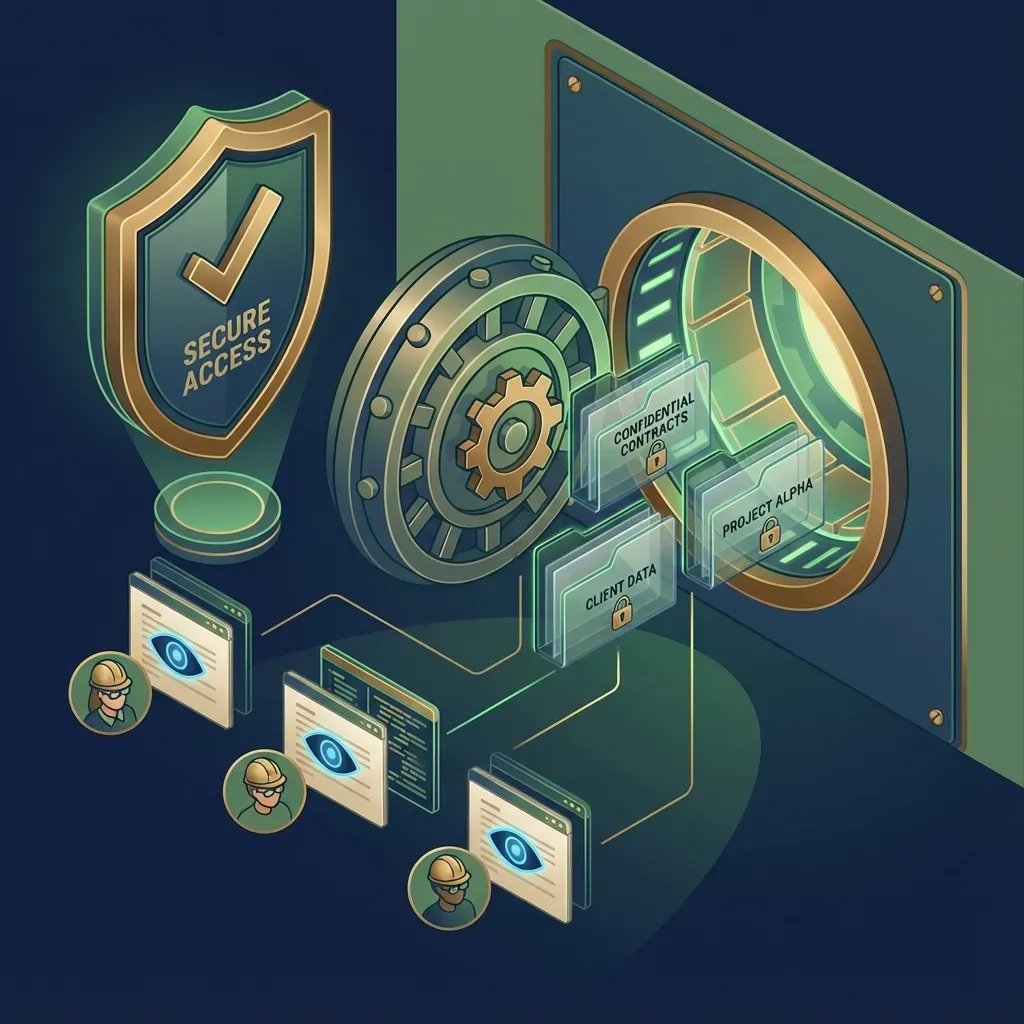
Next, test role-based access controls. Fast.io sets permissions per organization, workspace, and share through member roles. Every workspace member reaches the whole workspace according to their role, avoiding permission fragmentation across individual subdirectories. This design simplifies security administration and eliminates hidden permission inheritance bugs common to legacy Windows file shares.
When an attorney needs to share specific files or a single folder with co-counsel, expert witnesses, or clients, the correct workflow is to create a scoped share holding those files or that folder. Scoped shares can disable file downloads, enforce link expiration dates, and restrict access without exposing the rest of the matter workspace.
Step 4: Cutover Freeze and Delta Synchronization
The production cutover must be scheduled to prevent disruption to billable attorney hours and active court deadlines. The ideal window runs over a weekend: starting Friday at 6:00 PM and concluding by Sunday at 3:00 PM, leaving ample time for final verification before staff arrive on Monday morning.
Follow this systematic cutover sequence:
- Enforce a Source System Freeze: Set legacy Windows file shares, on-premises document management systems, and local network directories to read-only status on Friday evening. Removing write permissions prevents attorneys and paralegals from creating new drafts in the old environment while data is in motion.
- Execute Delta Synchronization: Run an incremental synchronization that transfers only files created or modified since the initial baseline export. This drastically reduces transfer times, moving recent work product rather than re-copying terabytes of static data. For practices migrating away from generic cloud drives, Cloud Sync connects Google Drive, Dropbox, Box, and OneDrive folders to a workspace, one-way or two-way, on a schedule or on demand.
- Reconfigure Network Peripheral Destinations: Update office network multifunction copiers, desktop scanners, and fax gateways to deposit scanned incoming mail and exhibits directly into designated cloud intake folders.
- Update Workstation Default Save Paths: Reconfigure legal word processors, PDF editors, and billing tools so that default save directories point to the new cloud workspace endpoints.
- Deploy Desktop Shortcuts: Distribute unified desktop links and web application bookmarks to all staff workstations so team members have immediate access on Monday morning.


Migrate law firm matter files to structured cloud workspaces
Organize client files into secure, matter-centric workspaces with branded client portals, structured metadata extraction, and detailed activity tracking. Start your 14-day free trial on monthly plans with a credit card.
How to Validate File Integrity and Guide Legal Team Adoption
The technical data transfer is only half the battle. A migration succeeds only when legal operations verifies operational data integrity and attorneys adopt the new workspace into their daily billable routines.
Step 5: Technical Reconciliation and File Verification
Once the cutover transfer finishes on Sunday afternoon, the migration team must conduct rigorous post-migration verification before clearing the system for production use:
- Directory Structure and File Count Audit: Compare source and destination file inventories across every active matter. Confirm that total matter folder counts, file counts, and subfolder structures match the pre-migration baseline.
- Mission-Critical File Spot-Checks: Manually open high-value documents across key practice groups: operative complaints, summary judgment motions, closing agreements, deposition transcripts, and scanned discovery exhibits. Confirm that PDFs render cleanly, bookmarks operate, and formatting remains stable.
- Multimedia Stream Verification: Playback high-capacity deposition recordings and surveillance exhibits directly in the browser to confirm that HLS video streaming functions without buffering or desktop downloading.
- Version History Confirmation: Legal drafting involves frequent revisions. Fast.io maintains per-file version history, storing every previous iteration of a document whenever an updated draft is uploaded or saved. Open several active transactional contracts and litigation briefs to confirm that historical drafts are retrievable and can be restored if needed.
- Activity Tracking Validation: Modern legal operations requires complete transparency into document lifecycle changes. Fast.io maintains a detailed activity log of what changed in an organization and who changed it, people and agents alike: uploads, edits, moves, and deletions, plus membership and permission changes and share creation. It does not record read-only events such as views or downloads, keeping the record focused on operational document modifications. Review the activity log to confirm that initial migration uploads and user role assignments are properly recorded.
Step 6: Guiding Legal Team Adoption and Practice Continuity
Attorney resistance to new software often stems from fear of lost billable productivity or confusion over document retrieval. A structured onboarding protocol prevents cutover panic:
- Conduct 15-Minute Practice Group Huddles: Avoid overwhelming attorneys with multi-hour training webinars. Instead, conduct brief, targeted 15-minute walk-throughs focused strictly on core daily actions: locating a matter workspace, searching document text, uploading new discovery filings, and generating client delivery links.
- Appoint Practice Group Floor Captains: Select tech-savvy paralegals and legal assistants in each practice group (litigation, corporate, estate planning, family law) to act as first-line support. Floor captains can answer peer questions quickly, keeping senior partners productive and reducing support ticket backlogs.
- Distribute One-Page Workflow Cheat Sheets: Place concise reference cards at every workstation detailing standard folder templates, document naming conventions, and search tips.
- Hold Daily Morning Stand-Ups During Week One: Conduct brief 10-minute check-ins each morning between IT, office administrators, and practice group leads during the first week. Addressing small user questions immediately prevents frustration from compounding into workflow resistance.
Modernizing Legal Workspaces: Extraction, Portals, and AI Integration
Migrating away from legacy file shares does more than solve remote access headaches; it transforms static document repositories into an active operational workspace. Once legal documents reside in a modern cloud platform, firms can deploy advanced extraction tools, branded client portals, and secure AI integrations.
Structured Document Extraction with Metadata Views
In traditional legal document management, extracting key matter data requires manual data entry or rigid, template-based optical character recognition. Paralegals spend hours combing through contracts, medical bills, or litigation disclosures to populate spreadsheet trackers.
Fast.io Metadata Views turn documents into a live, queryable database. Legal operations teams describe the fields they want extracted in natural language, AI designs a typed schema (Text, Integer, Decimal, Boolean, URL, JSON, Date & Time), matches files in the workspace, and populates a sortable, filterable spreadsheet.
Metadata Views require no manual template configuration or brittle OCR positioning rules. The extraction engine handles diverse legal documents:
- Commercial Contracts: Extracting contract execution dates, renewal deadlines, governing law jurisdictions, counterparty names, and indemnification caps.
- Settlement Agreements & Releases: Parsing structured payment amounts, release scopes, structured settlement schedules, and confidentiality clauses.
- Medical Records & Bills: Extracting treatment provider names, service dates, billed charges, diagnostic codes, and lienholder identifiers for personal injury claims.
- Corporate Governance Files: Categorizing board resolutions, officer appointments, share allocations, and state filing numbers.
Legal teams can add new columns at any time without reprocessing existing documents. The structured data can be filtered, sorted, and queried directly within the workspace, accelerating due diligence reviews, contract audits, and case valuation workflows.
Branded Client Portals and Secure File Exchange
Email attachments remain one of the primary vulnerabilities in legal communication. Large discovery files bounce against inbox attachment limits, while sensitive documents sent via unencrypted email expose confidential client communications.
Modern legal workspaces provide dedicated, branded sharing capabilities that replace email attachments entirely:
- Send Shares: Distributing confidential trial exhibits, briefs, or closing binders to clients, opposing counsel, or expert witnesses through branded download links. Shares can be durable or expiring with per-recipient access, and administrators can disable file downloads for sensitive review copies.
- Receive Shares: Providing clients with a secure, branded upload page where they can drop tax returns, medical records, or intake questionnaires directly into a designated matter folder without needing to create an account or install software.
- Exchange Shares: Creating collaborative shared spaces for ongoing document exchange between co-counsel or transactional deal parties.
In addition, firms can handle document signing directly inside the matter workspace. Fast.io e-signature allows legal teams to send engagement letters, settlement releases, and corporate agreements for signature directly from the workspace. Signers can execute documents in sequence or parallel, with an optional one-time passcode per signer. Once signed, the executed copy files back into the matter workspace accompanied by a tamper-evident audit certificate.
Safe Legal AI Integration via the Model Context Protocol
As law firms explore artificial intelligence for legal research, deposition summarization, and contract analysis, data security and matter isolation become paramount. General consumer AI tools risk blending client data or exposing confidential matter files across organizational boundaries.
Fast.io provides a safe architectural solution through the Model Context Protocol (MCP). The Fast.io MCP server connects AI agents directly to workspace storage over Streamable HTTP at https://mcp.fast.io/mcp/tools (for general AI tools) or https://mcp.fast.io/mcp/code (for coding and automation environments).
Because Fast.io enforces role-based permissions at the organization, workspace, and share levels, legal AI assistants operate under strict matter isolation:
- An AI assistant connected to a specific matter workspace can read and summarize documents only within that authorized workspace.
- The agent cannot access other firm workspaces, preventing cross-matter data contamination.
- Legal teams can use Collaborative Notes kept right beside the files for people and agents to record case strategy, deposition chronologies, and legal research memos with version-checked saves.
Evaluating Migration Options and Plan Selection
When evaluating cloud workspace platforms for your law firm, prioritize platforms that offer matter-centric organization, high-capacity file handling, and structured data extraction alongside clear commercial terms.
Fast.io operates on transparent subscription tiers designed for organizations of all sizes. Creating a user account is free; managing workspaces requires an organization on a paid subscription. Monthly plans start with a 14-day free trial, which requires a credit card.
To begin planning your firm's file migration, explore our dedicated legal solutions and virtual data rooms, or start testing matter workspaces directly with our 14-day trial.
Sources
References used to verify factual claims in this guide.
-
Law firm data migrations risk breaking operational case history if document relationships, author metadata, and categories are not systematically verified beyond raw storage volume.
Frequently Asked Questions
What steps are required to migrate law firm files to the cloud?
Migrating law firm files to the cloud requires five sequential phases: auditing current storage to identify active files and remove redundant data, designing a standardized matter folder taxonomy, executing a pilot migration on representative active matters, running a cutover freeze with delta synchronization during off-hours, and validating file integrity alongside user onboarding.
How do you prepare matter files for a cloud migration?
Preparing matter files begins with a comprehensive file inventory across local file servers, workstation drives, and scanner directories. Teams should clean up temporary files and duplicate drafts, archive closed matters into separate storage, standardize folder naming conventions, and resolve file path character length limits before initiating data transfer.
How can a law firm migrate documents without losing file metadata or billable hours?
Preserving metadata and billable hours requires scheduling cutovers during weekend freeze windows, setting legacy servers to read-only during delta transfers, and using migration workflows that retain creation dates, timestamps, and version histories. Firms should also conduct thorough post-migration reconciliation on active matters before cutover Monday.
How should a law firm handle closed matters during a file migration?
Closed matters should generally be separated from active operational workspaces. Rather than rebuilding every historical case into active practice directories, firms should migrate closed matters into dedicated archive workspaces or secure repositories where they remain searchable for conflict checks, prior work product reference, and records retention compliance according to firm policy.
What is the difference between a simple file transfer and a legal data migration?
A simple file transfer merely copies raw byte streams between storage devices, often flattening directories or breaking file relationships. A legal data migration restructures files into matter-centric taxonomies, scopes role-based permissions across workspaces and shares, validates document searchability, and preserves audit trails and version histories essential for legal operations.
Related Resources

Migrate law firm matter files to structured cloud workspaces
Organize client files into secure, matter-centric workspaces with branded client portals, structured metadata extraction, and detailed activity tracking. Start your 14-day free trial on monthly plans with a credit card.