Law Firm Document Search Software: Finding Work Product Across Case Silos
Law firm document search software indexes pleadings, contracts, discovery files, and scanned exhibits across every matter folder to eliminate duplicated drafting. Comparing traditional Boolean keyword engines against modern semantic search reveals how firms locate work product without restructuring file trees. Combining full-text indexing, character recognition, and structured metadata extraction turns static matter silos into searchable institutional knowledge.

Why Matter Silos Trap Legal Work Product and Break Retrieval
When an associate spends four hours drafting a motion for summary judgment from scratch because nobody could locate the winning brief filed two years ago in a closed matter, the firm pays for that work twice. The document exists somewhere on the file server or cloud storage drive, but when work product is trapped inside client silos, closed matter folders, and unscanned PDFs, standard search tools treat historical knowledge as if it never existed.
Law firm document search software is enterprise search technology that indexes text, metadata, and scanned documents across a firm's matter files to enable fast, accurate retrieval of case documents and prior work product.
Traditional law firm file systems are organized around client and matter designations. A folder tree such as Client Acme, Matter Acquisition, Pleadings keeps active case files organized for the litigation team assigned to that file. This structure satisfies billing needs, court scheduling, and ethical walls. However, legal work product does not respect matter boundaries. An exceptional brief on personal jurisdiction, a bespoke indemnification clause, or an expert witness deposition transcript contains immense value for matters handled by different practice groups years later.
When firms rely on basic operating system file search or basic cloud sync folders, finding that prior work product requires knowing who worked on the case, which client it belonged to, or the exact filename assigned by the original drafter. If the associate who drafted the brief leaves the firm, their institutional knowledge departs with them. The work product remains buried in an unindexed matter archive.
The problem compounds when dealing with scanned records. Court-stamped filings, opposing counsel discovery productions, medical records, and executed signature pages frequently arrive as flat raster images. When a PDF lacks a searchable text layer, standard desktop search tools and basic cloud drives skip over the file contents entirely. A paralegal searching for a specific contract clause or a physician name in an unscanned production will receive zero results, creating a false impression that the document does not exist within the firm's records.
The Direct Overhead of Recreating Institutional Knowledge
Recreating legal work product carries steep hidden costs. When lawyers cannot find past research, internal legal memoranda, or proven contract language, they spend non-billable hours repeating work that colleagues already completed. In fixed-fee matters, this duplication erodes profitability directly. In billable-hour matters, clients increasingly reject invoices that bill for standard research or basic drafting that an established firm should already possess.
Beyond billing friction, failing to locate past work product introduces quality risks. A firm that successfully argued a novel procedural issue in a state appellate court needs every attorney in the practice group to rely on that established precedent. When attorneys cannot find internal precedents, they risk taking inconsistent legal positions across different jurisdictions or missing persuasive arguments already refined by senior partners.
Why Standard File Search Fails Legal Teams
Generic enterprise search tools struggle in law offices because legal documents share extensive vocabulary while turning on precise factual distinctions. A standard keyword search for motion to dismiss across a litigation firm with ten years of digital records will return thousands of hits, ordered by file modification date or raw keyword frequency rather than substantive relevance.
Attorneys do not need a list of every motion to dismiss filed across previous years. They need the motion to dismiss for failure to state a claim that addressed specific trade secret misappropriation claims in the aerospace sector. Standard operating system indexing cannot parse the difference between a passing mention of a statute in a discovery response and the core legal argument in a dispositive brief.
Related guides
- Law Practice Management Software Reviews: Operational Feedback and RatingsLaw practice management software reviews aggregate verified ratings and operational feedback from attorneys and firm...
- Legal Tech Solutions: The Modern Law Firm Technology GuideLegal tech solutions encompass software applications and digital platforms engineered to coordinate legal operations,...
- Practice Management Software for Law Firms: Operations & Architecture GuidePractice management software for law firms coordinates matter records, legal calendaring, time capture, and client...
- How to Build a SharePoint Law Firm Site Template: Architecture and Matter TaxonomyStandard SharePoint deployments fail law firms when generic folder structures collide with strict ethical walls,...
- Cloud-Based Legal Practice Management Software: Architecture, Security, and File WorkspacesCloud-based legal practice management software centralizes matter tracking, billing, and document administration on...
- Aderant Legal Software: Enterprise Law Firm Practice and Financial ManagementAderant legal software serves as the operational and financial backbone for enterprise law firms, powering timekeeping,...
More on this subject: Legal Teams (247 guides)
How Legal Search Architectures Compare: Keyword, Boolean, and Semantic Indexing
Evaluating document search technology requires understanding how different search engines process, index, and retrieve legal text. Law firms encounter three primary search models, each with distinct trade-offs in search accuracy, maintenance overhead, and user skill requirements. Selecting the correct architecture determines whether attorneys adopt the software or abandon it in favor of asking colleagues over email.
Basic keyword search matches exact character strings against file names, document properties, and raw text bodies. If a drafter types indemnity into a search box, the engine retrieves files containing that exact string. If the prior work product used hold harmless or duty to defend without the word indemnity, the search engine misses the document entirely. Keyword search also struggles with morphological variations, plurals, and common typos.
Boolean enterprise search introduces logical operators such as AND, OR, and NOT, alongside proximity modifiers such as NEAR or WITHIN, wildcards, and field-specific filters. Litigation support teams rely heavily on Boolean search for formal electronic discovery productions. Boolean search allows a user to query for patent AND infringement WITHIN a specified proximity of willful. When executed by an expert, Boolean queries achieve high precision. However, Boolean search requires rigorous syntax discipline. Busy attorneys who do not know Boolean conventions often receive either zero results or overwhelming result sets that require hours of manual review.
Semantic hybrid search combines full-text lexical indexing with neural vector embeddings and structured metadata values. Rather than relying solely on matching characters, semantic search indexes the underlying concepts and legal meanings of sentences and paragraphs. A semantic query for enforcing non-competition covenants in healthcare will surface agreements discussing restrictive covenants, non-solicitation of physician practices, and relevant state statutory references, even if the phrase non-competition never appears in the title or primary text.
Semantic hybrid search represents the modern standard for internal firm knowledge management because it bridges the gap between how lawyers formulate questions and how prior documents were phrased.
Lexical Precision Versus Conceptual Retrieval
The most effective legal search engines do not abandon exact lexical matching in favor of pure semantic search. Pure semantic search can occasionally surface conceptually related documents while missing a specific docket number, patent registration, or contract clause reference that the attorney needs.
Hybrid search resolves this tension by executing lexical search and semantic vector search in parallel. When a paralegal searches for a specific Bates number, statutory citation, or party name, the lexical index returns the exact document instantly. When an associate searches for strategies to challenge personal jurisdiction over foreign corporations in state court, the semantic engine retrieves relevant motions and memoranda based on contextual meaning.
Proximity Operators and Fielded Filtering
Proximity search remains essential for legal analysis. In complex contracts and litigation records, two relevant terms must appear in close proximity to establish relevance. A deposition transcript where a witness mentions fraud during opening testimony and accounting hours later is irrelevant; a transcript where fraud appears within the same paragraph as accounting requires immediate examination.
Modern legal search software incorporates proximity rules alongside metadata filters. Filtering by document category (such as Pleading, Agreement, Deposition, or Correspondence) narrows the search universe before the query runs, eliminating thousands of irrelevant administrative emails and billing notices.
What to Look For: Core Capabilities in Law Firm Document Search Software
Selecting document search software requires evaluating features that directly impact how law firm personnel find, verify, and share legal work product. The right platform must handle legacy file types, maintain strict security boundaries, and provide structured insights without requiring manual filing tags on every document. When evaluating vendor offerings, practice managers must look beyond marketing claims and examine how the system handles day-to-day file workflows.
A complete search system operates across four core technical capabilities: automated character recognition, workspace-level access control, structured metadata extraction, and comprehensive change auditing. Neglecting any one of these pillars creates blind spots that cause attorneys to lose confidence in search results.
Automatic Optical Character Recognition (OCR)
A document search engine is only as good as its text extraction pipeline. In any active law practice, documents arrive from dozens of external sources: court dockets, opposing counsel disclosures, client scans, title companies, and municipal agencies. Many of these files arrive as flat PDF images or multi-page TIFFs.
If a document search tool requires paralegals to manually run desktop OCR software before saving files into the system, unindexed files will inevitably slip through. Automatic OCR processes every incoming PDF and image upon arrival, converting raster text into searchable full-text layers in the background. This ensures that every exhibit, scanned medical record, and historical pleading becomes instantly discoverable across the entire firm.
Workspace-Level Scoping and Ethical Walls
Law firms operate under strict confidentiality obligations and conflict-of-interest rules. Search software must never expose privileged work product or conflicting matter records to unauthorized users.
Effective security architecture structures files into isolated workspaces rather than managing complex nested access lists across folders. In Fastio, role-based permissions are set per organization, workspace, and share. Every workspace member can access workspace files according to their role.
When a firm manages conflicting corporate clients or sensitive internal matters, the practice creates distinct workspaces for each matter group. Attorneys assigned to Matter Alpha can search all files, work product, and historical precedents within their designated workspaces, while remaining completely walled off from Matter Beta. When team members need to share selected case files or past work product with external co-counsel, they create dedicated, scoped shares rather than exposing internal matter workspaces.
Structured Document Extraction with Metadata Views
Full-text search locates files containing specific words, but legal teams frequently need structured data across dozens or hundreds of files. When conducting due diligence or preparing for trial, attorneys need to know the governing law, termination dates, liability caps, and counterparty names across a portfolio of contracts.
Fastio provides Metadata Views to turn unstructured case documents into a queryable, structured database. Users describe the fields they want extracted in natural language. The system designs a typed schema (such as Text, Integer, Decimal, Boolean, URL, JSON, and Date & Time), analyzes matching documents in the workspace, and populates a sortable, filterable spreadsheet view.
This extraction works across PDFs, images, Word documents, and scanned pages without requiring rigid templates or custom OCR rules. A litigation team can instantly view every settlement agreement across closed matters, sorted by jurisdiction and liability release scope, without opening files individually.
Activity Tracking and Version History
Locating a document is only half the battle; attorneys must also verify that they are referencing the final, authoritative version. Referencing an unfiled draft of a motion or an superseded version of a contract creates serious legal exposure.
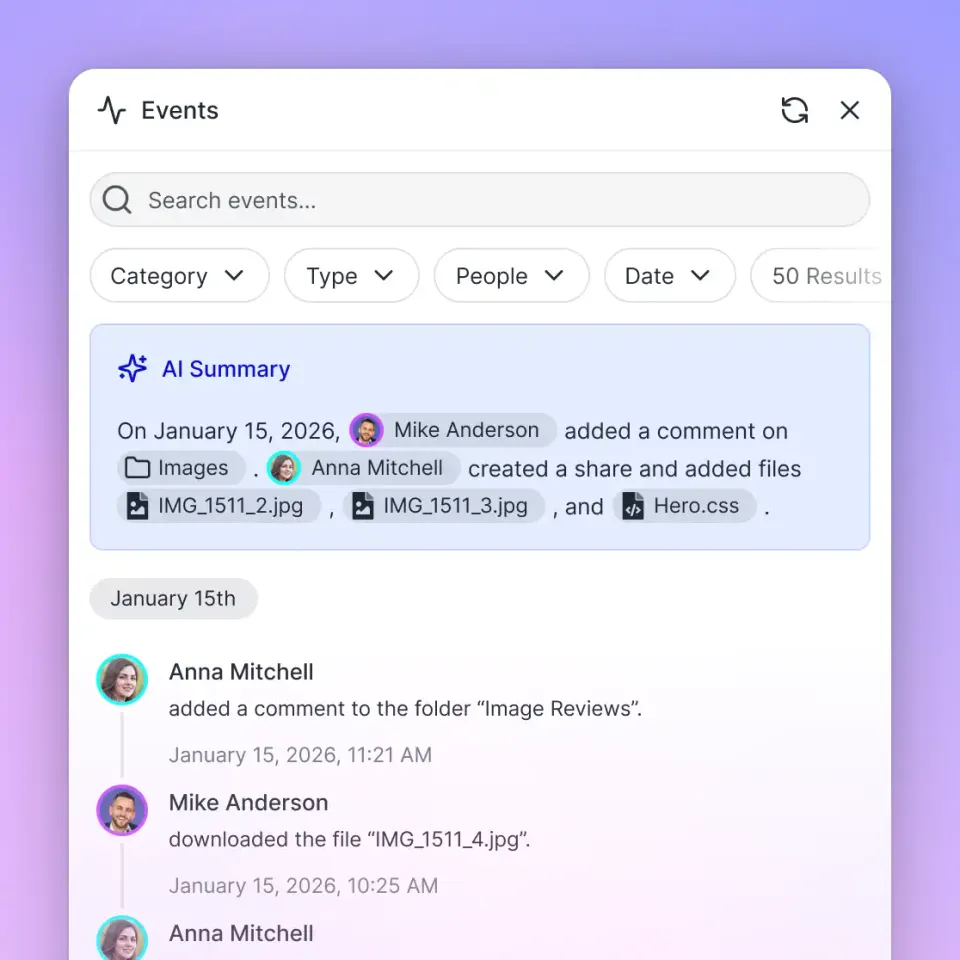
Modern search software tracks complete version history for every file, preserving each iteration while ensuring the current version displays by default. Complementing version history, a detailed activity log records every file change, edit, move, deletion, and share creation across the organization. Practice managers can inspect exactly when a file was updated and by whom, ensuring complete accountability across both human staff and automated tools.


Find case work product across every matter file
Bring scattered matter folders into unified workspaces with hybrid search, automated metadata extraction, and secure client delivery. Monthly plans start with a 14-day free trial requiring a credit card, including Starter at $9.99/mo with 250 GB storage, Business at $49.99/mo with 5 TB, and Enterprise at $199.99/mo with 25 TB.
Evaluating Incumbent Legal DMS Platforms Versus Modern Workspaces
Law firms evaluating document search software generally choose between legacy legal document management systems, practice management platforms, and modern cloud workspace platforms. Understanding where each platform succeeds and where it introduces friction helps practice leaders make sound infrastructure decisions.
Legacy legal DMS solutions like NetDocuments and iManage have long served large law firms. These systems provide deep integration with desktop word processors and email clients, combined with structured profiling dialogs that prompt users for client and matter codes upon saving. However, these systems often require significant IT overhead, complex desktop client software, and lengthy onboarding cycles. When attorneys find the profiling process too burdensome, they often save files to local desktops or personal cloud drives, creating unindexed rogue archives that defeat the purpose of the DMS.
Legal practice management suites like Clio and MyCase combine matter billing, calendaring, and contact management with basic document storage. While convenient for keeping invoices and pleadings in one client portal, their native document search functionality is typically limited to basic keyword indexing within individual matter tabs. They rarely provide deep cross-matter semantic search or advanced document metadata extraction across large historical archives.
Specialized cloud tools like LexWorkplace focus specifically on matter-centric file and email management for small and mid-sized firms, providing automated OCR and Outlook integration. They offer clean, matter-organized search, but follow traditional folder-and-index paradigms.
Modern intelligent workspaces like Fastio approach legal document search from a workspace perspective. Fastio combines full-text indexing, semantic search, and metadata-based filtering across org-owned workspaces. Files can be imported or synced from Google Drive, Dropbox, Box, or OneDrive on a schedule or on demand. When documents require signatures, Fastio includes built-in e-signature capabilities on every plan, sending agreements for sequential or parallel signature and filing executed copies with tamper-evident audit certificates directly into the workspace.
For firms collaborating with clients, Fastio provides branded shares with custom links and per-recipient access controls. Organizations run on paid subscriptions with plans designed for practices of different sizes, including Starter, Business, and Enterprise tiers. This structure provides powerful legal search and document infrastructure without the enterprise contract friction of legacy DMS vendors.
Integration Flexibility and Cloud Sync
Firms often hesitate to migrate away from existing storage systems because decades of closed matter files sit in network drives, Google Drive, or Dropbox. Migrating millions of files can disrupt ongoing billable casework.
A hybrid deployment model allows firms to modernize search without painful file migrations. Fastio Cloud Sync connects Google Drive, Dropbox, Box, and OneDrive folders to workspaces, running one-way or two-way sync on a schedule or on demand. Case files remain in familiar repositories while being indexed for semantic search and structured metadata extraction in Fastio workspaces.
Client Sharing and File Collection
Document search software must also solve the delivery challenge. Once an attorney locates the exact brief, exhibit, or agreement needed, sharing that file with a client or co-counsel through unencrypted email attachments creates security and compliance vulnerabilities.
Branded shares allow law firms to send documents through professional, client-facing portals with custom branding, optional download restrictions, and access expiration dates. Clients can also upload large discovery files, tax returns, and corporate records directly into receive-style shares, ensuring external files land directly inside indexed matter workspaces rather than sitting in personal email inboxes.
Implementation Steps: Organizing and Indexing Law Firm Work Product
Deploying document search software across a law practice requires deliberate organization, structured milestones, and clear administrative oversight. Simply pointing an enterprise search engine at twenty years of disorganized network folders will index redundant drafts, obsolete templates, and trivial administrative files alongside high-value legal work product. A structured rollout ensures that high-value work product is prioritized, clean taxonomy is maintained, and user adoption remains high across all practice groups.
Following a phased implementation blueprint ensures that historical work product becomes accessible while maintaining matter confidentiality and operational efficiency. By tackling repository audits, workspace hierarchy, automated ingestion, structured metadata, and user training in clear stages, IT managers prevent operational downtime and ensure immediate return on investment for the firm.
Step One: Audit Historical Repositories and Work Product Archives
Begin by mapping where the firm stores documents. Typical repositories include on-premise Windows file servers, legacy DMS databases, personal cloud storage accounts, and local desktop archives.
Distinguish between active matter files and closed case archives. Identify core work product repositories: folders containing appellate briefs, dispositive motions, master transaction agreements, and research memoranda. These high-value repositories should be prioritized for indexing so attorneys see immediate efficiency gains.
Step Two: Structure Workspaces by Practice Group and Active Matters
Configure workspaces to reflect practice operations. Create general knowledge workspaces for practice areas (such as Commercial Litigation Knowledge Base or Corporate Transaction Forms) where vetted templates and winning work product are aggregated.
For active matters, establish dedicated matter workspaces. Set role-based permissions at the workspace level so that attorneys and paralegals assigned to a matter have appropriate edit or read access, while maintaining ethical walls against conflicting matters.
Step Three: Ingest Files and Verify Text Extraction
Ingest matter archives using cloud sync connectors or direct cloud import. As files enter the workspace, automated optical character recognition parses scanned PDFs, deposition transcripts, and court exhibits.
Sample representative historical scanned documents across different file types to verify that full-text layers are properly recognized. Test complex multi-column filings and handwritten agreements to ensure that text extraction renders them discoverable.
Step Four: Establish Metadata Extraction Views
Create structured Metadata Views for recurring legal document categories. For contract repositories, set up schema fields for Agreement Type, Parties, Governing Law, Effective Date, and Liability Cap. For litigation files, define fields for Court, Case Number, Presiding Judge, and Motion Category.
Running automated metadata extraction across incoming documents allows legal teams to filter matters by specific criteria before executing text queries, dramatically speeding up complex document reviews.
Step Five: Train Legal Staff on Hybrid Query Techniques
Train attorneys, paralegals, and legal assistants on the difference between exact lexical searches and semantic queries. Show staff how to use natural language questions when looking for conceptual legal strategies, and how to apply metadata filters when searching for specific court documents.
Encourage associates to search internal firm workspaces before beginning any new legal research project or brief drafting process, establishing a firm culture that values and reuses institutional knowledge.
Frequently Asked Questions
How do law firms search across all their documents?
Law firms search across case files by deploying enterprise legal document search software that indexes full-text content, document metadata, and scanned PDFs across every matter folder. Modern platforms use hybrid search engines that combine exact keyword matching with semantic vector indexing, allowing attorneys to search by case concept, party name, or legal issue without needing to know the specific matter number or filename.
What is the best document search software for law firms?
The best search software depends on firm size and existing infrastructure. Large firms with dedicated IT staff often use traditional legal DMS platforms like NetDocuments or iManage. Small to mid-sized practices increasingly choose cloud workspace platforms like Fastio or specialized systems like LexWorkplace, which provide automated OCR, semantic search, and structured metadata extraction without the high implementation costs and complex profiling overhead of legacy systems.
How can lawyers search through scanned PDF case files?
Lawyers search through scanned PDF case files using optical character recognition (OCR) technology, which converts image-based text into searchable machine-readable characters. Leading legal document platforms feature automatic background OCR upon file upload, ensuring that scanned exhibits, court-stamped pleadings, and signed agreements become instantly discoverable via full-text search.
What is the difference between keyword search and semantic search in legal document management?
Keyword search matches exact character strings within filenames or text bodies, meaning a query for indemnification will miss documents that only use hold harmless. Semantic search analyzes the conceptual meaning of words and sentences using neural embeddings, allowing attorneys to surface relevant legal precedents and clauses even when different terminology or phrasing was used by the original author.
How do access permissions affect cross-matter document search?
Access permissions ensure that legal search engines respect ethical walls and client confidentiality rules. In systems like Fastio, role-based permissions are set per organization, workspace, and share. Attorneys can search across all workspaces they have permission to access, while conflicting matters and confidential files remain isolated in restricted workspaces that do not appear in unauthorized search results.
Related Resources

Find case work product across every matter file
Bring scattered matter folders into unified workspaces with hybrid search, automated metadata extraction, and secure client delivery. Monthly plans start with a 14-day free trial requiring a credit card, including Starter at $9.99/mo with 250 GB storage, Business at $49.99/mo with 5 TB, and Enterprise at $199.99/mo with 25 TB.