How to Build an Open Source AI Detector Stack with Hermes Agent
OpenAI's own GPT-2 detector team reported about 95% accuracy and still said that is not enough for standalone decisions without human judgment. Most open source AI detector guides stop at a model card and a Python one-liner, which leaves you without orchestration, isolation, or a place to store reviewable reports. This guide shows how to wire a Hugging Face detector, a local or container runtime, Nous Research Hermes Agent skills, and a shared report workspace into a self-hosted stack.


Why model cards alone are not a detector stack
OpenAI's GPT-2 output detector research reported roughly 95% accuracy on 1.5B-parameter GPT-2 text, then warned that this rate is not high enough for standalone detection and should be paired with human judgment, metadata signals, and education. That finding still frames the open source AI detector problem in 2026: a classifier is only one component. If scores live in a terminal scrollback, nobody can audit them next week, and high-stakes decisions stay brittle.
Search behavior matches the gap. "Open source ai detector" draws about 40 monthly US searches, while the older entry point "gpt-2 output detector" still draws about 260. People land on Hugging Face model cards first. Competitor guides usually list GitHub repos and stop. They skip agent orchestration, container backends for isolated inference, and durable report storage where humans can approve or reject flags.
An open-source AI detector stack combines freely licensed models, local inference, and orchestration so text or code can be scored without sending content to a third-party SaaS API. The rest of this guide builds that stack around Nous Research Hermes Agent: model, runtime, skill, and report store. For persistent report storage later in the stack, see Fast.io workspaces, Fast.io AI, and storage for agents.

Related guides
- What Is Cline? Open-Source AI Coding Agent ExplainedCline reports 8.0M+ installs across platforms and ships as Apache 2.0 open source, which is why developers keep asking...
- Cline vs Codex: Open Agent vs OpenAI Coding StackThe Cline vs Codex comparison is often framed as either-or, yet Cline's official OpenAI docs document both a key-based...
- Hermes Agent GitHub: Open Source Repo, Architecture, and How to ContributeThe Hermes Agent GitHub repository at NousResearch/hermes-agent is where Nous Research develops its open-source,...
- How to Build an Online AI Detector API with Hermes AgentCommercial AI detectors frequently produce false accusations, with studies showing they flag up to 61% of essays...
- Build an AI Generator Detector Pipeline with Hermes AgentMost Hermes tutorials stop after wiring a detector MCP server. A production AI generator detector pipeline needs...
- How to Build a Hermes Agent AI Text Detector WorkflowPaste-box AI text detectors answer one-off questions, but they do not produce audit trails or review queues at document...
More on this subject: Hermes Agent (100 guides)
What a four-layer open source AI detector stack includes
Treat the stack as four layers you can swap independently. Featured-snippet friendly version:
- Model: a freely licensed classifier such as Hugging Face
openai-community/roberta-base-openai-detector(MIT), fine-tuned RoBERTa trained on GPT-2 outputs versus WebText. - Runtime: local Python/Transformers, or an isolated terminal backend (Docker, SSH, Modal, Singularity, Daytona) so inference packages and temp files do not touch the host agent process by default.
- Hermes skill: a procedural skill that loads when you need detection, runs the scorer, and returns structured JSON (label, score, model id, text hash, timestamp).
- Report store: versioned files humans and agents can search, share, and re-open later (local folder, object storage, or a shared workspace).
Model layer: start with a known open weight
The Hugging Face RoBERTa base OpenAI Detector is the practical self-hosted default for English GPT-2-era research and tooling demos. Official model card notes:
- Fine-tuned RoBERTa base on 1.5B GPT-2 outputs
- English only
- MIT license
- Direct use as a GPT-2 text classifier
- Explicit warning: do not treat it as a ChatGPT misconduct oracle for academic accusations
Minimal local smoke test (from the model card pattern):
from transformers import pipeline

pipe = pipeline(
    "text-classification",
    model="openai-community/roberta-base-openai-detector",
)
print(pipe("Hello world! Is this content AI-generated?"))
A typical return shape looks like [{'label': 'Real', 'score': 0.80...}]. That one-liner is useful for validation. It is not production. Production needs batching, length limits, model version pinning, and a report schema.
Runtime layer: isolate inference with Hermes terminal backends
Hermes Agent documents six terminal backends for command execution: local, docker, ssh, singularity, modal, and daytona. For detector work, prefer an isolated backend so pip install, model caches, and untrusted sample text stay off the agent host when possible.
Example Docker-oriented terminal config pattern from Hermes docs (place under terminal in ~/.hermes/config.yaml):
terminal:
  backend: docker
  docker_image: python:3.11-slim
  cwd: "."
  timeout: 180
  container_cpu: 2
  container_memory: 8192
  container_disk: 51200
  container_persistent: true
Hermes keeps one long-lived Docker container for the process and routes terminal, file, and execute_code calls into it. Packages and files under /workspace persist for the session, which is ideal for a detector image that already has transformers and the model weights warmed. Container hardening notes in the same docs include read-only root filesystem on Docker, dropped capabilities, and no privilege escalation.
Choose backends by risk:
- local: fastest iteration on trusted machines
- docker: reproducible self hosted AI detector sandbox
- ssh: keep scoring on a dedicated inference host
- modal / daytona: burst capacity when batch jobs spike
Hermes skill layer: package the procedure once
Hermes skills are on-demand knowledge documents under ~/.hermes/skills/, compatible with the agentskills.io standard. Skills use progressive disclosure so Hermes only loads full instructions when needed. You can author a detector skill with /learn from a working conversation, or write a SKILL.md that defines when to run, the scoring procedure, pitfalls, and verification steps.
Conceptual skill responsibilities (implement as your own skill content, not a built-in Hermes detector product):
- Accept file path or pasted text
- Hash the input, score with the pinned model id
- Emit JSON plus a short markdown report
- Upload or copy the report to the report store
- Escalate ambiguous mid-range scores to a human review task
Keep the skill honest about limits: GPT-2-era classifiers mis-handle newer LLM prose, short snippets, and heavily edited text. The skill should surface confidence bands, not verdict banners.
Report store layer: make scores reviewable
Local ./detector-reports/ works for solo experiments. S3 or a self-hosted object bucket works for batch jobs. For team review, a shared intelligent workspace is usually better: agents write reports, humans comment, and search finds the same score weeks later.
Fast.io is one option here. You can keep reports on disk or in cloud object storage first, then graduate to a workspace with Intelligence Mode for semantic search, per-file version history, and comments anchored to the page when a flagged document needs sign-off. Agents talk to Fast.io through the MCP server (Streamable HTTP at /mcp, legacy SSE at /sse). See storage for agents and the agent onboarding guide for setup.

How to wire Hermes Agent for scoring and report storage
This section is a recommended workflow pattern. Hermes does not ship a commercial AI detector product. You compose built-in terminal tools, a skill you author, and storage you control.
1. Install Hermes and confirm tool access
Follow the official install path from Hermes Agent docs:
curl -fsSL https://hermes-agent.nousresearch.com/install.sh | bash
hermes tools
hermes chat --toolsets "terminal,file,skills"
Confirm the terminal, file tools, and skills toolset are available. Detector scoring is just code execution plus a procedure, so those three are the core.
2. Prepare a scoring environment
Inside the chosen backend, install a pinned stack (example versions for illustration; pin to what you validate):
python -m venv /workspace/detector-venv
source /workspace/detector-venv/bin/activate
pip install "transformers==4.*" "torch" "accelerate"
python -c "from transformers import pipeline; pipeline('text-classification', model='openai-community/roberta-base-openai-detector')"
Warm the model once so batch runs do not pay cold-start download cost on every cron tick.
3. Define a report schema
Use a boring JSON shape every skill run must produce:
{
  "schema_version": "1.0",
  "model_id": "openai-community/roberta-base-openai-detector",
  "label": "Fake",
  "score": 0.91,
  "text_sha256": "…",
  "char_count": 1842,
  "source_path": "inbox/submission-042.md",
  "scored_at": "2026-07-17T12:00:00Z",
  "review_status": "pending_human",
  "notes": ""
}
Pair each JSON with a short markdown summary for humans. Keep the raw sample text only when policy allows; otherwise store a hash and a redacted excerpt.
4. Author the Hermes skill
Skills live as SKILL.md documents. Keep the procedure explicit:
- When to use: user asks to score text for AI likelihood, or a folder of new submissions arrives
- Procedure: normalize whitespace, enforce max length, run classifier, write report files
- Pitfalls: short inputs, non-English text, model mismatch with modern LLMs
- Verification: re-run a known fixture set and compare labels
You can bootstrap with /learn after walking Hermes through one successful scoring session, then edit the generated skill so it never invents accuracy claims.
5. Optional: MCP for workspace storage
Hermes can attach external MCP servers in ~/.hermes/config.yaml. For Fast.io as the report store, configure an HTTP MCP entry against your Fast.io MCP access (Streamable HTTP at /mcp, legacy SSE at /sse) using your org credentials, then ask Hermes to upload reports into a dedicated workspace folder such as detector-reports/2026-07/. Follow storage for agents for the current connection path rather than hard-coding endpoint details that may change.
Alternatives if you are not ready for a workspace product: write reports to S3 with the AWS CLI, sync a folder to Nextcloud, or keep a git repo of JSON reports for small teams.
6. Human review loop
LLM-era detectors still need human review for high-stakes decisions. Encode that in workflow, not in wishful thresholds:
- Auto-accept only extreme scores on low-risk content (for example marketing draft triaging)
- Route mid-band scores to a human reviewer with the original file attached
- Never auto-discipline a student, employee, or contractor from a single open source score
A Fast.io workspace can carry that handoff: the agent uploads the report, a human reviews it and records the decision in a comment, and the activity log keeps the trail. Ownership transfer helps when an agent bootstraps the workspace and a human compliance owner takes over day-to-day review.
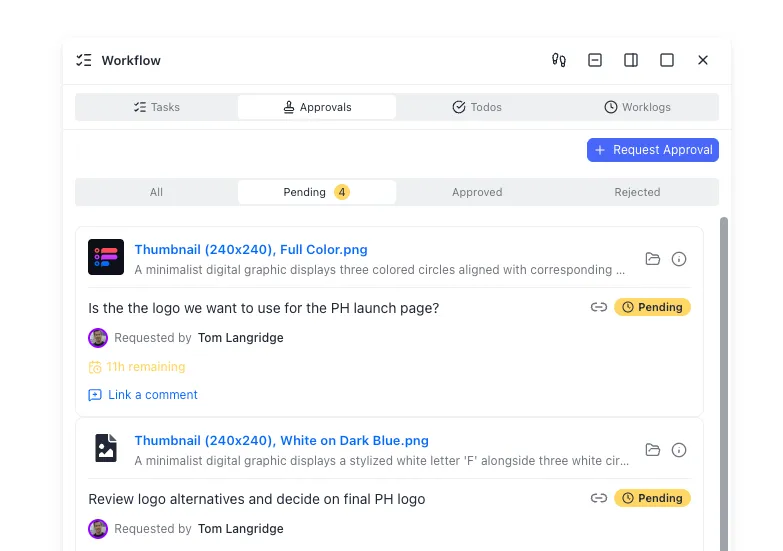


Keep detector reports in one reviewable workspace
Store Hermes Agent scoring outputs where teammates can search, version, and comment on them. Connect via the Fast.io MCP server and start with a 14-day free trial.
What self-hosted accuracy limits mean in production
Can a self hosted AI detector be accurate enough for production? Only with narrow claims and human oversight.
What the open model actually claims
The RoBERTa OpenAI Detector model card and the Solaiman et al. research around GPT-2 release strategies report about 95% accuracy on specific GPT-2 detection tests. The same sources stress that automated detection is incomplete alone. OpenAI's related public discussion of that work notes detection rates around 95% for 1.5B GPT-2 text and argues that figure still needs human judgment and non-model signals.
That is the honest ceiling for this Hugging Face AI detector component on its original problem. It is not a universal "AI vs human" oracle for 2026 chat models.
Failure modes you should design for
- Model drift: text from newer LLMs looks different from GPT-2 training adversaries
- Length: short passages are noisy; require a minimum character count before scoring
- Editing and paraphrasing: light human rewrite collapses many detectors
- Domain shift: code, legal prose, and non-English text need different models or no model
- Adversarial use: open detectors help research and also help evasion research; treat scores as advisory
Production policy pattern
- State the supported language and model generation in the UI or report footer
- Show score + model id + skill version on every report
- Require dual control for any action that affects people (education, employment, contracts)
- Log who requested the score, who reviewed it, and what action followed
- Re-benchmark quarterly on your own fixture set (known human, known AI, known hybrid)
For teams that store many reports, Metadata Views on Fast.io can extract structured fields such as label, score, model_id, and review_status into a live grid for filtering and dashboards. That is the structured extraction layer, separate from Intelligence Mode (semantic search and chat). See document data extraction.

Operations: batching, cron, sharing, and cost control
Once the skill works interactively, operationalize it.
Batch and schedule
Hermes includes automation tools such as cron-style scheduled tasks. A practical pattern:
- Drop new submissions into an
inbox/folder (local path or workspace) - Nightly job scores everything not yet present in
detector-reports/ - Write JSON + markdown reports
- Notify reviewers only for scores above a policy threshold
Keep the batch runner idempotent: key off text_sha256 so re-runs do not flood reviewers.
Sharing results without leaking source text
SaaS detectors force a trust decision about pasting client content into someone else's API. Self-hosting removes that hop, but sharing still matters. Options:
- Redacted markdown summaries in chat (Telegram/Discord via Hermes gateway) with full reports only in the workspace
- Branded Send shares for external reviewers who should not see the whole repo
- Time-limited access for auditors
Fast.io branded shares and granular permissions help when legal or academic staff need a report without full workspace access. Local disk and plain S3 remain valid for closed systems with no external reviewers.
Cost and hardware notes
The RoBERTa base detector is small by modern standards (about 0.1B parameters on the model card). CPU inference is realistic for light traffic. GPU helps batch throughput. Modal or another serverless backend is useful when you want idle cost near zero between batches. Track:
- Model download and cache size
- Average seconds per document
- Human review minutes per flag (usually the real cost)
When to prefer SaaS detectors instead
Choose hosted tools when you need multi-model ensembles, polished LMS integrations, or vendor-maintained benchmarks and you can legally send text off-premises. Choose the open stack when data residency, cost control, or agent automation is the priority. Many teams run both: open source first-pass triage, commercial second opinion on escalations.
Putting Hermes Agent at the center without over-claiming
Hermes Agent's value here is orchestration, not magic accuracy. It already provides terminal isolation backends, skills for packaging procedures, MCP for external tool servers, messaging gateways for human pings, and subagent delegation for parallel scoring. Your detector skill is just another procedure in that system. Persist the artifacts where teammates can find them, and keep humans in the loop whenever a score would change a real-world outcome.
Sources
References used to verify factual claims in this guide.
-
OpenAI-associated GPT-2 detector research reported approximately 95% accuracy on 1.5B GPT-2-generated text and stated that accuracy is not high enough for standalone detection without human judgment and other signals. The RoBERTa base OpenAI Detector is MIT-licensed English classifier obtained by fine-tuning RoBERTa base on GPT-2 1.5B outputs versus WebText.
-
Hermes Agent supports terminal backends including local, Docker, SSH, Singularity, Modal, and Daytona for isolated command execution.
-
Hermes skills are agentskills.io-compatible procedural documents stored under ~/.hermes/skills/ with progressive disclosure loading.
-
Hermes Agent can connect to external MCP servers over stdio or HTTP for tool ecosystems outside Hermes.
Frequently Asked Questions
What is the best open source AI detector?
There is no single best model for every 2026 use case. A strong starting point for self-hosting is Hugging Face openai-community/roberta-base-openai-detector, an MIT-licensed RoBERTa classifier trained for GPT-2 output detection. Treat it as a component, not a verdict engine, and re-evaluate against your own fixtures before production use.
Can I self-host an AI detector?
Yes. Download an open model, run Transformers (or another runtime) on your own hardware or container backend, and keep scores offline. Hermes Agent helps by executing scoring scripts in local, Docker, SSH, Modal, Singularity, or Daytona terminal backends and packaging the procedure as a skill.
How does Hermes Agent run local detector models?
Hermes does not embed a proprietary detector API. It runs your scoring code through terminal and code-execution tools, optionally inside an isolated container or remote host. You install dependencies in that environment, author a skill that describes the scoring procedure, and optionally upload reports through MCP to a workspace such as Fast.io.
Are open-source AI detectors accurate enough for production?
Only with tight scope and human review. OpenAI-era GPT-2 detector research reported roughly 95% accuracy on specific tests and still recommended pairing automation with human judgment. Modern LLM prose, short text, and paraphrasing reduce reliability. Use detectors for triage and documentation, not automated punishment.
What belongs in a detector report file?
At minimum: model id, label, score, text hash, character count, source path, timestamp, and review status. Add skill version and reviewer notes when a human decides. Store redacted excerpts when full text cannot leave a secure zone.
Where should Hermes Agent store detector reports?
Local folders and object storage work for solo ops. Shared workspaces work better for multi-person review. Fast.io is a strong option when you want version history, semantic search via Intelligence Mode, MCP uploads, and comment-based review handoffs. Alternatives include S3, Nextcloud, and git-backed JSON archives.
Related Resources

Keep detector reports in one reviewable workspace
Store Hermes Agent scoring outputs where teammates can search, version, and comment on them. Connect via the Fast.io MCP server and start with a 14-day free trial.