How to Build a Hermes Agent AI Text Detector Workflow
Paste-box AI text detectors answer one-off questions, but they do not produce audit trails or review queues at document scale. Peer-reviewed work shows detectors can misclassify non-native English writing as machine-generated. This guide shows how Nous Research Hermes Agent can score files through skills and MCP, then hand flagged text to humans in a durable workspace.


Why paste-box detectors break under real document volume
Stanford researchers evaluated widely used GPT detectors and found they frequently misclassify non-native English writing as AI-generated, while native samples are identified more reliably [Liang et al., 2023]. That fairness gap is not a niche edge case for classrooms alone. It is the reason automated scoring pipelines need thresholds, second opinions, and human review instead of a single red banner.
Free web checkers are plentiful, but almost none of those pages document an autonomous Hermes scoring pipeline that writes structured reports, keeps an append-only audit log, and routes flags into a review queue.
An AI text detector estimates whether a passage was written by a language model, typically returning document-level and span-level confidence scores. That definition is enough for a one-off paste check. It is not enough for teams that ingest hundreds of drafts, vendor docs, support macros, or student submissions every week. Free tools such as GPTZero, ZeroGPT, QuillBot's detector, and Grammarly's AI detector solve the interactive path well: paste text, read a probability, maybe download a PDF. They rarely define what happens after a score lands, who owns the decision, or where the source file and the report stay linked for six months.
Nous Research Hermes Agent is the right automation host for that second half of the problem. It is an open-source, MIT-licensed agent from Nous Research that runs where you put it (local machine, Docker, SSH, Modal, Singularity, Daytona) and grows through skills, MCP servers, subagents, and scheduled automations [Hermes Agent docs]. Hermes does not ship a built-in commercial AI text detector. You attach detectors through MCP or skill scripts, then treat scoring as one step in a durable file workflow.
Featured workflow at a glance
An AI text detector estimates whether a passage was written by a language model, typically returning document-level and span-level confidence scores. A practical Hermes detection workflow looks like this:
- Land source documents in a durable inbox folder with clear ownership.
- Load a detection skill that knows thresholds, report format, and failure modes.
- Call a detector API or MCP tool and capture document-level and span-level scores.
- Write a structured report next to the source file (JSON or markdown with scores, model id, timestamp).
- Route medium and high scores into a human review queue with comments.
- Log every handoff in an append-only audit trail and keep version history on rewrites.
The rest of this guide expands each step for developers who already run Hermes and need production-shaped controls, not another free paste box.

Related guides
- How to Build Multi-Agent Workflows in OpenClawOpenClaw multi-agent workflows let multiple agents coordinate on tasks like data processing or report generation....
- How to Build a Manus AI Curriculum Builder WorkflowNearly 50% of K-12 teachers in the United States must design and build their own curriculum materials, leading to...
- How to Build a Hermes Agent QuillBot AI Detector WorkflowAutomating AI content checks prevents formatting issues and publishing bottlenecks. This guide covers building a custom...
- How to Build a Reliable AI Detector Workflow with Hermes AgentUS search data puts "reliable ai detector" near 720 monthly searches at keyword difficulty 81, yet most accuracy...
- How to Build an Open Source AI Detector Stack with Hermes AgentOpenAI's own GPT-2 detector team reported about 95% accuracy and still said that is not enough for standalone decisions...
- How to Build an Online AI Detector API with Hermes AgentCommercial AI detectors frequently produce false accusations, with studies showing they flag up to 61% of essays...
More on this subject: Hermes Agent (100 guides)
What scores mean, and how text detectors differ from code detectors
Before you automate, lock the semantics of the score. Most commercial AI content checkers return a probability or percentage that a document (or a span inside it) looks model-written. Some add secondary labels such as mixed, human, or AI, and some highlight sentences. Treat those outputs as risk signals, not as verdicts. Detectors can fail on short snippets, heavily edited drafts, technical prose, and non-native writing. Your Hermes skill should store raw scores plus the decision policy you applied, so a reviewer can see both.
Document-level scores answer "how much of this file looks machine-written?" They are useful for triage queues and batch dashboards.
Span-level scores answer "which paragraphs or sentences look suspicious?" They are useful when a human needs to rewrite or justify a section without discarding the whole file.
AI text detectors and AI code detectors solve different problems. Text detectors score natural-language prose for generative-model fingerprints. Code detectors (or verification pipelines) check syntax, linters, secret leakage, dependency risk, and sometimes model-generated code patterns. Do not reuse the same threshold logic across both. A high "AI-like" score on marketing copy is a content policy question. A failing security scan on generated Python is a release gate. Hermes can host both workflows as separate skills with separate report schemas.
Popular free checkers illustrate the product surface teams already know. GPTZero markets document and sentence insights and reports large user adoption on its public site [GPTZero]. ZeroGPT, QuillBot, and Grammarly offer browser-first checkers for the same commercial intent. Those products are excellent references for what a score payload should look like. They are weak references for multi-agent orchestration, scheduled rescans, and regulated handoff. Your content gap is the pipeline around the checker, not another homepage with a text box.
When Hermes calls a detector, standardize the report shape so later steps stay boring:
{
  "source_path": "inbox/draft-q3-brief.md",
  "detector": "provider-name",
  "model_or_endpoint": "v2",
  "scanned_at": "2026-07-16T14:02:11Z",
  "document_score": 0.82,
  "label": "likely_ai",
  "span_hits": [
    {"start": 120, "end": 410, "score": 0.91, "excerpt": "..."}
  ],
  "policy": {
    "auto_clear_below": 0.35,
    "review_from": 0.35,
    "auto_hold_from": 0.80
  },
  "decision": "route_to_review"
}
Keep the policy object inside the report. When thresholds change next quarter, historical files still explain why they were held.
Skills, MCP, and subagents: the Hermes building blocks
Hermes extends itself with skills, MCP tools, subagents, and cron-style scheduled automations [Hermes Agent docs]. That combination is what turns a detector API into a workflow instead of a one-off chat turn.
Skills as the procedure layer
Skills are on-demand knowledge documents compatible with the agentskills.io standard. They live under ~/.hermes/skills/ by default, and Hermes can also scan external skill directories you list in config. A skill is progressive disclosure: the agent sees a short description first, then loads full instructions when the task needs them [Hermes skills docs].
For AI text detection, create a skill such as ai-text-detector with a SKILL.md that states when to run, how to call the detector, how to format reports, and how to escalate. Example layout:
~/.hermes/skills/
└── content/
    └── ai-text-detector/
        ├── SKILL.md
        ├── references/
        │   └── thresholds.md
        └── scripts/
            └── score_document.py
Frontmatter should stay short and honest. Describe triggers ("new markdown or docx in the inbox"), required environment variables for API keys, and verification steps. Put long policy text in references/ so the agent only loads it when scoring. If your team shares skills across tools, point Hermes at a shared folder with skills.external_dirs in ~/.hermes/config.yaml rather than copying trees by hand.
MCP as the tool bridge
MCP (Model Context Protocol) lets Hermes connect to external tool servers without writing a native Hermes tool first. You configure servers under mcp_servers in ~/.hermes/config.yaml. Hermes supports local stdio servers and remote HTTP servers, discovers tools at startup, and can filter which tools each server exposes [Hermes MCP docs].
Two patterns work well for AI content detection:
1. Detector as an MCP server. If you already have or can wrap an AI content checker as MCP, register it and let Hermes call score tools during reasoning.
mcp_servers:
  ai_text_detector:
    command: "npx"
    args: ["-y", "your-detector-mcp-package"]
    env:
      DETECTOR_API_KEY: "${DETECTOR_API_KEY}"
    tools:
      include: [scan_text, scan_file]
    timeout: 120
Store secrets in ~/.hermes/.env. Hermes does not blindly pass your full shell environment into stdio servers; only configured env values plus a safe baseline go through [Hermes MCP docs].
2. Fast.io (or another workspace) as an MCP storage layer. Hermes can talk to remote HTTP MCP endpoints with headers. Fast.io exposes Streamable HTTP at https://mcp.fast.io/mcp/tools, where reads use storage and writes go to storage_manage, so the agent can read inbox files, write score reports, and manage file operations through a consolidated MCP toolset without inventing local glue for every operation. Point Hermes at the Fast.io MCP endpoint the same way you would any other HTTP MCP server, with a bearer token in headers. See the Fastio documentation for the current onboarding path and tool surface.
mcp_servers:
  fastio:
    url: "https://mcp.fast.io/mcp/tools"
    headers:
      Authorization: "Bearer ${FASTIO_API_KEY}"
    timeout: 120
After config changes, reload MCP servers from a Hermes session (/reload-mcp) or restart the agent so discovery picks up the new tools. If tools do not appear, check that the server is not disabled, that filters did not exclude every tool, and that credentials resolve.
Subagents and schedules
For batches, use Hermes delegation so a parent agent owns policy while worker subagents score files in parallel. Official docs describe isolated subagents for parallel workstreams and a cronjob tool for scheduled tasks [Hermes tools docs]. A practical split:
- Parent agent: select unscored files, enforce thresholds, open review tasks.
- Scoring subagent: call the detector, write the report file, return a short summary.
- Nightly cron job: rescan folders that received new uploads after hours.
Cron jobs run in fresh sessions. Put every path, threshold, and destination in the job prompt or skill so the run is self-contained. Deliver summaries to Telegram, Discord, email, or another gateway channel if operators live outside the CLI.
Browser automation is a fallback, not a first choice. Hermes includes browser tools, so you can drive a web-only checker when no API exists. Prefer official APIs or MCP wrappers when available. Browser flows break more often, cost more tokens, and are harder to audit.

Six-step Hermes scoring pipeline with a review queue
This section is the operational core. Treat it as a pattern you can implement with Hermes skills and MCP tools, not as a claim that Hermes ships a branded "AI Text Detector" product.
1. Land documents in a durable inbox
Accept files from humans, other agents, or imports. Local folders work for prototypes. Object storage such as Amazon S3 works for raw durability. Shared drives (Google Drive, Dropbox, OneDrive, Box) work when people already live there. For agentic teams, a shared workspace with permissions, version history, and searchable content reduces the number of one-off scripts. Fast.io workspaces fit that role: org-owned storage, Intelligence Mode for semantic search when enabled, and cloud import from Drive, Dropbox, OneDrive, Box, or URL when sources start elsewhere.
Name folders for machine routing, for example inbox/unscored, reports/detection, queue/human-review, and outbox/cleared.
2. Trigger scoring with a skill, not a freeform chat
Freeform prompts drift. A skill freezes procedure: which file types qualify, how to chunk long documents, which detector endpoint to call, and what to do on timeout. Invoke the skill explicitly when you want certainty, or let the agent load it when the task matches the description. For recurring intake, attach the skill to a cron job so unscored files never wait for a human to remember.
3. Call the detector and capture both score layers
Send the full text when the provider allows it. For long files, chunk by section and store per-chunk scores plus a document aggregate. Keep the provider response id if the API returns one. Record character counts and language when available; short English prose and long technical writing behave differently.
4. Write the report next to the source
Never leave the score only in chat history. Write reports/detection/<filename>.score.json and an optional human-readable markdown summary. If you use Fast.io Metadata Views, extract fields such as document_score, decision, detector, and scanned_at into a live grid so operators filter by score without opening every JSON file. Metadata Views are the structured extraction layer; Intelligence Mode is the search and summarization layer. Use both when you need queryable tables and chat-over-files.
5. Route flags into a human review queue
Encode three buckets in policy:
- Clear: score below the low threshold. Move to
outbox/clearedand log the decision. - Review: score in the middle band, or mixed human/AI spans. Flag the file for an editor with the source link, score report, and highlighted spans.
- Hold: score above the high threshold, or detector error after retries. Block publication paths and notify an owner.
Hermes can write flagged queue files or report summaries directly to the workspace. On Fast.io, comment anchors on PDF pages or text selections help human reviewers jump directly to the contested span and leave feedback before release.
6. Keep audit, versions, and ownership intact
Every score write, threshold change, and human override should be reconstructable later. Local git commits work for small teams. An append-only audit log plus per-file version history works better when agents and people edit the same tree. Fast.io records activity in a detailed activity log and keeps full version history per file, so a rewrite after review does not erase the original submission or the first score.
When an agent builds the org for a client, ownership transfer hands the organization to a human while the agent keeps admin access for continued scoring runs. Monthly plans start with a Business Trial of up to 14 days (credit card required); annual plans have no trial. Paid tiers include Starter at $9.99 per month, Business at $49.99 per month, and Enterprise at $199.99 per month [Fast.io pricing].
Minimal scoring script shape
Keep the skill script boring and side-effect free except for writing the report:
import json
from datetime import datetime, timezone
from pathlib import Path

def decide(score: float, low: float = 0.35, high: float = 0.80) -> str:
    if score < low:
        return "clear"
    if score >= high:
        return "hold"
    return "review"

def write_report(source: Path, score: float, spans: list, out_dir: Path) -> Path:
    decision = decide(score)
    payload = {
        "source_path": str(source),
        "document_score": score,
        "span_hits": spans,
        "decision": decision,
        "scanned_at": datetime.now(timezone.utc).isoformat(),
    }
    out_dir.mkdir(parents=True, exist_ok=True)
    path = out_dir / f"{source.name}.score.json"
    path.write_text(json.dumps(payload, indent=2), encoding="utf-8")
    return path
The Hermes skill wraps this script: read file, call detector API or MCP tool, pass scores into write_report, then move or tag the file based on decision.
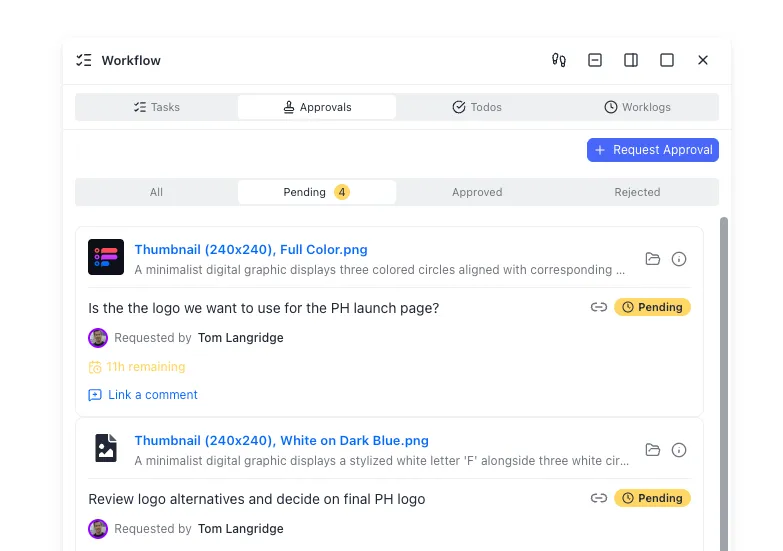


Keep detector scores next to the source files
Run Hermes scoring against a shared Fast.io workspace with MCP access, version history, and review-friendly Metadata Views. Start with a 14-day Business Trial, then pick Starter, Business, or Enterprise when the pipeline is ready.
Persistence options and how Fast.io fits the handoff
Scoring is only half the system. The other half is where files, reports, and decisions live when the Hermes process restarts.
Local disk is fine for a single developer laptop. It fails when Hermes runs on ephemeral containers or when a second reviewer needs the same tree.
Object storage (S3, GCS, Azure Blob) is durable and cheap at scale. You will still build your own naming rules, signed URL sharing, and search.
Consumer or team drives (Google Drive, Dropbox, OneDrive, Box) are familiar for humans. Agent access usually means OAuth apps, brittle folder permissions, and weak structured extraction for score fields.
Fast.io is a strong fit when agents and people share the same work product. Org-owned workspaces give both sides the same files. Intelligence Mode indexes content for hybrid search and citation-backed chat when enabled. Metadata Views turn detector reports into filterable columns without hand-built OCR rules. Branded shares (Send, Receive, Exchange) let you hand cleared packs or review packets to outside reviewers with expiration and per-recipient access. The WebSocket events feed or activity polling notifies Hermes when new inbox files arrive, keeping your processing reactive.
Connect Hermes to Fast.io through the MCP endpoint described earlier, or through the HTTP API if you prefer explicit client code. Either way, keep the detector credentials and the storage credentials separate. Rotate detector API keys independently of workspace tokens.
A realistic day-in-the-life path:
- Content agent writes
inbox/unscored/blog-post.mdinto the workspace. - Cron-triggered Hermes skill loads
ai-text-detector, scores the file, and writesreports/detection/blog-post.md.score.json. - A mid-band score lands in review. Hermes flags the file for an editor and leaves an anchored note with a short summary.
- Editor rewrites two paragraphs, saves a new version, and requests a rescore.
- Second score clears. Hermes moves the file to
outbox/clearedand opens a Send share for the publishing team.
That path is what free web checkers omit. The detector still matters. The durable queue and audit trail are what make the score usable inside a company process.
For agent onboarding details, see storage for agents and pricing.

False positives, thresholds, and failure modes to plan for
Automation multiplies detector mistakes if you treat scores as law. Build the boring failure modes into the skill.
False positives on non-native writing. The Stanford evaluation showed systematic bias against non-native English samples [Liang et al., arXiv 2304.02819]. Do not auto-reject people or public content on a single score. Use the middle band for human review, and log language or author context when you have it.
Short text. Document-level confidence is weak on tweets, subject lines, and one-paragraph blurbs. Require a minimum character count before scoring, or mark the result as low-confidence.
Mixed documents. Human drafts with AI-edited sections produce span hits that disagree with the document average. Prefer span-aware routing: clear the file only if both the aggregate and the worst span clear their thresholds.
Paraphrase and humanizer tools. Authors will run detectors in a loop until a number drops. Your policy should decide whether that is allowed, required, or banned for a given content type. Store both the original and the rewritten versions so reviewers can see the path.
Provider outages and rate limits. Retries with backoff belong in the skill script. After N failures, write a decision: error report and open a hold task instead of silently skipping the file.
Prompt injection via documents. Inbox files can contain instructions that try to redefine the agent's job. Keep scoring scripts deterministic where possible. Prefer tool calls that pass file bytes to a detector API over asking the LLM to "eyeball" AI style for high-stakes queues.
Code vs text misrouting. If your Hermes deployment also runs code verification skills, separate folders and skill names. A markdown changelog should not hit flake8. A Python module should not hit an English prose detector unless you intentionally score comments and docstrings.
Observability. Log detector latency, score distributions, and review override rates weekly. If humans overturn half of "hold" decisions, your high threshold is too aggressive. If almost nothing reaches review, your low threshold is too high or your content is already heavily human-edited.
When you need a second product surface for structured fields, keep Metadata Views focused on operational columns: score, decision, detector version, reviewer, and cleared_at. That grid becomes the operations console. Hermes remains the worker that fills it.
Sources
References used to verify factual claims in this guide.
- 1 Liang et al., GPT detectors are biased against non-native English writers (Patterns / arXiv) Accessed
Stanford researchers found widely used GPT detectors frequently misclassify non-native English writing as AI-generated while identifying native samples more reliably.
-
Fast.io organizations start with a 14-day Business Trial (credit card required); paid plans include Starter $9.99 per month, Business $49.99 per month, and Enterprise $199.99 per month.
-
Hermes Agent is an open-source Nous Research agent with skills, MCP integration, subagents, scheduled automations, and multiple terminal backends.
-
Hermes skills follow the agentskills.io standard and live under ~/.hermes/skills/ with progressive disclosure loading.
-
Hermes MCP supports stdio and HTTP servers configured in ~/.hermes/config.yaml under mcp_servers, with startup discovery and per-server tool filtering.
-
GPTZero markets an AI detector for major models and publishes public accuracy and product claims on its homepage.
-
Hermes Agent is MIT-licensed and maintained publicly by Nous Research.
Frequently Asked Questions
How can Hermes Agent detect AI-generated text in documents?
Hermes does not include a built-in commercial AI text detector. You add detection by writing a skill that calls a detector API, wrapping a checker as an MCP server, or (as a fallback) driving a web UI with browser tools. The skill should read files from a durable inbox, write structured score reports beside the sources, and apply clear thresholds for clear, review, and hold decisions.
What is the difference between AI text and AI code detectors?
AI text detectors score natural-language prose for patterns associated with language models and usually return document-level and span-level confidence. AI code detectors (or code verification pipelines) focus on syntax, lint, secrets, dependencies, and build health for generated or human-written code. Use separate Hermes skills, report schemas, and thresholds for each so a prose risk score never blocks a compile, and a linter failure never gets treated as an authorship verdict.
How do you route flagged AI text for human review?
Define three buckets in policy: clear, review, and hold. Write the decision into the score report, then flag middle and high bands for an editor with links to the source file and highlighted spans. Keep the original version and every rewrite in version history so reviewers can compare. An append-only audit log should record who overrode a score and why.
Are free AI text detectors accurate enough to auto-reject content?
No. Peer-reviewed work shows popular GPT detectors can misclassify non-native English writing as AI-generated. Vendor marketing may claim high accuracy on specific benchmarks, but production systems still need human review for middle scores, short text, mixed documents, and high-stakes decisions. Treat detectors as triage tools inside a workflow, not as sole judges.
How do Hermes skills and MCP work together for detection?
Skills encode the procedure: when to score, how to format reports, and how to escalate. MCP connects Hermes to external tools such as a detector server or a workspace like Fast.io. Skills decide the workflow. MCP supplies callable tools the agent uses during that workflow. Configure MCP servers in ~/.hermes/config.yaml and keep API keys in ~/.hermes/.env.
Where should score reports live for auditability?
Store reports next to source files in durable storage, not only in chat logs. Local disk is fine for experiments. Object storage or a shared intelligent workspace works better for teams. Prefer formats that support later queries, such as JSON reports plus Metadata Views columns for score, decision, detector version, and timestamp, with an append-only activity record of every handoff.
Can you schedule AI content checks with Hermes?
Yes. Hermes includes scheduled automations through its cron job tooling. Attach your detection skill to a recurring job that scans an inbox folder, scores new files, and delivers a summary to operators on a messaging channel or into a task queue. Each cron session starts clean, so put full paths and thresholds in the job prompt or skill.
Related Resources

Keep detector scores next to the source files
Run Hermes scoring against a shared Fast.io workspace with MCP access, version history, and review-friendly Metadata Views. Start with a 14-day Business Trial, then pick Starter, Business, or Enterprise when the pipeline is ready.