File Server for Small Business: Comparing NAS, Cloud Storage, and Agent Rooms
Small business file storage is moving beyond passive hardware drives toward active cloud workspaces where people and software agents collaborate. Traditional NAS units and desktop sync tools isolate data behind VPNs or cause synchronization conflicts during automated file writes. This guide evaluates on-premises appliances, cloud sync, and intelligent agent rooms to help teams choose the right storage architecture.

Why Small Business File Storage Requires Active Workspaces
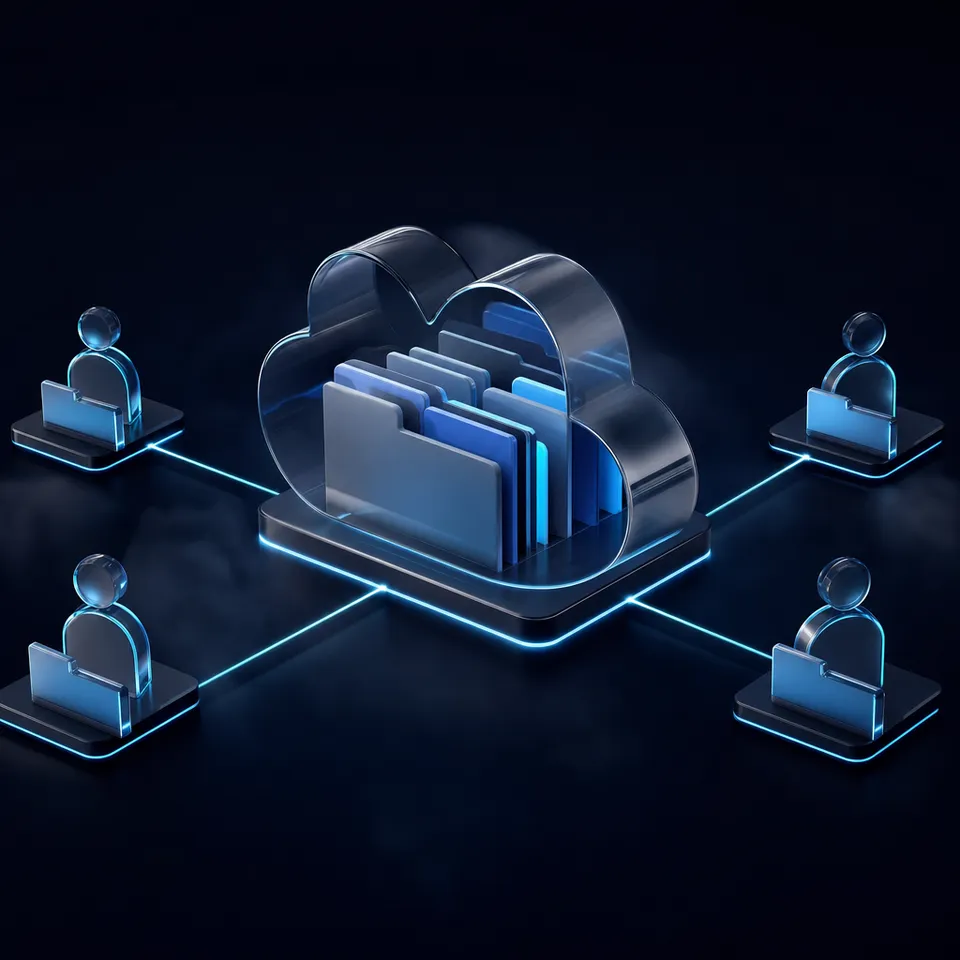
The traditional approach of locking company data into on-premises network drives or desktop sync folders creates passive repositories that modern AI tools cannot query, inspect, or safely update. While local network-attached storage appliances require complex virtual private networks and commodity cloud sync services trigger synchronization collisions during parallel writes, intelligent agent rooms provide a unified coordination layer where employees and autonomous agents collaborate on the same files.
A file server for small business provides centralized storage, user permissions, and document sharing across an organization's workstations, either via local network hardware or cloud-hosted workspaces.
For decades, the standard deployment pattern for small companies involved buying a dedicated tower server or a network-attached storage (NAS) appliance, placing it in a utility closet, and mapping a network drive letter to every office desktop over Gigabit Ethernet using Server Message Block (SMB) protocols. This setup worked when every employee sat in the same physical office, generated files during standard business hours, and accessed records exclusively from company-issued desktop computers.
The modern workplace operates differently. Distributed teams require access from home offices and client sites without managing cumbersome virtual private networks (VPNs) or dynamic DNS forwarding rules. More importantly, the nature of the workforce itself has evolved. Alongside human staff, small businesses routinely deploy autonomous software agents such as Claude Code, Cursor, Codex, Gemini, OpenClaw, and custom Python scripts. These programmatic workers draft client deliverables, reconcile accounts, summarize multi-page legal agreements, and generate marketing assets.
When autonomous agents interact with company files, the limitations of traditional file servers become immediate blockers. Local network appliances lack native web APIs, cannot perform semantic search across unstructured documents, and offer no native coordination primitives for software agents. Small businesses evaluating storage systems now face a strategic choice between maintaining aging on-premises hardware, relying on generic cloud sync drives, or adopting intelligent Fast.io workspaces engineered for human-agent collaboration.
Related guides
- NAS File Server vs. Agent Rooms: Modernizing Team StorageComparing a traditional nas file server setup with cloud-based agent rooms highlights a core shift in team storage....
- Docker File Server vs. Agent Rooms: Persistent Storage for Sandboxed AgentsSelf-hosting a Docker file server for containerized coding agents requires managing port forwarding, custom permission...
- Modernizing File Server Resource Manager for Agentic WorkflowsModernizing File Server Resource Manager configurations for agentic workflows allows teams to transition from rigid...
- Multi-Agent File Sharing: Patterns, Storage & CodeHow multiple AI agents share, read, write, and collaborate on files in production systems. Covers storage...
- How to Connect AI Agents to Files and Cloud StorageConnecting AI agents to files is the practical bottleneck most developers hit after getting their agent logic working.
- Airtable Attachment Limits: File Sizes, Base Storage, and WorkaroundsThe Airtable attachment limit framework caps individual file uploads at 5 GB across all subscription tiers, while...
More on this subject: Agent File and Document Workflows (325 guides)
How On-Premises NAS Compares to Dedicated Servers and Cloud Sync
Every decision about file server architecture requires weighing upfront capital expenditures against long-term maintenance, operational reliability, and software compatibility. Most small businesses compare three established storage models against modern intelligent agent rooms.
On-Premises Network-Attached Storage (NAS)
Appliances from vendors like Synology, QNAP, and TrueNAS package storage controller hardware with proprietary operating systems. Organizations typically deploy these units directly into local network switches. Office-grade network-attached storage units typically require enclosures with four or more drive bays to accommodate redundant disk configurations.
While a local NAS keeps company files physically on site, it introduces significant hidden overhead:
- Hardware investment: Businesses purchase diskless enclosures and separately source enterprise-grade hard drives rated for continuous operation.
- Maintenance responsibilities: Internal staff or outsourced managed service providers (MSPs) must configure RAID arrays (RAID 5 or RAID 6), replace failed hard drives, monitor controller temperatures, and manage firmware updates.
- Business continuity risks: A local NAS remains vulnerable to physical theft, office water leaks, power surges, and ransomware infections spreading through open SMB shares. Protecting company records requires configuring an external uninterruptible power supply (UPS) and setting up secondary offsite backup replication.
- Remote access hurdles: Accessing files outside the office requires running OpenVPN or WireGuard tunnels, which introduce latency, slow down file transfers, and generate frequent IT support tickets for mobile employees.
Dedicated Windows or Linux File Servers
For larger small businesses, dedicated rackmount or tower servers running Windows Server or Linux distributions historically provided file sharing. These machines provide deep Active Directory integration and fine-grained access control lists (ACLs).
However, dedicated file servers demand specialized administrative skills. Operating system licensing, client access licenses (CALs), domain controller maintenance, hypervisor management, and continuous security patching create disproportionate operational costs for organizations with fewer than fifty employees.
Commodity Cloud Sync Services
The emergence of services like Google Drive, Dropbox, and Microsoft OneDrive replaced many office servers by moving files to cloud infrastructure. These platforms eliminate local hardware maintenance and provide convenient web interfaces.
Despite their popularity, commodity sync platforms present severe friction points:
- Desktop sync bloat: Background sync clients attempt to mirror remote folder trees to local laptop drives, exhausting SSD storage on team workstations.
- Sync collisions: When two teammates or automated scripts edit files simultaneously, desktop sync clients generate duplicate "conflicted copy" files rather than managing concurrent updates cleanly.
- Rigid API limits: Cloud sync platforms enforce strict API call quotas and request rate limits, creating errors when software agents attempt batch writes or multi-document indexing.
- Passive document repositories: Generic cloud storage treats documents as opaque binary blobs. Finding information requires remembering exact filenames or folder locations rather than querying document contents conceptually.
Small Business File Storage Architecture Comparison
Why Legacy Storage Fails in Autonomous AI Workflows
When small businesses adopt generative AI tools, the divide between passive storage and active computing becomes acute. When human professionals run prompts in standalone web interfaces, they manually download spreadsheets from a server, upload them into a chat window, wait for a response, and manually re-upload the output back to the server. This manual loop wastes hours and prevents automated processes from running autonomously.
Enabling autonomous agents to work directly with company files exposes three architectural bottlenecks inherent to legacy file servers.
1. Network Boundaries and Protocol Incompatibility
The Server Message Block (SMB) and Network File System (NFS) protocols were created for local area network communication between desktop operating systems and network shares. They depend on persistent network state, specific TCP ports (such as port 445), and low-latency network connections.
AI agents run in isolated developer environments, cloud containers, or serverless functions. Mounting an SMB share into a containerized agent runtime or remote execution sandbox requires configuring complex virtual private networks, opening internal ports to the public internet, or running bridging software. Exposing raw SMB ports to the internet creates catastrophic security vulnerabilities, making direct integration impractical.
2. Lack of Native Semantic Indexing and Retrieval-Augmented Generation
A traditional file server stores bits on disks without understanding their context. When an employee or software agent searches an SMB share or generic cloud drive for "contract termination clauses for non-performance," the server searches only metadata: file names, folder paths, and occasionally crude keyword indices.
To extract answers from fifty scanned PDFs, an agent connected to a standard server must download all fifty files over the network, parse each document, and process the raw text through its language model context window. This approach exhausts token budgets, introduces latency, and rapidly increases inference costs.
Without built-in semantic retrieval, small businesses must build and maintain an independent Retrieval-Augmented Generation (RAG) pipeline: extracting text from documents, chunking paragraphs, generating vector embeddings, storing vectors in a dedicated database, and writing custom search retrieval logic. For a small business, managing this auxiliary infrastructure creates another layer of operational debt.
3. Synchronization Collisions and Unchecked Overwrites
When multiple autonomous agents or human collaborators interact with files simultaneously, passive network drives offer inadequate concurrency controls. Traditional desktop sync software relies on file system polling and local file watchers. When an automated agent generates dozens of report files in rapid succession, desktop sync daemons fail to reconcile the stream, leading to file access errors and fragmented directory states.
Furthermore, if two agents update the same document without a unified coordination space, the second write silently overwrites the first. Without built-in per-file version history and an append-only audit trail, recovering lost work or diagnosing agent errors requires manual data forensics. Dedicated solutions for storage for agents resolve this by combining atomic file writes with persistent version tracking.
How Cloud Agent Rooms Solve the Coordination Problem
The deployment of intelligent agent rooms resolves the operational limitations of traditional file servers by transforming static storage into an active, collaborative workspace. Rather than serving as an isolated hard drive on a local network, a room provides a centralized cloud environment where human professionals and autonomous agents coordinate on shared files, post operational updates, and maintain rigorous version controls.
Neutral Ground for Diverse Toolchains
Most modern small businesses do not standardize on a single artificial intelligence model or provider. A software developer may write code using Claude Code or Cursor; a marketing manager may analyze campaign assets with Gemini or ChatGPT; an operations lead may execute automated data pipelines using OpenClaw, CrewAI, or custom scripts.
Cloud agent rooms act as neutral ground for this heterogeneous ecosystem. ChatGPT and Codex users can install the Fast.io plugin from ChatGPT's plugin directory, or run codex plugin add fast-io@openai-curated-remote in the Codex CLI. Fast.io exposes Model Context Protocol (MCP) tooling over Streamable HTTP with dedicated endpoints for each client: https://mcp.fast.io/mcp/code for coding agents, https://mcp.fast.io/mcp/tools for general MCP clients, and https://mcp.fast.io/mcp/operations for ChatGPT and Codex, with complete setup guides at mcp.fast.io/docs. Any agent runtime that supports MCP can connect to the shared workspace, read reference documents, upload deliverables, and query workspace intelligence without bespoke custom adapters.
Built-in Intelligence Mode and Meaning-Based Search
When an organization enables Intelligence Mode on a Fast.io workspace, the platform automatically indexes incoming documents for hybrid search, combining full-text search, semantic search, and metadata value filtering.
Because indexing occurs on the server as files arrive, agents and humans can immediately query company archives through natural language. When an agent requests information, the intelligence layer retrieves relevant document excerpts accompanied by source citations pointing to exact files. Small businesses gain production-grade RAG capabilities across their document repositories without configuring vector databases, chunking scripts, or embedding models.
Structured Document Extraction with Metadata Views
For structured operational data, small businesses rely on invoice totals, payment terms, contract dates, policy limits, and client IDs. Manually copying these values into spreadsheets is time-consuming and error-prone.
Fast.io Metadata Views convert unstructured files into structured, queryable databases. Users describe the fields they want extracted in plain English, and the platform generates a typed schema across text, integer, decimal, boolean, URL, JSON, and date fields. As new PDFs, scans, or documents land in the workspace, Metadata Views populate a sortable spreadsheet view without manual OCR templates or coding. Agents can create Views, trigger extraction, and read structured records through MCP.
Version History, Audit Logging, and Secure Client Delivery
Every enterprise storage system requires accountability. Fast.io maintains complete per-file version history, ensuring that if an agent produces an inaccurate revision or accidentally truncates a file, team members can revert to prior versions with one click. A detailed activity log records every upload, download, modification, and access event, giving administrators complete visibility into human and machine activities.
When work is complete, businesses must deliver files to external clients. Traditional servers force clients to download files from unbranded links or navigate complex permission screens. Fast.io provides branded shares (Send, Receive, and Exchange) that can be durable or expiring with per-recipient access controls. Clients view and download files through a clean, branded portal without creating accounts or exposing internal server shares.



Centralize Company Files for Teams and AI Agents
Replace maintenance-heavy network drives with an intelligent cloud workspace where your team and AI tools collaborate through verified permissions and built-in search. Monthly plans start with a trial of up to 14 days (credit card required); annual plans have no trial.
How to Transition from Local Network Shares to Intelligent Workspaces
The migration from a legacy on-premises NAS or basic cloud sync drive to intelligent agent rooms does not require a disruptive overhaul. Teams can execute a phased transition that preserves existing folder structures while immediately unlocking programmatic agent access.
1. Structure Workspaces by Function and Client
The legacy file server model often lumps all company data into one massive root folder with hundreds of nested subdirectories. In an intelligent cloud architecture, organize data into scoped workspaces based on operational boundaries:
- Operational Workspaces: Dedicated rooms for human resources, finance, internal policies, and operational templates.
- Client and Project Workspaces: Scoped workspaces for specific customer engagements, legal matters, or marketing campaigns.
- Agent Staging Workspaces: Designated workspaces where autonomous agents deposit intermediate research briefs, draft code, or processed data sets before human review.
Fast.io enforces granular permissions across organization, workspace, folder, and file levels, ensuring that agents and external collaborators access only the specific directories required for their tasks.
2. Ingest Existing Archives via Cloud Import
When moving terabytes of historical files from on-premises drives or incumbent platforms, file transfers can overwhelm office internet connections. Fast.io supports direct cloud import from Google Drive, Dropbox, Microsoft OneDrive, Box, and direct URLs. Files transfer directly between cloud infrastructures without consuming local bandwidth or requiring local intermediary downloads.
3. Connect AI Agents via Remote MCP
After files reside in the workspace, connect your team's autonomous tools. In Claude Code, run claude mcp add --transport http fastio https://mcp.fast.io/mcp/code, or add the Fast.io remote endpoint to the project's .mcp.json:
{
  "mcpServers": {
    "fastio": {
      "type": "http",
      "url": "https://mcp.fast.io/mcp/code"
    }
  }
}
Then run /mcp inside Claude Code to sign in. Sign-in shows a Review Permissions screen where you choose Read Only or Read & Write and select which organizations and workspaces the connection can reach. Step-by-step setup guides for other clients are available at mcp.fast.io/docs.
Using this configuration, agents interact with workspace files programmatically: searching documents using semantic queries, reading reference files, extracting metadata, and saving finished reports back to designated folders.
4. Establish Agent-to-Human Review Workflows
To maintain operational quality, configure your agent pipelines so that programmatic workers save preliminary deliverables into designated staging directories. Human team members review the uploaded drafts, inspect the version history, and use Fast.io ownership transfer to move final assets into production client folders.
Monthly plans start with a trial of up to 14 days (credit card required); annual plans have no trial. Plans are Starter at $9.99/mo, Business at $49.99/mo, and Enterprise at $199.99/mo on Fast.io pricing.
Sources
References used to verify factual claims in this guide.
-
Office-grade network-attached storage units typically require enclosures with four or more drive bays.
Frequently Asked Questions
What is the best file server for a small business?
The best file server for a small business depends on whether your team works in a single office or operates in distributed and AI-assisted environments. For organizations with high-bandwidth local video editing suites, a local 4-bay or 8-bay NAS provides fast local throughput. However, for modern distributed teams that collaborate remotely and use AI tools, intelligent cloud workspaces like Fast.io provide the best overall solution. Cloud agent rooms eliminate hardware maintenance, provide secure remote access without VPNs, and allow AI agents to safely read, write, and search company documents through remote MCP connections.
Does a small business need a physical file server?
Most small businesses no longer need a physical file server. Maintaining on-premises hardware requires substantial upfront capital, ongoing hard drive replacements, RAID management, uninterruptible power supplies, and offsite backup systems. Physical servers also require complex VPN configurations for remote staff. Cloud-hosted intelligent workspaces provide enterprise-grade reliability, continuous backups, and global access without physical hardware overhead or localized disaster risks.
How can small businesses connect AI agents to their file server?
Small businesses connect AI agents to their file storage using the Model Context Protocol (MCP) or secure REST APIs. Rather than exposing local network shares over risky open ports, intelligent cloud workspaces provide remote endpoints that agents can query directly. Using standard MCP configuration blocks, tools like Claude Code, Cursor, and custom Python agents authenticate securely, perform semantic searches across workspace files, and write deliverables directly to designated team folders.
How do cloud agent rooms prevent AI agents from overwriting important files?
Cloud agent rooms prevent accidental overwrites through granular role-based permissions, per-file version history, and isolated staging folders. Administrators configure agents with scoped permissions that limit write access to specific directories. If an agent modifies or truncates an existing file, the platform automatically preserves previous iterations in its version history, allowing team members to restore earlier versions immediately.
Can external clients upload files to a cloud workspace without an account?
Yes. Intelligent workspaces support branded Receive and Exchange shares that allow external clients, vendors, and partners to upload files directly into designated folders through a web browser. Administrators can set expiration dates, password protection, and access permissions, eliminating the security risks and file size limitations of email attachments.
Related Resources

Centralize Company Files for Teams and AI Agents
Replace maintenance-heavy network drives with an intelligent cloud workspace where your team and AI tools collaborate through verified permissions and built-in search. Monthly plans start with a trial of up to 14 days (credit card required); annual plans have no trial.