Cline Enterprise: Governance, SSO, and Control
Cline Enterprise documents five capability pillars for org-wide agent rollout: security by design, bring-your-own inference, governance at scale, observability, and deployment. This guide maps those pillars to SSO via WorkOS, Member/Admin/Owner RBAC, remote provider config, MCP allowlists, and OpenTelemetry, then covers where agent outputs should live after the IDE session ends.


What platform teams get with Cline Enterprise
Cline's official enterprise documentation organizes the product around five core capabilities for production deployment: security by design, bring-your-own inference, governance at scale, complete observability, and deployment into existing infrastructure. That five-pillar structure is the practical answer to "what is Cline Enterprise," and it is why platform teams evaluate the product after developers already adopted the open-source agent on individual machines.
In plain terms, Cline Enterprise adds centralized identity, role-based access, model and tool governance, remote configuration, and observability to the same open-source Cline agent runtime. Developers keep Plan/Act workflows, IDE and CLI surfaces, and model flexibility. Platform teams gain a control plane so thousands of seats do not mean thousands of unmanaged API keys.
What platform teams get (quick list):
- SSO: Corporate credentials through WorkOS AuthKit instead of personal provider keys for org membership
- RBAC: Three-tier roles (Member, Admin, Owner) with a documented permissions matrix
- Model and tool controls: Govern which inference providers, models, and MCP servers each org can use
- Remote configuration: Push provider settings and feature policies from app.cline.bot
- OpenTelemetry: Optional OTLP export of metrics and logs into Datadog, Grafana, New Relic, and similar stacks
Search demand for "cline enterprise" remains specialized: topic research shows about 70 monthly US searches (DataForSEO) for the primary keyword. That is commercial research traffic from teams already past the "what is Cline" stage. Those buyers need rollout mechanics, not another feature brochure.
The rest of this guide walks through each pillar with the level of detail marketing pages usually skip: identity setup, role assignment, MCP allowlists, a staged rollout, and a durable handoff path for files agents produce.

Related guides
- GitHub Copilot Enterprise: Codebase Awareness and Governance for TeamsGitHub Copilot Enterprise offers organization-wide codebase awareness by indexing private repositories and centralizing...
- Top OpenClaw Integrations for Enterprise AI AssistantsOpenClaw shipped without enterprise security controls, and researchers found over 30,000 instances exposed to the...
- What Is Cline? Open-Source AI Coding Agent ExplainedCline reports 8.0M+ installs across platforms and ships as Apache 2.0 open source, which is why developers keep asking...
- Cline VS Code Extension: MCP Setup and Shared WorkspacesWhile individual developers benefit from local autonomous agents, engineering teams struggle with knowledge silos. By...
- How to Use Cline Plan Mode EffectivelyCline Plan mode is read-only by design. Official docs separate thinking from doing, with three task-size paths and...
- Cline vs Continue: Which AI Coding Tool Should You Use?US search volume for "cline vs continue" is about 140 queries per month, but most writeups still treat the two as the...
More on this subject: Cline (105 guides)
Security by design and bring-your-own inference
Cline Enterprise inherits the client-side architecture that made the open-source agent attractive to security-conscious orgs. Official materials state that processing happens in the developer's environment, that Cline does not upload or index the codebase, and that code and prompts are not used to train models. Repositories are never cached as a hosted knowledge base by the agent vendor.
That design answers the common risk question: does Cline send code to the cloud? Inference requests go to the model provider you configure (Bedrock, Vertex, Azure OpenAI, Anthropic, OpenAI, Cerebras, or an OpenAI-compatible endpoint). The agent runtime itself is not presented as a separate cloud that indexes your monorepo. You still need a policy for which model providers may receive prompt context, because inference is a data path even when the IDE agent stays local.
Bring-your-own inference
Enterprise docs emphasize connecting to contracts you already pay for rather than buying marked-up inference through the agent vendor. Supported remote-configuration providers include Amazon Bedrock, Google Vertex AI, Azure Foundry (via OpenAI-compatible settings), Anthropic direct, OpenAI-compatible endpoints (self-hosted, vLLM, custom proxies), LiteLLM, and Cline's own provider path with centralized key management.
Practically, that means:
- Cost: Use committed cloud spend and negotiated rates instead of per-developer consumer keys
- Model choice: Route routine work to cheaper models and heavy refactors to stronger ones without changing agent UX
- Resilience: Switch providers when one region or vendor degrades, without abandoning the agent loop
- Compliance: Keep inference inside regions and accounts your security team already approved
Admins configure providers in the hosted admin console. Members receive those settings when signed into the organization, then attach credentials where the provider requires them (AWS profiles, service accounts, API keys). Some paths, such as Cline-managed keys or LiteLLM with a master key, remove individual key setup entirely.
What security still owns
Client-side execution is necessary but not sufficient. Platform teams still need to:
- Approve which providers and models are allowed org-wide
- Decide whether YOLO / auto-approve styles of tool use are permitted
- Control which MCP servers can talk to internal systems
- Define where agent-generated artifacts are stored after the local session ends
That last point is where many rollouts stall. Cline governs the agent. It does not replace durable team storage for PRs, design packs, customer deliverables, or multi-day research dumps.
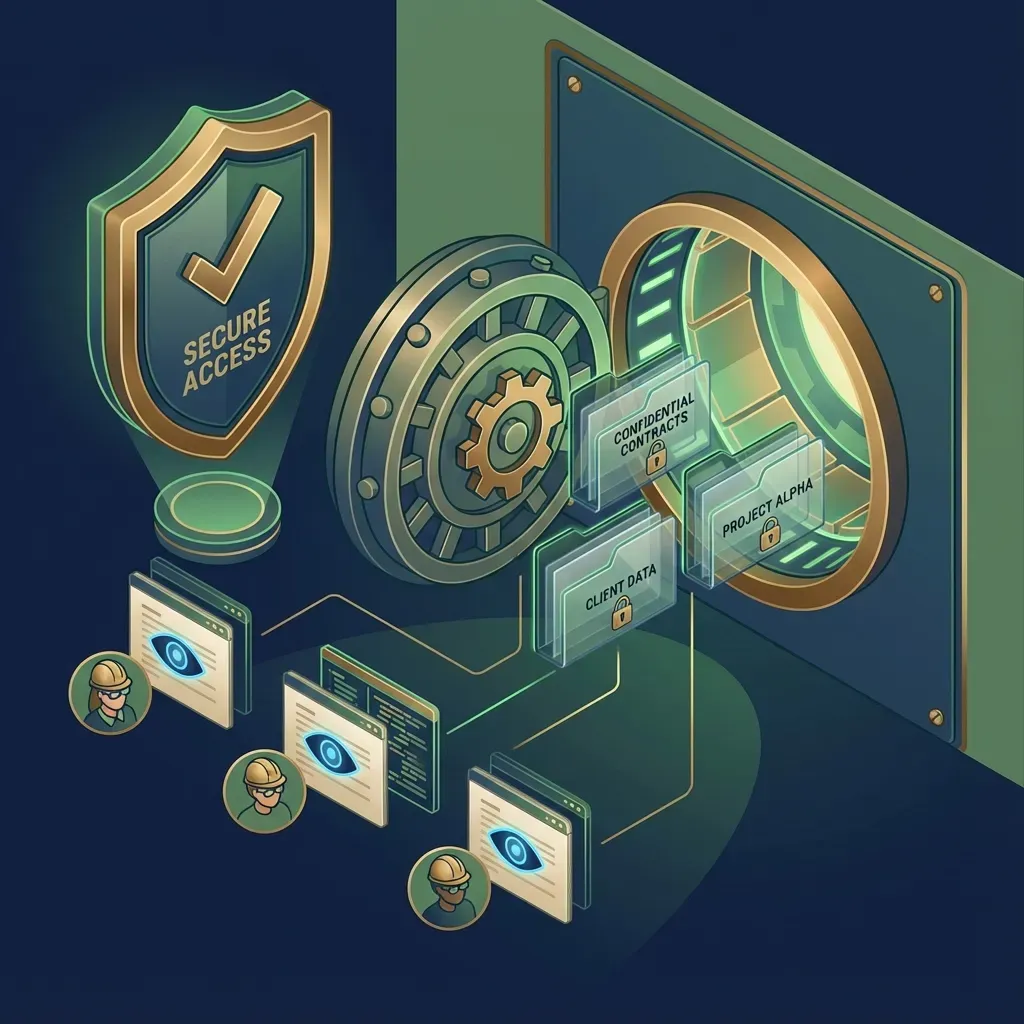
Three-tier RBAC, remote config, and MCP allowlists
Governance is the reason most orgs buy Cline Enterprise after a grassroots open-source pilot. Official team-management docs define three roles and a clear permissions matrix.
Member, Admin, Owner
- Member: Default for developers. Can use Cline and shared API providers. Cannot manage users or change org configuration.
- Admin: Team leads and IT operators. Can view members, invite, edit roles, remove members, and configure API providers. Cannot manage security settings, billing, or ownership transfer.
- Owner: Primary account holder. Unrestricted access including billing, security settings, and ownership transfer. Docs recommend limiting this to one or two leaders.
Seat math is straightforward: every Owner, Admin, and Member consumes one seat, and pending invitations also hold a seat. Remove a member or revoke an invite to free capacity. Enterprise licensing is described as scaling with organization size, with unlimited seats called out for the enterprise plan path versus tiered team pricing.
SSO setup path
Cline Enterprise integrates identity through WorkOS AuthKit. Setup spans two consoles:
- WorkOS: Your designated admin receives an invite during onboarding, then adds a connection under AuthKit → Connections for Okta, Microsoft Entra ID (Azure AD), Google Workspace, or Generic SAML/OIDC. Keycloak is supported as Generic SAML or Generic OIDC through WorkOS.
- Cline Dashboard (app.cline.bot): Verify sign-in completes and that users land in the correct organization.
Onboarding docs describe just-in-time provisioning: organizations and users are created on first successful corporate sign-in, roles map from the IdP (Admin in IdP maps to Admin in Cline; Member maps to Member; the first Owner is created during onboarding), and access revocation is driven by the IdP. Domain verification restricts joins to company email domains. After configuration, test the connection with a non-production user, confirm attributes, then validate role change and deprovision flows on the next login.
Remote configuration
Remote provider configuration pushes org-wide inference settings from the admin console. Administrators choose provider, region, model access, and related options once. Members signed into the org inherit those settings and only complete credential steps the provider still requires. That is how you stop "each laptop has a different Bedrock region and a personal OpenAI key" chaos.
MCP server controls
Enterprise MCP policy is one of the largest content gaps on marketing pages and one of the highest-impact controls for security teams. Official MCP server control docs expose four remote-configuration levers:
mcpMarketplaceEnabled: Allow or block locally configured MCP serversallowedMCPServers: Allowlist local server IDs (recommended default for most orgs)remoteMCPServers: Push pre-configured remote MCP endpoints to every user, optionallyalwaysEnabledblockPersonalRemoteMCPServers: Stop users from adding personal remote MCP connections
A locked-down pattern looks like: allowlist a few local servers (for example filesystem and github), push an always-enabled internal remote server for company tools, and set blockPersonalRemoteMCPServers to true. A more open pattern leaves local servers unrestricted but still pushes a company knowledge-base MCP so everyone has the same baseline tools.
Policy guidance in the same docs scales by org size: small teams can stay lightly restricted with quarterly reviews; medium orgs should allowlist and consider blocking personal remote servers; large enterprises often move MCP entirely onto org-managed remotes with a formal approval process.
For workspace platforms that expose MCP over Streamable HTTP and legacy SSE, the same allowlist model applies. If you want agents to write into a shared team workspace instead of only the local disk, that remote MCP endpoint must be on the approved list.



Keep Cline outputs in one shared workspace
Connect a governed Cline deployment to Fast.io over MCP so agent files land in org-owned workspaces with version history, Intelligence Mode search, and human handoff. Monthly plans start with a trial of up to 14 days (credit card required); annual plans have no trial.
How to roll out Cline Enterprise in four weeks
Official deployment guidance is short: configure Cline Core against your infrastructure, set SSO, RBAC, and governance policies, deploy clients through your existing software distribution, then monitor usage. The sequence below turns that into an operator checklist you can run in two to four weeks without inventing product features.
Week 0: Decide the control plane
- Pick the primary inference path (Bedrock, Vertex, Azure Foundry, LiteLLM, or mixed)
- Name one Owner and at most a small Admin set
- Write the default Member policy: which models, which MCP servers, auto-approve posture
- Choose an observability destination if you need cost and adoption dashboards beyond the admin UI
Week 1: Identity and first provider
- Complete enterprise license onboarding and accept the WorkOS admin invite
- Connect the IdP and verify domain ownership
- Test SSO with a break-glass Admin and a normal Member
- Configure one production inference provider via remote configuration
- Confirm a Member can run a trivial Plan-mode task without local provider tinkering
Week 2: Governance hardening
- Set
allowedMCPServersfor any local tools you will permit - Push internal
remoteMCPServersthat every developer should share - Enable
blockPersonalRemoteMCPServersif shadow IT MCP is a risk - Document Owner/Admin duties and a quarterly member audit
- Pilot with one engineering group (20 to 50 seats) before org-wide software deployment
Week 3 to 4: Scale and observe
- Package the IDE extension and CLI through MDM, SCCM, Intune, or your standard catalog
- Turn on OpenTelemetry if you need metrics and logs in Datadog, Grafana Cloud, New Relic, or Splunk-class stacks
- Watch adoption, error rates, and spend by team; adjust model allowlists when cost spikes appear
- Publish an internal runbook for offboarding (IdP removal plus Cline member removal if needed)
Common failure modes
- Redirect URI mismatch: SSO test fails until WorkOS callback URLs match what onboarding provided
- Domain verification incomplete: Invites bounce for users outside the verified domain
- Over-privileged Admins: Too many people can change providers; keep Admin for operators only
- MCP free-for-all: Without allowlists, personal remote MCP servers become unreviewed data exfiltration paths
- Outputs stranded on laptops: Agents produce patches, reports, and design assets that never land in a shared system of record
The last failure mode is not a Cline Enterprise gap so much as a workflow gap. Governance of the agent is solved. Governance of the artifacts the agent creates still needs a team workspace plan.

Observability with OpenTelemetry
Without a control plane, open-source installs give you almost no org-level visibility. Cline Enterprise positions observability as a first-class pillar: track adoption, performance, and cost patterns, and export telemetry into tools you already run.
Monitoring docs split the surface into optional layers:
- Cline telemetry: Opt-in anonymous product usage data; not a substitute for enterprise SIEM
- Prompt storage: Optional backup of conversation history to S3 or R2 for compliance-oriented analysis
- OpenTelemetry: OTLP export of metrics and logs to your collectors
OpenTelemetry support is opt-in and aimed at teams with existing observability infrastructure. Remote configuration from the organization settings dashboard enables OTel, sets an OTLP endpoint, and chooses a protocol (gRPC recommended, with HTTP/protobuf and HTTP/JSON also supported). You can enable logs, metrics, or both, add auth headers for collectors that require them, and tune export interval and batch settings for advanced cases.
Official integration examples cover Datadog, New Relic, and Grafana Cloud OTLP endpoints. Docs also note current limitations: metrics and logs are supported, but distributed tracing, a public custom instrumentation API, and advanced sampling controls are not described as available yet.
What gets exported is framed as anonymous operational data: feature usage counts, task execution metrics, error rates, performance measurements, system events, and operational logs. Code content and file paths are not part of the exported payload description. Once data leaves Cline for your collector, your retention and access policies apply.
A useful operating pattern:
- Start with metrics only into a non-production collector
- Validate that a known task produces expected series after the export interval
- Add logs if you need failure context
- Build cost and adoption boards by team once volume is trustworthy
- Alert on error spikes and sudden model-cost jumps rather than raw token vanity charts
Observability closes the loop on governance. RBAC decides who can act. Remote config decides which models and tools they get. OpenTelemetry shows whether the rollout is healthy and affordable.

How to store Cline agent outputs after the session
Cline Enterprise solves identity, policy, and telemetry for the coding agent. It does not automatically become the place where multi-day agent outputs, customer-facing packs, or cross-team reviews live. You still choose storage.
Common options teams already use:
- Local disk and git: Best for code that belongs in the repository. Weak for large binary dumps, client packages, and non-engineering reviewers.
- Object storage (S3, GCS, Azure Blob): Durable and cheap. Weak collaboration UX unless you build your own portal and permissions.
- Drive-style file products (Google Drive, Dropbox, Box): Familiar sharing. Weaker agent-native APIs and weaker "agent and human co-own the same workspace" patterns.
Fast.io fits when the bottleneck is not the agent loop but handoff: agents and humans need the same org-owned workspace, versioned files, and a way for agents to upload via MCP while reviewers work in a UI.
A concrete pattern that works with a governed Cline deployment:
- Approve a Fast.io remote MCP endpoint in Cline Enterprise (
remoteMCPServerswith your org URL, or allowlist the local server name if you proxy) - Point agents at Streamable HTTP (
/mcp) or legacy SSE (/sse) per Fast.io MCP docs - Write patches, reports, and deliverables into a shared workspace instead of only
/tmpor a personal Downloads folder - Enable Intelligence Mode so the same files become searchable and citation-backed for humans who never open the IDE
- Use ownership transfer when an agent scaffolds an org for a pilot, then hands the subscription to a human owner who starts the 14-day free trial (credit card required) on Starter ($9.99/mo), Business ($49.99/mo), or Enterprise ($199.99/mo)
Granular permissions at org, workspace, folder, and file levels keep contractor Members out of customer folders. Per-file version history makes concurrent agent writes auditable. A detailed activity log records who changed what. Branded Send, Receive, and Exchange shares move finished work to clients without emailing zip files. The WebSocket events feed and activity polling can notify other systems when new agent artifacts land.
Fast.io is not a Cline feature and not a substitute for Cline Enterprise governance. Treat it as the shared workspace layer around a governed agent: Cline decides who may run tools and which models fire; the workspace decides where durable outputs live and how humans review them. For agent-oriented storage patterns, see /storage-for-agents/ and the product overview at /product/ai/.

Sources
References used to verify factual claims in this guide.
-
Cline Enterprise documents five core capabilities for production deployment (security, BYO inference, governance, observability, deployment) Enterprise governance includes SSO, three-tier RBAC (Member/Admin/Owner), model and tool controls, remote configuration, and OpenTelemetry observability
-
Supported enterprise inference paths include Bedrock, Vertex, Azure OpenAI-compatible Foundry settings, Anthropic, OpenAI-compatible endpoints, and LiteLLM
-
Cline Enterprise SSO is configured via WorkOS AuthKit with IdP connections such as Okta, Entra ID, Google Workspace, and Generic SAML/OIDC
-
Just-in-time provisioning creates users on first SSO sign-in and maps IdP Admin/Member roles into Cline roles
-
Member, Admin, and Owner permissions follow a documented matrix covering usage, member management, configuration, and billing
-
MCP governance exposes mcpMarketplaceEnabled, allowedMCPServers, remoteMCPServers, and blockPersonalRemoteMCPServers remote-configuration controls
-
OpenTelemetry support exports metrics and logs via OTLP (gRPC, HTTP/protobuf, HTTP/JSON) to collectors such as Datadog, New Relic, and Grafana Cloud
-
Client-side execution with no codebase indexing and no model training on customer code is a documented Cline Enterprise security claim
Frequently Asked Questions
Does Cline have an enterprise plan?
Yes. Cline offers Cline Enterprise as a governed layer on the open-source agent runtime, with SSO through WorkOS, Member/Admin/Owner RBAC, remote provider configuration, model and MCP controls, and optional OpenTelemetry. Team-tier pricing and enterprise commercial terms are published separately; enterprise sizing typically goes through sales.
How does Cline Enterprise handle SSO?
Cline Enterprise works alongside your identity provider through WorkOS AuthKit. An admin connects Okta, Microsoft Entra ID, Google Workspace, or Generic SAML/OIDC in the WorkOS dashboard, verifies sign-in from app.cline.bot, and relies on just-in-time provisioning so users join on first corporate login with roles mapped from the IdP.
Does Cline send code to the cloud?
Official enterprise materials describe client-side execution with no codebase indexing and no training on your code. Inference still goes to the model providers you configure (for example Bedrock, Vertex, Azure OpenAI, or other approved endpoints), so prompt context reaches those providers under your contracts and policies. The control question becomes which providers and models the org allows, not whether Cline hosts a separate indexed copy of the monorepo.
What are the Cline Enterprise RBAC roles?
Docs define three roles. Members use Cline with shared providers but cannot change settings. Admins manage users and provider configuration without billing or security-owner powers. Owners control billing, security settings, and ownership transfer and should stay limited to one or two leaders.
How do MCP allowlists work in Cline Enterprise?
Remote configuration can allow or block local MCP servers, restrict local servers to an allowedMCPServers ID list, push organization-managed remoteMCPServers (optionally always enabled), and block personal remote MCP connections. Most enterprises start with an allowlist plus a small set of always-on internal remotes rather than blocking MCP entirely.
What inference providers can Cline Enterprise configure centrally?
Remote configuration docs cover Cline-managed keys, Amazon Bedrock, Google Vertex AI, Azure Foundry via OpenAI-compatible settings, Anthropic, OpenAI-compatible endpoints, and LiteLLM. Admins set provider policy once; members inherit settings and supply credentials only when the provider requires them.
Where should teams store Cline agent outputs?
Code belongs in git. Large artifacts, client packages, and cross-functional reviews need shared storage. Object stores and Drive-style products work for some teams. Fast.io is a practical option when agents should write into org-owned workspaces through MCP, keep version history, and hand work to humans with Intelligence Mode search and ownership transfer.
Related Resources

Keep Cline outputs in one shared workspace
Connect a governed Cline deployment to Fast.io over MCP so agent files land in org-owned workspaces with version history, Intelligence Mode search, and human handoff. Monthly plans start with a trial of up to 14 days (credit card required); annual plans have no trial.