AI Agent Permissions: How to Configure Scopes, Roles, and Delegation
AI agent permissions define how autonomous systems and interactive assistants access tools and data. Securing agent workflows requires distinguishing between delegated user tokens and scoped service keys, enforcing container-level boundaries, and preventing data leakage during retrieval.


Why AI Agent Permissions Require Operational Scopes and Role Boundaries
An autonomous agent connected to enterprise document repositories will eventually execute an unintended mutation or leak sensitive records if it operates on unconstrained tenant credentials. Traditional software relies on deterministic API calls where code paths are hardcoded and user identity remains static. AI agents operate differently: they evaluate unstructured text, select tool parameters dynamically, and chain multi-step executions without continuous manual inspection. When an agent receives broad read and write access, a single prompt injection or flawed model output can trigger unauthorized document modifications or expose private records across organizational boundaries.
"AI agent permissions are the explicit operational privileges assigned to an agent, determining whether it operates with delegated user credentials or an autonomous service key, and constraining its actions to specific roles and workspaces."
According to the OWASP GenAI Security Project, excessive agency enables damaging actions to be performed in response to unexpected or manipulated outputs from a language model. This vulnerability emerges whenever an agent is granted broad tool access or high-privilege credentials that exceed the specific requirements of its assignment.
Configuring agent permissions requires moving away from all-or-nothing service accounts. Security teams must decouple agent identity from master tenant keys and implement defense-in-depth across three distinct operational layers:
- Operational Scopes: The specific tool capabilities granted to an agent runtime. Scopes determine whether an agent can only read and search documents, or whether it can create, edit, move, and delete files.
- Member Roles: The identity privileges an agent holds inside a specific administrative boundary. Roles define whether an agent functions as an administrator, a regular workspace member, or a restricted guest.
- Delegation Mechanics: The authorization model through which an agent acquires credentials. An interactive agent operates under delegated user authority, inheriting the logged-in user's access boundaries. A headless agent operates autonomously using a dedicated service credential.
The primary failure mode in modern agent deployments is the confused deputy problem. When an agent connects to a shared knowledge base using an administrative token, it has visibility into every file in the storage layer. If a user asks the agent a question, the model retrieves answers from files that the user does not have permission to view. Because the agent holds global access, it summarizes confidential documents and returns the output directly to the unauthorized requester. Preventing this leakage requires setting hard retrieval boundaries and enforcing strict permission scoping at the container level.
Related guides
- ChatGPT Google Drive Permissions: Workspace Security and Access ScopesChatGPT Google Drive permissions represent the specific OAuth 2.0 authorization scopes granted to OpenAI to index,...
- Gemini Google Drive Permissions: Managing Workspace Access, Scopes, and Shared DrivesGemini Google Drive permissions govern the OAuth authorization scopes, Google Workspace admin policies, and Shared...
- ChatGPT Dropbox Permissions: How to Restrict and Scope AccessChatGPT Dropbox permissions govern the read and write boundaries enforced when an LLM connects to a personal or team...
- How to Fix ChatGPT OneDrive Permissions and Access ErrorsChatGPT OneDrive permissions rely on Microsoft Entra ID delegated authorization scopes that enterprise tenant policies...
- How to Implement Audit Logging for AI AgentsAudit logging for AI agents is the practice of recording every action an agent takes, including tool calls, file...
- How to Implement AI Agent Cybersecurity MonitoringAI agent cybersecurity monitoring spots threats as they happen using automatic analysis. Teams set up specialized...
More on this subject: Agent Security and Governance (84 guides)
How to Choose Between Interactive Delegation and Autonomous Credentials
Engineering guides frequently treat all AI agent integrations as generic API keys. This oversight conflates two fundamentally different operational models: interactive assistants acting on behalf of a human user, and headless background workers running autonomous pipelines. Conflating these patterns leads teams to grant permanent administrative keys to background processes, or to share human user credentials across automated tasks.
Selecting the right credential strategy depends on who initiates the action and whether a human session exists. Interactive workflows require delegated authority that restricts the agent to the user's existing permissions. In contrast, background automations require dedicated machine identities with container-level bounds that function reliably without human intervention.
Interactive Delegation via OAuth Scopes
Interactive agents operate in desktop tools, web interfaces, and IDE environments such as Claude Desktop, Claude Code, or Cursor. In these workflows, a human user issues prompts, reviews code suggestions, and guides the session.
Interactive assistants must operate through delegated authorization using OAuth 2.0. As outlined in IETF standards, OAuth token exchange allows clients to request and obtain security tokens from authorization servers for delegation. Rather than pasting a raw API secret into a client configuration file, the user signs in through a standard browser consent flow. During sign-in, the user reviews a permissions screen that explicitly asks two questions:
- Operational Scope: Does this connection require Read Only access, or Read & Write access?
- Container Boundary: Which specific organizations and workspaces should the connection reach?
Delegated access enforces the intersection principle: the agent's effective authority equals the intersection of its granted OAuth scopes and the human user's member role. If an engineer has member access to an engineering workspace but no access to a human resources workspace, their interactive agent cannot read HR documents, even if the user prompts the model to search for them. The backend enforces user-level authorization checks before any tool execution occurs.
Autonomous Credentials for Headless Agents
Autonomous agents operate without an interactive human session. Examples include scheduled document processing bots, continuous integration agents, and background workers built on frameworks like OpenClaw or custom server scripts.
Because no human is present to complete an OAuth sign-in flow, headless agents authenticate using scoped API keys. Scoped keys must never be tied to personal employee accounts. When an employee leaves a company or changes departments, personal tokens are revoked, causing automated pipelines to fail silently. Conversely, if a personal token is compromised, an attacker gains access to everything that employee could view across the entire organization.
Headless agents require dedicated machine identities configured with scoped API keys. The key must be scoped to specific workspaces, with read or read-write access for each. An indexing bot requires nothing more than Read Only access to a public documentation workspace, while a report generator requires Read & Write access limited exclusively to a project output workspace.
Comparing Delegation and Autonomous Credentials
The table below contrasts interactive user delegation with autonomous system credentials across key architectural dimensions:
Why Container-Based Isolation Secures Permission-Aware Retrieval
Many retrieval-augmented generation (RAG) systems fail because they rely on complex, inherited access control lists (ACLs) scattered across deeply nested folder structures. In legacy storage systems, individual files often carry bespoke sharing links, parent-folder inheritance exceptions, and user-specific read overrides. When an AI indexing pipeline ingests these documents, synchronizing vector embeddings with fluctuating file-level ACLs becomes brittle. A search index either ignores permissions entirely, leaking sensitive snippets, or requires expensive query-time permission filtering that degrades retrieval speed.
Fast.io avoids this failure by implementing a container-based security model. Permissions are set per organization, workspace, and share, through explicit member roles. Inside a workspace, there are no folder-level or file-level permissions; every workspace member reaches the entire workspace according to their role.
This container architecture simplifies permission-aware retrieval:
- The Container is the Retrieval Boundary: Search and Intelligence features (including semantic search, document summaries, and citation-backed question answering) operate strictly within the containers where the querying identity is an active member.
- Zero Cross-Workspace Bleed: An agent querying an intelligent workspace retrieves snippets exclusively from that workspace. If an agent needs access to multiple project spaces, it must be added as a member to each container individually.
- Isolated Share Retrieval: When documents must be shared externally or isolated for specific tasks, teams create dedicated shares. A share's AI answers questions using only the files contained within that specific share.
External documents brought into an intelligent workspace follow this container boundary. Through Cloud Sync, teams connect Google Drive, Dropbox, Box, and OneDrive folders to a workspace (one-way or two-way, on a schedule or on demand, never real-time). Source drive sharing permissions and external ACLs do not carry over into Fast.io. The synced files take on the Fast.io workspace's permissions, ensuring that what an agent can search and retrieve is governed solely by its workspace membership.


Configure Scoped Workspaces for Your AI Agents
Deploy intelligent workspaces with granular member roles, container boundaries, and native MCP support for Claude, Cursor, and custom agent frameworks. Start with a 14-day free trial.
How to Configure Scoped Agent Permissions via MCP and REST
Connecting an AI agent to an intelligent workspace requires configuring communication channels that enforce your chosen permission scopes. Fast.io supports integration through the remote Model Context Protocol (MCP) server and the REST API. Both interfaces adhere to container boundaries, ensuring that programmatic access remains strictly aligned with organization and workspace membership.
The MCP protocol provides standardized tool abstractions that allow large language models to interact with files, folders, and workspace metadata. By routing agent actions through distinct read and write tools, platform teams can enforce operational boundaries directly at the protocol transport layer. This architectural pattern prevents accidental mutations by isolating data queries from file creation commands.
Connecting via the Remote MCP Server
The Fast.io MCP server runs remotely at mcp.fast.io over Streamable HTTP, avoiding the need for local package installations or bridge daemons. Setup instructions are detailed at https://mcp.fast.io/docs, and tool-surface documentation is available at https://mcp.fast.io/skill.md.
To maintain clean operational separation, the remote MCP server provides specialized endpoints for different client categories:
- Claude Apps and General Clients: Connect to
https://mcp.fast.io/mcp/toolsfor Claude Desktop, Claude web, and personal runtimes. - ChatGPT and Codex: Connect to
https://mcp.fast.io/mcp/operationswhen setting up a custom connector (the Fastio plugin in the ChatGPT directory is preferred). - Coding Agents: Connect to
https://mcp.fast.io/mcp/codefor developer environments including Claude Code, Cursor, Cline, Devin, and terminal agents.
For interactive clients, configuration does not require manual token management. In Claude Desktop, users open Customize, navigate to Connectors, add a custom connector, paste https://mcp.fast.io/mcp/tools, and complete the browser sign-in to select Read Only or Read & Write access for specific workspaces. In Claude Code, running claude mcp add --transport http fast-io https://mcp.fast.io/mcp/code allows immediate authentication through the /mcp command.
Configuring Scoped API Keys for Headless MCP Connections
When running headless agents, automated scripts, or containerized workers, authentication bypasses the browser by sending a scoped API key in the connection header.
The example below demonstrates how to configure an HTTP-based MCP connection in Python using standard libraries:
import os
import requests

endpoint = "https://mcp.fast.io/mcp/tools"
api_key = os.environ.get("FASTIO_API_KEY")

headers = {
    "Authorization": f"Bearer {api_key}",
    "Content-Type": "application/json",
    "Accept": "application/json, text/event-stream",
}

init_payload = {
    "jsonrpc": "2.0",
    "id": 1,
    "method": "initialize",
    "params": {
        "protocolVersion": "2026-07-28",
        "capabilities": {},
        "clientInfo": {"name": "DocumentWorker", "version": "1.0.0"},
    },
}

response = requests.post(endpoint, json=init_payload, headers=headers)
On the https://mcp.fast.io/mcp/tools endpoint, operations are cleanly separated into read tools and management tools. Read tools include storage, workspace, and share, handling queries such as list, details, and search. Write and modification operations belong strictly to storage_manage, workspace_manage, and share_manage. When an agent connects with Read Only access or a read-only scoped key, the server does not offer storage_manage, workspace_manage, or share_manage at all.
Auditing Operational Activity
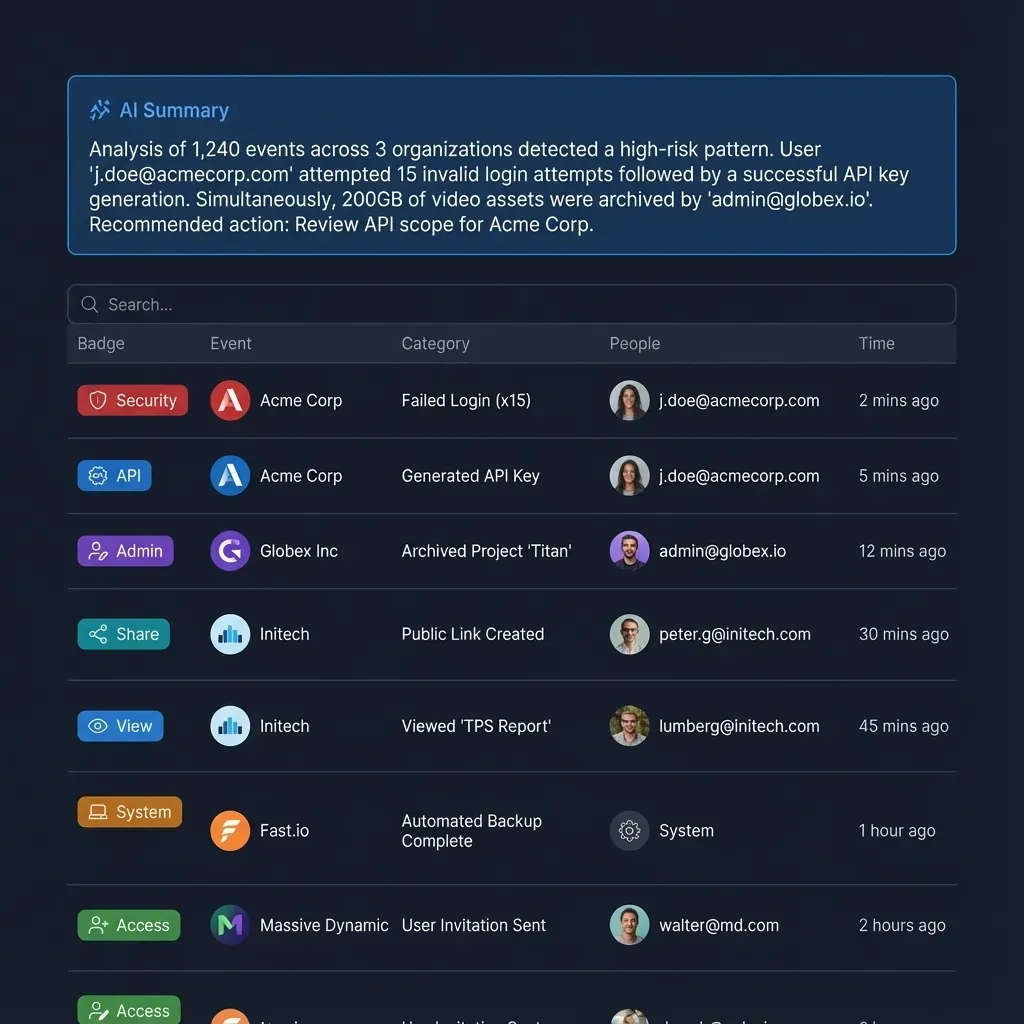
Monitoring agent behavior requires a clear record of administrative and data changes. Fast.io maintains a detailed activity log for every organization and workspace.
The activity log records:
- Storage Modifications: Uploads, file edits, folder moves, and file deletions.
- Access and Member Updates: Workspace member additions, role changes, and permission scope adjustments.
- Share Management: The creation, modification, and removal of external shares.
The activity log tracks who made each change, whether a human team member or an automated agent identity. It does not record read-only events such as views, file opens, or downloads, functioning strictly as an audit trail of structural modifications rather than an access tracker.
Best Practices for Scoping Agent Roles in Production
Applying role-based access control to AI agents requires strict architectural discipline. Implementing the following practices minimizes risk across autonomous and human-assisted deployments:
- Default to Read-Only at the Container Level: Always provision agent credentials with Read Only access unless file creation or modification is explicitly required for the task. Analytical agents, summarization bots, and question-answering assistants perform their work without write permissions. For developer access and integration details, consult Fast.io storage for agents.
- Isolate Agent Workspaces: Avoid connecting agents to monolithic company drives. Create dedicated project workspaces and add the agent identity as a member only to the containers relevant to its job. Keep sensitive human resources, legal records, and financial statements in separate workspaces where the agent holds no membership.
- Use Advisory Locks for Concurrent File Writes: In multi-agent environments where multiple workers read and write to the same workspace, use advisory file locks to prevent conflicting edits. Agents acquire, heartbeat, and release per-file locks via MCP actions (
lock-acquireandlock-releaseonstorage_manage, andlock-statusonstorage). Concurrent writes do not overwrite history; Fast.io preserves every edit in per-file version history. - Extract Structured Data via Metadata Views: When an agent needs structured data from unstructured documents, avoid having the agent parse raw text files directly. Use Metadata Views to automatically extract typed fields (such as contract dates, counterparties, or invoice line items) into a filterable spreadsheet, allowing agents to query structured metadata via MCP without altering underlying files.
- Plan for Agent-to-Human Ownership Transfer: In client delivery workflows, an agent can be tasked with creating an organization, configuring workspaces, setting up branded shares, and ingesting initial assets. Once the structure is built, the agent executes an ownership transfer to hand primary administrative control to a human stakeholder, while retaining an administrative seat to perform ongoing maintenance.
- Align Plan Quotas with Agent Workloads: Credits meter AI work. Seats and storage come with the account plan. Monthly subscriptions start with a 14-day free trial that requires a credit card. Review full plan options, storage allowances, and organization features on Fast.io pricing.
Sources
References used to verify factual claims in this guide.
-
Excessive agency enables damaging actions to be performed in response to unexpected or manipulated outputs from a language model.
-
OAuth token exchange allows clients to request and obtain security tokens from authorization servers for delegation.
Frequently Asked Questions
How do AI agents handle user permissions?
AI agents handle user permissions through either delegated authorization or autonomous service accounts. In interactive setups, agents use OAuth 2.0 to inherit the authenticated user's permissions, constrained by approved scopes and container boundaries. In headless environments, agents use scoped API keys tied to dedicated machine identities that define access to specific workspaces.
What permissions should you give an AI agent?
You should assign AI agents the minimum operational privileges necessary to accomplish their task. Most search, summarization, and retrieval workflows require only Read Only access to specific workspaces. Only grant Read & Write permissions to agents that must generate or edit files, and isolate those agents inside dedicated project containers.
How do you scope an API key for an AI agent?
To scope an API key for an AI agent, create a machine identity within your platform settings and bind the key to specific workspaces rather than the entire organization. Choose between Read Only or Read & Write permissions, ensuring the agent cannot access unrelated containers or call management tools outside its assigned scope.
How does container isolation prevent data leaks in RAG systems?
Container isolation treats the workspace or share as an absolute retrieval boundary. In Fast.io, Search and Intelligence index documents within individual workspaces, returning citations only from containers where the querying identity is an active member. Because retrieval does not cross container lines, agents cannot expose data from unauthorized workspaces.
Do external drive sharing settings carry over when syncing files to a workspace?
When files sync from Google Drive, Dropbox, Box, or OneDrive to a workspace via Cloud Sync, source drive sharing settings do not carry over. The files inherit the Fast.io workspace's permissions, ensuring that an agent's access is governed strictly by its workspace membership rather than external sharing rules.
Related Resources

Configure Scoped Workspaces for Your AI Agents
Deploy intelligent workspaces with granular member roles, container boundaries, and native MCP support for Claude, Cursor, and custom agent frameworks. Start with a 14-day free trial.