8 OpenClaw Skills for AI Visual Search and Reverse Image Lookup
Google Lens now handles over 20 billion visual searches per month, up 43% from 2024, but most of that capability stays locked inside a browser tab. OpenClaw skills bring reverse image lookup, product identification, OCR, and compositional analysis into automated agent workflows where results feed directly into downstream tasks. This guide ranks eight ClawHub skills and compatible tools for visual search, organized by use case.

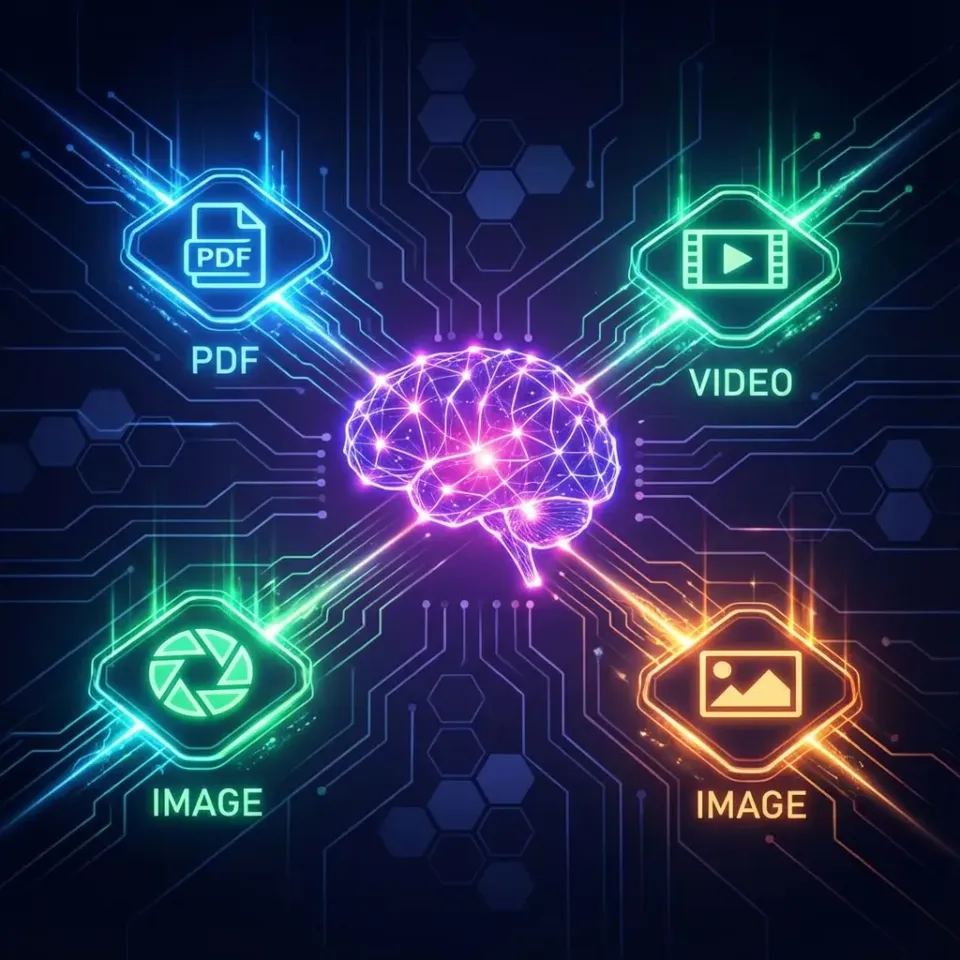
Why Visual Search Belongs in Agent Workflows
Google Lens processes over 20 billion visual searches per month as of early 2026, a 43% jump from the 14 billion monthly average in 2024. Twenty percent of those queries are shopping-related. The demand signal is clear, but the tooling gap is just as obvious: most visual search happens inside consumer apps like Google Lens, TinEye, and Pinterest Lens, where results stay in a browser window and never reach the systems that need them.
OpenClaw changes that equation. By installing visual search skills from ClawHub, you give your agent the ability to identify objects in photos, find visually similar images, extract text from screenshots, and locate product sources with pricing data. Results come back as structured JSON or Markdown that downstream agents can parse, store, and act on without manual copy-pasting.
This guide covers eight tools that handle the full spectrum of visual search use cases, from general-purpose reverse lookup to specialized OCR and compositional analysis.
Related guides
- CrewAI Tools: Extending Agents with Custom SkillsCrewAI tools let autonomous agents do more than generate text. They can search the web, read files, run code, and call...
- Awesome Claude Code: Best Skills, Tools, and Community ResourcesThe awesome-claude-code ecosystem on GitHub has grown past 200,000 combined stars across 11 curated lists, but most...
- 7 Best OpenClaw Tools for Building a Custom AI Image LibraryNearly half of all stock photos on major platforms are now AI-generated, yet most teams still pay for subscriptions...
- 5 Best OpenClaw Tools for AI Watermark Removal and Image CleanupThe keyword "ai watermark remover" draws 14,800 monthly searches in the US, yet most guides cover standalone browser...
- 7 Best OpenClaw Tools for AI Image Outpainting and Canvas ExpansionOpenClaw's skill registry grew from 2,857 skills in January 2026 to over 13,700 by late February, but finding the right...
- Top OpenClaw Tools for AI Data Extraction from Screenshots and Visual ContentAgent Browser passed 58,600 installs on Composio in early 2026, signaling that developers need tools for data locked...
More on this subject: OpenClaw Tools (101 guides)
How We Evaluated These Skills
We tested each tool against five criteria relevant to agent-driven visual search:
- Search Coverage: Does it handle general identification, visual matches, product lookup, or text extraction?
- OpenClaw Integration: Is it a native ClawHub skill with a one-line install, or an external API that requires a custom wrapper?
- Output Quality: Does it return structured data (JSON, Markdown) that agents can parse without regex hacking?
- Cost and Access: Is there a free tier for prototyping, or does it require paid API keys from the first query?
- Automation Fit: Can it process batches of images in a loop without human intervention?
Here is a summary of the eight tools covered:
- image-search: Reverse image lookup via Google Lens and SerpAPI
- openocr-skill: Local OCR with formula and table recognition
- vtl-image-analysis: Compositional structure analysis using the Visual Thinking Lens framework
- color-palette: Color extraction returning HEX and RGB values
- image-detection: AI-generated image classifier with multi-method voting
- nk-images-search: Stock photo discovery across 1M+ free images
- unsplash: Unsplash library search and download
- Fast.io MCP Server: Workspace layer for storing and querying visual search results

1. image-search (Reverse Image Lookup via Google Lens)
The image-search skill is the closest thing OpenClaw has to a universal visual search engine. It wraps Google Lens through SerpAPI and supports four distinct search modes: general identification, visual match discovery, exact match lookup, and product-specific search with pricing data.
Feed it a photo URL or local file path, and it returns structured results including primary object names, Knowledge Graph links for detected entities, source URLs with match confidence scores, and product listings with prices and purchase links. Local images are auto-uploaded to a temporary host so Google Lens can process them, which means you do not need to handle image hosting yourself.
Key Strengths:
- Four search modes covering identification, similarity, exact matches, and product discovery
- Returns Knowledge Graph entity data, not just URLs
- Supports text-refined queries that combine a photo with descriptive filters
- Output available as Markdown reports or raw JSON for programmatic parsing
Limitations:
- Requires a paid SerpAPI key (free tier available with limited monthly searches)
- Depends on Google Lens availability, so results vary by region
Best For: Product identification workflows, brand monitoring, and duplicate image detection where you need both visual matches and structured entity data.
Install: Available on ClawHub with a single CLI install command.


Store and search visual results across your agent pipeline
Persistent workspace with built-in semantic search. Upload detection reports, OCR output, and image matches, then query them by meaning.
2. openocr-skill (Local OCR with Layout Analysis)
Visual search is not always about finding similar images. Sometimes the goal is extracting the text inside an image, whether that is an invoice, a whiteboard photo, or a scanned contract page. The openocr-skill handles this with a 0.1B parameter Vision Language Model that runs entirely on your local CPU.
It processes images, scanned documents, and PDFs through a pipeline that detects layout structure first, then recognizes text within each block. The output preserves document hierarchy as Markdown, keeping headings, paragraphs, formulas, and table structures intact. For teams processing receipts, academic papers, or handwritten notes, this eliminates the need for cloud OCR services and the data privacy concerns that come with them.
Key Strengths:
- Runs locally on CPU with no API costs or data leaving your machine
- Recognizes mathematical formulas, tables, and complex document layouts
- Outputs structured Markdown that preserves the original document hierarchy
- Handles PDFs by converting pages to images before OCR processing
Limitations:
- Accuracy drops on heavily degraded or low-resolution scans
- Processing speed is slower than cloud alternatives on large document batches
Best For: Invoice digitization, receipt processing, academic paper conversion, and any workflow where data privacy rules out cloud OCR.
Install: Available through ClawHub's skill directory under the OCR category.
Specialized Visual Analysis Tools (3 through 5)
Beyond reverse lookup and OCR, three ClawHub skills handle specific visual analysis tasks that round out an agent's ability to interpret images.
3. vtl-image-analysis (Compositional Forensics)
The Visual Thinking Lens skill measures compositional structure in images using a framework designed for evaluating AI-generated visuals. It analyzes balance, focal points, color harmony, and spatial relationships, then scores each dimension. This is not a reverse image search tool. It is a quality assessment layer that tells you whether an image is compositionally strong before you use it in a campaign or publish it to a client workspace.
Best For: Creative teams iterating on AI-generated images who need objective quality scoring rather than subjective "does this look good?" reviews.
Install: npx clawhub install vtl-image-analysis
4. color-palette (Color Extraction)
The color-palette skill takes an image and returns its dominant colors as HEX and RGB values, with an optional swatch image. Designers and brand teams use this to extract color schemes from reference photos, competitor screenshots, or mood boards. In an agent workflow, the extracted palette can feed directly into design tool APIs or style guide documents.
Best For: Brand consistency checks, mood board analysis, and automated style guide generation from reference images.
Install: npx clawhub install color-palette
5. image-detection (AI Image Classifier)
While the other tools on this list help you find and analyze images, image-detection answers a different visual question: was this image generated by AI? It combines EXIF metadata extraction, ML-based classification through HuggingFace, and optional cloud verification via the Hive Moderation API. A majority-voting system across all three methods reduces false positives compared to any single detector.
Best For: Content moderation pipelines, stock photo verification, and marketing asset audits where AI-generated images need flagging before publication.
Install: npx clawhub install image-detection
Image Discovery and Storage (6 through 8)
The final three tools handle the other half of visual search: finding the right image in the first place and storing results so they are accessible to both agents and humans.
6. nk-images-search (Stock Photo Discovery)
This skill searches across a catalog of over one million free, high-quality stock photos. Unlike reverse image lookup, it works with text queries to find images that match a description. Agent workflows that generate blog posts, social media content, or presentations can use it to source visuals programmatically instead of requiring a human to browse stock photo sites.
Best For: Automated content creation pipelines that need to source free stock imagery without manual browsing.
Install: npx clawhub install nk-images-search
7. unsplash (Library Search and Download)
The unsplash skill provides direct access to Unsplash's library of millions of images. It supports keyword search, browsing by category, and downloading images at multiple resolutions. For agent workflows, the key advantage over manual Unsplash use is that the skill returns structured metadata (photographer attribution, dimensions, color data) alongside the image URL, making it straightforward to build proper attribution into automated publishing pipelines.
Best For: Content teams that need high-quality editorial photography with proper licensing and attribution metadata baked into the workflow.
Install: npx clawhub install unsplash
8. Fast.io MCP Server (Visual Search Result Storage)
Running visual search queries is only half the job. The results need to land somewhere accessible to both agents and the humans who review them. Fast.io's MCP server provides the workspace layer where agents store images, detection reports, OCR output, and search results in organized workspaces with version history and audit trails.
Enable Intelligence Mode on a workspace, and every uploaded file gets automatically indexed for semantic search. An agent that runs image-search to identify products can write the results to a Fast.io workspace, and a human reviewer can later search those results by meaning rather than filename. Plans scale from Starter (250 GB) to Enterprise (25 TB) with a 14-day Business Trial.
Key Strengths:
- A consolidated MCP toolset for workspace, storage, and AI operations
- Built-in RAG through Intelligence Mode, so indexed files are searchable by meaning
- Ownership transfer lets agents build workspaces and hand them off to clients or teammates
- Works with any LLM: Claude, GPT-4, Gemini, or local models
Best For: Any visual search workflow that needs persistent, searchable storage with human review capabilities.
Get started: fast.io/storage-for-agents

Choosing the Right Skill for Your Workflow
The eight tools above cover different parts of the visual search pipeline. Picking the right combination depends on what your agent needs to do with the image data.
For product identification and e-commerce monitoring, start with image-search. Its Google Lens integration returns product names, prices, and purchase links that feed directly into price comparison or inventory tracking workflows.
For document and receipt processing, openocr-skill handles the text extraction locally without sending sensitive documents to external APIs. Pair it with Fast.io's MCP server for persistent storage and audit trails on processed documents.
For creative asset management, combine color-palette and vtl-image-analysis to evaluate both the color profile and compositional quality of images before publishing. Add unsplash or nk-images-search when you need to source replacement imagery programmatically.
For content moderation, image-detection flags AI-generated images before they reach a shared workspace. Chain it with Fast.io's workspace layer to maintain an auditable record of every flagged image and the confidence scores behind each decision.
Most production workflows combine two or three of these skills. An e-commerce brand monitoring agent might run image-search to find where product photos appear online, image-detection to check whether any matches are AI-generated fakes, and then store all results in a Fast.io workspace where the brand team reviews flagged items. The agent handles the scanning. The human handles the judgment calls.
Sources
References used to verify factual claims in this guide.
-
Google Lens processes over 20 billion visual searches per month as of early 2026, a 43% increase from 2024
-
Twenty percent of Google Lens searches are shopping-related
Frequently Asked Questions
Can OpenClaw do reverse image search?
Yes. The image-search skill on ClawHub wraps Google Lens through SerpAPI to perform reverse image lookups. It accepts a photo URL or local file path and returns visual matches, entity identification, and product data as structured JSON or Markdown.
What OpenClaw skills support visual search?
ClawHub offers several visual search skills. The image-search skill handles reverse lookup and product identification. The openocr-skill extracts text from images and documents. The vtl-image-analysis skill evaluates compositional quality. The color-palette skill extracts dominant colors. Each skill installs with a single CLI command.
How do you automate image recognition with OpenClaw?
Install the relevant ClawHub skill (such as image-search or openocr-skill), configure any required API keys as environment variables, and call the skill from your OpenClaw agent. Results return as structured data that downstream agents or scripts can parse and act on without manual review.
Can OpenClaw identify products from photos?
The image-search skill supports a product-specific search mode that returns product names, prices, currency, and direct purchase links from a photo. It uses Google Lens through SerpAPI, so product coverage matches what Google Shopping surfaces for visual queries.
Is the image-search skill free to use?
The skill itself installs for free from ClawHub. It requires a SerpAPI key to function, and SerpAPI offers a free tier with a limited number of monthly searches. Higher-volume usage requires a paid SerpAPI plan.
Can OpenClaw extract text from images without cloud APIs?
The openocr-skill runs entirely on your local CPU using a 0.1B parameter Vision Language Model. It processes images, scanned documents, and PDFs without sending data to external servers, making it suitable for workflows with strict data privacy requirements.
Related Resources

Store and search visual results across your agent pipeline
Persistent workspace with built-in semantic search. Upload detection reports, OCR output, and image matches, then query them by meaning.