How to Set Up Secure RAG Document Storage for AI Agents
Secure RAG document storage keeps original files, vector embeddings, and retrieval safe for AI agents in production. Add encryption at rest and in transit, set permissions carefully, and limit queries to avoid leaks from prompt injection or grabbing too much data. RAG makes agents more accurate, but multiple% of setups have risks without good controls. Fastio has secure RAG built in through Intelligence Mode auto-indexing.

What Is Secure RAG Document Storage?
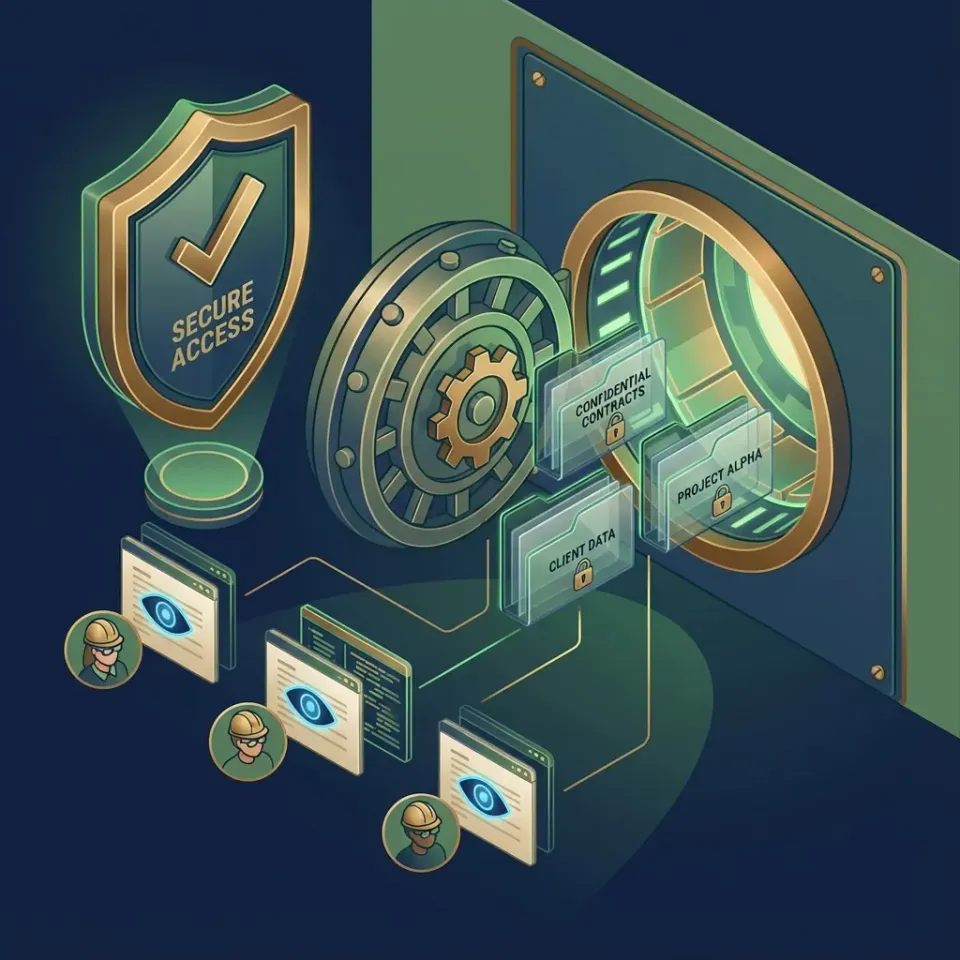
Secure RAG document storage protects the original files and their vector embeddings that AI agents use in retrieval-augmented generation workflows. RAG embeds documents into vectors, pulls the best matches for a query, and feeds them to the LLM for better answers. Security needs to cover the whole process: encrypt files and embeddings, control who retrieves what, and log every action to spot problems.
Agents handle sensitive client data in shared spaces. One wrong query can pull private info from another project. Fastio's Intelligence Mode indexes files for RAG and follows workspace rules, so agents only see allowed content.
RAG Security Risks for Agents:
- Prompt injection: Bad inputs trick the system into pulling wrong data.
- Over-fetching: Queries grab extra context that leaks info.
- Embedding poisoning: Bad vectors send retrieval off track.
Fastio handles these with specific permissions and query limits. Helpful references: Fastio Workspaces, Fastio Collaboration, Fastio AI, and /storage-for-agents/.
Related guides
- How to Implement Secure Storage for AI AgentsSecure storage for AI agents protects their long-term memory and toolsets with encryption at rest. With agent storage...
- How to Build a Secure Document Management System That Actually WorksA secure document management system organizes, stores, and controls access to business documents with encryption, audit...
- How to Share Documents Securely Without Risking a Data BreachSecure document sharing is the practice of transmitting sensitive files using encryption, access controls, and audit...
- How to Set Up Secure File Sharing for Your BusinessSecure file sharing for business is the practice of transferring sensitive documents between team members, clients, and...
- How Zero-Knowledge Encryption Works in Cloud StorageZero-knowledge encryption means your cloud storage provider cannot read your files, even under a court order or after a...
- How to Set Up Granular Permissions for AI WorkspacesGranular permissions for AI workspaces make sure agents only touch the files they need for their specific jobs. By...
More on this subject: Security and Access Control (32 guides)
Why Secure RAG Storage Matters for AI Agents
AI agents pull document sections through RAG pipelines. This adds context to cut hallucinations and improve answers. But poor RAG setups open doors to attacks like prompt injection, where tricky inputs steal data, or queries that show too many files. Weak logging hides what went wrong. Studies show data leaks in multiple% of RAG systems from bad permissions. Agent teams with multiple LLMs and mixed data face bigger risks in shared setups. Fastio workspaces group docs by project or client. Permissions work at org, workspace, folder, and file levels. Intelligence Mode indexes for search and RAG, but queries stick to what the caller can access. No cross-workspace peeking. This covers agent retrieval issues that other storage overlooks.

RAG Security Checklist for AI Agents
Use this checklist to lock down document storage and retrieval for AI agents:
Core Infrastructure:
- Encryption: Turn on at rest and in transit. Fastio does this for files and embeddings by default.
- Key Management: Rotate keys often. Use your own if possible.
Access Controls:
- Permissions by Level: Set roles at org/workspace/folder/file. Give agents read-only on certain paths.
- Limited Retrieval: Make sure RAG queries check permissions. Fastio Intelligence Mode does this.
- Least Privilege: Agents get just what they need. Issue a dedicated API key per agent.
Monitoring & Response:
- Audit Logs: Log queries, pulls, times, and agent IDs. Fastio keeps full records. Review them with GET /current/events/search/.
- Anomaly Detection: Poll activity with GET /current/activity/poll/{entityId}?wait=95&lastactivity={timestamp} and review odd query patterns in the audit log.
- Ownership Transfer: Agents create stuff, humans take control.
Agent-Specific:
- API Keys: Create a key per agent in Settings > Devices & Agents > API Keys, or POST /current/user/auth/key/.
- Version History: Track revisions and recover previous states with built-in per-file version history and restore.


Secure Your Agent's RAG Storage
Get dedicated workspace storage with Ripley RAG, encryption, and permissions. Made for secure RAG workflows. Built for secure rag document storage workflows.
Step-by-Step: Implementing Secure RAG in Fastio
Create a dedicated workspace for the documents your agents will retrieve. Create an API key in Settings > Devices & Agents > API Keys, or POST /current/user/auth/key/. Connect the agent to https://mcp.fast.io/mcp/tools and send the key as a Bearer header.
1. Onboard Your Agent
Sign up at Fastio with an agent email or service account. Create an API key under Settings > Devices & Agents > API Keys. For MCP, see /storage-for-agents/. Named mode exposes a consolidated toolset, including tools for upload, storage, AI, and events.
2. Provision a Dedicated Workspace
Create the workspace in your org:
POST https://api.fast.io/current/org/{org_id}/create/workspace/
Authorization: Bearer {api_key}
Keep one workspace per project or client so retrieval stays scoped.
3. Ingest and Index Documents
Import a file from a URL with the MCP upload tool (web-import):
{"jsonrpc":"2.0","id":1,"method":"tools/call",
 "params":{"name":"upload","arguments":{"action":"web-import","url":"https://example.com/report.pdf",
 "profile_type":"workspace","profile_id":"1234567890123456789"}}}
Large files use the same upload tool with create-session, chunk, and finalize. Workspace Intelligence indexes new files once Intelligence is enabled for the workspace so Ripley can retrieve them.
4. Enable Intelligence Mode for RAG
Turn on Intelligence Mode in the workspace. New files get embeddings for RAG. Agents then query through Ripley, Fastio's built-in RAG agent. On REST that is POST /current/workspace/{workspace_id}/ai/agent/ followed by POST /current/workspace/{workspace_id}/ai/agent/{chat_id}/message/. Prefer the MCP ai_manage tool with action ask.
5. Lock Down Permissions
Invite the agent as a workspace member:
POST https://api.fast.io/current/workspace/{workspace_id}/members/{email_or_user_id}/
Authorization: Bearer {api_key}
Set roles at org, workspace, folder, and file so the agent can read the vault. Permissions do not cross workspaces.
6. Execute Secure RAG Queries
Ask Ripley through MCP. The ai_manage tool (ask) returns a cited, read-only answer and requires profile_type:
{"jsonrpc":"2.0","id":1,"method":"tools/call",
 "params":{"name":"ai_manage","arguments":{"action":"ask","profile_type":"workspace","profile_id":"1234567890123456789"}}}
Results come from documents the caller can access.
7. Audit and Monitor Access
Review the audit log with GET /current/events/search/ or poll GET /current/activity/poll/{entityId}?wait=95&lastactivity={timestamp}. The MCP event tool covers the same activity log.
Pro Tip: In multi-agent workflows, use granular folder permissions and per-file version history so updates can be audited and restored safely.

Encryption and Permissions in Agent RAG
Fastio encrypts all docs with strong encryption at rest and uses modern TLS for API and MCP traffic. Embeddings from Intelligence Mode stay encrypted in the workspace, locked behind permissions.
Workspaces stay separate. Permissions flow from org to file, so agents in one can't touch another, even same org.
Per-file version history lets agents collaborate safely. Fastio preserves prior revisions automatically whenever a file is updated, and the activity log records every access and change.
For teams with many agents, give each one a dedicated API key and path-specific read access. That cuts the risk of a bad retrieval touching the wrong embeddings.
Define clear tool contracts and fallback behavior so agents fail safely when dependencies are unavailable. This improves reliability in production workflows.
Auditing and Monitoring RAG Access
Logs capture every action: file views, permission changes, RAG queries with inputs/outputs, agent info, IPs, times. Pull them with GET /current/events/search/ or watch live with GET /current/activity/poll/{entityId}?wait=95&lastactivity={timestamp}.
Export for compliance or SIEM. Keeps 90+ days.
Spot odd queries from one agent fast in that same audit stream.
Sources
References used to verify factual claims in this guide.
-
Ripley answers workspace questions through the MCP ai_manage tool with action ask, or REST POST /current/workspace/{workspace_id}/ai/agent/ and POST /current/workspace/{workspace_id}/ai/agent/{chat_id}/message/.
Frequently Asked Questions
What are secure RAG storage best practices?
Encrypt data, set permissions carefully, limit queries, log everything. Fastio agent workspaces cover this out of the box.
How do you encrypt RAG documents?
Pick storage with auto encryption at rest and in transit. Fastio handles docs and embeddings for agents.
Can AI agents have secure RAG access?
Yes. Use role-based permissions and scoped pulls. Fastio MCP limits agents to their files.
What makes Fastio secure for agent RAG?
Full encryption, level-by-level permissions, audit logs, Ripley query scoping, and file locks.
How do agents run RAG queries in Fastio?
Connect the agent to https://mcp.fast.io/mcp/tools and call the ai_manage tool with action ask. Ripley returns a cited, read-only answer from documents the caller can access. You can also start a chat with POST /current/workspace/{workspace_id}/ai/agent/ and send a follow-up to POST /current/workspace/{workspace_id}/ai/agent/{chat_id}/message/.
Related Resources

Secure Your Agent's RAG Storage
Get dedicated workspace storage with Ripley RAG, encryption, and permissions. Made for secure RAG workflows. Built for secure rag document storage workflows.