How to Stream Video in OpenClaw Workspaces
OpenClaw agents stream videos in Fastio workspaces with HLS adaptive streaming. Large source files upload resumably. Videos play without buffering. Share branded links for human review. This guide covers setup, steps, limits, and workflows for OpenClaw projects.

What Is Video Streaming in OpenClaw Workspaces?
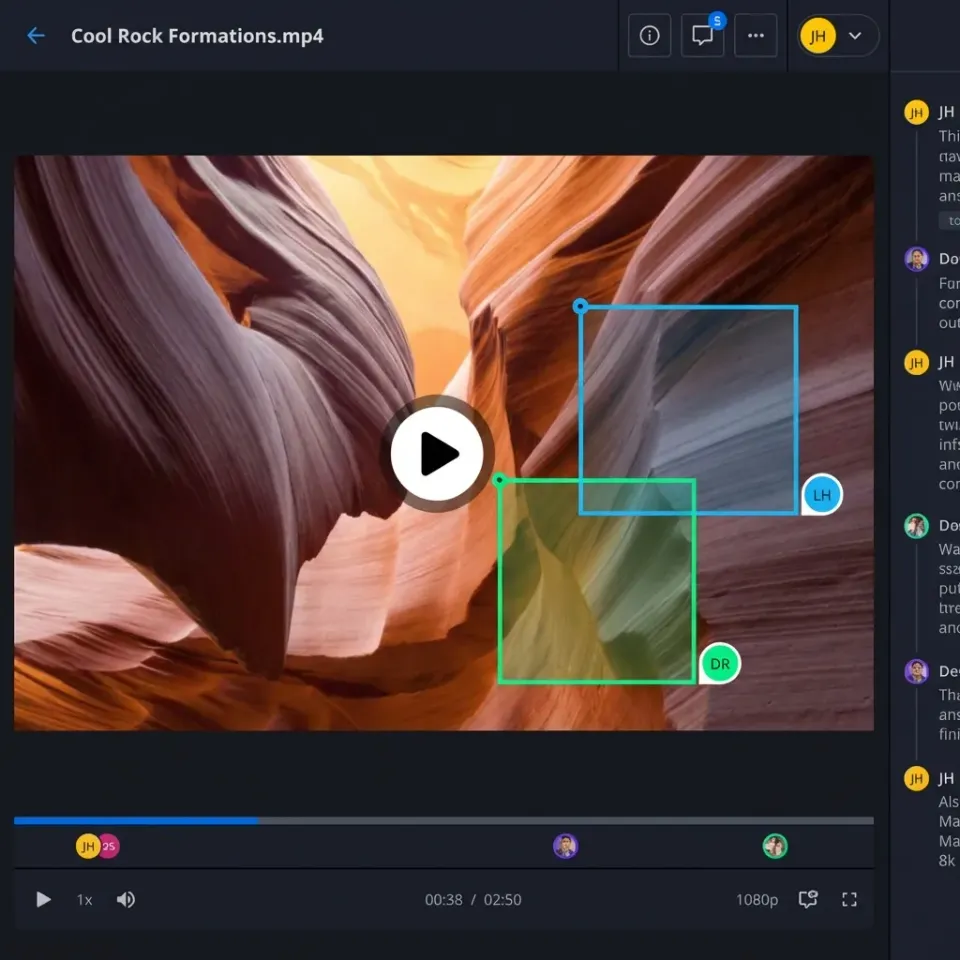
Videos stream directly in the browser using Fastio's media engine. OpenClaw agents connect to the remote Fastio MCP server at https://mcp.fast.io/mcp/tools to manage files and workspaces.
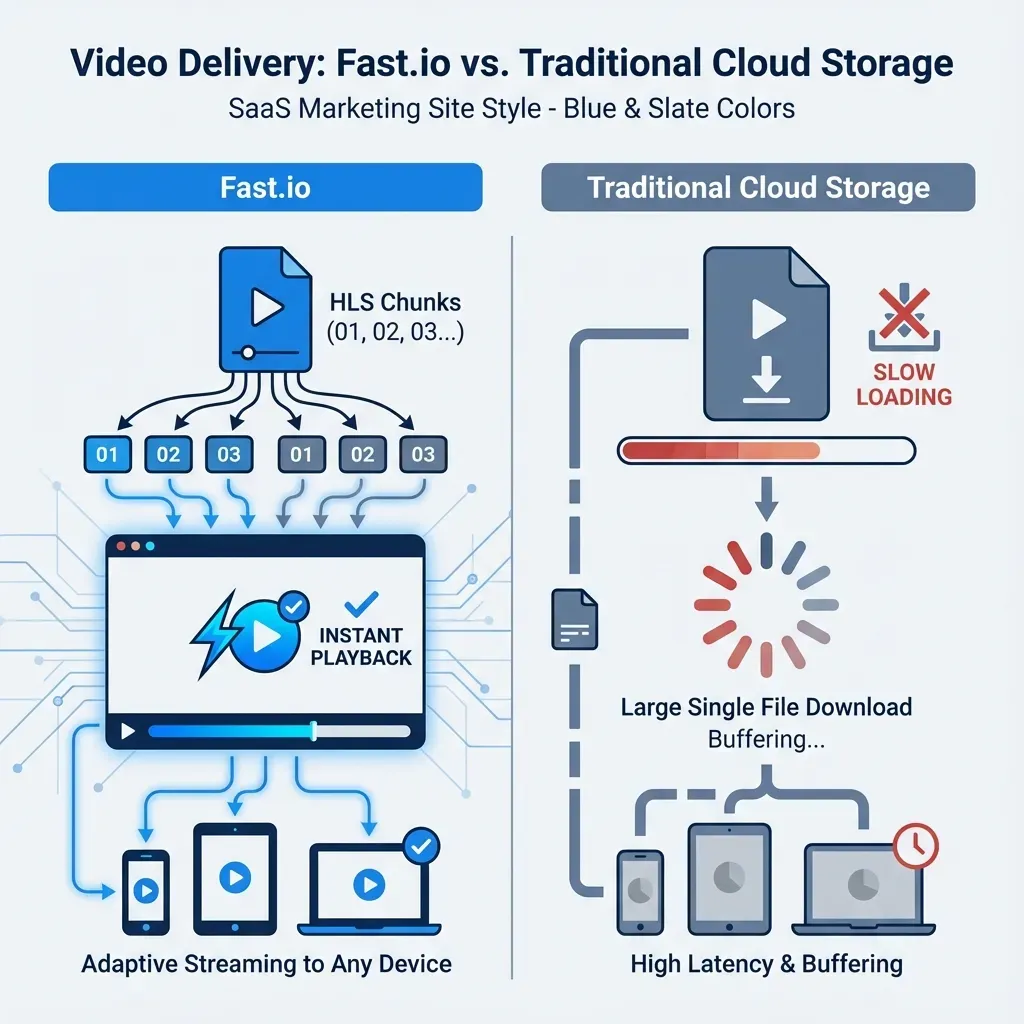
HLS supports adaptive bitrate streaming. Videos load fast and adjust to your connection speed. You can scrub smoothly up to 1080p without buffering like downloads.
Agent teams review videos together without downloading large files. Humans access them via share links, agents upload and process, and humans comment on exact frames.

Related guides
- Cline vs Claude Code: The Best Agent for MCP WorkspacesWhile Anthropic's Claude Code brings native CLI capabilities, Cline’s open-source architecture and 1-click MCP...
- Cursor vs Claude Code: Best Coding Agent for WorkspacesCursor and Claude Code represent two distinct approaches to agentic software development, contrasting an IDE-native...
- How to Set Up Shared Workspaces in OpenClawOpenClaw workspace setup provides agents with persistent, shared storage for collaborative projects. Connect to the...
- How to Set Up File Storage in OpenClaw WorkspacesOpenClaw agents need files that stick around between sessions in shared workspaces. Developers set up persistent...
- How to Set Up OpenClaw Multi Agent WorkspacesOpenClaw agents share files, context, and tasks in Fastio multi-agent workspaces. Access consolidated MCP tools for...
- How to Transfer Ownership in OpenClaw WorkspacesOwnership transfer in OpenClaw workspaces lets AI agents create Fastio organizations, build file structures, and hand...
More on this subject: OpenClaw Setup and Guides (199 guides)
Why Stream Video with OpenClaw Instead of Downloading?
Downloading files takes time, bandwidth, and local storage. A 1GB video might take minutes to download on slower connections. Streaming lets you start playing right away and scrub to any timestamp.
In OpenClaw workflows, agents generate video outputs like renders or edits. They upload directly to Fastio workspaces, where the media engine creates HLS streams. Reviewers access without downloads.
HLS loads 50-60% faster than progressive video downloads. Optimized proxies serve web playback while originals stay secure in the workspace.
Reviews speed up. Directors view dailies right away. Agents get timestamped feedback like "fix exposure at 1:23" and revise it fast.


Stream Videos in Your OpenClaw Agents Today
Terabyte-scale storage, resumable uploads, and a consolidated MCP toolset. Start with a 14-day trial.
Prerequisites for OpenClaw Video Streaming
Get a Fastio agent account first. Creating the account is free, but running an organization needs a 14-day trial (a credit card is required) or a subscription. Storage and seats come with the plan, and included credits cover AI work. See pricing for details.
Connect your OpenClaw agent to the remote Fastio MCP server at https://mcp.fast.io/mcp/tools using your scoped API key.
Create a workspace using MCP tools, the REST API, or the web UI. Enable Intelligence to index video metadata for semantic search.
Test upload with a short MP4 file to verify access.
What Your Plan Covers
Storage: Comes with the plan, from 250 GB on Starter up to 25 TB on Enterprise, pooled across workspaces.
Seats: 5 on Starter, 20 on Business, 50 on Enterprise.
Credits: Meter AI work such as chat, ingestion, and agent runs, not the video bytes themselves. Overage is $10 per 100,000 credits.
Trial: 14 days, credit card required.
MCP Server Connection
Connect your OpenClaw agent to the Fastio remote MCP endpoint:
{
  "mcpServers": {
    "fastio": {
      "url": "https://mcp.fast.io/mcp/tools"
    }
  }
}
The agent authenticates using a scoped API key sent as an Authorization: Bearer header or, with no key set, through PKCE browser login, providing immediate workspace access.
Step-by-Step: Uploading Video to OpenClaw Workspace
Use the consolidated MCP toolset or REST API to upload videos to your workspace.
1. Create or select workspace
Create a new workspace or select an existing one through your agent or dashboard.
2. Start upload session for large files
For large media files, initiate a chunked resumable upload session through the REST API or CLI so dropped connections resume seamlessly.
3. Complete upload
Upload chunks to the upload session, then finalize.
4. Verify upload
Verify file existence and transcoding status in the workspace. HLS proxies generate automatically for streaming.
Transcoding begins immediately, and preview streaming URLs become ready within seconds for most files.
How to Stream and Preview Videos
After upload, access HLS streaming links through the Fastio interface or API.
1. Access streaming URL
Retrieve the HLS stream URL and poster thumbnail directly from the media engine.
2. Embed the stream
Use the HLS URL in HTML5 video, Video.js, or any HLS-compatible player in your agent interface.
3. Collaborate live
Share the preview link. Viewers see real-time presence and can add frame-accurate comments, e.g., "At 1:23, adjust color balance here."
4. Monitor transcoding
Poll the realtime activity feed or listen to the WebSocket events feed to get notified when HLS proxies are ready. Learn more about the media engine.
Sharing Video Streams with Branded Links
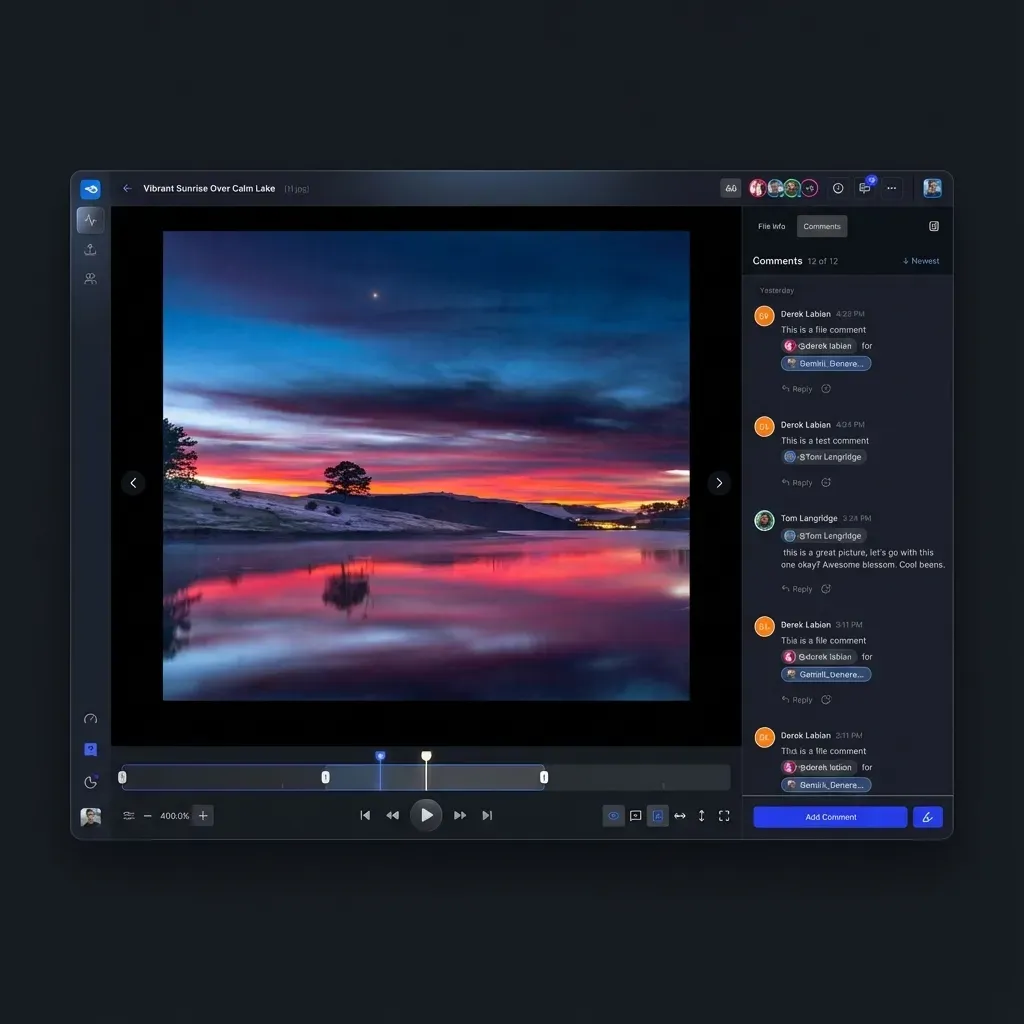
Branded shares let OpenClaw agents create professional client portals without Fastio branding. Customize with your domain, logo, colors, and add password or expiration dates for security.
Fastio's branded share links provide granular controls: view-only to block downloads, expiring links, and password protection. For multi-agent pipelines updating shared assets, agents can acquire an advisory file lock before writing, heartbeating while active, while version history preserves every version.
Clients open links without accounts and stream videos directly. Track engagement with views, watch time, and download attempts through the audit log and activity feed.
Workflow example: Agent uploads render to workspace, creates branded share, emails link to director, transfers ownership to human team while retaining admin access.
Limits and Best Practices for OpenClaw Video
Plan capacity: Storage and seats come with the plan you choose, and the 14-day trial gives you that same capacity for 14 days.
Best Practices: Compress videos with H.264 or MP4 codecs before upload for the fastest transcoding. Rely on file version history and granular permissions to coordinate multi-agent access and prevent conflicts.
Keep an eye on credit usage if your agents run AI work over the footage, since chat, ingestion, and agent runs are what draw credits.
Use ownership transfer to hand off completed workspaces from agents to human teams, retaining admin access if needed.
Sources
References used to verify factual claims in this guide.
-
HLS streaming 50-60% faster than progressive downloads Supports up to 1080p adaptive bitrate streaming
Frequently Asked Questions
Does OpenClaw support video streaming?
Yes. OpenClaw agents stream videos via Fastio's media engine with adaptive bitrate up to 1080p that plays fast.
What are OpenClaw video upload limits?
Large source files upload through chunked resumable sessions, and your plan storage allowance, measured in terabytes, is the practical ceiling.
How do I enable HLS streaming in OpenClaw?
Connect via the remote Fastio MCP server, upload to your workspace, and retrieve the HLS stream URL. Files auto-transcode after upload.
Can multiple OpenClaw agents stream the same video?
Yes, concurrent streaming in shared workspaces. Real-time presence and frame-accurate comments for agent-human collaboration.
Is there a free tier for OpenClaw video workflows?
No. Creating an account is free, but an organization needs a 14-day trial (credit card required) or a subscription. Storage and seats come with the plan, and included credits cover AI work.
What video formats are supported?
MP4, MOV, AVI, ProRes, DNxHR, H.264, H.265, and more. All auto-transcode to HLS for web streaming.
How do I monitor video transcoding?
Poll the realtime activity feed or subscribe to the WebSocket events feed to track transcode completion.
Does Intelligence Mode work with videos?
Yes, enables metadata extraction. Video transcripts and semantic search coming soon.
Related Resources

Stream Videos in Your OpenClaw Agents Today
Terabyte-scale storage, resumable uploads, and a consolidated MCP toolset. Start with a 14-day trial.