How to Build an OpenClaw Raspberry Pi Internet Radio and FM Broadcasting Agent
A Raspberry Pi can serve as both an internet radio station (streaming via Icecast) and a low-power FM transmitter (broadcasting over GPIO4 with a wire antenna). This guide covers both approaches, then shows how an OpenClaw agent automates playlist scheduling, stream health monitoring, and audio file management so the station runs without constant supervision.

What a Pi Radio Station Actually Involves
Raspberry Pi radio projects split into two distinct categories that people often conflate. Internet radio uses Icecast as a streaming server and DarkIce as an audio encoder to broadcast over your network or the open internet. FM transmission uses the Pi's general-purpose clock output on GPIO4 to generate a real FM signal that any nearby radio can pick up. Both work. They solve different problems.
Internet radio reaches anyone with a URL. You set up Icecast on the Pi, point DarkIce at an audio source (microphone, line input, or file playlist), and listeners connect through a web browser or media player. There is no geographic limit beyond your internet connection's upload bandwidth. A single Pi can serve dozens of concurrent listeners on a home connection.
FM transmission is local. The markondej/fm_transmitter project on GitHub turns GPIO4 (PIN 7 on the GPIO header) into a frequency-modulated radio transmitter. Attach a 20 to 40 cm wire as an antenna and the Pi broadcasts on any standard FM frequency. In the US, FCC Part 15 allows unlicensed FM transmission at field strengths of 250 microvolts per meter measured at 3 meters, which works out to a practical range of roughly 200 feet. That covers a house, a yard, a small event venue, or a classroom.
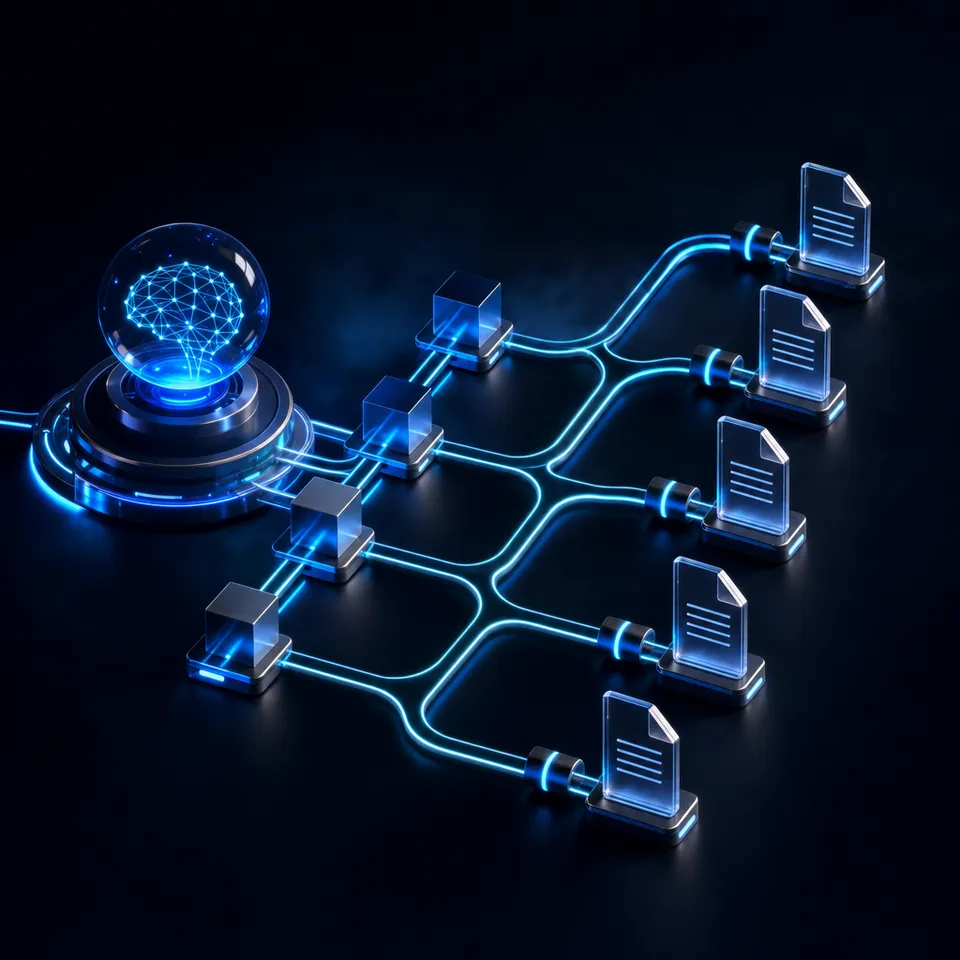
Most existing guides cover one or the other. None of them address what happens after setup: who restarts the stream when it drops at 3 AM, who switches playlists on schedule, who notices the FM transmitter process crashed. That is where an OpenClaw agent fits in. OpenClaw runs as a local gateway on the Pi, providing a skill system and scheduler that can wrap these radio tools, monitor their output, and take action without a human checking a terminal.
The combination gives you a radio station that runs itself: content plays on schedule, failures get caught and reported, and audio files stay organized in cloud storage for easy updates.
Related guides
- How to Build a Hermes Agent AI Code CheckerThe proportion of copy-pasted code in repositories rose from 8% in 2020 to 12% in 2024, representing a 48% relative...
- How to Build AI Agents with the Claude Agent SDKThe Claude Agent SDK is Anthropic's toolkit for building AI agents that can read files, run commands, search the web,...
- How to Build an OpenClaw Ham Radio Digital Modes Agent on Raspberry PiAn OpenClaw ham radio agent automates digital mode operations like FT8 decoding, APRS position reporting, and band...
- How to Build a mmWave Radar Presence Detection Agent with OpenClaw on Raspberry PiPIR sensors miss people who sit still. mmWave radar does not. This guide covers wiring a 24GHz FMCW radar module to a...
- How to Build an OPC UA SCADA Gateway Agent with OpenClaw on Raspberry PiAn OPC UA SCADA gateway agent runs OpenClaw on a Raspberry Pi to bridge industrial control systems with AI-powered...
- How to Build an OpenClaw Astrophotography Telescope Control Agent on Raspberry PiAstrophotography sessions involve hours of repetitive decisions: slew to a target, check focus, start a capture...
More on this subject: OpenClaw on Raspberry Pi (192 guides)
What You Need for Internet Radio and FM Transmission
The hardware requirements depend on which broadcasting method you choose. You can run both simultaneously on a single Pi if you want.
Raspberry Pi selection:
- Raspberry Pi 4 (4 GB) handles Icecast streaming and FM transmission comfortably
- Raspberry Pi 5 (8 GB) recommended if running OpenClaw alongside encoding software, since the agent runtime and LLM calls add memory overhead
- Raspberry Pi 3 works for FM-only setups but struggles with concurrent Icecast encoding
- Use a high-endurance microSD (32 GB minimum) or a USB SSD for always-on reliability
For internet radio (Icecast + DarkIce):
- USB audio capture device (Behringer UCA202, Sabrent USB adapter, or any ALSA-compatible card) for line-in or microphone input
- Alternatively, skip the audio hardware entirely and stream pre-recorded files from disk
- Ethernet connection recommended over Wi-Fi for stable streaming
For FM transmission:
- A 20 to 40 cm wire soldered or clipped to GPIO4 (PIN 7 on the GPIO header)
- On Raspberry Pi 4, other onboard hardware can interfere with certain FM frequencies. Compiling fm_transmitter with GPIO21 (PIN 40) instead of GPIO4 avoids this, or stick to frequencies below 93 MHz
- Note that fm_transmitter works on Raspberry Pi models 1 through 4. The Pi 5 uses a different peripheral chip and is not compatible
Software stack:
- Icecast2: streaming media server, installable via apt
- DarkIce: live audio encoder that captures from ALSA and sends to Icecast. The default apt package lacks MP3 support, so install a custom build with MP3 encoding or use Ogg Vorbis
- fm_transmitter (markondej/fm_transmitter): compiles from source with make, requires build-essential
- PiFmAdv (miegl/PiFmAdv): advanced FM transmitter with RDS encoding for station name, radio text, and clock time. Useful if you want your station to display a name on car radios
- OpenClaw: agent runtime with gateway, skill system, and cron scheduler. Install via
openclaw onboard --install-daemon(requires Node 24 or 22.16+)
Total hardware cost for an FM-only setup: under $60 (Pi 4 + power supply + wire antenna + microSD card). Add a USB audio interface for internet radio and the cost reaches about $80.

How to Set Up Icecast Internet Radio on a Pi
Internet radio setup follows a straightforward path: install Icecast, configure DarkIce to encode audio and push it to the server, then share the stream URL.
Install Icecast2:
On Raspberry Pi OS, install from the default repositories. During installation, the package asks for a hostname, source password, relay password, and admin password. The source password is what DarkIce uses to authenticate when pushing audio to the server. Icecast listens on port 8000 by default.
Configure DarkIce:
DarkIce needs a configuration file that specifies the audio input device, encoding format, bitrate, sample rate, and the Icecast server address. Key settings include the ALSA device name (usually hw:1,0 for a USB audio interface), the encoding format (MP3 or Ogg Vorbis), and the bitrate (128 kbps is a good balance between quality and bandwidth). The mountpoint name determines the stream URL path that listeners will use.
File-based playlists:
If you are streaming pre-recorded content rather than a live microphone, use ezstream instead of DarkIce. Ezstream reads from playlist files and feeds audio to Icecast directly. This is the more practical setup for an automated station, since the agent can manage playlist files without dealing with audio routing.
Test the stream:
Open a browser and navigate to your Pi's IP address on port 8000 (for example, http://192.168.1.50:8000). The Icecast web interface shows active mount points and current listeners. Click the M3U link to open the stream in a media player, or copy the direct stream URL for sharing.
Exposing to the internet:
For public access, forward port 8000 through your router or use a reverse proxy. Services like Shoutcast directory or internet radio aggregators can list your station once it is publicly reachable. Bandwidth is the main constraint: each MP3 listener at 128 kbps uses about 1 MB per minute of upload capacity.


Keep your station's audio library and logs in one workspace
Upload playlists, sync content across devices, and query station logs through the MCP server.
How to Configure FM Transmission on GPIO4
FM transmission is simpler to configure but comes with strict legal boundaries. The entire transmitter is the Pi itself plus a wire.
Build fm_transmitter:
Clone the markondej/fm_transmitter repository, install build-essential and make, then compile with make. The resulting binary takes a frequency and a WAV file as arguments. Run it with root privileges since it accesses hardware directly:
sudo ./fm_transmitter -f 100.6 your_audio.wav
The transmitter accepts uncompressed WAV files (mono or stereo) and also reads from standard input, so you can pipe audio from ffmpeg or sox for format conversion on the fly. To broadcast an MP3 file, convert it first:
sox input.mp3 -t wav -r 22050 - | sudo ./fm_transmitter -f 100.6 -
Advanced option with RDS:
PiFmAdv adds Radio Data System encoding to the FM signal. RDS lets car radios and portable receivers display a station name (up to 8 characters), scrolling radio text (up to 64 characters), and the current time. This makes the broadcast feel like a real radio station rather than a raw signal. PiFmAdv also supports configurable pre-emphasis (50 microseconds for Europe, 75 for the US) and oscillator error correction via a parts-per-million parameter.
Legal requirements (US):
FCC Part 15 Section 15.239 governs unlicensed FM transmission. The rule limits field strength to 250 microvolts per meter measured at 3 meters from the antenna. In practice, this means a range of about 200 feet (61 meters). No license or registration is required. However, the device must accept any interference from licensed stations and cannot cause harmful interference. Other countries have different rules. In the UK, Ofcom permits similar low-power use. Check your local regulations before transmitting.
Frequency selection:
Pick a frequency that is not used by any commercial station in your area. Use an FM radio to scan for dead spots on the dial. On Raspberry Pi 4, frequencies below 93 MHz tend to work better due to interference from the Pi's onboard Bluetooth and Wi-Fi hardware.
Antenna considerations:
The wire length affects signal quality. A quarter-wave antenna for 100 MHz is about 75 cm, but FCC Part 15 limits mean even an optimal antenna will not extend range beyond the legal limit. A 20 to 40 cm wire connected to GPIO4 is sufficient for most setups. Avoid coiling the wire, as that reduces effective length.
Adding an OpenClaw Agent for Automation
Without automation, a Pi radio station is a manual operation. Someone needs to start the stream, swap playlists, restart crashed processes, and check that audio is actually playing. OpenClaw provides the agent runtime to handle these tasks through its skill system and built-in scheduler.
What the agent manages:
- Playlist rotation: switch between different audio collections based on time of day or day of week
- Process monitoring: check that Icecast, DarkIce (or ezstream), and fm_transmitter are running. Restart them if they crash
- Stream health: verify that the Icecast mount point has active audio by checking listener stats or stream metadata
- Content updates: watch a designated folder for new audio files and add them to the playlist queue
- Alerting: send a notification through Telegram, Discord, Slack, or any other connected channel when something goes wrong
Scheduling with OpenClaw:
OpenClaw's cron scheduler supports standard cron expressions, intervals, and one-shot timers. Common schedules for a radio agent include checking stream health every 60 seconds, rotating playlists every few hours, and running a daily maintenance check that verifies disk space, audio file integrity, and network connectivity.
Multi-channel notifications:
One of OpenClaw's core features is its multi-channel gateway. The agent can report station status through whichever messaging platform you use: Telegram, Discord, Slack, Signal, WhatsApp, or others. If the stream drops at 2 AM, the agent sends you a message. If it successfully restarts the process, it confirms that too. This turns passive monitoring into active communication without custom notification code.
Decision logic:
Beyond simple process babysitting, the agent can implement content-aware scheduling. Parse Icecast listener counts to identify peak hours and schedule higher-energy content during those times. Track which playlists get the most listeners and weight rotation accordingly. For FM stations at events, the agent can switch to announcement audio at scheduled intervals, then return to music.
Voice and Canvas:
OpenClaw's voice wake and talk mode on macOS or iOS lets you control the station by voice: "play the jazz playlist," "switch to FM mode," "how many listeners right now." The Live Canvas feature can render a visual dashboard showing current track, listener count, and stream uptime, though this requires a connected display or companion app rather than running headless.

Storing Audio and Logs with Cloud Workspaces
A radio station generates two categories of files that benefit from cloud storage: the audio content itself (music, recordings, announcements) and operational logs (stream uptime, listener counts, error reports).
The problem with local-only storage:
Audio files on a Pi's microSD card are a single point of failure. A corrupted card means lost content. Updating the playlist requires SSH access or physical access to the Pi. If you run multiple stations (one per room at a venue, for example), keeping content synchronized across devices becomes tedious.
Storage options:
Local NAS or external USB drive works for basic backup. S3 or Google Drive handles cloud sync but requires custom scripting for agent integration. Fastio provides workspace storage for agents starting with the Starter plan (250 GB storage, 100,000 monthly credits) and a 14-day Business Trial. The MCP server gives agents programmatic access to upload, download, and organize files.
Practical workflow for audio management:
Store your audio library in a Fastio workspace organized by genre or schedule slot (morning, afternoon, evening, announcements). The OpenClaw agent pulls playlist files from the workspace when it needs to update content on the Pi. New recordings uploaded through the web interface or by another team member become available to the agent on its next sync cycle. This separates content management from station operation: anyone with workspace access can add audio without touching the Pi.
Operational logging:
The agent writes stream health data, listener statistics, and error logs locally, then uploads summaries to a separate workspace on a daily schedule. Intelligence Mode indexes these documents automatically, so you can later search across weeks of logs with natural language queries like "when did the stream drop last month" or "average listener count on weekends."
Sharing and handoff:
For community radio projects or event setups, workspace sharing lets multiple people manage the station's content library. Upload audio, review playlists, and check station logs through the browser without needing SSH credentials or VPN access. When the event ends, transfer workspace ownership to the organizer and they retain all the station's content and history.

Sources
References used to verify factual claims in this guide.
-
fm_transmitter uses GPIO4 (PIN 7 on GPIO header) with a 20-40 cm wire antenna fm_transmitter works on Raspberry Pi models 1 through 4 but not Pi 5
-
FCC Part 15 Section 15.239 limits unlicensed FM to 250 microvolts per meter at 3 meters, approximately 200 feet range
-
PiFmAdv supports RDS encoding with station name (8 chars), radio text (64 chars), and clock time
-
Icecast2 default listening port is 8000
Frequently Asked Questions
Can a Raspberry Pi be used as an FM transmitter?
Yes. The fm_transmitter project on GitHub uses GPIO4 to generate an FM signal that any standard radio can receive. Attach a 20 to 40 cm wire to GPIO4 as an antenna, compile the software, and broadcast WAV audio on any FM frequency. This works on Raspberry Pi models 1 through 4. The Pi 5 is not compatible because it uses a different peripheral chip.
How do I set up an internet radio station on Raspberry Pi?
Install Icecast2 as the streaming server and DarkIce (for live audio) or ezstream (for file-based playlists) as the audio source. Configure DarkIce with your audio input device, encoding bitrate, and the Icecast server credentials. Start both services, then share the stream URL (your Pi's IP address on port 8000) with listeners. For public access, forward the port through your router.
Is it legal to broadcast FM from a Raspberry Pi?
In the US, FCC Part 15 Section 15.239 allows unlicensed low-power FM transmission with a field strength limit of 250 microvolts per meter at 3 meters. This gives a practical range of about 200 feet (61 meters). No license or registration is needed. The device must accept interference from licensed stations and cannot cause harmful interference. Rules vary by country, so check your local regulations.
How do I automate a radio station schedule?
An OpenClaw agent running on the same Raspberry Pi can manage playlist rotation, process monitoring, and content updates using its built-in cron scheduler. Set up scheduled tasks to switch playlists at specific times, check that the stream is healthy, and restart services if they crash. The agent can also send status notifications through Telegram, Discord, Slack, or other connected messaging channels.
What audio formats does the Pi FM transmitter support?
The fm_transmitter software accepts uncompressed WAV files in mono or stereo. For other formats like MP3 or FLAC, convert to WAV first using ffmpeg or sox. The software also reads from standard input, so you can pipe converted audio directly without saving intermediate files.
How far can a Raspberry Pi FM transmitter reach?
Under FCC Part 15 rules, the practical range is about 200 feet (61 meters). The actual range depends on antenna length, obstacles, and interference from nearby commercial stations. A 20 to 40 cm wire antenna connected to GPIO4 is typical. Longer antennas improve signal quality within the legal range but will not meaningfully extend coverage beyond the Part 15 limit.
Can I run both internet radio and FM transmission on one Pi?
Yes. Icecast and fm_transmitter are independent processes that can run simultaneously. The internet stream uses the network stack while FM transmission uses GPIO4. A Raspberry Pi 4 with 4 GB RAM handles both comfortably. The main consideration is audio routing, since you need to feed audio to both DarkIce (or ezstream) and fm_transmitter, which may require splitting the audio pipeline.
Related Resources

Keep your station's audio library and logs in one workspace
Upload playlists, sync content across devices, and query station logs through the MCP server.