How to Build an OpenClaw Astrophotography Telescope Control Agent on Raspberry Pi
Astrophotography sessions involve hours of repetitive decisions: slew to a target, check focus, start a capture sequence, watch the weather, pause when clouds roll in, resume when they clear. This guide builds an OpenClaw agent on a Raspberry Pi that talks to your telescope mount and camera through the INDI protocol, makes real-time session decisions based on sky conditions, and stores finished frames on Fastio for review and handoff.

Why Astrophotography Needs an AI Session Manager
Amateur astrophotography is one of the most automation-ready hobbies that still relies heavily on manual babysitting. Software like Ekos (built on the INDI library) can automate mount slewing, plate solving, guiding, and image capture. Distributions like Astroberry and StellarMate put the entire INDI stack on a Raspberry Pi so the telescope runs headless in the backyard while you control it from your laptop. Astroberry and StellarMate together serve over 50,000 amateur astronomers on Raspberry Pi hardware.
The gap is decision-making. Existing automation handles the "do this sequence" part well, but not the "should I keep going?" part. Clouds drift across the target. Dew forms on the corrector plate. The wind picks up and ruins tracking. Humidity climbs toward the dew point. A satellite trail wrecks a sub-exposure. These conditions require judgment calls that current sequencers handle with simple threshold rules at best, or not at all.
An OpenClaw agent running alongside the INDI server on the same Raspberry Pi fills that gap. OpenClaw is an AI agent gateway that runs on Pi hardware, using cloud LLMs for reasoning while keeping the orchestration layer local. The agent can monitor INDI device properties, query weather sensors, evaluate whether conditions support continued imaging, and act on those evaluations by pausing sequences, parking the mount, or switching targets. It turns a scripted automation into an adaptive session manager.
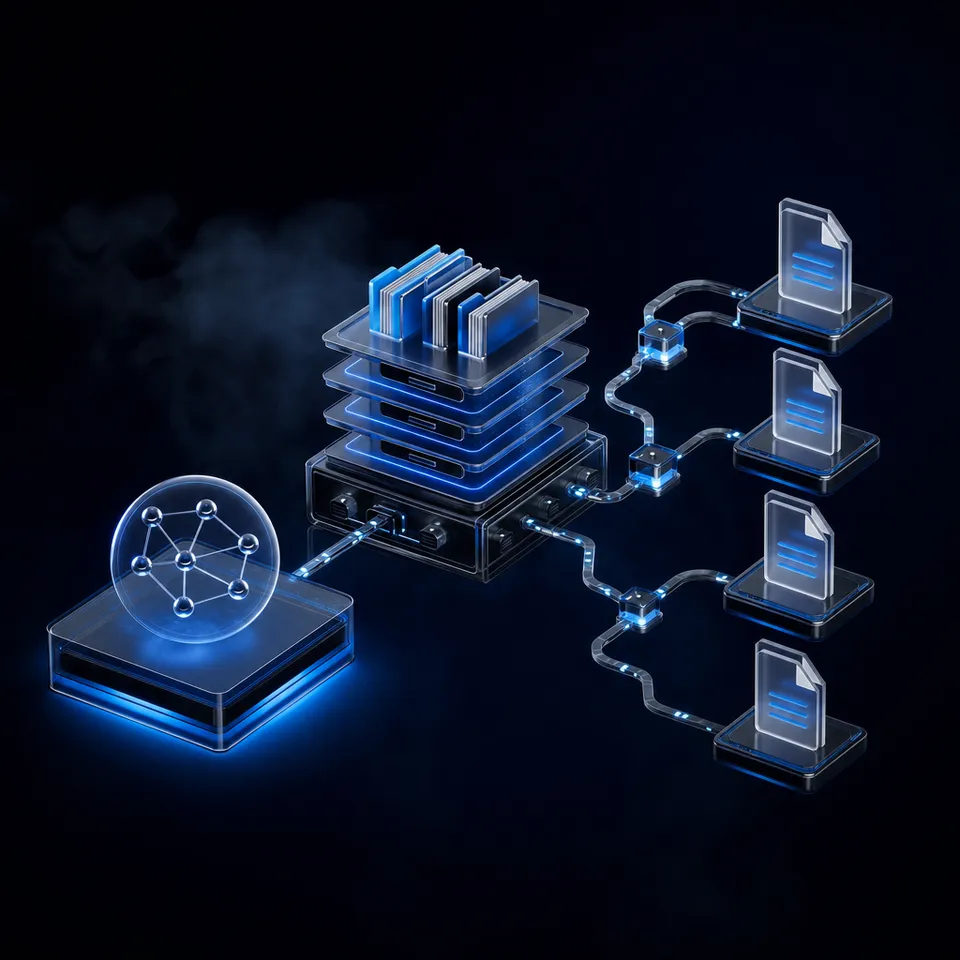
The architecture is straightforward: the INDI server controls the hardware (mount, camera, focuser, filter wheel), the OpenClaw agent monitors conditions and makes decisions, and Python scripts bridge the two. A Raspberry Pi 5 with 4 GB of RAM handles INDI server and OpenClaw gateway simultaneously without trouble.
Related guides
- How to Build a Hermes Agent AI Code CheckerThe proportion of copy-pasted code in repositories rose from 8% in 2020 to 12% in 2024, representing a 48% relative...
- How to Build AI Agents with the Claude Agent SDKThe Claude Agent SDK is Anthropic's toolkit for building AI agents that can read files, run commands, search the web,...
- How to Build a Facial Recognition Door Lock with OpenClaw on Raspberry PiMost Raspberry Pi face recognition tutorials stop at matching a face to a database and toggling a relay. This guide...
- How to Build a mmWave Radar Presence Detection Agent with OpenClaw on Raspberry PiPIR sensors miss people who sit still. mmWave radar does not. This guide covers wiring a 24GHz FMCW radar module to a...
- How to Build an OPC UA SCADA Gateway Agent with OpenClaw on Raspberry PiAn OPC UA SCADA gateway agent runs OpenClaw on a Raspberry Pi to bridge industrial control systems with AI-powered...
- How to Build a Smart Irrigation Controller with OpenClaw on Raspberry PiMost Raspberry Pi irrigation projects water plants when a sensor reads 'dry.' That works, but it ignores weather...
More on this subject: OpenClaw on Raspberry Pi (192 guides)
The INDI Protocol and What OpenClaw Can See
INDI (Instrument Neutral Distributed Interface) is a client-server protocol for controlling astronomical equipment. The INDI server runs on the Raspberry Pi, loads drivers for connected hardware, and exposes device properties over a TCP socket. Any client on the network can read and set those properties. There are currently over 140 INDI drivers covering telescope mounts, CCD and CMOS cameras, focusers, filter wheels, domes, and weather stations.
The properties that matter for an AI session manager fall into a few categories.
Mount state properties tell you where the telescope is pointing (RA/Dec coordinates), whether it is tracking, slewing, or parked, and whether the guide corrections are active. If guiding RMS error spikes above a threshold, the current exposure is likely degraded.
Camera properties expose the sensor temperature, current exposure status, gain settings, and the file path where captured frames land. A completed exposure triggers a property update that a monitoring script can catch.
Focuser properties report the current position and temperature of the focuser motor. Temperature-driven focus drift is one of the most common reasons astrophotography sessions produce soft images overnight.
Weather station properties from devices like the AAG CloudWatcher or DIY cloud sensors report sky temperature differential (which indicates cloud cover), rain detection, humidity, wind speed, and ambient temperature. An MLX90614 infrared sensor pointed at the sky can measure the temperature differential between ambient air and the sky. Clear sky reads 20-30 degrees colder than ambient. Clouds are warmer, reducing the differential.
PyIndi, the Python client library for INDI, lets you connect to the running INDI server, subscribe to property changes, and set property values. A Python script can watch for a completed exposure, read the guiding RMS, check the sky temperature differential, and report all of it to the OpenClaw agent for evaluation. The INDI server exposes its own REST API through the INDI Web Manager, so an OpenClaw skill can also query device states over HTTP without maintaining a persistent socket connection.

Hardware and Software Stack
The full stack runs on a single Raspberry Pi that sits at the telescope. Every cable between the Pi and connected equipment stays short, which reduces signal problems. Wireless control means no cable running from the telescope to a laptop inside.
Hardware requirements:
- Raspberry Pi 5 with 4 GB RAM (8 GB preferred for comfort). Pi 4 with 4 GB also works.
- NVMe SSD via the official Raspberry Pi M.2 HAT. SD cards work but wear faster under continuous image writes and INDI logging.
- USB hub for connecting mount, camera, and focuser. A powered hub prevents voltage drop with multiple devices.
- Cloud sensor for weather monitoring. The AAG CloudWatcher is the commercial standard with a native INDI driver. A DIY option uses an MLX90614 infrared thermometer on I2C for sky temperature plus a rain sensor.
- Optional: GPS dongle for automatic location and time sync, which improves plate solving accuracy.
Software layers:
- Raspberry Pi OS Lite (64-bit) as the base. Avoid the desktop edition to save RAM and CPU for INDI and OpenClaw.
- INDI server and drivers installed from the INDI PPA. The
indiserverprocess loads drivers for your specific mount, camera, and accessories. - Ekos/KStars for initial equipment setup and testing. Once the INDI driver configuration is saved, the OpenClaw agent takes over session management.
- OpenClaw gateway installed via the official installer. It handles agent orchestration and communicates with cloud LLMs (Anthropic Claude or OpenAI) for reasoning.
- Python 3 with the PyIndi client library for bridging INDI device properties to the OpenClaw agent.
Keep the INDI server and OpenClaw as separate processes. The INDI server manages hardware drivers and should not be interrupted. The OpenClaw agent reads state, makes decisions, and issues commands through a separate Python bridge script. If the agent crashes or restarts, the INDI server keeps devices connected and tracking.


Store and Share Your Astrophotography Data
Fastio provides scalable workspace storage for imaging sessions, with Intelligence Mode for searching across session logs and metadata once enabled.
Building the Sensor-to-Agent Bridge
The bridge between INDI hardware and the OpenClaw agent is a Python script that polls device properties, formats them as structured data, and makes them available for the agent to evaluate. OpenClaw's architecture supports Python scripts that run on a schedule or in response to triggers, following the same sensor-to-agent-to-action pattern documented for other Raspberry Pi automation projects.
The bridge script connects to the INDI server using PyIndi, reads properties from each device, and writes a status summary to a local JSON file. The OpenClaw agent reads that file on each evaluation cycle.
What the bridge script monitors:
- Mount tracking state and guiding RMS error from the last 60 seconds
- Camera exposure completion events and the file path of each new frame
- Focuser temperature and position, flagging when temperature drift exceeds a threshold since the last focus run
- Sky temperature differential from the cloud sensor, with clear/cloudy/overcast classification
- Rain sensor state
- Humidity and dew point proximity (dew risk rises when ambient temperature is within 2-3 degrees of the dew point)
What the agent decides:
The OpenClaw agent evaluates the status summary and chooses from a set of defined actions. When sky conditions are clear and guiding is stable, the session continues. When the sky temperature differential drops below the clear-sky threshold, the agent can pause the capture sequence and wait for conditions to improve, or park the mount if the forecast shows no clearing. When focus temperature drift crosses the threshold, the agent can trigger an autofocus routine through INDI before resuming exposures. When humidity approaches the dew point, the agent can activate a dew heater relay or park the telescope to prevent condensation damage.
The key principle is that the agent does not talk directly to hardware. The bridge script translates between INDI's property model and the structured context the LLM needs to reason about. Hardware commands go back through PyIndi or the INDI Web Manager API, not through the LLM.
This separation means you can test the agent's decision logic without connected equipment. Feed it a simulated status JSON with deteriorating sky conditions and verify that it responds with the correct sequence of pause, wait, and resume or park actions.
Session Planning and Target Selection
A full-night imaging session typically involves multiple targets. You might start with a galaxy that is high in the sky at astronomical dusk, switch to a nebula that transits around midnight, and finish with a star cluster before dawn. Traditional sequencers let you queue targets with start times, but they do not adapt when conditions change.
An OpenClaw agent can handle session planning as a reasoning task. Give it your target list with coordinates, minimum altitude constraints, and required total integration time per target. The agent checks each target's current altitude and hour angle, calculates when each target will be optimally positioned, and builds a sequence that maximizes total imaging time while respecting horizon limits.
When weather interrupts a session, the agent adjusts. If clouds pause imaging on the first target for 40 minutes, the agent recalculates whether the remaining clear time is better spent continuing with the original target or switching to the next one that has reached a better altitude during the delay. This is the kind of decision that an experienced astrophotographer makes intuitively but that rigid sequencing software cannot handle.
Plate solving, the process of matching a captured image against a star catalog to determine exact pointing, feeds directly into this loop. After each slew, the INDI plate solver confirms the mount is pointed at the right coordinates. If the solve fails (which can happen with poor focus or thin clouds), the agent can retry, adjust, or move to a brighter alignment star before returning to the target.
The practical limit is that the OpenClaw agent relies on cloud LLM API calls for reasoning. Each decision cycle costs API tokens and takes a few seconds of latency. For astrophotography, this is fine. Decisions happen on a minutes-to-hours timescale, not milliseconds. A weather check every 60-90 seconds and a target evaluation every 15-30 minutes keeps API costs minimal while maintaining responsive session management.

Storing and Sharing Imaging Data with Fastio
A single night of astrophotography generates substantial data. A cooled CMOS camera shooting 5-minute sub-exposures in a broadband filter produces FITS files around 30-50 MB each. A 6-hour session at 5 minutes per frame generates 72 files totaling 2-4 GB. Narrowband imaging with multiple filters multiplies that by 3-4x. Over a week of clear skies, you can easily accumulate 20-30 GB.
Most Pi-based setups write frames to the NVMe SSD and leave them there until the operator manually transfers them to a desktop for processing. This works for solo imagers, but breaks down when you want to share data with collaborators, build up a library across multiple sessions, or hand off raw frames to someone else for processing.
Fastio provides a workspace layer that fits between the Pi's local storage and the eventual processing destination. The OpenClaw agent can upload completed frames to a Fastio workspace as each exposure finishes, using the Fastio MCP server or direct API calls. Local files stay on the SSD as a backup. The workspace becomes the canonical, organized copy.
You can store frames locally on the Pi's SSD, sync to cloud services like Google Drive or Dropbox, or use a workspace platform like Fastio that adds structure and collaboration features. Fastio's advantage for this workflow is the combination of generous storage (enough for several weeks of imaging data), workspace-level organization by target and session date, and Intelligence Mode, which auto-indexes uploaded files for search and AI-powered summarization.
For astrophotography teams or remote observatory setups, Fastio's branded shares let you create a Receive share where collaborators upload their frames from different telescopes, building a combined dataset. An Exchange share works for sending processed results back to contributors. The ownership transfer feature lets the OpenClaw agent build and organize the workspace, then hand control to a human operator when the imaging run is complete.
Imaging sessions also produce metadata worth preserving: what target was imaged, total integration time per filter, average seeing conditions, frames rejected for guiding errors, weather interruptions. The OpenClaw agent can write a session summary to the workspace alongside the image files. With Intelligence Mode enabled, you can later ask questions like "which sessions had the best guiding RMS?" or "how much total Ha data do I have on M42?" and get cited answers from your session logs.
Sources
References used to verify factual claims in this guide.
-
Astroberry and StellarMate serve 50K+ amateur astronomers on Raspberry Pi
-
Over 140 INDI drivers covering astronomical equipment
-
OpenClaw Raspberry Pi deployment with cron-based sensor monitoring and Python script integration
Frequently Asked Questions
Can a Raspberry Pi control a telescope?
Yes. A Raspberry Pi 4 or 5 running the INDI server and appropriate drivers can control most amateur astronomy equipment, including telescope mounts, cameras, focusers, filter wheels, and domes. Distributions like Astroberry (free) and StellarMate (commercial) package the full INDI stack as ready-to-flash Pi images with web-based control interfaces. Over 140 INDI drivers cover equipment from major manufacturers including Celestron, Sky-Watcher, ZWO, and QHY.
How do I automate astrophotography sessions?
The standard approach uses Ekos, the observatory automation module built into KStars, which handles sequenced imaging, autofocusing, plate solving, and autoguiding through INDI. For AI-driven automation that adapts to changing conditions, an OpenClaw agent running on the same Raspberry Pi can monitor INDI device properties and weather sensors, then make session decisions like pausing for clouds, triggering refocus when temperature drifts, or switching targets based on altitude and remaining clear time.
What is OpenClaw used for on Raspberry Pi?
OpenClaw turns a Raspberry Pi into an AI agent gateway. The Pi handles local orchestration, sensor monitoring, and task execution while cloud LLMs (like Anthropic Claude or OpenAI GPT) handle the reasoning. For astrophotography, the OpenClaw agent monitors INDI telescope data and weather conditions, makes decisions about session management, and can trigger actions like parking the mount or uploading finished frames to cloud storage. The official OpenClaw documentation covers Raspberry Pi deployment with cron-based monitoring and Python script integration.
Does running INDI and OpenClaw together slow down the Raspberry Pi?
On a Pi 5 with 4 GB RAM, running the INDI server and OpenClaw gateway together leaves enough headroom for both. The INDI server is lightweight when not actively capturing (a few percent CPU), and OpenClaw's gateway process is primarily a network coordinator that sends requests to cloud APIs rather than running inference locally. During active imaging, the camera driver uses more CPU for file writes, but a Pi 5 with an NVMe SSD handles this without bottlenecking. Avoid running a desktop environment to save resources.
What weather sensors work with INDI for automated observatory control?
The AAG CloudWatcher is the most widely used cloud and rain sensor in amateur astronomy, with a native INDI driver. It measures sky temperature (for cloud detection), rain, and ambient conditions. For DIY builds, an MLX90614 infrared thermometer connected to the Pi's I2C bus can measure sky temperature differential, which is the primary indicator of cloud cover. Clear sky typically reads 20-30 degrees colder than ambient temperature. INDI's Weather Watcher driver can also parse data from custom weather station scripts.
How much storage does astrophotography data need?
A typical session generates 2-4 GB per night with a cooled CMOS camera shooting 5-minute sub-exposures. Narrowband imaging with multiple filters can produce 8-15 GB per night. Over a month of active imaging, you can accumulate 50-100 GB. Fastio plans start with 250 GB of storage on Starter and include a 14-day Business Trial (card required; see /pricing/), giving you ample room for imaging data, session logs, and metadata.
Related Resources

Store and Share Your Astrophotography Data
Fastio provides scalable workspace storage for imaging sessions, with Intelligence Mode for searching across session logs and metadata once enabled.