Remote MCP vs Local MCP: Architecture Patterns for Agent Workspaces
Local MCP runs tool servers as child processes on a developer's workstation using stdio streams, while remote MCP hosts tool servers as network services over Streamable HTTP. Local stdio suits single-developer filesystem access, but distributed teams require remote MCP to coordinate shared documents, offload RAG indexing, and avoid fragmented local storage sync.

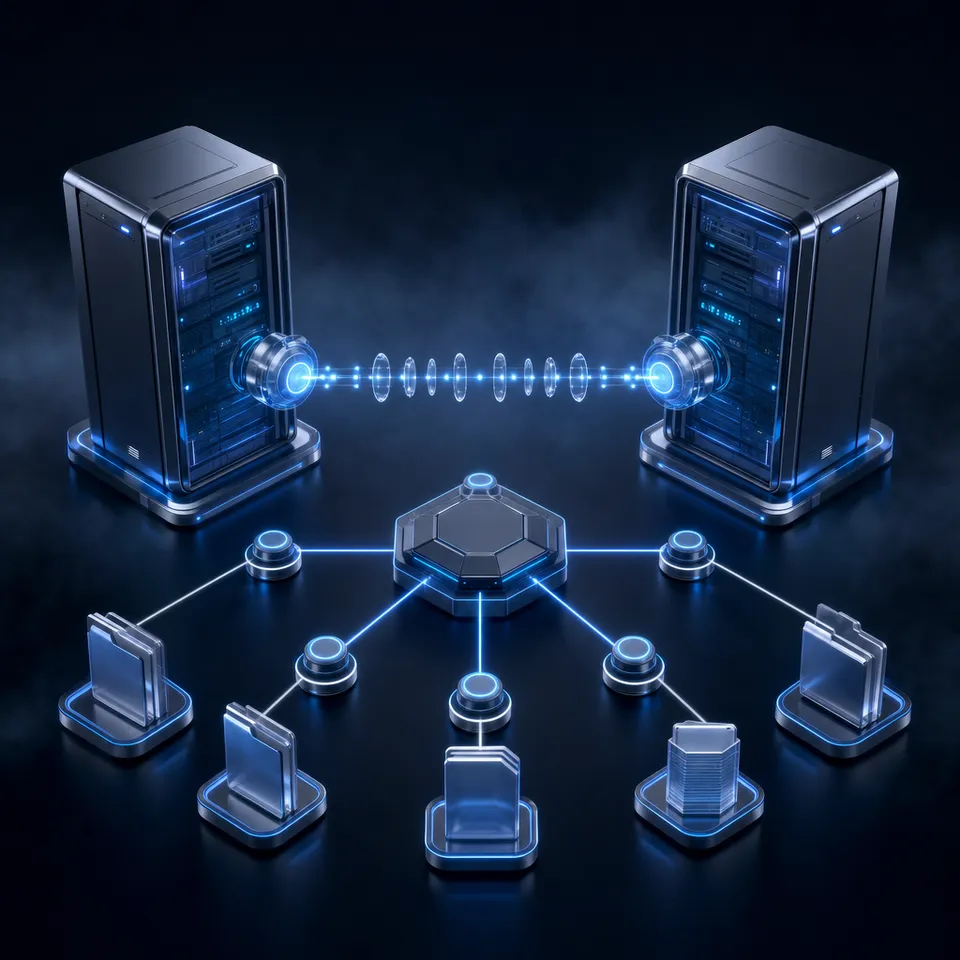
Remote MCP vs Local MCP: The Architectural Divide
When an engineer configures an AI assistant with a local Model Context Protocol server over stdio, the tools execute inside an isolated subprocess bounded strictly by the developer's laptop. That architecture works cleanly for single-developer tasks like inspecting a local git branch, but it breaks down immediately when multi-agent workflows require shared access to team repositories, client document archives, or enterprise cloud storage.
Local MCP runs the tool server as a child process on the user's workstation, while remote MCP hosts the server as a network accessible service shared across multiple agents and team members. Understanding the distinction between these two deployment patterns requires examining the underlying transport mechanisms defined by the protocol specification.
How Local stdio MCP Operates
In a local configuration, the client application (such as Claude Desktop, Cursor, or VS Code) acts as a process supervisor. When the client initializes, it spawns the server executable directly as an operating system subprocess using command and args declarations in a local configuration file. Communication occurs over the standard input and standard output streams (stdin and stdout). Messages are UTF-8 encoded JSON-RPC 2.0 payloads delimited strictly by newline characters. Diagnostic logs and internal traces must travel over standard error (stderr) so they do not corrupt the JSON-RPC message stream.
{
  "servers": {
    "local-filesystem": {
      "command": "npx",
      "args": ["-y", "@modelcontextprotocol/server-filesystem", "/Users/username/projects"]
    }
  }
}
Because the server runs directly on the workstation, it executes with the operating system privileges of the local user account. It reads and writes directly to the local disk, reads local environment variables, and communicates with local hardware devices. However, its lifecycle is coupled to the parent client process. When the user quits their desktop client or restarts their workstation, the subprocess terminates, clearing any ephemeral in-memory state.
How Remote Streamable HTTP MCP Operates
Remote MCP separates tool execution from the user's local machine entirely. The server runs as an independent, persistent network service hosted on cloud infrastructure, an internal Kubernetes cluster, or a dedicated platform. Instead of managing operating system processes, the client communicates with the server over the network using Streamable HTTP.
Under Streamable HTTP, each tool execution request is transmitted as an HTTP POST request to a dedicated endpoint URL. The remote server responds either with a single JSON response or with a request-scoped Server-Sent Events (SSE) stream for chunked replies, background progress updates, and notifications. Intermediary gateways and reverse proxies inspect session headers such as Mcp-Session-Id and MCP-Protocol-Version to route traffic to the appropriate container instance.
{
  "servers": {
    "workspace-intelligence": {
      "type": "http",
      "url": "https://mcp.fast.io/mcp/tools"
    }
  }
}
This separation of concerns transforms the MCP server from a single-user utility script into a multi-tenant backend service. Remote servers maintain independent persistence, coordinate concurrent requests from multiple agents, enforce centralized authentication, and interact directly with cloud databases and object stores without routing traffic through an individual workstation.
Related guides
- Roo Code MCP Setup: Connecting Coding Agents to Cloud WorkspacesRoo Code MCP connects the Roo Code autonomous coding extension in VS Code to local tools and remote Model Context...
- How to Connect AI Agents to Azure Blob Storage via MCPAn Azure Blob Storage MCP server exposes cloud containers and object storage to AI agents using standard Model Context...
- Cloud Storage MCP: Connecting AI Agents to Drive, Dropbox, and OneDriveAI agents require access to files stored across Google Drive, Dropbox, Box, and OneDrive, but local filesystem...
- How to Connect Google Gemini to Box via MCPA Gemini Box MCP integration exposes Box enterprise folder hierarchies and file contents to Google Gemini agents...
- How to Connect Gemini to Dropbox via MCPConnecting Gemini to Dropbox via MCP allows Google Gemini models and agents to interact with Dropbox storage through...
- How to Connect Gemini to Storage via MCP ServerConnecting Google Gemini to persistent storage through a Model Context Protocol server replaces clumsy context-window...
More on this subject: MCP and Model Context Protocol (238 guides)
The Shared Storage Problem: Why Local MCP Fails Multi-Agent Teams
In modern engineering and product teams, documents and knowledge assets do not live on a single laptop. Teams maintain their contracts, engineering specifications, design assets, and customer documentation in cloud storage systems: Google Drive, Dropbox, Box, OneDrive, and SharePoint. When teams deploy AI agents using local stdio MCP servers, they run directly into the shared storage coordination gap.
Local MCP requires local synchronization or filesystem access, consuming workstation RAM and disk space. To expose team assets to a local MCP server, every developer must install a desktop synchronization client such as Google Drive for desktop, OneDrive Files On-Demand, or Dropbox Smart Sync. This creates three critical operational failures.
1. The Disk Footprint and Hydration Storm
Modern corporate document repositories frequently exceed hundreds of gigabytes or several terabytes. Because developer laptops carry limited solid-state storage, desktop sync clients rely on virtual file stubs or files-on-demand placeholders. When a local MCP filesystem server attempts to search, read, or inspect a directory, one of two failures occurs:
- Stub Read Errors: The local server reads a virtual pointer file instead of actual document content, causing parsing failures inside the agent's LLM context window.
- Download Storms: A recursive search or indexing pass by an agent forces the sync engine to hydrate thousands of remote files onto the developer's physical disk simultaneously, freezing the workstation and exhausting available drive capacity.
2. Native Connector Bottlenecks
Some AI assistants provide built-in native connectors to cloud storage providers. While these connectors bypass local disk storage by communicating with vendor APIs directly, they introduce significant latency and token overhead. Native connectors typically pull entire document payloads across network boundaries during chat interactions, face strict rate limits per user, and lack cross-repository semantic indexes. When an agent needs to answer a specific factual query across hundreds of files, a native connector often attempts to download full files into context or makes repeated paginated API calls.
The connector comparison is published at Fastio Benchmarks and that page is the only place its numbers live.
3. Silent Drift and Overwrite Conflicts
The most dangerous failure of local MCP in team environments is the absence of shared concurrency control. Consider two developers, Alice and Bob, each running local coding agents against their own synchronized folders:
- Alice's agent updates an architecture specification file locally and saves the changes.
- The local desktop sync engine schedules the file for background upload to the corporate cloud drive.
- Bob's agent, unaware of Alice's in-progress changes, reads an outdated local copy and writes modifications to the same file.
- When both local files sync back to the cloud, the storage provider produces conflicted copies (such as
architecture-spec (conflicted copy).docx), or silently overwrites one developer's changes.
Local MCP servers have no shared locking mechanism, no mutual visibility into active agent tasks, and no centralized event stream to notify other agents when a shared asset changes.
When to Transition: Decision Criteria for Engineering Teams
Choosing between local stdio and remote Streamable HTTP is an architectural decision that depends on team topology, data scale, and deployment environments. Engineering organizations should evaluate their agent workflows against specific criteria to determine when local processes must give way to centralized services.
Criteria Checklist for Moving to Remote MCP
Teams should transition from local stdio servers to remote MCP services when any of the following conditions apply:
- Shared Document Corpus: More than one developer or automated agent needs to read, query, or edit the same set of project files and reference materials.
- Multi-Agent Coordination: Autonomous agents run concurrently across different machines or cloud sandboxes and must coordinate their outputs without overwriting work.
- Large Repositories: The project document collection exceeds the disk capacity or indexing memory of an individual developer workstation.
- Headless and CI/CD Execution: Agents run in automated pipelines, GitHub Actions, Docker containers, or background jobs where no local desktop GUI or user login session exists.
- Centralized Security and Governance: The organization requires unified role-based access control, centralized credential management, and detailed activity logs of file modifications.
- Hybrid Search Requirements: The workflow requires pre-computed semantic embeddings and full-text indexing rather than brute-force local filesystem scanning.
Architectural Comparison: Local stdio vs Remote Streamable HTTP
Where Local stdio Remains the Right Choice
Local stdio servers remain the practical pattern for isolated, workstation-bound development tasks. When a software engineer uses an AI assistant to inspect unstaged git diffs in a local repository, run unit test commands in a local shell, or inspect a private SQLite database file located in their temporary directory, local stdio provides direct access without network round-trips. In these single-user scenarios, data never leaves the developer's laptop, and no network configuration is required.


Connect Your Agent Workspaces with Remote MCP
Deploy a shared workspace with hybrid semantic search and a hosted MCP endpoint for your team's AI agents. Monthly plans start with a 14-day free trial.
Remote MCP Architecture Patterns: Centralizing Workspaces and Intelligence
Remote MCP offloads document indexing and search retrieval to cloud workspaces accessible by any authenticated client. Instead of treating storage as passive file hosting that agents must download in bulk, modern agent architectures deploy remote MCP servers in front of shared intelligent workspaces.
This architecture pattern resolves the shared storage dilemma through three core mechanisms:
1. Ingestion Without Local I/O
Rather than forcing developers to migrate away from existing enterprise infrastructure, the remote MCP architecture connects to existing repositories. Cloud Sync connects Google Drive, Dropbox, Box and OneDrive folders to a workspace, one-way or two-way, on a schedule or on demand (never continuous, live or real-time; SharePoint libraries connect through the OneDrive connector). Teams can also import specific files or web archives directly via URL Import without routing data through a local workstation.
Once files land in the shared workspace, the platform's Intelligence Mode indexes documents for hybrid search. This search combines full-text keyword indexing, semantic vector embeddings, and search-by-metadata-value into a single unified retrieval layer. When an agent queries the workspace through remote MCP, it calls search actions that return exact semantic passages with source document citations, rather than pulling entire multi-megabyte files into the LLM context window.
2. Structured Extraction with Metadata Views
Beyond text retrieval, agent workspaces require structured intelligence. Through Metadata Views, workspaces convert unstructured documents into queryable tables. Users and agents define fields in natural language (such as contract renewal dates, total contract values, or invoice line items), and the extraction engine matches workspace files to populate typed columns (Text, Integer, Decimal, Boolean, URL, JSON, Date & Time). Agents query these structured views through remote MCP actions, retrieving exact tabular records without re-processing source documents.
3. Concurrency, Versioning, and Advisory Locks
When multiple autonomous agents and human team members collaborate inside a shared workspace, file collisions are prevented through built-in persistence mechanisms:
- Per-File Version History: Every document write, whether initiated by an agent or a human, creates a distinct version. Prior versions remain fully restorable, ensuring that concurrent writes never cause unrecoverable data loss.
- Advisory File Locks: Agents operating in multi-step modification pipelines can inspect and acquire advisory leases on specific files. Through the remote MCP toolset, agents use
lock-acquireandlock-releaseonstorage_manageand checklock-statusonstorage. These advisory locks expire automatically unless heartbeated, alerting other members to ongoing edits without creating rigid exclusive locks that halt collaboration. - Collaborative Notes: Beside raw files, agents and humans can read and write Notes for session summaries, run logs, and task handoffs, using version-checked saves rather than fragile real-time co-editing protocols.
- Ownership Transfer: Autonomous agents can be programmed to initialize workspaces, populate file hierarchies, configure share settings, and execute an ownership transfer to a human manager while retaining scoped administrative access.
Deploying and Securing Remote MCP Endpoints Across Client Ecosystems
Deploying a remote MCP architecture requires establishing clear endpoint routing, authentication boundaries, and permission models across the diverse ecosystem of AI clients. Because different AI clients interact with tools in distinct operational modes, remote MCP architectures provide specialized endpoints tailored to client capabilities.
Endpoint Specialization by Client Type
The Fastio hosted remote MCP infrastructure operates over Streamable HTTP at mcp.fast.io, routing requests through dedicated endpoints based on client requirements:
- Claude Applications (
https://mcp.fast.io/mcp/tools): Designed for Claude on the web, Claude Desktop, Claude mobile, Claude Cowork, Manus, and general agent runtimes like OpenClaw and Hermes Agent. This endpoint exposes a structured set of paired operational tools, separating read actions from management actions (such asstoragefor reads andstorage_managefor writes). - IDE Coding Agents (
https://mcp.fast.io/mcp/code): Designed for developer-centric coding environments including Claude Code, Cursor, VS Code with GitHub Copilot agent mode, and Cline. This endpoint provides streamlined discovery tools likesearch,execute, andhow-to, minimizing tool definition overhead inside rapid coding loops. - ChatGPT and Codex (
https://mcp.fast.io/mcp/operations): Used when connecting custom MCP servers. For most ChatGPT and Codex users, the preferred setup is installing the Fastio plugin directly from the plugin directory; the custom operations endpoint serves as an alternative for environments where plugins are restricted.
Detailed configuration steps and tool reference guides are available at Fastio MCP Setup and the Fastio Agent Guide.
Client Setup Procedures
Configuring desktop and terminal clients to use remote MCP requires minimal setup compared to local subprocess compilation:
- Claude (Desktop, Web, Mobile): Open Customize, then Connectors. Add a custom connector and enter
https://mcp.fast.io/mcp/tools. Select Connect and complete the Fastio sign-in in the browser window that opens. Inside any conversation, activate the connector from the plus menu under Connectors. - Claude Code CLI: Run the add command directly in your terminal:
claude mcp add --transport http fast-io https://mcp.fast.io/mcp/code
Sign in via the browser OAuth prompt. In project configuration files (`.mcp.json`), declare the entry with `"type": "http"` and `"url": "https://mcp.fast.io/mcp/code"`.
- Cursor: Configure the global
~/.cursor/mcp.jsonor project-level.cursor/mcp.jsonfile:
    {
      "mcpServers": {
        "fast-io": {
          "url": "https://mcp.fast.io/mcp/code"
        }
      }
    }
- VS Code and Copilot Agent Mode: Add the server under the
serversobject in.vscode/mcp.json:
    {
      "servers": {
        "fast-io": {
          "type": "http",
          "url": "https://mcp.fast.io/mcp/code"
        }
      }
    }
- Cline: Add an entry to
cline_mcp_settings.jsonspecifying"type": "streamableHttp"with the URLhttps://mcp.fast.io/mcp/code.
Authentication and Access Control
Security in a remote MCP deployment operates through two distinct patterns:
- Interactive Browser OAuth: Interactive clients (Claude, Cursor, VS Code) initiate an OAuth 2.0 flow. During sign-in, the user encounters a Review Permissions screen where they can select Read Only or Read & Write access and restrict which organizations and workspaces the connector can reach.
- Scoped Bearer Tokens: Headless agents, scheduled background jobs, and framework runtimes (such as Hermes Agent, LangGraph, or CI/CD pipelines) pass a scoped API key as an
Authorization: Bearer <api key>header on the connection.
Access control is maintained through organizational boundaries. Role-based permissions are set per organization, workspace, and share, ensuring that an agent connection only reaches the specific workspace to which it has been granted membership.
For auditability, the platform records a detailed activity log of all organizational changes: uploads, edits, moves, deletions, permission changes, and share creations across human collaborators and automated agents. If an agent credential is compromised or a project concludes, administrators can immediately revoke access in Fastio under Settings, then Devices & Agents, then Connected Devices by selecting Revoke on the active connector.
Workspaces and Plan Tiers
Monthly plans start with a 14-day free trial, which requires a credit card. Subscriptions scale across three tiers:
Sources
References used to verify factual claims in this guide.
-
The Model Context Protocol specification defines stdio for subprocess communication and Streamable HTTP for network-based message transport.
Frequently Asked Questions
Should I run MCP servers locally or remotely?
Run MCP servers locally over stdio when building single-developer tools that need direct access to your local machine, such as manipulating local git repositories, running terminal commands, or debugging local codebases. Run MCP servers remotely over Streamable HTTP when multiple agents or team members need access to shared document workspaces, when offloading indexing and compute to cloud infrastructure, or when deploying background agents in headless CI/CD pipelines.
What are the advantages of remote MCP servers?
Remote MCP servers eliminate local client installation requirements, centralize authentication and access control, offload document indexing and vector search from developer workstations, and enable multiple agents to collaborate within a shared persistence layer. They also support persistent state, scheduled operations, and direct coordination across heterogeneous AI clients like Claude, Cursor, and custom frameworks.
How do remote MCP servers handle shared team files?
Remote MCP servers connect directly to centralized cloud workspaces rather than local desktop folders. Instead of requiring developers to sync large corporate repositories to their local hard drives, the remote server indexes files in place, provides hybrid semantic and full-text search, records modifications in a detailed activity log, and tracks all edits with per-file version history.
How does authentication differ between local stdio and remote MCP?
Local stdio MCP servers inherit the operating system permissions of the logged-in user on the local workstation, with no built-in network authentication layer. Remote MCP servers operate over HTTP and enforce explicit token-based authentication, using interactive browser OAuth 2.0 flows for desktop tools or scoped Bearer API tokens for headless agents.
Can remote MCP servers connect to existing cloud storage like Google Drive or SharePoint?
Yes. In a remote MCP architecture, workspaces connect to existing cloud storage providers including Google Drive, Dropbox, Box, and OneDrive (with SharePoint document libraries accessible through the OneDrive connector). Cloud Sync connects these folders to the workspace on a schedule or on demand, allowing remote MCP agents to query and index files without requiring local disk synchronization.
Related Resources

Connect Your Agent Workspaces with Remote MCP
Deploy a shared workspace with hybrid semantic search and a hosted MCP endpoint for your team's AI agents. Monthly plans start with a 14-day free trial.